---
title: "Managing translations"
manual: "TYPO3 Explained"
version: "13.4"
permalink: "https://docs.typo3.org/permalink/t3coreapi:managing-translating@13.4"
source: "ApiOverview/Localization/ManagingTranslations.rst"
rendered: "2026-10-04T08:50:54+00:00"
---
# Managing translations {#managing-translating}
This sections highlights the different ways to translate and manage XLIFF files.
## Fetching translations / updating language packs {#xliff-translating-fetch}
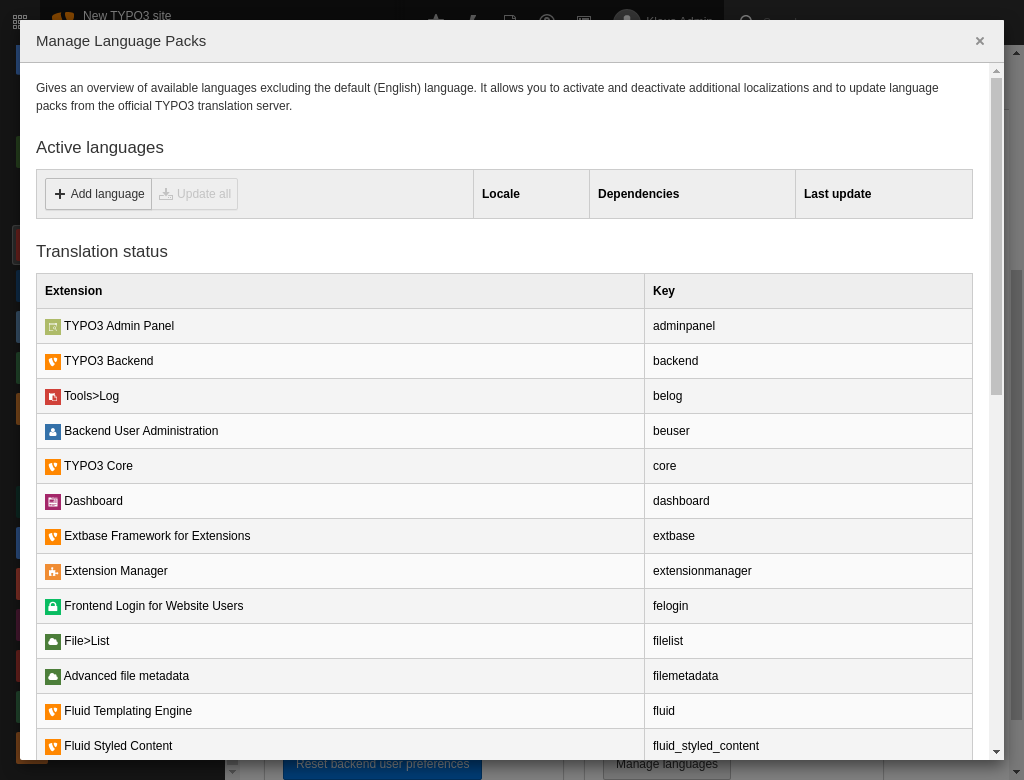
The backend module **Admin Tools > Maintenance > Manage Language Packs**
displays a list of available languages to your users and can fetch and
update language packs in TER and Core extensions from the official translation server.
The module is rather straightforward to use and should be pretty much self-explanatory.
Downloaded language packs are stored in the environment's
[getLabelsPath()](https://docs.typo3.org/permalink/t3coreapi:environment-labels-path@13.4).
Language packs can also be fetched using the command line:
**Composer-based installation**
```bash
vendor/bin/typo3 language:update
```
**Classic mode installation (no Composer)**
```bash
typo3/sysext/core/bin/typo3 language:update
```
## Load an additional language pack {#load-language-pack}
Additional language packs can be installed by administrators in the backend:
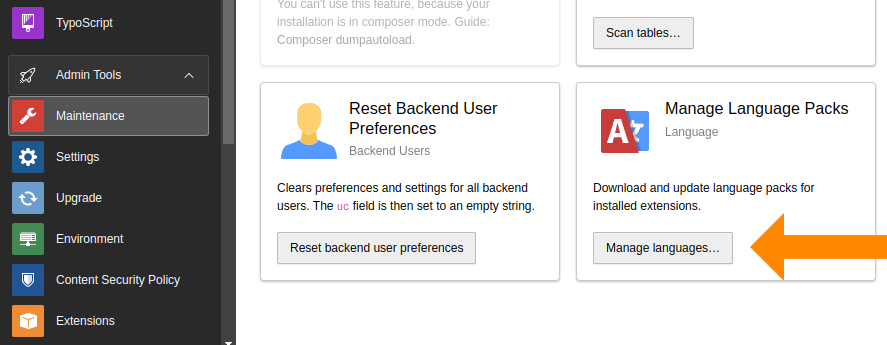
1. Go to **Admin Tools > Maintenance > Manage Languages Packs**
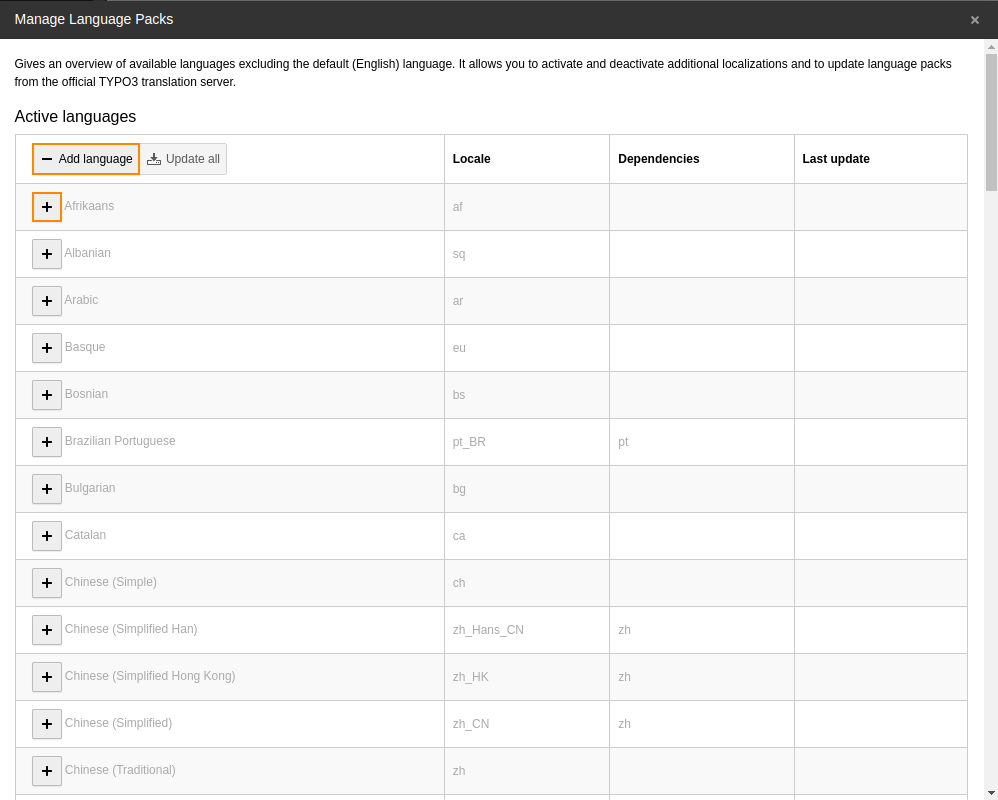
1. Select **Add Language** and activate the new language:
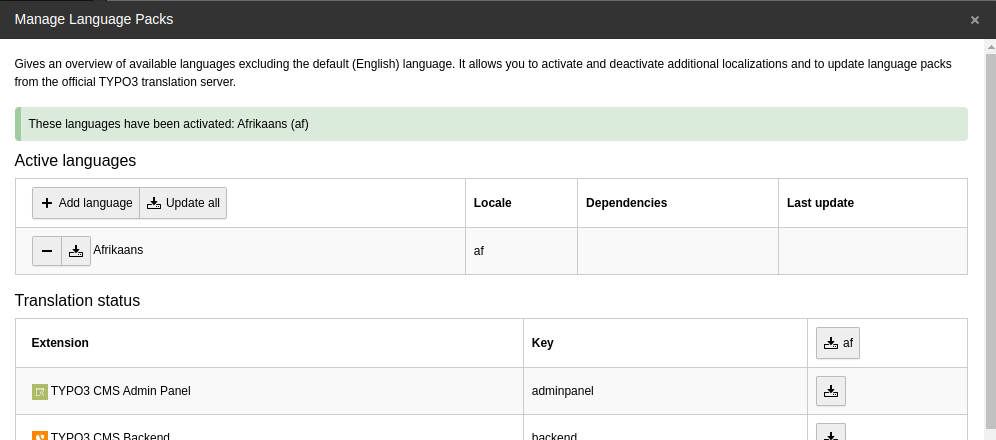
1. The selected language is now available:
## Local translations {#xliff-translating-local}
With [t3ll](https://github.com/garfieldius/t3ll) it is possible to translate
XLIFF files locally. t3ll is an open source, cross-platform application and runs
on console under Linux, MacOS and Windows. It opens its editor inside a Google
Chrome or Chromium window.
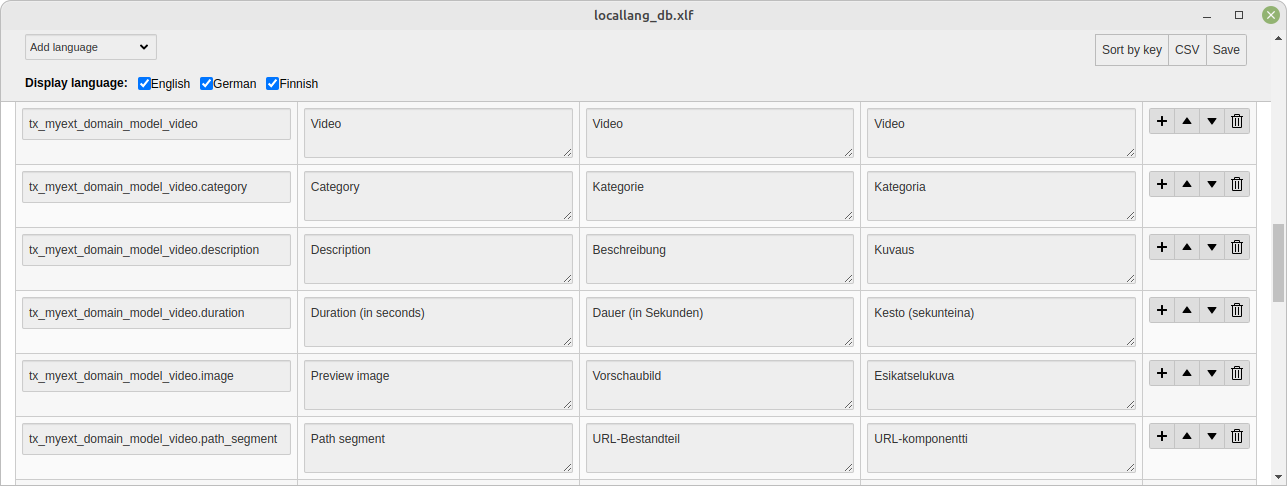
Just call on a console, for example:
**Linux / MacOS**
```bash
t3ll path/to/your/extension/Resources/Private/Language/locallang.xlf
```
**Windows**
```powershell
t3ll.exe path\to\your\extension\Resources\Private\Language\locallang.xlf
```
Translating files locally is useful for extensions which should not be published
or for creating [custom translations](https://docs.typo3.org/permalink/t3coreapi:xliff-translating-custom@13.4).
## Custom translations {#xliff-translating-custom}
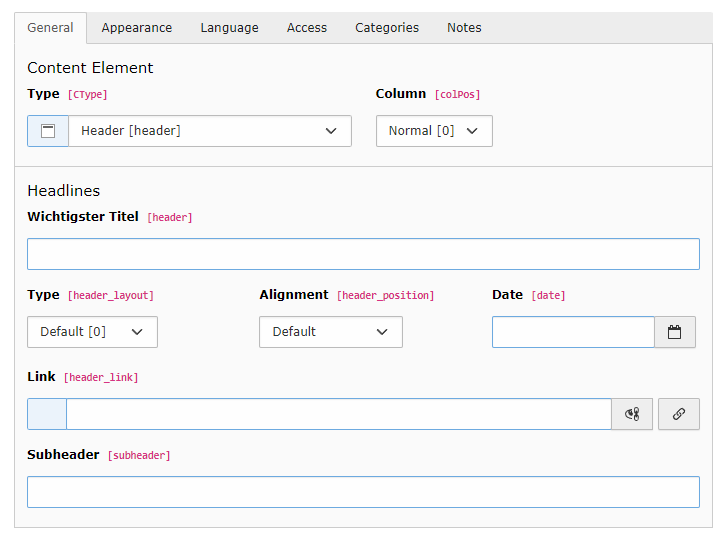
`$GLOBALS['TYPO3_CONF_VARS']['SYS']['locallangXMLOverride']` allows to
override XLIFF files. Actually, this is not just about translations. Default
language files can also be overridden. The syntax is as follows:
**EXT:examples/ext_localconf.php**
```php
Most important titleWichtigster Titel
```
and the result can be easily seen in the backend:
> [!WARNING]
> **Attention**
>
> - You do not have to copy the full reference file, but only the labels you
> want to translate.
> - The path to the file to be overridden must be specified as
> `EXT:my_extension/...` and have the extension `xlf`.
> [!WARNING]
> **Attention**
>
> The following is a **bug** but must be taken as a constraint for now:
>
> - The files containing the custom labels must be located inside an
> extension. Other locations will not be considered.
> - The original translation needs to exist in the environment's
> [getLabelsPath()](https://docs.typo3.org/permalink/t3coreapi:environment-labels-path@13.4) or next to the base translation file in
> extensions, for example in
> `my_extension/Resources/Private/Language/`.
## Custom languages {#xliff-translating-languages}
TYPO3 [supports many languages](https://docs.typo3.org/permalink/t3coreapi:i18n-languages@13.4) by default. But it is also
possible to add custom languages and create the translations locally using XLIFF
files.
1. Define the language
As example, we "gsw_CH" (the official code for “Schwiizertüütsch” - that is
"Swiss German") as additional language:
**config/system/additional.php | typo3conf/system/additional.php**
```php
$GLOBALS['TYPO3_CONF_VARS']['SYS']['localization']['locales']['user'] = [
'gsw_CH' => 'Swiss German',
];
```
1. Add fallback to another language
This new language does not have to be translated entirely. It can be defined
as a fallback to another language, so that only differing labels have to be
translated:
**config/system/additional.php | typo3conf/system/additional.php**
```php
$GLOBALS['TYPO3_CONF_VARS']['SYS']['localization']['locales']['dependencies'] = [
'gsw_CH' => ['de_AT', 'de'],
];
```
In this case, we define that "gsw_CH" can fall back on "de_AT" (another
custom translation) and then on "de".
1. Add translation files
The translations for system extensions and extensions from TER must be stored in the appropriate labels path
sub-folder ([getLabelsPath()](https://docs.typo3.org/permalink/t3coreapi:environment-labels-path@13.4)), in this case `gsw_CH`.
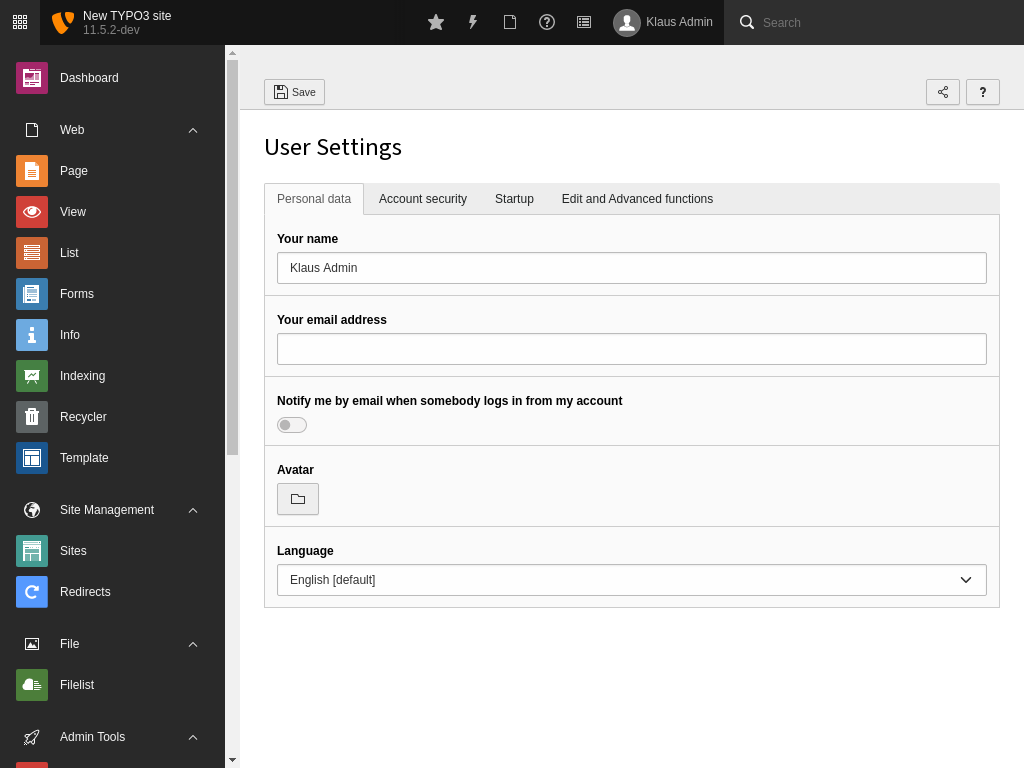
The least you need to do is to translate the label with the name of the language
itself so that it appears in the user settings. In our example, this would be in
the file [`gsw_CH/setup/Resources/Private/Language/gsw_CH.locallang.xlf`](../../ExtensionArchitecture/FileStructure/Resources/Private/Language.md#file-extension-resources-private-language-locallang-xlf).
**gsw_CH/setup/Resources/Private/Language/gsw_CH.locallang.xlf**
```xml
Swiss GermanSchwiizertüütsch
```
The custom language is now available in the user settings:
For translations in own extensions you can provide the custom language files
in the `Resources/Private/Language/` folder of the extension, for
example `gsw_CH.locallang_db.xlf`.
> [!NOTE]
> Each language will always fall back on the default one (i.e. English) if no
> a translation is found. A custom language will fall back on its "parent"
> language automatically. Thus, in our second example of "de_AT" (German for
> Austria), there would be no need to define a fallback for "de_AT" if it fell
> back to "de".
> [!NOTE]
> **See also**
>
> Configure `typo3Language` to use custom languages in the frontend,
> see [Adding Languages](https://docs.typo3.org/permalink/t3coreapi:sitehandling-addinglanguages@13.4) for details.