---
title: "Backend layouts"
manual: "TypoScript Explained"
version: "14.3"
permalink: "https://docs.typo3.org/permalink/t3tsref:backend-layouts@14.3"
source: "PageTsconfig/Mod/WebLayout/BackendLayout.rst"
rendered: "2026-10-01T16:17:37+00:00"
---
# Backend layouts {#backend-layouts}
Backend layouts were initially introduced to display editable versions of the
webpages in the backend (in the **Page** module). However, they have now
increased their functionality and can be used for frontend rendering as well. Using
TypoScript, the Fluid template for a webpage is chosen depending on which backend
layout a page has. (The TypoScript [data:pagelayout](https://docs.typo3.org/permalink/t3tsref:confval-data-pagelayout@14.3)
function retrieves the backend layout).
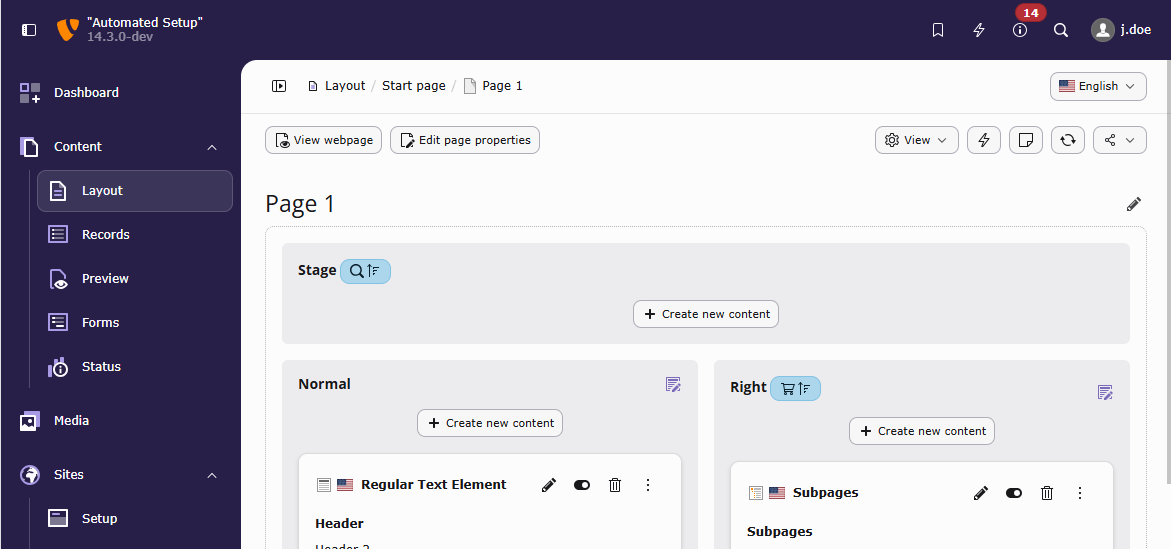
Backend layouts contain content areas that are organized in rows and columns. Content
areas can span multiple rows and columns, but they cannot be nested. For nested layouts in the
backend, use an extension like [`b13/container`](https://packagist.org/packages/b13/container).
The page TSconfig for the backend layout above can be found in the site package
tutorial: [Create backend page layouts](https://docs.typo3.org/m/typo3/tutorial-sitepackage/14.3/en-us/ContentMapping/Index.html#backend-page-layouts).
## BackendLayouts.\[backendLayout\] {#backendlayouts-backendlayout}
- **BackendLayouts.\[backendLayout\]**
- *Type:* array**Page** module
- *Page TSconfig path:* mod.web_layout.BackendLayouts
**title**
- **title**
- *Type:* string or language identifier
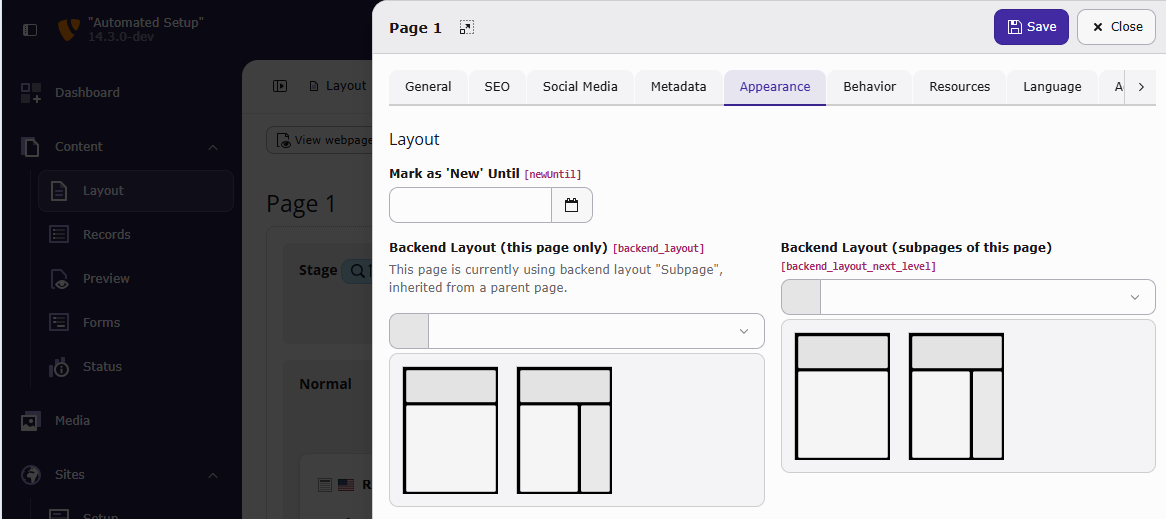
The title of a backend layout. It will be displayed in the page
properties in the backend.
**icon**
- **icon**
- *Type:* string, extension path to an image file
The icon in the page properties.
**EXT:bootstrap_package/Configuration/TsConfig/Page/Mod/WebLayout/BackendLayouts/subnavigation_right_2_columns.tsconfig**
```tsconfig
mod.web_layout.BackendLayouts.subnavigation_right_2_columns {
icon = EXT:bootstrap_package/Resources/Public/Icons/BackendLayouts/subnavigation_right_2_columns.svg
}
```
**config.backend_layout**
- **config.backend_layout**
**colCount**
- **colCount**
- *Type:* integer
The total number of columns in the backend layout.
**rowCount**
- **rowCount**
- *Type:* integer
The total number of rows in the backend layout.
**rows.\[row\].columns.\[col\]**
- **rows.\[row\].columns.\[col\]**
**name**
- **name**
- *Type:* string or language identifier
The name of the input area where content elements can be added. Will be
displayed in the **Page** module.
**colPos**
- **colPos**
- *Type:* integer, 0 - maxInt
If content elements have been added to this area, the value of `colPos`
**identifier**
- **identifier**
- *Type:* string
An identifier that can be used by the page content
DataProcessor to identify the content elements in this
area.
It is a more meaningful representation than just [colPos](https://docs.typo3.org/permalink/t3tsref:confval-mod-web-layout-backendlayouts-backendlayout-title-config-backend-layout-rows-row-columns-col-colpos@14.3),
such as "main", "sidebar" and "footerArea".
**slideMode**
- **slideMode**
- *Type:* string, "" (empty string), "slide", "collect", "collectReverse"
An identifier that can be used by the page content
DataProcessor to identify content elements in this
area.
- **`slide`**
If no content is found, check the parent pages for more content
- **`collect`**
Use all content from this page and the parent pages as one collection
- **`collectReverse`**
The same as "collect", but in the opposite order
**colspan**
- **colspan**
- *Type:* integer, 1 - [colCount](https://docs.typo3.org/permalink/t3tsref:confval-mod-web-layout-backendlayouts-backendlayout-title-config-backend-layout-colcount@14.3)
Can be used if the content element area should span multiple
columns as in the "Jumbotron" example above.
**rowspan**
- **rowspan**
- *Type:* integer, 1 - [rowCount](https://docs.typo3.org/permalink/t3tsref:confval-mod-web-layout-backendlayouts-backendlayout-title-config-backend-layout-rowcount@14.3)
Can be used if the content element area spans multiple
rows.
**allowedContentTypes**
- **allowedContentTypes**
- *Type:* comma separated strings
Allow only configured types of content elements (referencing
`tt_content.CType` with names like "text", "textmedia",
"felogin_pi1" and so on).
**disallowedContentTypes**
- **disallowedContentTypes**
- *Type:* comma separated strings
Disallow configured types of content elements (referencing
`tt_content.CType` with names like "text", "textmedia",
"felogin_pi1" and so on).
### Example: Use a backend layout in the page content data processor {#backend-layouts-data-processor}
Define the backend layout via page TSconfig, like in the site below:
**config/sites/my-site/page.tsconfig**
```typoscript
mod.web_layout.BackendLayouts {
default {
title = Default
config {
backend_layout {
colCount = 2
rowCount = 2
rows {
1 {
columns {
1 {
name = Jumbotron
colPos = 1
identifier = jumbotron
slideMode = slide
colspan = 2
}
}
}
2 {
columns {
1 {
name = Left
colPos = 0
identifier = left
}
2 {
name = Right
colPos = 2
identifier = right
slideMode = collectReverse
}
}
}
}
}
}
}
}
```
Configure the output with TypoScript, using the [PAGEVIEW](https://docs.typo3.org/permalink/t3tsref:cobj-pageview@14.3)
content object and the [page-content data processor](https://docs.typo3.org/permalink/t3tsref:pagecontentfetchingprocessor@14.3).
**config/sites/my-site/setup.typoscript**
```typoscript
page = PAGE
page {
10 = PAGEVIEW
10 {
paths.10 = EXT:my_sitepackage/Resources/Private/Templates/
dataProcessing.10 = page-content
dataProcessing.10.as = myContent
}
}
```
Use the column identifiers in a Fluid template:
**EXT:my_sitepackage/Resources/Private/Templates/Pages/Default.fluid.html**
```html
```