---
title: "Custom Content Blocks"
manual: "Site Package Tutorial"
version: "14.3"
permalink: "https://docs.typo3.org/permalink/t3sitepackage:content-blocks@14.3"
source: "ContentBlocks/Index.rst"
rendered: "2026-10-01T16:42:56+00:00"
---
# Custom Content Blocks {#content-blocks}
When we filled the [stage with content](https://docs.typo3.org/permalink/t3sitepackage:slide-mode@14.3)
we noticed that the content does not look like the content within the original
HTMl layout.
This is because the stage does not contain normal content, as provided by
Fluid-Styled Content, but a Jumbotron element or a slider.
**Table of contents**
- [Install extension Content Blocks](https://docs.typo3.org/permalink/t3sitepackage:install-extension-content-blocks@14.3)
- [The jumbotron Content Block](https://docs.typo3.org/permalink/t3sitepackage:the-jumbotron-content-block@14.3)
- [The carousel Content Block](https://docs.typo3.org/permalink/t3sitepackage:the-carousel-content-block@14.3)
- [Next steps](https://docs.typo3.org/permalink/t3sitepackage:next-steps@14.3)
> [!NOTE]
> The extension [`friendsoftypo3/content-blocks`](https://packagist.org/packages/friendsoftypo3/content-blocks) is not an official
> part of the TYPO3 Core yet. It is also possible to
> [Create a custom content element with TYPO3 Core only](https://docs.typo3.org/m/typo3/reference-coreapi/14.3/en-us/ApiOverview/ContentElements/AddingYourOwnContentElements.html#adding-your-own-content-elements).
## Install extension Content Blocks {#content-blocks-installation}
The extension [`friendsoftypo3/content-blocks`](https://packagist.org/packages/friendsoftypo3/content-blocks) is an extension that
is not part of the TYPO3 Core but maintained by a group of community members.
There are plans to integrate this extension into the Core, however at the
time of writing there are no finite decisions yet.
If you are using the "Site Package Tutorial" Content Blocks should be already
installed due to requirements in the `composer.json`.
If not first install the extension [`friendsoftypo3/content-blocks`](https://packagist.org/packages/friendsoftypo3/content-blocks):
```bash
ddev composer req friendsoftypo3/content-blocks
```
First, flush all caches. Then, set up the extension.
```bash
ddev typo3 cache:flush
ddev typo3 extension:setup
```
## The jumbotron Content Block {#content-blocks-jumbotron}
The site package you generated in step
[Generate a site package](https://docs.typo3.org/permalink/t3sitepackage:minimal-design@14.3)
comes with two content elements. We look at the more basic content elements first.
You can now replace the content element in the area "Stage" of start page with
one of type "Jumbotron".
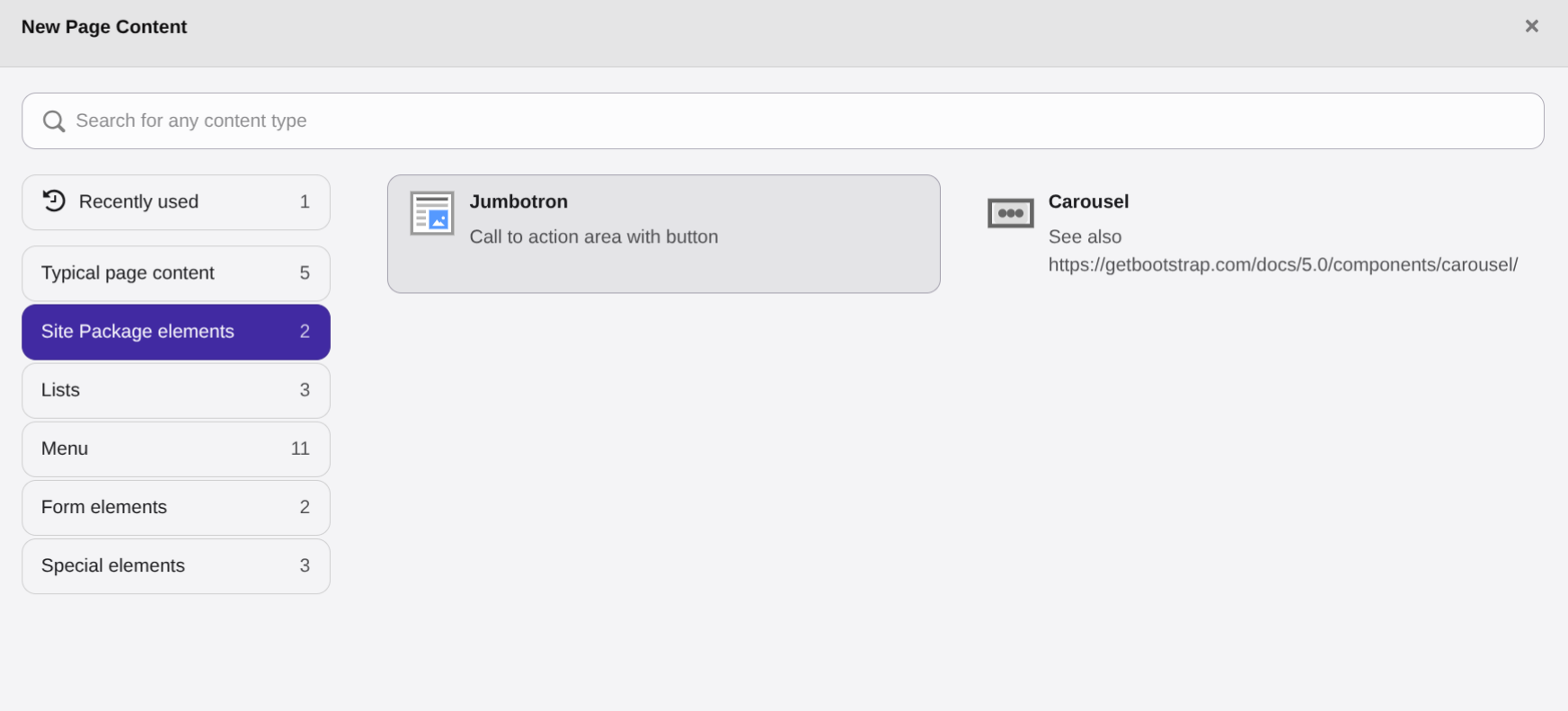
You can now create a jumbotron with a button and a link.
Directory `packages/my_site_package/ContentBlocks/ContentElements` contains
one directory for each Content Block that can be used as normal Content Elements.
### Directory structure of a Content Block {#content-blocks-jumbotron-directory}
A Content Block consists of a configuration (`config.yaml`), a template and
optionally assets and or language files:
The jumbotron consists of the following files:
- packages/my_site_package/ContentBlocks/ContentElements/jumbotron
- assets
- icon.svg
- language
- labels.xlf
- templates
- frontend.fluid.html
- config.yaml
### The configuration of the jumbotron Content Block {#content-blocks-jumbotron-config}
File `packages/my_site_package/ContentBlocks/ContentElements/jumbotron/config.yaml`
defines what fields should be available for the Content Block in the backend:
**packages/my_site_package/ContentBlocks/ContentElements/jumbotron/config.yaml**
```yaml
name: site-package/jumbotron
typeName: site_package_jumbotron
group: site_package
prefixFields: true
priority: 10
fields:
-
identifier: header
useExistingField: true
-
identifier: bodytext
useExistingField: true
enableRichtext: true
-
identifier: button_text
type: Text
default: 'Read more'
min: 4
max: 15
-
identifier: button_link
type: Link
required: true
```
Each Content Block must have a unique name with a prefix of your choice that
should be unique within your project. (Line 1)
It is possible to use fields that are already pre-defined in the TYPO3 Core like
`header` (Line 8) and `bodytext` (Line 11).
We also newly define two fields, one of type [Text](https://docs.typo3.org/p/friendsoftypo3/content-blocks/main/en-us/YamlReference/FieldTypes/Text/Index.html#field_type_text)
(Line 15-19) and one of type [Link](https://docs.typo3.org/p/friendsoftypo3/content-blocks/main/en-us/YamlReference/FieldTypes/Link/Index.html#field_type_link)
(Line 21-23). You can find all available types here: [Field Types](https://docs.typo3.org/p/friendsoftypo3/content-blocks/main/en-us/YamlReference/FieldTypes/Index.html#field_types).
The meaning behind the other settings here can be found in the
[YAML reference of the Content Blocks guide](https://docs.typo3.org/p/friendsoftypo3/content-blocks/main/en-us/YamlReference/Index.html#yaml_reference).
### The jumbotron template {#content-blocks-jumbotron-template}
The frontend template for the Content Block "Jumbotron" is a normal Fluid
template. You already used Fluid for the
[Page templates](https://docs.typo3.org/permalink/t3sitepackage:fluid-templates@14.3)
and to adjust the templates of Fluid-Styled Content elements in chapter
[Overriding the default templates of content elements](https://docs.typo3.org/permalink/t3sitepackage:content-element-rendering@14.3).
**packages/my_site_package/ContentBlocks/ContentElements/jumbotron/templates/frontend.fluid.html**
```html
{data.header}
{data.button_text}
```
Line 3: The values of the database entry of the current content element can be
found in variable `{data}`. In this line we render the content of the field
`header`. The field was defined in line 8 of the `config.yaml`.
Line 4: Here we output the content of field `bodytext` as this field is a
Rich-Text Editor we use the
[Render.text ViewHelper \](https://docs.typo3.org/other/typo3/view-helper-reference/14.3/en-us/Global/Render/Text.html#typo3-fluid-render-text)
to format and sanitize the output. This is the new recommended ViewHelper to
render text fields in TYPO3 14. They handles the processing of both simple and
rich text fields.
Line 5: We use the [Link.typolink ViewHelper \](https://docs.typo3.org/other/typo3/view-helper-reference/14.3/en-us/Global/Link/Typolink.html#typo3-fluid-link-typolink)
to render a link to the target that was defined in our custom field `button_link`.
## The carousel Content Block {#content-blocks-carousel}
The carousel Content block is provided in the generated site package as an
example on how to create a content block that contains on repeated items, here a
carousel with multiple slides.
It is described in chapter [Carousel Content Block example](https://docs.typo3.org/permalink/t3sitepackage:carousel@14.3).
## Next steps {#content-blocks-next}
- Learn how to use the [Kickstart command](https://docs.typo3.org/p/friendsoftypo3/content-blocks/main/en-us/Commands/Make/Index.html#cb_skeleton)
to create your own Content Blocks.