---
title: "Configuration"
manual: "Infinite Scrolling"
version: "main"
permalink: "https://docs.typo3.org/permalink/jweiland/infinitescrolling:configuration@main"
source: "Configuration/Index.rst"
rendered: "2026-09-25T13:48:36+00:00"
---
# Configuration {#configuration}
## Add Site Settings {#configuration-add-site-settings}
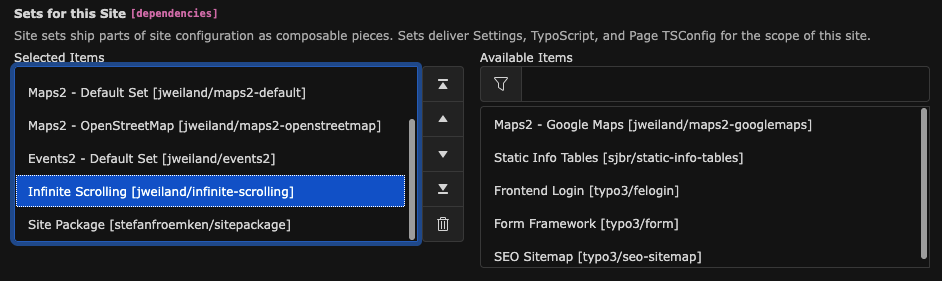
Infinite Scrolling is a frontend extension that does not require a plugin.
To configure the extension, navigate to **Site Management -> Sites**
and add the **Infinite Scrolling** Site Set to your Site configuration.
## Site Settings {#configuration-site-settings}
Go to **Site Management -> Settings**, select your Site configuration,
and scroll down to **Infinite Scrolling**.
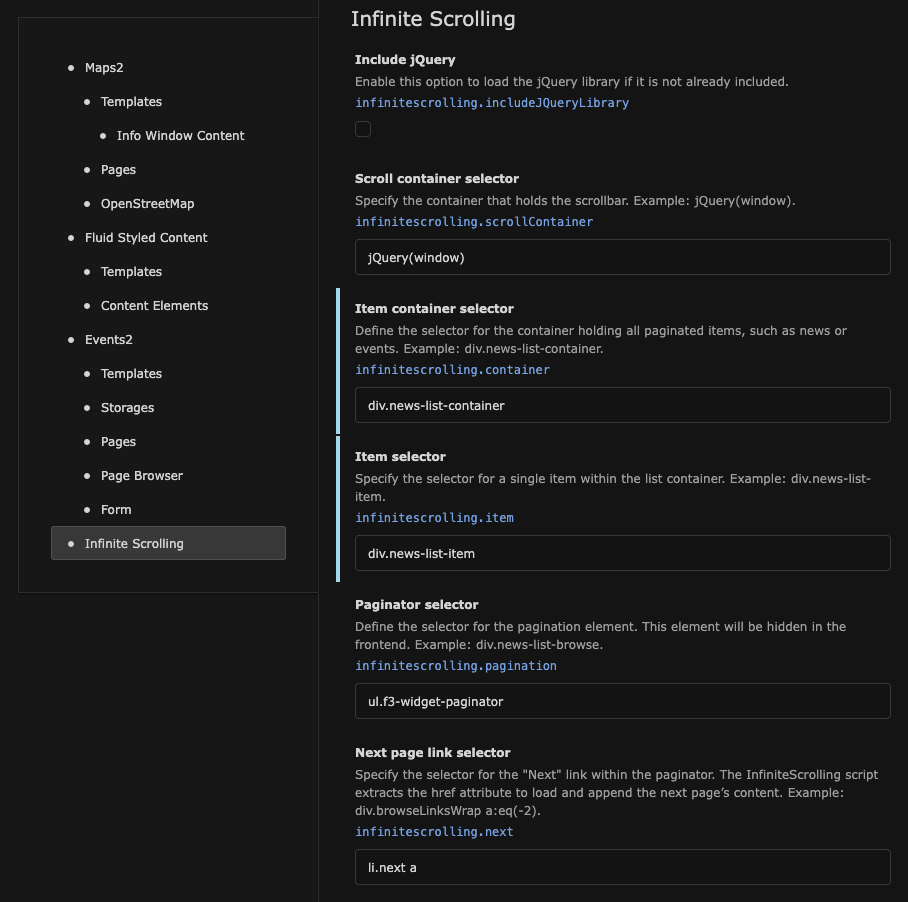
- **Include jQuery**
- *Type:* boolean
- *Default:* false
- *Path:* infinitescrolling.includeJQueryLibrary
Enable this option to include the jQuery JavaScript library.
- **Scroll container selector**
- *Type:* string
- *Default:* window
- *Path:* infinitescrolling.scrollContainer
Define the scroll container. Use `window` to bind the scrolling to the
browser window, or provide a jQuery selector for a scrollable element.
Sample: `window`
- **Item container selector**
- *Type:* string
- *Default:* (none)
- *Path:* infinitescrolling.container
Specify the jQuery selector for the container holding all
items (e.g., news or events) to paginate.
Sample: `div.news-list-container`
- **Item selector**
- *Type:* string
- *Default:* (none)
- *Path:* infinitescrolling.item
Specify the jQuery selector for a single item within the list container.
Sample: `div.news-list-item`
- **Pagination selector**
- *Type:* string
- *Default:* ul.f3-widget-paginator
- *Path:* infinitescrolling.pagination
Define the jQuery selector for the paginator. This selector will hide the
paginator in the frontend.
Sample: `div.news-list-browse`
- **Next page link selector**
- *Type:* string
- *Default:* li.next a
- *Path:* infinitescrolling.next
Define the jQuery selector for the "Next" link in the paginator. The
href attribute will be used to load and append the next page’s content.
Sample: `div.browseLinksWrap a:eq(-2)`
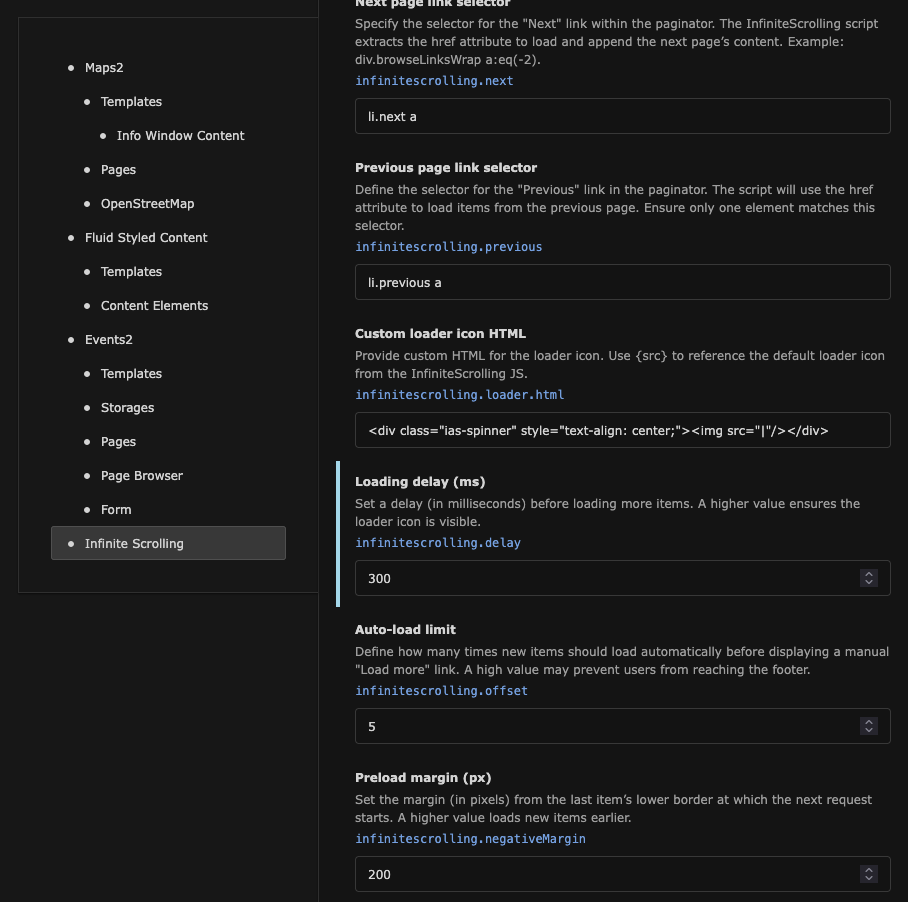
- **Previous page link selector**
- *Type:* string
- *Default:* li.previous a
- *Path:* infinitescrolling.previous
Define the jQuery selector for the "Previous" link in the paginator. The
href attribute of this element will be used to retrieve items from the
previous page. Ensure only one element matches the selector.
Sample: `li.previous a`
- **Custom loader icon HTML**
- *Type:* string
- *Default:* \\

\