---
title: "Plugins"
version: "main"
source: "Plugins/Index.rst"
modified: "2026-09-14T14:02:30+00:00"
---
# Plugins
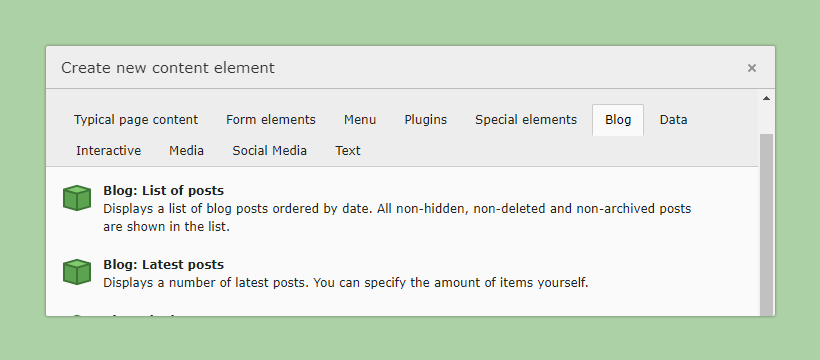
The following plugins are available after installing the extension.
- [Blog Page Plugins](#blog-page-plugins)
- [Blog Post Plugins](#blog-post-plugins)
- [Shared Plugins](#shared-plugins)
## Blog Page Plugins
Blog page plugins are usually used in conjunction with a sidebar,
it is recommended to provide a separate template for these pages.
Example:
```html
{blogvh:data.contentListOptions(listType: listType)}
```
### List of posts
Displays a list of blog posts ordered by date. All non-hidden, non-deleted and
non-archived posts are shown in the list.
### Latest posts
Displays a number of latest posts. You can specify the amount of items yourself.
### List by category
If you add this element and you have selected a category on the categories tab,
it will show an overview of posts for that category. If you have no categories
selected, it will show an overview of categories.
### List by author
Displays all posts belonging to the chosen author.
### List by tags
Allows the users to show all posts tagged with a specific keyword.
### Archive
The archive plugin displays all posts categorized by year and month.
## Blog Post Plugins
If possible, do **not** add the following plugins manually on each blog post.
Provide them via a Dedicated Page Template, so your editor can concentrate on the content.
Example:
```html
{blogvh:data.contentListOptions(listType: listType)}
```
### Header
Displays post header
### Footer
Displays post footer
### Comment Form
Displays the comment form for a post.
### Comments
Displays the comments for a post.
### Authors
Displays post authors, like name, title, avatar, social links..
### Related Posts
Based on the categories and tags of the current post, it will show a list of
related posts. This overview should only be placed on a Blog detail page.
## Shared Plugins
### Sidebar
The sidebar contains links enabling the user to quickly navigate your blog. It
shows an overview of recent posts and comments, categories, tags and archive
links.
- [Usage on Blog Pages](#BlogPagePlugins)
- [Usage on Blog Posts](#BlogPostPlugins)