---
title: "Template Selector"
manual: "ke_search"
version: "main"
source: "Templating/TemplateSelector.rst"
rendered: "2026-09-25T08:10:48+00:00"
---
# Template Selector {#templatingtemplateselector}
It is possible to provide selectable template layouts to the editors, eg. a "list layout" and a "tile layout", or
different searchbox layouts.
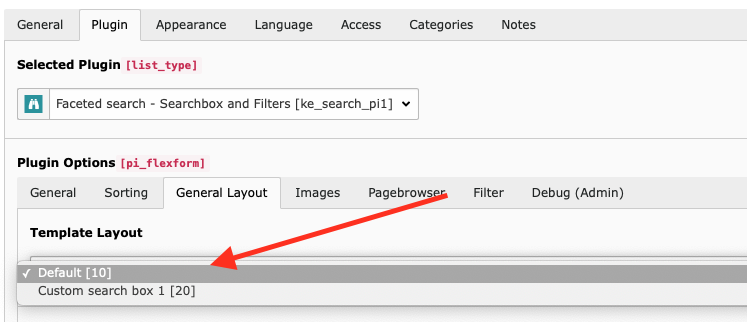
## Usage {#usage}
Register your new template layout in the *Page TSconfig*.
It will then appear in the plugin and the editor will be able to select it.
```typoscript
TCEFORM {
tt_content {
pi_flexform.ke_search_pi1.view.templateLayout.addItems {
20 = Custom search box 1
}
}
}
```
Register your own template paths, see [Use your own templates](CustomTemplates.html#custom-templates).
Add the new layout inside a condition which checks for the setting `conf.templateLayout`.
```html
... default template code
... custom template code
```