Random Content 

Version

main

Language

en

Authors

Gregor Hermens

Email

gregor.hermens@a-mazing.de

License

This extension documentation is published under the CC BY-NC-SA 4.0 (Creative Commons) license

TYPO3 frontend plugin to show random content elements from selected page(s).

TYPO3

The content of this document is related to TYPO3 CMS, a GNU/GPL CMS/Framework available from typo3.org .

Community Documentation:

This documentation is community documentation for the TYPO3 extension gh_randomcontent.

It is maintained as part of this third party extension.

If you find an error or something is missing, please: Report a Problem

Extension Manual

This documentation is for the TYPO3 extension gh_randomcontent.

For Contributors

You are welcome to help improve this guide. Just click on "Edit me on GitHub" on the top right to submit your change request.
Introduction 

What does it do? 

One or more content elements are chosen by random from one or more selected pages. This can be helpful for applications like random quotes, fortune cookies, …

Screenshots 

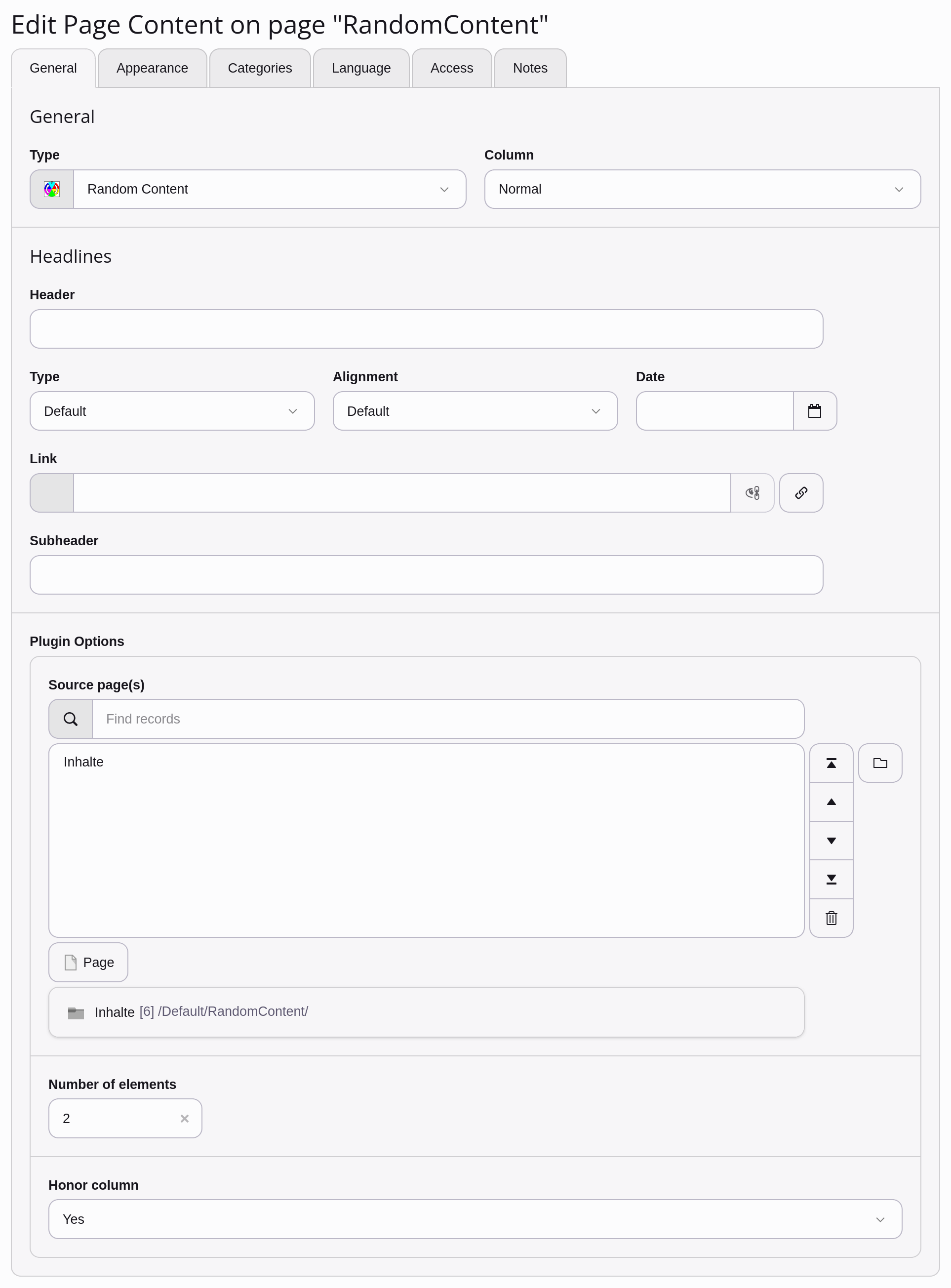
Screenshot of plugin flexform

The plugin's flexform configuration

Installation 

Admin rights are required to install and activate an extension.

Composer mode 

If your TYPO3 installation uses Composer, install the latest version of this extension through:

composer require amazing/gh-randomcontent
Copied!

If you are not using the latest version of the extension, you need to add a version constraint, for example:

composer require amazing/gh-randomcontent:"^1.0"
Copied!

Installing the extension prior to TYPO3 11.4 

Before TYPO3 11.4 it was still necessary to manually activate extensions installed via Composer using the Extension Manager. Activate it as follows:

  • Navigate to Admin Tools > Extensions > Installed Extensions
  • Search for gh_randomcontent
  • Activate the extension by clicking on the Activate button in the A/D column

Legacy mode 

If you are working with a TYPO3 installation that does not use Composer, install the extension in the Extension Manager:

  • Navigate to Admin Tools > Extensions > Get Extensions.
  • Click on Update now
  • Search for gh_randomcontent
  • Click Import and install on the side of the extension entry

and activate it:

  • Navigate to Admin Tools > Extensions > Installed Extensions
  • Search for gh_randomcontent
  • Activate the extension by clicking on the Activate button in the A/D column

User's Manual 

Setting up a random content element and its content repository 

  1. Insert a content element of type “Random Content” into your page.
  2. Choose one or more pages as a source for the random content elements. Leave empty for defaults from TypoScript Constants: pages
  3. Enter the number of content elements to be shown. Leave empty for defaults from TypoScript Constants: count
  4. Choose the appropriate option from the “Honor Column” select box to only use content elements of the same content column as the plugin itself: honorColPos

Configuration 

TypoScript Setup and Constants 

Properties of plugin.tx_ghrandomcontent_pi1. You can use the Constant Editor to change these settings.

pages 

Property:
pages
Data type:
integer / list
Description:
IDs of the pages, where the content is stored.
Default:
0

count 

Property:
count
Data type:
integer
Description:
Number of content elements to show.
Default:
1

honorColPos 

Property:
honorColPos
Data type:
boolean
Description:
If TRUE, only content elements with the same column setting like the plugin itself are considered.
Default:
0

defaultColPos 

Property:
defaultColPos
Data type:
integer
Description:
Default column for honorColPos if plugin is included in the TypoScript Setup.
Default:
0

elementWrap 

Property:
elementWrap
Data type:
wrap / stdWrap
Description:
Wraps each single content element.
Default:
|

allWrap 

Property:
allWrap
Data type:
wrap / stdWrap
Description:
Wraps the whole output of the plugin.
Default:
<div class=”tx-ghrandomcontent-pi1”>|</div>

Examples 

You can include the plugin directly in your TypoScript setup:

plugin.tx_ghrandomcontent_pi1 {
  pages = 12,15
  count = 1
  honorColPos = 1
  defaultColPos = 0
}
…
page.10 < plugin.tx_ghrandomcontent_pi1
…
Copied!

Change the output using stdWrap properties:

plugin.tx_ghrandomcontent_pi1 {
  elementWrap = <li>|</li>
  elementWrap {
    stripHtml = 1
    crop = 100|...|1
  }
  allWrap = <ul>|</ul>
}
Copied!

Change Log 

  • 1.4.0 Breaking change: honor_language functionality was removed. It has not been working as intended for quite some time now. Use Content Elements with Language: All Languages instead.