Ameos Form 

Classification

ameos_form

Version

1.4.6

Language

en

Description

Manual covering TYPO3 extension <ameos_form>

Keywords

form,api,crud,search,list

Copyright

2015

Author

Ameos team

Email

typo3dev@ameos.com

License

This document is published under the Open Content License available from http://www.opencontent.org/opl.shtml

Rendered

Fri, 17 Oct 2025 09:42:13 +0000

The content of this document is related to TYPO3, a GNU/GPL CMS/Framework available from www.typo3.org.

Table of Contents

Introduction 

What does it do? 

This extension provides a form api for TYPO3 extension based on extbase and fluid with validation, list, search form, etc.

Create a form 

Table of content:

Creation and edition form 

You can create an form for edit or create record.

$form = \Ameos\AmeosForm\Form\Factory::make('tx_myextension_myplugin', $mymodel);
Copied!

Where $mymodel is an instance of an extbase model.

For creation :

$mymodel = GeneralUtility::makeInstance(\Vendor\Extension\Domain\Model\MyModel::class);
Copied!

For edition :

$mymodel = $this->myModelRepository->findByUid($modelIdentifier);

Copied!

Search form 

You can create a search form.

$searchform = \Ameos\AmeosForm\Form\Factory::make('tx_myextension_myplugin', $myrepository);
Copied!

You can add where clause with "addWhereClause" method.

Example :

$searchform->addWhereClause([
	'type'    => 'logicalOr',
	'clauses' => [
		['field' => 'myfield', 'type'  => 'like', 'value' => 'myvalue1'],
		['field' => 'myfield', 'type'  => 'like', 'value' => 'myvalue2'],
		['field' => 'myfield', 'type'  => 'like', 'value' => 'myvalue3'],
	]
]);
$searchform->addWhereClause([
	'field' => 'myfield',
	'type'  => 'equals',
	'value' => 'myvalue'
]);
Copied!

You can associate a list with a search form.

$template = ExtensionManagementUtility::extPath('ameos_intervention') . 'Resources/Private/Templates/Controller/ActionList.html';
$list = $this->objectManager->create(\Ameos\AmeosForm\Library\RecordList::class, $searchform, $template, $this->controllerContext, 'field_to_order', 'order_direction (ASC | DESC)');

$this->view->assign('searchform', $searchform);
$this->view->assign('list', $list);

Copied!

For templating list, see Templating with fluid part.

The repository used by the seach form must extends \Ameos\AmeosForm\Domain\Repository\SearchableRepository

Other form 

You can create a form without model or repository link.

For example, a contact form without database insertion.

$form = \Ameos\AmeosForm\Form\Factory::make('tx_myextension_myplugin');
Copied!

Bind a request 

After submit, you can bind the request to the form. And after that, you can do everything you want : store in database, send a mail...

$mymodel = $this->myModelRepository->findByUid($modelIdentifier);

$form = \Ameos\AmeosForm\Form\Factory::make('tx_myplugin', $mymodel);
$form->add('name', 'text')->validator('name', 'required', 'Name is mandatory');
$form->add('email', 'email')->validator('email', 'email', 'Email is not valid');
$form->add('submit', 'submit', array('label' => 'Send'));

if($form->isSubmitted()) {
	$form->bindRequest($this->request);
	if($form->isValid()) {
		
		$this->myModelRepository->add($mymodel);
		
		$this->addFlashMessage('New record created');
		$this->redirect('index')
	}
}

$this->view->assign('form', $form);

Copied!

Add an element to the form 

After the creation of your form, you add element easily.

$form->add($name, $type', $configuration);
Copied!

For example : $form->add('my-radiobutton', 'radio', array('items' => array('value1' => 'label 1', 'value2' => 'label 2')));

All elements are detailled on Elements part.

Add a constraint to the form 

After the creation of your form, you add constraint easily.

$form->addConstraint($field, $type, $message, $configuration); //  $configuration is optional. Depends the type of validator
Copied!

For example : $form->addConstraint('my_field', 'required', LocalizationUtility::translate('my_field.required', 'ExtensionKey'));

All constraints are detailled on Constraints part.

Disable form protection 

If you want, you can disable form protection.

Crsf protection :

$form->disableCsrftoken();
Copied!

Honeypot protection :

$form->disableHoneypot();
Copied!

Elements 

Table of content:

The configuration of the element can be set with a table when creating the element

$form->add('my-element', 'text', array('placeholder' => 'My placeholder', 'class' => 'my-css-class'));
Copied!

Or after instanciation

$form->add('my-element', 'text');
$form->get('my-element')->with('placeholder', 'My placeholder');

Copied!

Button 

Classic html button.

You can add a button like this

$form->add('my-button', 'button', $configuration);
Copied!

Available configuration

Property Description Default value Example
style css style for the html tag   width: 150px;
disabled true if the html field is disabled false true or false
title html tag title   my field title
custom custom html attribute   customattr="customvalue"
class css class for the html tag   big
errorclass css class when there is an error   error
label label of the button   click me!

Captcha 

You can add a captcha like this

$form->add('my-captcha', 'captcha', $configuration);
Copied!

Available configuration

Property Description Default value Example
placeholder place holder for the html tag   Enter the code
style css style for the html tag   width: 150px;
disabled true if the html field is disabled false true or false
title html tag title   my field title
custom custom html attribute   customattr="customvalue"
class css class for the html tag   big
errorclass css class when there is an error   error
errormessage Message if the captcha is not valid Captcha is not valid Captcha is not valid

Checkbox 

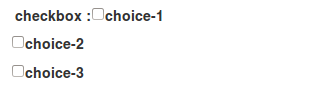
You can add a checkbox like this

$form->add('my-checkbox', 'checkbox', $configuration);
Copied!

Available configuration

Property Description Default value Example
style css style for the html tag   width: 150px;
disabled true if the html field is disabled false true or false
title html tag title   my field title
custom custom html attribute   customattr="customvalue"
class css class for the html tag   big
errorclass css class when there is an error   error
items avalaible choice for checkbox   array('1' => 'Item 1', '2' => 'Item 2');

Checksingle 

You can add a checksingle (yes/no choice) like this

$form->add('istrue', 'checksingle', $configuration);
Copied!

Available configuration

Property Description Default value Example
style css style for the html tag   width: 150px;
disabled true if the html field is disabled false true or false
title html tag title   my field title
custom custom html attribute   customattr="customvalue"
class css class for the html tag   big
errorclass css class when there is an error   error

Color 

You can add a input color like this. Work only with html5 browser.

$form->add('my-color-field', 'color', $configuration);
Copied!

Available configuration

Property Description Default value Example
placeholder place holder for the html tag   my firstname
style css style for the html tag   width: 150px;
disabled true if the html field is disabled false true or false
title html tag title   my field title
custom custom html attribute   customattr="customvalue"
class css class for the html tag   big
errorclass css class when there is an error   error

Date 

You can add a date like this.

$form->add('birthdate', 'date', $configuration);
Copied!

Available configuration

Property Description Default value Example
class css class for the html tag   big
errorclass css class when there is an error   error
format-display sort field.d for day, m for month and y for year dmy dmy, mdy, ymd
year-minimum-limit minimum availaible year 1900 1970
year-maximum-limit maximum availaible year current year + 20 2050
format-output format of the result timestamp timestamp or format compatible with strftime

Datepicker 

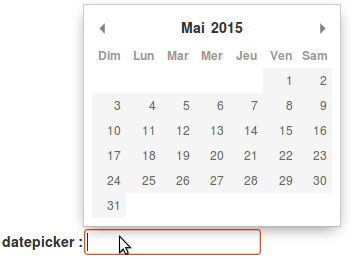
You can add a date picker like this.

$form->add('startdate', 'datepicker', $configuration);
Copied!

Available configuration

Property Description Default value Example
format date format (http://momentjs.com/docs/#/displaying/format/) D MMM YYYY MMM D YYYY
placeholder place holder for the html tag   my firstname
style css style for the html tag   width: 150px;
disabled true if the html field is disabled false true or false
title html tag title   my field title
custom custom html attribute   customattr="customvalue"
class css class for the html tag   big
errorclass css class when there is an error   error
firstDay define which day of the week must be the first 0 (sunday) 1
landingDate unix timestamp from which will be extracted year and month that will be displayed upon user click current day 1484152522 (for january 2017)
yearRange array of start and end year to display in the year dropdown [Year - 10, Year] [2015, 2020]
minDate unix timestamp for minimum date available   1583836842
maxDate unix timestamp for maximum date available   1589107240
disableDays

array of array of specific days, days of week, months, years

['y' => [2015]] for year 2015

['m' => [1

['ts' => [

['d' => [1, 2]] for mondays and tuesdays (0 = sunday) 4]] for february and may (0 = january)

82215827]] for specific days (20/02/2020)

Email 

You can add a input email like this. Work only with html5 browser.

$form->add('my-email', 'email', $configuration);
Copied!

Available configuration

Property Description Default value Example
placeholder place holder for the html tag   my firstname
style css style for the html tag   width: 150px;
disabled true if the html field is disabled false true or false
title html tag title   my field title
custom custom html attribute   customattr="customvalue"
class css class for the html tag   big
errorclass css class when there is an error   error

hidden 

You can add a input hidden like this.

$form->add('my-hidden-field', 'hidden', $configuration);
Copied!

Available configuration

Property Description Default value Example
placeholder place holder for the html tag   my firstname
style css style for the html tag   width: 150px;
disabled true if the html field is disabled false true or false
title html tag title   my field title
custom custom html attribute   customattr="customvalue"
class css class for the html tag   big
errorclass css class when there is an error   error

Number 

You can add a input hidden like this. Work only with html5 browser.

$form->add('my-number-field', 'number', $configuration);
Copied!

Available configuration

Property Description Default value Example
placeholder place holder for the html tag   my firstname
style css style for the html tag   width: 150px;
disabled true if the html field is disabled false true or false
title html tag title   my field title
custom custom html attribute   customattr="customvalue"
class css class for the html tag   big
errorclass css class when there is an error   error
min minimum number   10
max maximum number   100
step increment step between each number 1 10

Password 

You can add a input password like this.

$form->add('my-password', 'password', $configuration);
Copied!

Available configuration

Property Description Default value Example
placeholder place holder for the html tag   my firstname
style css style for the html tag   width: 150px;
disabled true if the html field is disabled false true or false
title html tag title   my field title
custom custom html attribute   customattr="customvalue"
class css class for the html tag   big
errorclass css class when there is an error   error
encrypt if true, password is encrypt false true
fill_value if true, add current value in html false true

Radio button 

You can add a checkbox like this

$form->add('my-radiobutton', 'radio', $configuration);
Copied!

Available configuration

Property Description Default value Example
style css style for the html tag   width: 150px;
disabled true if the html field is disabled false true or false
title html tag title   my field title
custom custom html attribute   customattr="customvalue"
class css class for the html tag   big
errorclass css class when there is an error   error
items avalaible choice for checkbox   array('1' => 'Item 1', '2' => 'Item 2');

Range 

You can add a input hidden like this. Work only with html5 browser.

$form->add('my-range-field', 'range', $configuration);
Copied!

Available configuration

Property Description Default value Example
placeholder place holder for the html tag   my firstname
style css style for the html tag   width: 150px;
disabled true if the html field is disabled false true or false
title html tag title   my field title
custom custom html attribute   customattr="customvalue"
class css class for the html tag   big
errorclass css class when there is an error   error
min minimum number   10
max maximum number   100
step increment step between each number 1 10

Radio button 

You can add a rating element like this

$form->add('my-rating', 'rating', $configuration);
Copied!

Available configuration

Property Description Default value Example
style css style for the html tag   width: 150px;
disabled true if the html field is disabled false true or false
title html tag title   my field title
custom custom html attribute   customattr="customvalue"
class css class for the html tag   big
errorclass css class when there is an error   error
min score min 1 10
max score max 5 50
step step between score 1 2
label label of item  

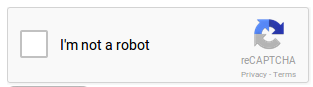
ReCaptcha 

You can add a recaptcha like this

$form->add('my-recaptcha', 'recaptcha', $configuration);
Copied!

Available configuration

Property Description Default value Example
publicKey Your api public key (required)    
privateKey Your api private key (required)    
onload The name of your callback function to be executed once all the dependencies have loaded. (optional)    
render Whether to render the widget explicitly. Defaults to onload, which will render the widget in the first g-recaptcha tag it finds. (optional)    
language Forces the widget to render in a specific language. Auto-detects the user's language if unspecified. (optional) Language codes: https://developers.google.com/recaptcha/docs/language en-GB    
theme The color theme of the widget (optional) light dark or light
type The type of CAPTCHA to serve (optional) image audio or image
size The size of the widget (optional) normal compact or normal
tabindex The tabindex of the widget and challenge (optional)    
callback The name of your callback function to be executed when the user submits a successful CAPTCHA response. The user's response, g-recaptcha-response, will be the input for your callback function. (optional)    
expired-callback The name of your callback function to be executed when the recaptcha response expires and the user needs to solve a new CAPTCHA. (optional)    
errormessage Message if the captcha is not valid Captcha is not valid Captcha is not valid

Submit 

You can add a submit button like this

$form->add('my-button', 'submit', $configuration);
Copied!

Available configuration

Property Description Default value Example
style css style for the html tag   width: 150px;
disabled true if the html field is disabled false true or false
title html tag title   my field title
custom custom html attribute   customattr="customvalue"
class css class for the html tag   big
errorclass css class when there is an error   error
label label of the button   click me!

Tel 

An input telephone field

You can add a input tel like this

$form->add('my-tel', 'tel', $configuration);
Copied!

Available configuration

Property Description Default value Example
placeholder place holder for the html tag   Your telephone
style css style for the html tag   width: 150px;
disabled true if the html field is disabled false true or false
title html tag title   my field title
datalist datalist for autocomplete   array('key-1' => 'value 1', 'key-2' => 'value 2')
custom custom html attribute   customattr="customvalue"
class css class for the html tag   big
errorclass css class when there is an error   error
pattern regex for field control   ^((+d{1,3}(-| )?(?d)?(-| )?d{1,5})|((?d{2,6})?))(-| )?(d{3,4})(-| )?(d{4})(( x| ext)d{1,5}){0,1}$

Text 

An input text field

You can add a input text like this

$form->add('my-text', 'text', $configuration);
Copied!

Available configuration

Property Description Default value Example
placeholder place holder for the html tag   my firstname
style css style for the html tag   width: 150px;
disabled true if the html field is disabled false true or false
title html tag title   my field title
datalist datalist for autocomplete   array('key-1' => 'value 1', 'key-2' => 'value 2')
custom custom html attribute   customattr="customvalue"
class css class for the html tag   big
errorclass css class when there is an error   error

Textarea 

You can add a textarea like this

$form->add('my-textarea', 'textarea', $configuration);
Copied!

Available configuration

Property Description Default value Example
placeholder place holder for the html tag   my firstname
style css style for the html tag   width: 150px;
title html tag title   my field title
custom custom html attribute   customattr="customvalue"
class css class for the html tag   big
errorclass css class when there is an error   error

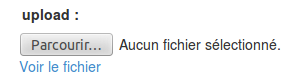
Upload 

You can add a textarea like this

$form->add('my-file', 'update', $configuration);
Copied!

Available configuration

Property Description Default value Example
placeholder place holder for the html tag   my firstname
style css style for the html tag   width: 150px;
title html tag title   my field title
custom custom html attribute   customattr="customvalue"
class css class for the html tag   big
errorclass css class when there is an error   error
directory target upload directory   fileadmin/user_upload/my_ext/
filename target upload file name   my-file.pdf
canoverwrite if true, overwrite existing file   true or false
show_link if true, display an link to the file   true or false

Url 

An input url field

You can add a input url like this

$form->add('my-url', 'url', $configuration);
Copied!

Available configuration

Property Description Default value Example
placeholder place holder for the html tag   Your website
style css style for the html tag   width: 150px;
disabled true if the html field is disabled false true or false
title html tag title   my field title
datalist datalist for autocomplete   array('key-1' => 'value 1', 'key-2' => 'value 2')
custom custom html attribute   customattr="customvalue"
class css class for the html tag   big
errorclass css class when there is an error   error

Custom 

You can also create your own form element.

$form->add('my-custom', 'Vendor\\Extension\\FormElements\\MyElement', $configuration)
Copied!

Your php class must implement :

Ameos\AmeosForm\Elements\ElementInterface
Copied!

Constraints 

Table of content:

Required 

Set field mandatory. You can add this contraint like this.

$form->addConstraint('my_field', 'required', 'My field is required');

Copied!

Email 

If set, the field must be filled with valid email. You can add this contraint like this.

$form->addConstraint('my_field', 'email', 'My field must be an email');

Copied!

Sameas 

If set, the field must be filled with the same value as a other field. For password or email confirmation for example. You can add this contraint like this.

$form->addConstraint('my_field_confirmation', 'sameas', 'Confirmation is not valid', array('sameas' => 'my_field'));

Copied!

Unique 

If set, the field must be filled with an unique value. You can add this contraint like this.

$form->addConstraint('username', 'unique', 'Username must be unique', array('repository' => $this->frontenduserRepository));

Copied!

Custom 

Custom contraint. You can add this contraint like this.

$form->addConstraint('username', 'custom', 'Custom validation not valid', array('method' => function($value, $form) {
	// your code here. return true if result is valid. Else, false
}));

Copied!

Filesize 

For upload element. Check the upload file max size. You can add this contraint like this.

$form->addConstraint('file', 'filesize', 'File too big', array('maxsize' => '2M')); 

Copied!

Fileextension 

For upload element. Check the upload file max size. You can add this contraint like this.

$form->addConstraint('file', 'fileextention', 'Your file must be a picture', array('allowed' => 'jpg,gif,png'));
Copied!

Templating with fluid 

Table of content:

Templating a form 

Example :

Php code

$mymodel = $this->myModelRepository->findByUid($modelIdentifier);
$form = \Ameos\AmeosForm\Form\Factory::make('tx_myplugin', $mymodel);
$form->add('name', 'text')->addConstraint('name', 'required', 'Name is mandatory');
$form->add('email', 'email')->addConstraint('email', 'email', 'Email is not valid');
$form->add('submit', 'submit', array('label' => 'Send'));
$this->view->assign('form', $form);
Copied!

Template html

{namespace form=Ameos\AmeosForm\ViewHelpers}
<form:form form="{form}">
	<f:if condition="{errors}">
		<div class="errors">
			<f:for each="{errors}" as="error">
				<span class="error">{error}</span>
			</f:for>			
		</div>
	</f:if>
	<div class="form">
		<p><label for="tx_myplugin_name"><f:translate key="name" /></label>{name}</p>
		<p><label for="tx_myplugin_email"><f:translate key="email" /></label>{email}</p>
		<p><form:element element="{submit}" class="button" />
	</div>
</form:form>


Copied!

Templating a searchform 

Example :

Php code (search action)

$searchform = \Ameos\AmeosForm\Form\Factory::make('tx_myplugin', $this->myModelRepository);
$searchform->add('name', 'text');
$searchform->add('email', 'email');
$searchform->add('submit', 'submit', array('label' => 'Search'));

$template = ExtensionManagementUtility::extPath('my_ext') . 'Resources/Private/Templates/Controller/List.html';
$list = $this->objectManager->create(\Ameos\AmeosForm\Library\RecordList::class, $searchform, $template, $this->controllerContext);

$this->view->assign('my-searchform', $searchform);
$this->view->assign('my-list', $list);
Copied!

Template html Search.html

{namespace form=Ameos\AmeosForm\ViewHelpers}
<form:form form="{my-searchform}">
	<div class="form">
		<p><label for="tx_myplugin_name"><f:translate key="name" /></label>{name}</p>
		<p><label for="tx_myplugin_email"><f:translate key="email" /></label>{email}</p>
		<p><form:element element="{submit}" class="button" />
	</div>
</form:form>
<form:list list="{my-list}" />
Copied!

Todo List 

Nothing for the moment.

Validators 

Table of content:

Required 

Set field mandatory. You can add this validator like this.

$form->validator('my_field', 'required', 'My field is required');

Copied!

Email 

If set, the field must be filled with valid email. You can add this validator like this.

$form->validator('my_field', 'email', 'My field must be an email');

Copied!

Sameas 

If set, the field must be filled with the same value as a other field. For password or email confirmation for example. You can add this validator like this.

$form->validator('my_field_confirmation', 'sameas', 'Confirmation is not valid', array('sameas' => 'my_field'));

Copied!

Unique 

If set, the field must be filled with an unique value. You can add this validator like this.

$form->validator('username', 'unique', 'Username must be unique', array('repository' => $this->frontenduserRepository));

Copied!

Custom 

Custom validator. You can add this validator like this.

$form->validator('username', 'custom', 'Custom validation not valid', array('method' => function($value, $form) {
	// your code here. return true if result is valid. Else, false
}));

Copied!

Filesize 

For upload element. Check the upload file max size. You can add this validator like this.

$form->validator('file', 'filesize', 'File too big', array('maxsize' => '2M')); 

Copied!

Fileextension 

For upload element. Check the upload file max size. You can add this validator like this.

$form->validator('file', 'fileextention', 'Your file must be a picture', array('allowed' => 'jpg,gif,png'));
Copied!