Typo3 Custom PHP Include 

Extension key

cf_phpinclude

Package name

codingfreaks/cf-phpinclude

Version

main

Language

en

Author

Florian Eibisberger & Contributors

License

This document is published under the Open Publication License.

Rendered

Sat, 29 Nov 2025 10:48:39 +0000

"Custom PHP Include" extension for Typo3 is a must-have for developers to include custom PHP files with variable support, making it easy to add custom functionality to the website and manage reusable code snippets.

Table of Contents:
Introduction 

What does it do? 

The cf_phpinclude extension for Typo3 allows for the seamless integration of custom PHP files, making it a great solution for custom PHP implementation projects.

  • PHP Include
  • Add Variables to the Script
  • Use Typo3 Context in your custom PHP File

Screenshots 

Introduction Package

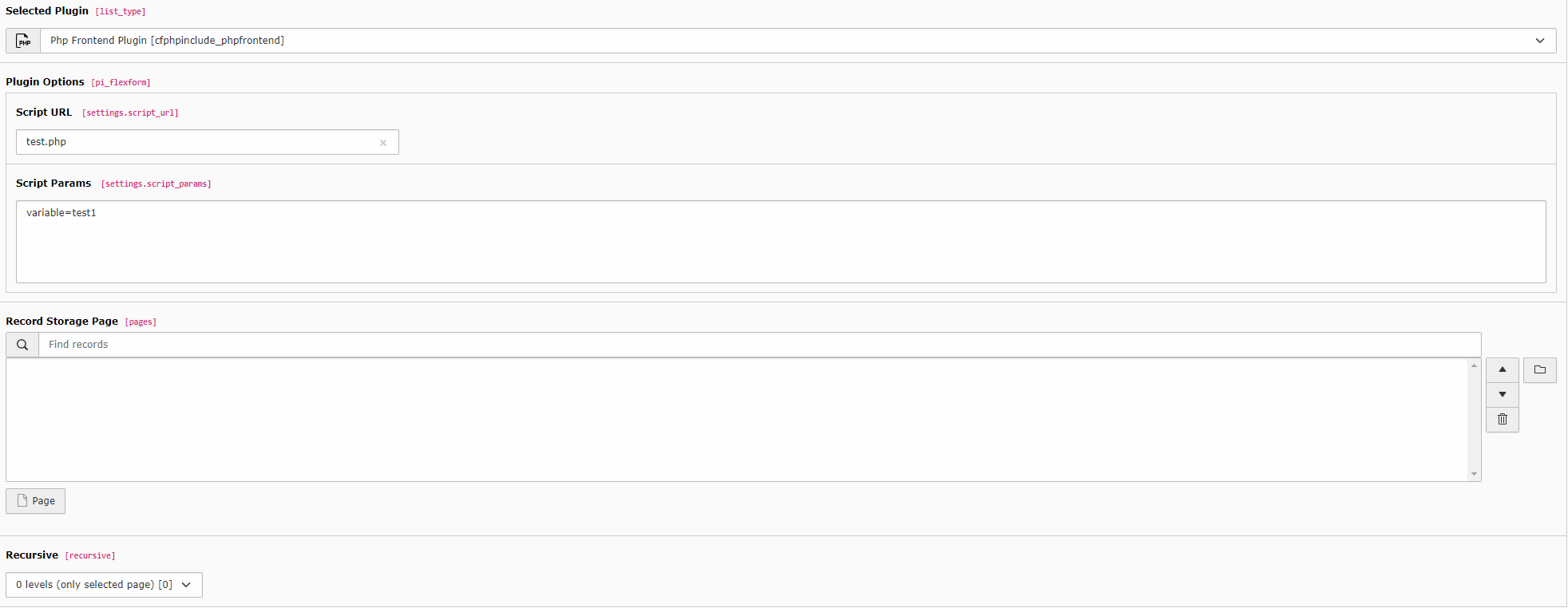
Backend Preview of File Implementation (caption of the image).

Installation 

In a composer-based TYPO3 installation you can install the extension EXT:CfPhpInclude via composer:

composer require codingfreaks/cf-phpinclude
Copied!

In TYPO3 installations above version 11.5 the extension will be automatically installed. You do not have to activate it manually.

Set Include Folder 

Open your TYPO3 backend with t3start:system-maintainer permissions.

In the module menu to the left navigate to Admin Tools > Settings, then click on Configure extensions and create all.

In Modal open cf_phpinclude now you can set the default PHP Include Folder in Public Directory of the Typo3 Installation.

Create Include Folder 

Create the "includeDirectory" Folder from the Extension Settings in Admin Tools > Settings, Configure extensions, cf_phpinclude in your Public Directory of the Typo3 Installation As Example: /var/www/typo3/public/cf_phpinclude

Don't forget to set the Read/Write permission to your Webserver user.

General configuration 

Include TypoScript template 

It is necessary to include at least the basic TypoScript provided by this extension.

Go module Web > Template and chose your root page. It should already contain a TypoScript template record. Switch to view Info/Modify and click on Edit the whole template record.

Switch to tab Includes and add the following templates from the list to the right: cf_phpinclude (cf_phpinclude).

Read more about possible configurations via TypoScript in the typoscript section.

Further reading 

  • extensionconfiguration
  • typoscript, mainly configuration for the frontend
  • tsconfig, configuration for the backend
  • routing for human readable URLs
  • quicktemplating customize the templates

For Editors 

How to use the extension from the perspective of an editor.

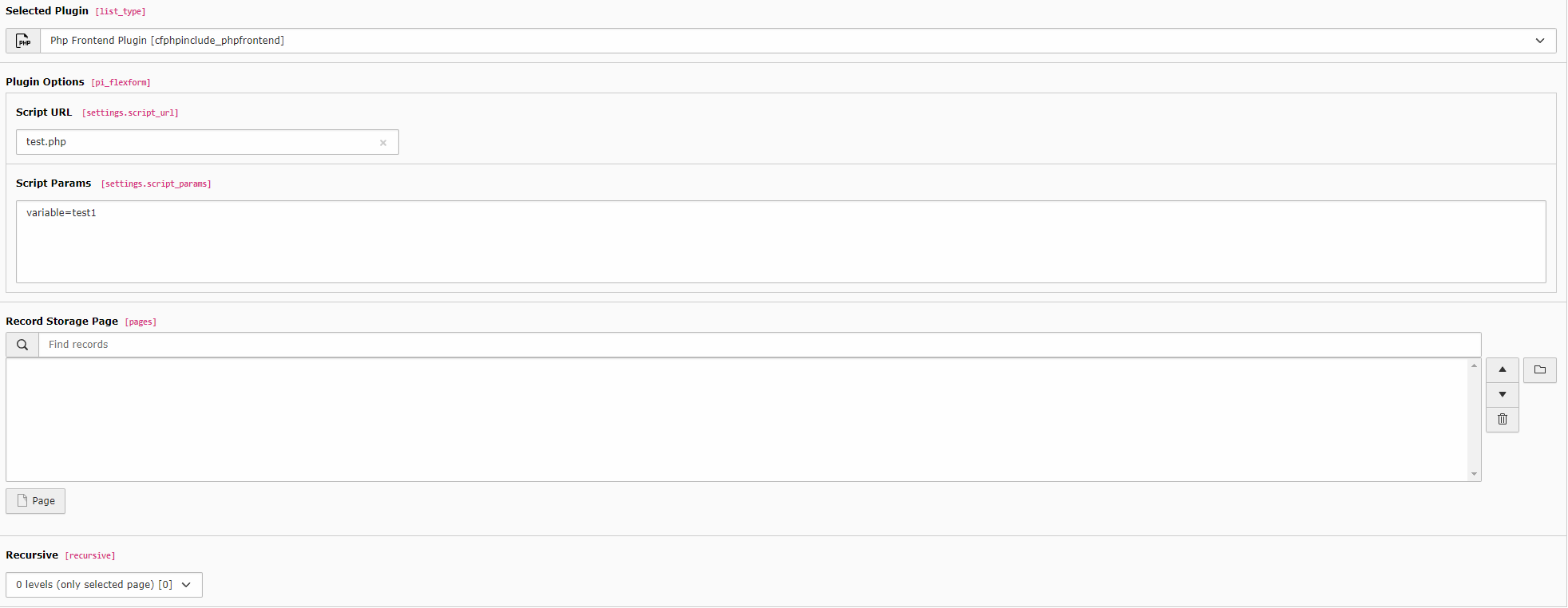
Create a custom php file like text.php in the created folder from Installation /var/www/typo3/public/cf_phpinclude/text.php

  • Script URL is the relative path from the include Folder (cf_phpinclude)
Backend view

Default Flexform view

FAQ 

Possible subsection: FAQ TODO

Developer corner 

In the Public folder, create the cf_phpinclude folder.

Within the cf_phpinclude folder, you can create file(s) or folder structure. The files will be included in the frontend if the path is set in the Plugin Flexform field: "Script URL".

In the Included PHP file, you can utilize the full functionality of a TYPO3 ActionController, including namespaces, use statements, etc.

Example 

File: cf_phpinclude/MyFolder/ExampleFile.php Include Path in Backend: MyFolder/ExampleFile.php

<?php

use TYPO3\CMS\Core\Utility\GeneralUtility;


function generateMenu($id)
{
    $PageRepository = GeneralUtility::makeInstance(\TYPO3\CMS\Core\Domain\Repository\PageRepository::class);
    $subPage = $PageRepository->getMenu($id);
    return $subPage;
}

generateMenu(1);
Copied!

File: cf_phpinclude/titleToSlugUpdater.php Include Path in Backend: titleToSlugUpdater.php

<?php

function setPageSlug($uid) {

    /*
    tablename => name of the table with the slug field
    slug_field_name => name of the corresponding slug field
     */

    $tablename = "pages";
    $slug_field_name = "slug";

    $fieldConfig = $GLOBALS['TCA'][$tablename]['columns'][$slug_field_name]['config'];
    $slugHelper = \TYPO3\CMS\Core\Utility\GeneralUtility::makeInstance(\TYPO3\CMS\Core\DataHandling\SlugHelper::class, $tablename, $slug_field_name, $fieldConfig);

    $connection = \TYPO3\CMS\Core\Utility\GeneralUtility::makeInstance(\TYPO3\CMS\Core\Database\ConnectionPool::class)->getConnectionForTable($tablename);
    $queryBuilder = $connection->createQueryBuilder();

    $queryBuilder->getRestrictions()->removeAll()->add(\TYPO3\CMS\Core\Utility\GeneralUtility::makeInstance(\TYPO3\CMS\Core\Database\Query\Restriction\DeletedRestriction::class));
    $statement = $queryBuilder->select('*')->from($tablename)->where(
        $queryBuilder->expr()->eq('uid', $uid)
    )->execute();

    $record = $statement->fetch();

    $slug = $slugHelper->generate($record, $record['pid']);

    // Update
    $queryBuilder = $connection->createQueryBuilder();
    $queryBuilder->update($tablename)->where(
        $queryBuilder->expr()->eq('uid', $uid)
    )->set($slug_field_name, $slug)->execute();

    //var_dump($slug);
    return $slug;
}


$queryBuilder = \TYPO3\CMS\Core\Utility\GeneralUtility::makeInstance(\TYPO3\CMS\Core\Database\ConnectionPool::class)->getQueryBuilderForTable('pages');
$statement = $queryBuilder
    ->select('uid', 'slug')
    ->from('pages')
    ->execute();
while ($row = $statement->fetch()) {
    \TYPO3\CMS\Extbase\Utility\DebuggerUtility::var_dump($row);
    setPageSlug($row["uid"]);
}
Copied!

Sitemap