Myra Cloud Connector

Extension key

myra_cloud_connector

Package name

cpsit/myra-cloud-connector

Version

2.0

Keywords

MyraSecurity, CDN

Language

en

Author

coding. powerful. systems. CPS GmbH

License

This document is published under the Open Content License available from http://www.opencontent.org/opl.shtml

The content of this document is related to TYPO3, a GNU/GPL CMS/Framework available from www.typo3.org.
Contents

Extension Setup

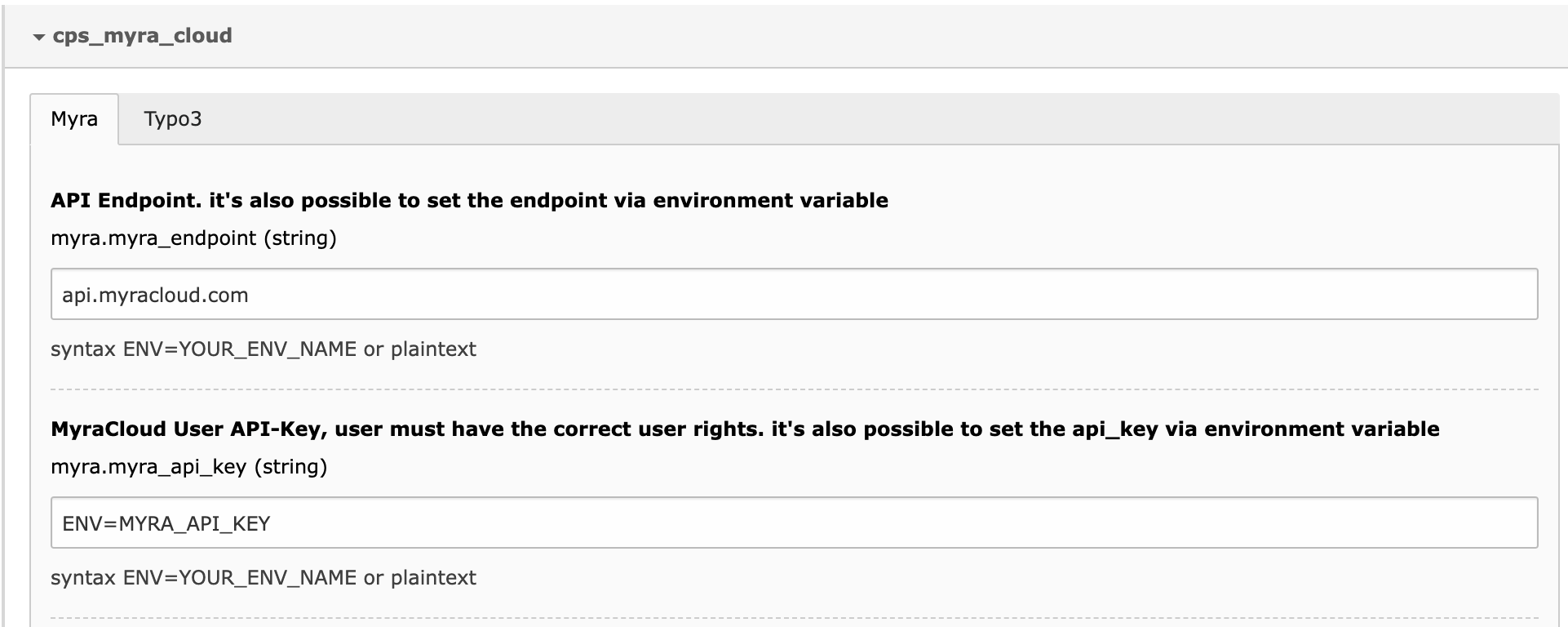
Most settings are made in Admin Tools > Settings > Extension Configuration > myra_cloud_connector.

Use of environment variables

Configuration values can be set as text or parsed from environment values:

Extension configuration Settings

Every configuration value that starts with ENV= will be parsed and the provided environment variable will be used.

Example syntax:

  • Configuration: ENV=MYRA_API_KEY
  • Result: getenv('MYRA_API_KEY')

Myra Settings

Myra API setup

Myra API Endpoint

The Myra Cloud API endpoint for every request.

Myra API Key

A Myra Cloud User API key (the user needs permissions to clear the domain cache).

Myra API Secret

The matching secret for the API key.

TYPO3 Site Settings

To link TYPO3 with Myra Cloud, it's necessary to announce the used Myra Cloud Domains for a TYPO3 Site Entity. This can be done in Site Management > Edit [SiteXYZ] > Myra Cloud > Myra Domain List.

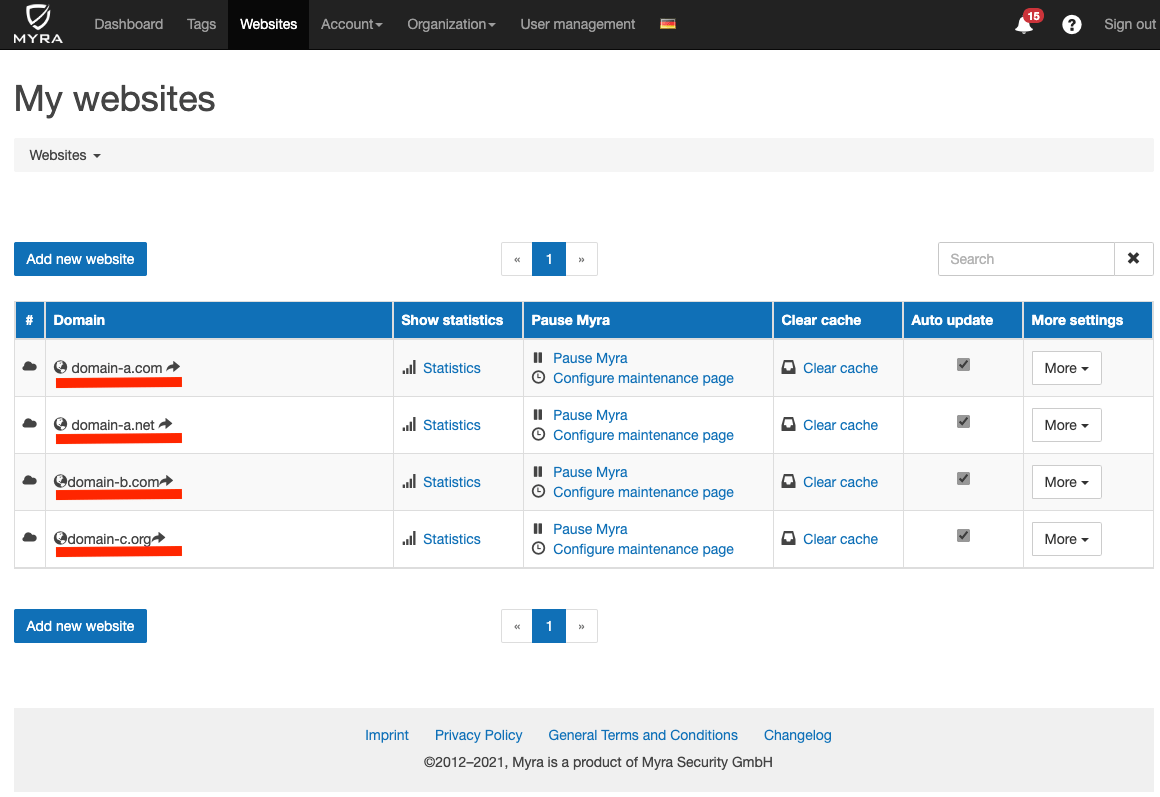
The configuration field accepts a comma separated list of all Myra domains. These are the domains which are supported by this particular site. You can find the correct names in the Myra Cloud Backend.

Myra Backend Website List

TYPO3 Features

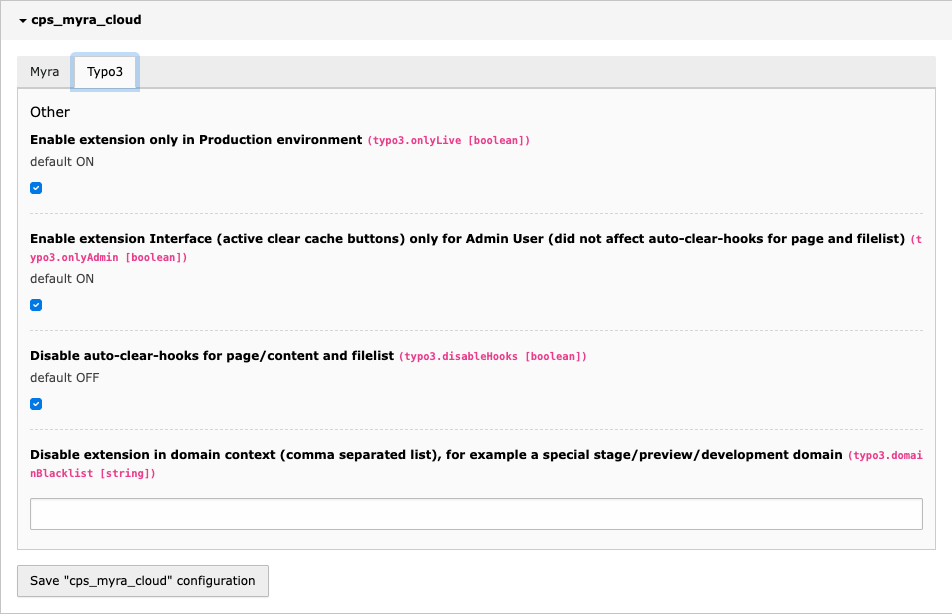
Toggle TYPO3 features.

view of TYPO3 feature settings

Production only

If checked, this prevents any Myra Cloud cache clear request and disables all UI elements if the application context is not Production*. This is useful to prevent clear requests from stage or development instances.

Admin Only UI Elements

If checked, all UI Elements are disabled for non-admin users.

Disable Hooks

If checked, both auto-clear hooks (page update and file list replace) are disabled.

Domain Blacklist

A comma separated blacklist of domain names to prevent any Myra Cloud clear cache request and disable all UI elements if TYPO3 is used from a domain in this list.

User Interface

The extension inserts GUI options to clear pages and files from the Myra cache:

Clear pages

There are 4 ways to clear a page from the cache:

  • Topbar clear cache menu (clear all)
  • Context menu in page tree (left/right-click)
  • Button bar in doc header within Page/List/View modules
  • Page/Content update hook

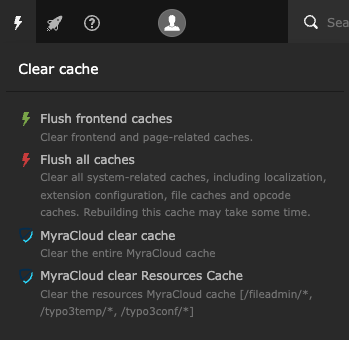
Topbar clear cache menu

View of main cache menu showing Myra Clear cache option

Clear the entire page cache or file cache

This option is admin-only by default. To allow for non-admin users, set user permissions accordingly.

If the menu option does not appear, check for missing Myra credentials and the setting of the feature flags:

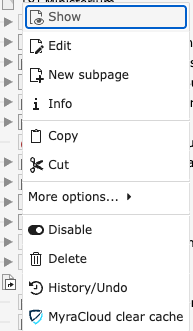
Context menu in page tree

View of page context menu showing Myra Clear Cache option

This will clear the selected page only (no child pages). The option will not clear file resources.

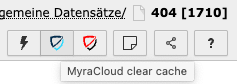
Button bar

View of page buttonbar showing Myra Clear Cache option

This will clear the current page only (no child pages). The option will not clear file resources.

See also

AutoClear on page / content changes

Clear files

There are 4 ways to clear files from the cache:

  • Topbar clear cache menu (clear all)
  • Context menu in file tree (left/right-click)
  • Options menu in file list
  • File list update hook

Topbar clear cache menu

The TYPO3 cache menu showing additional Myra cache options to delete all files or all pages.

Clear the entire page cache or file cache

This option is admin-only by default. To allow for non-admin users, set user permissions accordingly.

If the menu option does not appear, check for missing Myra credentials and the setting of the feature flags:

Context menu in file tree

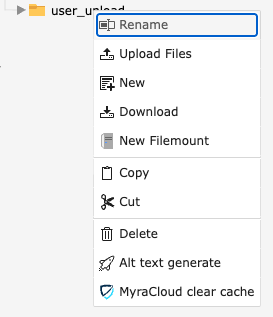
View of File tree context menu showing Myra clear cache option

This will clear all files from the selected directory and all its subdirectories recursively.

Options menu in file list

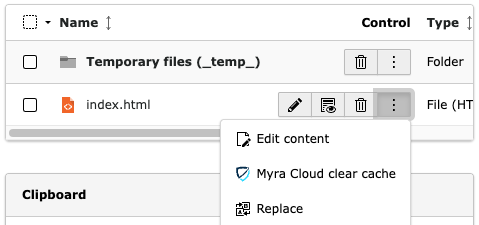
View of File list context menu showing Myra clear cache option

This will clear the selected file only.

See also

AutoClear on file replace

AutoClear - Hooks

Two AutoClear hooks are implemented:

  • Page update
  • File Overwrite

Page Update

This hook listens on the DataHandler->clearCachePostProc interface.

It will only clear the page itself, when the page or its elements are edited (created/updated/deleted). It will not clear subpages and file resources (non-recursive).

File Replace

View of File list context menu showing Myra clear cache option

Using the option "Replace" in FileList will trigger this hook. This also clears processed files from the cache.

CLI command

The command is based on a Symfony command and is only accessible via CLI (not via scheduler)

Command

vendor/bin/typo3 myracloud:clear
Copied!

Usage

myracloud:clear [options]
myracloud:clear -t page -i [PAGE_UID like: 123]
myracloud:clear -t resource -i [PATH like: /fileadmin/path/To/Directory]
myracloud:clear -t resource -i [PATH like: /assets/myCustomAssets/myScript.js]
myracloud:clear -t resource -i [PATH like: /fileadmin/path/ToFile.jpg]
myracloud:clear -t all
myracloud:clear -t allresources
Copied!

Type Parameter

-t, --type=TYPE

  • page
  • resource
  • all
  • allresources

--type=page

page type requires a page identifier (pid) -i 1. the pid must be numeric.

--type=resource

resource type requires a combined identifier -i 1:/path/to/something.

--type=allresources

allresources type requires NO extra option.

This will clear everything from these folders :

  • /fileadmin/*
  • /typo3/*
  • /typo3temp/*
  • /typo3conf/*

--type=all

all type requires no extra option.

This clears everything in Myra Cache for this TYPO3 Instance.

Logging

All ClearCache request will be added into the sys_log database.

View of TYPO3 system log, showing a Myra Clear Cache log entry