mediaoembed 

Classification

mediaoembed

Version

1.1

Language

en

Description

Manual covering TYPO3 extension mediaoembed

Keywords

oembed, video, audio, image, youtube, flickr, external

Copyright

2013-2019

Author

Alexander Stehlik

Email

alexander.stehlik.deleteme@gmail.com

License

This document is published under the Open Publication License available from http://www.opencontent.org/openpub/

Rendered

Tue, 10 Mar 2026 13:32:57 +0000

The content of this document is related to TYPO3, a GNU/GPL CMS/Framework available from www.typo3.org.

Table of Contents
Introduction 

What does it do? 

This extension provides a new content type "External media". The editor only needs to provide the URL to the media he wants to embed.

The media will then be embedded via an oEmbed request if a matching provider was found. For more information on oEmbed see: https://oembed.com

Additionally the extension gives administrators the possibility to manage oEmbed providers. It comes with a number of default providers out of the box.

Screenshots 

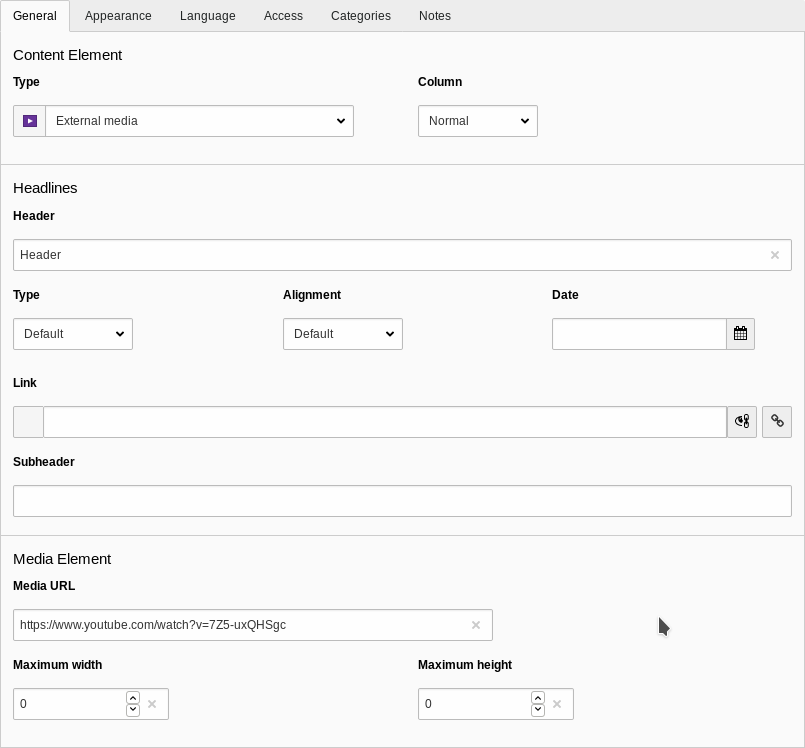
A screenshot of a Backend form for editing an external media content element

Editing an external media content element

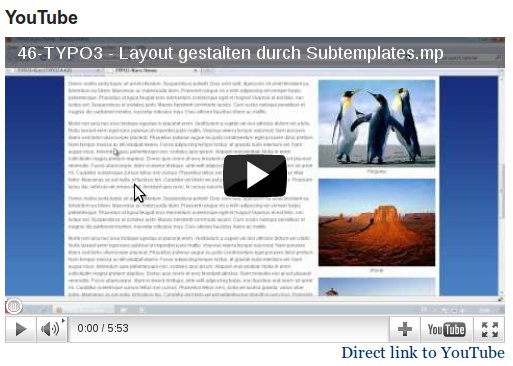
A screenshot of a YouTube video embedded with mediaoembed

A YouTube video embedded with mediaoembed

Users Manual 

Using this extension is quite simple. You start editing or creating a content element and select "External Media" as content type. Then you only need to provide the URL to the media you want to embed (e.g. a YouTube video) and save the content element.

If a provider is known for this URL the embed code will be retrieved and the media will be embedded. Otherwise an error will be rendered.

You can use the width and height parameters so specify maximum width and height of the embedded element.

Installation 

Import the extension in the extension manager.

Alternatively you can install it via composer:

composer require de-swebhosting-typo3-extension/mediaoembed
Copied!

Now enable it and import the static template "Media oEmbed" in you template. You can also import the "Media oEmbed default providers" to import a set of default providers.

Update 

The database structure and the TYPO3 integration have changed very much between version 0.0.1 and 0.1.0! In the current version a new content type is used for embedding external media called “External Media”. The media data is stored in some new database fields in the tt_content table and not in the media FlexForm any more.

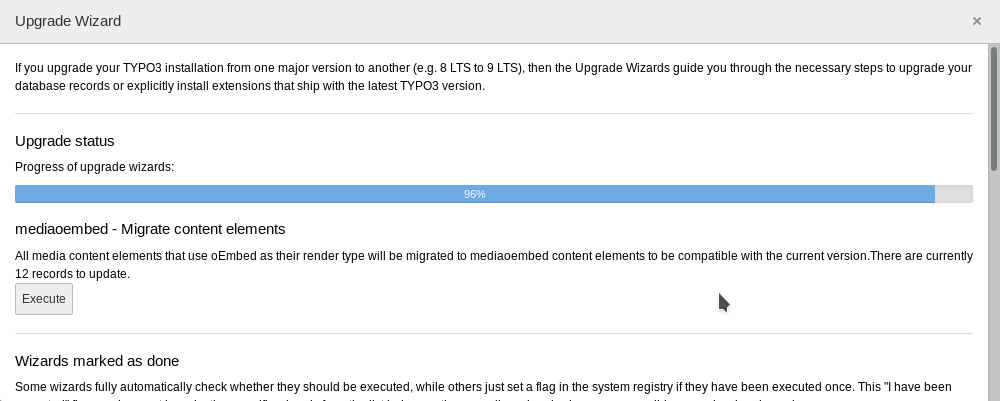
After updating the Extension please use the Update wizard in the Install tool to upgrade you existing media elements to the new version. There are two steps you need to execute in the following order:

  1. Create missing tables and fields (default update step by the TYPO3 Core)
  2. mediaoembed - Migrate content elements
Screenshot of the update steps in the install tool

The update steps in the install tool

That's it. You can now use the new version of the mediaoembed Extension and all your existing contents are migrated.

Configuration 

Manage providers 

Providers are managed via TypoScript in plugin.tx_mediaoembed.settings.providers.

There are two ways of configuring matching URLs of an provider: regular expressions or simple wildcard based schmemes.

Regular Expressions 

To make the handling of URLs simpler we use # as the regex delimer.

This is an example configuration using Regular Expressions:

plugin.tx_mediaoembed.settings.providers {
    some_provider {
        endpoint = https://some-provider.tld/oembed/endpoint
        urlRegexes {
            10 = #https?://([a-z0-9-]+\.)?myprovider\.(org|de|dk)/embedvideo/.*#i
            20 = #https?://([a-z0-9-]+\.)?myprovider\.(org|de|dk)/embedimage/.*#i
        }
    }
}
Copied!

Wildcards 

A simpler approach is the usage of wildcards. In that case the config option is called urlSchemes and not urlRegexes:

plugin.tx_mediaoembed.settings.providers {
    some_provider {
        endpoint = https://some-provider.tld/oembed/endpoint
        urlSchemes {
            10 = https://*.myprovider.org/embedvideo/*
            20 = https://*.myprovider.org/embedimage/*
        }
    }
}
Copied!

It provides less flexibility than regex but it is easier to handle.

Rendering 

The Extension uses the default Extbase template mechanisms for rendering.

This means you can add your own template and partials paths to the configuration to overwrite the templates that come with this Extension:

plugin.tx_mediaoembed {
    view {
        templateRootPaths {
            0 = EXT:mediaoembed/Resources/Private/Templates/
            1 = EXT:mysitepackage/Resources/Private/Templates/
        }
        partialRootPaths {
            0 = EXT:mediaoembed/Resources/Private/Partials/
            1 = EXT:mysitepackage/Resources/Private/Partials/
        }
    }
}
Copied!

See also: t3extbasebook:view

Known Problems 

Currently no problems are known.