Asynchronous Banner-Management 

Author

Torben Hansen

Rendered

Sun, 07 Dec 2025 18:21:55 +0000

Classification

sf_banners

Description

Banner-Management Extension based on Extbase and Fluid. Loads banners asynchronously using JavaScript.

Keywords

forEditors, forAdmins, forBeginners, forIntermediates

Email

derhansen@gmail.com

Language

en

What does it do? 

Banner-Management allows you to manage banners on your TYPO3 website. It supports image and HTML banners. Banner can be assigned multiple categories which allows a flexible way of displaying them on a TYPO3 website.

The Extension fetches the banners for the desired page asynchronously by using JavaScript (AJAX), so the page load time is not mainly affected by the banner plugin.

Each banner contains a statistics, where the total amount of impressions and clicks are shown. A banner can be limited to an amount of maximum impressions and/or clicks.

The extension can be used as a plugin or by TypoScript.

The extension is developed with Extbase and Fluid.

Screenshots 

Banner plugin in TYPO3 backend

Say thanks 

If you like this extension and want to say thanks, feel free to drop me an e-mail or sponsor the development of the extension. Please also consider to support the TYPO3 community by sponsoring events, code sprints or by becoming a TYPO3 association member.

Thanks from me to: 

  • Gerd Müller from Vogt-Schild Druck AG for sponsoring maxResults setting

Installation 

The installation and initial configuration of the extension is as following:

  1. Install the extension with the extension manager
  2. Include the static TypoScript configuration “Banner management (sf_banners)” in your TypoScript template
  3. Create a new system folder in your page tree, where you can add banners and categories.
  4. Include the plugin “Banner-Management” on a page and select which displaymode you want to use. Next select the desired startingpoint (system folder created in step 3) and/or categories.
  5. Make sure to configure the mapping for the PageType Route Enhancer properly (see Routing), so the extension is able to fetch Banners and count Clicks.

Using the extension by TypoScript 

It is also possible to use the extension by TypoScript. It offers a widget, which easily can be included and configured.

lib.someplace < plugin.tx_sfbanners.widgets.bannerWidget
Copied!

The widget has some default settings, which can be overridden by TypoScript. If ou for example would like to change the displaymode of the inserted widget, you can do it like shown below.

lib.mybanner < plugin.tx_sfbanners.widgets.bannerWidget
lib.mybanner.settings.displayMode = allRandom
Copied!

All possible TypoScript configuration settings can be found in the configuration section of this manual.

Settings for banners 

Title 

The title of the banner.

Type 

Image or HTML. Note, that the type html is only available for admin users. If non-admin users should be able to create HTML banners, the extension setting allowHtmlBannerForNonAdmins must be enabled.

Language 

The language for the banner. This setting depends on the amount of languages configured in your TYPO3 installation.

Description 

A description for the banner

Assets 

The asset (usually an image) which is displayed by the plugin. Please note, that the extension is not able to resize the banner, so you must upload it with the final dimensions.

HTML 

The HTML Code for the banner. Only available, when the banner type is set to “HTML”.

Alternative text 

The alternative text of the image. Only available, when the banner type is set to “Image”.

Category 

One or multiple categories, which the banner belongs to.

Exclude pages 

One or multiple pages, where the banner should not be shown.

Expand exclude pages recursive 

Select if exclude pages should be expanded recursive

Hide 

If set to true, the banner is not displayed on the website.

Start / stop 

A date- and time-field , which controls when the banner is automatically shown or hidden on the website.

Max impressions 

The maximum amount of impressions for the banner

Max clicks 

The maximum amount of clicks for the banner

Events 

Event class Fired in class Access to
AfterBannerImpressionsIncreasedEvent BannerController getBanner()
AfterBannerClicksIncreasedEvent BannerController getBanner()

Reference 

Plugin-Settings: plugin.tx_sfbanners.settings

Property:

Data type:

Description:

Default:

displayMode

string

The displaymode for the plugin.

Valid values are

  • all
  • allRandom
  • random

all

startingPoint

int

The startingpoint for the plugin. This can be on single pid of a sysfolder or multiple PIDs seperated by a comma.


category

int

One or multiple UIDs of categories. If using multiple UIDs, they must be seperated by a comma.


maxResults

int

If set to a value greater than 0, the given amount of banners are returned


ajaxPageTypeNum

int

Page typeNum, where banners are fetched via AJAX

9001

clickPageTypeNum

int

Page typeNum for clickAction

9002

cacheLifetime

int

Lifetime of the cache for rendered banners in seconds

3600

Routing 

For TYPO3 9.5, you will have to configure the routing of the configured pageTypes, so banners will get rendered. This only has to be configured, if you use the PageType route enhancer in your TYPO3 routing setup:

RouteEnhancers:
  PageTypeSuffix:
    type: PageType
    default: /
    suffix: /
    map:
      /: 0
      banners.html: 9001
      bannerclick.html: 9002
Copied!

The example above shows, how typeNum 9001 and 9002 (default for the extension) are configured.

FAQ 

I installed the extension but no banners are shown 

Make sure, that you included the TypoScript files from the extension. They include the 2 required JavaScript files:

  • EXT:sf_banners/Resources/Public/Js/Postscribe.js
  • EXT:sf_banners/Resources/Public/Js/SfBanners.js

If banners still do not get displayed and you use TYPO3 >= 9.5 and the PageType Route Enhancer, make sure that you configured a mapping - see Routing

Can I use my own templates? 

Yes, this is possible since the extension is made with Extbase and Fluid. You can configure template settings by TypoScript

Performance considerations 

The extension fetches banners asynchronously from the webserver where the TYPO3 installation resides. Since the plugin has to count the impressions for each banner on every page-impression, the plugin runs uncached. I've implemented the TYPO3 Caching Framework to face this problem, so the HTML output for the banners do not have to be rendered on every page request.

To keep the performance of the extension at a reliable level, you must keep in mind, that using the plugin multiple times on a page will result in multiple asynchronous requests to the uncached plugin. This will reduce website performance on high traffic sites.

Breaking changes 

Version 8.0.0 

This version contains several breaking changes. Make sure to read the changelog, which also contains important information about those changes: https://github.com/derhansen/sf_banners/releases/tag/8.0.0

Version 7.1.0 

This version contain one breaking change. Make sure to read the changelog, which also contains important information about those changes: https://github.com/derhansen/sf_banners/releases/tag/7.1.0

Version 7.0.0 

This version contains several breaking changes. Make sure to read the changelog, which also contains important information about those changes: https://github.com/derhansen/sf_banners/releases/tag/7.0.0

Version 6.0.0 

This version contains several breaking changes. Make sure to read the changelog, which also contains important information about those changes: https://github.com/derhansen/sf_banners/releases/tag/6.0.0

Version 5.0.0 

This version contains several breaking changes. Make sure to read the changelog, which also contains important information about those changes: https://github.com/derhansen/sf_banners/releases/tag/5.0.0

Version 4.0.0 

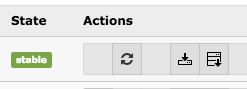
The removal of the local category system requires the execution of a migration script, so existing categories will get migrated to sys_category entries. Please use the update script in the extension manager to process the migration as shown below.

Extension Update Icon

Please click on the update-icon to start the category migration.

Version 3.0.0 

The extension now has the default setting falMedia = 1 in the extension settings. Make sure, that you manually migrate images and flash files for image- and flash-banners manually.

If you still want to use non-FAL files for banners, you can switch off the falMedia setting in the extension settings. Note, that this option will be removed in the next major version of the extension!

Version 1.0.0 

The inclusion of JavaScript libraries has moved to the page footer by using page.includeJSFooter. Due to this change, you may have to update your JavaScript includes in TypoScript. This only applies, if you have overwritten the original page.includeJS inclusions.