Introduction 

Donate
Latest Stable Version
TYPO3
License

What does it do? 

This Plugin includes a solution for the EU Cookie law (ePrivacy, TTDSG). It extends some function to load Scripts, iframe and content after the user accepted the consent. Though don't care about the latest EU laws and handle your Cookies with this Plugins.

When is the popup shown to users? 

The popup is shown on every page load until the user saves the consent.

CS_SEO 

This Plugin extends the Config from CS_SEO so that the Google analytics script, tag manager and piwiki will fire after the Cookie is accepted.

About 

Donate
Latest Stable Version
TYPO3
License

Credits 

This manual was originally written in 2021 by Dirk Persky. A number of other people have made changes and improved this extension and its documentation. You can see the list of contributors on GitHub.

The content of this document is related to TYPO3, a GNU/GPL CMS/Framework available from www.typo3.org.

Please give feedback 

I would appreciate any kind of feedback or ideas for further developments to keep improving the extension for your needs.

Say thanks! and support me 

You like this extension? Get something for me (surprise!) from my wishlist on Amazon or Donate the next pizza. Thanks a lot!

Screenhots 

Fontend 

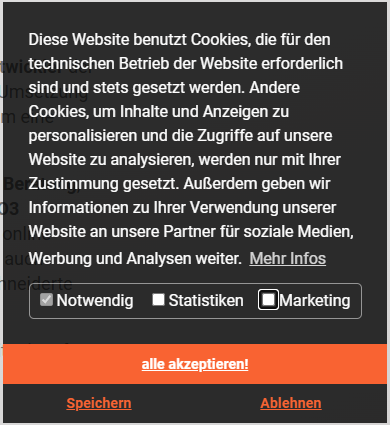
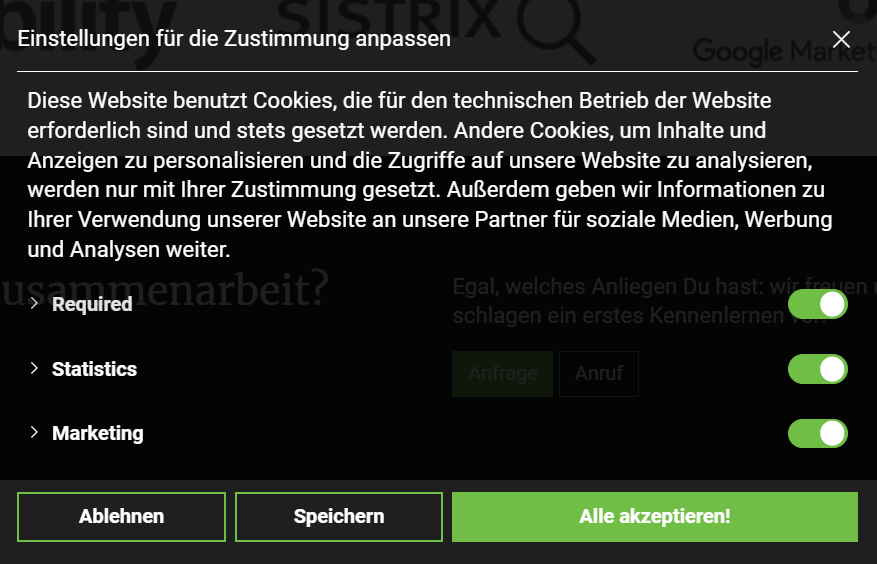
Consent Box

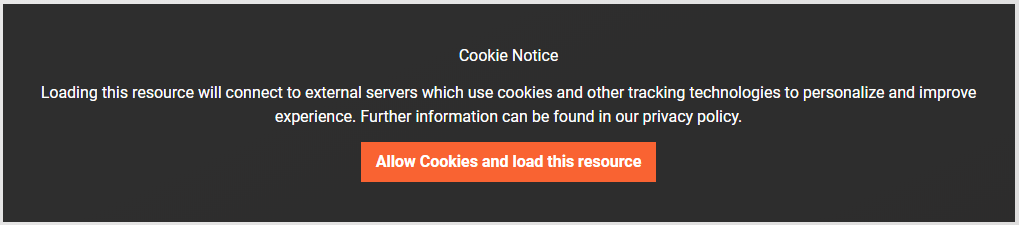
Overlay Box

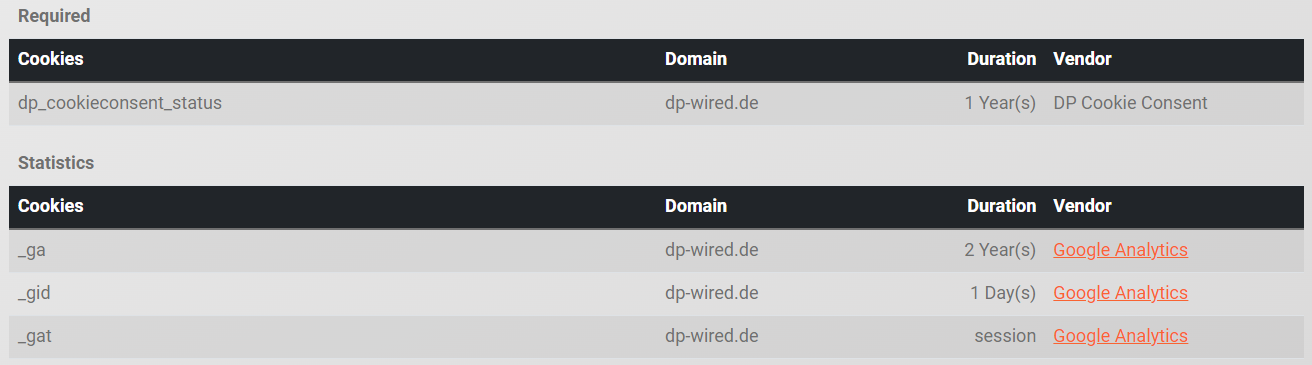
Data Privacy cookie listing

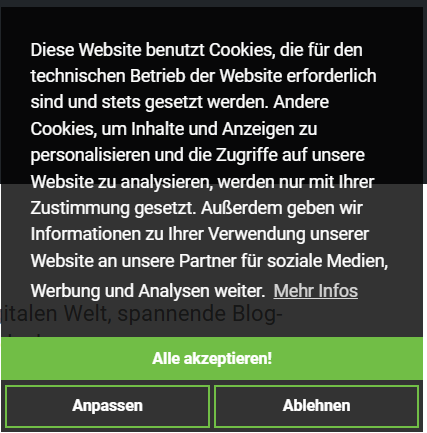
Consent Box extend mode

Consent Config extend mode

Backend 

Backend cookie list

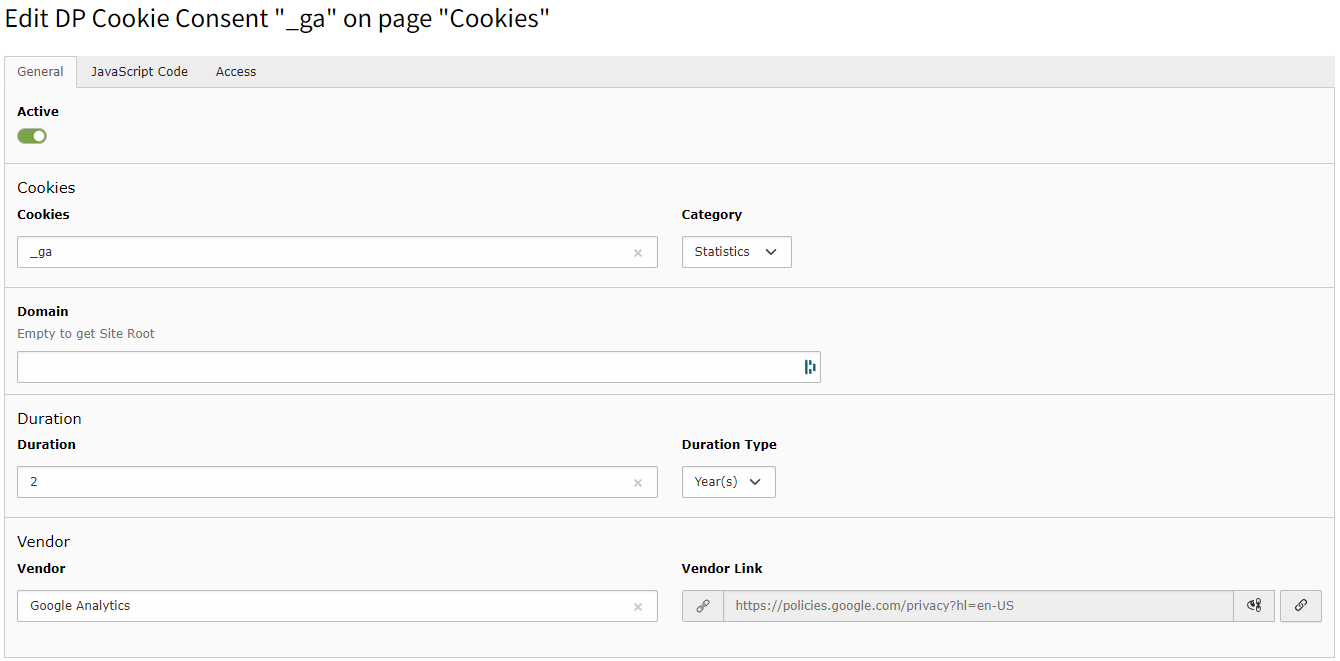
Backend cookie detail

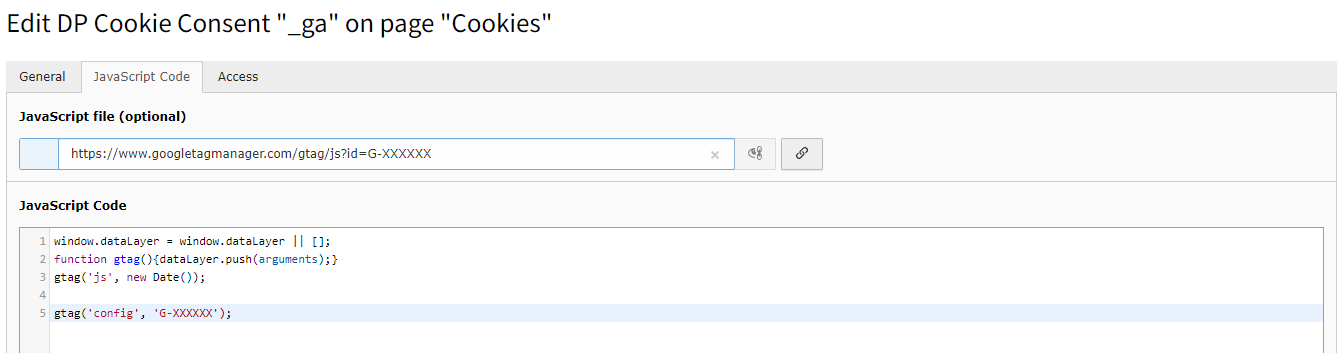
Backend cookie detail - Script Tab

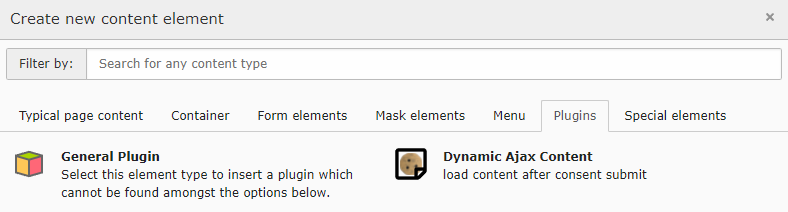
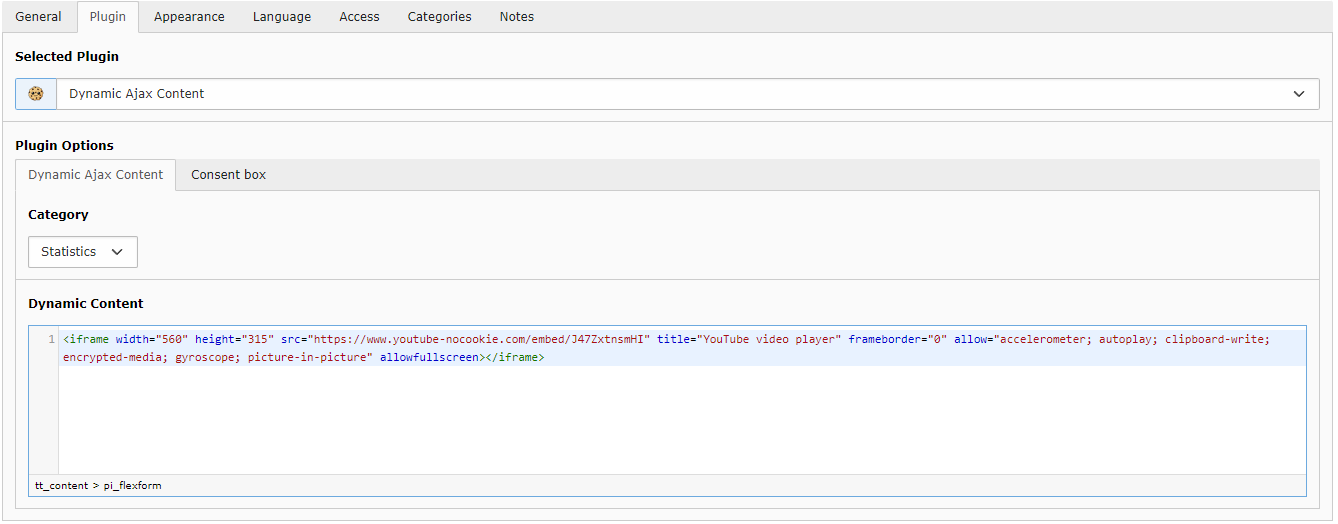
Backend content element

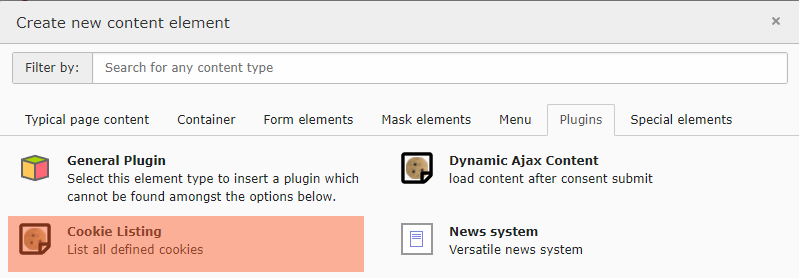
Cookie listing element

Installation 

  1. Install this extension:

    composer require dirkpersky/typo3-dp_cookieconsent
    Copied!
  2. Configuration:

    • Include the basic TypoScript
    • Further configuration
  3. Create initial cookie:

    • Create Cookie records
    • Add JavaScript to Cookies

Basic 

plugin.tx_cookieconsent.settings. 

url 

Description
PID to Data Protection

storagePid 

Description
PID to Cookie Folder

target 

Description
Link target of read more link
Default
_blank

theme 

Description
Layout Class of the consent
Options
edgeless, ... following ..
Default
edgeless

position 

Description
position of the consent
Options
bottom, top, bottom-left, bottom-right
Default
bottom-right

revokable 

Description
Some countries REQUIRE that users can change their mind
Options
true, false
Default
true

reloadOnRevoke 

Description
force page reload after revoke
Options
true, false
Default
false

type 

Description
consent types
Options
opt-in, extend ... following ..
Default
opt-in

statistics 

Description
pre check statistics in checkboxes layout
Options
true, false
Default
false

marketing 

Description
pre check marketing in checkboxes layout
Options
true, false
Default
false

Palette 

Customizing the consent Window

plugin.tx_cookieconsent.settings.palette. 

button.background 

Description
Consent Button Background color
Options
rgba(), #hexa
Default
#b81839

button.text 

Description
Consent Button Text color
Options
rgba(), #hexa
Default
#fff

Overlay 

Customizing the Overlay Window

plugin.tx_cookieconsent.settings.overlay. 

notice 

Description
enable or disable overlays (iframe, content)
Options
true, false
Default
true

box.background 

Description
Overlay: Background color
Options
rgba(), #hexa
Default
rgba(0,0,0,.8)

box.text 

Description
Overlay: text color
Options
rgba(), #hexa
Default
#fff

button.background 

Description
Overlay: Button Background color
Options
rgba(), #hexa
Default
#b81839

button.text 

Description
Overlay: Button text color
Options
rgba(), #hexa
Default
#fff

Tracking 

Add Google Tag Manger and events for consent check. Google Tag Manager will be loaded after each plugin.tx_cookieconsent.settings.tracking.googleTagManager.on consents, and push a specific datalayer event.

After that u can load Analytics with a custom trigger.

plugin.tx_cookieconsent.settings.tracking.googleTagManager. 

id 

Description
Google Tag Manager property

on 

Description
list of checkboxes that will load GTM and fire events
Options
statistics,marketing
Default
statistics,marketing

Example 

This example configuration is based on the base TypoScript-Constants configuration (see Installation).

TypoScript constants
plugin.tx_cookieconsent.settings {
    # PID to Data Protection
    url =
    # PID of Cookie Storage
    storagePid =
    # Layout
    theme = edgeless
    # Position
    position = bottom-right
    # Type (info, opt-out, opt-in)
    type = opt-in
    #  pre check statistics in checkboxes layout
    statistics = false
    # pre check statistics in checkboxes layout
    marketing = false

    # show Iframe overlay
    overlay {
        # Enable Iframe overlay
        notice = true

        box {
            # Overlay: Background
            background = rgba(0,0,0,.8)
            # Overlay: Text
            text = #fff
        }
        button {
            # Overlay Button: Background
            background = #b81839
            # Overlay Button: Text
            text = #fff
        }
    }

    # Cookiehint Style
    palette {
        popup {
            # Bar: Background color
            background = rgba(0,0,0,.8)
            # Bar: text color
            text = #fff
        }
        button {
            # Button: Background color
            background = #b81839
            # Button: text color
            text = #fff
        }
    }
}
Copied!

Language changes 

You can change the default language packs by adding new translations via TypoScript

Arguments 

plugin.tx_dpcookieconsent._LOCAL_LANG.##LANG##. 

message
the default consent message
dismiss
allow cookie button
link
read more link
deny
decline button
allow
allow cookie button
allowall
allow all cookie button
dpRequire
checkbox required label
dpStatistik
checkbox statistic label
dpMarketing
checkbox marketing label
media.notice
overlay notice headline
media.desc
overlay notice text
media.btn
overlay button text
TypoScript setup
plugin.tx_dpcookieconsent._LOCAL_LANG {
    de {
        message = XXX
        dismiss = XXX
        allow = XXX
        link = XXX
        deny = XXX
        allowall = XXX

        # Checkbox labels
        dpRequire = XXX
        dpStatistik = XXX
        dpMarketing = XXX

        # Iframe Overlay text
        media.notice = XXX
        media.desc = XXX
        media.btn = XXX
    }
}
Copied!

Script loading 

Since version 1.3.0, you can define scripts such as Google Analytics in the TYPO3 backend that are loaded after the content has been accepted. To do this, define the cookie and select the consent type.

list of defined cookies

basic cookie information

script that loads after consent

If you want to define the script directly in your code, look in the developer area.

Content Loading 

If you want to load a Youtube Video or any other HTMl Code after the consent is accepted take a loot to the new Content element.

Just add your Youtube embed Code into this element, and the Plugin will handle it four you.

Extend Mode 

Is available with version 12.1.0

TypoScript constants
plugin.tx_cookieconsent.settings {
    # PID of Cookie Storage
    storagePid = 10
    # Type (extend, opt-in)
    type = extend
}
Copied!

As a result, you will receive a more informative cookie consent.

Consent Box extend mode

Consent Config extend mode

JavaScript API 

Events 

Script loading from HTML 

load scripts after accepting 

load script sources If you want to load JavaScript resources after the Cookie is accepted you can use this snippet

<script data-ignore="1" data-cookieconsent="statistics" type="text/plain" data-src="{YOUR_LINK_TO_JS}"></script>
Copied!

load inline script If you want to load Inline JavaScript after the Cookie is accepted use this snippet.

<script data-ignore="1" data-cookieconsent="statistics" type="text/plain">
{YOUT_DYN_JS_CODE}
</script>
Copied!

The data-ignore="1" attribute is to cover the Scriptmerger engine to not combine these parts.

Checkbox mode 

Your customer can choose what types of scripts/cookies he wants to allow. These 2 types are possible and handled by the consent:

statistics 

data-cookieconsent
statistics
<script data-cookieconsent="statistics" type="text/plain" data-ignore="1">
Copied!

marketing 

data-cookieconsent
marketing
<script data-cookieconsent="marketing" type="text/plain" data-ignore="1">
Copied!

iframe loading from HTML 

You can also handle this part from an Content element if you want.

load iframe after accepting 

If you want to load iframes (YouTube, GMap, ..) after the Cookie is accepted you can use this snippet

<iframe width="560" height="315"
    data-cookieconsent="statistics"
    data-src="https://www.youtube-nocookie.com/embed/XXXXXX?autoplay=1"
    class="dp--iframe"
    frameborder="0" allow="accelerometer; autoplay; encrypted-media; gyroscope; picture-in-picture" allowfullscreenn >
</iframe>
Copied!

With the class="dp--iframe" the iframe is hidden by default and would be shown after accepting of the cookie.

iframe overlay 

if you want to add an overlay to accept Cookies outside of the cookie hint

You also can modify the text in this hint individually per iframe

<iframe
    data-cookieconsent="statistics"
    data-src="https://www.youtube-nocookie.com/embed/XXXXXX?autoplay=1"
    class="dp--iframe"

    data-cookieconsent-notice="Cookie Notice"
    data-cookieconsent-description="Loading this...."
    data-cookieconsent-btn="allow cookies and load this ...."
>
Copied!

load content after accepting 

if you want to add contents that will only be visible if the consent hint is accepted You can also handle this part from an Content element if you want.

Your HTML markup for this is

<dp-content
    data-cookieconsent="statistics"
    class="dp--iframe"

    data-cookieconsent-notice="Cookie Notice"
    data-cookieconsent-description="Loading this...."
    data-cookieconsent-btn="allow cookies and load this ...."
>
    YOUR CONTENT
</dp-content>
Copied!

Dynamic Checkboxes 

With this feature you can add or modify the checkbox types by configuration. All you have to do is setting your new checkbox in TS and add it to the partial template:

Resources/Private/Partials/CookieSelection.html:

<label for="dp--cookie-thirdparty">
    <f:form.checkbox id="dp--cookie-thirdparty" class="dp--check-box" checked="{settings.checkboxes.thirdparty}" value="" />
    <f:translate key="dpThirdparty" extensionName="dp_cookieconsent" />
</label>
Copied!

F.A.Q. How to remove unneccesary checkboxes

build your own overlay 

or accept/deny cookies outside of the cookie hint, you can use the followed examples

<button
    onclick="window.DPCookieConsent.forceAccept(this)"
    data-cookieconsent="statistics"
>allow cookies and play video</button>
Copied!

allow cookies

window.DPCookieConsent.forceAccept(this)
Copied!

deny cookies

window.DPCookieConsent.forceDeny(this)
Copied!