Cookieman reads the protocol of the page and sets the secure attribute on https
pages only. Browsers discard a secure cookie that an http page sets: the cookie is
then never stored and the popup comes back on every page.
Set cookie.secure to 0 if you share the cookie between subdomains and one
of them is still http:
Cookieman writes the version into the consent cookie and shows the popup again to all
users whose cookie holds a different version. Until such a user saves again, the old
consent does not count and cookieman injects no tracking objects. The selections of
the user stay in the checkboxes.
Consent that cookieman before 5.0.0 saved holds no version. Cookieman adds the
current version to such a cookie without a change for the user ("silent upgrade").
Thus the upgrade to 5.0.0 asks nobody again.
Sitemap
Introduction
What does it do?
It provides a user consent popup. It asks for approval to include tracking objects (cookies, images or any HTML) and includes the objects when consented.
It allows tracking from the very first page (including referrer).
Consents are managed in groups and saved to a cookie.
It provides a stable API to work with in JavaScript.
It removes HTML-cookies of tracking objects after the user has revoked consent.
When is the popup shown to users?
By default, the popup is shown once on every page load until the user saves the consent status.
The consent status is saved in the cookie CookieConsent.
Note
The popup is not automatically shown on imprint and data privacy statement pages – this is to follow the GDPR's expectation that
those pages shall be easily and directly accessible and should not interfere with a cookie consent banner.
The page UIDs can be set in TypoScript constants.
This also allows to link to these pages directly in the popup.
Does the user have to make a choice?
In our demo themes, we allow closing the popup without forcing the user to make a selection by clicking outside of the modal popup or using the ESC key.
In that case no consent is saved, thus the popup is shown again upon opening another page.
Tip
That is purely a function of the theme and can be changed by adapting the JavaScript that opens your modal. See Create a new theme.
When consent is to be given following a request by electronic means, the request for consent should
not be unnecessarily disruptive to the use of the service for which the consent is provided (See Recital 32 GDPR). An active
affirmative motion by which the data subject indicates consent can be necessary when a less infringing
or disturbing modus would result in ambiguity. Thus, it may be necessary that a consent request
interrupts the use experience to some extent to make that request effective.
Since websites can continue to work without a consent,
we think users should be given the possibility of just looking around without any consent.
We don't see any ambiguity if no decission has been taken: The default is a continued service under
the common rules "data minimisation + no third party involved".
Of course, any functionality that requires consent has to be disabled in that case ("fallback gracefully" where possible).
Features
Tracking objects: Render detailed information about your cookies, tracking pixels, LocalStorage entries...: Name, Purpose, Lifetime, Type, Provider
Tracking objects: Commonly used tracking objects are already supported with configuration and information text
Tracking objects: Extendable as needed
Tracking objects: HTML Cookies will be removed from the user's browser
Groups: Group your tracking objects (e.g. "Mandatory", "Marketing", "Analytics")
Groups: Preselect and/or disable groups, e.g. the group for mandatory technical cookies
A note about the "Do-not-track" setting can be shown inside the popup and this setting can also be respected (configurable on a per-group level)
The extension includes 3 ready-made themes based on Bootstrap
Customization: Fluid templates and all texts can be adjusted to your needs
Compatibility
Supports all modern browsers
Can be configured to work with a strict Content Security Policy
(no inline scripts are needed)
Screenshots
(Click on the screenshots to open the full resolution.)
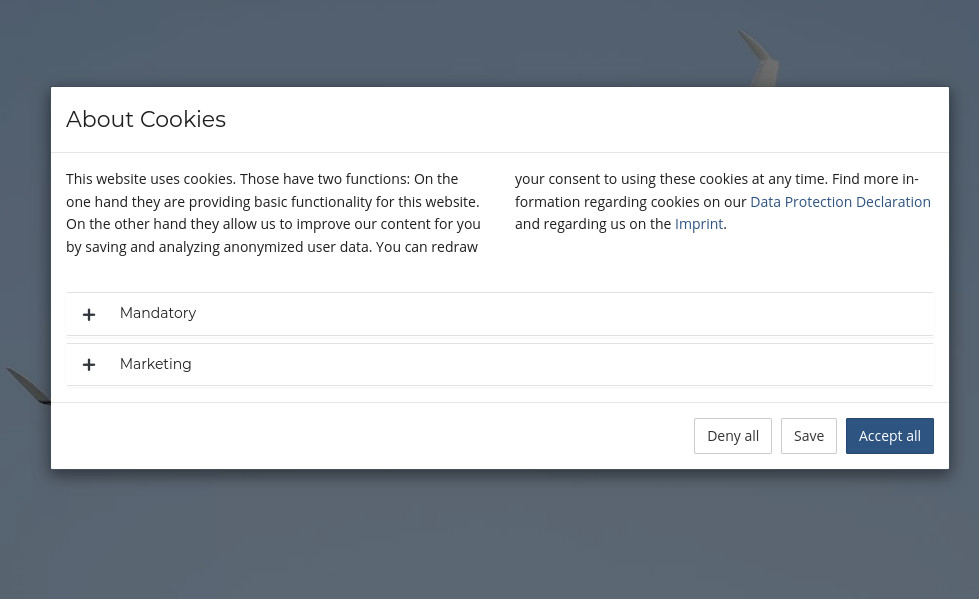
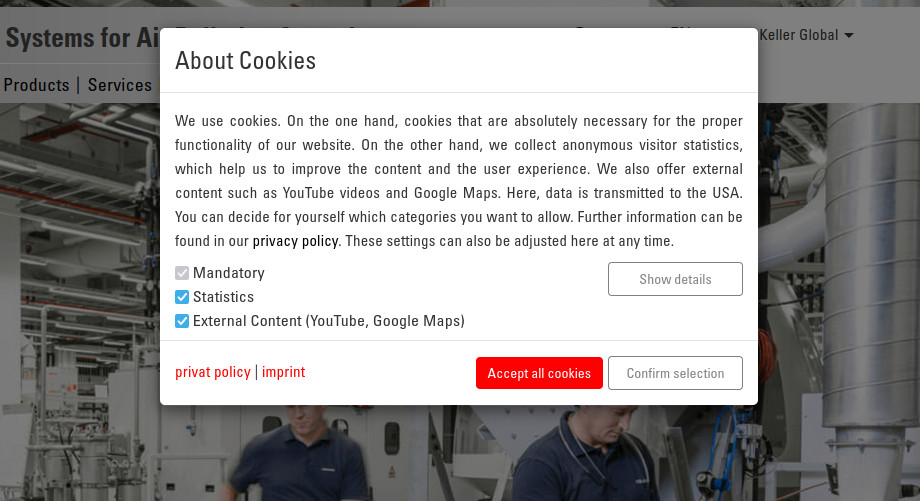
Showcase of a site implementation
Showcase of a site implementation
Showcase of a site implementation
Installation
Target group: Administrators
Requirements
If you reimplement your own theme, it has no requirements at all
for the example themes:
Bootstrap 3/4/5 CSS
Bootstrap 3/4/5 JavaScript for collapse and modal
jQuery
we also apreciate new and creative custom themes
Installation
Important
Pay attention to the extension's version number!
Each version of Cookieman only supports a single LTS version of TYPO3 (TYPO3 v8-*).
This might be a bit confusing but makes development and testing easier.
Get the extension:
From the Extension Manager:
Open the Extension Manager module in the TYPO3 backend and choose 'Get extensions'.
Search for the extension key cookieman. Click on the extension title to get a list
of all available versions. Import and install the version which is compatible to your TYPO3 version.
From the TYPO3 Extension Repository (TER):
You can download ZIP archives of different versions from
https://extensions.typo3.org/extension/cookieman.
Upload the file afterwards in the Extension Manager.
With composer: Use composer req dmind/cookieman.
This will load a compatible version available from Packagist.
Integration: Choose one of the two equivalent approaches:
Option A – Site set (recommended for TYPO3 ≥ 13)
Add the site set dmind/cookieman to your site configuration
(config/sites/<your-site>/config.yaml):
sets:-dmind/cookieman
Copied!
For evaluation purposes, also add the example set:
sets:-dmind/cookieman-dmind/cookieman-example
Copied!
Option B – @import in your own TypoScript
Import the extension's TypoScript files directly from your site package's
setup file:
We do not recommend this approach. TypoScript stored in sys_template database records
is not on the file system and therefore not under version control, which makes updates and
refactoring significantly harder to manage. Prefer Option A or B instead.
Include the static TypoScript "Cookieman" in your root template
or reference the necessary files in your site package.
For evaluation purposes, also include
"Cookieman (Example configuration of groups and tracking objects)".
All three options give you a group mandatory with the tracking object CookieConsent.
Configure the extension with TypoScript constants and setup (see Usage of cookies).
Configuration
Target group: Developers, Integrators
This extension comes with two static templates:
Cookieman contains the basic and necessary configuration. Use this and extend the settings to your needs.
Cookieman (Example configuration of groups and tracking objects) can be included additionally to get
a full example with multiple groups and tracking objects.
You can check your page with an empty cookie storage with your browser and see which cookies gets inserted in your browser.
Or you can use a service like Cookieservice to fetch a page or sign up for services that
crawl your whole site regularly for cookies.
There might be connections made to external servers to access tracking pixels or other content that warrant a user consent, too.
This applies to YouTube (use youtube-nocookie.com) and CDNs (Google Fonts, Bootstrap and
other frontend libraries - recommendation: do not use external connections at all if not necessary).
Also other means for tracking might be used, like HTML5 Web Storage (localStorage).
It is a task for the official Data Security Officer of the site to decide what needs to be consented.
If done correctly, you should be able to find a note about used tracking services in the Data Privacy Statement of the website.
If you have control over how the tracking object is inserted you can have Cookieman handle that for you.
Otherwise you can make the actual inclusion of the tracking object dependent on a Cookieman-API-call or a presence of a
certain string in Cookieman's cookie "CookieConsent" - this is recommended if you are managing several tags with
Google Tag Manager (set its trigger to "cookie ‹CookieConsent› contains ‹group name, e.g. "marketing"›).
Configuration example
Target group: Developers, Integrators
Example
This example configuration is based on the base TypoScript configuration
(see Installation) without the example template.
# include definition of TrackingObjects@import 'EXT:cookieman/Configuration/TypoScript/TrackingObjects/*.typoscript'
plugin.tx_cookieman.settings {
trackingObjects {
# extend the existing configuration for 'Matomo'
Matomo {
inject = TEXT
inject {
insertData = 1
value = (
<script nonce="{request : nonce | value}">
var _paq = window._paq || [];
_paq.push(['trackPageView']);
_paq.push(['enableLinkTracking']);
(function() {
var u="//my-piwik-server.my-domain.com/";
_paq.push(['setTrackerUrl', u+'matomo.php']);
_paq.push(['setSiteId', 'my site ID']);
var d=document, g=d.createElement('script'), s=d.getElementsByTagName('script')[0];
g.type='text/javascript'; g.async=true; g.defer=true; g.src=u+'piwik.js'; s.parentNode.insertBefore(g,s);
})();
</script>
)
}
}
# add my own custom tracking solution# if you have a useful configuration and want to share, we would be happy if you did a pull request!
MyOwnTrackingPixel {
inject = TEXT
inject {
insertData = 1
value = (
<div>Here be dragons <img src="{asset : EXT:my_ext/Resources/Public/Image/MyImage.png}?{date : U}"></div>
<script nonce="{request : nonce | value}">alert('oh la la!')</script>
)
}
show {
# each element here represents one line of information in the consent popup
pixelphp {
duration = 1
durationUnit = months
type = pixel
provider = My Website Inc.
}
}
}
}
groups {
# my new group
mygroup {
trackingObjects {
0 = Matomo
1 = MyOwnTrackingPixel
}
respectDnt = 1
showDntMessage = 1
}
}
}
plugin.tx_cookieman._LOCAL_LANG {
en {
trackingobject\.pixelphp = You can translate the name, but you do not have to.
trackingobject\.pixelphp\.desc = My own tracking pixel does not really track you. It's just here to cheer you up.
group\.mygroup = My group is my castle.
type\.pixel = Tracking pixel
}
default < .en
}
Copied!
Allow users to adjust their consent
It is recommended to include a snippet like the following on your data privacy statement page
to allow your users to adjust their cookie preferences:
<button data-cookieman-show>
  Adjust your cookie preferences
</button>
Version of your cookie configuration. Cookieman writes it into the consent cookie.
You can use any value, for example a date or the number of your release.
Change it every time you change your cookie configuration. Cookieman then shows the
consent popup again to all users whose cookie holds a different version. Until such a
user saves again, the old consent does not count and cookieman injects no tracking
objects (see Show the consent popup again after a configuration change).
Consent that cookieman before 5.0.0 saved holds no version. Such a cookie gets the
current version without a change for the user ("silent upgrade"). Thus the upgrade to
5.0.0 does not ask anybody again.
Each HTML tag in here will be appended to the page when the respective group is consented.
This can be <script>, <img> or anything else.
You can either use inline script or link to an external file (useful if a HTTP header Content-Security-Policy is set).
If you need a local path from your _assets directory, let TYPO3 build it. We currently recommend using TEXT
with insertData = 1 and the getText {asset : EXT:…}. We recommend adding ?{date : U} to add a cache-busting parameter.
See the example above.
trackingObjects.‹tracking-object-key›.show
trackingObjects.‹tracking-object-key›.show
|Data type: array
|
The actual rows of the table, each representing one "tracking item" (usually a cookie).
cookie_http+html: an HTML (=HTTP+HTML) cookie, which is also readable from JavaScript.
This is the only type that can be removed after consent has been revoked.
cookie_http: an HTTP cookie
pixel: a tracking pixel
Note
You can add your own types by adding a localization string type.‹your-type-key›.
You can (optionally) set a regex pattern for cookie names here. It will be used during cookie removal.
If would remove all matched cookies when consent for the group in which this tracking object is included is revoked.
If this is empty, the tracking object key is used for deletion (see trackingObjects.‹tracking-object-key›).
If you want to adapt an existing theme, and not necessarily create a new one, you may want to consider adding another path to the default templates via adapting the root paths as so:
These folders will have the highest priority when looking for templates, partials or layouts now.
The fallback will be EXT:cookieman/Resources/Private/*.
Create folder EXT:your_ext/Extensions/cookieman/Resources/Public/Themes/myTheme. This will hold the files cookieman-theme(.min).css and cookieman-theme(.min).js. Reimplement the methods cookieman.show() and cookieman.hide() in cookieman-theme(.min).js.
Copy the .css, .js and .html files as needed from a default theme.
Adapt the HTML/CSS/JS as needed.
Storing user consent
These HTML element attributes control the functionality:
<* data-cookieman-save>
Save and close
It is recommended to have that hidden on initial load and only show it when
the user has made a change.
The default themes show it when the user has clicked the "settings" collapsible.
It can be added to any HTML element. The element does not have to be there on
initial load (thus it should work with web components, VueJS, react, etc.).
Example:
<button data-cookieman-show>
  Adjust your cookie preferences
</button>
Copied!
How-To
Target group: Developers, Integrators
TrackingObjects
What are TrackingObjects?
A TrackingObject is an array which includes one or more tracking items (usually cookies).
For example, the TrackingObject GoogleAnalytics contains five cookies which are used
by this service. They are listed inside the show array.
Depending on the purpose a TrackingObject has, you need to inject HTML code after the user
has given his consent (see next section).
How to load tracking code only after user consent?
A web analytics service like Matomo or Google Analytics needs the user's active consent
before the website starts with tracking. Therefore, you'll need to ensure that the tracking code
is not executed automatically at page load.
You need to remove all existing tracking codes from your website and let Cookieman manage them.
Cookieman will inject the tracking codes after user consent with the
inject configuration.
Cookieman already provides some preconfigured TrackingObjects.
You can add selected TrackingObjects with two (or three) steps in TypoScript:
Import the provided definitions.
Add the key (name) of the TrackingObject.
# 1. Include provided definitions of TrackingObjects:@import 'EXT:cookieman/Configuration/TypoScript/TrackingObjects/*.typoscript'# 2. Add the TrackingObject key to a group:
plugin.tx_cookieman.settings.groups {
mandatory {
trackingObjects {
10 = fe_typo_user
}
}
}
Copied!
If a TrackingObject needs to inject HTML code, you'll have to add this in a third step:
# 1. Include provided definitions of TrackingObjects:@import 'EXT:cookieman/Configuration/TypoScript/TrackingObjects/*.typoscript'# 2. Add the TrackingObject key to a group (see below how to configure a new group):
plugin.tx_cookieman.settings.groups {
analytics {
trackingObjects {
10 = GoogleAnalytics
}
}
}
# 3. Add the tracking code to the TrackingObject:
plugin.tx_cookieman.settings.trackingObjects {
GoogleAnalytics {
inject {
insertData = 1
value = (
<script nonce="{request : nonce | value}">
(function(i,s,o,g,r,a,m){i['GoogleAnalyticsObject']=r;i[r]=i[r]||function(){
(i[r].q=i[r].q||[]).push(arguments)},i[r].l=1*new Date();a=s.createElement(o),
m=s.getElementsByTagName(o)[0];a.async=1;a.src=g;m.parentNode.insertBefore(a,m)
})(window,document,'script','https://www.google-analytics.com/analytics.js','ga');
ga('create', 'UA-XXXXX-Y', 'auto');
ga('send', 'pageview');
</script>
)
}
}
}
Copied!
Attention
If your website sets the HTTP header Content-Security-Policy, you'll need to use <script> with external sources (see below).
Only add the used tracking items (cookies)
The provided TrackingObject definitions contain commonly used cookies of a service. You'll need to check it your website really
uses all these cookies!
For example, Matomo will only use the _pk_hsr cookie if the Heatmap & Session recording plugin is enabled!
You can remove any default tracking item like this:
It's important that you only list cookies in the consent popup which your website really sets.
Adding a new custom TrackingObject
A new TrackingObject of course needs some additional configuration:
Configure the new TrackingObject.
Add the new TrackingObject to a group.
Provide necessary localization labels which are shown in the consent popup.
plugin.tx_cookieman {
settings {
# 1. Configure the new TrackingObject:
trackingObjects {
PHPsession {
# 1a. Configure the table row information:
show {
PHPSESSID {
duration =
durationUnit = session
type = cookie_http+html
provider = Website
# 1b. Set a Regular Expression pattern that matches the name of the cookie,# if the cookie name or parts of it are dynamic, so the cookie can be automatically# removed in case the user revokes the consent. (optional)# Please note that you must not provide regex delimiters and can not set options# htmlCookieRemovalPattern = ^regex\.\d+\.[a-fA-F0-9]+$
}
}
# 1c. Add the tracking code (optional):#inject (# <!-- optional HTML tracking code -->#)
}
}
# 2. Add the new TrackingObject to a group:
groups.mandatory.trackingObjects {
20 = PHPsession
}
}
# 3. Provide necessary localization labels:
_LOCAL_LANG {
default {
trackingobject.PHPSESSID.desc = This temporary cookie is set by PHP to store current session data (e.g. form data).
}
de {
trackingobject.PHPSESSID.desc = Dieser temporäre Cookie wird von PHP gesetzt, um aktuelle Sitzungsdaten zu speichern (z.B. Formulardaten).
}
}
}
Copied!
Important
If you provide a Regular Expression in the htmlCookieRemovalPattern option, please be aware of Catastrophic Backtracking and make sure that your pattern is safe. Otherwise your page might slow down or even crash the users browser.
Groups
What are Groups?
TrackingObjects can be arranged in groups that fit their purpose (technically necessary, statistics, marketing, …).
plugin.tx_cookieman {
    settings {
        groups {
            # 1. Add the new group:
            statistics {
                # 2. Add TrackingObjects to this group:
                trackingObjects {
                    10 = Matomo
                    20 = GoogleAnalytics
                }

                # 3. Optional settings: respect the 'Do Not Track' browser setting:
                respectDnt = 1
                showDntMessage = 1
            }
        }
    }

    # 4. Provide necessary localization labels:
    _LOCAL_LANG {
        default {
            group.statistics = Statistics
            group.statistics.desc = Explain the general purpose of the cookies here.
        }

        de {
            group.statistics = Statistiken
            group.statistics.desc = Beschreibe hier den allgemeinen Einsatzzweck der Cookies.
        }
    }
}
Copied!
Tip
Whether Google Analytics can be considered a statistics or marketing TrackingObject depends on its individual configuration.
In case of doubt, ask your Data Security Officer.
Other topics
Content Security Policy
If your website sets the HTTP header Content-Security-Policy (without the unrecommended option 'unsafe-inline'),
it will block all inline code – including your tracking codes.
In order to use tracking within such an environment, you have to move your tracking codes to external files and load them from there.
Important
Some tracking codes have to be adjusted to work from within external files, e.g. Matomo.
Cookieman allows to add external sources with the inject configuration:
Configuration of the cookie used by the extension itself
There are a few TypoScript constants to configure the cookie which is required by the exension
(see TypoScript constants).
plugin.tx_cookieman {
    settings {
        cookie {
            # cookie expire time in days (default: 365)
            cookieLifetimeDays =

            # domain without protocol like www.example.com, .example.com (default: Typo3 site name)
            domain =

            # sameSite Options: Lax, Strict or None (default: Strict)
            sameSite =

            # send the cookie via https only (default: on). Cookieman sets it only on https pages.
            secure =
        }
    }
}
secure is on. It is safe to leave it on, also for an http website: cookieman
sets the attribute only when the page is served via https.
The Secure attribute on the Mozilla Developer Network
explains what it does.
Set secure = 0 only if you have http/https subdomains that must be covered by the cookie
(see the tip on domain below). This is the only reason to switch it off.
Browsers also discard a cookie with sameSite = None if it is not secure.
Tip
If you have multiple TYPO3 sites running on one instance with multiple subdomains you propably do not want to have multiple cookieman cookies.
This would also mean that the cookieman banner is displayed on both domains and that every website user has to configure it for every subdomain again.
To avoid this just set the domain setting to the domain with a starting dot.
Show the consent popup again after a configuration change
A user who gave consent does not see the popup again. If you add a tracking object or
change your groups, that user keeps the old consent and does not see the new
configuration.
Change consentConfigurationVersion every time you change your cookie
configuration. The default is 1, so your first change sets it to 2:
Cookieman writes the version into the consent cookie. If the version in the cookie of a
user is not the same as the configured one, cookieman shows the popup again. The
selections of the user stay in the checkboxes, so they only must confirm them.
You can use any value, for example a date or the number of your release.
Important
Until the user saves again, the old consent does not count: cookieman injects no
tracking objects. This makes sure that a new tracking object does not start before
the user consented to it.
Note
Consent that cookieman before 5.0.0 saved holds no version. Cookieman adds the
current version to such a cookie without a change for the user ("silent upgrade").
Nobody is asked again because of the upgrade to 5.0.0. Only your next change of the
version shows the popup again.
Translation
Target group: Developers, Integrators
All strings are translatable. Translations are managed on Crowdin. Click the button to help translating!
Override translations
You can override translations by registering your .xlf-file as override in your ext_localconf.php (this example uses a configure_cookieman extension that we recommend to hold all your cookieman configuration):
We use one branch for each stable TYPO3 API version. This model is not followed by many extensions.
It allows us to
focus on that API only and not worry about compatibility constructs or inabilities to incorporate any new
TYPO3 feature. So absolutely no if (TYPO3_VERSION ...) in cookieman.
Also it simplifies testing, as each version might need a different setup.
After switching branches, you might need a git clean -fdX to remove any ignored files which were
created by another version's build (append -e '!.idea' to exclude .idea).
Supported TYPO3 versions
all LTS versions: features, bugfixes, security
ELTS versions: security
Exceptions can be made if Pull Requests are provided.
We strive to support the latest version, too (but no promises).
Releases
Releases follow semver. Including with composer via dmind/cookieman: ^2.0 shall never
break any documented feature or the input or output of any function marked with @api in the code.
Be sure to shoot us an angry message if we messed up!
We usually release for all maintained TYPO3 APIs at the same time and use consecutive patch versions (e.g.
2.2.3, 2.2.4, 2.2.5), each supporting one.
Create a new release
Before creating a release you should merge the automatic Crowdin PRs until TYPO3v9 (in v10+ translations are
Crowdin-only, for earlier versions we distribute them because we were not on the older "poodle" server).
The DDEV host command ddev release <version, e.g. 2.5.7> will create a release commit and an annotated Git tag.
It expects that you have set up Git for signing commits (git config --get user.signingKey).
Pushing the tag with git push --tags makes the new release available for composer (packagist).
It also triggers the Github Actions workflow "publish-ter" which uses the TER API via "tailor" to publish the new
release to TER.
ddev start && ddev launch will install a TYPO3 with example content and cookieman.
This installs helper extensions that automatically enable a certain theme and some TypoScript setup to facilitate
development.
The admin user is "admin", password "aaAA11!!".
The ddev custom command ddev install-git-hooks installs CGL checkers as pre-commit hooks (only tested on Linux
so far - the script runs under the container environment so good chances that this would work for other OSs as
well).
To throw away the database and restart cleanly, run ddev delete -Oy && git clean -fdX -e '!.idea' && ddev start
This link
opens the cookieman development environment in Gitpod.
Composer scripts
Have a look at the composer.json's script section. This is the main entry point for commands needed
during development.
ddev composer cookieman:... enables an official cookieman theme. The "customtheme" shall resemble an integrator
following our documentation.
ddev composer build generates minified JS/CSS.
ddev composer test runs all important tests. You do not strictly have to run tests before opening a
pull request - they are also run post-commit on
Github actions.
ddev composer fix:cgl tries to fix linting problems.
JavaScript API
cookieman.js exposes these methods:
cookieman.showOnce()
cookieman.showOnce()
|Data type: void
|
Shows the confirmation modal when consent has not been saved yet.
You can also use the attribute data-cookieman-show on any element to show the modal when clicked.
<button data-cookieman-show>
  Adjust your cookie preferences
</button>
Copied!
cookieman.hide()
cookieman.hide()
|Data type: void
|
Hides the confirmation modal.
cookieman.consent(groupKey)
cookieman.consent(groupKey)
|
Adds the given group (e.g. 'marketing') to the consented groups, updates the CookieConsent cookie
and injects all items given each corresponding trackingObject's inject section.
This is meant as a programmatic way to implement banners before showing content from external sources such as YouTube
videos, Google Maps, facebook posts, ... – clicking the "yes, show the content"-button would call this function and a
<script> in trackingObject's inject section would take care of actually loading the content.
Note
If the consent of the user is outdated (see consentConfigurationVersion),
this function also makes the consent current again. It keeps the groups that the user
selected before and adds the given one, without showing the popup.
Returns true if the user has consented to all groups that contain the given trackingObject, else false.
trackingObjectKey is the trackingObjects.‹tracking object key› from TypoScript, e.g. 'Matomo'.
cookieman.onScriptLoaded(String trackingObjectKey, int scriptId, function callback)
cookieman.onScriptLoaded(String trackingObjectKey, int scriptId, function callback)
|Data type: void
|
This is a hook to do things after an external script has been loaded.
This is useful if you are interacting with external scripts that are loaded by Cookieman.
trackingObjectKey is the trackingObjects.‹tracking object key› from TypoScript, e.g. 'Matomo'.
scriptId is the number of the <script> inside your trackingObjects.‹tracking object key›.inject
(starting from 0 with the first).
callback is a function reference. It receives trackingObjectKey and scriptId (see example below).
The callback is called immediately if the referred to <script> has already finished loading.
Example:
cookieman.onScriptLoaded(
'Matomo',
0, // first script in 'inject'function (trackingObjectKey, scriptId) {
_paq.push(['trackConversion'])
}
)
Copied!
cookieman.onConsented(String groupKey, function callback)
cookieman.onConsented(String groupKey, function callback)
|Data type: void
|
This is a hook to do things once consent for a given group has been given – an alternative to using a
trackingObject's inject section.
groupKey is the settings.groups.‹group key› from TypoScript, e.g. 'marketing'.
callback is a function reference. It receives groupKey (see example below).
The callback is called immediately if the group is already consented to. Otherwise, it is called the next
time consent is given (accept-all, save, or cookieman.consent()). If consent is later revoked and given
again, the callback fires again.
Example:
cookieman.onConsented(
    'marketing',
    function (groupKey) {
        loadMyVideoEmbeds()
    }
)
Copied!
cookieman.onConsentChanged(function callback)
cookieman.onConsentChanged(function callback)
|Data type: void
|
This is a hook to react whenever the user's consent selections are saved (accept-all, accept-none, save, or
cookieman.consent()) – useful if you'd rather listen for changes than poll cookieman.hasConsented().
callback is a function reference. It receives the array of currently consented group keys (same shape as
cookieman.consenteds()).
Example:
cookieman.onConsentChanged(
    function (consenteds) {
        console.log('consent is now:', consenteds)
    }
)
Copied!
Tip
Cookieman also includes the (1kB) cookie library JavaScript Cookie
that also exposes its API and makes it easier to work with cookies.