easydb TYPO3 integration

Classification

easydb

Version

main

Language

en

Description

enter description.

Keywords

comma,separated,list,keywords

Copyright

2017

Author

Helmut Hummel

Email

tickets@programmfabrik.de

License

This document is published under the Open Publication License available from http://www.opencontent.org/openpub/

Rendered

Tue, 26 Aug 2025 15:03:18 +0000

The content of this document is related to TYPO3, a GNU/GPL CMS/Framework available from www.typo3.org.

Table of Contents

What does it do?

This extension allows users to import media files from easydb digital asset management system into a TYPO3 file storage. It is compatible with all supported TYPO3 LTS versions.

The to be imported files can be selected in a popup window, which shows the easydb file picker UI. When pressing the import button, these files are copied into the TYPO3 storage.

When the same files are copied again, they are updated within TYPO3.

However when a file is deleted in easydb it will still remain within TYPO3 until is deleted there as well.

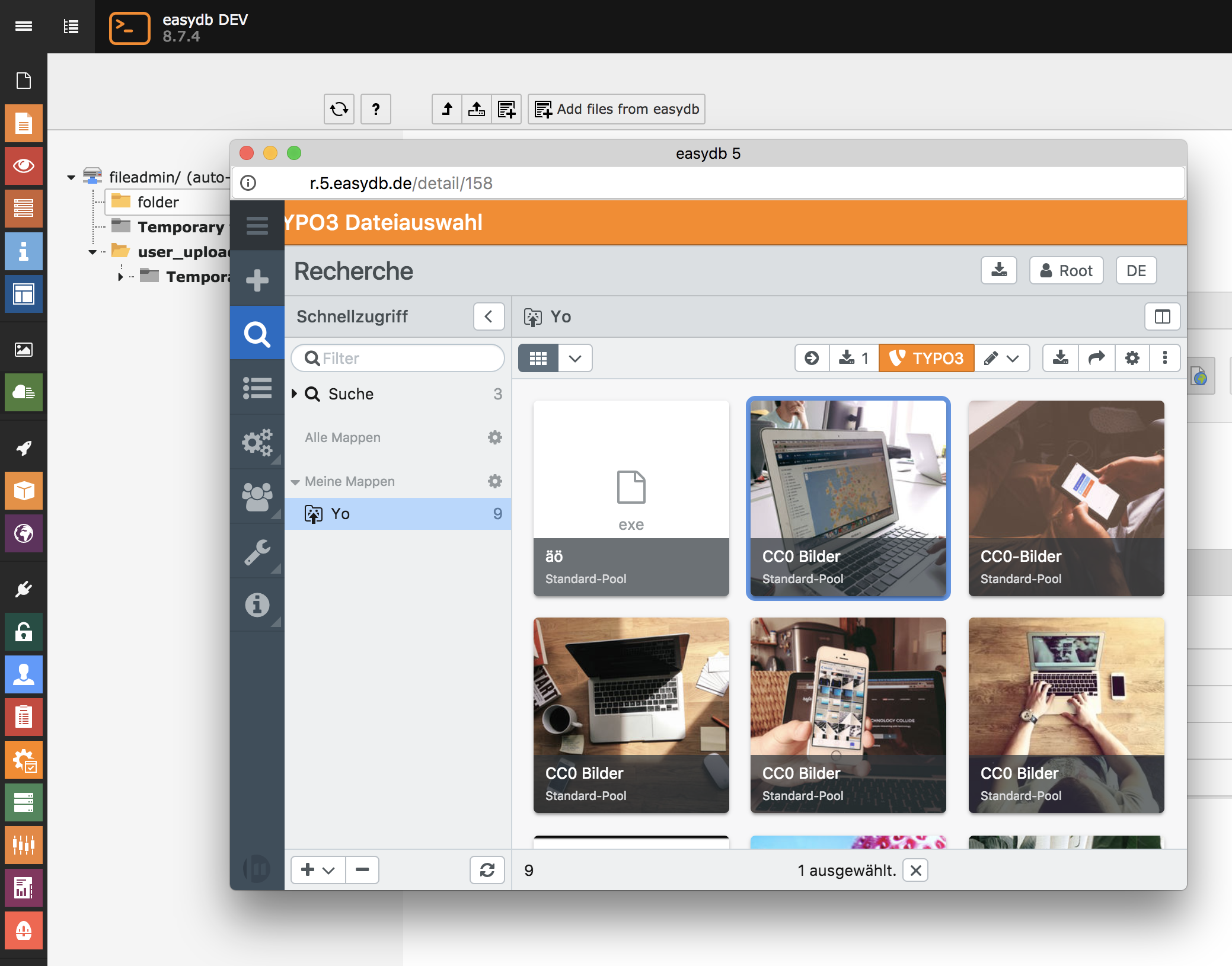
easydb file picker

Selecting a file from easydb for import into TYPO3

Users manual

As an editor, importing files from easydb is straightforward.

The extension adds an additional button for adding files from easydb, which can be used as an alternative to uploading files from a local computer.

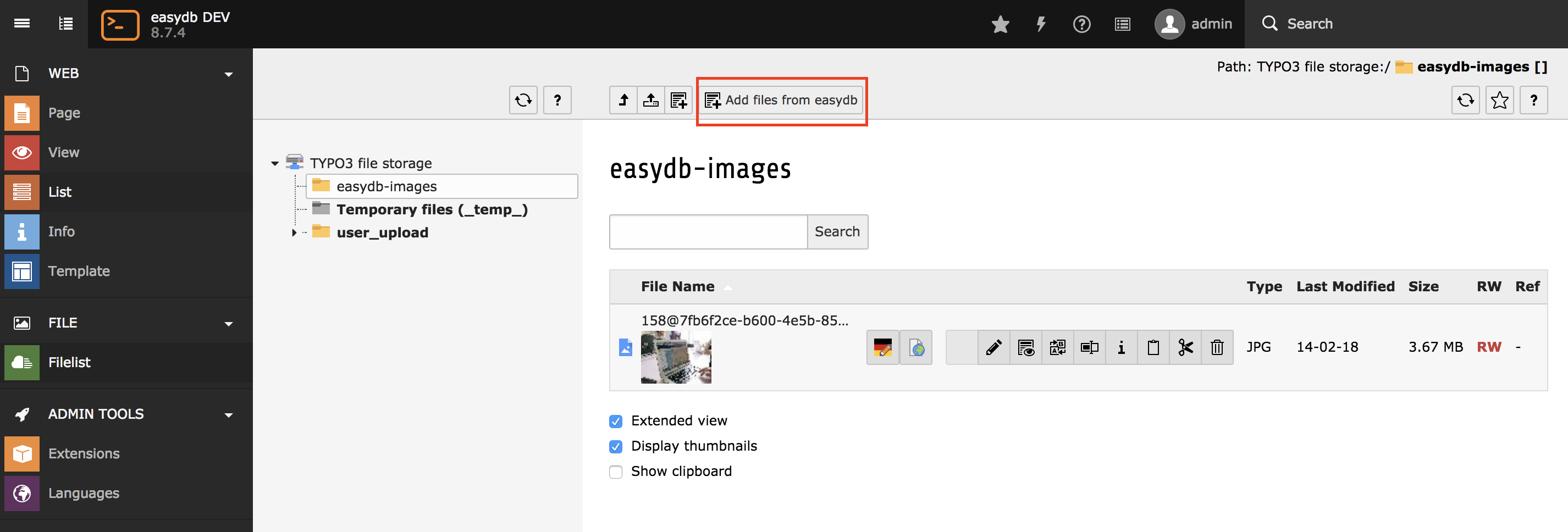
Navigate the the filelist module within TYPO3, select a folder within the storage where the easydb files should be imported into and press the "Add files from easydb" button.

Button to import files

Button to import files

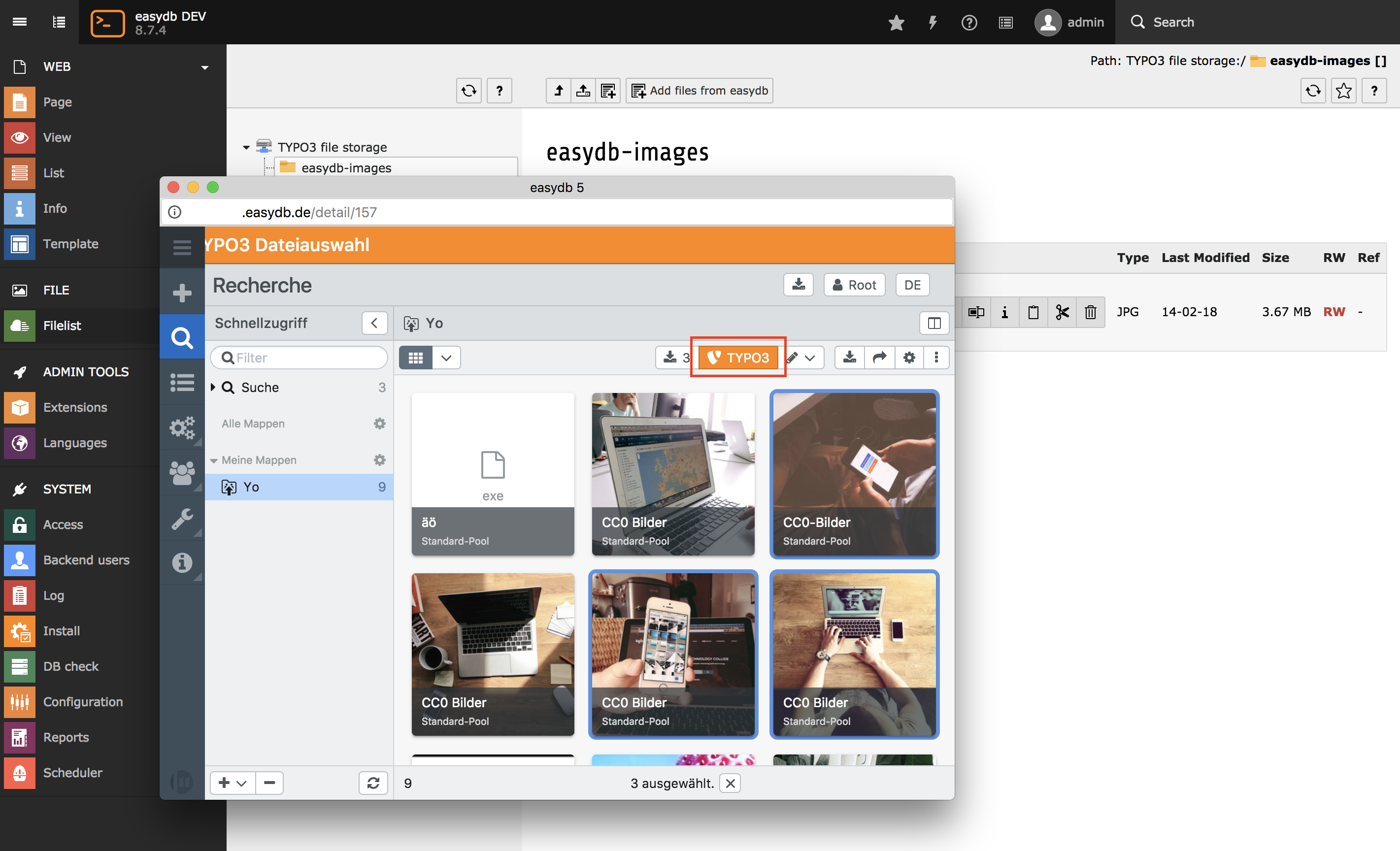
A file picker appears in a popup window appears, presenting the easydb UI. You can use the search and filters to find the files you want to import. Select files you want to import and after that press the TYPO3 import button.

easydb file picker

easydb file picker

After confirming the import, the selected files from easydb are imported into the TYPO3 file storage.

successful import

successful import

Updating files within TYPO3

If files change in easydb, they are not automatically updated within TYPO3. To update them, import the files in question again. The easydb TYPO3 extension detects that files files were previously imported and updates them.

Administrator Manual

Describes how to manage the extension from an administrator’s point of view. That relates to Page/User TSconfig, permissions, configuration etc., which administrator level users have access to.

Language should be non/semi-technical, explaining, using small examples.

Target group: Administrators

Installation

The extension can be installed using the TYPO3 extension manager (from TYPO3 extension repository) or included via composer.

Composer command for adding the extension to your project: composer require easydb/typo3-integration

Configuration

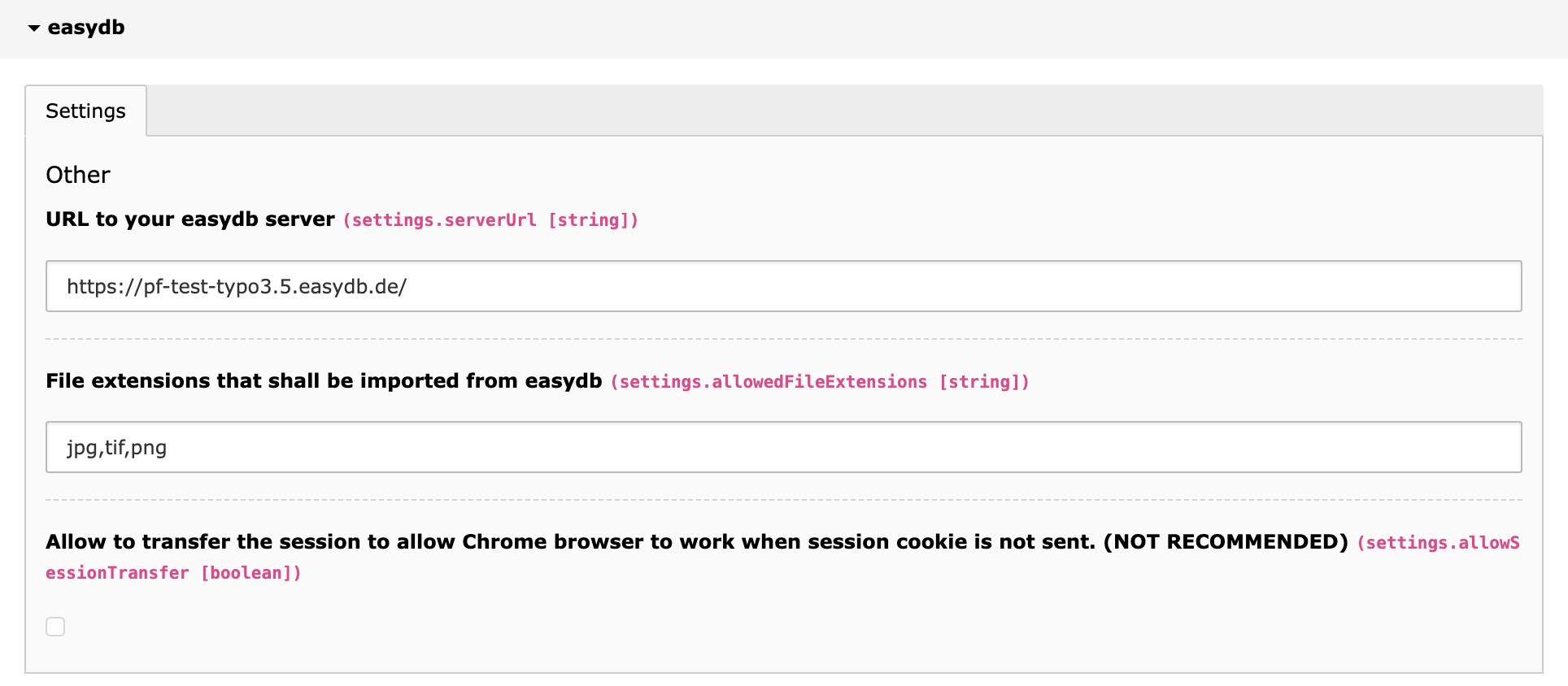
After installation, some mandatory settings need to be provided. Select the extension configuration for easydb extension within you3 TYPO3 installation.

Extension Configuration

Extension Configuration

URL to your easydb server

You need to specify the URL to your easydb server.

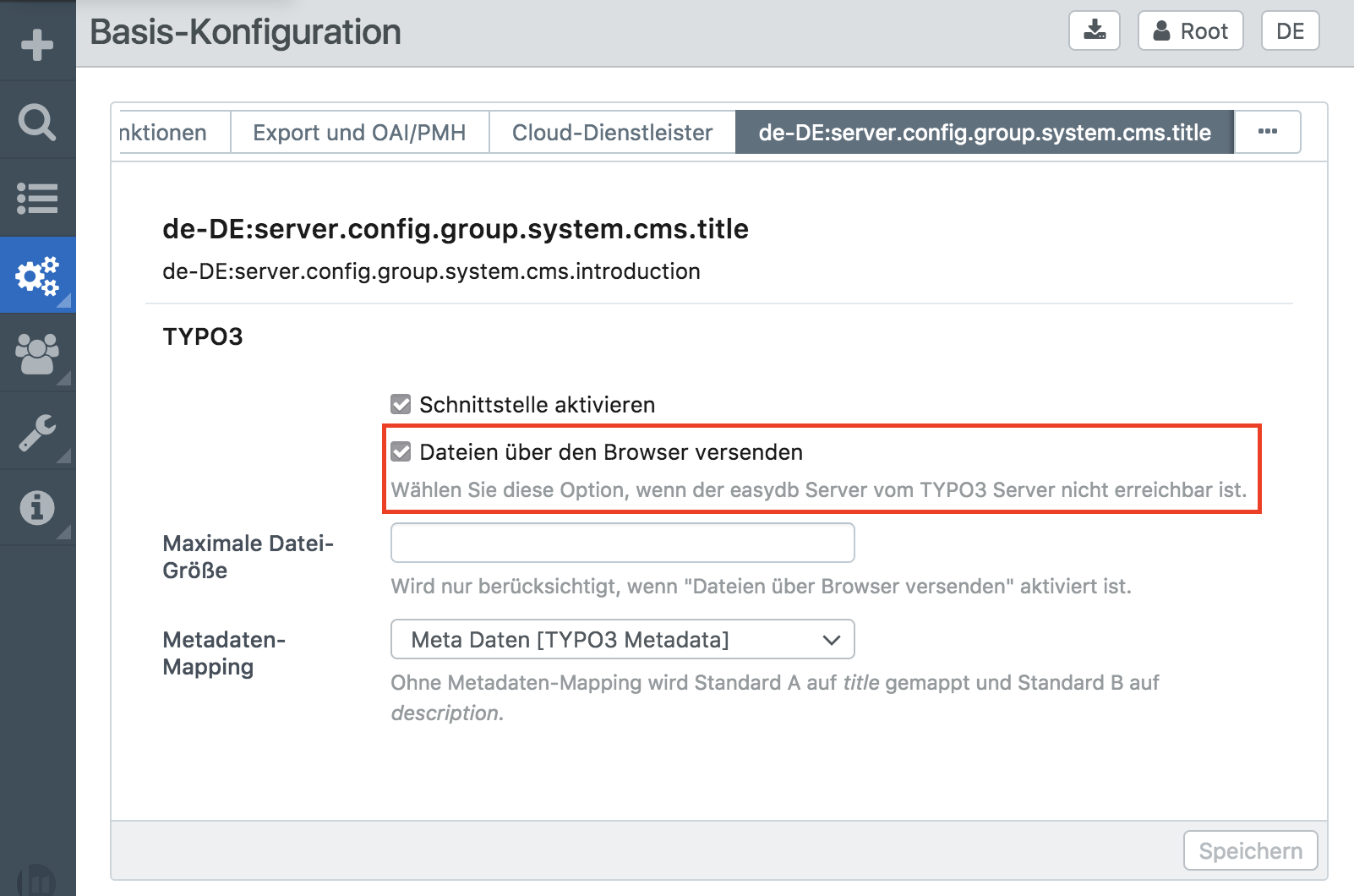
The import of files can work in two modes.

If your TYPO3 server can reach the easydb server, the easydb extension will fetch the file data by directly establishing a connection to the easydb server.

If your easydb server is not reachable from the TYPO3 server, file data can be sent directly via the browser.

You can choose between the two modes in your esadb settings:

easydb settings for data transfer

easydb settings for data transfer

File extensions that shall be imported from easydb

A comma separated list of file extensions that are allowed to be imported into TYPO3.

Allow Session Transfer

Only set this checkbox, if it really is required and you understood the impact! Better options are: Setting BE/cookieSameSite to none in TYPO3 configuration, or to have the easydb hostname on the same top level domain as your TYPO3 backend.

Detailed explanation

On every successful backend login TYPO3 generates a user session with a corresponding identifier. This identifier is stored in a cookie by the browser. Every time the TYPO3 backend is accessed, the browser sends the cookie with the identifier. TYPO3 reads the cookie value, checks if a corresponding session exists and authenticates the user that is associated with this session.

This means, that knowing a (valid) session id is enough to authenticate a user in TYPO3. This is why this id (and the cookie) needs to be secured as much as possible. Security measurements are: The cookie can not be accessed by JavaScript code, the cookie is only sent over secure https connections (TYPO3 backend must only be accessible via https for that).

By doing so, the session cookie and the session ID is only "known" by the user, the browser and TYPO3.

Recently a new security measurement for cookies was specified and implemented by browser vendors. A cookie can have the SameSite attribute. There are three possible values for this attribute: strict, lax and none. It was implemented to be able to protect users from CSRF attacks. A cookie with the SameSite attribute strict instructs the browser to not send the cookie to the corresponding domain, when the request originates from a different website. The value lax also instructs browsers to not send the cookie, but will send it when a simple link to the cookie domain should be followed.

The Chrome browser in recent versions changed the default behaviour for cookies, when no SameSite is set to be treated as lax.

This affected easydb users, where the easydb host name is on a different domain as the TYPO3 backend. Chrome would not send the cookie any more when files should be imported (via POST request).

To fix this issue, it is recommended to either change the eadydb host name to be a subdomain of the typo3 domain, or to configure TYPO3 to set the backend cookie to SameSite none. With the latter the CSRF protection of the cookie is disabled, but TYPO3 itself implements a different token based CSRF protection anyway, so the risk in doing so is negligible. Please note, that with this solution, every client browser used must be configured to allow sending cross-site cookies. Recent browser versions opted to change the defaults to disallow sending cross-site cookies to prevent cross site tracking.

If both options are not possible or not quickly possible, the easydb adapter for TYPO3 has the option to allow a "session transfer" to the easydb server, so that easydb during import can send a session id to TYPO3 so that the file import will work. However this option should only be used as temporary workaround, because it decreases the security of the user session significantly.

Since the session id is sent as URL argument from TYPO3 to easydb, the session id will accessible by JavaScript from within the TYPO3 and easdb application. Additionally, the session id of a concrete user will be exposed to easydb, so that, theoretically not only TYPO3 administrators, but also easydb administrators gain access to user sessions.

The session id that is sent to the easydb server isn't the regular TYPO3 session id and it will only be valid for file imports, but knowing this session id will allow an attacker knowing this id to import files in any folder the user has access to.

When choosing this option, recent TYPO3 security improvements on how session records are stored in the database are reverted and the cookie value of the TYPO3 session is again stored in clear text in the database. Therefore it is highly recommended to chose a different option from above.

Mapping easydb locales to TYPO3 languages

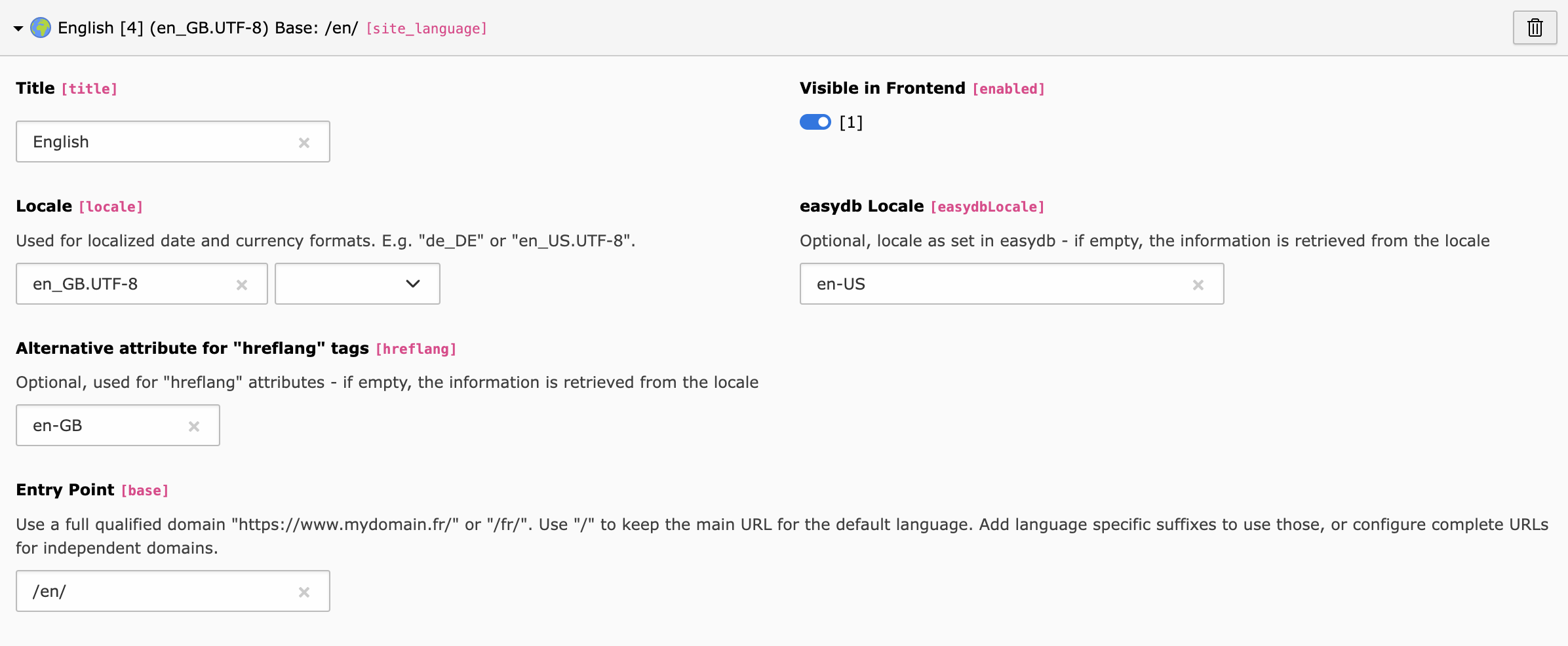
In case you have a multi language TYPO3 project, you need to provide a mapping between TYPO3 languages and easydb locales. By default the easydb locale is derived from the locale configured in your site(s). In case these differ, it is possible to explicitly set the easydbLocale for each language, as shown in the following screenshot.

easydb locale in TYPO3 site language configuration

easydb locale in TYPO3 site language configuration

It is important to note, that easydb locales must have a unique language id defined across all sites. Otherwise an error is thrown, because it would be impossible to determine which language uid to use for a given locale.