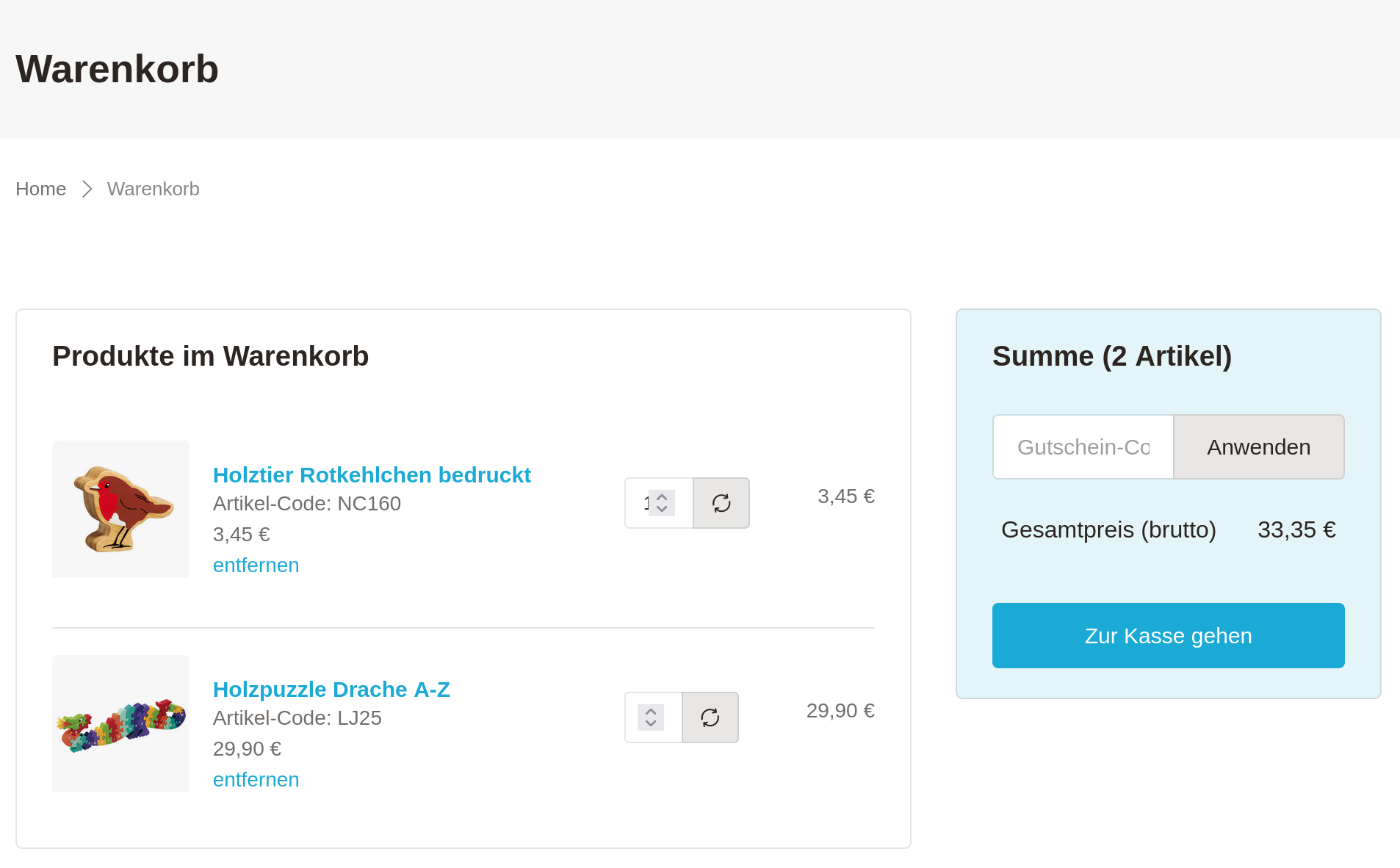
This extension is the base for a TYPO3-native shop solution.
Together with other existing extensions for products and payment solutions
a shop using Extbase & Fluid can be implemented. This might be the best
extendable shop solution for TYPO3.
Cart is an extension providing a shopping solution for TYPO3.
Description
The extension is a small but powerful extension which "solely" adds a shopping
cart to your TYPO3 installation and is well suited for content commerce.
The extension allows you to add products to a cart and handles the order
process completely.
There are other awesome extensions to handle various types of products.
Furthermore, you will find some payment provider extensions to add
payment methods to the checkout process.
Have a look at Other cart extensions.
Features
Makes intensive use of the TYPO3 Core API functionality (is "TYPO3-native").
Easily expandable:
Multiple PSR-14 events and interfaces
API (finisher pipeline) to process the order with possibility to register
own tasks
API to add payment providers
API to connect your own product extensions
Highly configurable through TypoScript
Proved Bootstrap templates
Backend module to show and utilize orders
Aspects to decide whether to choose EXT:cart or another shop solution
Arguments when to use EXT:cart
TYPO3-native shop: The shop is fully integrated in TYPO3. Your customer
do not have to learn another system. And you (or your developer) does not have
to learn another system as well.
TYPO3 know how: You know how to work with TYPO3 (or have access to a
TYPO3 integrator and/or TYPO3 developer).
Small project: It's Suitable for smaller projects (see arguments against
using EXT:cart).
Free open-source: It's free and open source :)
Arguments when NOT to use EXT:cart
Codeless configuration: Other shop solutions may not demands any coding
skills but for EXT:cart you need at least to know how to integrate an
extension and how to set TypoScript configuration.
Simultaneous orders: Products in the cart are not reserved for the
customer. That means if another customer buys the last article in between the
customer who added the product first to the cart will get an error during the
checkout that the product is not available any longer.
Complex products: With the extension EXT:cart_products you can define FE
variants and BE variants which allows to make products customizable. But the
amount of customization is limited. The amount of BE variant combinations is
for example limited to three. Due to this it would for example not be possible
to make a shop for bicycles where the customer can configure all aspects of a
bicycle.
Upselling: There are no advanced functionalities like upselling.
Customer support: As it is open source it is not possible to get paid
support. It's of course possible to get support from the community but it's
not guaranteed to get the needed help.
Showcases
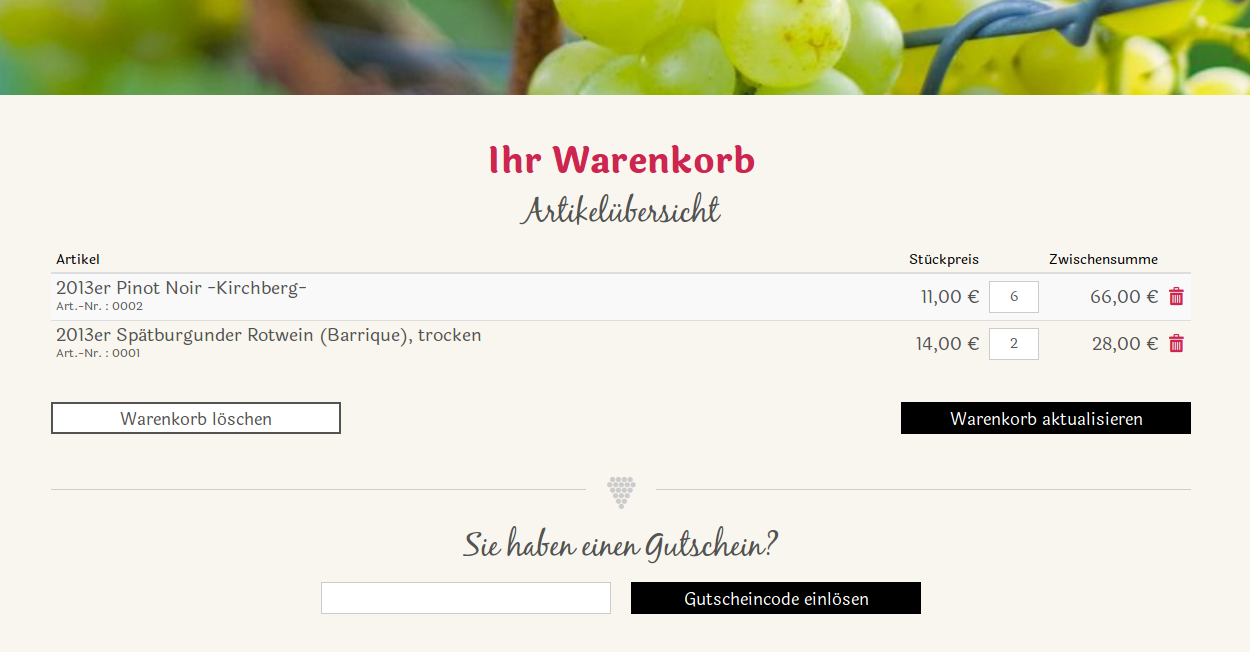
Examples of websites which use this extension as e-commerce solution.
A big thank you goes Tritum GmbH for the many hours I was allowed to work on Cart.
In particular, I would like to thank Björn. He always has an open ear. He contributed his opinion to many questions
and decisions. Without him, Cart would not be what it is today.
Another thanks goes to the testers for their feedback and understanding when I made changes to the data model again and
again.
A big thank you also goes out to all the supporters on github.
Quick start
Watch the video and/or read the instructions to get a (minimal) working
shop setup.
Note
The video shows the setup for an older version. Some parts are outdated,
nonetheless the video still gives a good overview.
Please also read the instructions below which work with the current version.
You need to install at least one more extension to get a working shop setup.
This other extension will offer the products itself. This can be one of the
existing extensions or a custom extension.
The next steps of this quick start use EXT:cart_products.
Include the TypoScript of this second extension as described above or as
described in the corresponding documentation.
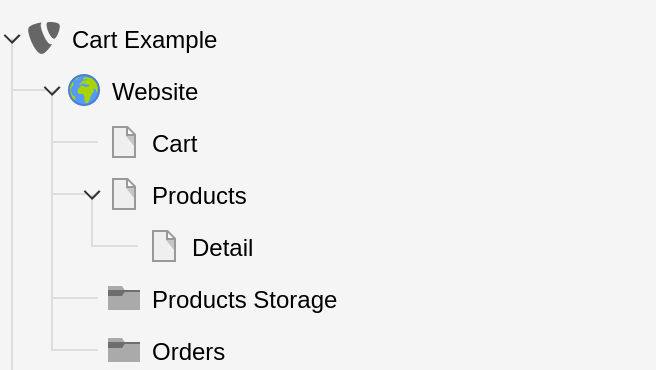
Create the needed pages and directories in the TYPO3 backend.
Create a page for cart. Here it's named Cart.
Create a page for a list of products. Here it's named Products.
Create a page for the detail view of a product. Here it's named Detail.
Create a page of type "directory" where the products will be stored.
Here it's named Products Storage.
Create a page of type "directory" where the orders will be stored.
Here it's named Orders.
Tip
You can create multiple, even nested, directories to organize your
products in the backend.
In this case you can even have multiple pages for lists and detail views.
Create Plugin for the cart
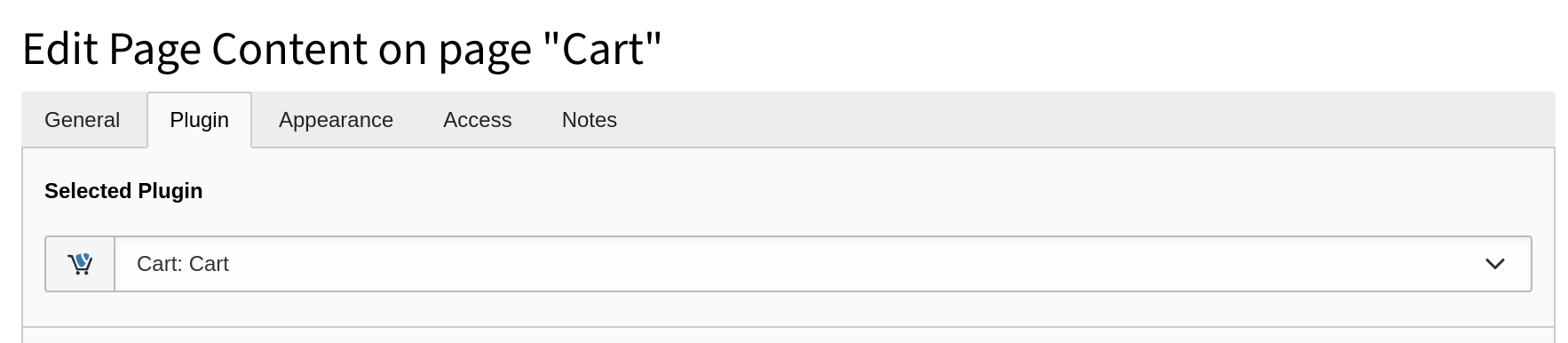
On the page Cart:
Create a record of type plugin Cart: Cart.
Create Plugin for the list view
On the page Products:
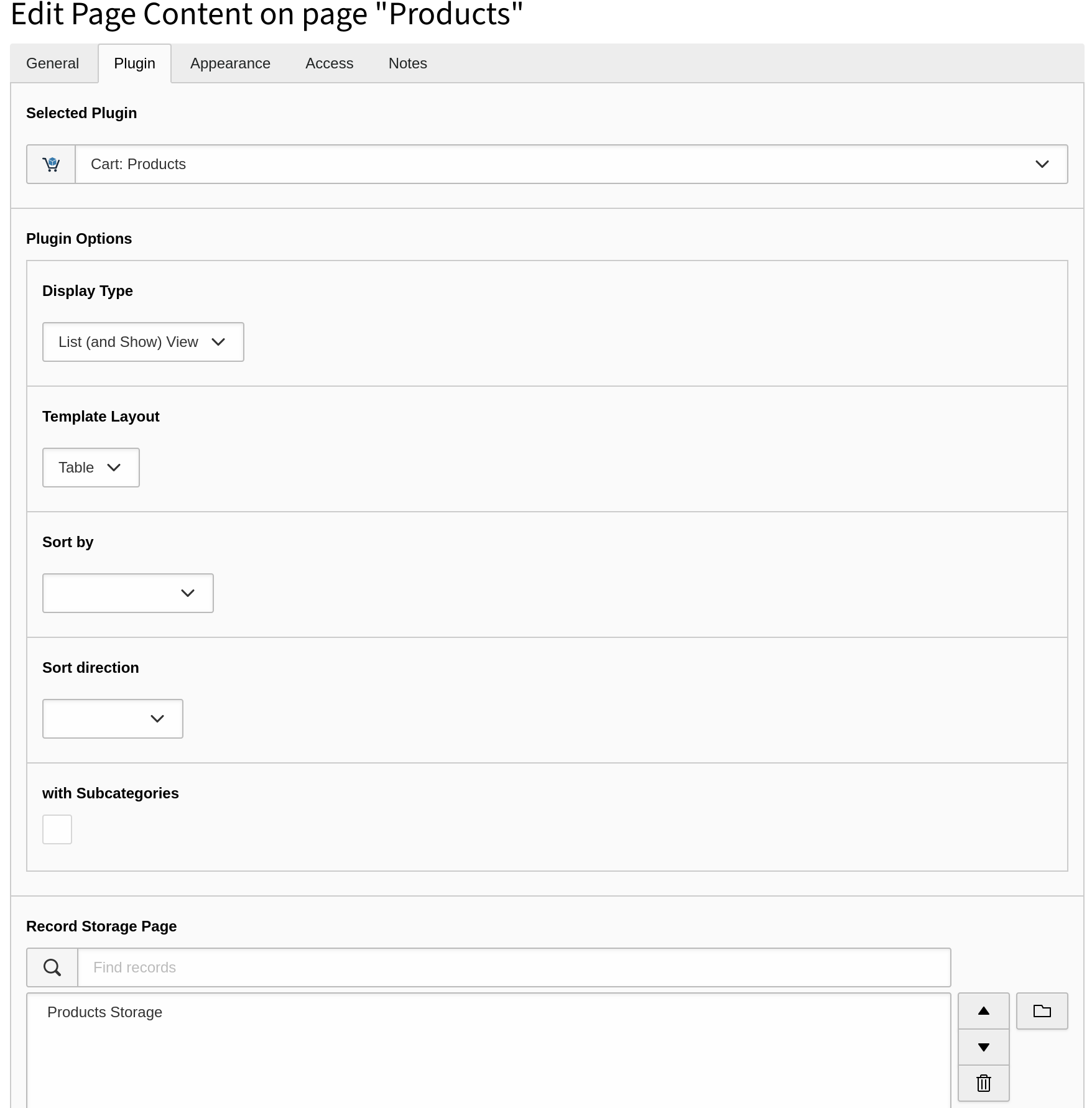
Create a record of type plugin Cart: Products and make the
following settings:
Choose "Display Type" = "List (and Show) View".
In Product Detail Page choose the page Detail.
In Record Storage Page choose the page Products Storage.
Create Plugin for the detail view
On the page Detail:
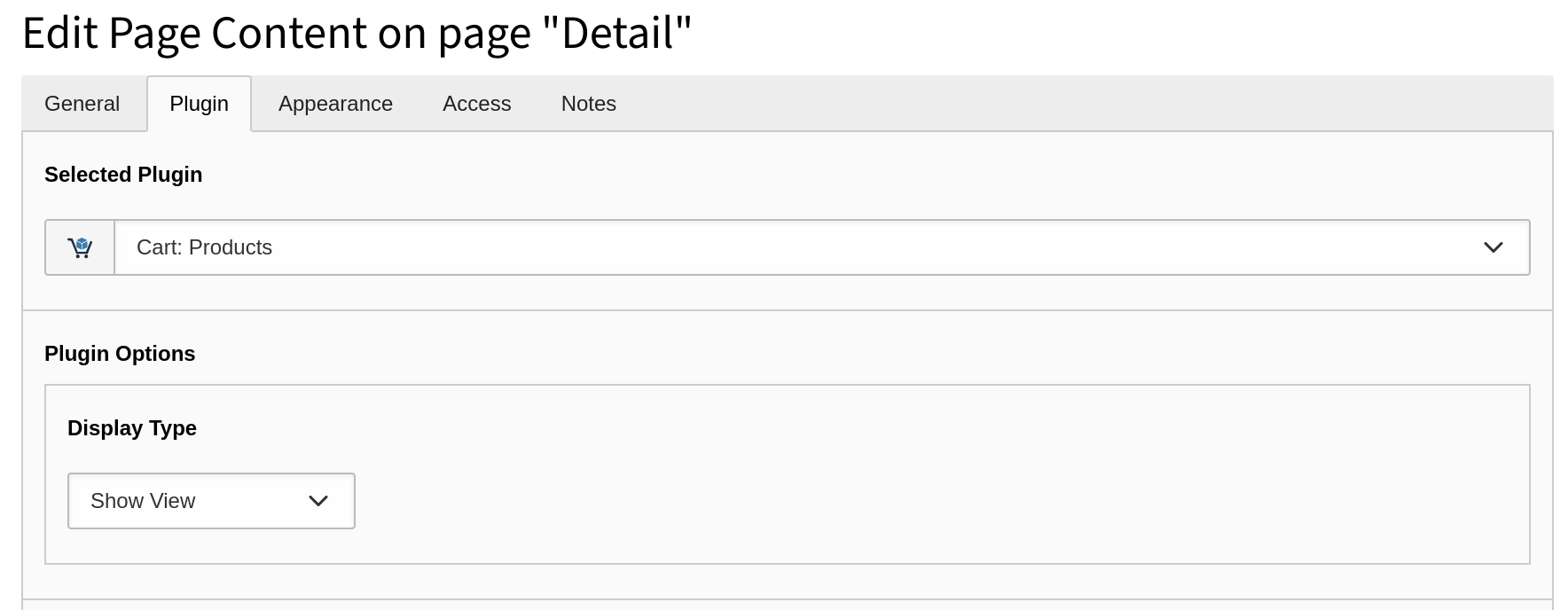
Create a record of type plugin Cart: Products.
Choose "Display Type" = "Show View".
Set TypoScript constants
The following can be done in the TYPO3 backend in the TypoScript Module
(as shown in the video) or better in your own sitepackage (which is
preferred because it is under source control).
plugin.tx_cart.settings {
    cart {
        pid = # The PID of the page "Cart".
        isNetCart = # 0 or 1, depending on your needs.
    }
    order.pid = # The PID of the page "Orders".
}
Copied!
Set needed TypoScript setup
You should set in your
sitepackage/Configuration/TypoScript/setup.typoscript fitting
values for:
plugin.tx_cart.settings.cart {
    acceptTermsAndConditions.pid = # The PID of your terms and conditions page.
    acceptRevocationInstruction.pid = # The PID of your revocation instructions page.
    acceptPrivacyPolicy.pid = # The PID of your privacy policy page
}
Copied!
Create a product
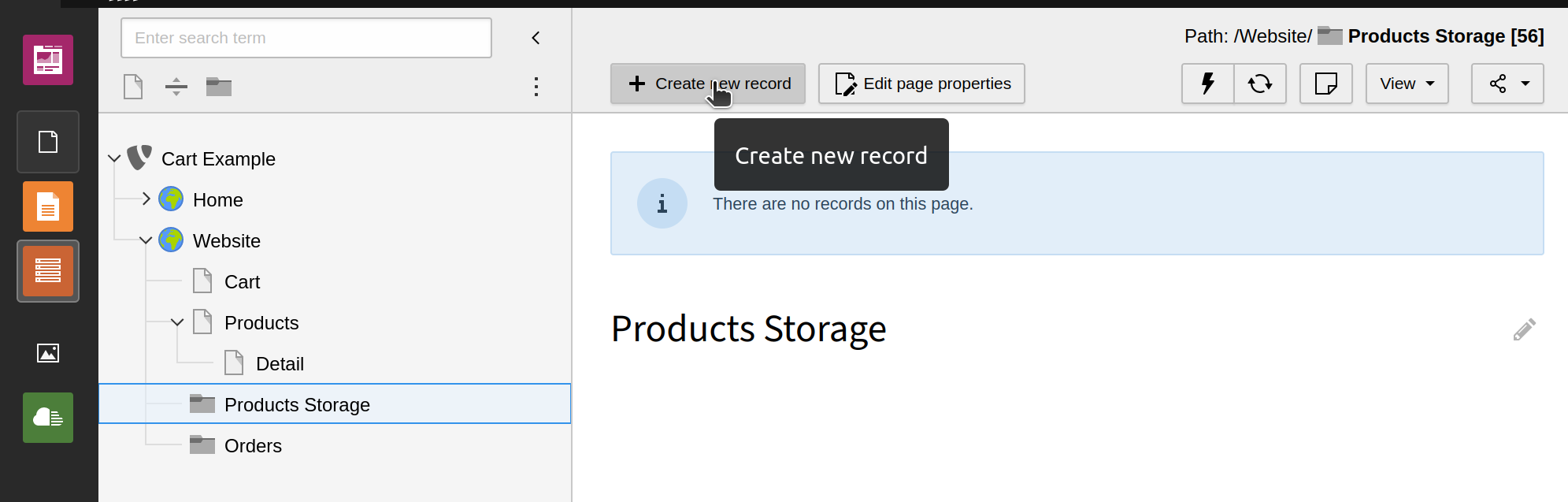
Go to the page Product Storage, switch to the backend module "List".
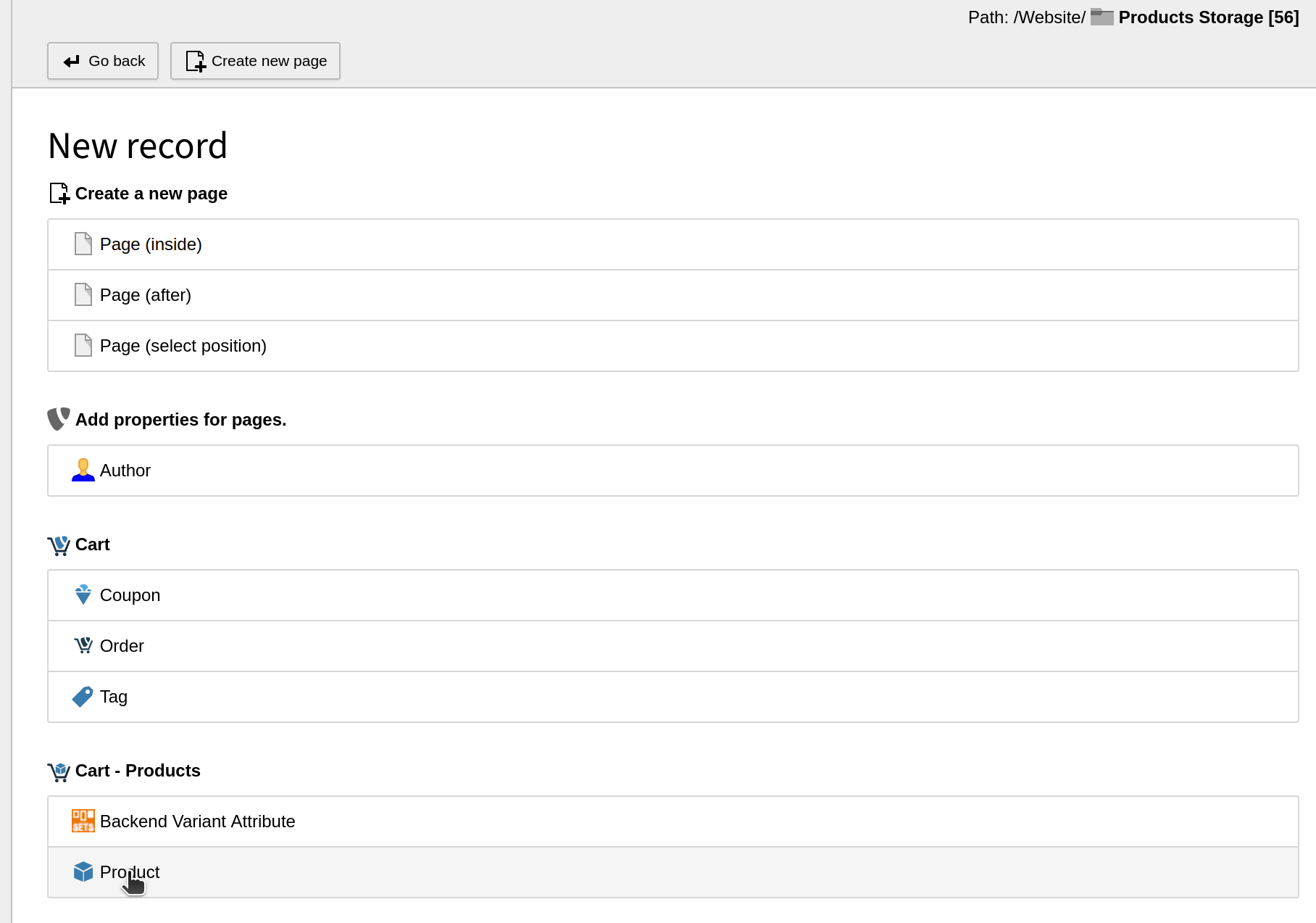
Click on + Create a new record → Product for a
product which is given from the database extension (which is
EXT:cart_products in this quick start).
Fill in necessary product data and save.
Done
You should now be able to see the product in the frontend and make an order.
For Administrators
Information for the installation and configuration of the extension.
The installation consists of adding the extension and including the TypoScript.
To get a working cart you need to process further steps which are descriped in
the quick start.
Install the extension
Depending on your needs you have three options to install the extension.
Installation using composer
The recommended way to install the extension is by using Composer.
In your composer-based TYPO3 project root, just do
composer require extcode/cart
Copied!
Installation from TYPO3 Extension Repository (TER)
Download and install the extension with the extension manager module.
Latest version from git
You can get the latest version from git by using the git command
git clone git@github.com:extcode/cart.git
Copied!
Include TypoScript
The extension ships some TypoScript code which needs to be included.
There are two valid ways to do this:
Include TypoScript via TYPO3 backend
Switch to the root page of your site.
Switch to the Template module and select Info/Modify.
Press the link Edit the whole template record and switch to the tab Includes.
Select Shopping Cart - Cart at the field Include static (from extensions):
Include TypoScript via SitePackage
This way is preferred because the configuration is under version control.
Add
@import 'EXT:cart/Configuration/TypoScript/setup.typoscript'
to your sitepackage/Configuration/TypoScript/setup.typoscript
Add
@import 'EXT:cart/Configuration/TypoScript/constants.typoscript'
to your sitepackage/Configuration/TypoScript/constants.typoscript
Configuration
The following pages contain needed information for the configuration of the
extension with TypoScript, PageTS and YAML.
This is needed to put products in the right shopping cart.
If settings.addToCartByAjax isn't set, the add to cart action will forwards
the user to this page.
cart.isNetCart
cart.isNetCart
Required
false
Type
boolean
Default
false
Defines whether the shopping cart should be treated as a net shopping cart.
If the shopping cart is a net shopping cart, the price calculations
are all carried out and displayed on the net prices of the products,
otherwise the calculations are made with the gross prices.
order.pid
order.pid
Required
true
Type
string
Specifies the folder in which the orders should be stored.
itemsPerPage
itemsPerPage
Required
false
Type
int
Default
20 (if there is no TypoScript configuration)
Defines how many records should be displayed per page in the list action.
Also valid: module.tx_cart.settings.itemsPerPage.
Cart
Configuration of the cart form itself: Settings for checkboxes, validation
of input fields, multi-step checkout and rendering of sections of the form.
If a page id is given the translation key tx_cart_domain_model_order_item.accept_terms_and_conditions_with_link
will show a checkbox label with a link to the given page.
If the value is empty the
tx_cart_domain_model_order_item.accept_terms_and_conditions_and_conditions
translation key will be used in frontend.
acceptRevocationInstruction.pid
acceptRevocationInstruction.pid
Type
int
Default
empty
If a page id is given the translation key tx_cart_domain_model_order_item.accept_revocation_instruction_with_link
will show a checkbox label with a link to the given page.
If the value is empty the
tx_cart_domain_model_order_item.accept_revocation_instruction
translation key will be used in frontend.
acceptPrivacyPolicy.pid
acceptPrivacyPolicy.pid
Type
int
Default
empty
If a page id is given the translation key tx_cart_domain_model_order_item.accept_privacy_policy_with_link
will show a checkbox label with a link to the given page.
If the value is empty the
tx_cart_domain_model_order_item.accept_privacy_policy
translation key will be used in frontend.
Defines which value is expected for privacy policy checkbox.
This setting will be ignored if the checkbox is not rendered at all.
Validating and hiding fields
Using the below shown TypoScript configuration allows to change the validation
and rendering of fields of the billing and shipping address.
The partials for the display of the addresses evaluates this configuration.
It controls whether the fields are mandatory, optional or not rendered at all.
Tip
This way it is easily possible to unhide e.g the fields streetNumber or
addition (which is a field for additional address information) which are
already defined but hidden by default.
Have a look at all fields with the value Empty to see all available
fields.
plugin.tx_cart.settings.validation.billingAddress.fields {
# !!! It is necessary to remove the whole address field,# not only the `validator` configuration.
salutation >
}
Copied!
Note
The email address should always remain a required field,
because it is needed for the ordering process and for sending emails.
If no e-mail address is to be specified, the corresponding EventListeners must be deactivated.
Multi-Step Checkout
The possibility of a multi-step checkout can be switched on in the extension via a configuration variable.
The default is still the one-step checkout. As an example, the extension provides templates for a four-step
checkout. The number of steps can be adjusted to individual needs.
Can be set in e.g. EXT:sitepackage/Configuration/TypoScript/setup.typoscript
If this configuration is set, the checkout will be divided into the
specified number of slots.
An HTML template file must then exist for each step.
If this configuration is not set, the one-step checkout is used as before.
In the following, the provided example with 4 steps shall be explained, so that a customization is as easy as possible.
The four steps are divided as follows:
Edit product list and enter voucher
Enter billing address (shipping address if applicable)
Select payment and shipping method
Confirmation page with summary and checkboxes for the terms and conditions.
Each step has its own template under Resources/Private/Templates/Cart/Cart and is composed of ShowStep and the number
of the step (e.g.: ShowStep1.html, ShowStep2.html etc.).
The steps use the existing partials as far as possible, so that a conversion should be easy, or even a conditional
output is possible. For example, a multi-step checkout could be used on mobile devices to improve clarity, and a
one-step checkout could be used on devices with a large resolution.
Cart form sections
Define which sections shall be shown / hidden and calculations for
summary fields.
Enables/disables the display and selection of configured payment methods
in the shopping cart.
shippingMethodForm
shippingMethodForm
Type
boolean
Default
true
Enables/disables the display and selection of configured shipping methods
in the shopping cart.
couponForm
couponForm
Type
boolean
Default
true
Enables/disables the display of coupons in the shopping cart. The block
for the input as well as for the display will be shown/hidden.
Currency
Currency Format
To make the templates a bit easier to use, TypoScript can be used to configure
the format specifications for the price output.
These TypoScript specifications are then used in the <cart:format.currency>
ViewHelper.
If you want to allow the user to display the prices in a different currency
in the store, you can configure this via TypoScript.
Note
At the moment there is no automatism to update the factor and adjust it to a
current value. With a scheduler task, it should be possible to connect a
corresponding service quite quickly.
Defines which of the existing currencies will be the default currency
of a new shopping cart.
options.<n>
options.<n>
Type
array
List of the different currencies available.
options.<n>.code
options.<n>.code
Type
array
Default
EUR
Three-digit international currency code according
to ISO 4217 (Wikipedia).
This is among other things for different payment providers and as a
parameter for changing the currency in the shopping cart.
options.<n>.sign
options.<n>.sign
Type
array
Default
€
Currency symbol, if available, for the currency.
options.<n>.translation
options.<n>.translation
Type
array
Default
1.0
Currency conversion factor.
The price of the products is divided by this factor.
Email addresses must be configured for sending emails. This can be done in
the backend in the plugin settings, but also configured via TypoScript.
Can be set in e.g. EXT:sitepackage/Configuration/TypoScript/setup.typoscript
plugin.tx_cart {
    mail {
        // Used for emails sent to the customer (=buyer)
        buyer {
            fromName = Your Brand name
            fromAddress = cart.buyer.sender@example.com
            ccAddress = cart.buyer.cc1@example.com, cart.buyer.cc2@example.com
            bccAddress = cart.buyer.bcc1@example.com, cart.buyer.bcc2@example.com
            replyToAddress = cart.buyer.reply@example.com
        }

        // Used for emails sent to the shop owner (=seller)
        seller {
            fromName = Cart TYPO3 System
            fromAddress = cart.seller.sender@example.com
            toAddress = cart.seller.to1@example.com, cart.seller.to2@example.com
            ccAddress = cart.seller.cc1@example.com, cart.seller.cc2@example.com
            bccAddress = cart.seller.bcc1@example.com, cart.seller.bcc2@example.com
        }
    }
}
Copied!
plugin.tx_cart.mail
buyer.fromName
buyer.fromName
Type
string
Name displayed for the email address sent to the buyer (=customer).
buyer.fromAddress
buyer.fromAddress
Type
string
Defines from which sender address the emails are sent to the buyer.
buyer.ccAddress
buyer.ccAddress
Type
string
Defines to which addresses the email should be sent in CC (Carbon Copy).
Multiple recipients can be given separated by commas.
buyer.bccAddress
buyer.bccAddress
Type
string
Defines to which addresses the email should be sent in BCC
(Blind Carbon Copy).
Multiple recipients can be given separated by commas.
buyer.replyToAddress
buyer.replyToAddress
Type
string
Defines to which address should be used as Reply To.
This will override the ['MAIL']['defaultMailReplyToAddress'] configuration.
seller.fromName
seller.fromName
Type
string
Name displayed for the email address sent to the seller (=shop owner).
seller.fromAddress
seller.fromAddress
Type
string
Defines from which sender address the emails are sent to the seller/shop
operator.
seller.toAddress
seller.toAddress
Type
string
Defines to which recipient addresses the emails to the seller/shop operator
are sent.
Multiple recipients can be given separated by commas.
seller.ccAddress
seller.ccAddress
Type
string
Defines to which addresses the email should be sent in CC (Carbon Copy).
Multiple recipients can be given separated by commas.
seller.bccAddress
seller.bccAddress
Type
string
Defines to which addresses the email should be sent in BCC
(Blind Carbon Copy).
Multiple recipients can be given separated by commas.
Email attachments
Email attachments can be configured as shown below.
Can be set in e.g. EXT:sitepackage/Configuration/TypoScript/setup.typoscript
plugin.tx_cart {
    mail {
        // Used for emails sent to the customer (=buyer)
        buyer {
            attachments {
                1 = EXT:sitepackage/Resources/Public/Files/AGB.pdf
            }
            // This needs EXT:cart_pdf to work!
            attachDocuments {
               order = 1
               invoice = 1
               delivery = 1
            }
        }

        // Used for emails sent to the shop owner (=seller)
        seller {
            attachments {
                1 = EXT:sitepackage/Resources/Public/Files/AGB.pdf
            }
            // This needs EXT:cart_pdf to work!
            attachDocuments {
               order = 1
               invoice = 1
               delivery = 1
            }
        }
    }
}
Copied!
plugin.tx_cart.mail
buyer.attachments.<n>
buyer.attachments.<n>
Type
array
Defines one or more email attachments to be sent to the buyer.
These can be, for example, documents with the general terms and conditions.
buyer.attachDocuments.<n>
buyer.attachDocuments.<n>
Type
array
This needs EXT:cart_pdf to work.
Defines one or more email attachments of the generated PDF documents to be
sent to the buyer.
This can be the order confirmation, the invoice or a separate document.
seller.attachments.<n>
seller.attachments.<n>
Type
array
Defines one or more email attachments to be sent to the seller.
These can be, for example, documents with the general terms and conditions.
seller.attachDocuments.<n>
seller.attachDocuments.<n>
Type
array
This needs EXT:cart_pdf to work.
Defines one or more email attachments of the generated PDF documents to be
sent to the seller.
This can be the order confirmation, the invoice or a separate document.
Static email content
It is possible to add content to emails which can be edited in the TYPO3
backend.
Create a content element which has inputs for the fields header and
bodytext, e.g. the default content element Textmedia.
The uid of this content element can then be set in as TypoScript constant.
plugin.tx_cart.uids.lib {
# Use below the salutation and thank you for your order message but# above the order message.
cartMailHeader =
# Used below the order message in the here given order.
cartMailFooter =
cartMailFooterSignature =
cartMailFooterTermsOfService =
cartMailFooterRevocation =
cartMailFooterDataProtection =
cartMailFooterImpress =
}
Copied!
Number Generator
In TypoScript is defined which numbers get generated while the configuration
of its format is done in Services.yaml.
plugin.tx_cart {
    settings {
        autoGenerateNumbers = order
    }
}
Copied!
plugin.tx_cart.settings
autoGenerateNumbers
autoGenerateNumbers
Type
comma separated string
Default
order
During the order process, the \Extcode\Cart\Event\Order\NumberGeneratorEvent
is triggered. Generally, the order number is to be generated here.
By adding further values like invoice and/or delivery these numbers
will also be generated and saved directly after the order.
Further values are also allowed. For this case then own EventListener must
be registered.
If the configuration is empty, all EventListener registered in
extcode/cart on this event will be executed and appropriate numbers will
be generated.
Format configuration
Order, invoice and delivery note numbers are created by EventListeners and
stored at the order. These can be configured and thus customized via options
when registering the EventListeners.
The options offer the possibility to
add a prefix to the number,
add suffix to the number,
give an offset to let the first number start at e.g. 10001.
define how many leading zeros should be used in the order number.
The respective counter is stored and updated in the sys_registry-table.
The configuration via the options is the same for all numbers using the
generateNumber() method from the \Extcode\Cart\EventListener\Order\Create\Number.
Example configuration, can be set in e.g. EXT:sitepackage/Configuration/Services.yaml
Let's assume that the current counter for the order number is 23.
The generated order number would look like this: DEMO-000010023-SHOP.
Available options
options:prefix
options:prefix
Type
string
The prefix is put in front of the generated number.
options:suffix
options:suffix
Type
string
The suffix is appended to the generated number.
options:offset
options:offset
Type
integer
The offset is always added to the counter in the database.
options:format
options:format
Type
string
The format can be used to add leading zeros to the generated number.
Payment methods
The payment methods are defined via TypoScript for each shopping cart.
The standard template already includes a payment method (prepayment) as
shown below.
With the definition plugin.tx_cart.settings.allowedCountries the output of
the selector in the shopping cart is defined. The options can also be
translated by an own SelectViewhelper.
Important
If different payment methods are defined for different countries, the
selection of the invoice address is used for the permitted payment methods.
The country of the shipping address, even if a different shipping address
was specified, is not used.
Configuration given by this extension
Important
The provided TypoScript of the extension provides the following
configuration for the German-speaking area.
plugin.tx_cart {
    settings {
        countries {
            preset = 1
            options {
                1 {
                    code = de
                    label = Deutschland
                }
                2 {
                    code = at
                    label = Österreich
                }
                3 {
                    code = ch
                    label = Schweiz
                }
            }
        }
    }

    payments {
        countries {
            de {
                preset = 1
                options {
                    1 {
                        title = Vorkasse
                        extra = 0.00
                        taxClassId = 1
                        status = open
                    }
                }
            }
            at < .de
            ch < .de
        }
    }
}
Copied!
plugin.tx_cart.settings
countries.preset
countries.preset
Type
int
Default
1
Defines which country will be preselected.
plugin.tx_cart.payments.countries
payments.countries.<country-code>.preset
payments.countries.<country-code>.preset
Type
int
Defines which payment method is selected by default if the user has not yet
selected a different payment method.
If the payment method is not defined when changing the country of account,
the payment method defined here for the country of invoice will also be
selected.
ID of the tax class for this payment method. The taxClassId must either be
assignable to a defined tax class.
However, the values -1 and -2 are also allowed here. This is a feature
which was introduced for the calculation of shipping costs. Nonetheless it
can also be used for payments
-1 → The products within the shopping cart are taken. Of those products
the tax class with the highest value is then taken as tax class for the
calculation of the payment method costs.
-2 → The products within the shopping cart are taken. The tax for the
payment method costs is calculated as a percentage of the tax of those
products.
This payment method is only available if the gross price of the products
is greater than or equal to the specified value, otherwise the fallback
payment method is used.
This payment method is only available if the gross price of the products
is less than or equal to the specified value, otherwise the fallback
payment method is used.
If the redirect URL is configured for the payment method used for an
order, the system redirects to the specified URL after a successful
order instead of displaying the confirmation page.
Zone configuration
plugin.tx_cart.payments.zones
If no individual country configuration can be found, it is also possible to
work with zones in the TypoScript.
This saves a lot of configuration work if you want to deliver to many
countries.
Can be set in e.g. EXT:sitepackage/Configuration/TypoScript/setup.typoscript
plugin.tx_cart {
    payments {
        zones {
            1 {
                preset = 1
                countries = de,at,ch
                options {
                    1 {
                        title = Vorkasse
                        extra = 0.00
                        taxClassId = 1
                        status = open
                    }
                }
            }
        }
    }
}
Copied!
payments.zones.<n>
payments.zones.<n>
Type
int
You can configure up to n different zones.
payments.zones.<n>.countries
payments.zones.<n>.countries
Type
int
List of countries for which this configuration is valid.
Note
The system first searches for a suitable configuration in the list of country configurations.
The list of zone configurations is then looked through. The first matching configuration is used.
Deactivate payment methods
At the moment, the existence of a payment method is required for the processing
of an order. That means that at least one payment method must be specified.
In this case the selection block for the payment can be hidden.
Can be set in e.g. EXT:sitepackage/Configuration/TypoScript/setup.typoscript
The shipping methods are defined via TypoScript for each shopping cart.
The standard template already comes with a shipping method (standard)
as shown below.
With the definition plugin.tx_cart.settings.allowedCountries the output of
the selector in the shopping cart is defined. The options can also be
translated by an own SelectViewhelper.
Important
If different shipping methods are defined for different countries, the
country of the delivery address is used. Only in the case that no different
delivery address has been specified, the selection of the billing address
is used as a basis.
Configuration given by this extension
Important
The provided TypoScript of the extension provides the following
configuration for the German-speaking area.
plugin.tx_cart {
    settings {
        countries {
            preset = 1
            options {
                1 {
                    code = de
                    label = Deutschland
                }
                2 {
                    code = at
                    label = Österreich
                }
                3 {
                    code = ch
                    label = Schweiz
                }
            }
        }
    }

    shippings {
        countries {
           de {
               preset = 1
               options {
                   1 {
                       title = Standard
                       extra = 0.00
                       taxClassId = 1
                       status = open
                   }
               }
           }
           at < .de
           ch < .de
        }
    }
}
Copied!
plugin.tx_cart.shippings.countries
shippings.countries.<country-code>.preset
shippings.countries.<country-code>.preset
Type
int
Defines which shipping method is selected by default if the user has not yet
selected another shipping method.
If the shipping method is not defined when the destination country is
changed, the shipping method defined here for the destination country is
also selected.
ID of the tax class for this payment method. The taxClassId must either be
assignable to a defined tax class.
However, the values -1 and -2 are also allowed here. These options can be
used when the shop has products with multiple tax classes.
For example in Germany and Austria the shipping costs are an ancillary
service of the order. Therefore the tax of the shipping costs needs to be
calculated.
-1 → The products within the shopping cart are taken. Of those products
the tax class with the highest value is then taken as tax class for the
calculation of the shipping costs.
-2 → The products within the shopping cart are taken. The tax for the
shipping costs is calculated as a percentage of the tax of those products.
If the gross price of the products is greater than or equal to the
specified value, the price for the shipping method is 0.00.
This can be used for free shipping from a defined order value.
Only if the gross price of the products is greater than or equal to the
specified value, this shipping method is available, otherwise the
fallback shipping method will be used.
Only if the gross price of the products is less than or equal to the
specified value, this shipping method is available, otherwise the
fallback shipping method will be used.
If the shipping method is not available, the shipping method with this
ID will be used.
Zone configuration
plugin.tx_cart.shippings.zones
If no individual country configuration can be found, it is also possible to
work with zones in the TypoScript.
This saves a lot of configuration work if you want to deliver to many
countries.
plugin.tx_cart {
    shippings {
        zones {
            1 {
                preset = 1
                countries = de,at,ch
                options {
                    1 {
                        title = Standard
                        extra = 0.00
                        taxClassId = 1
                        status = open
                    }
                }
            }
        }
    }
}
Copied!
|
shippings.zones.<n>
shippings.zones.<n>
Type
int
You can configure up to n different zones.
shippings.zones.<n>.countries
shippings.zones.<n>.countries
Type
array
List of countries for which this configuration is valid.
Note
The system first searches for a suitable configuration in the list of country configurations.
The list of zone configurations is then looked through. The first matching configuration is used.
Deactivate shipping methods
At the moment, the existence of a shipping method is required for the processing
of an order. That means that at least one shipping method must be specified.
In this case the selection block for the payment can be hidden.
It can be a requirement that the shipping costs should depend on the products in
the shopping cart. For these cases the extension provides a default
implementation (see cart/Classes/Domain/Model/Cart/Service.php). The
implementation can be adapted to own needs by using the ServiceInterface (
which is described in the section below).
Can be set in e.g. EXT:sitepackage/Configuration/TypoScript/setup.typoscript
plugin.tx_cart {
shippings {
countries {
de {
preset = 1
options {
1 {
title = Standard
extra = by_price
extra {
// From 0,00 € to 4,99 € the shipping costs will be 1,50 €1 {
value = 0.00
extra = 1.50
}
// From 5,00 € to 9,99 € the shipping costs will be 3,00 €2 {
value = 5.00
extra = 3.00
}
// From 10,00 € to 79,99 € the shipping costs will be 4,00 €3 {
value = 10.00
extra = 4.00
}
// Above 80,00 € the shipping costs will be 5,00 €4 {
value = 80.00
extra = 5.00
}
}
taxClassId = 1
status = open
}
}
}
at < .de
ch < .de
}
}
}
Copied!
plugin.tx_cart.shipping.countries.de
options.<n>.extra
options.<n>.extra
Type
string
Setting
Explanation what is used for the comparison
each
This option is somehow special as simply multiplies the amount of products in the cart with a static value (see example below).
by_price
The total price of the shopping cart.
by_price_of_physical_products
The total price of physical products in the shopping cart (EXT:cart_products allows to define products as "virtual producs").
by_quantity
The amount of physical(!) products. (This is a synonym for by_number_of_physical_products)
by_number_of_physical_products
The amount of physical products
by_number_of_virtual_products
The amount of virtual products
by_number_of_all_products
The amount of all products
by_service_attribute_1_sum
The sum of the values of Service Attribute 1 of all products in the cart.
by_service_attribute_1_max
The highest value of Service Attribute 1 of all product in the cart.
by_service_attribute_2_sum
The sum of the values of Service Attribute 2 of all products in the cart.
by_service_attribute_2_max
The highest value of Service Attribute 2 of all product in the cart.
by_service_attribute_3_sum
The sum of the values of Service Attribute 3 of all products in the cart.
by_service_attribute_3_max
The highest value of Service Attribute 3 of all product in the cart.
// shippingCosts = 'amount of products in the cart' x 1.50
plugin.tx_cart.shippings.countries.de.options.1 {
    title = Depending on amount of articles in cart
    extra = each
    extra {
        extra = 1.50
    }
    taxClassId = 1
    status = open
}
Copied!
options.<n>.extra.<m>.value
options.<n>.extra.<m>.value
Type
int
Defines the matching condition.
options.<n>.extra.<m>.extra
options.<n>.extra.<m>.extra
Type
float
Defines the value that will be used for the shipping costs.
Extending Service Calculation
Sometimes the shipping method has some special rules.
In Germany the post provides the so called "Bücherversand" for books. Some rules
apply to this shipping method.
The weight is included in the price calculation.
Certain lengths and widths must not be exceeded.
Furthermore only books may be sent.
Such special rules cannot be mapped using TypoScript configurations. Therefore,
a separate service class can be implemented for a method, which can then return
the calculated price to the shopping cart.
Can be set in e.g. EXT:sitepackage/Configuration/TypoScript/setup.typoscript
plugin.tx_cart {
    shippings {
        countries {
           de {
               preset = 1
               options {
                   1 {
                       title = Standard
                       className = \\MyVendor\\MyExtension\\MyShippingService
                       taxClassId = 1
                       status = open
                   }
               }
           }
        }
    }
}
Copied!
options.<n>.className
options.<n>.className
Type
string
Defines the class which implements the \Extcode\Cart\Domain\Model\Cart\ServiceInterface.
This allows you to implement your own service cost calculation per service
method.
A valid case is, that you have to decide between serviceAttribute1
(e.g. weight) and service_attribute2 (e.g. size). This is not configurable
with TypoScript and highly depends on your delivery service. Therefore a
Tax classes
Tax classes can be adapted, added and removed via TypoScript.
Three classes are predefined:
plugin.tx_cart {
    taxClasses {
        1 {
            value = 19
            calc = 0.19
            name = normal
        }
        2 {
            value = 7
            calc = 0.07
            name = reduced
        }
        3 {
            value = 0
            calc = 0.00
            name = free
        }
    }
}
Copied!
Tax classes can also depend on countries:
e.g. EXT:sitepackage/Configuration/TypoScript/setup.typoscript (not in constants.typoscript!)
plugin.tx_cart {
// unset predefined tax classes
taxClasses >
taxClasses {
de {
1 {
value = 19
calc = 0.19
name = normal
}
2 {
value = 7
calc = 0.07
name = reduced
}
}
at {
1 {
value = 20
calc = 0.2
name = normal
}
2 {
value = 10
calc = 0.1
name = reduced
}
}
// 'fallback' will be used if the country chosen by the customer is// not defined above.// It is of course not recommended to make use of it!
fallback {
1 {
value = 15
calc = 0.15
name = normal
}
2 {
value = 7
calc = 0.07
name = reduced
}
}
}
}
Copied!
Backend module
The backend module shows a list with filters. The date format of the input
fields of the filter can be adapted by overwriting the following TypoScript.
To add products to the shopping cart via AJAX request, a configuration for a
custom page type is needed, because in this case you don't want to receive the
completely rendered page as response, but only a JSON object.
The default templates are preconfigured for AJAX and the extension also
contains the needed JavaScript.
Tip
When using own templates and partials you need
to make sure that the needed HTML classes and IDs are given if you want
to use the JavaScript delivered by this extension.
This is the supplied configuration for the shopping cart plugin:
Activates the option to add products via AJAX action. There is no
forwarding to the shopping cart page. The value is used as typeNum in
the default templates of extcode/cart-books, extcode/cart-events,
extcode/cart-products and other product extensions.
The response can used to display messages or update the MiniCart plugin.
The extcode/cart extension uses events in some places, especially to
integrate custom requirements in the ordering process.
You can register your own EventListener for the following
events:
\Extcode\Cart\Event\Cart\BeforeShowCartEvent
\Extcode\Cart\Event\Cart\BeforeShowCartEvent
Triggered before the cart is shown.
Allows adaptions of the cart object itself in CartController and
CartPreviewController. In the CartController the orderItem can changed too.
This event do not save the changes to the session.
\Extcode\Cart\Event\Cart\UpdateCountryEvent
\Extcode\Cart\Event\Cart\UpdateCountryEvent
This event is triggered when the user changes the country in the order
form.
\Extcode\Cart\Event\Cart\UpdateCurrencyEvent
\Extcode\Cart\Event\Cart\UpdateCurrencyEvent
This event is triggered when the user changes the currency in the order
form.
\Extcode\Cart\Event\Form\AddToCartFinisherEvent
\Extcode\Cart\Event\Form\AddToCartFinisherEvent
This event is triggered in AddToCartFinisher for form based products.
\Extcode\Cart\Event\Mail\AttachmentEvent
\Extcode\Cart\Event\Mail\AttachmentEvent
Allows you to define file paths as attachments for mails send to buyer or
seller.
\Extcode\Cart\Event\CheckProductAvailabilityEvent
\Extcode\Cart\Event\CheckProductAvailabilityEvent
This event is triggered when it is necessary to check whether a product
is still available in sufficient quantity in the warehouse.
The product extensions should implement an EventListener that checks the
products of this extension.
If a product is no longer available or not available
in sufficient quantity, the property $available must be set to false.
In addition, the EventListener can pass messages.
If there is no availability check in the product extension, no
EventListener needs to be implemented.
\Extcode\Cart\Event\ProcessOrderCheckStockEvent
\Extcode\Cart\Event\ProcessOrderCheckStockEvent
The event is triggered in the
\Extcode\Cart\Controller\Cart\OrderController::createAction
and allows to cancel the further ordering process if the number of
products in the shopping cart is no longer available in the meantime.
This event is triggered when an "addToCart" form is submitted.
The extension passes the form data in this event.
Each product extension must provide an EventListener for its own product
type that returns one or more products based on this form data.
It is up to the product extension how to create these products as instances
of the class \Extcode\Cart\Domain\Model\Cart\Product.
Products can be loaded from the database, but also created based on the
form data, or fetched from another system via an API.
\Extcode\Cart\Event\Order\CreateEvent
\Extcode\Cart\Event\Order\CreateEvent
This event is used by the extension itself, but can be extended by
custom EventListeners.
It is the first event that is called when the order is submitted.
This event implements the StoppableEventInterface.
\Extcode\Cart\Event\Order\PersistOrderEvent
\Extcode\Cart\Event\Order\PersistOrderEvent
This event is triggered by an EventListener which listens to
\Extcode\Cart\Event\Order\CreateEvent (the one here above) so its quite
at the beginning of the creation of an order.
This event is used of the extension itself to store the order with all
needed information (addresses, products, tax classes, usage of coupons,
payment, shipping and other data related to an order).
\Extcode\Cart\Event\Order\NumberGeneratorEvent
\Extcode\Cart\Event\Order\NumberGeneratorEvent
It is the second event that is called when the order is submitted.
This event is used by the extension itself, but can be extended by
custom EventListeners. The EventListeners that the cart extension
itself registers to this event can very easily be replaced with
custom EventListeners.
The event is also triggered in the backend if an invoice or delivery
number is subsequently generated there, because they should not be
generated automatically during the ordering process.
A Payment provider extensions can also trigger this event if the
payment process was successful and an invoice is to be sent instead
of an order confirmation.
\Extcode\Cart\Event\Order\StockEvent
\Extcode\Cart\Event\Order\StockEvent
The third event should again be used by product extensions if they
provide stock management.
The EventListener should perform stock management for products of this
extension. Either count down the stock counter in the database or tell
the product service via an interface which products were bought how often.
\Extcode\Cart\Event\Order\PaymentEvent
\Extcode\Cart\Event\Order\PaymentEvent
This fourth event in the row can be implemented by payment provider
extensions to forward to the payment provider at this point.
In case of forwarding, the processing of the following events should be
prevented via the StoppableEventInterface, because
\Extcode\Cart\Event\Order\FinishEvent is only necessary if the
payment process is successful.
If the payment process is successful, the payment provider extension
should trigger the event \Extcode\Cart\Event\Order\FinishEvent.
\Extcode\Cart\Event\Order\FinishEvent
\Extcode\Cart\Event\Order\FinishEvent
The fifth and final event in the ordering process is to finish the order.
This is mainly used by the cart extension itself to finalize the order
process.
Here, among other things, emails are sent. Other extensions can
use this event to generate PDF documents, register users or assign
registered users to another user group.
`Extcode\Cart\Event\Order\UpdateServiceEvent
`Extcode\Cart\Event\Order\UpdateServiceEvent
This event is triggered when the payment or shipping of an order is edited
in the backend.
This event is triggered in the listAction and showAction of the backend
module OrderController.
The event allows to assign own data to the module template.
\Extcode\Cart\Event\View\ModifyViewEvent
\Extcode\Cart\Event\View\ModifyViewEvent
This event is triggered in the several actions of the frontend plugins.
The event allows to assign own data to the view.
JavaScript Events
Multiple custom JavaScript events
allow to react with own JavaScript on JavaScript which is executed after certain
user actions.
List of events
The following events exists:
Event name
User action which triggers the event
extcode:be-variant-was-changed
A BE variant of a product was chosen.
extcode:country-updated
The country of billing or shipping address is updated.
extcode:currency-updated
The currency of the cart is updated.
extcode:hide-message-block
The success/error message after adding a product to the cart will be hidden.
extcode:minicart-was-updated
A product is added to the cart (which updates the mini cart).
extcode:render-add-to-cart-result-message
A product is added to the cart which renders a success (or error) message.
extcode:set-payment
Another payment option is chosen.
extcode:set-shipping
Another shipping option is chosen.
Tip
The best way to understand when the event is executed and which data it
contains can be seen in it's context. Search in the directory
/Build/Sources/ for the event name.
How to listen for events
Every event comes with a detail object which contains data relevant for this
specific event.
The following example shows how to listen for an event.
Extract of some JavaScript added with e.g. an AssetViewhelper
document.addEventListener("extcode:country-updated", (event) => {
  console.log("The event 'extcode:country-updated' was fired.");
  console.log("The event contains the following detail data:");
  console.log(event.detail);
});
Copied!
For Editors
Information how to use the extension as editor in the TYPO3 backend.
The data records of the orders contain the data of an order and should be seen
as immutable.
The data records can be listed and opened in the backend, but changes are not
possible.
It's recommended to use the provided Backend Module for Orders.
This backend module offers an optimized filter to find orders quickly. The
clearer display of individual orders enables better processing of incoming
orders and processing of incoming orders and changing the status for payment
and shipping.
Coupons / Voucher
At the moment exists two types of coupons: "fix" and "percentage".
They do what their names imply:
The type "fix" reduces the price by a fixed amount, e.g. 20,00 €.
The type "percentage" reduces the price by a percentage, e.g. 10%.
It is recommended to only use one type within a shop or to not allow to combine
coupons.
Tip
To allow vouchers in the cart you have enter the pages which contain the
vouchers in the "Record Storage Page" of the plugin.
Known Problems
Creating a voucher of type "percentage" requires at the moment the definition
of a tax class although this is not logical. That has historical reasons, see
Feature 392 Add Percentage Discount.
There might be bugs if the fixed discount is bigger than the cart amount.
Plugins
Plugin "Cart: Cart"
This plugin shows the current status of the cart, the products it contains and
the form to complete the order.
Note
To allow vouchers in the cart you have enter the pages which contain the
vouchers in the "Record Storage Page" of the plugin.
Plugin "Cart: Mini Cart"
This plugin can be included as mini cart and gives a shortened view of the cart.
A logged in frontend user can see the orders with the help of this plugin.
The plugin offers a list view and a detail view.
Note
It's necessary to add the page(s) where the orders are stored to the
"Record Storage Page" in the plugin settings. Otherwise the plugin will not
work.
Backend Module for Orders
The backend module "Orders" lists all orders which exists within a certain page
(folder). In contrast to the default view offers this module an optimized
view on the orders and better filter options.
Use own templates in the emails which are sent by EXT:cart.
Integrate a MiniCart
Context:
MiniCart is the (usually tiny) icon somewhere in the header of all pages which
shows how many items the customer has in the cart and which links the cart
itself.
Note
The following example will result in a page that is not fully cached.
To get a fully cached site you would need to get the data via AJAX request.
Have a look at
studiomitte/cart-count
.
<header>
...
<!-- Somewhere in the header of your page --><f:cObjecttyposcriptObjectPath="lib.miniCart"/>
...
<header>
Copied!
Prefill address fields for Frontend user
The billing address during the checkout can be prefilled for a logged-in
Frontend user. You have to register a EventListener which listens to the event
Extcode\Cart\Event\Cart\BeforeShowCartEvent.
The multistep checkout need routeEnhancers for readable urls.
The following example show a multi language snippet.
Note
Unfortunately it's not
perfect as the final url thank-you-for-your-order is used even if the last
step results in errors. In this case the url-segment checkout should be
used but it's not. Otherwise it's working as expected.
The files need then to be placed in a directory named Mail.
The following tree view shows an example how the overwrite the mail template
which is used when sending an email to the customer (=buyer) when the order is not payed yet
("open"). Furthermore the address partial is overwritten.
Treeview under EXT:sitepackage/Resources/Private when using the above given configuration in ext_localconf.php
├── Partials
│   └── Mail
│       └── Address.html
└── Templates
    └── Mail
        └── Open
            └── Buyer.html
Copied!
FAQ
How can I unset the predefined payment / shipping methods?
The following example unsets the default countries and payment methods and
add options for 2 other countries instead.
You can write your own XLIFF file where you are using the key of the translation
that you want to overwrite. Your XLIFF file needs to be registered in a
ext_localconf.php, e.g. in your sitepackage.
The following example is for overwriting German translations:
extcode/cart itself doesn't need any code from typo3/cms-form.
This extension provide an itemProcFunc to provide a list of the form definition
for a selector filtered by a given prototype.
This extension provide an AddToCartFinisher which extends the AbstractFinisher
of typo3/cms-form.
Both classes can be used by product extensions, but are not used by extcode/cart
itself.
To achieve this, the part concerning the form definitions had to be moved to a
separate class \Extcode\Cart\Hooks\FormDefinitions.
Affected Installations
Own product extensions that link products with form_definitions and have used
the itemProcFunc ‘Extcode\Cart\Hooks\ItemsProcFunc->user_formDefinition’ in
the TCA.
Currency conversion is currently very strongly linked to the cart model and the
way in which the currency conversion factor is loaded from TypoScript.
In order to be able to obtain the conversion factor from other sources, the
calculation is carried out by the CurrencyTranslationService. This service is
instantiated via the CurrencyTranslationServiceInterface interface so that a
corresponding exchange via DI is possible.
The implementation should only be a start and does not yet offer a stable API
because the behaviour must remain the same within the published versions. For
this reason, the CurrencyTranslationServiceInterface is marked as @internal.
Use is at your own risk! Changes to the service interface must be observed
independently in the event of updates!
To make the extension even more flexible, only the interfaces for Products and
BeVariants are to be used in the shopping cart. This makes it easier to replace
them with your own implementations of the interfaces.
Furthermore, for Products, BeVariants and FeVariants corresponding
Factories and FactoryInterfaces should offer the possibility to customize the
products in the shopping cart even easier with own Factories.
Impact
No direct impact.
XCLASSing for products, BeVariants and FeVariants should no longer be necessary.
Instead, separate classes should implement the corresponding interfaces.
Previously, a BeVariant had either another BeVariant or a Product as its parent element. These were passed in the
constructor method.
Thanks to PHP's union types, this can now be resolved. A BeVariant now has a $parent that is either of type
BeVariant or of type Product.
The individual methods have been adapted accordingly and it is checked of which class $parent is an instance. In some
cases, the case differentiation could be omitted completely.
Affected Installations
All product extensions that use their own BeVariant in the products are affected. The provided extensions
extcode/cart-products and extcode/cart-events will be adapted accordingly.
Migration
If a custom product extension is used, the constructor must be adapted accordingly. Furthermore, a few
methods in BeVariant have been replaced or their behavior adapted.
The default FeVariant implementation cannot have a price. In order to be able
to process own FeVariants with a price, the method arguments should use a
FeVariantInterface instead.
The FeVariantWithPriceInterface extends the FeVariantInterface with a
getPrice() method.
The price calculation of a product then takes into account whether the
FeVariant implements the FeVariantWithPriceInterface to add this price as
well.
To create an own FeVariant for a Product, you have to replace the
CreateCartFrontendVariants EventListener.
This is very flexible. You can implement FeVariants as checkboxes and add some
surcharge for some options. Another idea is to calculate the price markup
depending on the number of characters entered.How you can use this is up to you.
However, you should test carefully whether the price calculation for the product
price then fits, especially if you use more than one front-end variant with a
price for a product.
Tests with newer versions of phpstan under newer php versions showed that the
constructor method \Extcode\Cart\Domain\Model\Cart\BeVariant::__construct() uses
required method parameters after optional parameters. This is deprecated since.
PHP 8.0. (see https://php.watch/versions/8.0/deprecate-required-param-after-optional)
As this may lead to an error in a later PHP version, compatibility is restricted
to PHP 8.1-8.4.
Affected Installations
All installations.
Migration
This restriction currently has no effect. No migration is necessary.
Adding your own buttons to the backend module is not so easy in controllers. In
order to extend or replace the CSV export with an XML export, you need a way to
insert your own buttons if you do not want to develop your own backend module.
The OrderController for the administration in the backend has been extended by
the \Extcode\Cart\Event\Template\Components\ModifyButtonBarEvent. The buttons
in the OrderController have been moved to the
\Extcode\Cart\EventListener\Template\Components\ModifyButtonBar EventListener,
which uses this event to decide which buttons should be displayed in which
action based on the request.
Custom buttons can use the methods getRequest(), getSettings(),
getSearchArguments() and in the case of the showAction also getOrderItem()
to retrieve all the necessary information to insert custom buttons for custom
tasks.
Impact
No impact is expected as only private methods have changed.
Feature: #593 - Add event to assign own data to moduleTemplate
Adding your own data to module templates is not so easy. In order to assign
own data to the moduleTemplate, you need a way to assign your own data if you
do not want to develop your own backend module.
The \Extcode\Cart\Event\Template\Components\ModifyModuleTemplateEvent event
is dispached in the OrderController for the backend module.
An own EventListener can use the methods getRequest(), getSettings(),
getModuleTemplate() to retrieve all the necessary information to assign custom
data.
The request object can be used to assign data for specific actions.
Impact
No impact is expected.
Feature: #593 - Add event to assign own data to view
Adding your own data to plugin templates is not so easy. In order to assign
own data to the view, you need a lib in TypoScript and a f:cObject in the
template with some JavaScript on top.
This \Extcode\Cart\Event\View\ModifyViewEvent event is dispached in all
actions for which an output is generated via a template. Actions that are
forwarded to another action do not require the event.
An own EventListener can use the methods getRequest(), getSettings(),
getView() to retrieve all the necessary information to assign custom data.
The request object can be used to assign data for specific actions. For example,
saved addresses of a returning logged-in user can be displayed for selection
instead of the form for the billing address.
For better development of the JavaScript a build process is added, using [esbuild](https://esbuild.github.io/). The original JavaScript files are now located in Build/Sources/ where you can find further information how to work with these files during development.
Affected Installations
Installations which use the default templates and partials from the extension just do no longer need to include jQuery.
Installations which have individualized templates or partials might need to adapt templates or partials.
Migration
1. Remove old JavaScript
It is no longer necessary to include jQuery for this extension.
The old JavaScript file /Resources/Public/JavaScripts/cart.js does no longer exist. If it was included in some
JavaScript bundling then it must be removed.
2. Migrate to new JavaScript
If you have individual templates and/or partials than you can migrate in two ways:
2. ALTERNATIVE A: Add JavaScript via TypoScript
The easier but less performant migration is to include all JavaScript files with TypoScript, e.g. as follows:
The name of the directory for the JavaScript files is no longer /JavaScripts (plural) but /JavaScript (singular).
2. ALTERNATIVE B: Add JavaScript via Asset Viewhelper
The more performant way requires more job some job in your partials and templates. Even templates of extensions like e.g.
EXT:cart_products are affected.
Resources/Private/Partials/Cart/CouponForm.html → includes EXT:cart/Resources/Public/JavaScript/prevent_multi_submit.js
Resources/Private/Partials/Cart/CurrencyForm.html → includes EXT:cart/Resources/Public/JavaScript/update_currency.js
Resources/Private/Partials/Cart/OrderForm.html → includes EXT:cart/Resources/Public/JavaScript/prevent_multi_submit.js
Resources/Private/Partials/Cart/OrderForm/Address/Shipping.html → includes EXT:cart/Resources/Public/JavaScript/update_country.js
Resources/Private/Partials/Cart/OrderForm/PaymentMethod.html → includes EXT:cart/Resources/Public/JavaScript/update_payment_shipping.js
Resources/Private/Partials/Cart/OrderForm/ShippingMethod.html → includes EXT:cart/Resources/Public/JavaScript/update_payment_shipping.js
Resources/Private/Partials/Cart/ProductForm.html → includes EXT:cart/Resources/Public/JavaScript/prevent_multi_submit.js
The following templates are affected:
Resources/Private/Templates/Cart/ShowStep2.html → includes EXT:cart/Resources/Public/JavaScript/prevent_multi_submit.js and EXT:cart/Resources/Public/JavaScript/update_country.js
Resources/Private/Templates/Cart/ShowStep3.html → includes EXT:cart/Resources/Public/JavaScript/prevent_multi_submit.js
Resources/Private/Templates/Cart/ShowStep4.html → includes EXT:cart/Resources/Public/JavaScript/prevent_multi_submit.js
Resources/Private/Templates/Currency/Edit.html → includes EXT:cart/Resources/Public/JavaScript/update_currency.js
3. Update HTML
3.a) Replace inline JavaScript with hidden div (in another file)
The inline JavaScript in your overrides of Resources/Private/Templates/Cart/Show.html can be removed,
instead a hidden div has to be added in your overrides of Resources/Private/Partials/Cart/OrderForm/Address/Shipping.html
Remove the following script from your overrides of Resources/Private/Templates/Cart/Show.html
and from Resources/Private/Templates/Cart/Cart/ShowStep2.html
## Delete the following in Resources/Private/Templates/Cart/Show.html and Resources/Private/Templates/Cart/Cart/ShowStep2.html
<scripttype="text/javascript">
var update_country = '<f:format.raw><f:uri.actioncontroller="Cart\Country"action="update"pageType="2278001"/></f:format.raw>';
</script>
Copied!
Add the following div in your overrides of Resources/Private/Partials/Cart/OrderForm/Address/Shipping.html
3.b) Move checkbox for shipping address to partial
The checkbox in the order form where the customer can choose whether billing and shipping address differ moved into
a partial.
`Resources/Private/Partials/Cart/OrderForm/Address/Shipping.html
Delete the following from your overrides of Resources/Private/Partials/Cart/OrderForm.html
and Resources/Private/Templates/Cart/Cart/ShowStep2.html.
4. Adapt JS in templates of other extensions (only needed when you chose step 2 ALTERNATIVE B) above)
When using EXT:cart_products you need also to adapt /Resources/Private/Partials/Product/CartForm.html:
You need to insert the following viewHelper:
Up to now it was possible to set the country specific configuration of shippings
and payments directly under
plugin.tx_cart.shippings and
plugin.tx_cart.payments. Until the implementation of forge#435
that's how it was done in the extension itself although the documentation
already showed the new structure.
This breaking change does no longer allow the old structure. As a result the
structure to set options is uniform in different places which makes it easier
for Integrators to set up this extension.
The uniform structure are now given for options in:
All installations which use the old structure ()which is shown below in the
migration description) are affected. The TypoScript needs to be adapted as shown
below.
Migration
The country configuration needs to be wrapper in a
countries
level.
The following two snippets show the BEFORE and AFTER implementation.
BEFORE (in e.g. EXT:sitepackage/Configuration/TypoScript/setup.typoscript)
plugin.tx_cart {
   shippings {
      de {
         preset = 1
         options {
            1 {
               title = Standard
               extra = 0.00
               taxClassId = 1
               status = open
            }
         }
      }
   }
   payments {
      de {
         preset = 1
         options {
            1 {
               title = Pay in advance
               extra = 0.00
               taxClassId = 1
               status = open
            }
         }
      }
   }
}
Copied!
AFTER (in e.g. EXT:sitepackage/Configuration/TypoScript/setup.typoscript)
plugin.tx_cart {
   shippings {
      countries {
         de {
             preset = 1
             options {
                 1 {
                     title = Standard
                     extra = 0.00
                     taxClassId = 1
                     status = open
                 }
              }
           }
        }
     }
   }
   payments {
       countries {
          de {
             preset = 1
             options {
                1 {
                   title = Pay in advance
                   extra = 0.00
                   taxClassId = 1
                   status = open
                }
             }
          }
       }
   }
}
In Fluid, the SelectViewHelper has been changed to a final class so that the custom SelectViewHelper cannot extend it.
Since the ViewHelper was only used in one place in the order form to output the countries configured in the TypoScript,
the extended ViewHelper is removed.
Affected Installations
All installations are affected by this change.
Migration
If the selection of countries in the billing or shipping address needs to be translated, this can be solved using a
separate partial. Instead of generating the list of options via the ViewHelper, the ViewHelper can also be used with
custom options (see: Custom options and option group rendering).
Since it is an array, the options can be inserted by iterating over all elements of the array and translating them
with <f:translate>.
Signal slots have been removed in TYPO3 v12. These have been replaced by EventListeners where possible.
The extension offered following signal slots:
updateCountry in \Extcode\Cart\Utility\CartUtility
updateCurrency in \Extcode\Cart\Utility\CurrencyUtility
addProductAdditionalData, addBeVariantAdditionalData, and changeOrderItemBeforeSaving in \Extcode\Cart\Utility\OrderUtility
Affected Installations
All installations that used the signal slots to programmatically adjust the behavior of the extension are affected.
Migration
updateCountry in \Extcode\Cart\Utility\CartUtility can replaced with \Extcode\Cart\EventListener\Cart\UpdateCountry.
updateCurrency in \Extcode\Cart\Utility\CurrencyUtility can replaced with \Extcode\Cart\EventListener\Cart\UpdateCurrency.
addProductAdditionalData, addBeVariantAdditionalData, and changeOrderItemBeforeSaving in \Extcode\Cart\Utility\OrderUtility
was used only directly in \Extcode\Cart\EventListener\Order\Create\Order. This class now dispatch the
new \Extcode\Cart\Event\Order\PersistOrderEvent. Overwriting \Extcode\Cart\Utility\OrderUtility or using the signal
slots of this class should thus be superfluous and can be replaced by your own EventListener. For more information
check out the event documentation in the developer section.
The extension does not use the ViewHelper for variables. In TYPO3 a ViewHelper is available for setting and reading
variables. So the own implementation can be removed without disadvantages.
Affected Installations
All installations using \Extcode\Cart\ViewHelpers\Variable\GetViewHelper or \Extcode\Cart\ViewHelpers\Variable\SetViewHelper
in templates or partials.
See Issue 413 <https://github.com/extcode/cart/issues/413
Description
In order to streamline the TypoScript configuration the configuration
for allowedCountries was changed.
Affected Installations
All installations using an own configuration for plugin.tx_cart.setting.allowedCountries or
override the Resources/Private/Partials/Cart/OrderForm/Address/Billing.html or
Resources/Private/Partials/Cart/OrderForm/Address/Shipping.html partial.
Migration
TypoScript
Adapt the new TypoScript configuration structure. Instead of:
plugin.tx_cart {
    settings {
        allowedCountries {
            de = Deutschland
            at = Österreich
            ch = Schweiz
        }
        defaultCountry = de
    }
}
Copied!
use a structure like this:
plugin.tx_cart {
    settings {
        countries {
            preset = 1
            options {
                1 {
                    code = de
                    label = Deutschland
                }
                2 {
                    code = at
                    label = Österreich
                }
                3 {
                    code = ch
                    label = Schweiz
                }
            }
        }
    }
}
Copied!
Templates (Partials)
Use settings.countries.options instead of settings.allowedCountries in the partial,
and add both optionLabelField="label" and optionValueField="code" to the country
selectors.
Rendering the currency selector renders the default = 1 from TypoScript as
an own option. Using a preset and an list of options like in shipping and
payment configuration will fix this bug.
Affected Installations
All installations using an own configuration for plugin.tx_cart.setting.currencies or
override the Resources/Private/Partials/Cart/CurrencyForm.html partial.
Migration
TypoScript
Adapt the new TypoScript configuration structure. Instead of:
All fields which exists for the billing address and for the shipping address
are now included within the validation array in TypoScript. The fields
title, company, taxIdentificationNumber and country were not included.
Including those fields makes it easier and especially more logic to manage
the validation and visibility of those fields.
Affected Installations
By default the fields title, company and taxIdentificationNumber will
not be rendered, the field country will be rendered and required.
Existing Hooks have been removed. They were replaced by EventListeners.
The extension offered following hooks:
showCartActionAfterCartWasLoaded in \Extcode\Cart\Controller\Cart\CartController
AddToCartFinisher in \Extcode\Cart\Domain\Finisher\Form\AddToCartFinisher
MailAttachmentHook in \Extcode\Cart\Service\MailHandler
Affected Installations
All installations that used the hooks to programmatically adjust the behavior
of the extension are affected.
Migration
showCartActionAfterCartWasLoaded in \Extcode\Cart\Controller\Cart\CartController
now needs to listen to the event \Extcode\Cart\Event\Cart\BeforeShowCartEvent
AddToCartFinisher in \Extcode\Cart\Domain\Finisher\Form\AddToCartFinisher
now needs to listen to the event \Extcode\Cart\Event\Form\AddToCartFinisherEvent
MailAttachmentHook in \Extcode\Cart\Service\MailHandler
now needs to listen to the event \Extcode\Cart\Event\Mail\AttachmentEvent
The language files contained a bigger amount of unused entries and their domains
were not really clear. Some entries were renamed to clarify their usage in the
backend.
Affected Installations
Installations which overwrite backend labels might be affected.
Migration
You need to check whether the key of your overwrite was changed and adapt it.
The existing TitleTagViewHelper was removed because it stopped working after
TYPO3 v10. The new ViewHelper adds the same functionality but its usage is
different.
Affected Installations
The ViewHelper was not used in EXT:cart itself. But other extensions as e.g.
EXT:cart_products used it. Overwrites and own implementations of templates which
used <cart:titleTag> need adaption.
Migration
Migrate the old usage of the ViewHelper as shown below
e.g. overwrite of EXT:cart_products/Resources/Private/Templates/Product/Show.html
<!-- OLD IMPLEMENTATION --><cart:format.nothing><cart:titleTag><f:format.htmlentitiesDecode>{product.title}</f:format.htmlentitiesDecode></cart:titleTag></cart:format.nothing><!-- NEW IMPLEMENTATION --><cart:titleTagpageTitle="{product.title}" />
Copied!
Breaking: #505 - Replace ParserUtility::parseTax by DI
The existing \Extcode\Cart\Utility\ParserUtility::parseTax() uses a TaxClassService
which could be configured by a TypoScript Configuration. The change remove the
method from the class and injecting the Extcode\Cart\Service\TaxClassServiceInterface
by Dependency Injection.
Affected Installations
All installations where plugin.tx_cart.taxClasses.className is used to replace
the default TaxClassService.
Migration
Remove the old configuration from TypoScript.
Add an entry to your Services.yaml or Services.php and configure your
implementation of the Extcode\Cart\Service\TaxClassServiceInterface for the
$taxClassService constructor argument.
Breaking: #508 - Replace ParserUtility::parseServices by DI
The existing \Extcode\Cart\Utility\ParserUtility::parseServices() used a
a TypoScript Configuration to allow to use an own implementation to parse and
provide available payment and shipping methods or special options.
The change removes the ParserUtility class and injecting the following
services:
- \Extcode\Cart\Service\PaymentMethodsServiceInterface,
- \Extcode\Cart\Service\ShippingMethodsServiceInterface,
- \Extcode\Cart\Service\SpecialOptionsServiceInterface
instead.
Affected Installations
All installations where
- plugin.tx_cart.payments.className,
- plugin.tx_cart.shippings.className,
- plugin.tx_cart.specials.className
are used to replace the default services.
Migration
Remove the old configuration from TypoScript.
Add an entry to your Services.yaml or Services.php and configure your
implementation of the service interface for the constructor arguments.
Feature: #301 - Allow names in "from" email addresses
It is now possible to define names which will be used when sending emails.
These names will be shown to the customer and shop owner when receiving mails.
Before only the email address was shown.
Impact
Negative effects are not expected. No adding the names will just have the same
result as before.
As with all the other mail settings those in the plugin take precedence.
 plugin.tx_cart {
    mail {
        // Used for emails sent to the customer (=buyer)
        buyer {
            fromName = Your Brand name
            // the other settings as shown in the documentation
        }

        // Used for emails sent to the shop owner (=seller)
        seller {
            fromName = Cart TYPO3 System
            // the other settings as shown in the documentation
        }
    }
}
When a customer wants to send an order the
Classes/Event/ProcessOrderCheckStockEvent.php is called. This Event
existed already before but with limited functionality. The purpose of this Event
is to allow product extensions (e.g. EXT:cart_products) to cancel the order
process if any product in the order is insufficient in stock. This means it's
only working if stock handling is enabled.
With this feature the functionality of
ProcessOrderCheckStockEvent is
extended:
EventListener can set a flag that not every product of the order that a
customer wants to make are available (
setNotEveryProductAvailable()).
EventListener can add custom messages to the Event, e.g. for every product
which is not available.
The
Classes/Controller/Cart/OrderController.php takes the flag and the
messages into account: If the flag is true (= not every product is available)
it will add the messages as flash messages queue and redirect back to the
cart. This means the order form is rendered again with the flash messages.
An example for an EventListener will be introduced in EXT:cart_products.
Impact
This change should not have any negative impact. Your product extensions can
now implement an EventListener which listens to the
ProcessOrderCheckStockEvent to add messages about products which are
insufficient amount in your stock. An example for such a EventListener will be
added to EXT:cart_products.
Products can have several features like categories and tags or files and images
and some more. To ease the domain models in the extcode/cart-books, extcode/cart-events,
and extcode/cart-products the extcode/cart extension provides some Traits.
Negative effects are not expected.
The traits can also be used in own product extensions. With the use it is to be made certain that
the __construct method is not called and in the class, which uses appropriate Traits then the
ObjectStorages must initialize themselves.
In the OrderForm.html partial the the value of the checkbox should not depend on the shippingSameAsBilling property
of the shopping cart.
This property should only be responsible for the checkbox.
Affected Installations
This affects all installations overriding the OrderForm.html.
Migration
Replace the fluid condition of the value attribute with the value 1.
An important feature, which was frequently requested, are coupons that allow a
percentage discount.
Now there is a first implementation. This introduces a new voucher type.
Percentage vouchers are currently not combinable with other vouchers on the
shopping cart, because with the currently available fixed voucher values,
the order of calculation would be crucial.
Impact
The current implementation still requires the configuration of the tax class.
This makes sense for vouchers with a fixed amount. For percentage discount
vouchers, the tax is of course also calculated on a percentage basis.
Nevertheless, a tax class must be selected in the backend, which is then
ignored in the calculation.
Only with the next major release for TYPO3 v12 and v11, the breaking change can
be made here and the tax class becomes an optional specification and can then
also be handled accordingly in the TCA.
If only percentage vouchers are used in the store, there is the possibility
to hide and preset the fields accordingly in the backend.
In stores, in which there should be both types of vouchers, the editors who can
create vouchers, are to be trained.
Sponsors
Liebman Design Import e.K. would like to offer customers percentage vouchers on
toys after relaunching the shop with TYPO3 v11.
In order to be able to implement custom voucher types, the voucher type
selection will no longer contain a string, but the class that implements that
voucher. This requires some changes to the
\Extcode\Cart\Domain\Model\Cart\CouponInterface, which are not finalized at
this point.
What is certain is that there will be a defined constructor method. Also the
method getTax() will be dropped and instead there will be a method
getTaxes() which has to return an array instead of a float value. For custom
coupons implementing the \Extcode\Cart\Domain\Model\Cart\CartCouponInterface
or overriding the existing implementation, adaptations have to be planned with
the upgrade to version v9 for TYPO3 v12 and v11.
Furthermore there will be an upgrade wizard, which replaces the existing string
"cartcoupon" in the coupon_type against the class
\Extcode\Cart\Domain\Model\Cart\CouponFix.
Some customers have additional address data, which enables the supplier to deliver the shipment. To enable this directly, the new database field 'addition' for addresses was created and built into the partial.
However, it is validated to Empty by default and is not output automatically. If you want to use it, you have to configure it via TypoScript.
For more information check out the Validating and hiding fields documentation page.
Impact
No Impact.
Database compare required
The Feature adds a new column to the database. A database compare is required to add this new field.
Until now, the shopping cart and the ordering process were limited to one page. The new feature allows the ordering process to be stretched over several steps and so users can be guided through the ordering process. How many steps are used can be defined via a new TypoScript configuration variable.
For each step, a template file must define the step. The extension brings an example of a 4-step checkout.
For more information check out the Multi-Step Checkout documentation page.
The generation of order, invoice and delivery note numbers has been moved
from Extcode\Cart\Utility\OrderUtility::class to its own EventListener.
The generation is also no longer done via TypoScript and can also no longer
be configured via TypoScript.
Affected Installations
All installations are affected by this change.
Migration
If the generation of order numbers via TypoScript has been configured
individually (e.g. with prefix or suffix, offset, leading zeros), this
configuration must be transferred to the registration of the service.
On the Number Generator Configuration
page is documented how this can be done. If other elements, such as the
inclusion of or parts of the date, are used via TypoScript, this must
be implemented via a separate EventListener.
Breaking: #360 - Remove Split Up ProcessOrderCreateEvent Feature Toggle
The configuration 'SplitUpProcessOrderCreateEvent' was removed. As a
result, several events are now triggered one after the other when the
order is placed in the frontend.
The current sequence of these events is:
\Extcode\Cart\Event\Order\CreateEvent
\Extcode\Cart\Event\Order\NumberGeneratorEvent
\Extcode\Cart\Event\Order\FinishEvent
\Extcode\Cart\Event\Order\PaymentEvent
\Extcode\Cart\Event\Order\StockEvent
Thereby the \Extcode\Cart\Event\Order\NumberGeneratorEvent was added in
this version and contains in this version the registered event
cart--order--create--order-number which was previously contained in
\Extcode\Cart\Event\Order\CreateEvent .
Affected Installations
This affects all installations that have not yet been switched via the
FeatureToggle and have registered their own EventListeners on
Extcode\Cart\Event\ProcessOrderCreateEvent.
Furthermore, installations that have registered their own EventListeners on
\Extcode\Cart\Event\Order\CreateEvent are affected.
Migration
In case the FeatureToggle was not activated, but no own EventListeners were
registered, nothing has to be adjusted at all. The ordering process should
be tested.
In case the FeatureToggle was not activated and own EventListeners were
registered on Extcode\Cart\Event\ProcessOrderCreateEvent, the registered
EventListeners are to be registered on the new events. The order process
should be checked in any case.
In case the FeatureToggle was enabled and own EventListeners were registered
to \Extcode\Cart\Event\Order\CreateEvent, check if these EventListeners must
not be registered to \Extcode\Cart\Event\Order\NumberGeneratorEvent.
In germany and austria the tax for shipping is related to the products in cart.
If you only have products with one tax class you are save, but if you sell books (reduced tax) and shirts (normal tax)
the tax calculation for shipping use both tax classes. Percentage wise, the calculation of the tax is divided.
The new version will add two options to TypoScript for taxClassId configuration.
- taxClassId = -1 for simple calculation, where the tax rate of shipping is based on the highest tax rate in the shopping cart.
- taxClassId = -2 option for the more complicated percentage calculation of the tax.
Note
The configuration of the taxClassId with a negative value is only allowed here. No tax class with negative values
must or may be defined. For compatibility reasons, negative values were inserted at this point.
This configuration will change in the upcoming version for TYPO3 v11.
Impact
No Impact.
Affected Installations
No Installations are infected. There might be some issues on classes extending \Extcode\Cart\Domain\Model\Cart\Extra
or \Extcode\Cart\Domain\Model\Cart\Service.
In order to better integrate the EventListener in connection with
payment providers, the \Extcode\Cart\Event\ProcessOrderCreateEvent
was split into several events.
These implement a new EventInterface and also the
\Psr\EventDispatcher\StoppableEventInterface.
Note
\Extcode\Cart\Event\ProcessOrderCreateEvent has been marked as
deprecated and will be removed in version 8.x.
The new events in the order of their dispatch:
\Extcode\Cart\Event\Order\CreateEvent
\Extcode\Cart\Event\Order\StockEvent
\Extcode\Cart\Event\Order\PaymentEvent
\Extcode\Cart\Event\Order\FinishEvent
The new events can be activated via a feature toggle in LocalConfiguration.php
or AdditionalConfiguration.php:
The cart extension itself currently registers \Extcode\Cart\EventListener\ProcessOrderCreate\Order
and \Extcode\Cart\EventListener\ProcessOrderCreate\Order on \Extcode\Cart\Event\Order\CreateEvent.
And the extension registers \Extcode\Cart\EventListener\ProcessOrderCreate\Email
and \Extcode\Cart\EventListener\ProcessOrderCreate\ClearCart on \Extcode\Cart\Event\Order\FinishEvent.
The product extensions extcode/cart-products, extcode/cart-events, and extcode/cart-books will
register the EventListeners to \Extcode\Cart\Event\Order\StockEvent.
The payment methods provider extensions should be registered to the \Extcode\Cart\Event\Order\PaymentEvent.
These should return true for the isPropagationStopped() if the payment process cannot be completed
immediately, to prevent sending emails and clearing the cart session directly. The emails and clearing cart
is then the responsibility of the extension. Of course, the extension itself can send appropriate events and
the EventListener from this extension can be registered to it.
Impact
If the feature toggle has been activated, the event
\Extcode\Cart\Event\ProcessOrderCreateEvent will no longer be triggered.
All EventListeners registered to this event must be registered to one of the new events.
In order to better integrate the EventListener in connection with
payment providers, the \Extcode\Cart\Event\ProcessOrderCreateEvent
was split into several events.
These implement a new EventInterface and also the
\Psr\EventDispatcher\StoppableEventInterface.
Note
\Extcode\Cart\Event\ProcessOrderCreateEvent has been marked as
deprecated and will be removed in version 8.x.
The new events in the order of their dispatch:
\Extcode\Cart\Event\Order\CreateEvent
\Extcode\Cart\Event\Order\StockEvent
\Extcode\Cart\Event\Order\PaymentEvent
\Extcode\Cart\Event\Order\FinishEvent
The new events can be activated via a feature toggle in LocalConfiguration.php
or AdditionalConfiguration.php:
The cart extension itself currently registers \Extcode\Cart\EventListener\ProcessOrderCreate\Order
and \Extcode\Cart\EventListener\ProcessOrderCreate\Order on \Extcode\Cart\Event\Order\CreateEvent.
And the extension registers \Extcode\Cart\EventListener\ProcessOrderCreate\Email
and \Extcode\Cart\EventListener\ProcessOrderCreate\ClearCart on \Extcode\Cart\Event\Order\FinishEvent.
The product extensions extcode/cart-products, extcode/cart-events, and extcode/cart-books will
register the EventListeners to \Extcode\Cart\Event\Order\StockEvent.
The payment methods provider extensions should be registered to the \Extcode\Cart\Event\Order\PaymentEvent.
These should return true for the isPropagationStopped() if the payment process cannot be completed
immediately, to prevent sending emails and clearing the cart session directly. The emails and clearing cart
is then the responsibility of the extension. Of course, the extension itself can send appropriate events and
the EventListener from this extension can be registered to it.
Impact
If the feature toggle has been activated, the event
\Extcode\Cart\Event\ProcessOrderCreateEvent will no longer be triggered.
All EventListeners registered to this event must be registered to one of the new events.
The changeover from rendering an own standalone view to the FluidEmail
class required adjustments in the email templates and partials.
Affected Installations
All installations that use their own templates and partials for the emails.
All installations that use an own layout file for the emails.
Migration
To be able to use your own templates and parts, the folders where the
files are located must be included via $GLOBALS['TYPO3_CONF_VARS']['MAIL'].
The extension has included the following in the ext_localconf.php
Now that the extension has been changed to \TYPO3\CMS\Core\Mail\FluidEmail instead of \TYPO3\CMS\Core\Mail\MailMessage,
the attachments have to be handled a bit differently.
For this purpose, the first passed parameter and the return parameter have been changed to \TYPO3\CMS\Core\Mail\FluidEmail.
Affected Installations
Only installations that have registered their own class on the MailAttachmentsHook and thus add their
own files to the email are affected.
Migration
The classes for the first transfer parameter and the return parameter are to be replaced.
It may also be necessary to make adjustments to the class if functions were called on the previous
\TYPO3\CMS\Core\Mail\MailMessage class that are not available in the \TYPO3\CMS\Core\Mail\FluidEmail class.
This module in the backend was poorly supported and offered few possibilities.
It is to be replaced in TYPO3 v10 by one or more Dashboard Widgets.
Affected Installations
Installations in which the backend users have used this module intensively can no longer access it.
Possibly the widgets offer an adequate replacement.
Otherwise the functionality can be provided by a small extension of your own.
Migration
No replacement for this module is planned. Should there be a need, such an extension can be provided.
Breaking: #288 - Use PSR-14 Events for Order Finishers
Instead of defining the finishers for processing orders via TypoScript, the ProcessOrderCreateEvent event is now
triggered at this point.
The previous finishers are registered accordingly to this event via Service.yaml.
This offers the advantage that you can define with before and after, which dependencies must be fulfilled for
the order, without presetting them completely.
Two finishers were also removed in the process. One is the StockFinisher, which each product extension must register
for itself.
On the other hand, the PaymentFinisher was also removed. Payment provider extensions must now trigger their own event
and register all required finishers for this event themselves. This gives more flexibility to the payment provider
extensions. For example, when to call the finishers for stock management.
Affected Installations
For installations that do not have their own finishers registered, no adjustments should be required.
Installations that have called their own finishers in the ordering process must be registered to the new event.
Migration
The finisher class must bring an __invoke() method and gets passed an appropriate event object.
Furthermore, the finisher must be configured in the Service.yaml to the event ProcessOrderCreateEvent.
The TypoScript configuration can be removed.
For a uniform layout of emails, TYPO3 has added the FluidEmail class with v10.
Instead of rendering its own standalone view the MailHandler now also uses the new class.
As a replacement for the backend module, the first two widgets were added.
To use the widgets the dashboard (typo3/cms-dashboard) must be installed.
New Widgets: List of Paid but not Shipped Orders, Orders per Day
The widgets offer a few options so that you can customize them to your own needs.
With independent provider classes you can easily create your own widgets and add them to the widget group "Cart".
Parsing the tax classes from TypoScript is moved to an own class implementing of the \Extcode\Cart\Service\TaxClassServiceInterface.
If the tax classes for a cart comes from an API the Interface can be used to load the tax classes through .
Adding a product to cart works correctly using AJAX and with a PageType RouteEnhancer.
Affected Installations
All using RouteEnhancer.
Migration
You can add following configuration. Please note, that the TypeNum is currently fixed for
compatibility reasons. However, a path segment other than updatecart.html or updatecurrency.html can be used.
The service is moved to an own class implementing the \Extcode\Cart\Domain\Model\Cart\ServiceInterface.
If the flex price configuration via TypoScript doesn't fit for the shop, an own service class can calculate
the correct price.
Feature: #271 - BCC (Blind Carbon Copy) for Buyer and Seller Email
The email to the buyer or seller can now also be sent to other email addresses than so-called blind copy (BCC).
The configuration is possible via TypoScript as well as in the FlexForm of the shopping cart plugin.
An error is fixed which occurs in connection with the output of gross prices in
the product table of the shopping cart when products have several variants and
the change of the invoicing country assigns new tax classes to the products.
The tax class change now displays the correct gross price for all variants.
Affected Installations
The use of the old template and JavaScripts has the consequence that the product
list is not updated if the gross price changes due to the change of the invoicing
country. This only affects installations in which the price of the product is
maintained as the net price.
Instances which use net price products and custom partial templates for:
The strict mode of MySQL and MariaDB raises some errors. Removing
the NOT NULL from text fields and adding an passthrough for the
inline relation to tax allows to using the extension in strict mode too.
Important
Some changes to the sql configuration file and TCA require a database update.
The defaultCountry TypoScript configuration will applied to the shipping address too.
The old logic uses an empty shipping country as an indicator that no shipping address should be used.
The new logic uses the new attribute shippingSameAsBilling within the cart model.
Some fluid templates and JavaScript functions have been changed.
Impact
Using the old templates causes the problem that the shipping address will not be hidden and has to be
filled out by the customer.
Replace all conditions on {cart.shippingCountry} in both templates.
Replace the attribute
disable='true' in all input fields of the shipping address template
with
disabled="{f:if(condition:'{cart.shippingSameAsBilling}', then:'true')}".
Add
"tx_cart_cart[shipping_same_as_billing]": $("#shipping-same-as-billing").is(":checked"), to
post parameters of the updateCountry function.
In order to allow to individualize products when adding them to the cart, a new addToCart finisher for the form framework
allow to load a form and submit the form with the selected product. The fields are handled as frontend variants in the
cart product. They have no intended impact on the price or stock handling.
This feature supports all product extension but it's implemented for cart_events first. It allows to use different forms
to get some more information from the participants like first and last name, twitter handle or preferred food.
Feature: #231 - Add ViewHelper to show additionalData in views
Remove the function call on window.scroll in EXT:cart/Resources/Public/JavaScripts/cart.js.
6.0 Changes
Important
If upgrading from cart version 4.8.1 or earlier: Please read the documentation very carefully! Please make a backup of your filesystem and database! If possible test the update in a test copy of your TYPO3 instance.
Extracting products to an own cart_products extension
In the last month, there where a lot of projects where the product table was extended
to the customer needs. In some cases I come to the result that an own product model
respecting the customer domain would be a better solution.
So I decided to extract all product related code to an own extension. If you updating
from Cart v4.x you have to install the cart_products extension as well.
1. migrate database tables
RENAMETABLE tx_cart_domain_model_product_product TO tx_cartproducts_domain_model_product_product;
RENAMETABLE tx_cart_domain_model_product_specialprice TO tx_cartproducts_domain_model_product_specialprice;
RENAMETABLE tx_cart_domain_model_product_quantitydiscount TO tx_cartproducts_domain_model_product_quantitydiscount;
RENAMETABLE tx_cart_domain_model_product_bevariantattribute TO tx_cartproducts_domain_model_product_bevariantattribute;
RENAMETABLE tx_cart_domain_model_product_bevariantattributeoption TO tx_cartproducts_domain_model_product_bevariantattributeoption;
RENAMETABLE tx_cart_domain_model_product_bevariant TO tx_cartproducts_domain_model_product_bevariant;
RENAMETABLE tx_cart_domain_model_product_fevariant TO tx_cartproducts_domain_model_product_fevariant;
RENAMETABLE tx_cart_domain_model_product_tag TO tx_cart_domain_model_tag;
RENAMETABLE tx_cart_domain_model_product_coupon TO tx_cart_domain_model_coupon;
RENAMETABLE tx_cart_domain_model_product_product_related_mm TO tx_cartproducts_domain_model_product_product_related_mm;
RENAMETABLE tx_cart_domain_model_product_tag_mm TO tx_cartproducts_domain_model_product_tag_mm;
ALTERTABLE tx_cart_domain_model_order_address ADD record_type VARCHAR(255) DEFAULT''NOTNULL;
ALTERTABLE tx_cart_domain_model_order_address ADD tax_identification_number VARCHAR(255) DEFAULT''NOTNULL;
ALTERTABLE tt_content CHANGECOLUMN tx_cart_domain_model_product_product tx_cartproducts_domain_model_product_product int(11) unsignedDEFAULT'0'NOTNULL;
Copied!
2. update cart and install cart_products
Update cart and install cart_product using composer or the update in the extension manager.
Include new TypoScript of cart_products.
3. migrate some more the database tables
UPDATE tx_cart_domain_model_order_address SET record_type="\Extcode\Cart\Domain\Model\Order\BillingAddress"WHERE discr="billing";
UPDATE tx_cart_domain_model_order_address SET record_type="\Extcode\Cart\Domain\Model\Order\ShippingAddress"WHERE discr="shipping";
UPDATE sys_file_reference SET tablenames="tx_cartproducts_domain_model_product_product"WHERE tablenames="tx_cart_domain_model_product_product";
UPDATE sys_category_record_mm SET tablenames="tx_cartproducts_domain_model_product_product",fieldname="category"WHERE tablenames="tx_cart_domain_model_product_product"AND fieldname="main_category";
UPDATE sys_category_record_mm SET tablenames="tx_cartproducts_domain_model_product_product"WHERE tablenames="tx_cartproducts_domain_model_product_product"AND fieldname="categories";
Copied!
4. update all plugins
The code summarized different parts of the business logic into a few controller classes. This results in big controller
classes. I decided to split them up in more smaller classes. For an example the updateCountryAction in the the
CartController class was moved to the CartCountryController and renamed to updateAction. This encapsulate one part of
the business logic to an controller and thus allows better expandability.
But that has the consequence that all used plugins has to be updated. The update can't be done by a simple query statement.
The following query can help you to find the pages where the plugins are installed.
SELECT tt_content.uid, tt_content.pid, pages.title FROM tt_content LEFTJOIN pages ON tt_content.pid = pages.uid WHERE list_type LIKE"cart_%";
Copied!
It gives you the uid of the tt_content element, the page id and the title of the page. You have to update all the plugins
manually through the backend.
A second consequence are the changes in the Templates and Partials directories. The template files was moved to some
subdirectories and the links to controller actions was changed. If you have own cart templates you have to move the
files too.
5. change checkboxes for acceptTermsAndConditions, acceptRevocationInstruction, and acceptPrivacyPolicy
In order to link all the documents and get all agreements checked by an own checkbox the two checkboxes
acceptTerms and acceptConditions was summarized in the new acceptTermsAndConditions checkbox. I add two more checkboxes.
One is the agreement to have read and accept the revocation instructions. And the last is for the privace policy.
If you changed the translations or hide one of the old ones, you have to change the TypoScript configuration and
translation for the new ones.
If you extend or override classes, use hooks or signal slots you have to check them carefully. They can be removed or
moved to another location.
Sortierung von Frontend- und Backendvarianten
In der Produktkonfiguration können die Frontend und Backendvarianten sortiert werden.
Important
Es ist eine Aktualisierung der Datenbank erforderlich. Da dieses Feld neu hinzu kommt sind keine Probleme zu erwarten.
Speichern des Rechungs- und Versandländercodes in den Bestelldaten
In der Bestellung werden nun die Ländercodes aus dem TypoScript gespeichert, um in der späteren Verarbeitung auf die
richtige Konfiguration zugreifen zu können.
Important
Es ist eine Aktualisierung der Datenbank erforderlich. Da dieses Feld neu hinzu kommt sind keine Probleme zu erwarten.
#59 und #64 Füllen der Rechnungs- und Lieferadresse mit Nutzerdaten
In der showCartAction des Warenkorbplugins wird nun ein Hook showCartActionAfterCartWasLoaded bereitgestellt, der
es erlaubt, neben zusätzlichen Änderungen im Warenkorb auch die Rechnungs- und Lieferadresse mit Daten eines
eingeloggten Nutzers vorauszufüllen.
Important
Ein Vorausfüllen der Adressfelder mit Daten aus einem eingeloggten Frontend Benutzer wird es nicht geben.
Zum einen ist das nicht in jedem Fall gewünscht, zum anderen müsste das FrontendUser Model erweitert werden,
um alle relevanten Daten eines Nutzers speichern zu können. Oft werden diese Felder schon an anderer Stelle
bereitgestellt.
5.0 Changes
The version 5.0.0 is a release for TYPO3 v8.7 only and skipped for TYPO3 v9.
Reference to the headline
Copy and freely share the link
This link target has no permanent anchor assigned.The link below can be used, but is prone to change if the page gets moved.