Cacheflow 

Extension key

cacheflow

Package name

f7media/cacheflow

Version

1.1.0

Language

en

Author

David Nax, Marc Willmann | F7 Media GmbH

License

This document is published under the Creative Commons BY 4.0 license.

Rendered

Wed, 05 Nov 2025 15:23:58 +0000


The "cacheflow" extension provides a cache management solution for TYPO3 CMS, allowing you to flow the pages cache and keep it up-to-date. It includes a CLI-command that can be executed from the command-line directly as well as be invoked as Scheduler task. This process aims to ensure that the cache is always up-to-date and delivers the latest content to your TYPO3 website visitors.


Table of Contents:
Introduction 

The basic idea is to continuously fetch the oldest cached pages, invalidate their cache and curl the page so that they are freshly cached. If there are prioritized pages (e.g. with changed visibility) they will be detected automatically and processed first.

Motivation and Use case 

TYPO3 comes with a sophisticated caching system that intelligently caches content and invalidates caches at the right time. Nevertheless, there are special cases that are not or only very difficult to realize with the existing TYPO3 mechanisms.

An example: Content from another page, e.g. an image from the page property, is used in a teaser to this page and displayed elsewhere on the website. If an editor now changes this property, only the cache of the page itself is invalidated, but not that of all pages on which the teaser is present. If it is clear from the start on which pages these teasers can be, this can be solved by a configuration in TYPO3; but if the editor has a free hand, the referencing is not directly apparent and all caches would have to be invalidated with every change. This is of course not a satisfactory solution.

This is where CacheFlow comes into play: the normal TYPO3 cache lifecycle remains unchanged; however, CacheFlow cyclically invalidates all pages of the website in the background and rebuilds the cache directly. In this way, changes such as the above-mentioned teaser or similar scenarios are processed promptly and the website is still performant at all times.

Features 

  • Invalidate and update cache entries for pages
  • Scan and prioritize pages and its content with changed visibility (when startdate or enddate becomes active)
  • Build page URIs and crawl pages to refresh cache entries
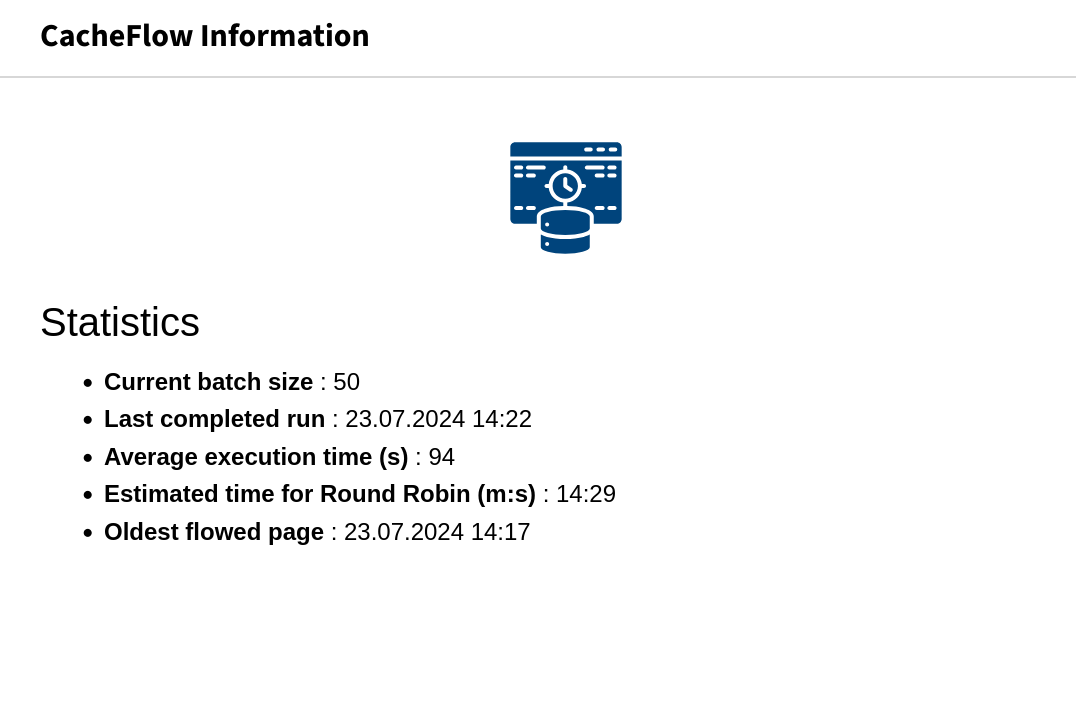
  • Dashboard widget to display cache flowing statistics

Installation 

The extension currently supports TYPO3 v12 and v13.

Composer 

The installation via composer is recommended.

composer require f7media/cacheflow
Copied!

TYPO3 Extension Repository 

For non-composer projects, the extension is available in TER as extension key cacheflow and can be installed using the extension manager.

Update the database scheme 

Open your TYPO3 backend with t3start:system-maintainer permissions.

In the module menu to the left navigate to Admin Tools > Maintanance, then click on Analyze database and create all.

See also t3upgrade:run-the-database-analyser

Usage 

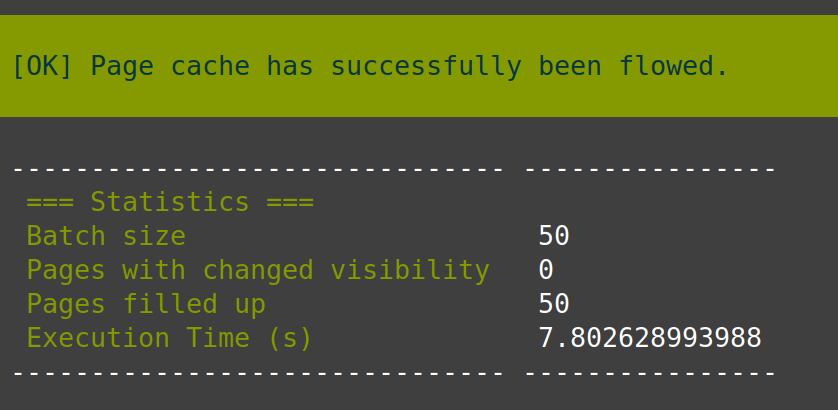
The "cacheflow" extension provides a command-line interface (CLI) command called cacheflow:process for cache flowing operations. To execute the command, open a terminal or command prompt and navigate to the root directory of your TYPO3 installation. Then run the following command

typo3 cacheflow:process
Copied!

The initial run will flow all existing pages, so will take some minutes. After this only the relevant pages are flowed.

See also Run a command from the command line for further explanation of TYPO3 console commands.

Options 

--batchSize (optional): Specifies the number of pages per execution. If nothing is set, the default value is 50.

Scheduler Task 

After you are familiar with the usage, you can create a Scheduler task, adapt the batch size to the performance of your server and execute the task every minute (with no parallel execution allowed).

Check the TYPO3 manual for Adding or editing a task

Event Dispatcher 

The PageRepository dispatches an event which may be used to add AdditionalConstraints which pages should not be crawled. For this you should implement an EventListener for the Event AdditionalConstraintsEvent and provide the additionalConstraint there (which will be appended with logical AND to the given constraints)

e.g. ```<?php

namespace YourVendorYourExtensionEventListener;

use TYPO3CMSCoreAttributeAsEventListener; use TYPO3CMSCoreDatabaseConnection; use F7mediaCacheflowEventAdditionalConstraintsEvent;

#[AsEventListener(
identifier: 'yourextension/cacheflow-additional-constraint'

)] final readonly class CacheFlowAdditionalConstraintEventListener { public function __invoke(AdditionalConstraintsEvent $event): void {

$queryBuilder = $event->getQueryBuilder();

/ Don't flow pages from doctype 15 which are hidden in the menu / // p.* are the properties of the pages table $additionalConstraint = $queryBuilder->expr()->or( $queryBuilder->expr()->neq('p.doktype', $queryBuilder->createNamedParameter(15, Connection::PARAM_INT)), $queryBuilder->expr()->eq('p.nav_hide', $queryBuilder->createNamedParameter(1, Connection::PARAM_INT)), );

$event->setAdditionalConstraint($additionalConstraint);

} }

`

Dashboard widget 

System maintainers can keep an overview by adding a prepared dashboard widget to the TYPO3 backend.

Just use the wizard to add the widget CacheFlow Information.

More on Adding Dashboard

Considerations and Issues 

We intended to keep the extension as minimalistic as possible, so we decided to keep it simple and deal with minor flaws as tradeoff. In our tests with huge websites (about 10.000 pages) the time for "round robin" was about 1 hour, so the impact of the flaws should be small. Nevertheless we want to mention some of them:

  • The TYPO3 caching mechanism might invalidate pages with valid startdate and enddate settings automatically. In this case our extra handling of these cases might be unnecessary. There should be more investigation on this in the future.
  • When a page or content element is changed and the TYPO3 core cache invalidation is triggered (or when the cache is flushed by command), the last_flowed value will not change. As a consequence, the corresponding page(s) might be flowed earlier than pages, which might be more relevant at that point of time. One could consider listening to the CacheFlushEvent or use a DataHandler hook to avoid this.

Find a list of open issues on Github.

Sitemap