This extension lets you integrate a simple glossar for your website.
In addition, created terms can be automatically linked with a configurable parser.
Advantages of dpn_glossary
Simple configuration
Automatic parsing of terms on pages
Screenshots
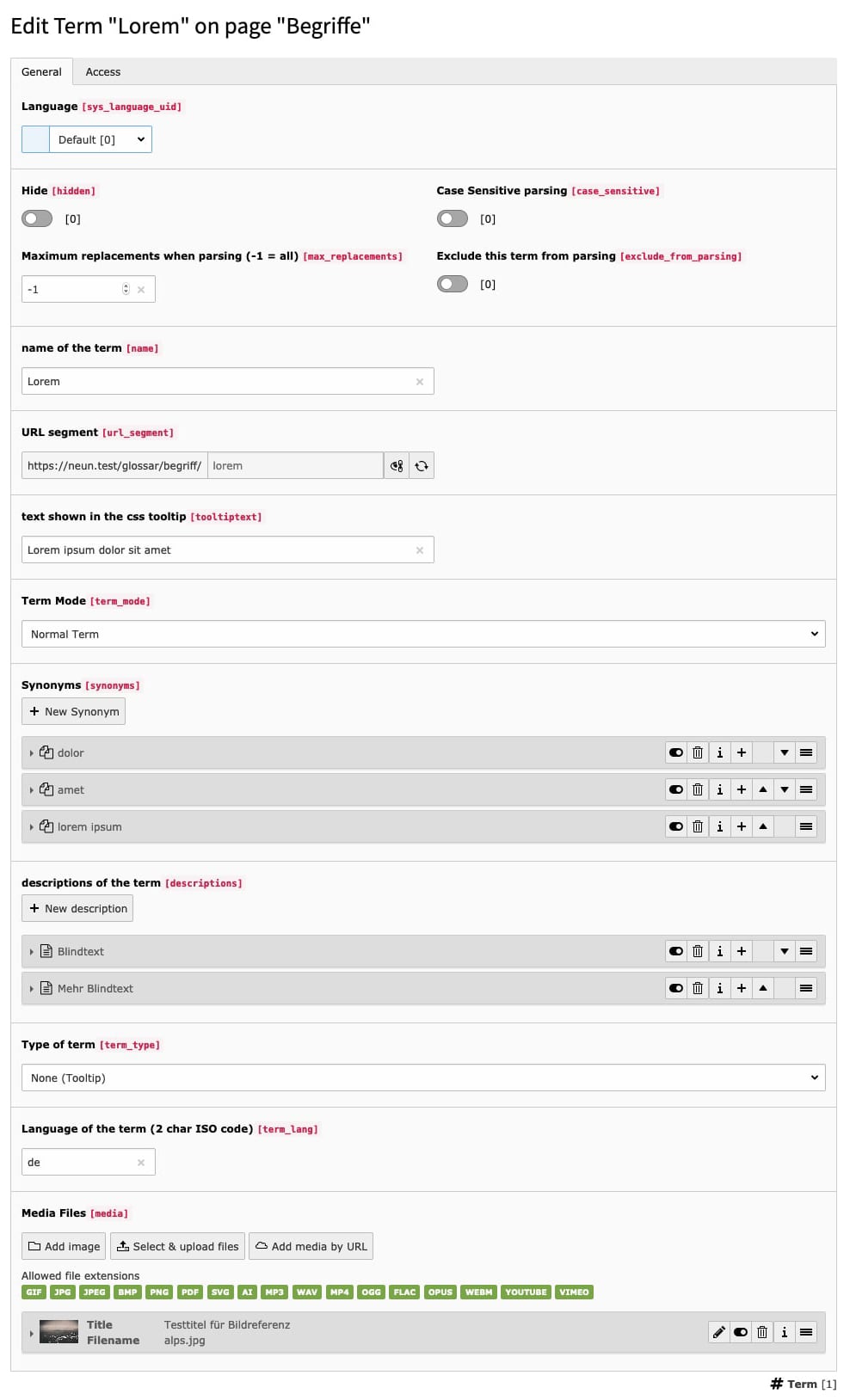
The editing of a term record
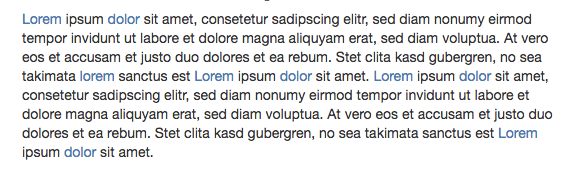
The automatic parser finds terms you created and links them to your detailpage
Administrator Manual
Target group: Administrators
Installation
Install the extension with Composer:
composer req featdd/dpn-glossary
Copied!
Add the site set
featdd/dpn-glossary
to your site configuration.
This loads the extension TypoScript, Page TSconfig, site setting
definitions and the default route enhancer configuration.
You can add the set in the backend via Sites > Setup
or in your site configuration:
config/sites/<your-site>/config.yaml
dependencies:-featdd/dpn-glossary
Copied!
If you use a site package, you can also add the dependency to your own site
set instead of adding it directly to every site configuration.
Create the required pages:
Create a page and add the glossary plugin.
Alternatively you can add a second glossary plugin on a separate page.
Use this page UID as your detail page and split your routing configuration for the list and detail page.
Create a storage folder and add your terms.
Configure the site settings of the extension.
The required settings are the storage page for terms and the page that
contains the glossary plugin:
When the site set
featdd/dpn-glossary
is included, the extension is
configured through TYPO3 site settings. These settings are passed to the
extension TypoScript automatically.
Projects that still use the legacy static TypoScript include can configure the
same behavior through TypoScript constants.
The whole linking of terms can be configured with TypoScript. The parsing
itself can also be defined as precisely as you need.
There are also example styles for the views and a tiny CSS3 Tooltip
While for most cases a simple dataWrap in TypoScript is enough, it is also possible to render terms with a Fluid template.
You may only have to take care of unnecessary whitespace with stdWrap.trim = 1 and the <f:spaceless> ViewHelper.
The site set
featdd/dpn-glossary
ships a default route enhancer
configuration. If the set is included in your site, you usually do not need to
copy the full route enhancer manually.
Restrict the route enhancer to the page that contains the glossary plugin in
your site configuration:
Pages can be statically excluded from parsing via site settings:
config/sites/<your-site>/settings.yaml
dpn-glossary.parsingExcludePidList:'42,185,365'
Copied!
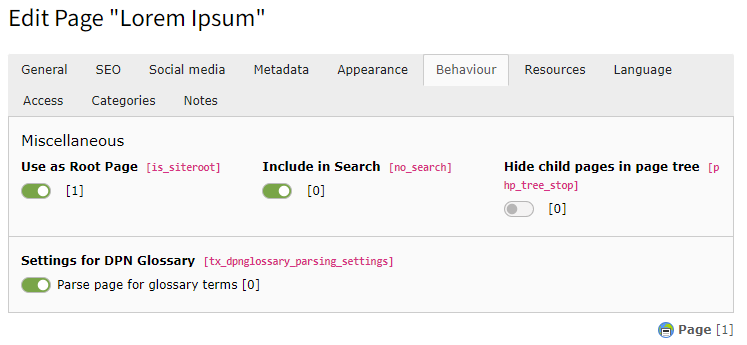
Pages can also be dynamically excluded from parsing by page properties
Page Properties > Behaviour > Settings for dreipunktnull Glossary:
Exclude page from parsing
By making field
tx_dpnglossary_parsing_settings
of table
pages
available for your editors, it is also possible to let (power)
editors decide, which pages should be parsed.
Exclude content elements from being parsed
The following site setting defines HTML classes whose content will be excluded
from parsing:
Content wrapped with one of these classes will be excluded from parsing.
Content can also be dynamically excluded from parsing by content properties
Content Properties > Appearance > Settings for dreipunktnull Glossar.
This only works if the default Fluid layout has been overridden to wrap the
content with the HTML class
tx_dpn_glossary_exclude
and this class is
still found in the dpn-glossary.forbiddenParentClasses site setting.
You can set the following site setting to let this extension override the Fluid
Styled Content default layout: