
Managing synchronization
You can edit the settings for synchronizing the accounts easily and quickly in the backend module Social Media Management under the Web tab.
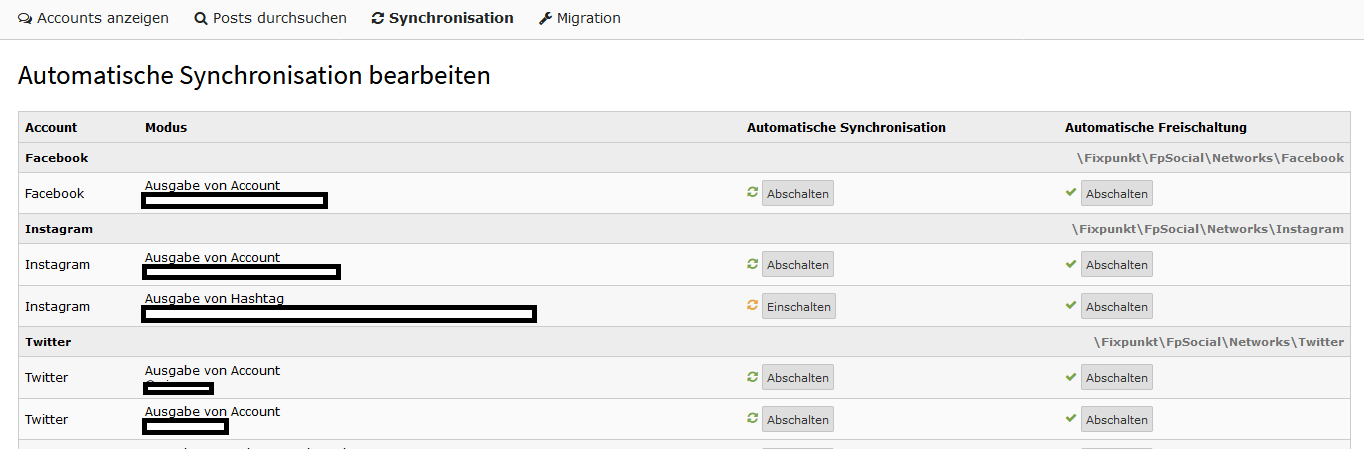
Here you can define, for each account, the synchronization as well as the behavior when new posts are added.
Automatic synchronization
If this option is enabled, this account is taken into account during synchronization via the scheduler task. If this option is disabled, the account must be synchronized manually via the backend module.
Automatic publishing
If this option is enabled, all imported posts are published automatically and displayed in the frontend. This option applies both to posts imported manually and to those imported with the help of the scheduler.
Synchronization postponed until
The social server limits how often its API may be called, see Request limits of the social server. If an account runs into such a limit, the point in time from which it can be read again is recorded here. Until then the scheduler task skips this account -- all other accounts are synchronized as usual. The field is cleared as soon as the account has been synchronized successfully; clearing it by hand tries again right away.
Note
A postponed account is not an error. The message of the last synchronization states which limit was reached and from when the account is read again.