Charts Extension 

Version

3.0

Language

en

Authors

Thorsten Hogenkamp

Email

thorsten@hogenkamp-bocholt.de

License

This extension documentation is published under the GNU General Public License v3.0

TYPO3

The content of this document is related to TYPO3 CMS, a GNU/GPL CMS/Framework available from typo3.org .

Community Documentation:

This documentation is community documentation for the TYPO3 extension "charts"

It is maintained as part of this third party extension.

If you find an error or something is missing, please: Report a Problem

For Contributors

You are welcome to help improve this guide. Just click on "Edit me on GitHub" on the top right to submit your change request.
Introduction 

What does it do? 

With this extension you are able:

  • to easily display static or dynamic chart types (bar, line, pie, etc.) from given data and labels
  • to define TCA input fields that can extract selectable data from your worksheets

...but a picture is worth a thousand words so heads up to the screenshots below or dive into the editor docs 😁

Screenshots 

Frontend example of plain dataset based Bar Chart

Bar Chart with plain dataset and custom color palette

Frontend example of spreadsheet based Bar Chart

Bar chart using data and colors from spreadsheet

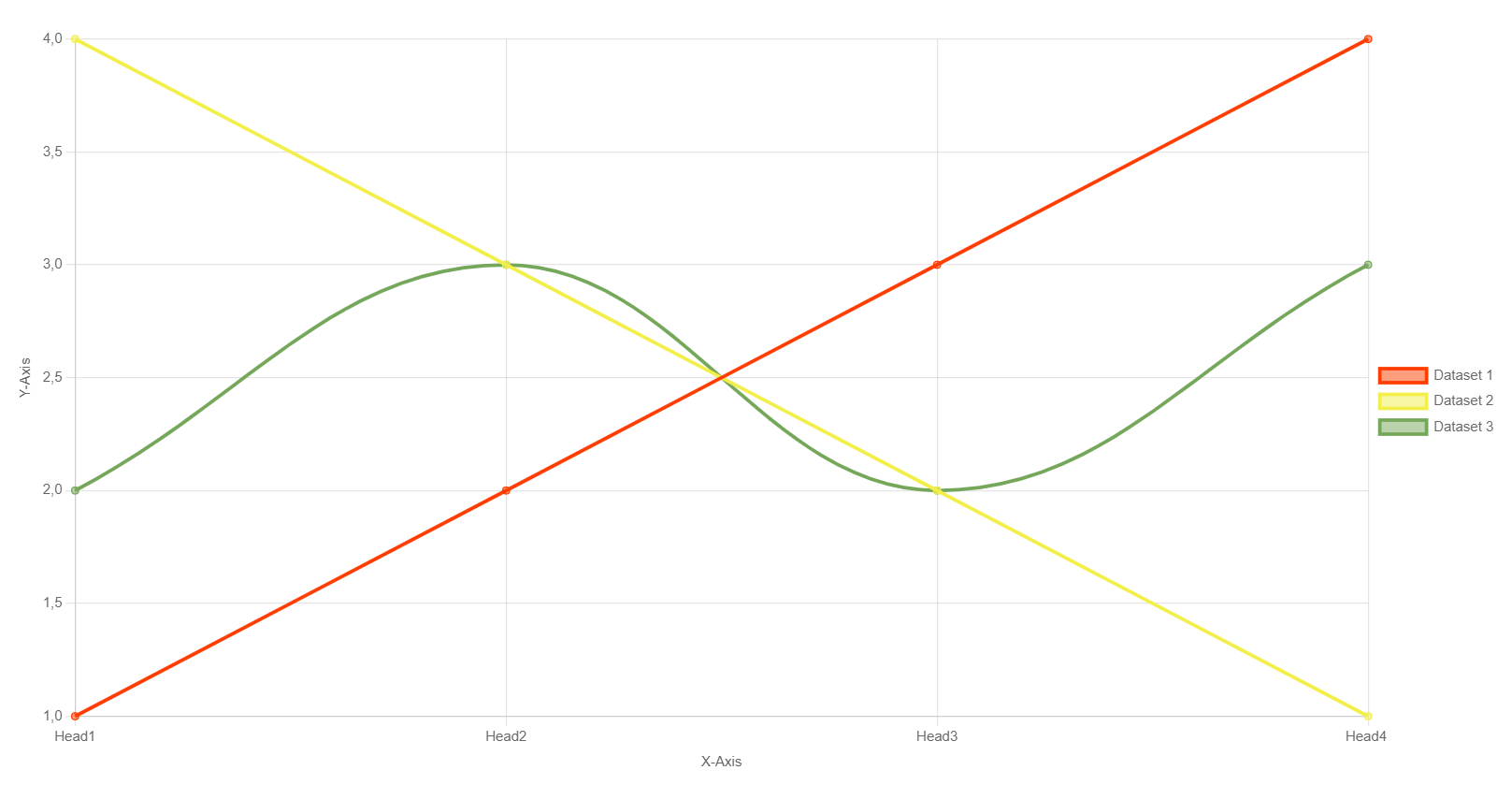
Frontend example of plain dataset based Line Chart

Line Chart with plain dataset and custom color palette

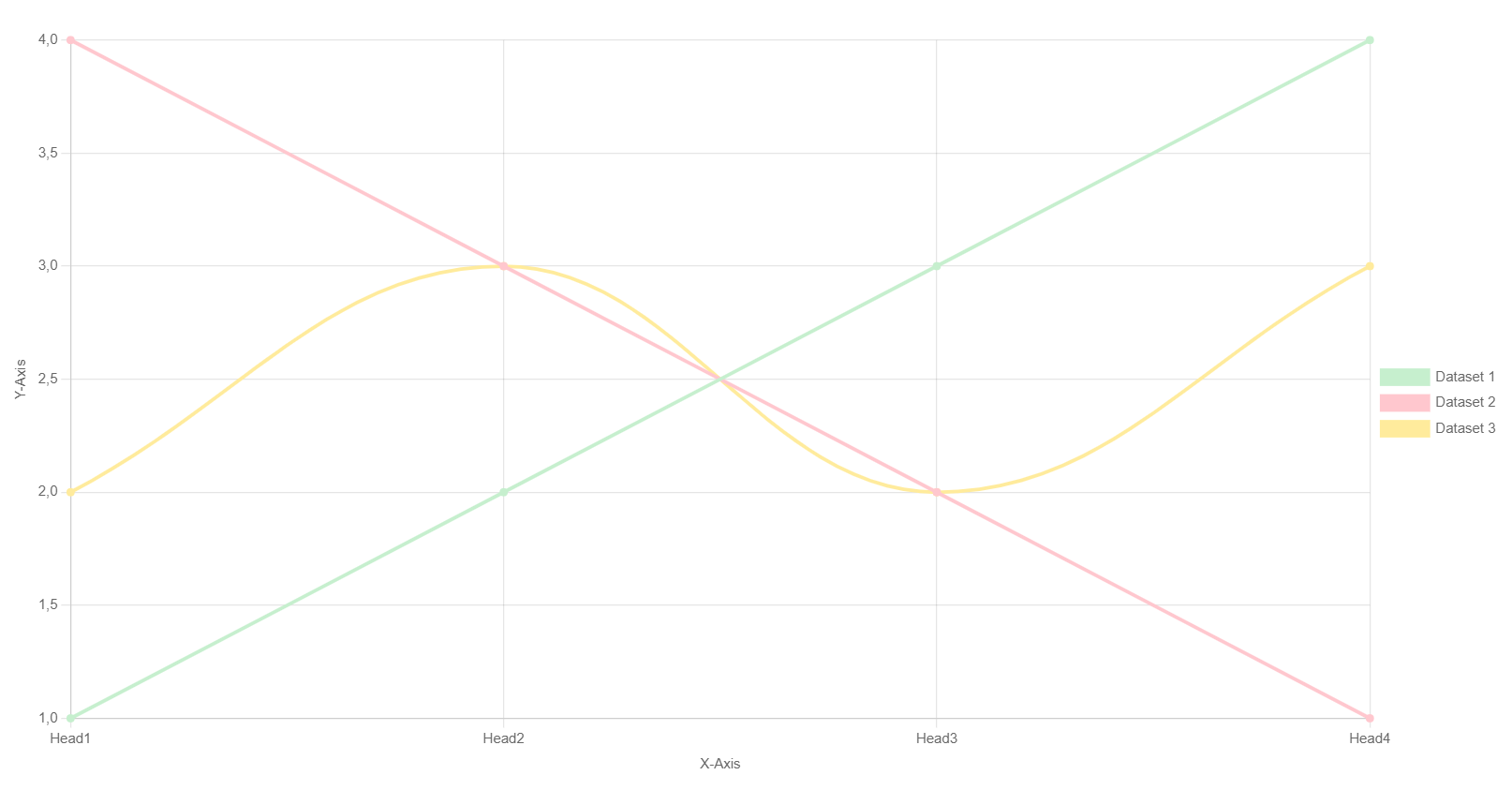
Frontend example of spreadsheet based Line Chart

Line chart using data and colors from spreadsheet

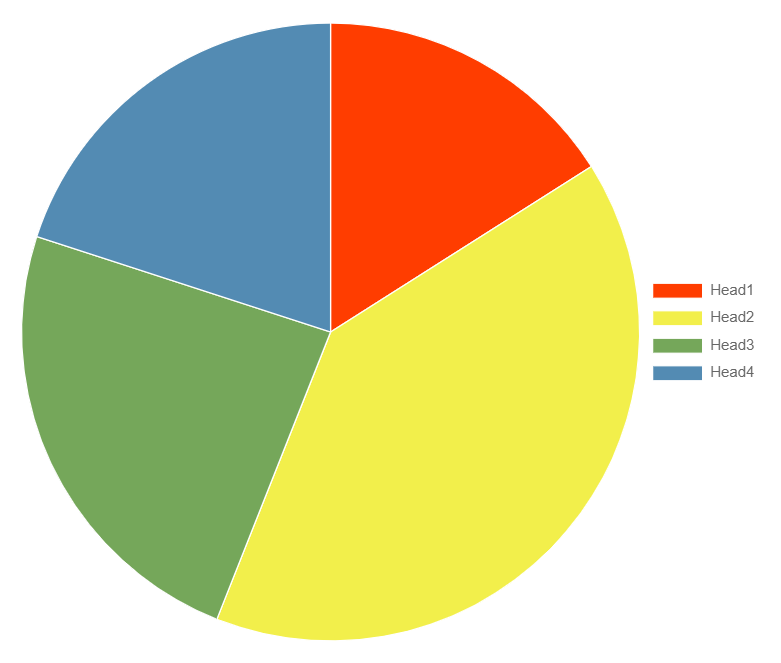
Frontend example of plain dataset based Pie Chart

Pie Chart with plain dataset and custom color palette

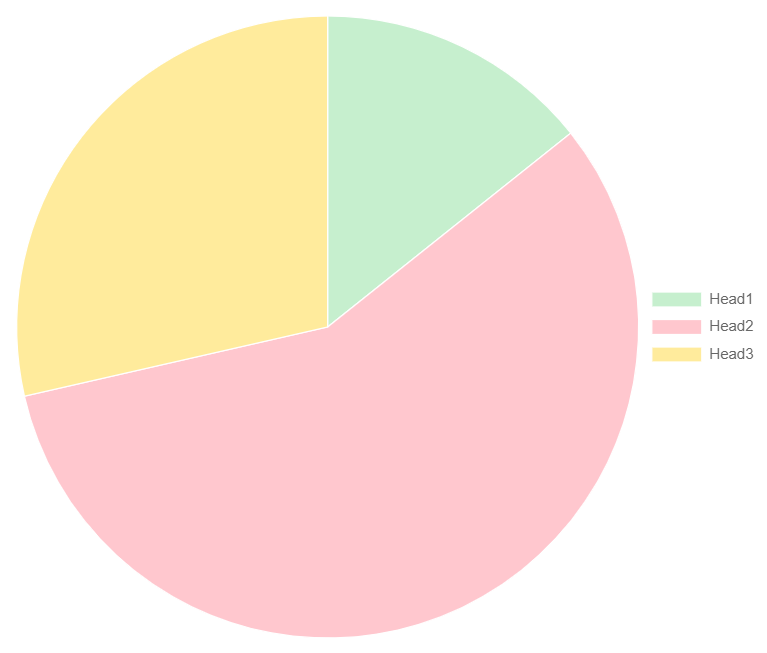
Frontend example of spreadsheet based Pie Chart

Pie chart using data and colors from spreadsheet

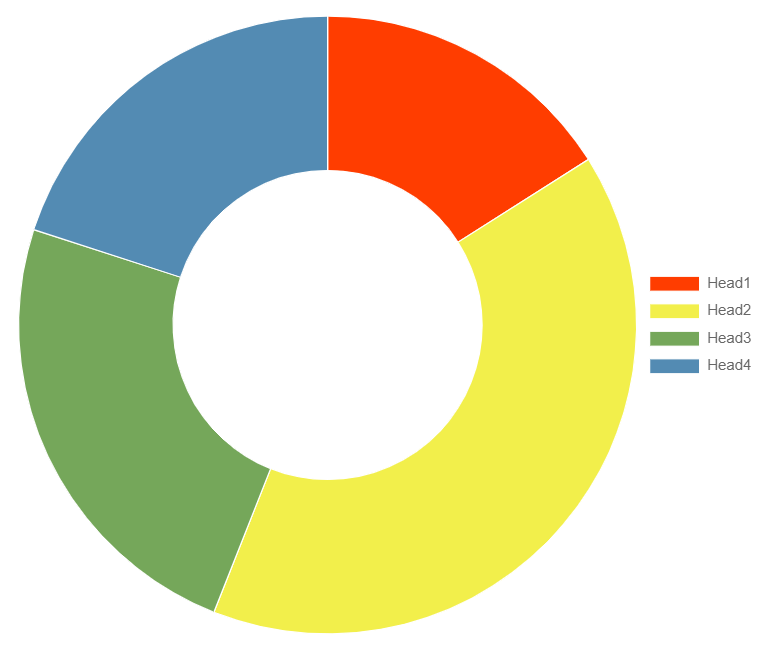
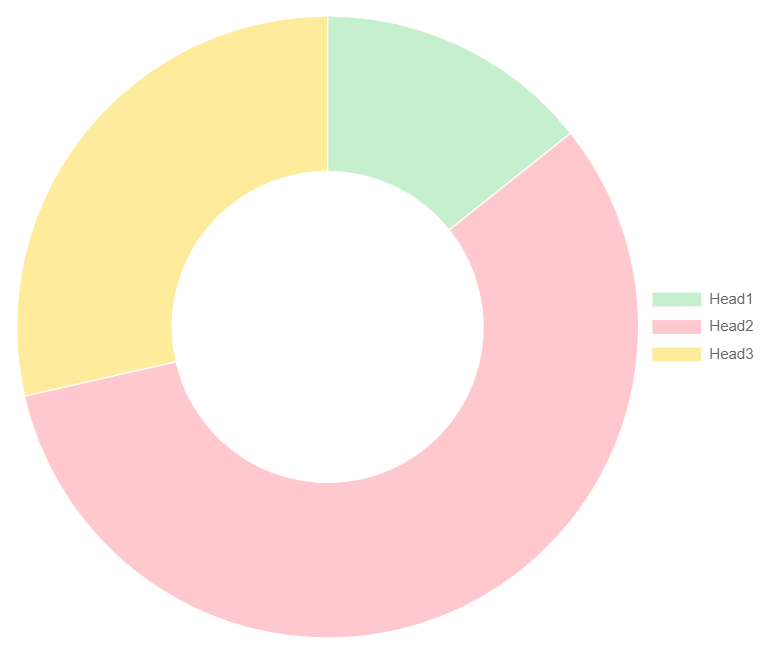
Frontend example of plain dataset based Doughnut Chart

Doughnut Chart with plain dataset and custom color palette

Frontend example of spreadsheet based Doughnut Chart

Doughnut chart using data and colors from spreadsheet

For Editors 

Target group: Editors

This extension will support editors & authors by providing

  • ability to manage datasets consisting of data and labels
  • fluid based content elements to display different chart types like bar, line, pie and etc.

Chart Dataset 

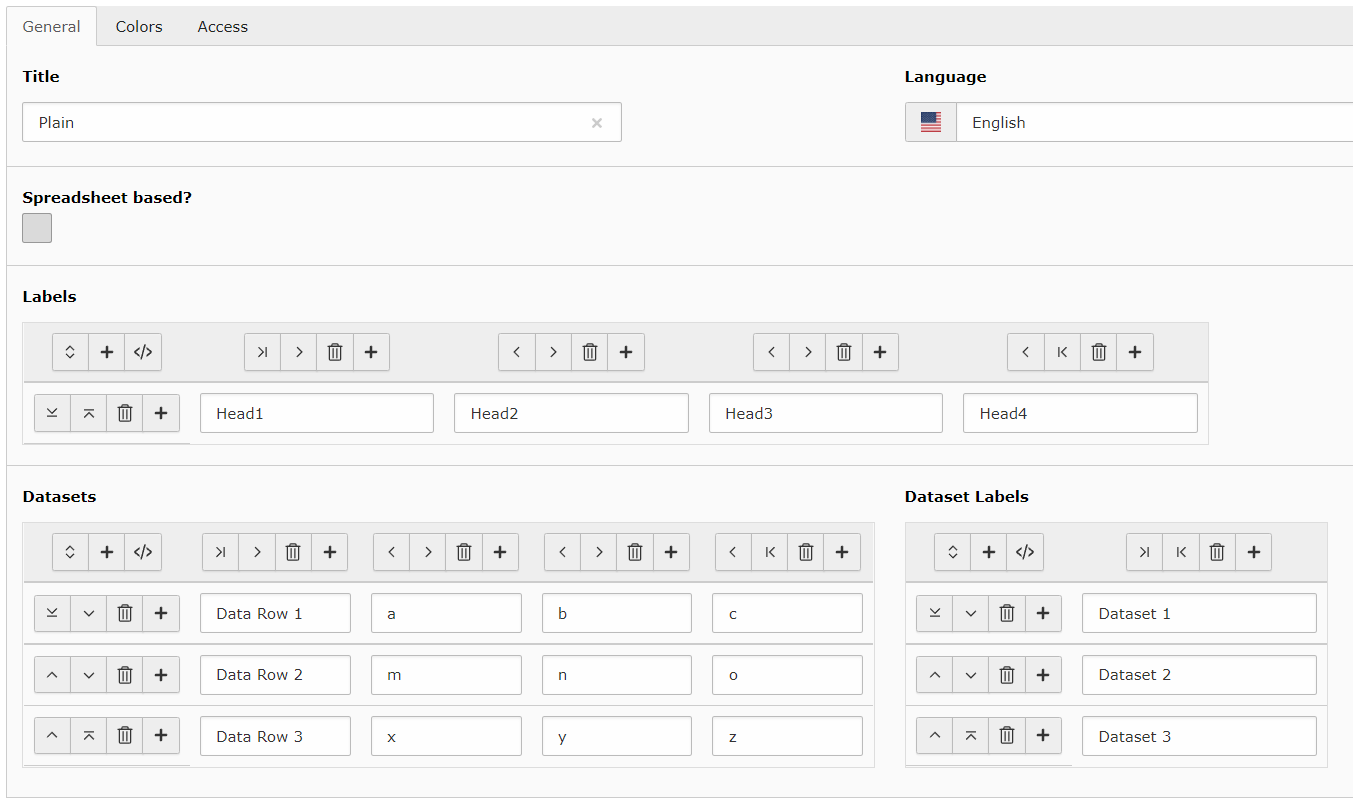
Before creating a chart content element you need to create a dataset that can be used by chart libraries. Go to list view and create a new chart data record. On default labels, data and data labels are configured with TYPO3's table wizard.

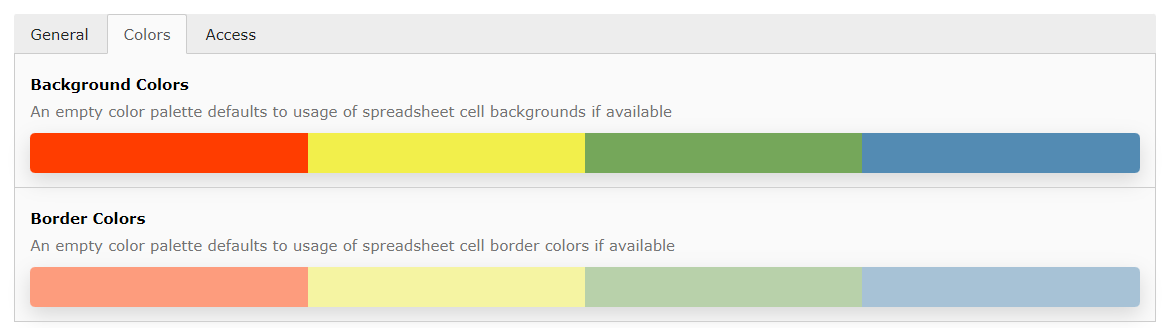
Per default you can create a dataset by using TYPO3's table wizard as you can see in following screenshot. This dataset can then be adjusted by additionally using custom colors for background/border inside of the colors tab. See color palette editor for more information how to edit colors.

Plain dataset table wizard example Dataset color palette options

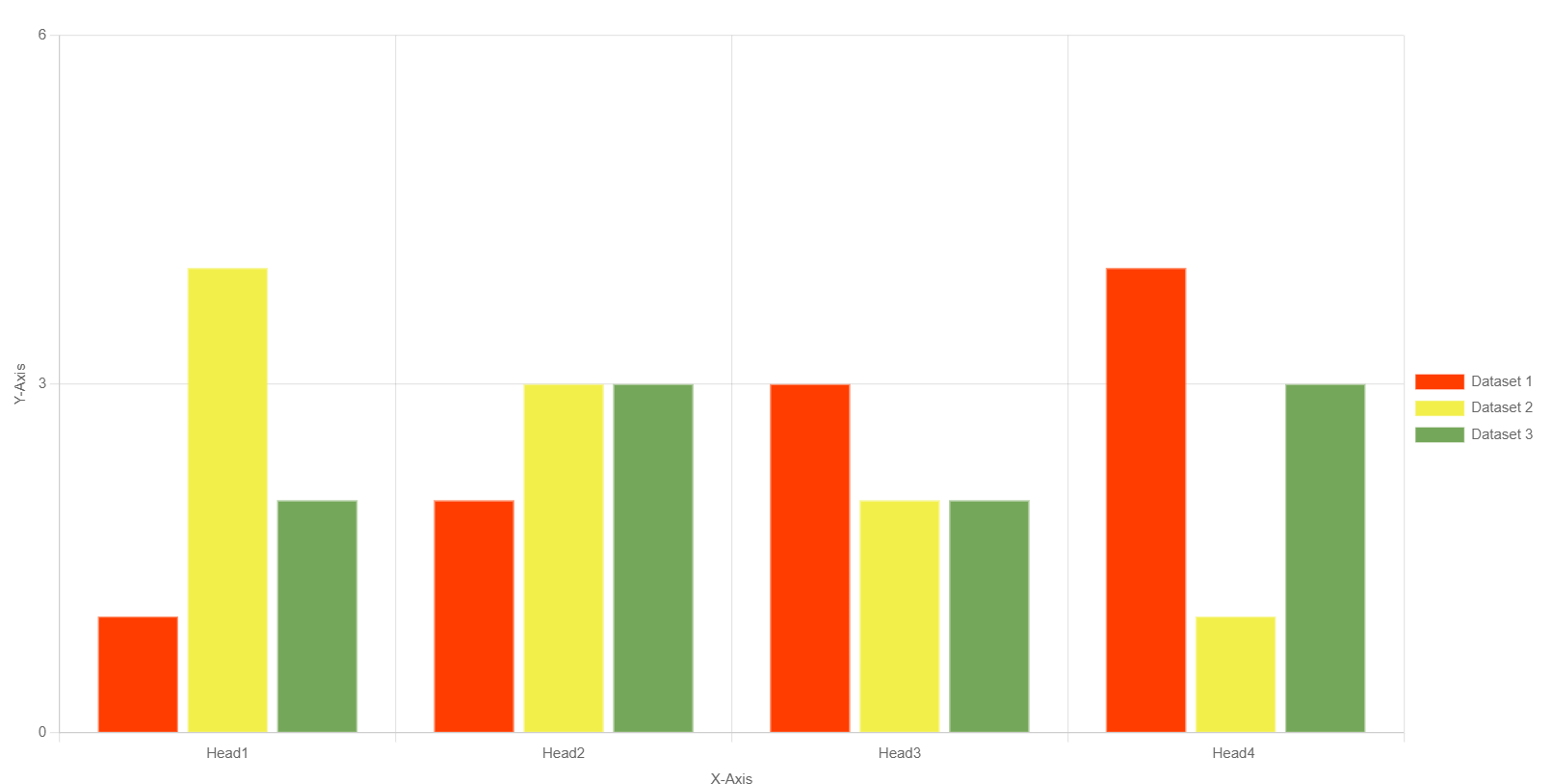
With such configuration the frontend will render for example the following Bar Chart.

Example Bar Chart output of explained dataset configuration

Spreadsheet-based 

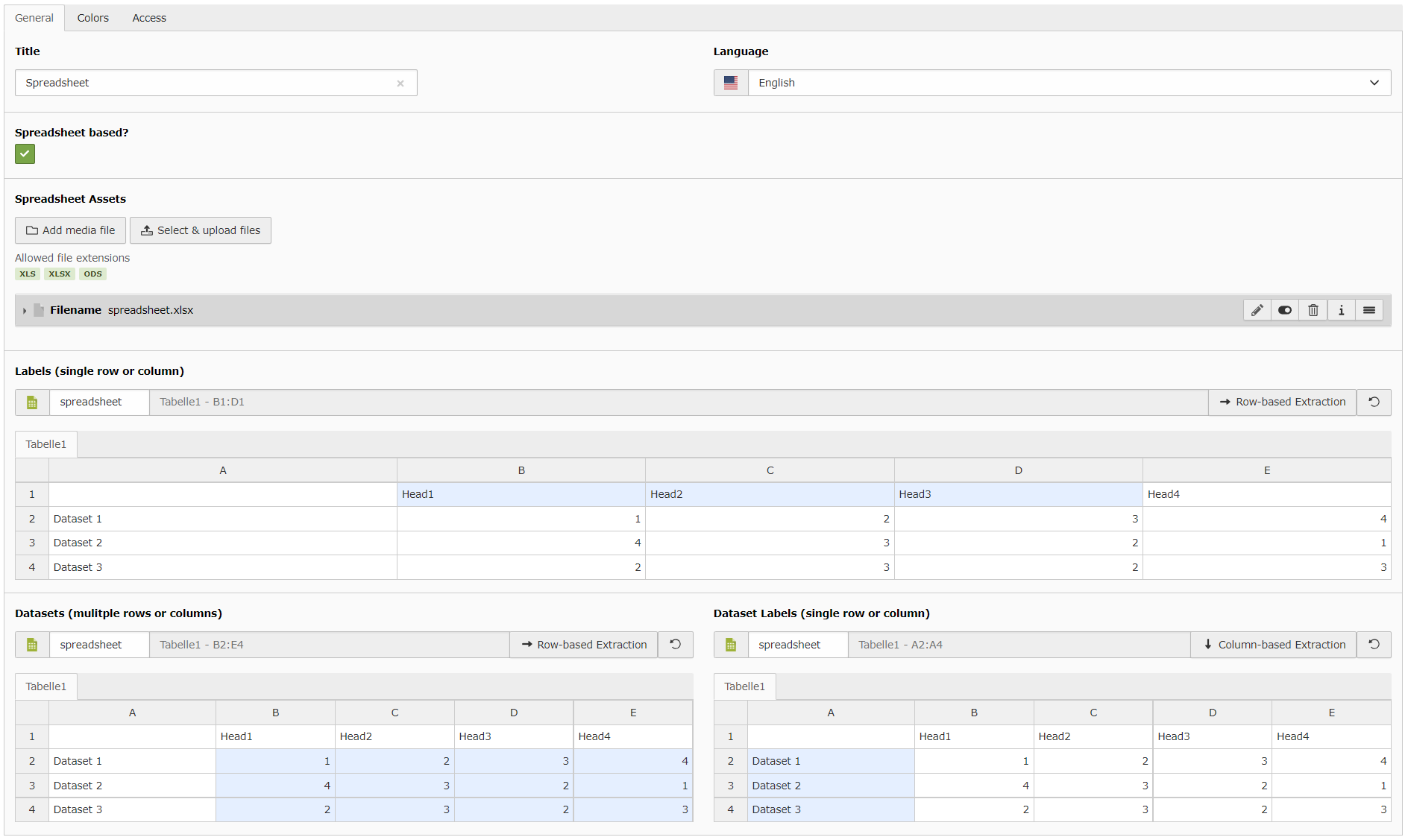
Following screenshots show how to create same dataset with spreadsheet data if your TYPO3 installation also provides the spreadsheet extension.

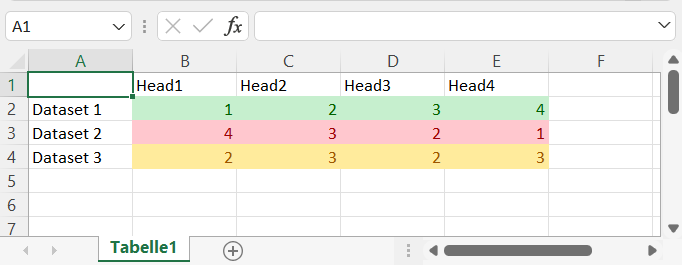
Spreadsheet based chart dataset selection example Example excel file content that can be used with this extension

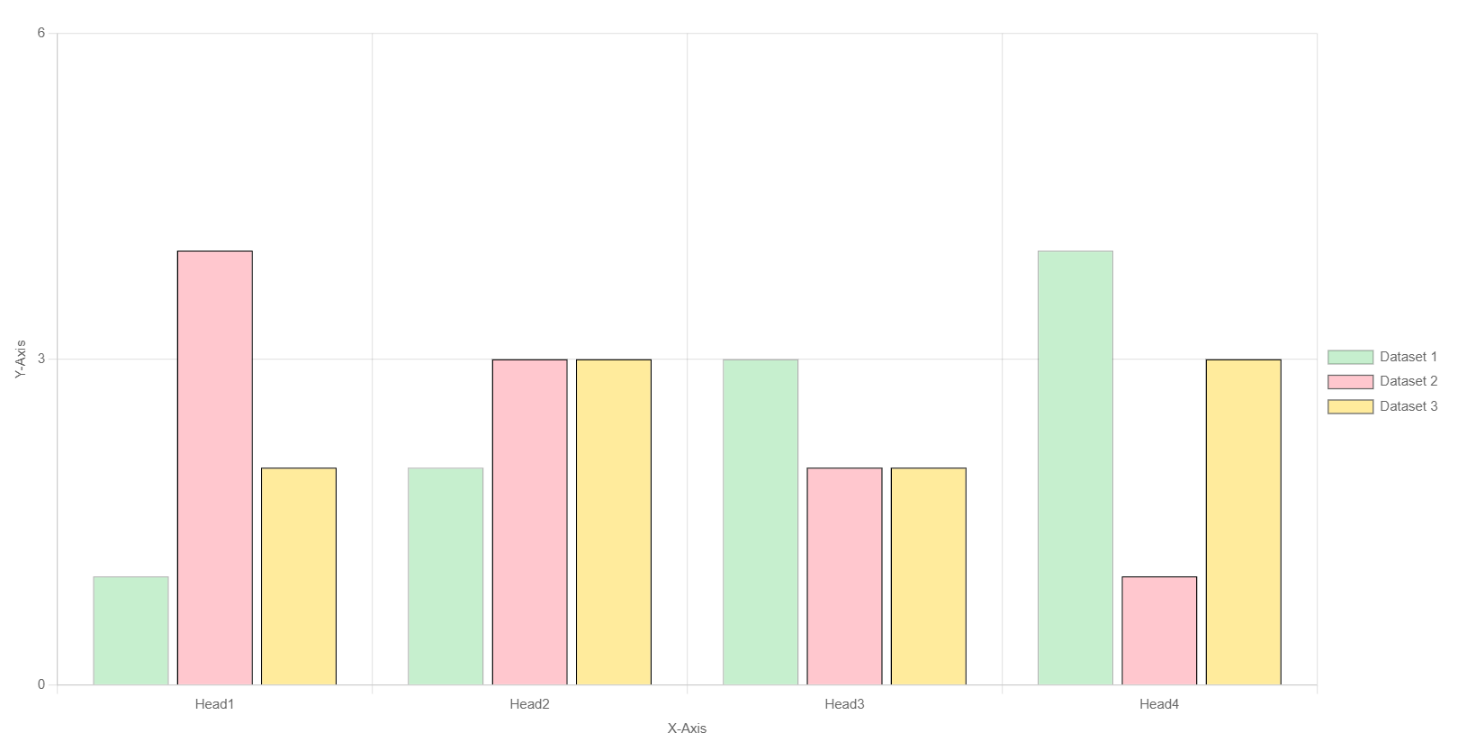
This spreadsheet configuration does not have configured colors and thus uses the provided colors from spreadsheet cells. The following output may be rendered in frontend.

Example Bar Chart output of spreadsheet dataset configuration

Color Palette Editor 

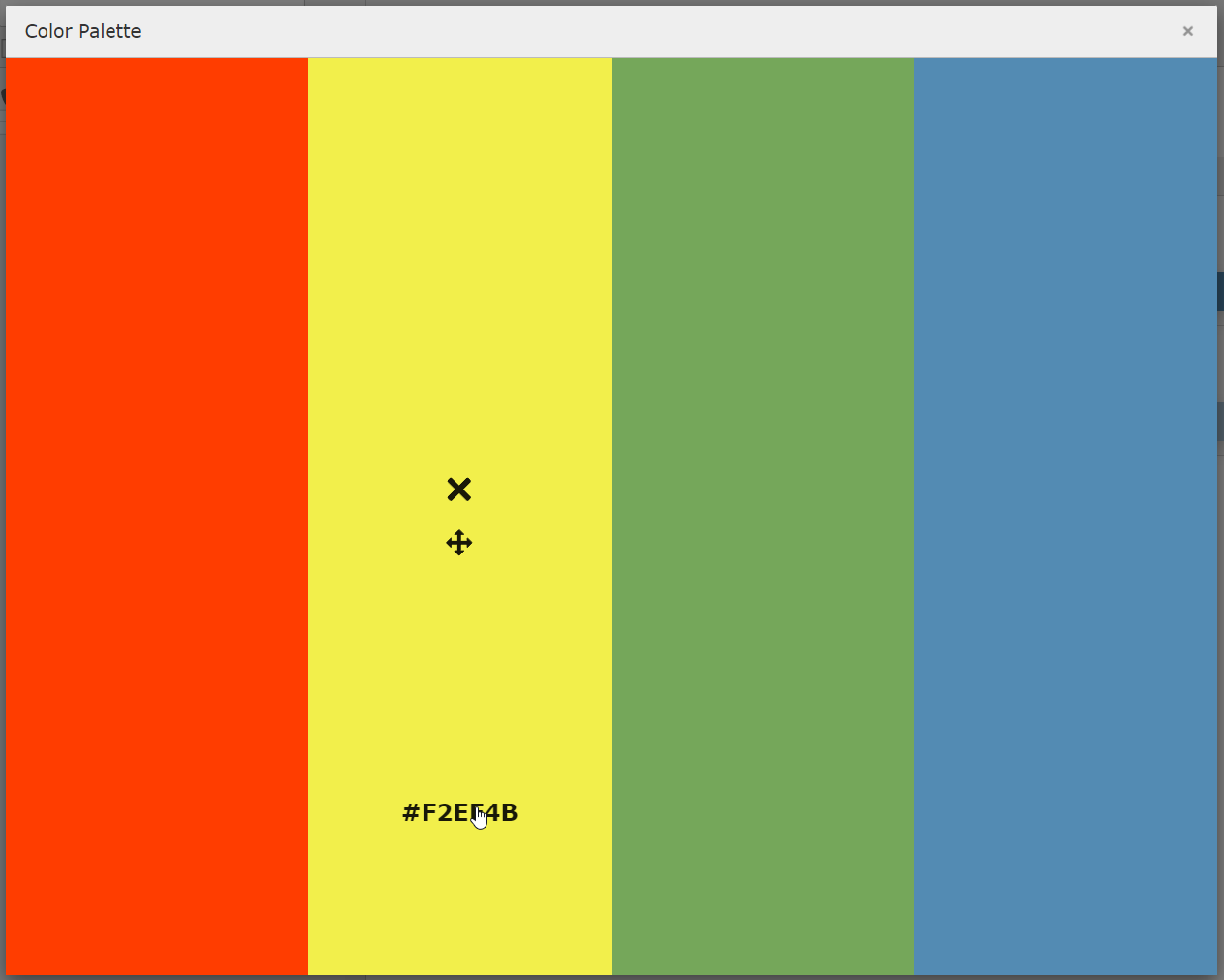
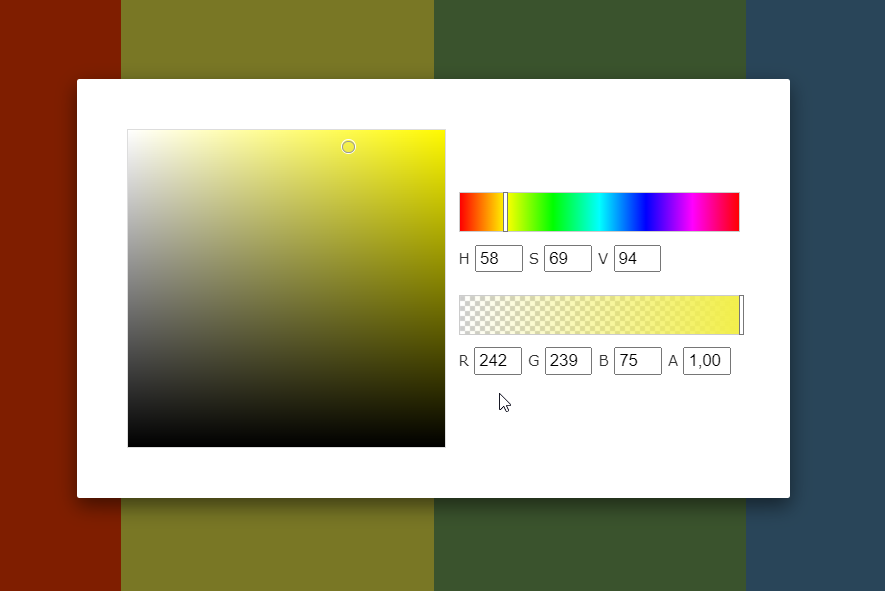
The color palette helps to define background and/or border configuration for your chart output in frontend. After clicking on a palette a modal will open that shows the whole palette. Hover over an item to see the actions. You can move or delete items. With a click on the Hex-Code the color-picker will open and you can change the color by moving the pickers or typing the values for red, green, blue and/or alpha by yourself. As an addition you can also adjust the HSV values (learn more on HSL and HSV).

Color palette example Color picker inside of color palette example

Content Element 

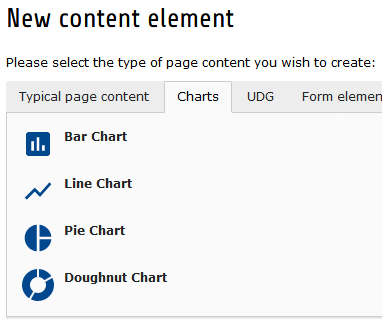
Start adding a new content element to your page as usual and select the tab "Charts" to see following overview:

Default chart type elements list in new content element wizard

FAQ 

Possible subsection: FAQ

Installation 

Target group: Administrators

The extension needs to be installed as any other extension of TYPO3 CMS:

  1. Switch to the module "Extension Manager".
  2. Get the extension

    1. Get it from the Extension Manager: Press the "Retrieve/Update" button and search for the extension key charts and import the extension from the repository.
    2. Get it from typo3.org: You can always get current version from http://typo3.org/extensions/repository/view/charts/ by downloading either the t3x or zip version. Upload the file afterwards in the Extension Manager.
    3. Use composer: execute composer req hoogi91/charts where your composer.json is located.

Latest version from git 

You can get the latest version from git by using the git command:

git clone git@github.com:hoogi91/charts.git
Copied!

Preparation: Select Chart library in extension settings 

  1. Navigate to t3install:the-install-tool-in-depth
  2. open settings for charts
  3. select chart library you wish to use for frontend rendering
  4. optional configure different CDN Url or disable library assets if you want to implement them by yourself

Preparation: Include static TypoScript 

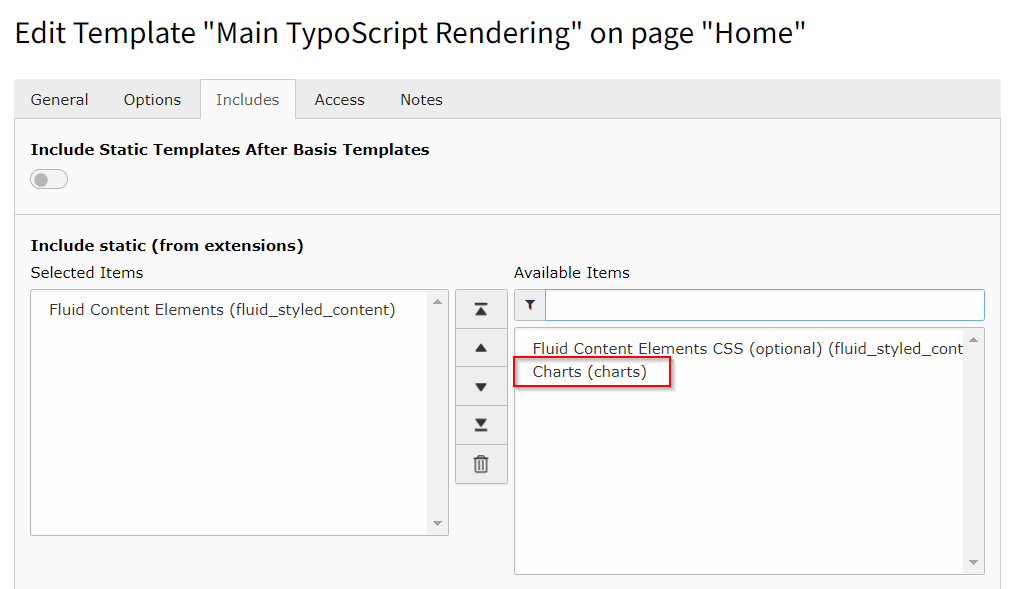
The extension ships some TypoScript code which needs to be included.

  1. Switch to the root page of your site.
  2. Switch to the Template module and select Info/Modify.
  3. Press the link Edit the whole template record and switch to the tab Includes.
  4. Select Charts (charts) at the field Include static (from extensions):
Static Typoscript Configuration

Developer Corner 

Target group: Developers

This extension will support developers by providing

  • registry to add multiple chart libraries implementing Hoogi91\\Charts\\DataProcessing\\Charts\\LibraryInterface
  • DataProcessors to retrieve configured charts data, assets and flexform settings

Register Library 

To register your own chart library just implement Hoogi91\\Charts\\DataProcessing\\Charts\\LibraryInterface and make sure it is loaded by your Services.yaml

Contribute 

Contributions are essential for the success of open-source projects but certainly not limited to contribute code. A lot more can be done:

  • Improve documentation
  • Answer questions on stackoverflow.com

Contribution workflow 

Please create always an issue at https://github.com/hoogi91/charts/issues before starting with a change. This is essential helpful if you are unsure if your change will be accepted.

Get the latest version from git 

Fork the repository https://github.com/hoogi91/charts and provide a pull request with your change

Known Problems 

Currently none. If you encounter an error, please report it here.

Sitemap 

below normal contents