Spreadsheet Extension 

Version

main

Language

en

Authors

Thorsten Hogenkamp

Email

thorsten@hogenkamp-bocholt.de

License

This extension documentation is published under the GNU General Public License v3.0

TYPO3

The content of this document is related to TYPO3 CMS, a GNU/GPL CMS/Framework available from typo3.org .

Community Documentation:

This documentation is community documentation for the TYPO3 extension "spreadsheets"

It is maintained as part of this third party extension.

If you find an error or something is missing, please: Report a Problem

For Contributors

You are welcome to help improve this guide. Just click on "Edit me on GitHub" on the top right to submit your change request.
Introduction 

What does it do? 

With this extension you are able:

  • to provide an automatic way of displaying spreadsheet based files e.g. Excel spreadsheets
  • to define TCA input fields that can extract selectable data from your worksheets

    • supports worksheet selection
    • supports cell selection (single, columns, rows and range) incl. merge cells
    • supports direction how to interpret the selection (row-/column-based)

...but a picture is worth a thousand words so heads up to the screenshots below 😁

Screenshots 

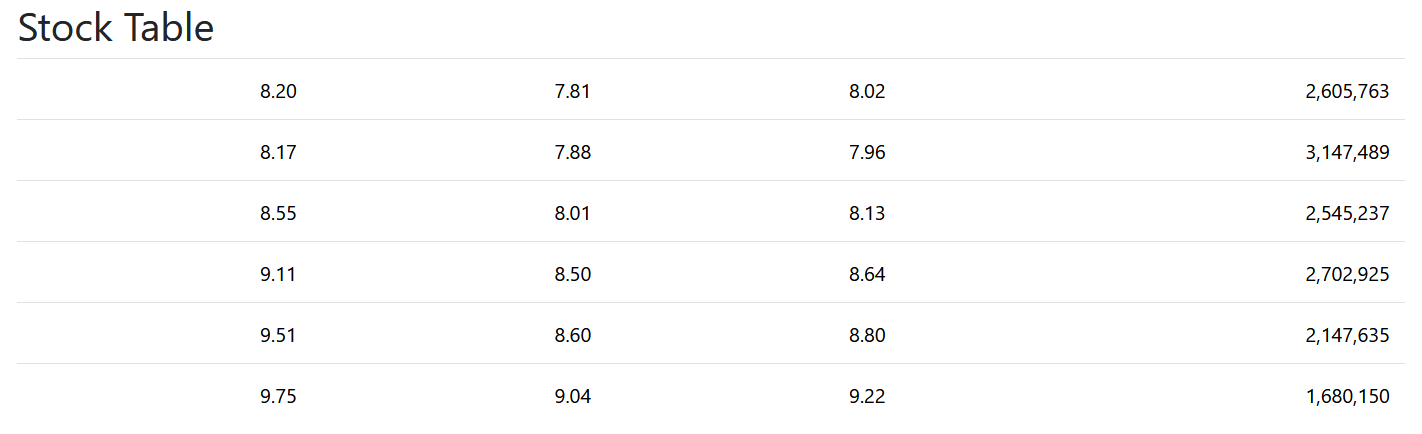
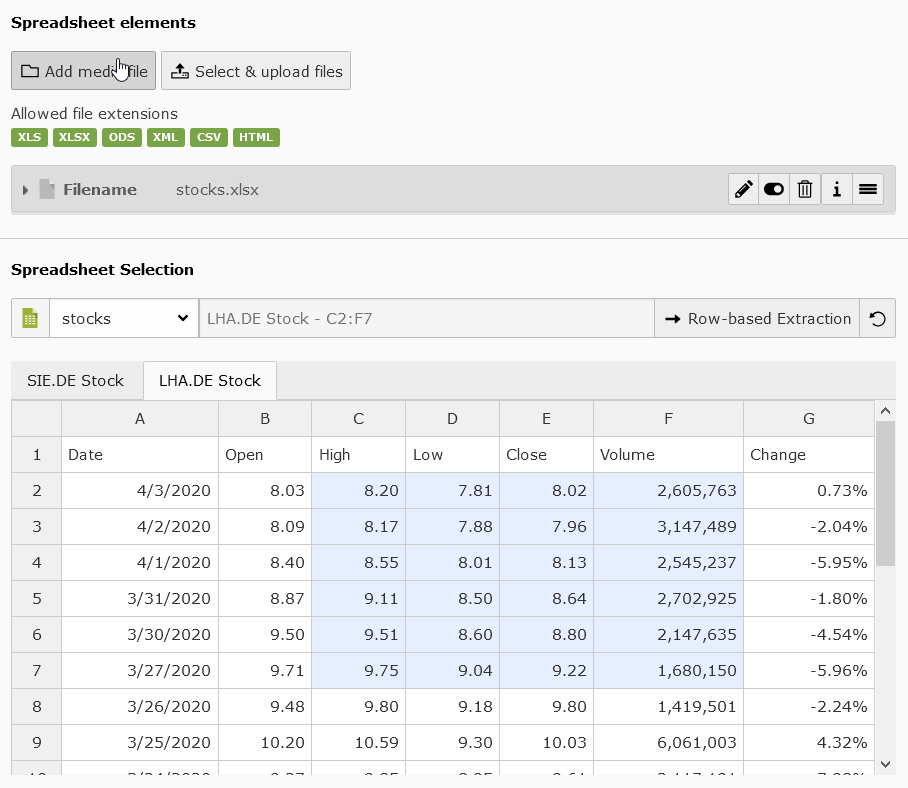
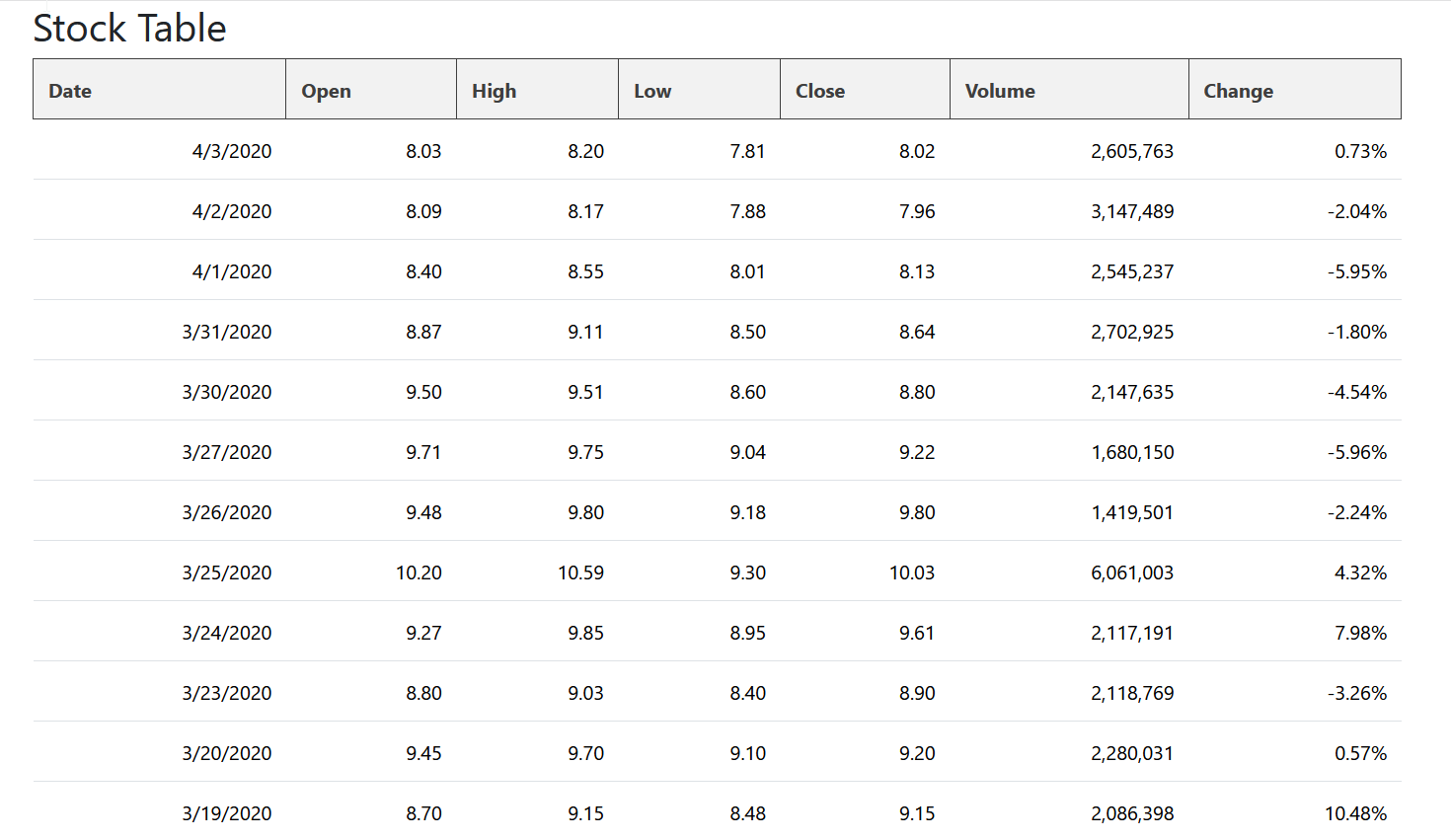
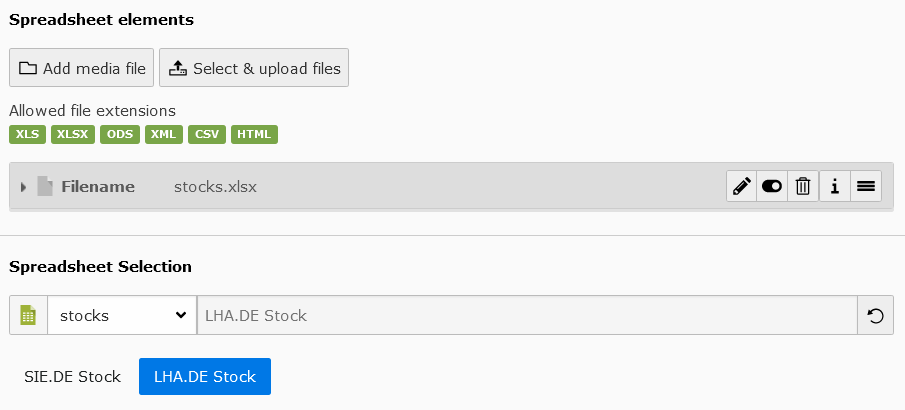
Simple/default worksheet selection frontend output Simple/default worksheet selection in backend Full worksheet/cell selection frontend output Full worksheet/cell selection example in backend

For Editors 

Target group: Editors

This extension will support editors & authors by providing

  • Upload for several spreadsheet data based files such as

    • Excel 95 and above (.xls)
    • Excel 2007 and above (.xlsx)
    • Open Document Format/OASIS (.ods)
    • SpreadsheetML / Excel 2003 (.xml)
    • Comma-separated values (.csv)
    • Hypertext Markup Language Tables (.html)
  • Spreadsheet file and Worksheet selection input

    • with optional support for cell selection
    • and option to read selection by rows or columns
  • Default element to display a selected worksheet in frontend

Content Element 

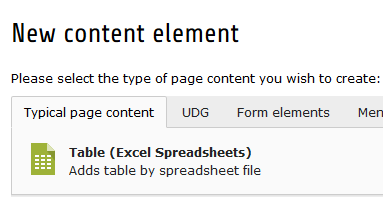
Create a new element in TYPO3 backend and select under "Typcial page content" the element "Table (Excel Spreadsheets)"

Table (Excel Spreadsheets)

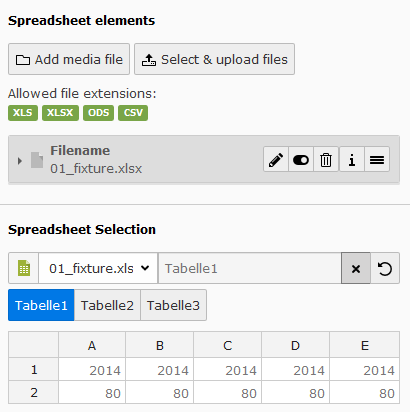
Upload Field with Worksheet Selection

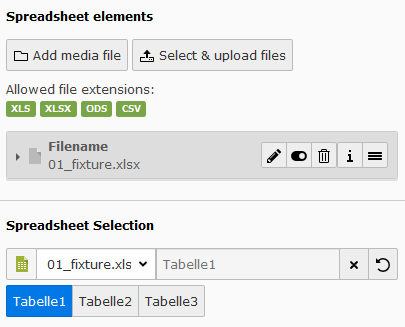
Some modules (incl. the above "Table (Excel Spreadsheets)") are using a upload field with an additional worksheet selection. The worksheet selection is pretty simple. Just select one of the uploaded spreadsheet files and then select the worksheet. The output and use case of the worksheet data can differ from module to module. Please see documentation of these modules to understand more about their usages.

Spreadsheet Sheet Selection

Upload Field with Cell Selection

Some modules will use an extended spreadsheet selection which will allow to select specific cells from a worksheet. The cell selection is pretty the same as the worksheet selection except that a simplified table representation of the selected worksheet will be shown. In this representation it is possible to select single cells, rows (incl. multiple), columns (incl. multiple) and ranges.

Spreadsheet Cell Selection

Tabs Content Element 

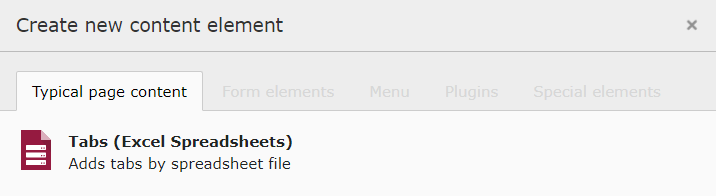
Create a new element in TYPO3 backend and select under "Typcial page content" the element "Tabs (Excel Spreadsheets)"

Tabs (Excel Spreadsheets)

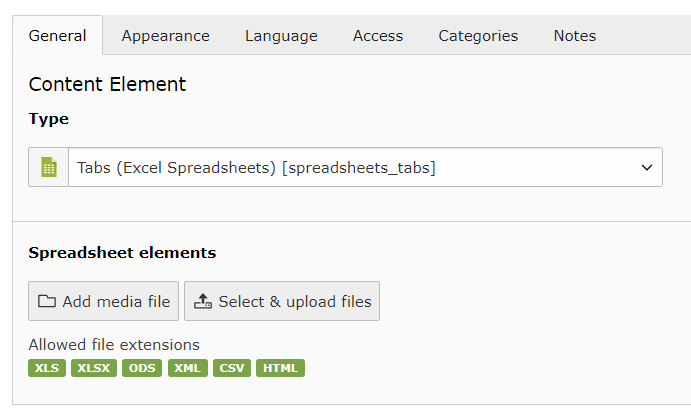
Upload field

Simply upload and select a spreadsheet file and it's worksheets will be displayed as multiple tabs

Spreadsheet Tabs upload field

FAQ 

Possible subsection: FAQ

Installation 

Target group: Administrators

The extension needs to be installed as any other extension of TYPO3 CMS:

  1. Switch to the module "Extension Manager".
  2. Get the extension

    1. Get it from the Extension Manager: Press the "Retrieve/Update" button and search for the extension key spreadsheets and import the extension from the repository.
    2. Get it from typo3.org: You can always get current version from http://typo3.org/extensions/repository/view/spreadsheets/ by downloading either the t3x or zip version. Upload the file afterwards in the Extension Manager.
    3. Use composer: execute composer req hoogi91/spreadsheets where your composer.json is located.

Latest version from git 

You can get the latest version from git by using the git command:

git clone git@github.com:hoogi91/spreadsheets.git
Copied!

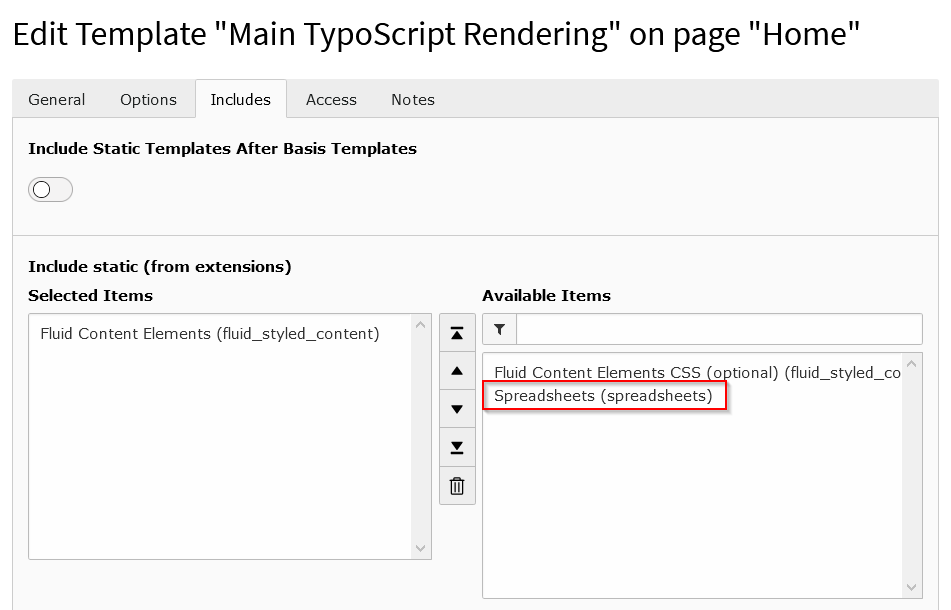
Preparation: Include static TypoScript 

The extension ships some TypoScript code which needs to be included.

  1. Switch to the root page of your site.
  2. Switch to the Template module and select Info/Modify.
  3. Press the link Edit the whole template record and switch to the tab Includes.
  4. Select Spreadsheets (spreadsheets) at the field Include static (from extensions):
Static Typoscript Configuration

Configuration 

Target group: Developers, Integrators

TCA 

Using the features of this extension is pretty simple. Just use the following configuration in a TCA field of type "text" or "input":

'config' => [
    'renderType'            => 'spreadsheetInput',
    'uploadField'           => 'tx_spreadsheets_assets',
    'sheetsOnly'            => false,
    'allowColumnExtraction' => true,
],
Copied!

Field "renderType"

Set this value always to spreadsheetInput. See official TCA Reference for more information about renderType's.

Field "uploadField"

The value should point to a upload field in the same dataset (e.g. tt_content's "assets", "image" or "media" fields). This field should be responsible for uploading files of the following file extensions (all extensions are optional): - Excel 95 and above (.xls) - Excel 2007 and above (.xlsx) - Open Document Format/OASIS (.ods) - SpreadsheetML / Excel 2003 (.xml) - Comma-separated values (.csv) - Hypertext Markup Language Tables (.html)

Field "sheetsOnly"

This field can be set to true or false. Default value is false!

On default (value false) the user is able to select one file which was previously uploaded in "uploadField" (see above). After selecting the file the user gets a list of worksheets to select. After selecting the right worksheet the user sees simplified table data and can select the cells he wants ;)

If field value is true the user can only select a worksheet and the exact cell selecting is disabled.

Field "allowColumnExtraction" This field can be set to true or false. Default value is false!

If field value is true the user can choose whether his selection should be extract by columns or by rows.

Feature toggle 

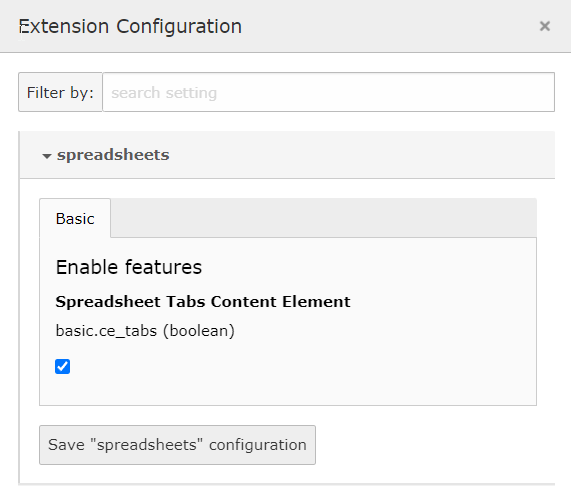
The following feature toggle can be set in AdditionalConfiguration.php to define if tabs content element is always enabled or disabled.

$GLOBALS['TYPO3_CONF_VARS']['SYS']['features']['spreadsheets.tabsContentElement'] = true;
Copied!

Tabs Content Element Styling 

If you want to change or remove the existing styling of the tabs content element you can write into following Typoscript path.

// note that this option only takes affect if data processor is TabsProcessor class
tt_content.spreadsheets_tabs.dataProcessing.10 = Hoogi91\Spreadsheets\DataProcessing\TabsProcessor
tt_content.spreadsheets_tabs.dataProcessing.10.options.additionalStyles (
   // your different styling comes here
)
Copied!

Developer Corner 

Target group: Developers

This extension will support developers by providing

  • a new TCA render type to add spreadsheet selection

  • a DataProcessor class to ease the process of extracting spreadsheet data from a DSN-like (selection) string
  • multiple service classes to extract spreadsheet data from a DSN-like (selection) string

Contribute 

Contributions are essential for the success of open-source projects but certainly not limited to contribute code. A lot more can be done:

  • Improve documentation
  • Answer questions on stackoverflow.com

Contribution workflow 

Please create always an issue at https://github.com/hoogi91/spreadsheets/issues before starting with a change. This is essential helpful if you are unsure if your change will be accepted.

Get the latest version from git 

Fork the repository https://github.com/hoogi91/spreadsheets and provide a pull request with your change

Known Problems 

Currently none. If you encounter an error, please report it here.

Sitemap 

below normal contents