Avalex 

Extension key

avalex

Package name

Avalex

Version

8.0

Language

en

Author

Stefan Froemken

License

This document is published under the Creative Commons BY 4.0 license.

Rendered

Fri, 30 Jan 2026 11:25:39 +0000


The avalex extension allows to display automatically generated and updated legal texts within a TYPO3 website, specifically imprint, privacy statement, cancellation notice as well as terms and conditions.


Table of Contents:

Introduction 

What does it do? 

The avalex extension allows to display automatically generated and updated legal texts within a TYPO3 web site, specifically imprint, privacy statement, cancellation notice as well as terms and conditions.

This requires an account at https://www.avalex.de

NOTE: The avalex legal texts are available for the german market, currently in German and English language.

Administrator Manual 

  1. Start analysis

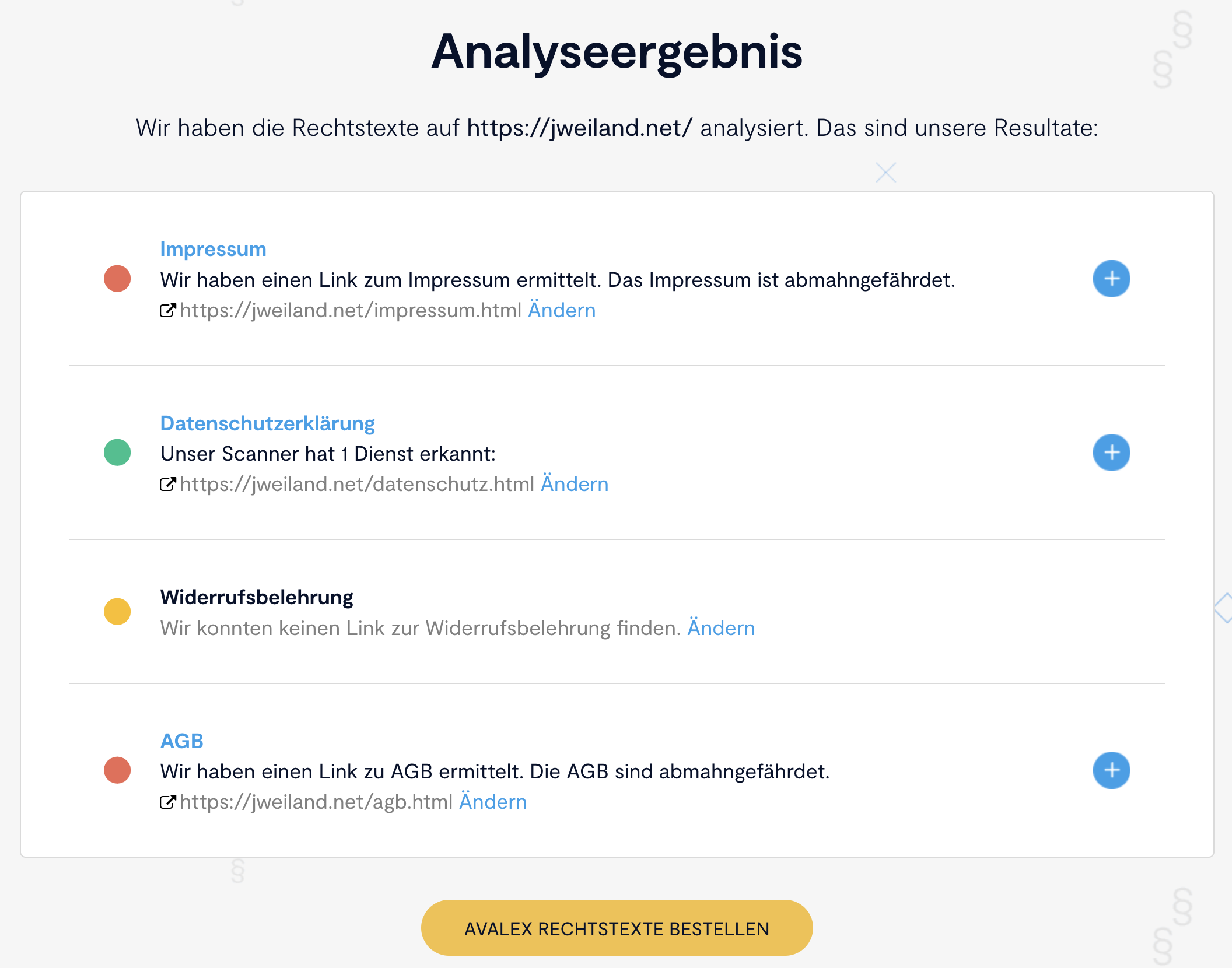
    As a first step you should enter your domain name at https://www.avalex.de and start the analysis. The web site is automatically scanned for services used (i.e. Google Analytics, Facebook Pixel, Matomo, etc.).

    Scan your website
  2. Add undetected services manually

    If a service is not detected automatically, it can be added manually by searching for the name of the service (over 300 services are currently supported, more are added as needed). A search for Google offers a list of 16 services to choose from.

    Detected services
  3. Download TYPO3 avalex extension

    After completing the data you can download the TYPO3 extension directly from the Avalex site, however we recommend always using the latest version from the TYPO3 Extension Repository (TER) or Packagist (Composer).

  4. Install the avalex extension

    In the next step install the extension (Note: when upgrading from version 1.0.0 of the extension, please run the update script in the extension manager). No other settings are need to be made in the extension manager.

  5. Add avalex plugin

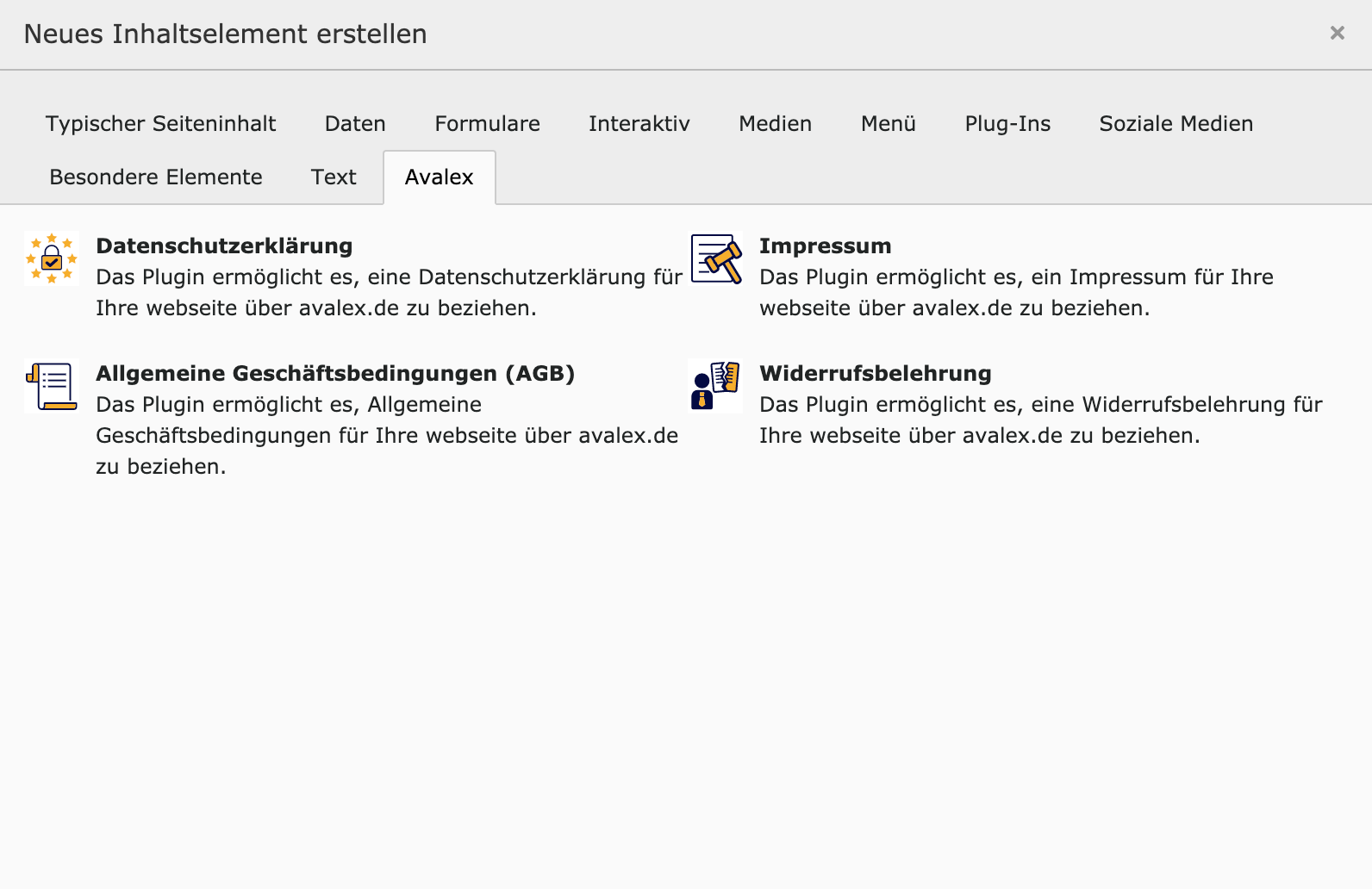
    Visit a page in the TYPO3 backend and click on + Content to open the Content Element Wizard. Navigate to tab Avalex and choose one of the available plugins. No further settings are necessary. The text output will be with standard h2 headers and therefore should blend with the normal content.

    Add frontend plugin
  6. Create avalex configuration record

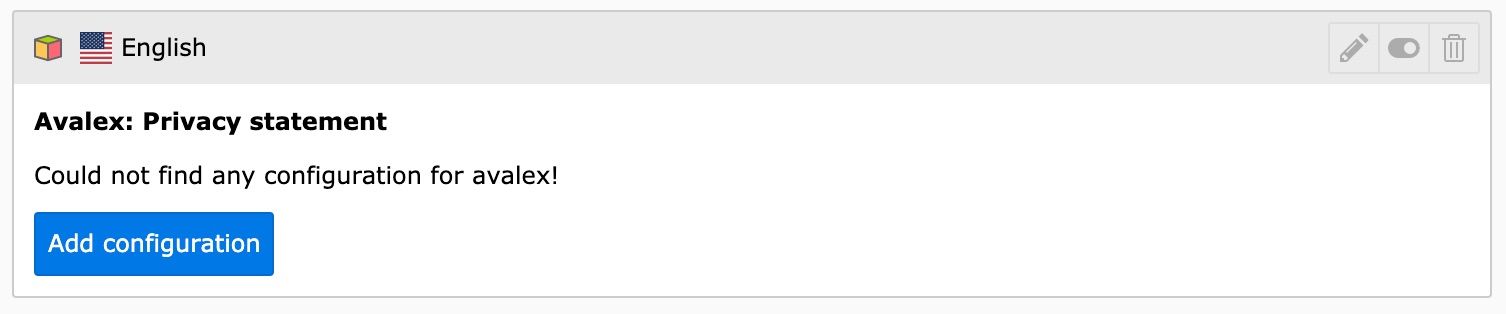
    Now it is required to add a configuration which contains the Avalex API key. Use the Add configuration button at one of the avalex plugins in the Page view for that.

    Add configuration button
  7. Configure avalex

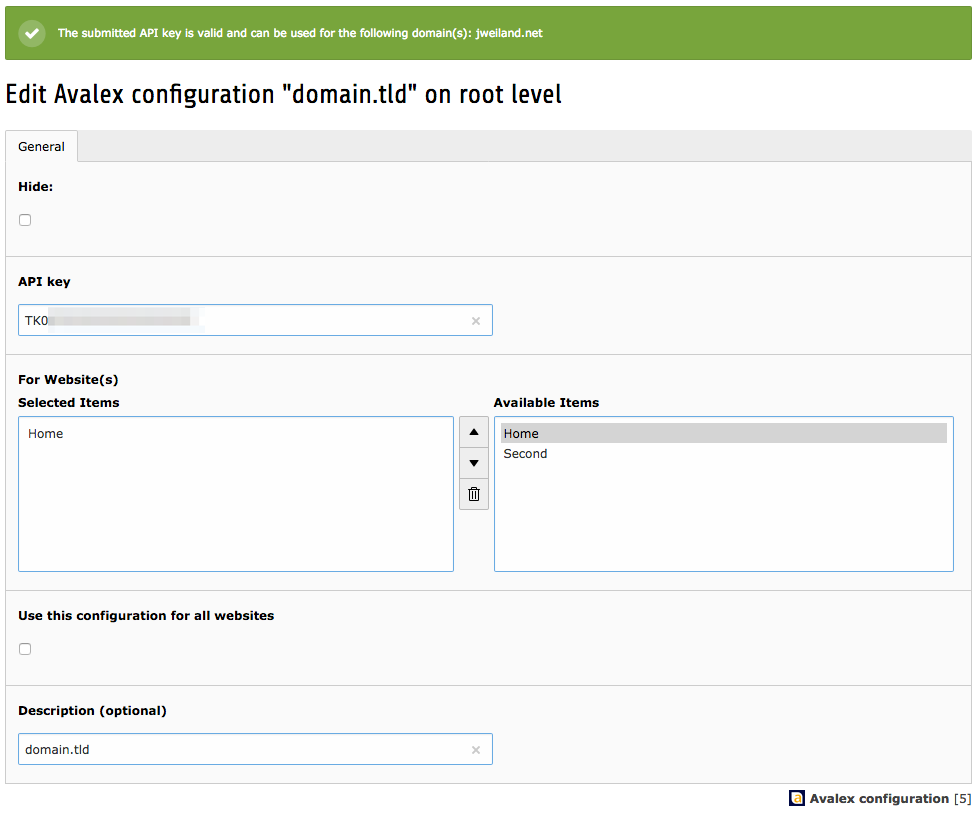
    In the record you select the root page of your web site and the API key for the domain (which you get from the Avalex web site after registering for the service).

    Create record

Developer manual 

Usage of hooks 

You can modify the behaviour of some tasks using hooks. There are several HookInterfaces that make your life easier. You can find them in Classes/Hooks/. They are described in this manual.

ApiService hooks 

The first step is to add your class to the hook object array in your ext_localconf.php. You can use Your\Extension\Hooks\YourCustomAvalexHook::class for newer TYPO3 versions if you want. Now you can proceed with adding the specific interfaces shown below.

Example:

$GLOBALS['TYPO3_CONF_VARS']['EXTCONF']['avalex'][\JWeiland\Avalex\Service\ApiService::class][] = \Your\Extension\Hooks\YourCustomAvalexHook::class;
Copied!

Modify the configuration before sending the request 

You can use the JWeiland\Avalex\Hooks\ApiService\PreApiRequestHookInterface in your extension to modify the configuration array that contains the api_key and the domain before sending the request to avalex.

Modify the content before caching and rendering it 

You can use the JWeiland\Avalex\Hooks\ApiService\PostApiRequestHookInterface in your extension to modify the content API returned. Please make sure to take a look at the public functions of the ApiService which will be passed to the hook as second parameter. The first parameter $content is a reference so you can modify the output completely.

<?php
namespace Your\Extension\Hooks;

use JWeiland\Avalex\Hooks\ApiService\PostApiRequestHookInterface;
use JWeiland\Avalex\Service\ApiService;

class ModifyContentHook implements PostApiRequestHookInterface
{
    public function postApiRequest(&$content, ApiService $apiService)
    {
        if ($apiService->getCurlInfo()['http_code'] === 200) {
            // add class to p tags
            $content = str_replace('<p>', '<p class="privacy">', $content);
        }
    }
}
Copied!

Sitemap