This TYPO3 extension supports the rendering of a map based on Google Maps or
OpenStreetMap. The map can be additionally enriched with markers, routes,
area and radius overlays and these overlays can be grouped into categories
for easy and recurring assignment.
Keywords
typo3,TYPO3 CMS,google maps,osm,open street map,openstreetmap,maps2
maps2 is an extension for TYPO3 CMS. It can render you a map based on Google Maps and/or OpenStreetMap. If you
want, you can create Markers, Routes, Area and Radius overlays. Assign these overlays to categories to
build a map, with all points based on selected category.
Screenshots
See maps2 in action.
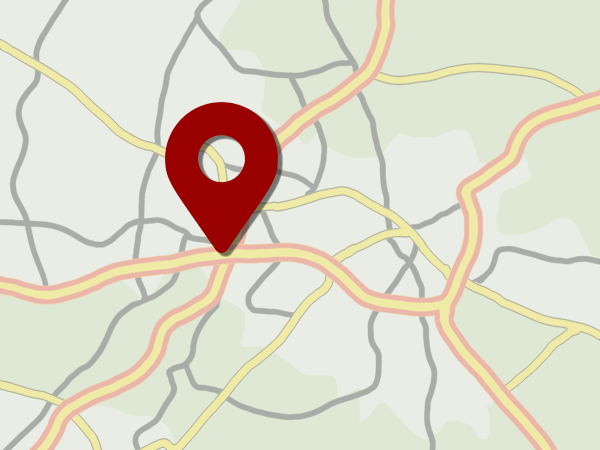
Point
Introduction Package just after installation (caption of the image)
How the Frontend of the Introduction Package looks like just after installation (legend of the image)
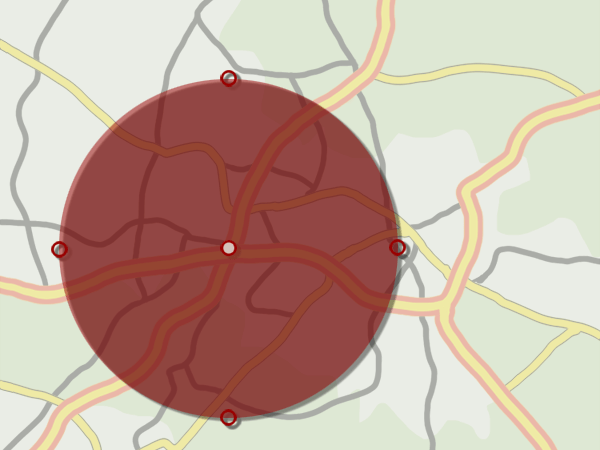
Radius
Introduction Package just after installation (caption of the image)
How the Frontend of the Introduction Package looks like just after installation (legend of the image)
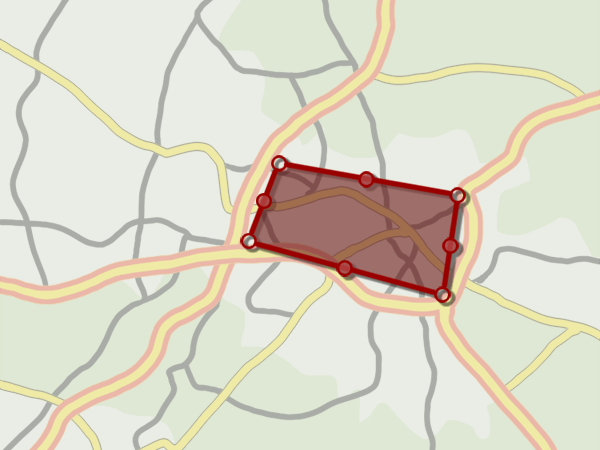
Area
Introduction Package just after installation (caption of the image)
How the Frontend of the Introduction Package looks like just after installation (legend of the image)
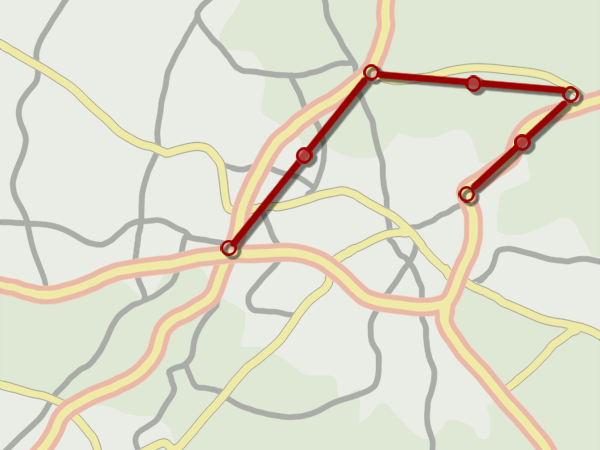
Route
Introduction Package just after installation (caption of the image)
How the Frontend of the Introduction Package looks like just after installation (legend of the image)
If your TYPO3 installation uses Composer, install the latest release of this
extension through:
composer require jweiland/maps2
Copied!
If you are not using the latest version, you need to
add a version constraint, for example:
composer require jweiland/maps2:"^9.3"
Copied!
Installing the extension prior to TYPO3 11.4
Before TYPO3 11.4 it was still necessary to manually activate extensions
installed via Composer using the Extension Manager. Activate it as follows:
Navigate to Admin Tools > Extensions > Installed Extensions
Search for maps2
Activate the extension by clicking on the Activate button in the
A/D column
Legacy mode
If you are working with a TYPO3 installation that does not use Composer, install
the extension in the Extension Manager:
Navigate to Admin Tools > Extensions > Get Extensions.
Click on Update now
Search for maps2
Click Import and install on the side of the extension entry
and activate it:
Navigate to Admin Tools > Extensions > Installed Extensions
Search for maps2
Activate the extension by clicking on the Activate button in the
A/D column
See also
On pages "t3start:Extensions/Management" and
"t3start:Extensions/LegacyManagement"
both TYPO3 installation modes are explained in detail.
Next step
Please edit ExtensionManager configuration of maps2 to decide, if you will use Google Maps or OpenStreetMap
as your default rendering service: extensionmanager.
If you want to work with Google Maps in TYPO3 backend you or an administrator have to configure the
Google Maps API keys in extensionmanager to get a working environment.
Include static template Maps2 Default (maps2)
include one of these static templates Maps2 for Google Maps (maps2) or
Maps2 for Open Street Map (maps2)
Update these properties in TypoScript Constant Editor:
plugin.tx_maps2 {
  persistence {
    # We prefer to set a Storage PID where the maps2 records are located
    storagePid = 4
  }
  settings {
    # If you're using Google Maps you have to set an API key to allow loading the map in frontend
    googleMapsJavaScriptApiKey = ABC123...
  }
}
Some general settings for maps2 can be configured in Admin Tools -> Settings.
The settings are divided into several tabs and described here in detail:
Tab: Basic
mapProvider
Default: both
Decide, if you want to use Google Maps or OpenStreetMap in your project. If you're unsure you can keep both
active, but in that case you and/or your editor have the possibility to switch between Map Providers in
PoiCollection record.
Important
If you keep both active you have multiple static extension templates available. You have to decide for one map
provider in your TS-template record. And yes, you can't show maps of both map providers on the same page.
Important
If you change from one Map Provider to another we remove the static extension template of the prior Map
Provider from selection of your TS-template record.
defaultMapProvider
Default: gm
This setting is only relevant if you have chosen both at mapProvider. Select a default map provider to be
preselected for new poi collection records.
Important
If you keep both active you have multiple static extension templates available. You have to decide for one map
provider in your TS-template record. And yes, you can't show maps of both map providers on the same page.
defaultMapType
Default: Empty
By default an editor has to choose which type of poi collection record he wants to create. As an administrator or
integrator you have the possibility to reduce the allowed record types. In that case it may make sense to set default
map type to another value. Further the editor saves one further click.
defaultCountry
Default: [empty]
If a Google Maps Geocode request will be requested with only a postal code, the map provider will try to find that
postal code somewhere all over the world. If your website is only available for one specified country, you can enter
a country name to reduce the map position to given country. If you have POIs all over the world you should keep that
field empty.
defaultLatitude
Default: [empty]
By default the map in new poi collection records will be somewhere in the atlantic at longitude:latitude 0:0. Please
set default latitude to a well known start position to start search from.
defaultLongitude
Default: [empty]
By default the map in new poi collection records will be somewhere in the atlantic at longitude:latitude 0:0. Please
set default longitude to a well known start position to start search from.
defaultRadius
Default: 250
While creating new poi collection records of type Radius we set the default radius to 250 meters. Change that value
here, if you need another default value.
explicitAllowMapProviderRequests
Default: false
If you use our maps2 extension your browser will send requests to Google Servers to retrieve the map images.
These requests contains the IP address of the website visitors which is a user defined information in some countries.
User defined information which will be sent to third party servers needs to be explicit allowed by the visitor.
Enable this option, if you need this explicit activation of Google Maps in Cookie.
explicitAllowMapProviderRequestsBySessionOnly
Default: false
If you use our maps2 extension your browser will send requests to Google Servers to retrieve the map images.
These requests contains the IP address of the website visitors which is a user defined information in some countries.
User defined information which will be sent to third party servers needs to be explicit allowed by the visitor.
Enable this option, if you need this explicit activation of Google Maps for current browser session.
Important
Firefox stores the browser SESSION on exit by default. So this feature will not work for Firefox browsers except you
configure your firefox explicit to destroy session vars on close.
You can define your own default template for the info window content when clicking on a marker.
Further you can override this template path again with TypoScript:
When you're searching for an address while creating PoiCollection records maps2 starts a Geocode request to
Google Maps Geocode API. If needed you can change that URI here.
Important
There are two %s placeholders in URI. We replace them with sprintf(), so, if you change that URI the new URI
must have these two placeholders, too.
googleMapsJavaScriptApiKey
Default: [empty]
Since 2018 Google Maps needs API keys to get their services to work. So with version 2.0.0 of maps2 you can and have
to set an API key for JavaScript based requests to Google to show the map in TYPO3 backend. Yes, this
configuration is for the backend only. To allow loading maps for frontend you should set the same or another API key
in TypoScript (see section Configuration).
Since 2018 Google Maps needs API keys to get their services to work. So with version 2.0.0 of maps2 you can and have
to set an API key for Geocoding requests to Google to allow searching for latitude/longitude by a given address in
TYPO3 backend and frontend (Plugin CityMap).
When you're searching for an address while creating PoiCollection records maps2 starts a Geocode request to
Open Street Map Geocode API. If needed you can change that URI here.
Important
There is one %s placeholder in URI for address. We replace it with sprintf(), so, if you change that URI the new URI
must have this placeholder, too.
Tab: Design
strokeColor
Default: #FF0000
If you work with poi collection records of type Area, Route or Radius maps2 will use this color for borders
of the overlays.
strokeOpacity
Default: 0.8
If you work with poi collection records of type Area, Route or Radius maps2 will use this opacity to let the
underlying map data shine through.
strokeWeight
Default: 2
If you work with poi collection records of type Area, Route or Radius maps2 will use this width as border
thickness for the overlays.
fillColor
Default: #FF0000
If you work with poi collection records of type Area or Radius maps2 will fill the overlay with this color.
fillOpacity
Default: 0.35
If you work with poi collection records of type Area or Radius maps2 will use this opacity to let the
underlying map data shine through.
markerIconWidth
Default: 25
Define a default width for Marker Icons in pixel. You can override this value
individually in Category and PoiCollection records.
markerIconHeight
Default: 40
Define a default height for Marker Icons in pixel. You can override this value
individually in Category and PoiCollection records.
markerIconAnchorPosX
Default: 13
Which horizontal pixel on the image points the position on the Google Maps.
You can override this value individually in sys_category and PoiCollection records.
markerIconAnchorPosY
Default: 40
Which vertical pixel on the image points the position on the Google Maps.
You can override this value individually in sys_category and PoiCollection records.
Define a poi collection record which should be shown on the website.
categories
Default: [empty]
If you have not set a fixed poiCollection above you can choose one or more categories here. If you have chosen more
than one category some checkboxes will appear below the map in frontend where you can switch the markers of the
chosen category on and off.
mapWidth
Default: 100%
The width of the map.
mapHeight
Default: 300
The height of the map.
zoom
Default: 12
Set default zoom for map in frontend.
forceZoom
Default: false
This setting is only interesting, if you will show multiple POIs on map. In that case maps2 will zoom out until
all POIs can be displayed. This is realized with the BoundingBox feature of Google Maps or OpenStreetMap. If
you don't want maps2 to zoom out, because you have POIs all around the world for example, you can activate
this checkbox to prevent automatic zooming.
zoomControl
Default: true
Show zoom control of map provider.
activateScrollWheel
Default: true
If deactivated you can not zoom via your mouse scroll wheel over the map.
fullScreenControl
Default: true
Show control to toggle between normal and full screen mode.
Default: Road map
Map Provider: Open Street Map only
Define another external provider to show map with another layout
mapTileAttribution
Default: Road map
Map Provider: Open Street Map only
Each map needs to show the author attribution. Please check which Attribution has to be used for defined map tile above.
Maps2: Search Radius
mapWidth
Default: 100%
The width of the map.
mapHeight
Default: 300
The height of the map.
zoom
Default: 12
Set default zoom for map in frontend.
forceZoom
Default: false
This setting is only interesting, if you will show multiple POIs on map. In that case maps2 will zoom out until
all POIs can be displayed. This is realized with the BoundingBox feature of Google Maps or OpenStreetMap. If
you don't want maps2 to zoom out, because you have POIs all around the world for example, you can activate
this checkbox to prevent automatic zooming.
zoomControl
Default: true
Show zoom control of map provider.
activateScrollWheel
Default: true
If deactivated you can not zoom via your mouse scroll wheel over the map.
fullScreenControl
Default: true
Show control to toggle between normal and full screen mode.
Default: Road map
Map Provider: Open Street Map only
Define another external provider to show map with another layout
mapTileAttribution
Default: Road map
Map Provider: Open Street Map only
Each map needs to show the author attribution. Please check which Attribution has to be used for defined map tile above.
Maps2: City Map
autoAppend
Default: [empty]
Append a fixed string to search value. Maybe a cityname. That way the user has only to insert a street.
mapWidth
Default: 100%
The width of the map.
mapHeight
Default: 300
The height of the map.
zoom
Default: 12
Set default zoom for map in frontend.
forceZoom
Default: false
This setting is only interesting, if you will show multiple POIs on map. In that case maps2 will zoom out until
all POIs can be displayed. This is realized with the BoundingBox feature of Google Maps or OpenStreetMap. If
you don't want maps2 to zoom out, because you have POIs all around the world for example, you can activate
this checkbox to prevent automatic zooming.
zoomControl
Default: true
Show zoom control of map provider.
activateScrollWheel
Default: true
If deactivated you can not zoom via your mouse scroll wheel over the map.
fullScreenControl
Default: true
Show control to toggle between normal and full screen mode.
Set this value to a Storage Folder where you have stored the event records.
Important
If you have stored Organizers and Locations in another Storage Folder, you have to add theses
PIDs here, too.
Tip
If you use creation of events over frontend plugin, new records will be stored in first PID found
in storagePid. To store record in other storage PIDs you need following configuration
Here you can define your own Fluid-Template for these little PopUps of Markers.
Since maps2 9.2.0 you have access to all related foreign records of your PoiCollection in Template.
Use: <f:for each="{poiCollection.foreignRecords}" as="foreignRecord">...</f:for>
As such a PoiCollection can be assigned to multiple different tables like tt_address, news, what ever, you can differ
between the foreign records with f.e.:
This value is configurable through TypoScript Constants Editor
If you work with a lot of poi collection records you can activate the marker clusterer. The marker
clusterer will merge multiple poi collections to 1 icon with the contains amount of records.
Before any maps2 record can be shown in the frontend those need to be
created.
Create a new sysfolder.
(Of course you can also use an existing sysfolder).
Switch to List module
Use the icon in the topbar "Create new record" and search for "Maps2" and its
record "Marking".
Click on "Marking" to create a new maps2 record.
Give it a title (required)
Choose a type of record you want to create. This will reload the form to show further fields especially for this
record type. Alternative you can click on one of these type images to switch the type.
After reload you should see some more tabs now. Click on tab "Map"
Field "Address" is required, but you can not fill it. Please use the search field at top of map to search
for an address and press <Return>. If an address was found, we will automatically fill the required address field
in a formatted representation of the searched address.
Add a plugin to a page
A plugin is used to render a defined selection of records in the frontend.
Follow this steps to add a plugin to a page:
Maps2: Show map - Plugin
Create a new page with a title like "Location" which will be used to show
a Marking record.
Add a new content element, switch to Tab "Plugins" and select the entry "Maps2: Show map"
Change the 1 st field to one of your created Marking records.
Save the plugin.
Here are some more possible configuration of the plugin:
If you leave marking and category field empty we will show all POIs of configured StorageFolder
If you leave marking field empty, but select some categories we will show all POIs of selected category. As long
as they are available in configured StorageFolder.
If marking and category field is set, marking field has precedence.
If there is a PoiCollection UID in URI this POI has precedence over marking and category settings.
Info: If there will be shown more than one POI on the map it is not possible to set zoom anymore. We are
working with the BoundedBox feature of Google Maps and OpenStreetMap to zoom out until all POIs are visible.
Maps2: Search Radius - Plugin
Create a new page with a title like "Radius Search" which will be used to show
a form, where a website visitor can enter an address and a range to search for Markings.
Add a new content element of type "General Plugin"
Switch over to tab "Plugin" and select "Maps2: Search Radius" from selectbox "Selected Plugin"
After reload go to Tab "Plugin" again and change the 1 st field to a location where you want to search.
Something like "germany" or a city name.
Save the plugin.
Maps2: City Map - Plugin
Create a new page with a title like "City Map" which will be used to show
a form, where a website visitor can enter a street name.
Add a new content element of type "General Plugin"
Switch over to tab "Plugin" and select "Maps2: City Map" from selectbox "Selected Plugin"
After reload go to Tab "Plugin" again and Change the 1 st field to location where you want to search. Type
in a city name and the results will be reduced to that city.
The maps2 record is the most important record in this extension.
Global fields
Field
Description
Hide
Activate checkbox to hide that marker from map in frontend
Language
For which language this marker should be rendered
Type
There are currently four different types available. Choose one of Point, Radius, Area and Route
Title
Give your POI a title
Address
This field is required, but readonly. To fill it you have to search for an address in the field
at the map and press <Return>. If Google Maps or OpenStreetMap has found your address, we will
automatically fill that field with a formatted address
Map
If you are connected with the internet you should see a Map with a Marker. With a click on the map
or drag 'n drop you can move the marker on the map. If you have moved the marker the fields
latitude and longitude will be updated.
If you're working with Google Maps please set JavaScript- and GeoCoding API-Keys in ExtensionManager
Latitude
If you you know the exact latitude you can type it in here. Else you have to use the search field
to navigate to the right position
Longitude
If you you know the exact longitude you can type it in here. Else you have to use the search field
to navigate to the right position
Publish date
This is a TYPO3 field. Give it a date when your marker should be shown on the map.
Expiration date
This is a TYPO3 field. Give it a date when your marker should be hidden on the map.
Categories
This field works with the category system of TYPO3 (since TYPO3 6.0). You can assign markers to
categories. If these categories have a marker icon defined, your marker will automatically get
that marker icon assigned. A marker icon defined in your marker itself has always a higher priority.
Additional fields for Point
Field
Description
Info window content
Here you can define a text which will be displayed in a little popup, if you click on a marker in
frontend
Image(s) for info window content
Here you can define some images which should be added to the little popup.
Marker icon
If you want, you can replace maker icon with your own icon. We prefer to use a small image.
Marker icon width
If you have defined a marker icon, you should give it a fixed width here
Marker icon height
If you have defined a marker icon, you should give it a fixed height here
Marker icon position X
In case of Google Maps the lower left corner will point to the exact position on the map. With this
value you can move your icon horizontal by the amount of pixels.
In case of OpenStreetMap the center of your icon will be used to point to the exact position on
the map. If you set this value, the upper left corner will be used to move your icon horizontally.
move that position from center of icon. It
Marker icon position Y
In case of Google Maps the lower left corner will point to the exact position on the map. With this
value you can move your icon vertically by the amount of pixels.
In case of OpenStreetMap the center of your icon will be used to point to the exact position on
the map. If you set this value, the upper left corner will be used to move your icon vertically.
Additional fields for Area
Field
Description
Info window content
Here you can define a text which will be displayed in a little popup, if you click on a marker in
frontend
Image(s) for info window content
Here you can define some images which should be added to the little popup.
Stroke color
Set stroke color of the outer border. If not set we use value from Extensionmanager configuration.
Stroke opacity
Sets the border opacity. If 1 you will not see the Map behind the border. If 0 you will not see the
Border of the overlay. We prefer to set that value a little bit higher than fill opacity. If
not set we use value from Extensionmanager configuration.
Stroke weight
The width of the border in pixel. If not set we use value from Extensionmanager configuration.
Fill color
In case of Area and Radius you can choose a color to fill your marker.
If not set we get that value from Extensionmanager configuration.
Fill opacity
Sets the fill opacity. If 1 you will not see the Map behind the overlay. If 0 you will not see the
the overlay. If not set we use value from Extensionmanager configuration.
Additional fields for Route
Field
Description
Info window content
Here you can define a text which will be displayed in a little popup, if you click on a marker in
frontend
Image(s) for info window content
Here you can define some images which should be added to the little popup.
Stroke color
Set stroke color of the outer border. If not set we use value from Extensionmanager configuration.
Stroke opacity
Sets the border opacity. If 1 you will not see the Map behind the border. If 0 you will not see the
Border of the overlay. If not set we use value from Extensionmanager configuration.
Stroke weight
The width of the border in pixel. If not set we use value from Extensionmanager configuration.
Additional fields for Radius
Field
Description
Info window content
Here you can define a text which will be displayed in a little popup, if you click on a marker in
frontend
Image(s) for info window content
Here you can define some images which should be added to the little popup.
Radius
Type in the radius of your marker or resize the radius on the map to update that field.
Stroke color
Set stroke color of the outer border. If not set we use value from Extensionmanager configuration.
Stroke opacity
Sets the border opacity. If 1 you will not see the Map behind the border. If 0 you will not see the
Border of the overlay. We prefer to set that value a little bit higher than fill opacity. If
not set we use value from Extensionmanager configuration.
Stroke weight
The width of the border in pixel. If not set we use value from Extensionmanager configuration.
Fill color
In case of Area and Radius you can choose a color to fill your marker.
If not set we get that value from Extensionmanager configuration.
Fill opacity
Sets the fill opacity. If 1 you will not see the Map behind the overlay. If 0 you will not see the
the overlay. If not set we use value from Extensionmanager configuration.
Working with type "Point"
First of all search for an address.
To fine tune the position you can click somewhere on the map or drag'n drop the marker to your preferred location.
Working with type "Area"
First of all search for an address.
With left click somewhere on the map you can create new points on the map.
You need at least 3 clicks to see the fill color of the area.
Use right click to remove a point.
Route
First of all search for an address.
With left click somewhere on the map you can create new points on the map.
Use right click to remove a point.
Radius
First of all search for an address.
Click somewhere on the map or drag'n drop the center of the radius to move the marker around.
You can resize the radius via drag'n drop with one of the points at the border.
Since version 2.0.0 maps2 will only work with assigned Google Api Keys.
This documentation will show you step by step how to get the API Keys
from Google Clout Platform.
Google Cloud Platform
If you don't have a Google Account you have to register as a new User.
Click the button Get started which will open the Enable Google Maps Platform Guide
Activate the Checkboxes for Maps and Places. Actually we don't have support for Routes,
so keep them deactivated.
Click on Continue
Open Selectbox Select or create project and choose + Create a new project (give it a cool name) or choose one of your previously created projects.
Click Next
If you already have assigned your billing information to your Google Account, you now can assign them to your new project.
Else you have to create new billing information first.
Important
Google needs these billing information to be sure, that you're not a robot. That's not a joke, that's google.
After assigning your billing information to your project, you will get the information that some
APIs have automatically activated for your project.
Click Next. It will need some seconds until all needed APIs were activated.
You will get a Done-Message from where you can copy your new API Key and yes:
As mentioned in this dialog-box you should improve your app's security and restrict the key's usage.
If you don't do so, everyone else can use your API Key and may generate costs over your billing information.
So please: follow the link to API Console to configure API security.
You will find a new entry from today with the glorious unique name API key. Please edit
this entry to assign it a better name and configure security settings.
Give it a better Name like: Secure Map API for my project X
Set security settings to: IP-Address (Webserver, Cronjobs etc.)
and enter the IP-Address of your server. Do not activate HTTP link as maps2 can
retrieve GEO location which will never match any configured HTTP links.
Copy your API Key and paste it into the both API fields in Extension Configuration of maps2.
Do you want it more safe?
In the section above we told you to assign your servers IP-Address to your new API Key, right?
Ok. What happens, if you're on a shared hosting system? Every customer on the same server
can use your API Key for its own website. Hmm, bad.
Please visit the API Console again
and create a second API Key. Give it a cool name, but that time you set security settings
to HTTP-link and assign all of your domains to this security setting.
Copy API Key with HTTP-link to field JavaScript API Key in Extension Configuration of maps2.
Copy API Key with IP-Address security to field Geocoding API Key in Extension Configuration of maps2.
Since TYPO3 9 you have the possibility to configure human readable
URLs with help of RouteEnhancers.
EXT:maps2 does not have any detail view of a PoiCollection, so following
routing configuration is just for the internal AJAX call to retrieve the
info window content when clicking on a marker.
If you upgrade EXT:maps2 to a newer version, please read this section carefully!
Upgrade to Version 11.0.0
This version is not TYPO3 11 compatible!
Updating TYPO3 extensions with help of class.ext_update.php is deprecated
since TYPO3 11.0 and was removed with TYPO3 12.0. So, if you upgrade from
a very old maps2 version you should upgrade maps2 to at lease version 10.*
and execute the upgrade wizard in extensionmanager first.
Upgrade to Version 10.0.9
Somewhere in October 2023 the usage of addresses as path segment in
OpenStreetMap Geocoding URIs has been deprecated/removed. Please execute
the UpgradeWizard to activate the new parameter based OSM Geocoding URI. This
UpgradeWizard will only update that value, if it is the original old URI. Any
modified URIs will be kept untouched.
Upgrade to Version 10.0.0
We have added a new Option defaultMapType to Extension Settings of maps2. Please check, if this value
matches your needs and can be found in LocalConfiguration.php.
Table tx_maps2_domain_model_poi has been removed. All POIs will be stored in
table tx_maps2_domain_model_poicollection now. Please execute UpgradeWizard to migrate existing POI records.
Extension Setting and TypoScript setting allowMapTemplatePath was completely removed. We have added a new
ControllerAction called OverlayAction, so please overwrite FluidTemplate Overlay.html instead.
All widgets are removed, as TYPO3 11 does not support ViewHelper widgets anymore. We have moved the widget into its
own Partial. Please add path to maps2 partial as follows:
We have added a new FlashMessage queue identifier extbase.flashmessages.maps2 for non-controller
FlashMessages like in GeoCodeService. Please update your fluid templates and add both ViewHelpers:
We have changed FlexForm sheet sDEFAULT for Plugins searchwithinradius and citymap to sDEF. Please
execute UpgradeWizard to move related values to new sheet and remove duplicates.
Only valid for developers:
As we have loaded Extbase ConfigurationManager within Middleware before TSFE it may switch to the
BackendConfigurationManager which is completely wrong. To prevent that we have moved
MapService::getMapProvider to MapHelper:getMapProvider and deprecated MapService::getMapProvider. Please adopt that
in your extension.
JavaScript files GoogleMaps2.js and OpenStreetMap2.js have changed. Please update your JavaScript
accordingly, if you have overwritten our files.
Update to Version 9.3.4
We have moved all constructor arguments into inject-methods in MapProviderRequestService.
We have moved all constructor arguments into inject-methods in AjaxController.
So please clear all cache after update. Please use "Flush Cache" in Installtool for TYPO3 10.* to update DI cache.
Upgrade to Version 9.0.0
As Maps2 is TYPO3 10 compatible now we have removed TYPO3 8 compatibility. Please install an old version of maps2,
if you still need TYPO3 8 compatibility. On GitHub we have created a new Branch called TYPO3_8-7.
We have removed Maps2Registry Cache from TYPO3 CachingFramework. So you can remove the Maps2Registry Caching
Tables from DB. The cached Maps2Registry configuration will now be saved in typo3conf/Maps2/Registry.json. In case
of Composer it will be stored in config/Maps2/Registry.json.
As a normal user you only need to clear the caches.
If you make use of the Maps2Registry API, please check, if the new json configuration file was created. Further
it would be good to check, if the tx_maps2_uid columns still exists in DB.
Upgrade to Version 8.0.0
As a normal user you can update to this version without any problems.
We have changed the SignalSlot preIsRecordAllowedToCreatePoiCollection. It does not allow returning $isValid as 4th
parameter anymore. As $isValid is a reference now, please change it directly and prevent your SignalSlot to return
anything.
There is no Debug Output of Map Provider response in Backend anymore, if request fails. We have added more detailed
error messages instead. As a Dev, you can access all Messages of Client and GeoCodeService directly.
Upgrade to Version 7.0.0
As a normal user you can update to this version without any problems.
As an extension developer who has modified maps2 you should read following lines:
We have removed ModifyMarker class.
--> Please update lat, lng and radius fields in BE form with JS directly.
We have removed modifyMarkerInDb function in our Map Provider JS files for BE modules.
--> Please update lat, lng and radius fields in BE form with JS directly.
We have removed AjaxController.
--> As it was not used since months, it was not used anymore.
We have removed all extbase usage from all Ajax classes and have rewritten them completely with Doctrine.
--> Please check your extension and check if an update is needed.
Update to Version 6.1.0
As mouseScrollWheelZoom is not available for all map providers you have to execute the Update Wizard
to move this Option in FlexForm from Google Maps sheet to MapOptions sheet.
Upgrade to Version 6.0.0
The current CacheIdentifier for InfoWindowContent is not save for multilingual environments.
That way we have removed cacheIdentifier property from all Cache ViewHelpers and added the new property poiCollection.
It helps us to build a more unique CacheIdentifier with GeneralUtility::stdAuthCode()
You have to update all of your templates where our Cache ViewHelpers are used. In most cases only
InfoWindowContent.html has to be modified. Please remove cacheIdentifier from all Cache ViewHelpers and add
poiCollection instead:
Please you are interested into Cache ViewHelper properties, please have a look into our updated Documentation.
Update to Version 5.1.0
We have removed the hard-coded map provider settings from VH Widgets and added these to TS-Template. So please
check your maps2 output and/or individual JS, if our Widget VHs are still working for you.
If you don't make use of our Widget ViewHelpers there should be no problem with this update.
Upgrade to Version 5.0.0
We have added an Open Street Map Implementation.
To differ between them we have added two new static templates. One for Google Maps and one for Open Street Map. You
have to keep the Default static template, but you have to add one of the other static templates.
There is a new Option called mapProvider in ExtensionManager. Please set the mapProvider and default mapProvider
to your needs.
We have moved some Google Maps fields in FlexForm to another sheet. To prevent duplicates in DB please execute
Update Wizard in Installtool.
We have removed automatic registering tx_maps2_uid column for tt_address. Please take a look into the example of
Maps2 Registry to see how it works.
As we have removed our API class GoogleMapsService completely you now have to use the API methods
in MapService and GeoCodeService instead.
getPositionsByAddress returns an ObjectStorage containing Position objects instead of RadiusResult objects now.
getFirstFoundPositionByAddress return an object of type Position now.
Upgrade to Version 4.0.0
We have added some new fields to maps2. So please go into Extensionmanager
and open the configuration. Please check, if everything matches your needs and safe
the configuration.
You have to clear the system cache, because of new fields in TCA.
We have renamed the field marker_icon from table sys_category into maps2_marker_icons
and switched to FAL related images. Please execute Update script in Extensionmanager for maps2
to migrate your old images.
We have moved all JavaScript Code from page.includeJSFooter to page.includeJSFooterlibs, so
now you have better options to override or append our/your custom JavaScript in TypoScript.
All methods of MapService have been migrated into GoogleMapsService.
GeocodeUtility have been deleted. Please use getPositionsByAddress or getFirstFoundPositionByAddress
of GoogleMapsService.
Upgrade to Version 3.0.0
We have removed TYPO3 6.2 compatibility completely.
In f.e. germany it is not allowed to send the users ip address without
his confirmation. That's why we have added a new extension management configuration
which can output a little form, where the user can accept sending his information
to third party servers like Google to display the maps. This new feature
touches nearly all methods, so, if you have extended maps2, please pre-check the new
widget templates and actions. Maybe it's good to have a look into the new GoogleMapsService class.
Update to Version 2.5.0
With version 2.5.0 we have solved a camelcase problem of the cache table.
It was renamed from cf_maps2_cachedHtml to cf_maps2_cachedhtml. Please delete
the old tables cf_maps2_cachedHtml and cf_maps2_cachedHtml_tags, deactivate maps2
in extension manager and activate it again.
Important
It does not help to rename these tables only.
Upgrade to Version 2.0.0
Version 2.0.0 needs a Google Maps JavaScript ApiKey which has to be inserted in
maps2 configuration of Extensionmanager (for BE usage) and in constants section
of your TypoScript-Template (for FE usage). That's why you have to insert the
static template Maps2 (maps2) in your TypoScript Template now.
Furthermore we have updated the FlexForm of maps2 and removed the option for
SwitchableControllerActions. With version 2.1.2 we have added an Update-Wizard
in Extensionmanager which can do that job for you. In prior versions you have to
remove that setting of each plugin in tt_content record field pi_flexform on your own.
Important
It does not help to open and save the record in backend!
EXT:maps2 is using fluid as template engine. If you are know how to manage fluid templates, you can skip this section.
Changing paths of the template
You should never edit the original templates of an extension as those changes will vanish if you upgrade the extension.
As any extbase based extension, you can find the templates in the directory Resources/Private/.
If you want to change a template, copy the desired files to the directory where you store the templates. This should
be a directory in your SitePackage extension. Multiple fallbacks can be defined which makes it far easier to customize
the templates.
ViewHelpers are used to add logic inside the view.
There're basic things like if/else conditions, loops and so on. The system extension fluid has the most important
ViewHelpers already included.
To be able to use a ViewHelper in your template, you need to follow always the same structure which is:
<f:foo>bar</f:foo>
Copied!
This would call the ViewHelper foo of the namespace f which stands for fluid.
If you want to use ViewHelpers from other extensions you need to add the namespace
declaration at the beginning of the template. Add or update following lines in your template, partial or layout:
Now you can use a ViewHelper of maps2 with a code like:
<maps2:trimExplode><!-- some comment --></maps2:trimExplode>
Copied!
If you want to know what a ViewHelper does, it is very easy to find the related PHP class by looking at the
namespace and the name of the ViewHelper. Having e.g. JWeiland\Maps2\ViewHelpers and convertToJson you will
find the class at maps2\Classes\ViewHelpers\ConvertToJsonViewHelper.php.
The most awesome thing is that you can use ViewHelpers of any extension in any other template by just adding
another namespace declaration like:
Use this ViewHelper to check user consent, if requests to map providers like Google Maps or OpenStreetMap
are allowed or not.
Examples
Basic example
<f:ifcondition="{m:isRequestToMapProviderAllowed()}"><f:then>
...do something to show the map or what ever you want...
</f:then><f:else>
...show overlay or add a message what user should do to see the map...
</f:else></f:if>
This ViewHelper creates an URI with a special parameter which allows the map to be visible for the user.
Examples
Basic example
<ahref="{m:requestUriForOverlay()}">
Link to current page. Map will be shown somewhere on that page.
</a>
Copied!
Scroll to content element
If you add ttContentUid to ViewHelper it will add a link section (#174)
to the end of the URI. If all of your content elements contain an id attribute like c174
the target page will scroll to this specific content element directly.
<ahref="{m:requestUriForOverlay(ttContentUid: ttContentUid)}">
Link to current page and scroll to content element with map.
</a>
If you want you can define a prefix for the generated CacheIdentifier. Leave this
value empty to use "infoWindow" as default value
poiCollection
You must assign the PoiCollection object to this ViewHelper. We extract some data from
PoiCollection to build a more unique CacheIdentifier which can differ Caches in
multilingual environment.
If you want you can define a prefix for the generated CacheIdentifier. Leave this
value empty to use "infoWindow" as default value
poiCollection
You must assign the PoiCollection object to this ViewHelper. We extract some data from
PoiCollection to build a more unique CacheIdentifier which can differ Caches in
multilingual environment.
If you want you can define a prefix for the generated CacheIdentifier. Leave this
value empty to use "infoWindow" as default value
poiCollection
You must assign the PoiCollection object to this ViewHelper. We extract some data from
PoiCollection to build a more unique CacheIdentifier which can differ Caches in
multilingual environment.
data
The data as string which has to be stored.
tags
You can define some additional CacheEntryTags if you want. By default we add two additional
Cache Tags named "infoWindowUid{PoiCollectionUid}" and "infoWindowPid{PoiCollectionPid}"
lifetime
How long (in seconds) the CacheEntry should be available, before it will be re-generated?
Keep this value empty to use the Default Value of Storage-Backend. 0 for unlimited.
Maps2 comes with some public methods which we have marked with @api. Use them
to simplify your life within your extensions when working with maps2.
Some of these methods work with Google Geocode API. So please check, if you have setup API Key
correctly in extension manager configuration of maps2.
Methods
getFirstFoundPositionByAddress
Give it an address (string) as first argument and you will get first found address as Position object.
If Google Geocode has nothing found or an error occurs this method will return null.
There is no need to PHP:rawurlencode the address as we will do it for you.
getPositionsByAddress
Give it an address (string) as first argument and you will get all found results from Google Geocode as
RadiusResult in an ObjectStorage.
Important
Within the last years Google Geocode has changed something. It will always return exactly ONE result.
So, in that case it may not make sense to call that method and switch to
getFirstFoundPositionByAddress above.
createNewPoiCollection
Use it, if you have some location records in your extension and want to create a new PoiCollection relation
automatically while saving your location record.
$pid (int)
At which page (Table: pages) should we save the PoiCollection record for you?
$position (Position)
To save a PoiCollection we need the latitude and longitude. It is good practise to retrieve such a
Position from getFirstFoundPositionByAddress above.
$overrideFieldValues (array)
We will prefill some fields like title with the formatted address of given Position object.
You want your own values? Use overrideFieldValues to override our prefilled values.
That way you can override every field of table tx_maps2_domain_model_poicollection. We have added a check
against available fields in table. That way it is not possible to produce an invalid INSERT query.
Return value (int)
The UID of the just created PoiCollection record
assignPoiCollectionToForeignRecord
We have over 5 extensions working together with maps2 and we always have to implement a part to save the
PoiCollection UID to our other extensions. Wouldn't it be better to have a centralized method doing that? Yes! So
here are the Arguments you should fill:
$poiCollectionUid (int)
Fill it with the PoiCollection UID you will get from createNewPoiCollection.
$foreignRecord (array)
This is a table row of your extension. We use it as PHP:reference to add the new PoiCollection UID directly into
your foreign record.
$foreignTableName (string)
As we save the foreign extension record for you, we need the tablename where to save the record.
$foreignFieldName (string)
Default: tx_maps2_uid
As we save the foreign extension record for you, we need the fieldname where to save the UID of PoiCollection.
getColumnRegistry
Get the Maps2 registry as array for all tables, columns and its configuration
getColumnRegistry
addForeignRecordsToPoiCollection
This method is NOT public API. It will be called automatically, if you call getForeignRecords
of a PoiCollection. It contains a SignalSlot where you can remove or modify foreignRecords
before adding them to PoiCollection.
Example
Here we have a working example out of our extension events2:
// create new map-record and set it in relation
$position = $this->googleMapsService->getFirstFoundPositionByAddress($this->getAddress($eventLocation));
if ($position instanceof Position) {
    $tsConfig = $this->getTsConfig($eventLocation);
    $this->googleMapsService->assignPoiCollectionToForeignRecord(
        $this->googleMapsService->createNewPoiCollection(
            (int)$tsConfig['pid'],
            $position,
            array(
                'title' => $eventLocation['location']
            )
        ),
        $eventLocation,
        'tx_events2_domain_model_location',
        'tx_maps2_uid'
    );
}
This is a pretty cool feature to extend your own extension with a new field which will
hold the reference UID to a PoiCollection record of maps2. So, if you have a location record or something
similar, then you can use our Maps2 registry to create a new field into a table of your extension. The default
name of the column will be tx_maps2_uid, but you can change that, if you want.
Our Maps2 registry is adapted from t3coreapi:system-categories-api
Create a new file in [yourExt]/Configuration/TCA/Overrides/[yourTableName].php
and add the individually needed lines of code. Following is a slightly example for events2 with all possible
properties:
\JWeiland\Maps2\Tca\Maps2Registry::getInstance()->add(
'events2', // Extension key of your extension'tx_events2_domain_model_location', // tablename of your location table
[
// add all columns to build a valid address as array// Add country only, if it is a string like "Germany". Else, see next options'addressColumns' => ['street', 'house_number', 'zip', 'city', 'country'],
// You can define a hard-coded country for all addresses.'defaultCountry' => 'France',
// Best option for country. If it is an INT and static_info_tables is loaded, it will// get country name from static_country.// If country could not be fetched, it will fallback to defaultCountry from above.'countryColumn' => 'country',
// Optional: If you want to assign a PoiCollection only to a reduced set of records, you should use// ``columnMatch`` property. Internally this is a very simple array value comparison. No DB! If// you need more than simple comparison you can use SignalSlot in ``CreateMaps2RecordHook``.'columnMatch' => [
// Simple match'pid' => '12',
'title' => 'jweiland.net',
// More complex examples:// Same as above: equals'pid' => [
'expr' => 'eq',
'value' => '12',
]
// pid is in list of comma separated values'pid' => [
'expr' => 'in',
'value' => '11,12,13',
]
// pid is greater than 8'pid' => [
'expr' => 'gt',
'value' => '8',
]
// pid is greater than or equals 12'pid' => [
'expr' => 'gte',
'value' => '12',
]
// pid is less than 15'pid' => [
'expr' => 'lt',
'value' => '15',
]
// pid is less than or equals 12'pid' => [
'expr' => 'lte',
'value' => '12',
]
],
// With defaultStoragePid you can define where our maps2 record should be saved.// defaultStoragePid has following priority from low to high:// PID of your location record, Configuration of Maps2Registry, pageTSconfig (ext.maps2.defaultStoragePid)// This order is hardcoded and can not be changed.// So, if a PID with help of Maps2Registry was found, it will be overwritten with value of pageTSconfig.// Within the Maps2Registry we have following ordering from low to high:// A fixed value, an extension configuration value, a pageTSconfig value.// Define a fixed storage PID where to save our maps2 PoiCollection record.// Useful for small websites. Single domain instances.// Keep in mind that this value will be overwritten with pageTSconfig (ext.maps2.pid)'defaultStoragePid' => 414,
// Do not configure "defaultStoragePid" if you want to save maps2 PoiCollection records// in same storage as your location record. But, be careful: As a fallback we are using// pageTSconfig path "ext.maps2.defaultStoragePid" which has a higher priority than PID of your location record.// So, keep that in mind, remove "ext.maps2.defaultStoragePid" from pageTSconfig to save maps2 record in same storage// of your records.// Read an extension manager configuration from ext_conf_template.txt of a given extension'defaultStoragePid' => [
'extKey' => 'events2', // extension to read $EXTCONF from'property' => 'poiCollectionPid', // Property with storage UID'type' => 'extensionmanager'// If type is not given, we will use "extensionmanager" as default.
],
// Read storage PID from pageTSconfig// You can configure that path to your needs. In example below we try to get storage PID// from pageTSconfig: ext.events2.poiCollectionPid = 4324// Do not forget: If pageTSconfig (ext.maps2.defaultStoragePid) is set, it will overwrite this configuration.'defaultStoragePid' => [
'extKey' => 'events2', // Extension key to read storage PID from'property' => 'poiCollectionPid', // Property key to read storage PID from'type' => 'pagetsconfig'
],
// Priority ordered version// We will read all these entries from array key 0 until array key 3. If a PID was found in f.e.// array key 2 (after entry 0 and 1 have not returned a valid PID) we will use it and will not// process further entries (entry 3)'defaultStoragePid' => [
0 => [
'extKey' => 'news',
'property' => 'pid_of_maps2',
'type' => 'pagetsconfig'
],
1 => [
'extKey' => 'my_ext',
'property' => 'specialConfiguredPidForMaps2',
'type' => 'pagetsconfig'
],
2 => [
'extKey' => 'my_ext',
'property' => 'mapsPid',
'type' => 'extensionmanager'
],
3 => [
'extKey' => 'events2',
'property' => 'poiCollectionPid',
'type' => 'extensionmanager'
],
],
// You can synchronize additional fields of your record with maps2 PoiCollection// Please only use fields of type String or int.// 1:N, N:1 and N:M relations are not supported. Please use SignalSlot postUpdatePoiCollection// and synchronize them on your own.'synchronizeColumns' => [
[
'foreignColumnName' => 'location', // column name of your extension'poiCollectionColumnName' => 'title'// column name of maps2 PoiCollection record
]
]
]
);
Copied!
Important
After adding these lines of code you have to de- and reactivate your extension in ExtensionManager to execute
the SQL queries in behind. Alternatively you can go into InstallTool and execute Database Compare to insert
the new configured field.
With EXT:maps2 version 10.0.0 we have remove PoiCollection- and EditPoiCollection ViewHelper. This part will explain
how to change your template to use the new implementation.
PoiCollection
Add static TS template Maps2 Default (maps2) and one of the Maps2 for Google Maps (maps2) or
Maps2 for Open Street Map (maps2) templates to the page where your extension/plugin belongs to, as far as not
already done in root page.
In case of Maps2 for Google Maps (maps2)please check, if following TS constant is set:
plugin.tx_maps2.view.googleMapsJavaScriptApiKey
Copied!
Add a further entry for maps2 to partialRootPaths configuration of your extension, so that fluid can find our
new partials:
Add static TS template Maps2 Default (maps2) and one of the Maps2 for Google Maps (maps2) or
Maps2 for Open Street Map (maps2) templates to the page where your extension/plugin belongs to, as far as not
already done in root page.
In case of Maps2 for Google Maps (maps2)please check, if following TS constant is set:
plugin.tx_maps2.view.googleMapsJavaScriptApiKey
Copied!
Add a further entry for maps2 to partialRootPaths configuration of your extension, so that fluid can find our
new partials:
In most cases EXT:maps2 uses the QueryBuilder to query data, but in case of Plugin maps2_searchwithinradius
we need to execute a native MySQL query without QueryBuilder to find the related POIs. In that special case
MySQL/MariaDB is mandatory.
Consent Tools
If you want to use external consent tools you should deactivate both options
explicitAllowMapProviderRequests and explicitAllowMapProviderRequestsBySessionOnly in
extension manager.
Klaro
Overwrite Templates path with help of TypoScript and copy Templates/PoiCollection/Show.html into your
SitePackage extension. Add data-name attribute to existing div-tag.
In some cases it may happen, that the map will be displayed partly. To prevent that problem a reload after accepting
the consent may help. Create a new js file which will be loaded AFTER klaro.js. Keep the name of
data-name, in this case maps2 here, too: