domaincheck 

Extension key

mail

Package name

mediaessenz/domaincheck

Version

main

Language

en

Author

Alexander Grein

License

This document is published under the Open Publication License.

Rendered

Wed, 29 Apr 2026 09:16:42 +0000


This extension check the availability of domains by using the API of INWX, whois command or a whois proxy.


A quick introduction in how to use this extension.

Changelog

Introduction 

What does it do? | Example Screenshots | Installation

What does it do? 

Domaincheck is an extension to check the availability of domains using the domrobot api of INWX: https://www.inwx.com/en/offer/api

Alternatively the state can be checked by using a local whois command or a whois proxy.

The search result show the state if a domain is free or occupied. If it is free, it shows a link to an order form.

The extension depends on EXT:typoscript_rendering and EXT:form.

Example Screenshots 

Frontend: Search form 

A form with second level domain to search for and a multi select box for tlds.

Frontend: Search form with entries 

A form with some user input

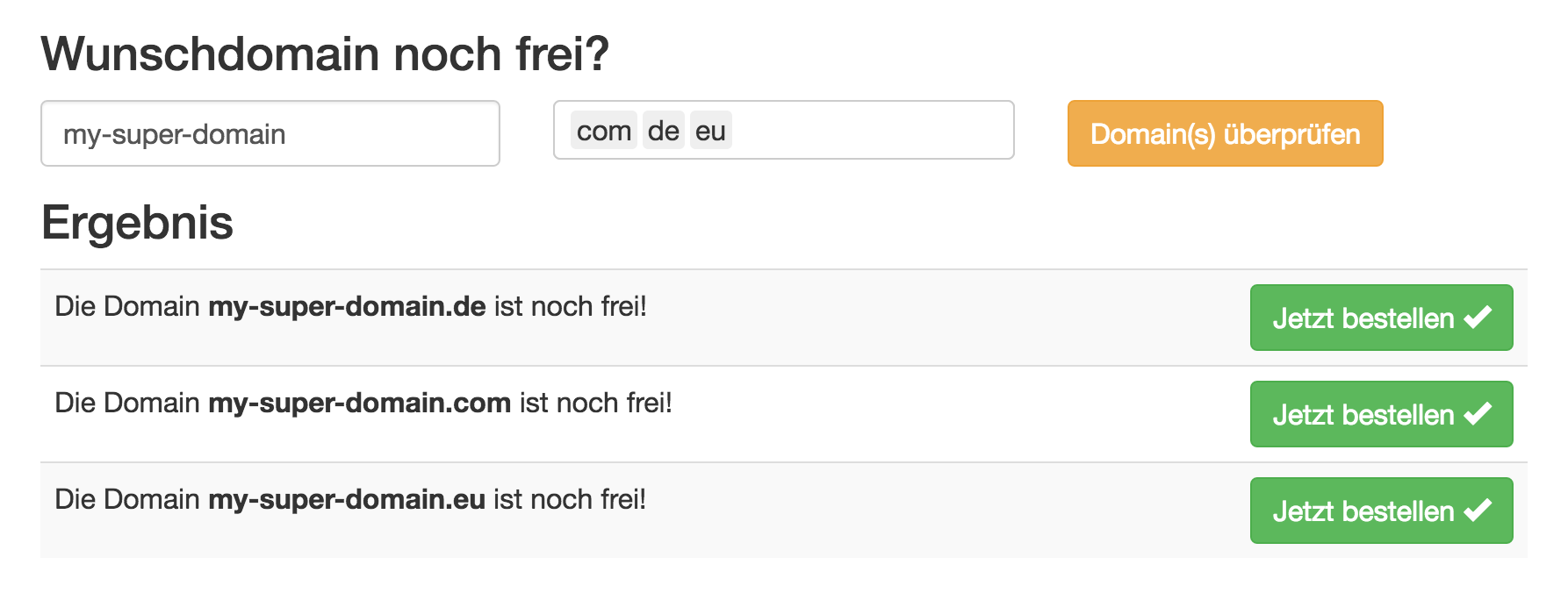
Frontend: Search result 

Result of a domain search with buttons to a form

Backend: Plugin 

New content element

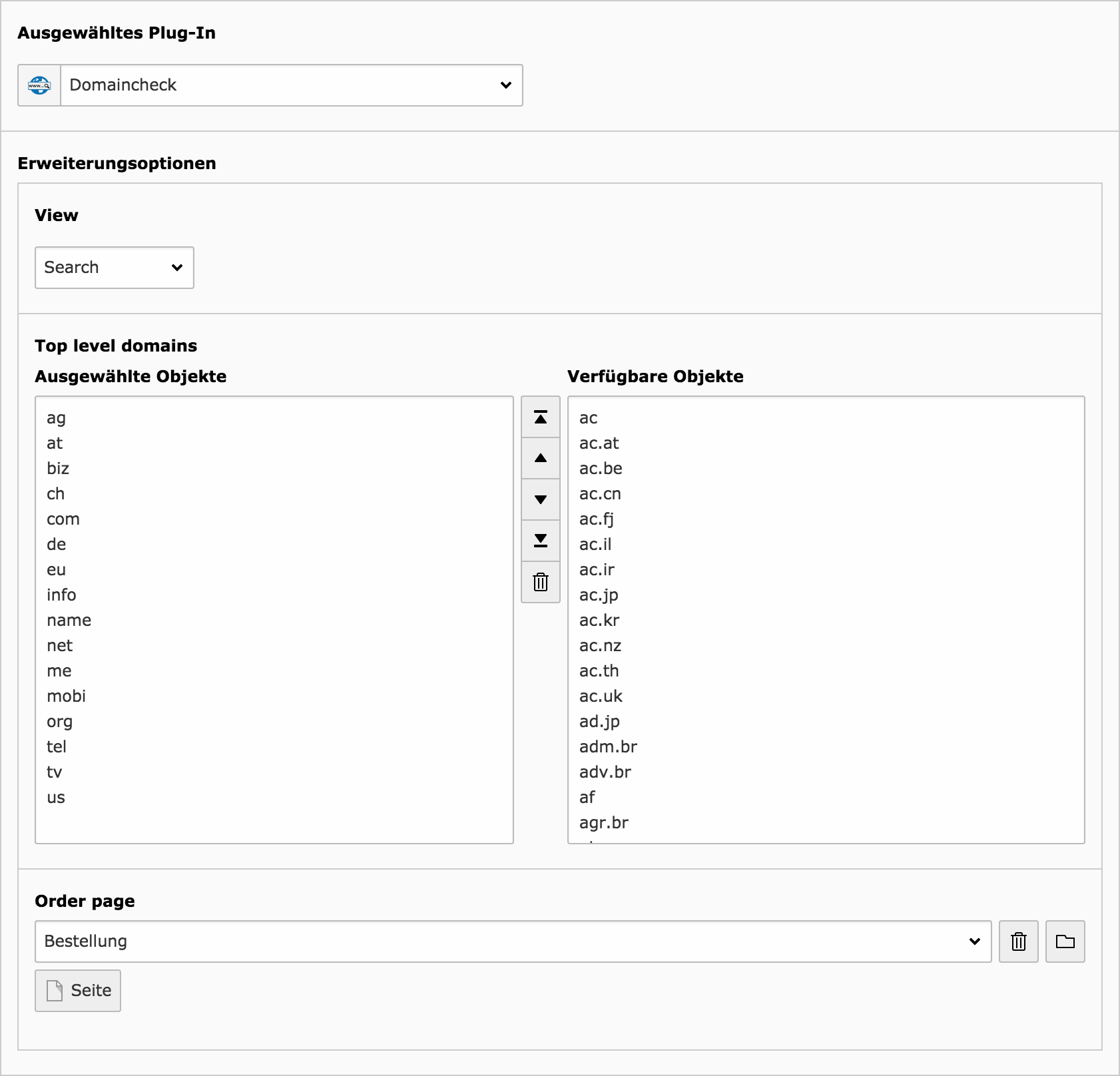
Backend: Plugin settings 

Example settings to allow only specific tld in frontend

Installation 

Load and install this extension into your TYPO3 installation using extension manager or composer.

Configuration 

  1. Configure the extension inside extension manager.

    Since this extension is primary designed to work with the api of inwx, you have to create an on there side first: https://www.inwx.de/en/customer/signup

    Since it is nowadays strongly recommended to use MFA, you should also active this option inside their (INWX) backend:

    1. Click on "Settings > Access data" and select the "Mobile TAN" tab.
    2. Click on the button "Activate mobile TAN procedure" and copy the 32-character code shown under the QR code into your clipboard.
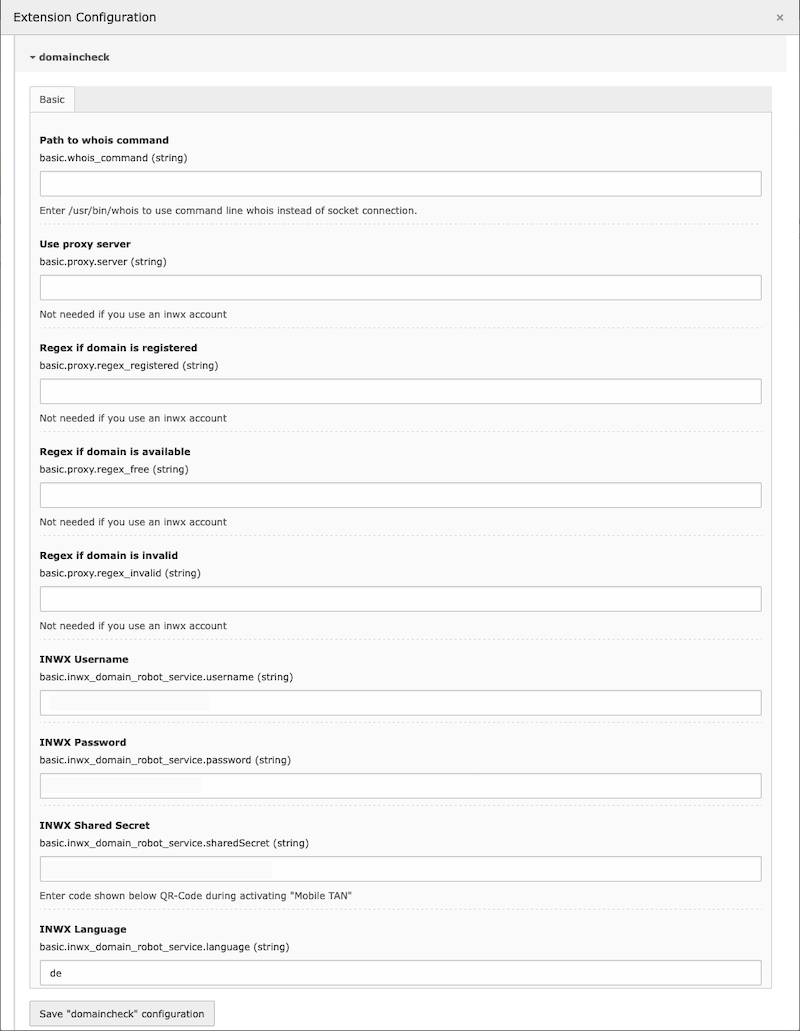
    3. Open the extension manager inside the TYPO3 backend (Administration > Settings > Extension Configuration)
    4. Paste the "Shared Secret" from your clipboard into the field "INWX Shared Secret" of the domaincheck settings. To use the API you also have to add the username and password of your INWX account inside here.
    5. Finally you have to finish the configuration on the INWS side. To do so, open your Google Authenticator App and add a new Account by scanning the QR-Code and entering the generated code into the corresponding field of the INWX ui.

    Alternatively you also can use a local whois command or a whois proxy, which needs further configurations like regex definitions to detect free, already registered or invalid domains.

  2. Add the static template "Main (domaincheck)" to your page template.
  3. Add the plugin "Domaincheck" on a page and configure it as you like.
  4. For the order form add a second new page with a form content element where selected the provided "Domainregistration" form under Plugin > General > Form definition. To set your own email receiver, check "Override finisher settings" and add your data at the upcoming "Email to receiver (you)" tab. Since EXT:form caches forms by default and there is (currently) no build in way to prevent this behaviour (see: https://forge.typo3.org/issues/91419), this extension comes with a middleware to clear pages with the cache tag domain-order-form, if the url contains the query parameter ?domain=. So just add this cache tag to the form page and you are good to go.

Sponsoring 

This extension and the manual took many hours to create. If this extension helps you in any way to meet your business needs, please consider to give something back.

Here are two ways to balance energy:

Patreon 

Support me on patreon.com

PayPal 

Support me on paypal.com.

It's just one click away!

Rate it 

In any case, please rate my extension here: https://extensions.typo3.org/extension/domaincheck

and if you are using composer to install it, here as well: https://packagist.org/packages/mediaessenz/domaincheck

Thank you!

Changelog 

Version

Release Date

Release Description

3.1.0

2025-09-19

Add Site Set for TYPO3 ^13

3.0.0

2025-02-06

Add TYPO3 13 compatibility; Use Querybuilder instead of extbase repository inside InwxCheckDomainStatusMiddleware.php

2.1.0

2024-07-25

Switch to phpDocumentor;

2.0.0

2023-08-04

Add middleware to clear form page; Remove jQuery dependency; Replace selectize.js by vanilla js; PHP 8 fixes for OTP generator; Use new icon registration; Improve description of how to get INWX shared secret; Add TYPO3 12 compatibility; Remove TYPO3 10 compatibility; Improve documentation;

1.3.5

2023-04-09

Add tag for new v1 branch

1.3.4

2022-08-01

Change project git urls in composer.json; Add gitlab ci config

1.3.3

2022-02-03

Change documentation to fit new registration form

1.3.0

2021-11-17

Code refactoring for TYPO3 11; Add registration form based on EXT:form

1.2.2

2021-03-17

Make TYPO3 10/11 compatible; set compatibility range; move tsconfig to separate folder and other small cleanups;

1.1.0

2017-04-25

Code refactoring for TYPO3 8.7

1.0.1

2017-02-21

Change outdated jquery ajax success to done

1.0.0

2016-07-31

Initial upload to TER

All changes are documented on https://gitlab.com/mediaessenz/domaincheck

Sitemap