This extension documentation is published under the
CC BY-NC-SA 4.0 (Creative Commons)
license
This extension provides functionality to create a customizable cookie consent for your website. It is developed for flexibility to be customized in accordance to your data security guidelines.
TYPO3
The content of this document is related to TYPO3 CMS,
a GNU/GPL CMS/Framework available from typo3.org .
Community Documentation
This documentation is community documentation for the TYPO3 extension mindshape Cookie Consent
It is maintained as part of this third party extension.
If you find an error or something is missing, please:
Report a Problem
Extension Manual
This documentation is for the TYPO3 extension mindshape_cookie_consent.
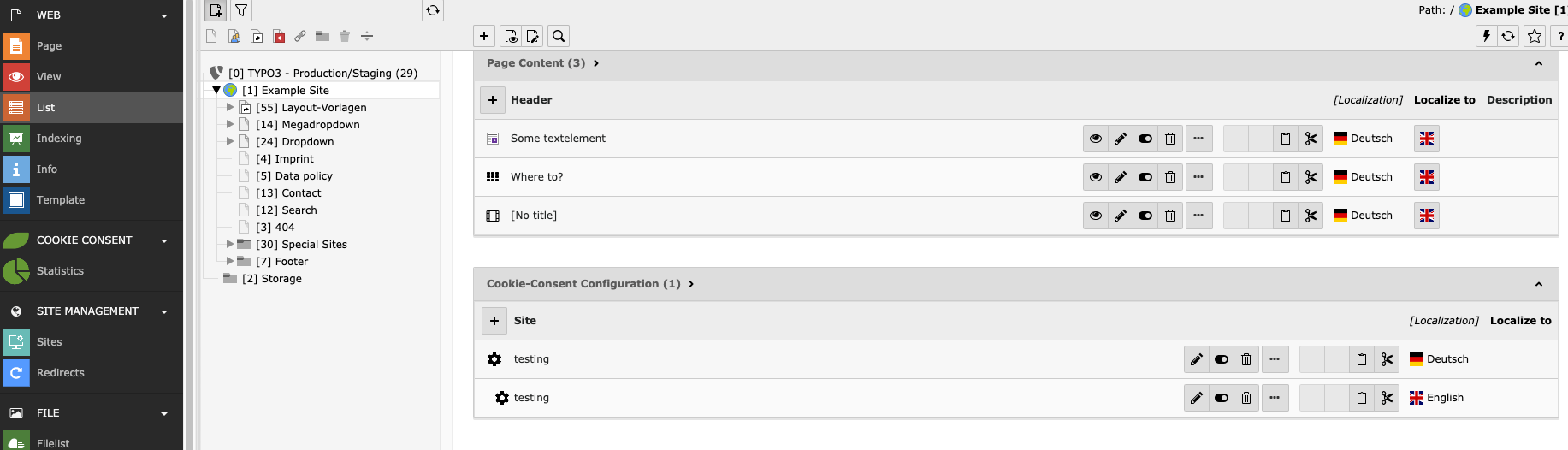
Open the root page in the List module to find the Cookie Consent Configuration.
BE View of Cookie Consent Configuration
You can choose the site(s) the cookie consent should cover. In a multi-tree-backend it is possible to have a separate cookie consent configuration for every root.
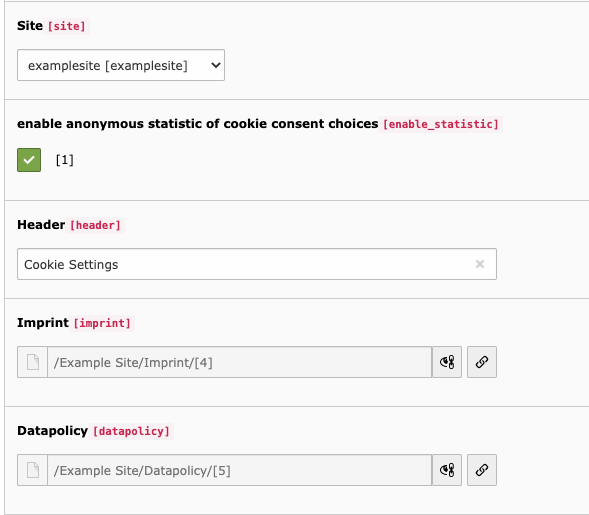
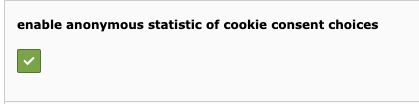
If you enable statistics, the chosen cookie consent gets collected in the Cookie Statistics backend module.
Configuration of imprint and data policy links in consent modal
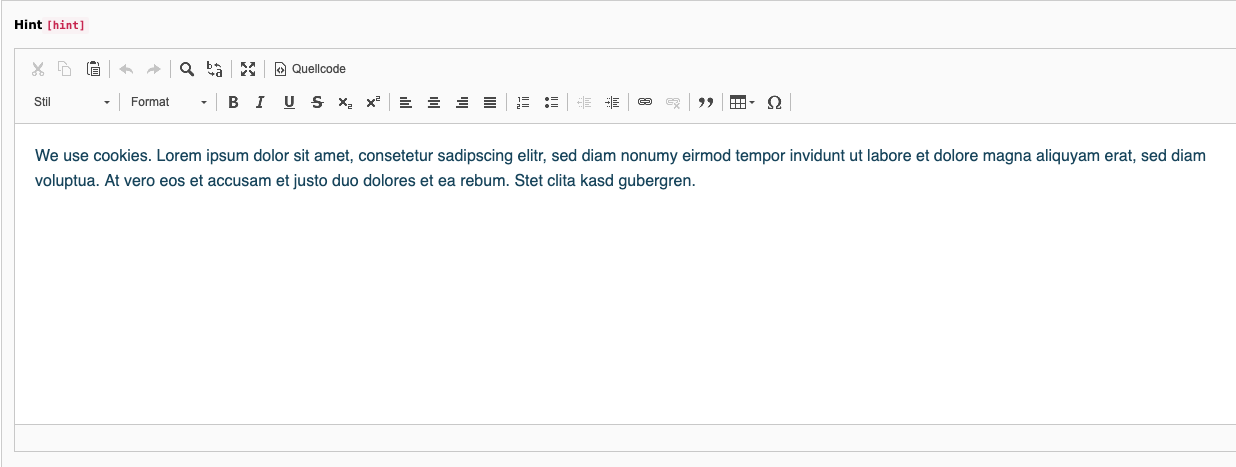
You can edit the header and hint text that appear above the individual cookies.
Configuration of Cookie Hint
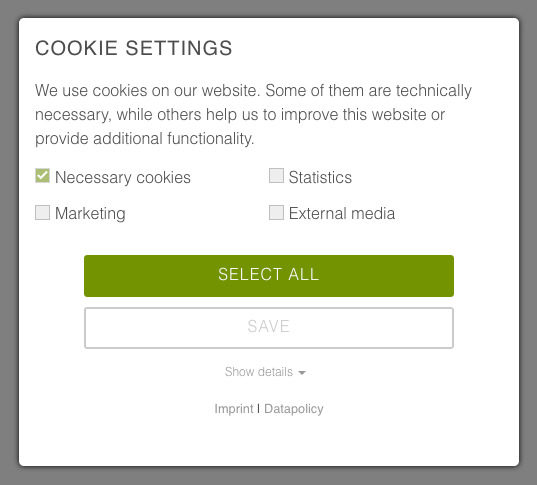
Cookie Hint in FE
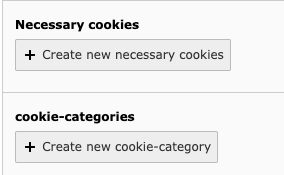
Creating new cookies
When you create new necessary cookies, they will get listed in the cookie consent modal in the frontend. Users cannot uncheck the boxes for necessary cookies, but you can provide the names, purposes and duration of those cookies.
Create new cookies
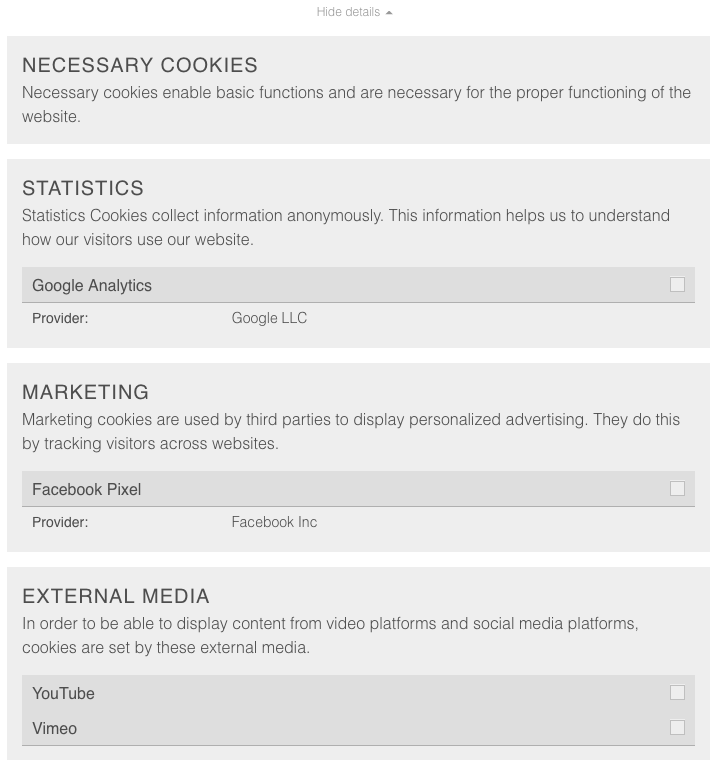
By creating a new cookie category, you can create the checkboxes for the single cookies and collect them in groups (e.g., the cookies of YouTube, Vimeo, and Google Maps get collected in the group "external media"). Creating a new option generates a new group. Inside this option, you create new cookies.
Users can accept the entire option (e.g., all of "external media") or select a single cookie inside this option (e.g., only "YouTube").
Cookie Options in the FE
Important: Note that the cookie options shown in the cookie consent modal have no effect yet. To properly block and allow cookies, a developer needs to work with the event listeners (s. developer section).
Google Consent Mode
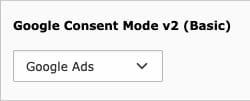
If you want to use Google Consent mode for cookies, you can use the select option in the cookie options.
For now, only Google Ads & Analytics is supported; the selected options will be pushed to your Tag Manager with "denied" or "granted" depending on the user's choice.
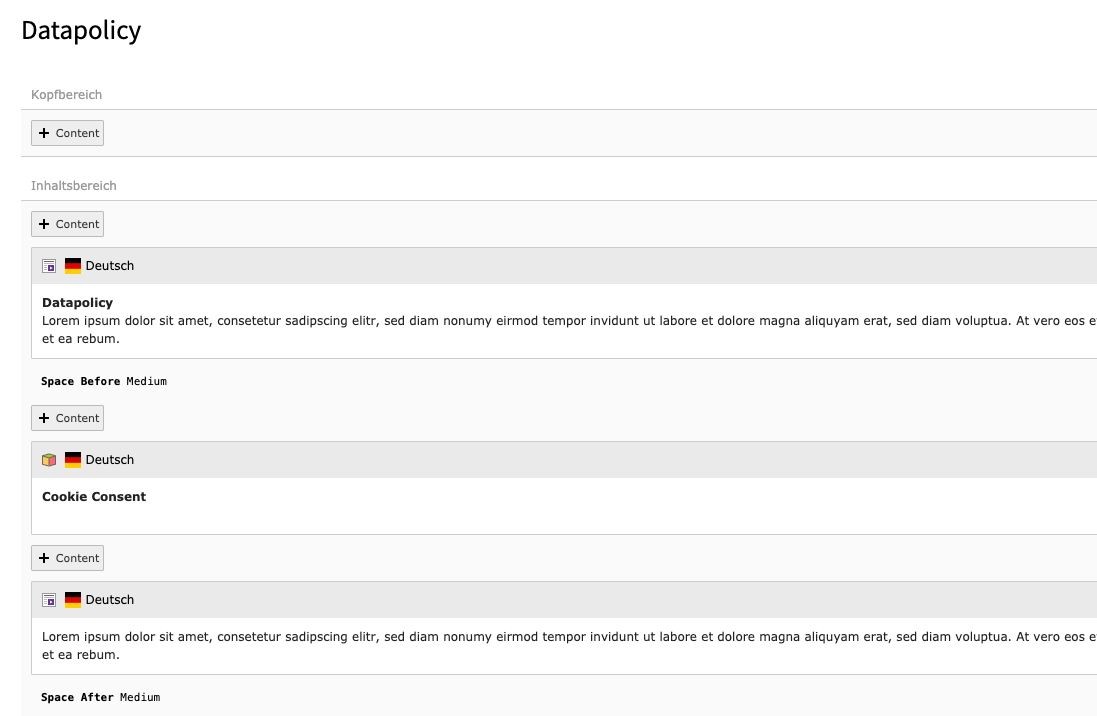
When you place the frontend plugin on a page, a button will appear in the frontend to open the cookie consent modal. The user can change the cookie consent settings and save them anew.
Example for Cookie Consent FE Plugin
The Cookie Consent Statistics Backend Module
To see statistics here, you need to have statistics enabled in the cookie consent configuration.
Example statistics shown in the statistics backend module.
At the moment, the data collected shows the percentage of users that clicked accept all versus those who only accepted single cookies.
The Cookie Consent Configuration plugin is set automatically on every root page.
Backend View of Cookie Consent Configuration
If you want the same configuration for every site you can choose "All Sites" in the configuration details. Otherwise you can configure the cookie consent for every root page separately.
Important information: Beware, that the Cookie options configured in the Cookie Consent Configuration Plugin in the backend do not have any functional effect yet. While cookie names and descriptions are displayed in the frontend modal, but to properly block and allow cookies, you need to use the event listener (s. section below).
As the developers of this extension, we have already implemented it for several of our customers. If you need any assistance with the configuration of the cookies on your website, feel free to contact us - we gladly provide assistance on an hourly basis.
Site configuration for statistics backend module
If you want to collect statistics about which cookies get accepted, you need to enable statistics in the configuration.
enable statistics in the Cookie Consent Configuration
You also need to configure the route enhancer for cookie.json. Otherwise the ajax request sent by the cookie consent form will not work.
Changing the cookie consent options fires an event, that you can work with.
window.addEventListener('cookieConsent', function (event) {
    // check options and do something
});
Copied!
The options in the event detail are identical to the identifiers chosen in the cookie consent configuration. Pay attention to the exact spelling of the identifier.
The following example works with the google analytics cookie option:
window.analyticsLoaded = false;
window.addEventListener('cookieConsent', function (event) {
if (event.detail.hasOption('google_analytics')) {
if (false === window.analyticsLoaded) {
// load analyticswindow.analyticsLoaded = true;
}
} else {
// do not load analytics
}
});
Copied!
There is also an event when the consent buttons are replaced with the real content:
window.addEventListener('cookieConsentButtonsReplaced', function (event) {
// you can also get the original click eventlet originalEvent = event.detail.originalEvent
// do something here
});
Copied!
How to use the viewhelper to block videos
To block youtube and vimeo videos, you just need to add the mindshapecookieconsent viewhelper to your typoscript.
Once activated a button will appear instead of the video iframes. After consenting to the external media cookies the iframes will appear.
Beware that this viewhelper only works with fluid styled content. If you develop your own extension and don't insert youtube videos via fluid styled content, you need to work with the event listener (see next section).
It is also important that the identifier chosen for the youtube and vimeo options are spelled "youtube" and "vimeo". Do not change the spelling in the cookie consent configuration.
How to block content using the consent viewhelper
Similar to the viewhelper for blocking videos, you can use the consent viewhelper to block other content (e.g. Google Maps).
In the frontend you get a button instead of the content. Once the user clicks the button, they accept the cookie(s) necessary to show this content and the content will get loaded.
If you need an event, that you can listen to, you can implement the viewhelper as follows:
<m:consentidentifier="google_maps"scripts="{
googleMaps: '{
src: \'//maps.googleapis.com/maps/api/js?key={apikey}\',
async: 1,
defer: 1
}'
}"><divid="maps"></div></m:consent><scriptdata-ignore="1">window.addEventListener('googleMaps', function () {
// initialize google Maps
});
</script>
Copied!
You choose the name for the event listener at the beginning of the inline script tag. In this case, the chosen name is "googleMaps". You can listen to this event in the javascript part and, in this case, initialize the google maps script.
If you only need a script to get loaded after the cookie(s) get accepted, you implement the viewhelper like this:
<m:consentidentifier="google_maps"scripts="{0: '//maps.googleapis.com/maps/api/js?key={apikey}'}">
// content to hide with a consent button
</m:consent>
Copied!
TypoScript Settings
This is a list of all TypoScript settings for this extension
Constants
Description
Default
cookieName
The name for the cookie
cookie_consent
expiryDays
Number of days until the cookie expires
365
containerId
HTML container ID for the consent modal
cookie-consent
hideIfJavaScriptDisabled
Keep the modal hidden if JavaScript is disabled
1
pushConsentToTagManager
Push an event to Google Tag Manager when the user submits consent
0
lazyloading
Open the consent modal on first user interaction (e.g., move, click, scroll).
This may help improve the page speed score.
0
lazyloadingTimeout
Timeout (in seconds) until the lazy-loaded consent modal opens automatically
120
hideCategoriesInOverview
Hide category titles in the consent modal
0
addNecessaryCookieCategoryInList
Include necessary cookie category in the list plugin
0
ajaxPageType
TYPO3 page type used for XHR requests
8641
addMarkupToFooter
Insert the consent modal HTML into the footer
1
addConfiguration
Include configuration settings as JSON in the header
1
addJavaScript
Include the default JavaScript
1
addStylesheet
Include the default stylesheet
1
disableConsent
Disable the consent modal
0
addLanguageToCookie
Add the current language to the consent cookie
0
TypoScript Condition
The extension provides the cookieConsent() TypoScript condition function. It reads the consent cookie and returns a wrapper with helper methods for TypoScript conditions.
Use getConsentOptions() to access the accepted cookie option identifiers:
['youtube' in cookieConsent().getConsentOptions()]
  lib.youtubeDsgvo = 1
[end]
Copied!
Use hasOption() to check a single cookie option identifier: