
Installation
Quick start
The recommended way to install this extension is via Composer:
composer require nitsan/ns-t3af
./vendor/bin/typo3 extension:setup
./vendor/bin/typo3 cache:flushClassic TYPO3 sites can also install from the TYPO3 Extension Repository (TER).
After installation:
- Activate the extension in Admin Tools > Extensions.
- Open AI Foundation > Dashboard and confirm the module group is available.
- Connect providers and API keys in AI Foundation > AI Providers.
- Complete guided options with Quick Setup in the AI Foundation module header.
- Clear caches in Admin Tools > Maintenance.
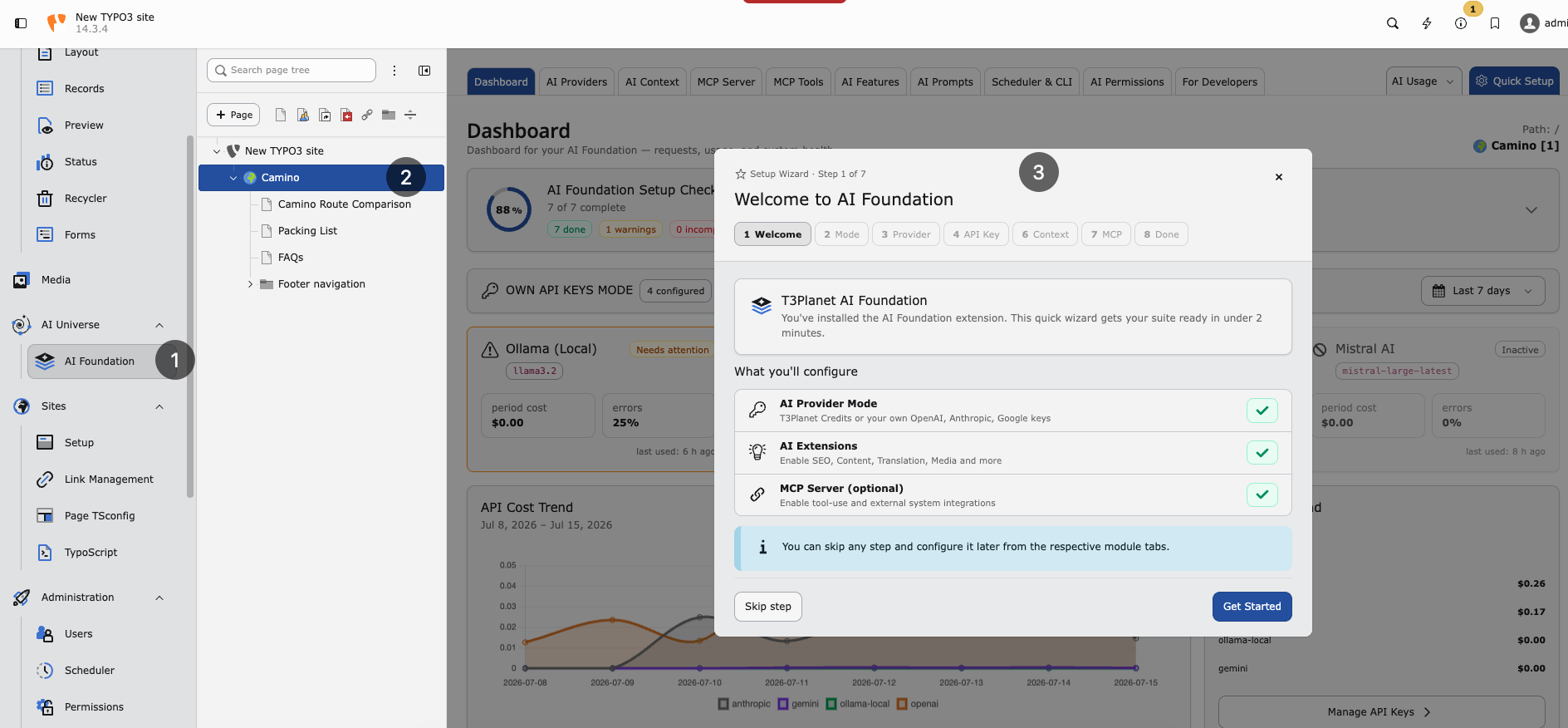
Quick Setup wizard — guided first-time configuration in the AI Foundation module.
Continue with Configuration for providers, MCP, and day-to-day module setup.
Composer installation
Requirements
Ensure your system meets these requirements:
- TYPO3 — 12.4 LTS, 13.4 LTS, or 14.x
- PHP — 8.2 or higher (8.3 recommended), including
ext-sodium - Composer — 2.x
- Database — MySQL 8.0+ or MariaDB 10.3+
- Network — Outbound HTTPS for AI provider API calls (not required for local-only Ollama setups)
Required Extensions
Install and activate these extensions before AI Foundation:
- scheduler — Background AI jobs and scheduled tasks
- workspaces — Draft workspaces, MCP workflows, and safe content editing
scheduler and workspaces ship with TYPO3. Activate them if they are
not already enabled.
No licence key is required for AI Foundation.
Install AI Foundation
Find AI Foundation on the TYPO3 Extension Repository.
composer require nitsan/ns-t3afOr use Admin Tools > Extensions > Get Extensions, search for
ns_t3af (or T3AF), install and activate it, then flush caches.
Activate the extension
Confirm ns_t3af is active in Admin Tools > Extensions.
Set up the database and clear caches
./vendor/bin/typo3 extension:setup
./vendor/bin/typo3 cache:flushManual installation
If you cannot use Composer, install from the TER:
- Open Admin Tools > Extensions > Get Extensions.
- Search for
ns_t3af(or T3AF), install and activate it. - Run Analyze Database Structure.
- Flush caches again.
Warning
Manual installation requires manual dependency management. Composer installation is strongly recommended.
Verify the installation
Confirm that:
ns_t3afis listed as active in Admin Tools > Extensions- The AI Foundation module group appears in the backend sidebar
- Analyze Database Structure reports no pending changes for
ns_t3af
If the module is missing, flush caches and run
./vendor/bin/typo3 extension:setup again.
Composer troubleshooting
Production installs must resolve a stable Packagist tag for nitsan/ns-t3af.
Do not ship a composer.lock that pins a disposable dev-dep/* branch or any
dev-* version string for this package.
Recommended root composer.json settings:
{
    "minimum-stability": "stable",
    "prefer-stable": true,
    "require": {
        "nitsan/ns-t3af": "^1.1"
    }
}If an audit or composer.lock review shows a dev branch reference, pin
^1.1 explicitly and refresh the lock:
composer update nitsan/ns-t3af --with-dependenciesVerify the lock entry lists a 1.1.x version and a tag commit reference,
not dev-dep/....
Local monorepo development may use path repositories with @dev; that is
fine for development only. Production deployments should install from Packagist
tags.
Next steps
Open AI Foundation > AI Providers to connect at least one provider, then review Configuration.