
Introduction
What does it do?
The AI Tools extension provides automatic generation of ALT and title texts for images using the OpenAI ChatGPT API. This helps improve website accessibility by ensuring all images have meaningful alternative texts.
How It Works
Unlike most TYPO3 extensions that generate ALT and title texts for sys_file_reference
records, this extension sets the metadata directly on the sys_file record.
This approach has several advantages:
- One-time generation – Each image only needs to be processed once, regardless of how many times it's used across your website
- Consistent texts – The same image always has the same ALT and title text, ensuring consistency
- Lower API costs – No redundant API calls for the same image used in multiple places
- Automatic inheritance – All
sys_file_referencerecords automatically inherit the texts from the parentsys_file - Centralized management – Edit the text once, and it updates everywhere the image is used
Note
You can still override the inherited texts on individual sys_file_reference records
when needed (e.g., for context-specific descriptions).
Key Features
- AI-powered text generation: Uses OpenAI's GPT-4 Vision API to analyze images and generate appropriate ALT and title texts
- Multi-language support: Generate texts in multiple languages based on your site configuration
- Backend module: Dedicated backend module in the File section for managing image metadata
- Bulk processing: Process multiple images at once with progress tracking
- Per-language control: Enable or disable AI text generation for specific languages via site configuration
- Auto-generation: Optionally auto-generate texts when file references are saved
- Customizable prompts: Configure the AI prompt template to match your requirements
Screenshots
Batch Processing
You can process all files in the fileadmin in a batch:
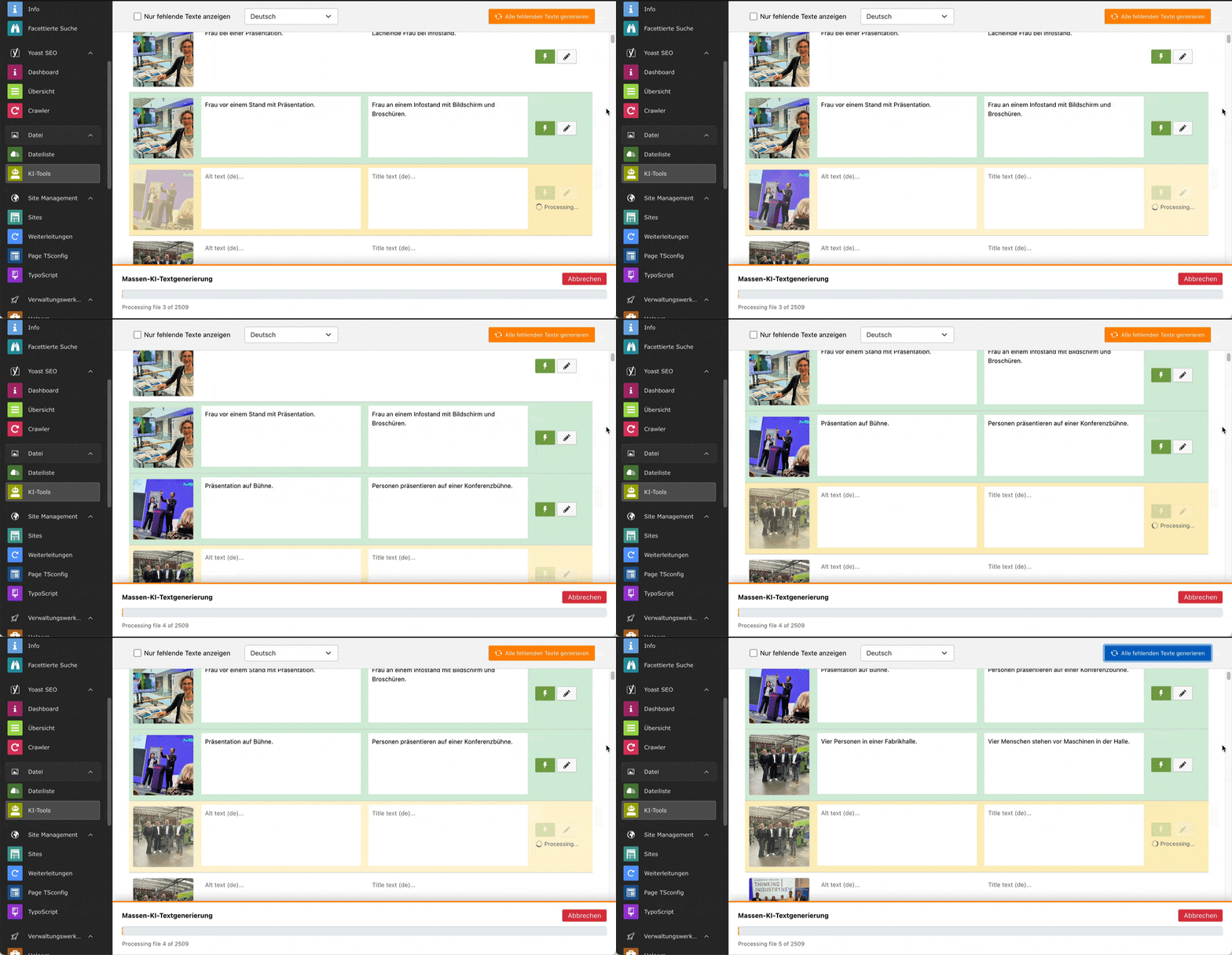
Process multiple images at once with progress tracking.
Manual Editing
You can always manually change the texts and also use the backend module without an OpenAI account or ChatGPT key:
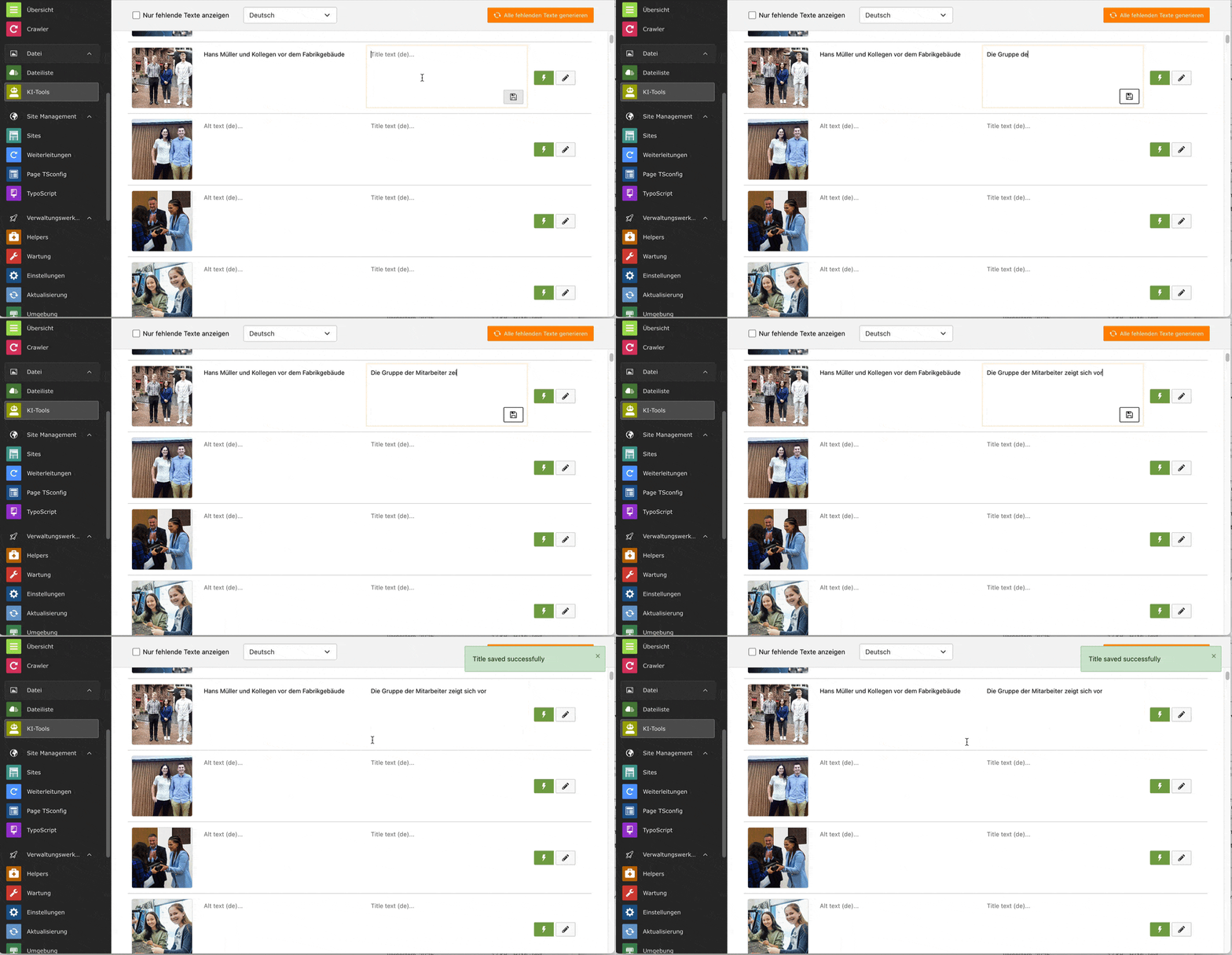
Edit ALT and title texts manually in the backend module.
Language Switching
All translations at one place:
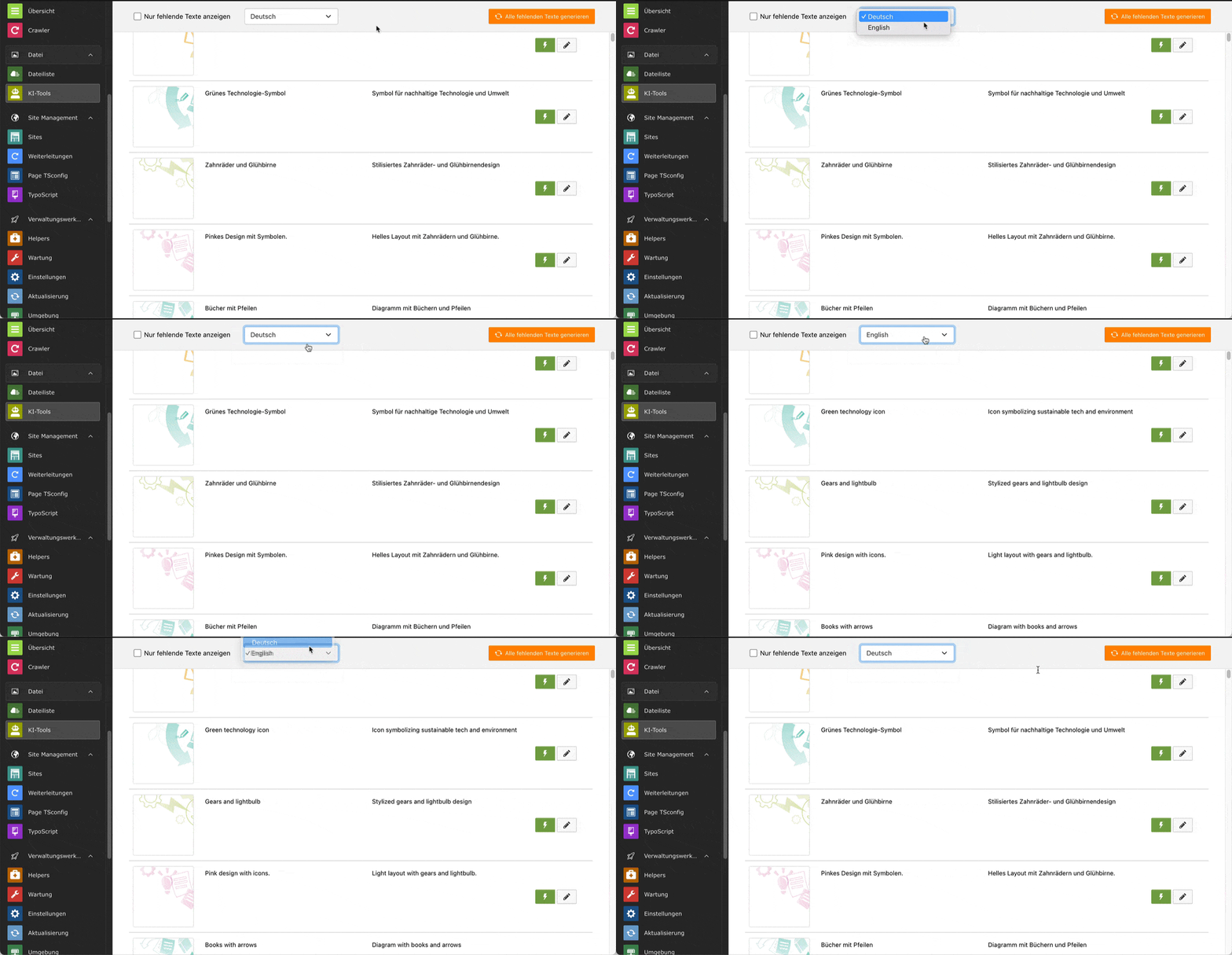
Switch between languages using the dropdown selector.
Disable Languages
Languages can be excluded from the AI translation in the site configuration:
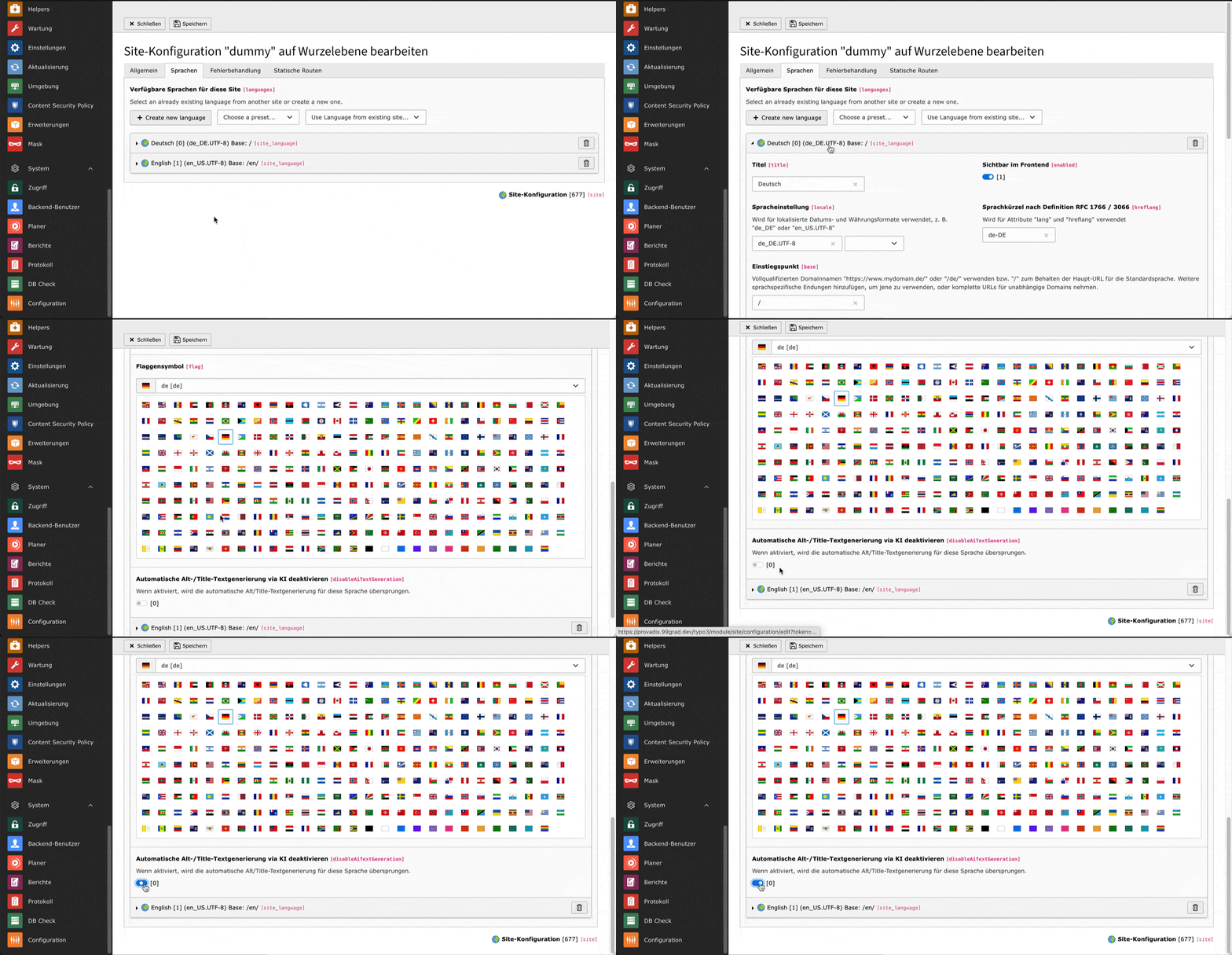
Configure which languages should use AI text generation.
Auto-Generation
The sysFile texts are generated during save (can be disabled in the Extension Manager) but can be overridden individually for every sysFileReference:
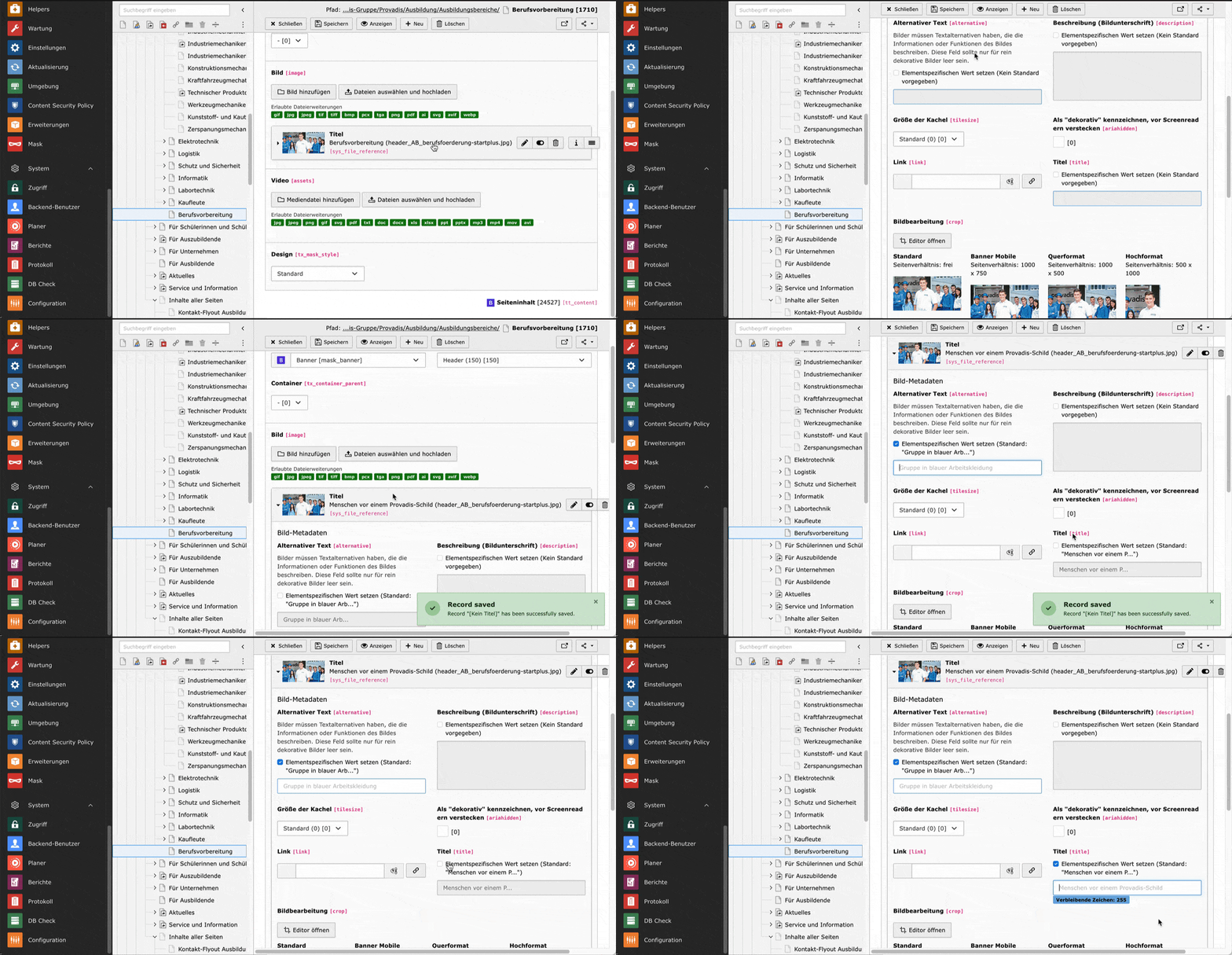
Automatic text generation on save with individual override options.
Requirements
- TYPO3 12.4 LTS
- PHP 8.1 or higher
- OpenAI API key with access to GPT-4 Vision models
- nnhelpers extension (for database utilities)
Support This Project
If you find this extension useful, please consider supporting its development:
Tip
Your support helps us maintain and improve this extension.
Privacy Notice
Warning
Images are sent to OpenAI servers for analysis.
When using this extension, your images are transmitted to OpenAI's API servers for processing. This may have privacy and data protection implications:
- Images are sent to servers located outside the EU
- OpenAI's data processing policies apply (see OpenAI Privacy Policy)
- Consider whether your images contain personal data or sensitive information
- You may need to update your website's privacy policy
- Consult with your data protection officer if applicable
Recommendations:
- Review OpenAI's API Data Usage Policies
- Use the
excludePathPatternssetting to exclude sensitive image directories - Consider disabling auto-generation for production environments with sensitive content
- Inform your clients/users that AI processing is used for accessibility texts