Download manager

Classification

reint_downloadmanager

Version

release

Language

en

Description

A simple TYPO3 download manager with different views of file collections as downloadable lists.

Keywords

FAL,file,download,manager,collection,top10,downloads

Copyright

2025

Author

Ephraim Härer

Email

ephraim.haerer@renolit.com

License

This document is published under the Open Content License available from https://www.opencontent.org/

Rendered

Thu, 12 Jun 2025 14:14:13 +0000

The content of this document is related to TYPO3, a GNU/GPL CMS/Framework available from www.typo3.org.

Table of Contents

Screenshots

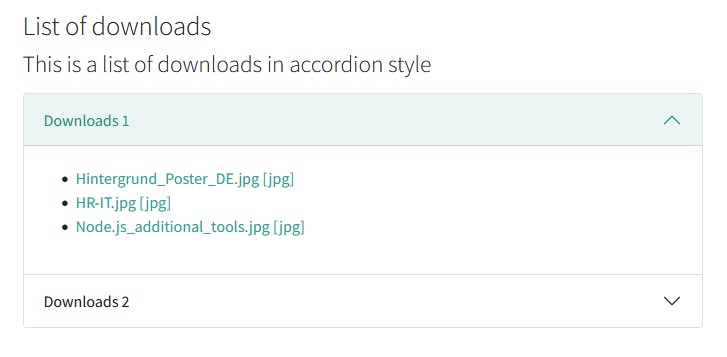
Examples for the list, top downloads and search view you can see here:

List, top downloads and search view

List, top downloads and search view

The list, top downloads and search view of file collections as simple accordion.

Introduction

What does it do?

This extension provides a simple output for TYPO3 default file collections which can be defined in the TYPO3 backend.

There are three views available: list, top downloads and file search.

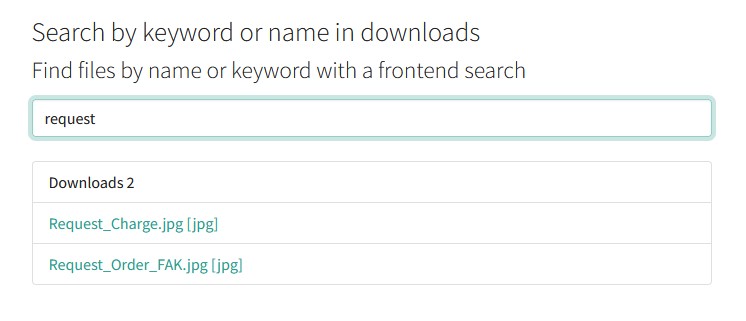
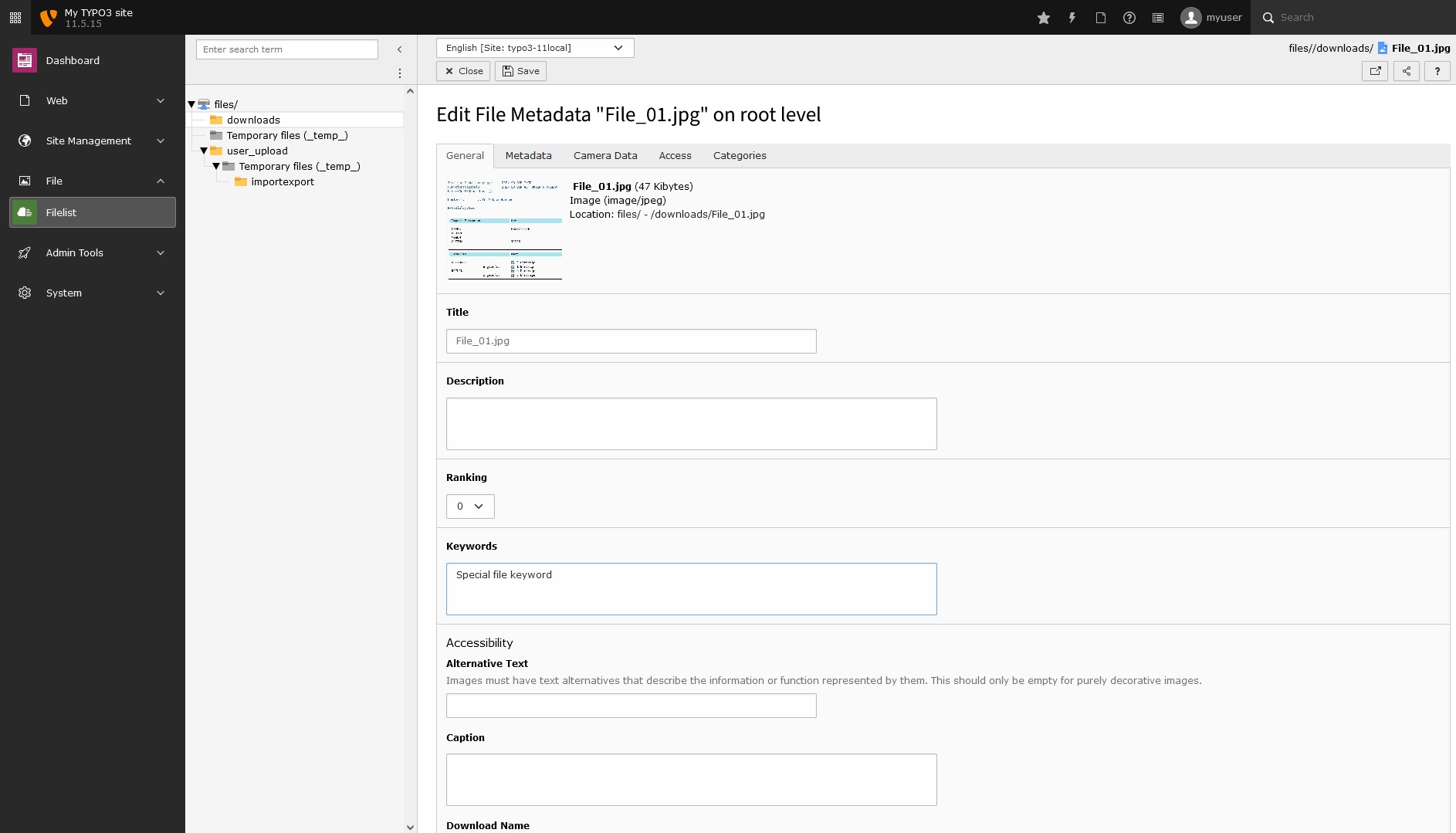
The file search uses the file title, the file extension and the file keywords to search for a file. Keywords from file metadata can also be used to extend the file search if the extension filemetadata is installed.

E.g. if a file title has not the keyword to find a file in the search you can add special keywords via meta data of the file.

The download manager can handle multiple files and multiple file collections and all the views are cached (but it is not tested with millions of files ;-)).

The extension is compatible with EXT:fal_securedownload and file access could be defined via fe_user groups.

The basic templates of the views are build for the frontend toolkit Bootstrap 5; you can use the extension for example with EXT:bootstrap_package.

Screenshots

List view

List view

View of the downloads as list with accordion


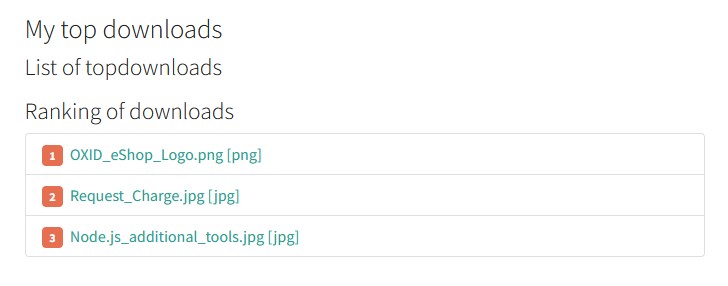
Top downloads view

Top downloads view

View of the top downloads


File search

File search

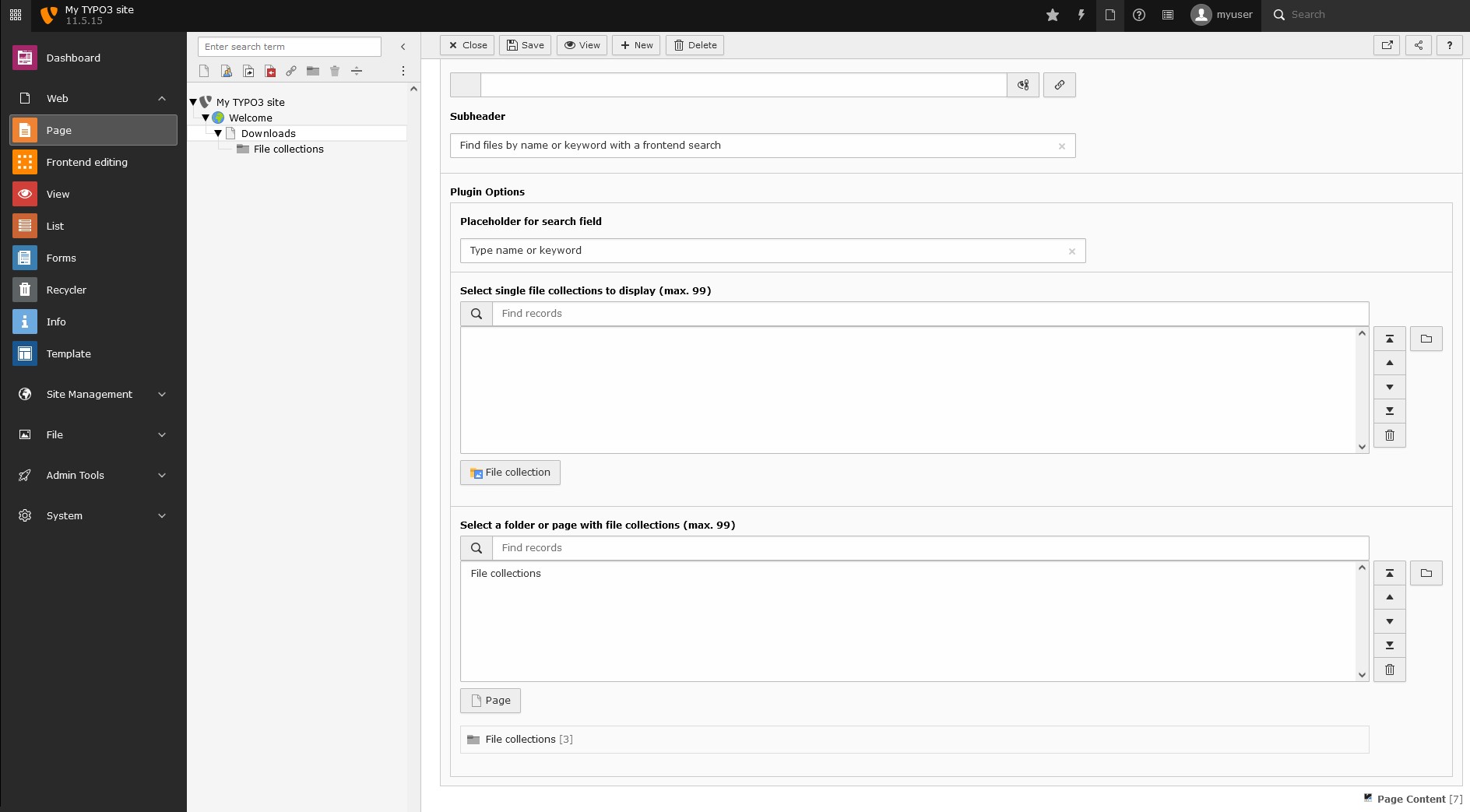
The file search done with Vanilla JavaScript in frontend

Users Manual

Target group: Editors

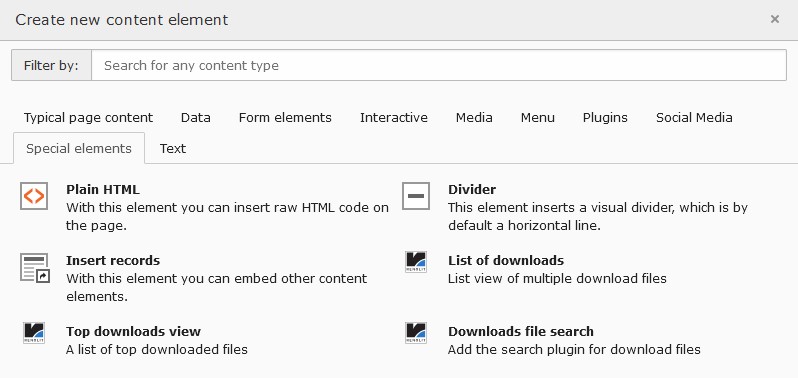
Go to the page you want to insert the plugin and add a new content element; you can find the download manager plugins in the "special elements" section of the new content element wizard.

collection subfolder

Add new content element

Add new content element with the wizard

collection subfolder

Collection subfolder

Add a subfolder for the file collections and the download counter

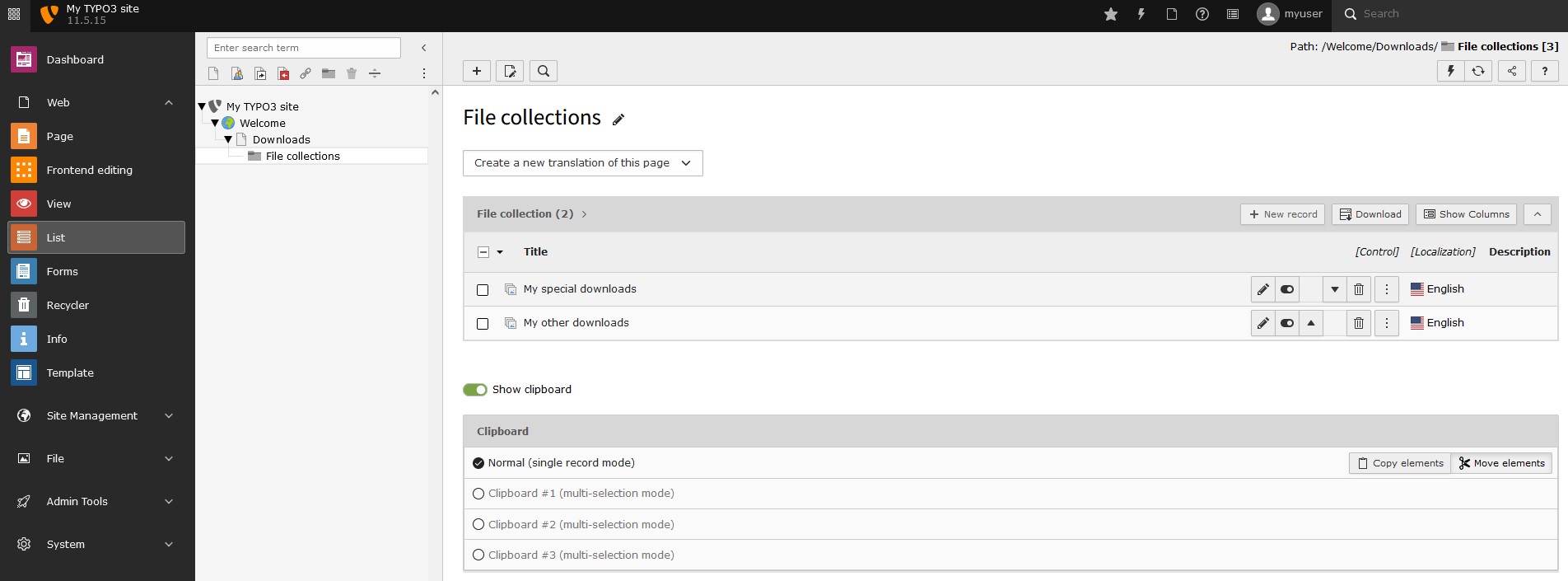
Create file collections in folder

Create file collections in folder

Create file collections in the added subfolder

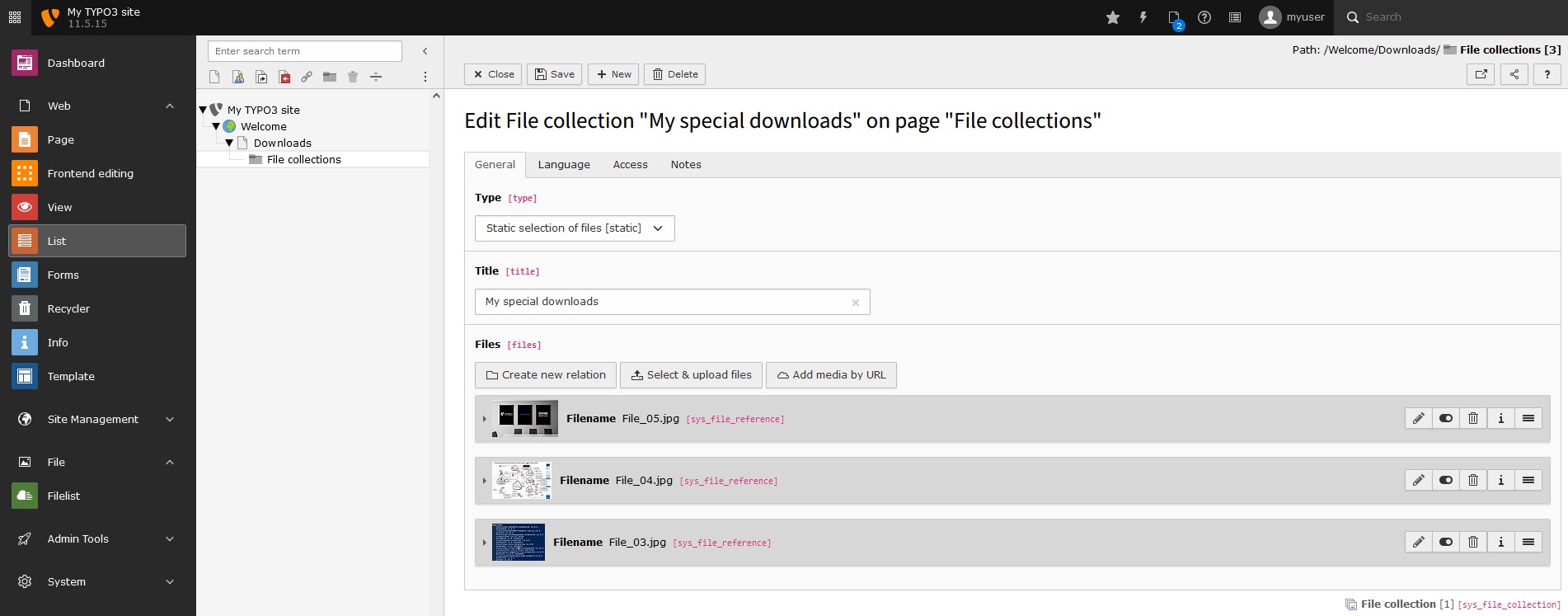
Adding files

Adding files

Adding files to a file collection

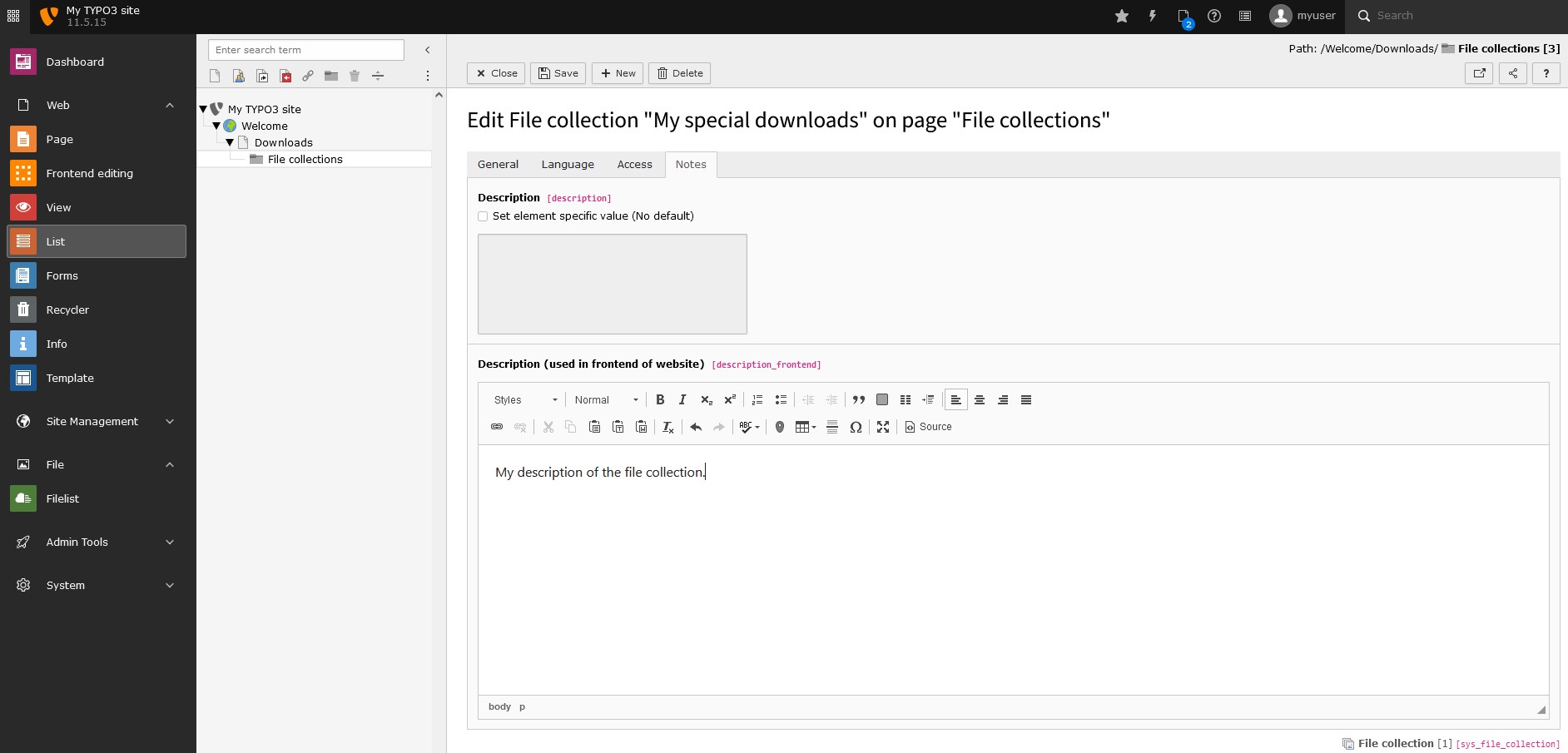
Adding description

Adding description

Adding a description to a file collection

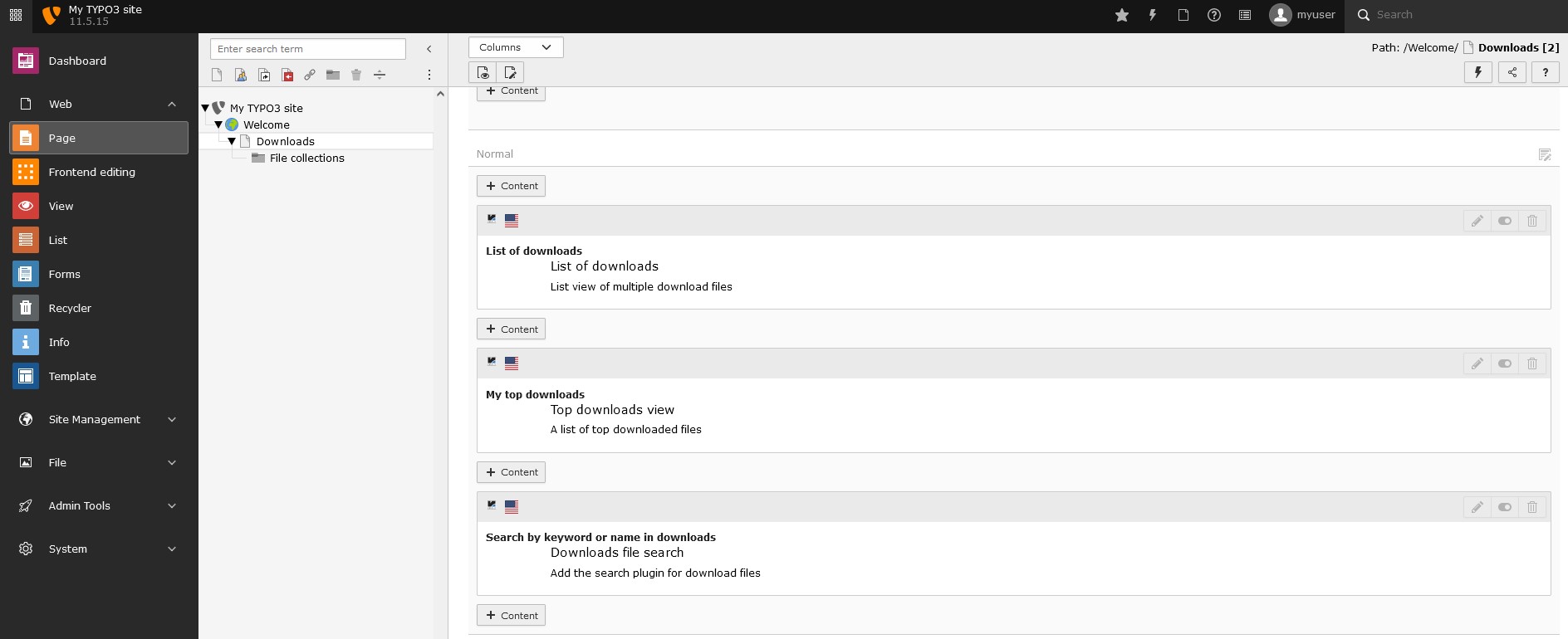
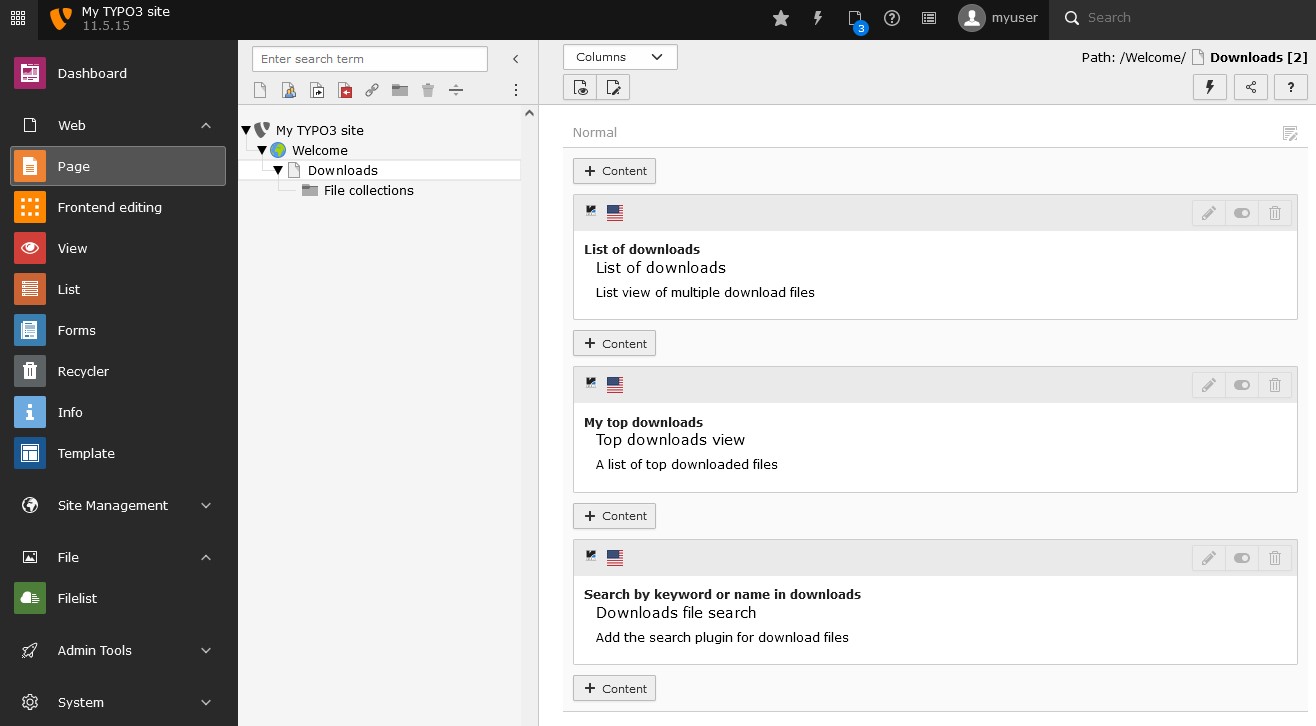
Insert plugin

Insert plugin

Insert one or multiple plugins on the page you want to have the output

List view

List view

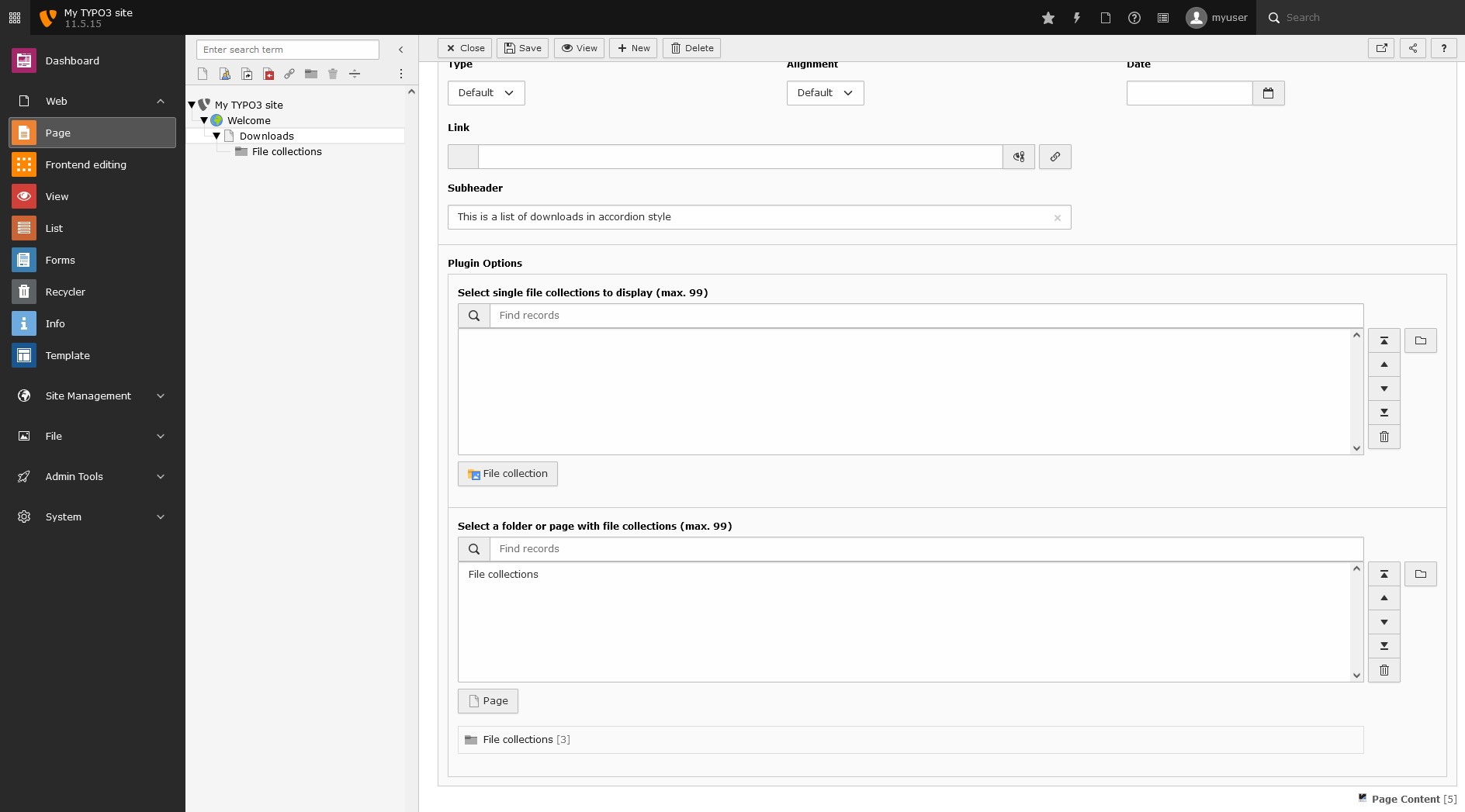
Configuration of the list view

Top downloads view

Top downloads view

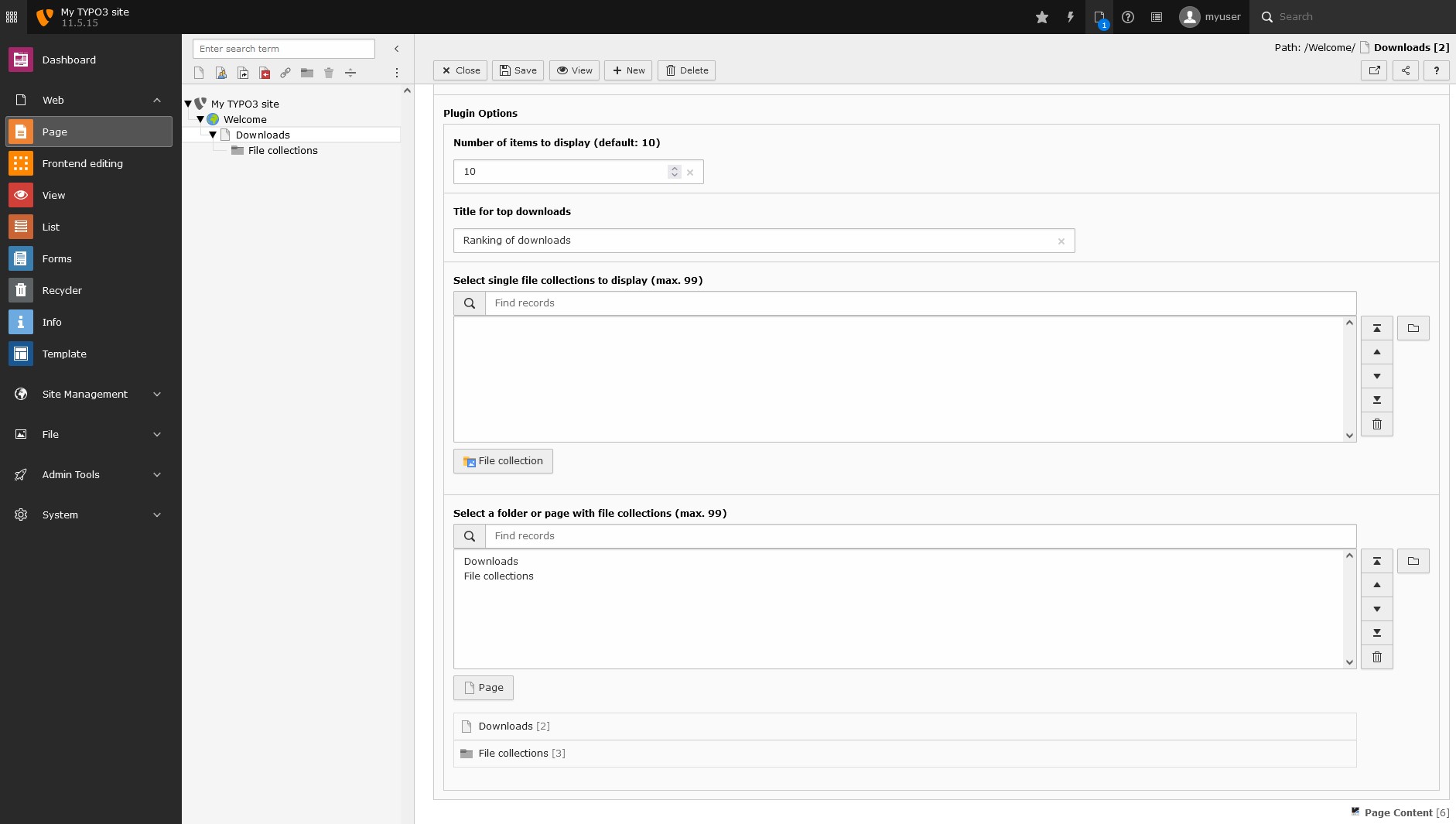
Configuration of the top downloads view

Top downloads view

Top downloads view

Configuration of the top downloads view

Add keywords to a file

Add keywords

Add keywords to the files (separated by whitespaces), to add more content to search for (needs extension "typo3/cms-filemetadata" installed). The default search is only for the title of the file.

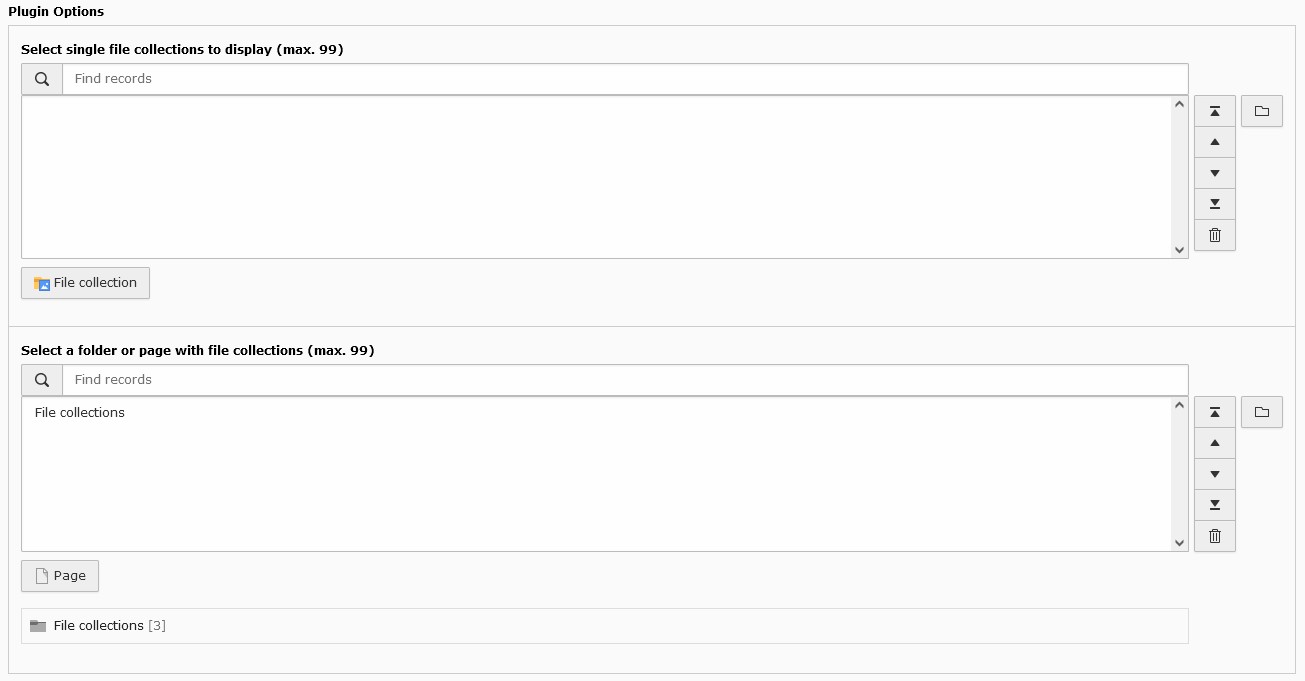
Select single file collections to display or select a folder or page with file collections. The number of downloads will also stored in this page or folder. If this is not set, the data will be saved on the page where the plugin is placed.

Select file collections

Select file collections

How to select file collections or folders with file collections

FAQ

Is it possible to set the ordering of the collections?

Yes, since version 1.0.1. Please use the sorting option in TYPO3 backend to order your collections in a folder. If you have selected single file collections, you can order them in the plugin field.

Get help

If there are any other questions, please contact me (ephraim.haerer@rebnolit.com) or write an issue/request on Github.

Administrator Manual

Target group: Administrators

This extension is easy to install and to configure. There are no dependencies to other extension, only to TYPO3 core.

The extension suggests to install EXT:fal_securedownload if needed and EXT:filemetadata to add keywords to files.

Installation

To install the extension, perform the following steps:

With composer:

  1. Install extension via composer with composer req renolit/reint-downloadmanager
  2. Load the static TypoScript constants and setup to your site extension

Updates

There are some migrations which should be done after upgrading the extension to a version newer than version 3.1.0. Have a look at the Known Problems section on how to upgrade.

Configuration

  1. Copy the templates (/Resources/Private/Templates/) and layouts (/Resources/Private/Layouts/) from the extension folder to a folder in your own sitepackage if you want to edit them
  2. Configure your new template pathes in TypoScript
  3. Include the TypoScript of your sitepackage after the extension template
  4. Style the output like you want it

FAQ

Is it possible to use my own templates?

Yes, please copy the templates from the extension to your own folder (e.g. EXT:my_site_package/Resources/Private/Templates/Ext/) and configure the path in the TypoScript of the extension. See also step 1 and 2 in configuration.

What to do if there are no files shown in frontend?

Please check your storagePid settings in TypoScript or TSconfig or define the folder in the FlexForm in the plugin on the page.

Important changes

Configuration Reference

Here you will find a short overview over the TypoScript options.

Target group: Administrators

TypoScript Reference

Overwrite the template path or the default storage page id and change the default css like you want it:

plugin.tx_reintdownloadmanager {
  # configure the path for the templates here
  view {
    templateRootPaths {
      0 = EXT:reint_downloadmanager/Resources/Private/Templates/
      1 = {$plugin.tx_reintdownloadmanager.view.templateRootPath}
    }

    partialRootPaths {
      0 = EXT:reint_downloadmanager/Resources/Private/Partials/
      1 = {$plugin.tx_reintdownloadmanager.view.partialRootPath}
    }

    layoutRootPaths {
      0 = EXT:reint_downloadmanager/Resources/Private/Layouts/
      1 = {$plugin.tx_reintdownloadmanager.view.layoutRootPath}
    }
  }

  # configure a default storage pid here
  persistence {
    storagePid = {$plugin.tx_reintdownloadmanager.persistence.storagePid}
  }

  # configure settings for the extension here
  settings {
    # use redirecting to the file instead of a download header for all files
    redirecttofile = {$plugin.tx_reintdownloadmanager.settings.redirecttofile}
    # add the modification date when redirecting to file
    addfiletstamp = {$plugin.tx_reintdownloadmanager.settings.addfiletstamp}
    # Include JavaScript for file search
    includedefaultjs = {$plugin.tx_reintdownloadmanager.settings.includedefaultjs}
  }
}

plugin.tx_reintdownloadmanager_dmlist < plugin.tx_reintdownloadmanager
plugin.tx_reintdownloadmanager_dmlist.templateName = List

plugin.tx_reintdownloadmanager_dmtopdownloads < plugin.tx_reintdownloadmanager
plugin.tx_reintdownloadmanager_dmtopdownloads.templateName = Topdownloads

plugin.tx_reintdownloadmanager_dmfilesearch < plugin.tx_reintdownloadmanager
plugin.tx_reintdownloadmanager_dmfilesearch.templateName = Filesearch


Copied!

plugin.tx_reintdownloadmanager.settings.redirecttofile = 1 (default: 0)

Makes it possible to redirect to the file after tracking the download, so the browsers default behaviour is used for the file. The default setting is false, so all files will be downloaded automatically.


plugin.tx_reintdownloadmanager.settings.addfiletstamp = 0 (default: 0)

When redirecting to file (redirecttofile = 1) is set, it is possible to add the change date as param to the file, to reload in browsers like IE when file was changed.


plugin.tx_reintdownloadmanager.settings.includedefaultjs = 1 (default: 1)

As default a JS file is included which uses jQuery Mobile for a simple search. File could be removed with this option or in the Fluid template.

Extension settings

There are two options in the "Admin Tools" -> "Settings" --> "Extension Configuration" area.

config.disableDefaultPageTs (default: false)

This allows to disable including the default PageTS for the content elements of the extension. If disabled the PageTS has to be down by your own.


config.disableDefaultPlugin (default: true)

The old and deprecated plugin with the Switchable Controller Actions (selectbox with the option to select the output) is now disabled by default. With this option it is possible to enable it again. Please use the migration wizard to migrate old list plugins to the new content elements.

Developer Corner

Target group: Developers

Updates

There are some migrations which should be done after upgrading the extension to a version newer than version 3.1.0. Have a look at the Known Problems section on how to upgrade.

Known Problems

Please use the bugtracker system on Github and report every bug you will find. I will fix the problems as soon as possible and send you feedback.

To-Do list

See the milestones on Github, if you want to add something, write a pull request or send a mail to me.

ChangeLog

  • 12.06.2025 -> 5.0.2

    • fixed download bug with file collections when selecting "folder from storage", see issue #38

  • 19.05.2025 -> 5.0.1

    • Security fix - please update

  • 16.01.2025 -> 5.0.0

    • initial release for TYPO3 13.4

  • 09.01.2025 -> 4.0.1

    • [BUGFIX] fixed downloads when creating response object
    • thanks to @Bunnyfield

  • 05.11.2023 -> 4.0.0

    • initial release for TYPO3 12.4
    • migrated plugins, wizards, etc for TYPO3 12

  • 15.09.2022 -> 3.2.4

    • updated documentation with migration information
    • updated fallback for storagePid in top downloads view

  • 14.09.2022 -> 3.2.3

    • removed unused field in Flexform of top downloads
    • updated fallback for storagePid to FlexForm values if there is no storage Pid in TSconfig or TypoScript setup defined

  • 13.09.2022 -> 3.2.2

    • updated backend layout templates to fix view in TYPO3 v10

  • 12.09.2022 -> 3.2.1

    • improved migration wizard to migrate plugin to content element

  • 07.09.2022 -> 3.2.0

    • [bugfix] fixed problems with PHP 8.0 and 8.1
    • [bugfix] updated Flexforms and fixed some bugs
    • [feature] updated all templates to Bootstrap 5
    • [feature] removed jQuery mobile and did the search with Vanilla JavaScript
    • cleaned coding and removed old code
    • disabled plugin by default (switchable controller actions)
    • enable only content elements for different views by default
    • updated documentation to latest version with screens of TYPO3 11.5

  • 05.04.2022 -> 3.1.1

    • fixed redirect to file with correct function

  • 02.04.2022 -> 3.1.0

    • added FlexForm upgrade wizard to migrate controller actions to new config
    • moved download part to own action
    • IMPORTANT: check the upgrade wizard in "Admin Tools -> Upgrade" to fix current flexforms!


  • 15.03.2022 -> master

    • first basic release for TYPO3 11.5 in master

  • 26.08.2021 -> master

    • migrated TCA and updated classes
    • new release is TYPO3 10 only

  • 21.02.2021 -> 3.0.6

    • added description field for sys_file_collection

  • 05.05.2020 -> 3.0.4, 3.0.5

    • bugfix update, fixes #18
    • bugfix update, fixes #13
    • fixed wrong loading of collection description

  • 05.05.2020 -> 3.0.3

    • bugfix update, fixes #16
    • fixed wrong loading of collections from FlexForm
    • please update if using version 3+

  • 23.01.2020 -> 3.0.2

    • pushed content object data to fluid templates

  • 22.01.2020 -> 3.0.1

    • added own plugins for each action to include it easier for editors
    • refactored all coding, removed deprecated functions

  • 22.01.2020 -> 3.0.0

    • new release for TYPO3 >= 9.5

  • 25.07.2019 -> 2.0.3

    • added translations handling of file collection when using multiple translations

  • 25.07.2019 -> 2.0.2

    • updated ViewHelpers and removed depraction
    • fixed wrong getting of arguments in ViewHelper

  • 06.05.2019 -> 2.0.0

    • added example for slug configuration
    • updated flexform to allow 999 pages or collections
    • cleaned up coding
    • new release for TYPO3 8.7 and 9.5

  • 26.08.2018 -> 1.8.0

    • added example for realurl configuration
    • added Hook for "Page is beeing generated" message if download should start
    • please clear all caches or reinstall extension!

  • 22.10.2017 -> 1.7.0

    • added support for use with non-public storage folders
    • added compatibility with fal_securedownload
    • allow downloads from storages outside of webroot
    • code cleanup

  • 13.09.2017 -> 1.6.1

    • updated dependencies and composer.json
    • fixed icons for TYPO3 8
    • removed class for wizard icon and added default pageTS

  • 12.09.2017 -> 1.6.0

    • updated dependencies & icons

  • 10.08.2017 -> 1.5.0

    • updated TCA, reformatted code and fixed ViewHelper
    • updated dependencies and added composer.json file

  • 27.10.2016 -> 1.4.5

    • fixed flashmessages for TYPO3 >= 7.6

  • 22.07.2016 -> 1.4.4

    • changed limits in FlexForm

  • 27.06.2016 -> 1.4.3

    • added better failure handling if file could not found

  • 22.03.2016 -> 1.4.2

    • added option to overwrite placeholder for searchfield in FlexForm
    • added option to overwrite top downloads title in FlexForm

  • 17.03.2016 -> 1.4.1

    • bugfix update for file search string

  • 08.03.2016 -> 1.4.0

    • update your fluid templates to make sure all type of file collections work correct (static, categories, folder)!
    • cleanup of coding

  • 11.02.2016 -> 1.3.0

    • update of table description file
    • cleanup of coding

  • 04.02.2016 -> 1.2.1

    • TCA corrections
    • Icon update

  • 02.02.2016 -> 1.2.0

    • code cleanup
    • TypoScript setup updated to templateRootPaths, partialRootPaths and layoutRootPaths

  • 29.01.2016 -> 1.1.2

    • code cleanup


  • 14.11.2015 -> 1.1.0

    • compatibility: added compatibility for TYPO3 CMS 7 LTS

  • 07.07.2015 -> 1.0.5

    • bugfix: improved search string for headline of file collection
    • compatibility: added compatibility for TYPO3 CMS 7

  • 23.06.2015 -> 1.0.4

    • bugfix update: fixed problem with deleted files in top downloads view


  • 01.04.2015 -> 1.0.2

    • added a sorting field for file collections, default ordering is now with sorting field

  • 31.03.2015 -> 1.0.1

    • added a sorting field for file collections, default ordering is now with sorting field

  • 23.03.2015 -> 1.0.0

    • added a search for files with the option to use the keywords of files to find a file by special keyword (based on jQuery Mobile filterable)
    • added option to select a folder with file collections instead of single file collections or both
    • added simple default JavaScript file and a simple CSS file (could be excluded, see configuration documentation)
    • added German translations

  • 23.03.2015 -> 0.5.4

    • bugfix update, flexform field couldn't be edited by user groups (removed exclude=1)

  • 20.03.2015 -> 0.5.3

    • added a viewhelper for stringtolower
    • added option to redirect to the file after tracking the download instead of downloading all files (see configuration documentation)

  • 04.03.2015 -> 0.5.2

    • bugfix release
    • updated download headers
    • added ob_clean() to fix destroyed downloaded files like xls, xlt, dot, docx
    • fixed wrong reading of files with whitespaces
    • removed not valid file name characters

  • 19.02.2015 -> 0.5.1

    • changed state to beta

  • 19.02.2015 -> 0.5.0

    • initial release of version 0.5.0 on TER
    • list view
    • top downloads