Content Element From TypoScript

Version

5.0

Language

en

Description

A plugin which lets you use any TypoScript object as a normal content element.

Keywords

typoscript, content object

Copyright

Jean-David Gadina

Authors

Jean-David Gadina / macmade.net

Email

macmade [at] gadlab [dot] net

License

This extension is published under the GNU General Public License v2.0

TYPO3

The content of this document is related to TYPO3 CMS, a GNU/GPL CMS/Framework available from typo3.org .

For Contributors

You are welcome to help improve this guide if you are missing something. Just click on "Edit me on GitHub" on the top right to submit your change request.
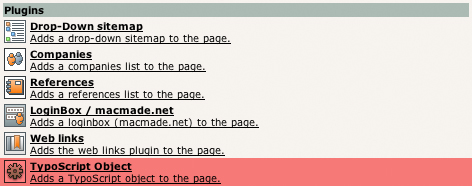

Table of Contents

Introduction

What does it do?

The goal of this extension is to make any TypoScript object defined in the website's template available as a normal content element. If you have, for instance, configured a menu in your TS template, this extension will allow you to place it on a page, just like a standard text or image element.

Users manual

Installation

The installation of this extension is very simple. Just connect to the TYPO3 Extension Repository and download "Content Element From TypoScript" (tscobj), located in the frontend plugin section.

Then, on a page, just create a new content element, and choose "TypoScript" from the wizard.

New content element of type "TypoScript"

Usage

Once you have created the plugin, you'll be able to enter to path of the TypoScript object you want to display.

Options of the plugin "TypoScript"

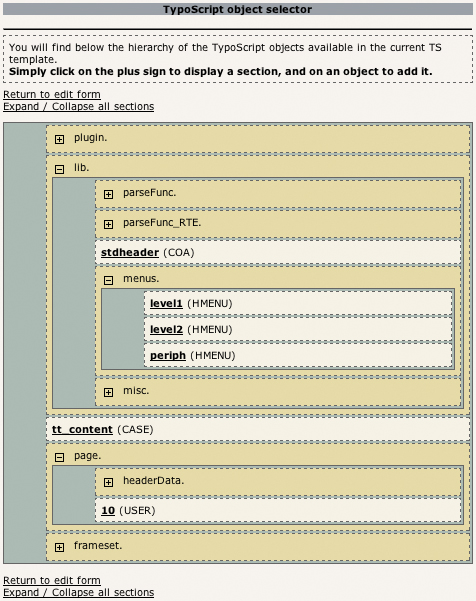
If you click on the little gear on the right of the field, you'll launch a wizard that will show you all the available template objects. You can select one just by clicking on its name.

Wizard of the plugin "TypoScript"

The htmlspecialchars checkbox can be used if you want to see the object HTML code on your page (it won't be interpreted by the browser). This feature can be helpful for developers.

Sitemap