EXT:Supi 

Language

en

Version

7.0

Description

Full documentation to install, integrate and style EXT:supi

Keywords

cookie, banner, consent, gdpr

Author

Volker Kemeter

Email

v.kemeter@supseven.at

License

This document is published under the Open Content License available from http://www.opencontent.org/opl.shtml

Rendered

Tue, 28 Oct 2025 09:11:10 +0000

Introduction 

The EXT:Supi Extension provides a Cookie Consent Banner for almost every needs.

You can add:

  • External Scripts
  • External Sources in Iframes
  • External Sources via APIs

This Extension provides a few Content-Elements which are ready to go:

  • Youtube Content Element
  • Google Maps Youtube Element
  • Embeded Page/Service (Iframe Element)
  • Spotify Playlist Element
  • Cookie Button Element (to reopen the Cookie Banner)

There are also JavaScript Events where you can add Listeners to interact with the corresponding User-Settings.

Compatibility 

EXT:Supi Version TYPO3 PHP
6 7 - 11 7.4 - 8.1

Table of Contents 

TODO 

  1. Refactor Templates/ Styles which can be better used

    1. Add more CSS-Grid to Youtube, Maps and other Elements
    2. Add more Bootstrap Classes in HTML Templates (btn classes e.g.)
  2. Remove some not needed TS-Settings
  3. Improve Youtube CE (add preview image field and some options)
  4. Improve Maps CE (styling, translation/labels)
  5. Add as much as possible translations
  6. Refactor Language behaviour

    1. move to xlf files only, remove typoscript settings
    2. make xlf files configurable/overrideable
    3. https://docs.typo3.org/m/typo3/reference-coreapi/11.5/en-us/ApiOverview/Internationalization/ManagingTranslations.html

Render Documentation 

docker-compose run --rm t3docmake

About this Extension 

This extension is yet another cookie banner extension. it handles all external services like youtube, google maps, spotify and external services/pages depending on your (simple) typoscript implementation.

EXT:supi is fully accessible and responsive and can be extended and translated in almost every part.

About the Authors 

this extension brought to you by www.supseven.at

big ❤KUDOS❤ goes out to georg grossberge for all the implementation

Installation 

In a composer-based TYPO3 installation you can install the extension EXT:supi via composer:

composer require supseven/supi
Copied!

In TYPO3 installations above version 11.5 the extension will be automatically installed. You do not have to activate it manually.

Update the database scheme 

Open your TYPO3 backend with t3start:system-maintainer permissions.

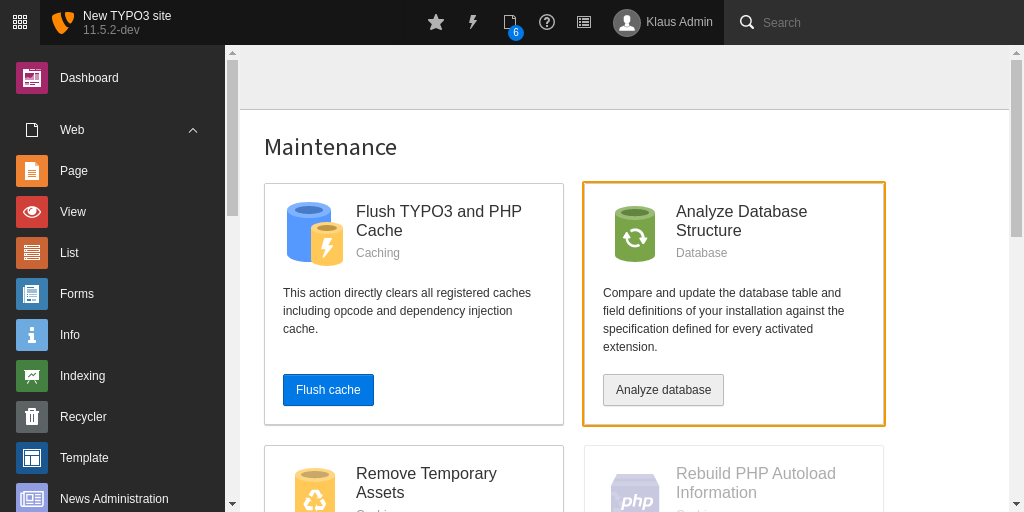
In the module menu to the left navigate to Admin Tools > Maintanance, then click on Analyze database and create all.

Clear all caches 

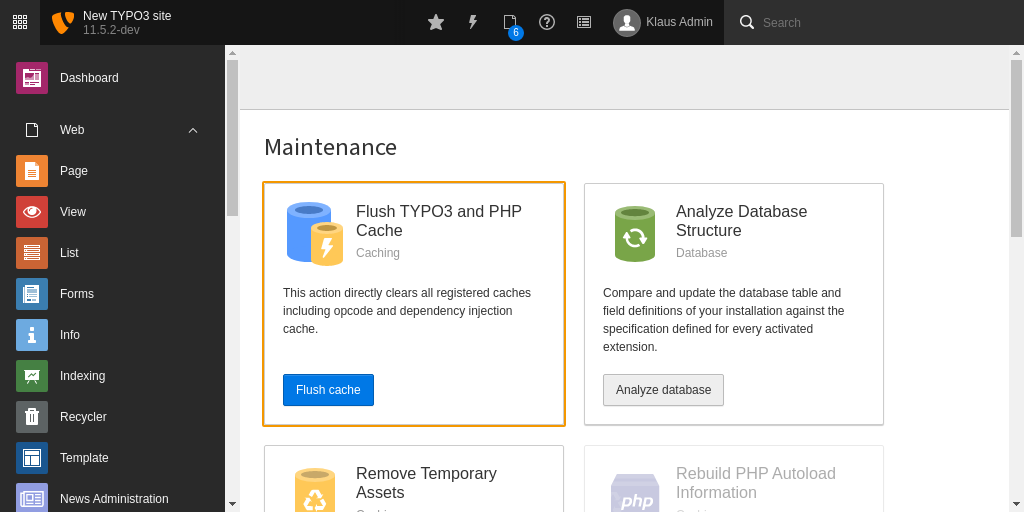
In the same module Admin Tools > Maintanance you can also conveniently clear all caches by clicking the button Flush cache.

Integration 

Setup 

You need to integrate the shipped TypoScript (e.g. in your theme Extension) and add a cObject into your Page Template/Layout

TypoScript 

Include the shipped TypoScript File into your Theme TypoScript Setup:

@import "EXT:supi/Configuration/TypoScript/setup.typoscript"
Copied!

Fluid/HTML 

Include the cObject in your Page Layout

<f:cObject typoscriptObjectPath="lib.elements.supi" />
Copied!

Configuration 

Template and Views 

The Template, Partials and Layout Root Paths. You can override them or add own Paths, if You need.

templateRootPaths.10 = EXT:your-theme/Resources/Private/Templates/
partialRootPaths.10 = EXT:your-theme/Resources/Private/Partials/
layoutRootPaths.10 = EXT:your-theme/Resources/Private/Layouts/
Copied!

Page Settings 

page.includeJS.supi 

Property
page.includeJS.supi
Description
Includes the main JavaScript file into Your TYPO3 instance.

page.includeCSS.supi 

Property
page.includeCSS.supi
Description
Includes the main CSS file into Your TYPO3 instance.

SUPI_JS object 

Services like Matomo or Google Analytics might require to insert an inline script into the page's source code. To prevent the Content Security Policy from blocking these inline scripts, this extension adds hashes for each script on the fly.

Have a look into the TypoScript setup in setup.typoscript, where the key page.headerData.31337 defines two SUPI_JS objects, which can be overwritten in your own TypoScript.

Settings 

Name Default Value Type
enabled 1 bool
hideOverlayOnButtonCe 1 bool
hideAutoEssential 0 bool
detailed 1 bool
perItemDetail 1 bool
perItemSelect 1 bool
showBigSwitch 0 bool
theme default string
position 1 int
enableYoutubeOnce 0 bool
enableSimpleMapsOnce 0 bool
essentialIncludesYoutube 0 bool
essentialIncludesMaps 0 bool
debugClass be_user_login string
cookieDomain   string
cookieTTL.all 30 int
cookieTTL.reduced 7 int
gdpr.uid 1 int
elements   array
button   array
spotify   array

enabled 

Property
enabled
Data type
bool
Default
1
Description
Enable or Disable the Banner. This could be useful in some cases

hideOverlayOnButtonCe 

Property
hideOverlayOnButtonCe
Data type
bool
Default
1
Description
Hides the overlay if the cookie button CE is visible (mostly used on the dataprotection page)

hideAutoEssential 

Property
hideAutoEssential
Data type
bool
Default
0
Description
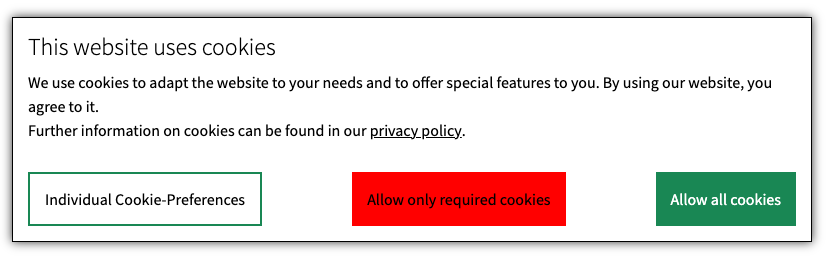
Hide the "Functional Cookies only" button
Images
Notes
@TODO: we might remove this due to DARK PATTERN behaviour

detailed 

Property
detailed
Data type
bool
Default
1
Description
Enables or disables detailed view
Notes
@TODO: we need to discuss this. we might remove this or at least do not show the individual btn config

perItemDetail 

Property
perItemDetail
Data type
bool
Default
1
Description
Enables or disables detailed view for each item
Notes
@TODO: we need to discuss this. we might remove this due to GDPR regulations

perItemSelect 

Property
perItemSelect
Data type
bool
Default
1
Description
Enable select per item

showBigSwitch 

Property
showBigSwitch
Data type
bool
Default
0
Description
Enable big switch-to-detail in overview if detail is active. works only with hideAutoEssential
Notes
@TODO: we need to discuss this. we might remove this due to GDPR regulations - DARK PATTERN

theme 

Property
theme
Data type
string
Default
default
Description
Theming Name
Notes
@TODO: IMHO we can remove this and build a simple but useful theme - most websites are styling all over but the main theme is always the same

position 

Property
position
Data type
int
Default
1
Description
Position of the Cookie Banner (0   Bottom-Left, 1   Center-Center)
Notes
@TODO: IMHO we can remove this and build a simple but useful theme - most websites are styling all over but the main theme is always the same

enableYoutubeOnce 

Property
enableYoutubeOnce
Data type
bool
Default
0
Description
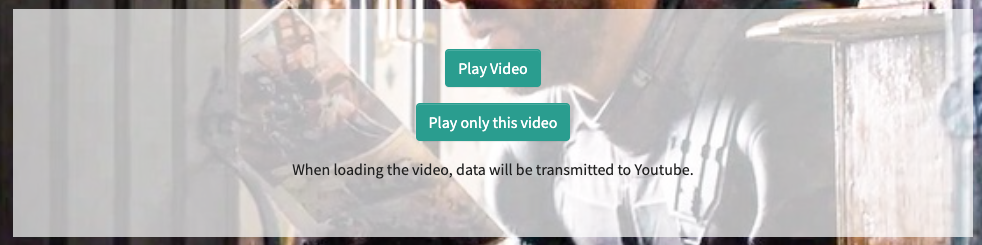
Set to 1 to enable the load-once button for youtube elements
Images
Notes
@TODO: refactor youtube element

enableSimpleMapsOnce 

Property
enableSimpleMapsOnce
Data type
bool
Default
0
Description
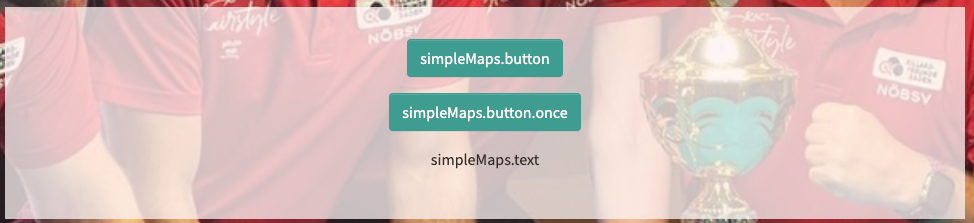
Set to 1 to enable the load-once button for Google Maps elements
Images
Notes
@TODO: add translations and propper style

essentialIncludesYoutube 

Property
essentialIncludesYoutube
Data type
bool
Default
0
Description
Youtube is enabled by essential
Notes
@TODO: we need to discuss this. due to GDPR regulations this might not be OK!

essentialIncludesMaps 

Property
essentialIncludesMaps
Data type
bool
Default
0
Description
Google Maps is enabled by essential
Notes
@TODO: we need to discuss this. due to GDPR regulations this might not be OK!

debugClass 

Property
debugClass
Data type
string

Default

Description
A CSS-Classname on the HTML-Body, that is needed, to output console.log() debug messages. Usually you have to set a addictional body-class via TypoScript reference: page.bodyTagCObject.

cookieDomain 

Property
cookieDomain
Data type
string

Default

Description
Set a Domain Name for the Cookie Settings

cookieTTL.all 

Property
cookieTTL.all
Data type
int
Default
30
Description
cookie time to live (in days) for allow all cookies

cookieTTL.reduced 

Property
cookieTTL.reduced
Data type
int
Default
7
Description
cookie time to live (in days) for selected/ essential cookies

gdpr.uid 

Property
gdpr.uid
Data type
int
Default
1
Description
page uid for the gdpr page
Image

elements 

Property
elements
Data type
array

Default

Description
The configuration of all elements visible and usable in the EXT:supi banner
Example
see elements for a detailed description // @TODO: how to add a subpage in rst in the pagetree?

button 

Property
button
Data type
array
Default
LLL Strings
Description
Text/ Translations of all Buttons visible in the Banner. Use LLL Strings to output translated strings
Example
button {
   allow {
       label = LLL:EXT:supi/Resources/Private/Language/locallang.xlf:banner.button.allow.label
       text = LLL:EXT:supi/Resources/Private/Language/locallang.xlf:banner.button.allow.text
   }
}
Copied!

spotify 

Property
spotify
Data type
array
Default
Spotify Player attributes
Description
Configure the Spotify integration like url, player attributes and more
Example
spotify {
    url = https://open.spotify.com/embed/playlist/{id}
    playerAttr {
        width = 100%
        height = 380
        allowfullscreen = allowfullscreen
        allow = autoplay; clipboard-write; encrypted-media; fullscreen; picture-in-picture
        style = border-radius:12px
    }
    enableDescription = LLL:EXT:supi/Resources/Private/Language/locallang.xlf:ce.spotify.enable.description
    enableToggle = LLL:EXT:supi/Resources/Private/Language/locallang.xlf:ce.spotify.enable.toggle
}
Copied!

Content Elements 

There are five Content Elements at this moment. All Content Elements have JavaScript events where you can add listeners to to interact with the HTML markup for more specific stuff.

The ContentElements get its information through dataprocessing.

Youtube

The Youtube Element gives You the ability to add .youtube File relations into the Element. See the Template-File for integration requirements.

The Youtube CE delivers the Youtube Poster-Image as a local File. See tt_content.tx_supi_youtube for more detailed configurations.

Google Maps

The Google Maps Element displays a Google Map based on a given Address in the Content Element. You can add a Preview Image which can be displayed before the user accepts the cookie.

See tt_content.tx_supi_maps for more detailed configurations.

Spotify

The Spotify element helps you, to add spotify playlists or tracks into your webpage.

See tt_content.tx_supi_spotify for more detailed configurations.

Embed Page

The Embed Page element helps you, to add iframes or other external related stuff into your webpage.

@TODO: explain the services. there are different types, eg. iframe, callback and possibly more

Example:

register the service into the settings.elements array. see elements for a detailed description

plugin.tx_supi.settings.elements.media.items.test {
   label = test
   service = test
}
Copied!

afterwards configure your service

plugin.tx_supi.settings.services {
    test {
        label = My Test IFRAME
        service = test
        type = iframe
        attr {
            src = https://www.supseven.at
            height = 1200
            style = width:100%
            class = supi-iframe
        }
    }
}
Copied!
Cookie Button

The Cookie Button re-opens the Cookie Banner to let the user choose again what cookies or services he accepts. usually this button is located in the data-privacy page or maybe added to the html layout as a sticky element.

Styling 

There are already css files in this project. you can use them and modify them for your own sites.

All scss assets are located in the EXT:supi/Build folder.

Extending 

you can extend the behaviour using some javascript events.

// you have now service and cookie state in the event.detail object available
document.getElementById('myElement').addEventListener('supiInitStart', (event) => {
   alert("supi init done);
});
Copied!

Available Events 

Event:

Description:

supiInitStart

This event gets fired, when the EXT:supi init process starts

supiInitEnd

This event gets fired, when the EXT:supi init process ends

injectScript

This event gets fired, when the supi scripts (application/supi) are added to the web-page

bannerHide

This event gets fired, when the banner hides

bannerShow

This event gets fired, when the banner shows

allowAll

This event gets fired, when the user allows all cookies

allowEssential

This event gets fired, when the user allows only essential cookies

allowSelected

This event gets fired, when the user allows only selected cookies

cookieDeleted

This event gets fired, when the user disallows all cookies afterwards

youTubeAllowedGlobal

This event gets fired, when the user allows Youtube globally

youTubeAllowed

This event gets fired, when the user allows a Youtube Element

customMapAllowed

This event gets fired, when the user allows Google Maps

simpleMapAllowed

This event gets fired, when the user allows Google Maps @TODO: where is the difference between this and the customMap event?

serviceCallback

This event gets fired, when a callback service is called. (eg an json service is loaded)

serviceCallbackError

This event gets fired, when a callback service call failed. eg. a json service is not available

serviceEmbeded

This event gets fired, when a embed service is called. e.g. an iframe

ChangeLog 

7.0.3 - 24.01.2024 

All Changes 

2024-01-24 [TASK] add condition to check if reference is a youtube file

Elements 

The Elements array configures all elements visible in the banner for the user. here you can define whether a element is an optional or mandatory setting and describe them and all depending cookies here.

you can add as many elements as you need. We explain the essential section here in detail

essential 

Property
essential
Data type
array

Default

Description
these are the very essential elements on a web-page. for example the EXT:supi cookie itself. these elements are mostly required by default and cannot be disabled.
Images

essential.required 

Property
essential.required
Data type
bool
Default
1
Description
these elements are required and cannot be deselected by the user

essential.showOnLoad 

Property
essential.showOnLoad
Data type
bool
Default
1
Description
@TODO: muss noch beschrieben werden. ich weiss gerade nicht, für was das gut ist.

essential.label 

Property
essential.label
Data type
string
Default
LLL String
Description
Add a String or a LLL String to describe this section
Images

essential.text 

Property
essential.text
Data type
string
Default
LLL String
Description
@TODO: wird das noch verwendet?

essential.names 

Property
essential.names
Data type
string
Default
Some cookie Names
Description
The cookies that are initially set by default from the TYPO3 system or the EXT:supi

essential.items 

Property
essential.items
Data type
array

Default

Description
All Items in this (essential) section the user can use.
Images

essential.items.$NAME.label 

Property
essential.items.$NAME.label
Data type
string
Default
LLL String
Description
Describe your essential item
Images

essential.items.$NAME.names 

Property
essential.items.$NAME.names
Data type
string
Default
Some cookie names
Description
Name all your cookies in this section

essential.items.$NAME.table 

Property
essential.items.$NAME.table
Data type
array

Default

Description
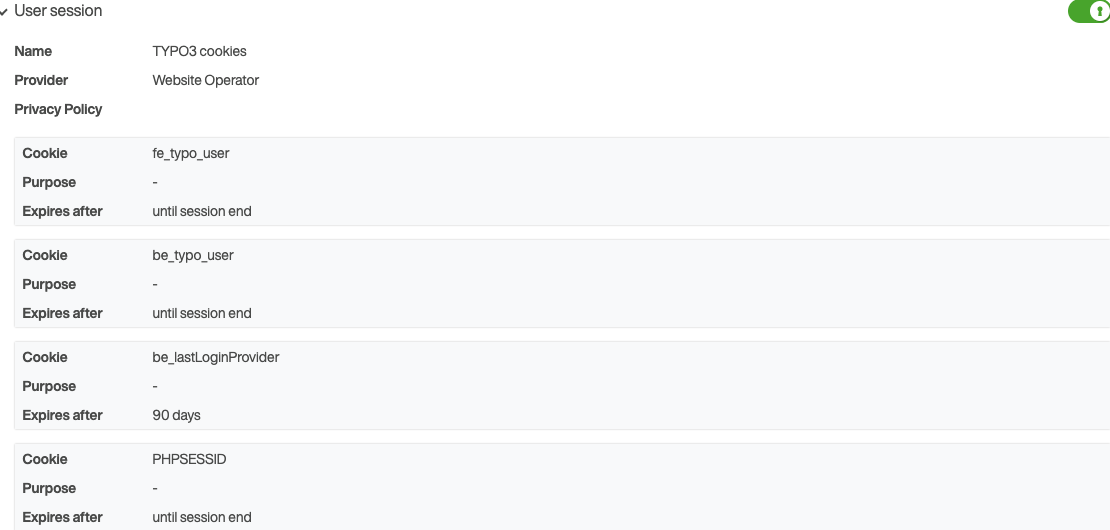
A HTML Table declaration for displaying more detailed cookie informations
Images

essential.items.$NAME.table.name 

Property
essential.items.$NAME.table.name
Data type
string
Default
LLL String
Description
Describe the usage of the named cookie

essential.items.$NAME.table.company 

Property
essential.items.$NAME.table.company
Data type
string
Default
LLL String
Description
The responsible company for this cookie

essential.items.$NAME.table.policy 

Property
essential.items.$NAME.table.policy
Data type
integer
Default
1
Description
The PageUID or URL to the privacy/policy page

essential.items.$NAME.table.rows 

Property
essential.items.$NAME.table.rows
Data type
array

Default

Description
add as many rows as you cookies have, each row has a purpose and a duration
Images