wacon_cookie_management(WCM) is a TYPO3 extension that enables website owner to comply to the General Data Protection Regulation (GDPR) in terms of the usage of cookies an the inclusion of external ressources. The Plugin displays a cookie consent box whenever the permission of a website visitor is necessary (so called "opt-in" method), saves the settings and generates a cookie to identify the user in further page requests.
Types of cookies
If you run a website you have to consider at least two types of cookies:
necessary cookies are those which are essential for a website to run properly (e.g. session cookies for a shopping cart or a password protected login area)
non-essential cookies like tracking or third party cookies. These cookies are usually not necessary (in a technical sense) to run a website and are therefore subject to approval.
Most common external ressources
Ask the website visitor for consent BEFORE you use:
social media plugins (e.g. "timelines")
Google Maps
external fonts (we recommend to install fonts locally)
YouTube videos
all other services included via iframe from an external server
Advantages of wacon_cookie_management(WCM)
WCM is easy to integrate
WCM offers user control not only for cookies but external resources as well
WCM doesn't need third party server or cookies
WCM is fully customizable in terms of layout
WCM offers TYPO3 editors an easy way to manage cookies, categories of cookies and a plugin for external resources
WCM shows reports about the choices visitors made (anonymous by counting every chosen option)
Screenshots
The layout, position, content, images and options can be fully customized. Here are some samples:
Frontend view of the cookie consent box
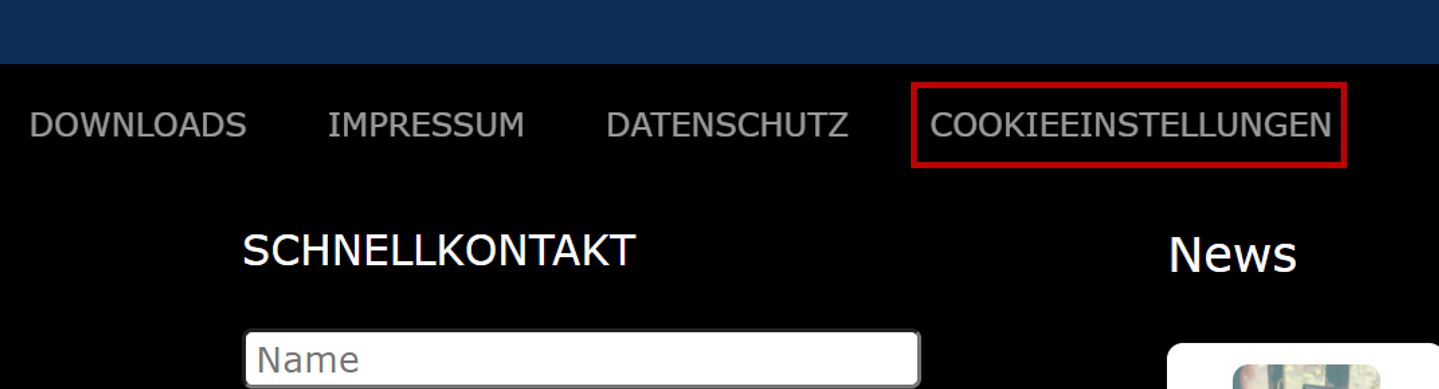
Visitors can change their preferences on any page via a link at the page
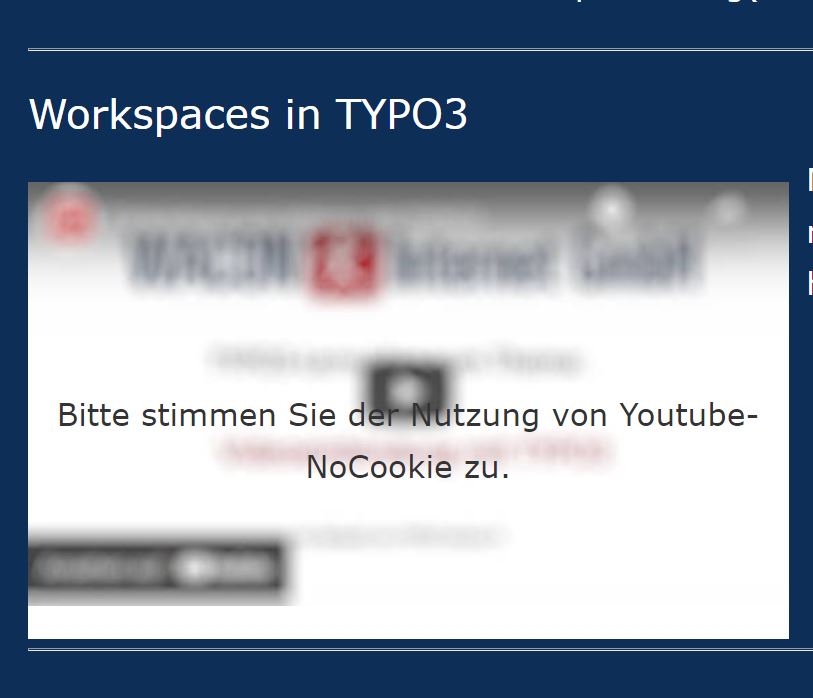
"Frosted glass effect" to visualize a required consent
Installation
Composer installation
Install the extension via composer by using the following command
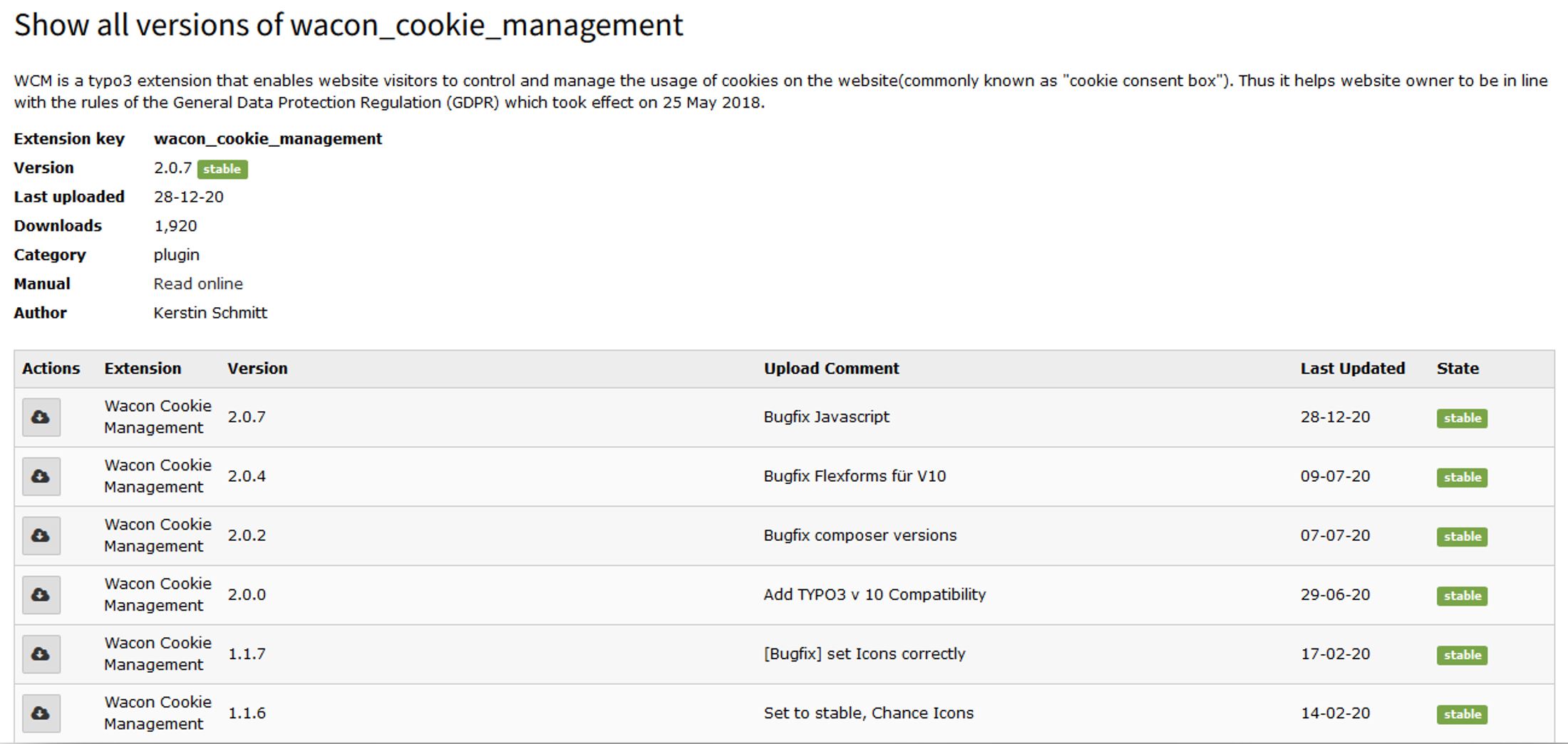
Search for wacon_cookie_management and choose the proper version:
Install WCM via Extension Manager
Include in your Template
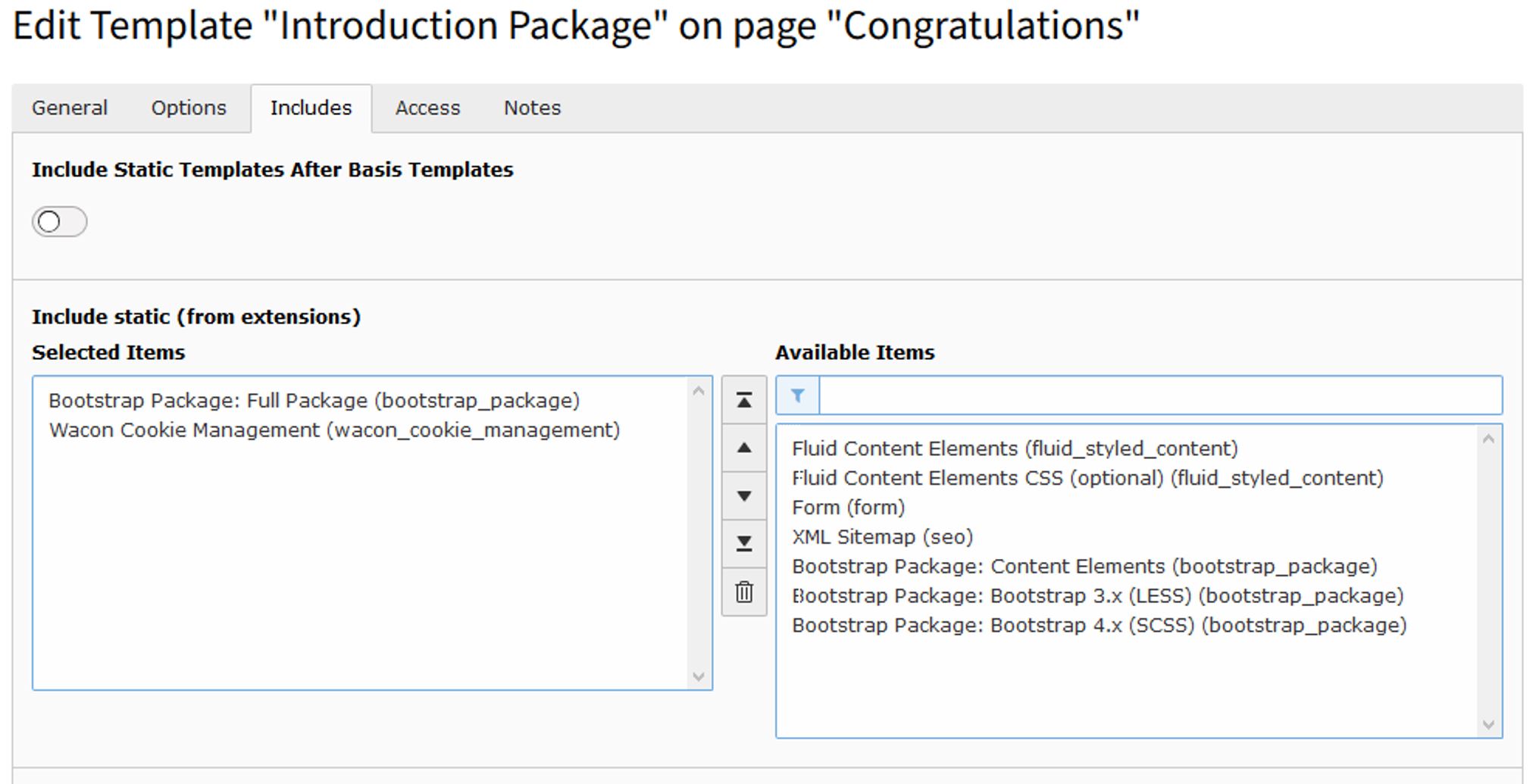
Include the WCM Template in your Site Template:
Include static Template Wacon Cookie Management
Configuration
Loading of jQuery
This extensions loads its own jQuery file. You can disable it by adding the following TypoScript inside your
constants.typoscript or by editing the constants inside the constant editor in the Template module.
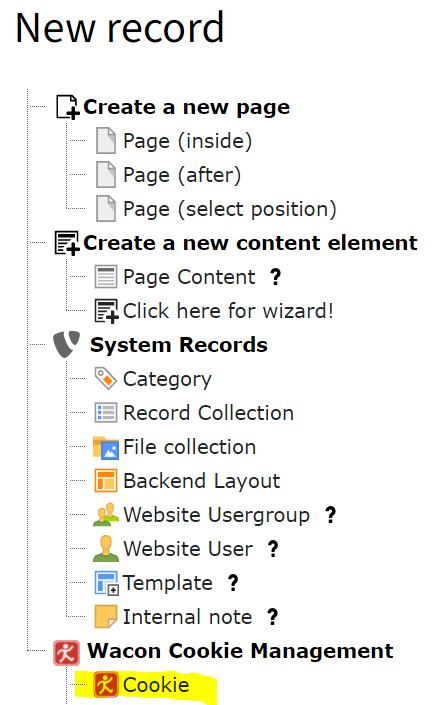
Go to the list module an create a "Cookie" record for each cookie you use on your website
Define new cookie
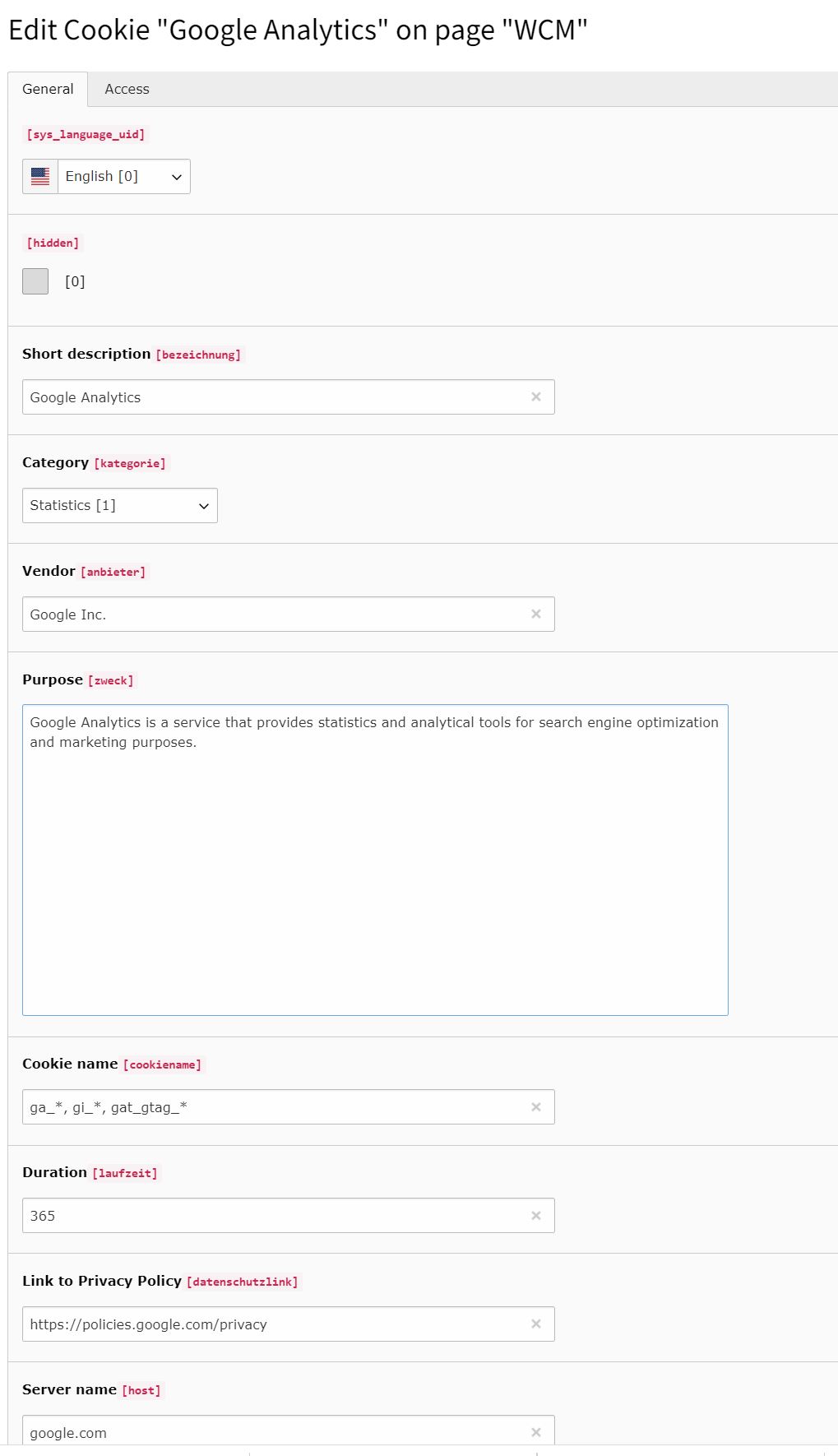
Fill out the fields as accurate as possible
Fields of a Cookie record
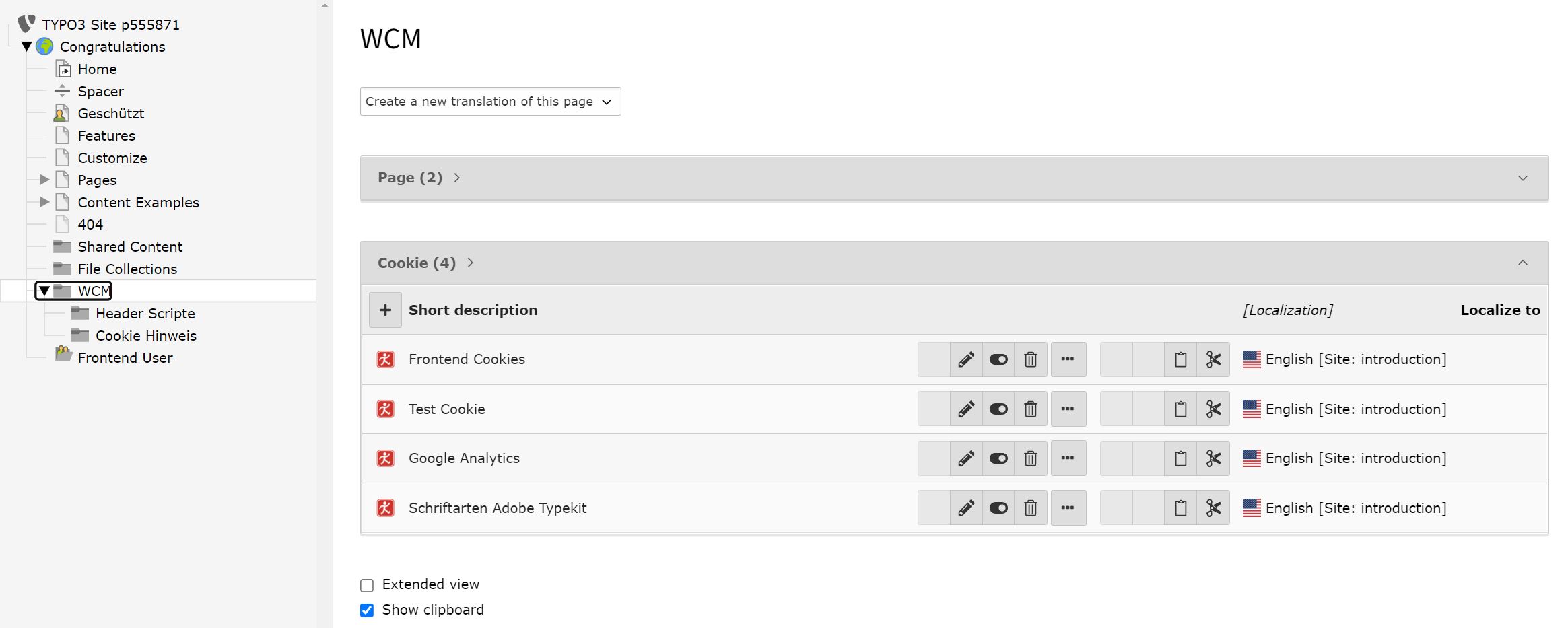
Edit Cookie information when needed
Edit Cookie information
Adding links inside bodytext for displaying the cookie consent box
In Rich Text Editors you can make some settings inside your .yaml file so that you can insert links to the
cookie consent box inside any bodytext.
Put the following configuration inside your .yaml file for your RTE.
For example, it could be located inside Configuration/RTE/Default.yaml but this depends on your sitepackage/exension:
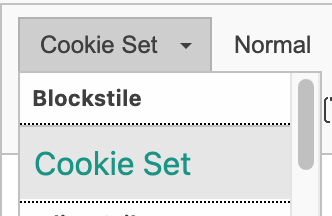
With this settings, you get an extra dropdown item inside the Style-dropdown list.
This example surrounds the <p>-Tag with an extra class cookie-set. f.e.: <p class="cookie-set">Cookie settings</p>
Example of the dropdown.
Important
You can use any other solution for adding this class to your text. It is only important, that the element must have
the class cookie-set.
For example you can use a <span>-Tag like <span class="cookie-set">Cookies</span>.
Be aware that you might need other settings than explained here.
Define folder for scripts in <head>-Tag
Create a new folder for your scripts you want to include in the <head>.
Set the folder in TypoScript inside your
constants.typoscript or by editing the constants inside the constant editor in the Template module.
Manage your cookies by selecting the corresponding folder in the List module:
Create or edit a cookie record and supply the required information:
Short description
Cookie name
Category (Essential / Statistics / Marketing)
Vendor
Purpose
Name
Duration
Link to Privacy Policy
Server, that set the cookie
Use the plugin for content/script in <body>
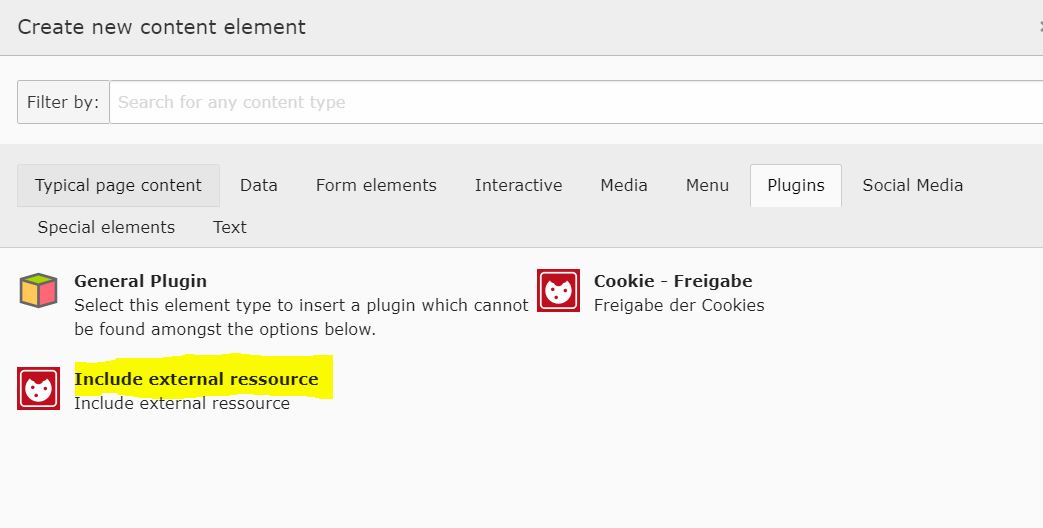
Prevent external content to load without consent by using the plugin "Include external resource":
Include external resource
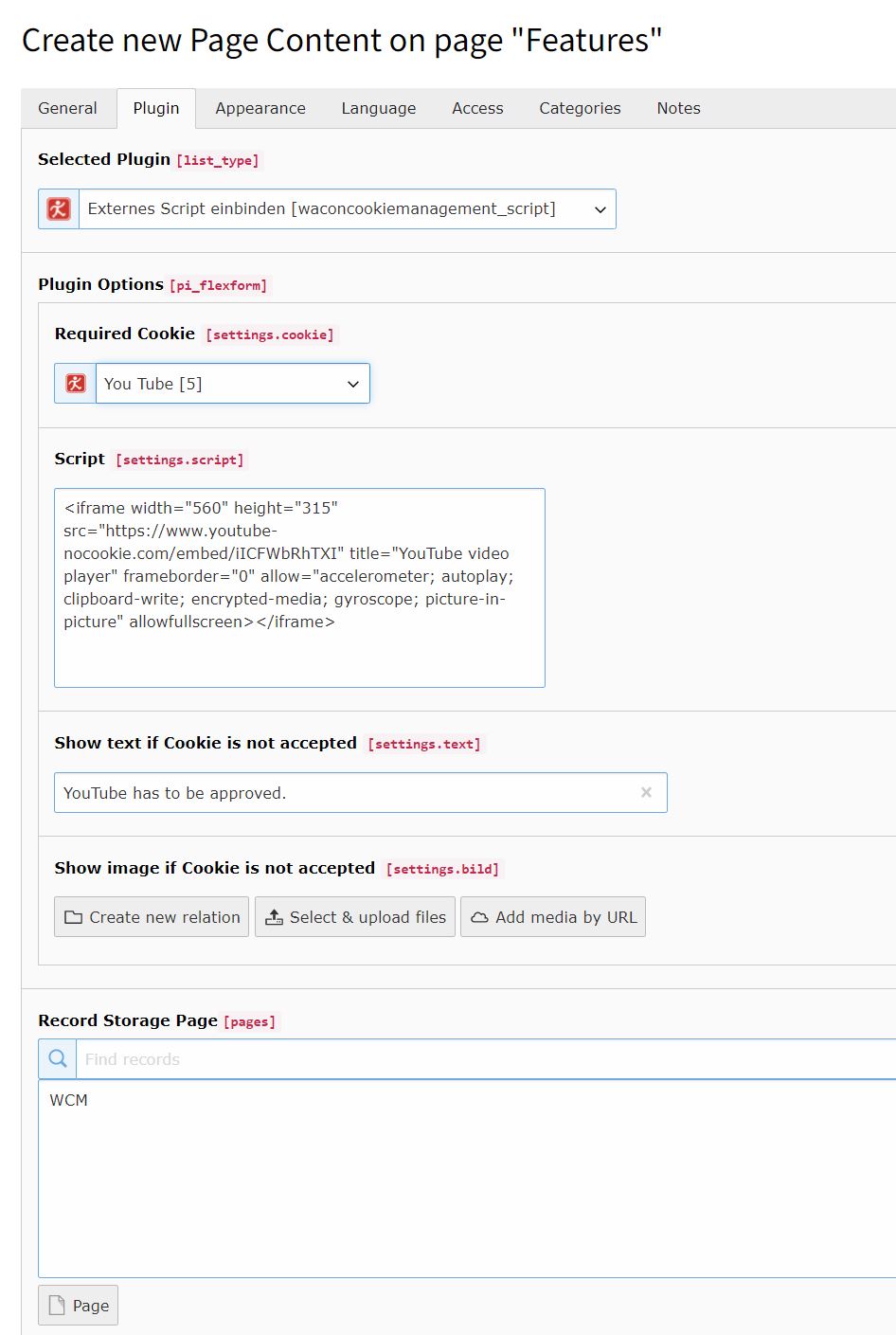
Fill out the fields:
Direct accepted - the cookie is activated direct by click, you have to write this in the field "Show text if Cookie is not accepted"
Choose the corresponding Cookie record
Copy the script or html code in the field "Script"
Deliver text to be shown if the resource is not accepted yet by the visitor
And/or deliver an image to be shown if the resource is not accepted yet by the visitor ("Frosted glass effect")
Tell the Plugin where your Cookie records are stored
Define external resource
Use the plugin for script in <head>
Prevent external content to load without consent by using the plugin "WCM Include script in header":
Fill out the fields:
Choose the corresponding Cookie record
Copy the script or html code in the field "Script"
Tell the Plugin where your Cookie records are stored
Change log
Version 3.4.0
PHP 8.1 Bugfixes
Added possibility to limit the amount of days the cookie-consents will be stored in database
Version 3.3.1
Bugfixes
Version 3.3.0
Bugfixes
Added a switch to enable/disable the loading of jQuery inside this extension
Updated jQuery to current version 3.6.0
PHP 8.0+ compatibility
Version 3.2.12
Bugfix release
Known Issues
GitHub
All known issues will be listed in our GitHub Repository. If there are specific issues which will occur from time to time in several installations, they will be listed here, too.
Sitemap
Administrator Manual
Target group: Administrators
Describes how to manage the extension from an administrator point of view.
That relates to Page/User TSconfig, permissions, configuration etc.,
which administrator level users have access to.
Language should be non / semi-technical, explaining, using small examples.
Installation
How should the extension be installed?
Are they dependencies to resolve?
Is it a static template file to be included?
To install the extension, perform the following steps:
Go to the Extension Manager
Install the extension
Load the static template
...
For a list of configuration options, using a definition list is recommended:
Some Configuration
This option enables...
Other configuration
This other option is for all the rest...
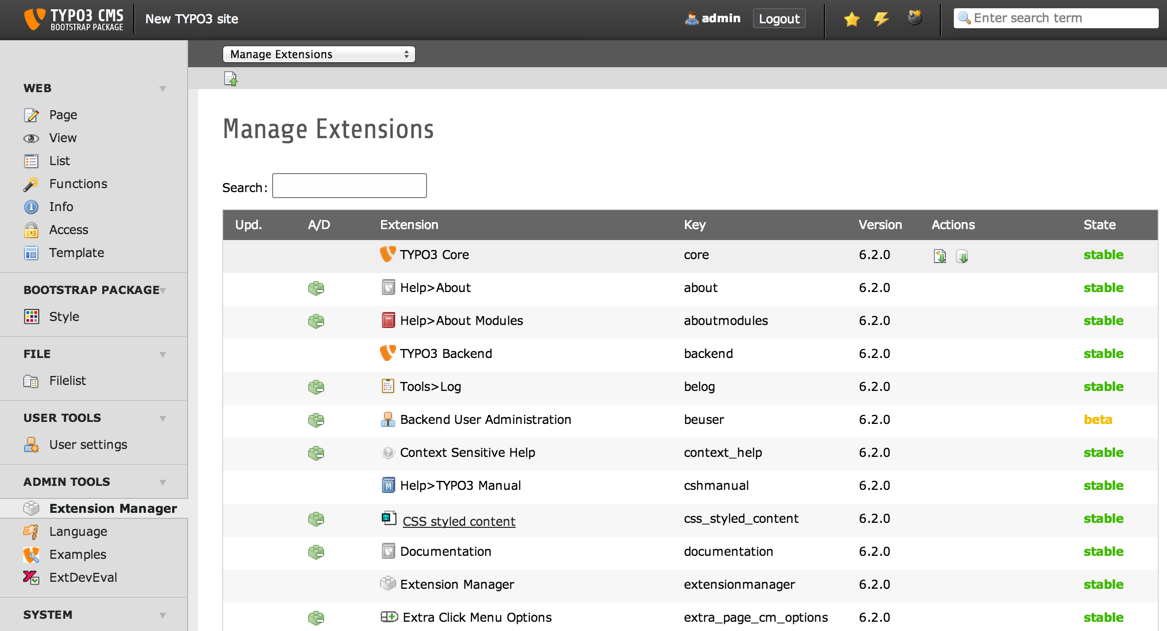
Extension Manager (caption of the image)
List of extensions within the Extension Manager also shorten with "EM" (legend of the image)
Configuration
Where and how the extension should be configured? TypoScript? PHP?
Are there other prerequisite to full fill beforehand?
For example, configure a setting in a special way somewhere.
Give a link pointing to a roadmap.
Alternatively, you can dress up a list of things you want to add or fix in this chapter
or give a vision about where the extension is heading.
Users Manual
Target group: Editors
Here should be described how to use the extension from the editor perspective.
How does it work?
works well when doing this.
does not work so well when doing that
but we can live with it.
mind indentation when nesting lists.
How to install the plugin on a web page?
What options are available?
Language should be non-technical, explaining, using small examples.
Don't use to many acronyms unless they have been explained.
Don't be confusing by putting information targeting administrators.
Tip
Take a break from time to time.
Admonitions should be used to warn the users about potential
pitfalls, attract their attention to important elements
or just add some notes for for information (further reading,
for example).
Important
Remember to always say "please" when asking your software to
do something.
Provide screenshots as needed for making things clear. When creating
screenshots, try using the Introduction Package
as a neutral TYPO3 CMS instance.
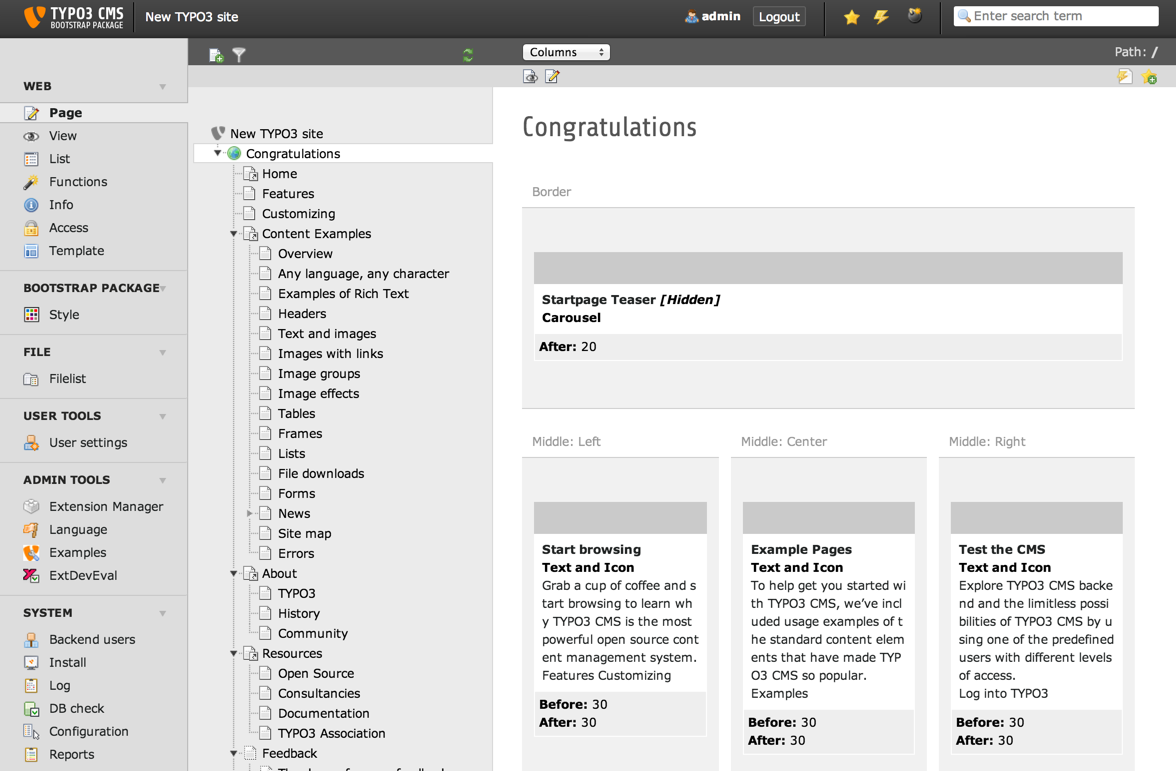
Default Backend view (caption of the image)
The Backend view of TYPO3 after the user has clicked on module "Page". (legend of the image)
FAQ
Possible subsection: FAQ
Reference to the headline
Copy and freely share the link
This link target has no permanent anchor assigned.The link below can be used, but is prone to change if the page gets moved.