Extension Name 

Version

14.0

Language

en

Authors

Sven Wappler

Email

typo3@wappler.systems

License

This extension documentation is published under the CC BY-NC-SA 4.0 (Creative Commons) license

TYPO3

The content of this document is related to TYPO3 CMS, a GNU/GPL CMS/Framework available from typo3.org .

Community Documentation:

This documentation is community documentation for the TYPO3 extension {extension.name}

It is maintained as part of this third party extension.

If you find an error or something is missing, please: Report a Problem

Extension Manual

This documentation is for the TYPO3 extension videos.

For Contributors

You are welcome to help improve this guide. Just click on "Edit me on GitHub" on the top right to submit your change request.

Sitemap:

Sitemap

Introduction 

What does it do? 

This extension

Screenshots 

This chapter should help people understand how the extension works. Remove it if it is not relevant.

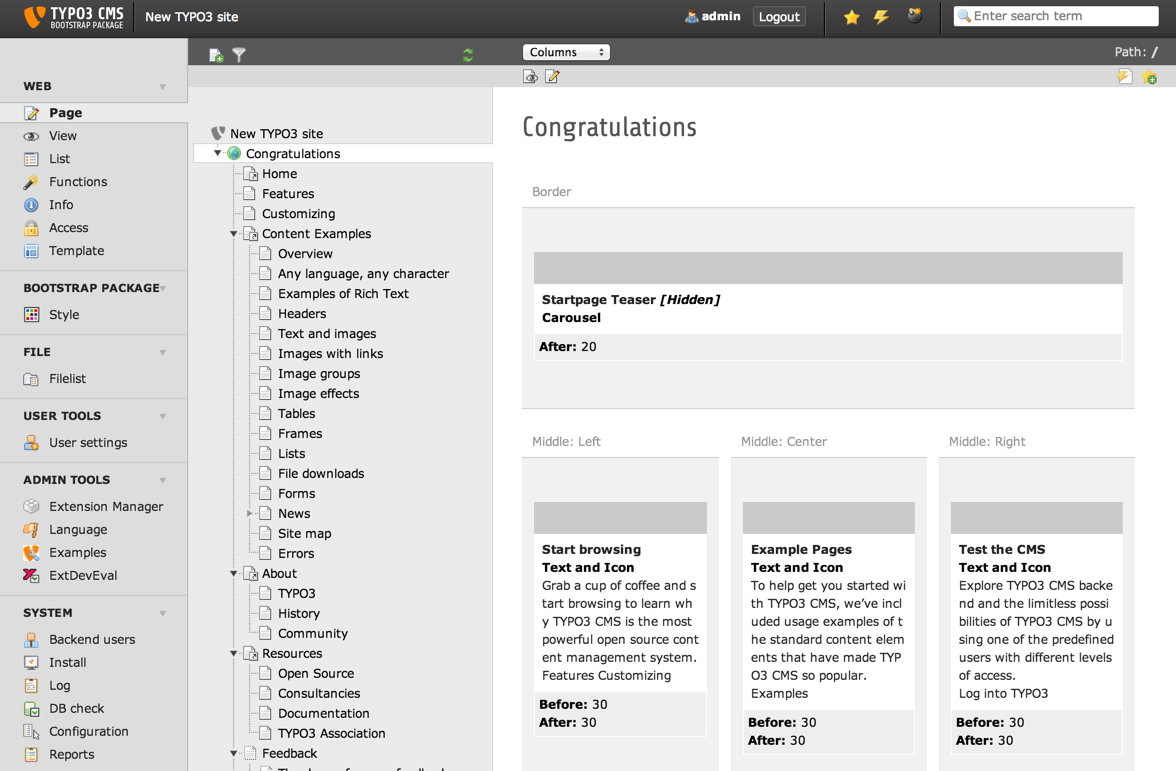
Introduction Package

Introduction Package just after installation (caption of the image)

How the Frontend of the Introduction Package looks like just after installation (legend of the image)

For Editors 

Target group: Editors

How to use the extension from the perspective of an editor.

Think of common tasks that an editor is likely to perform in your extension.

  • How do they complete them?
  • What problems are they likely to encounter?
  • What access do they require?
  • What configuration options are available to them?

One example could be adding a frontend plugin to a page and then configuring it.

Language should be non-technical, aim to avoid using acronyms where possible.

Be mindful that editors typically dont have administrative access to the installation.

Admonitions should be used to warn the users about potential pitfalls, attract their attention to important elements or just add some notes for for information (further reading, for example).

Provide screenshots as needed for making things clear. When creating screenshots, try using the Official Introduction Package.

Backend view

Default Backend view (caption of the image)

FAQ 

Possible subsection: FAQ

Installation 

Target group: Administrators

  • How is the extension installed?
  • Are there any dependencies that need to be resolved?

You can also refer to general TYPO3 documentation, for example the t3install:start.

Configuration 

Target group: Developers, Integrators

How is the extension configured? Aim to provide simple instructions detailing how the extension is configured. Always assume that the user has no prior experience of using your extension.

Try and provide a typical use case for your extension and detail each of the steps required to get the extension running.

Typical Example 

  • Do we need to include a static template?
  • For example add a code snippet with comments

Minimal example of TypoScript:

  • Code-blocks have support for syntax highlighting
  • Use any supported language
plugin.tx_myextension.settings {
   # configure basic email settings
   email {
      subject = Some subject
      from = someemail@domain.de
   }
}
Copied!

TypoScript Reference 

Possible subsections: Reference of TypoScript options. The construct below show the recommended structure for TypoScript properties listing and description.

When detailing data types or standard TypoScript features, don't hesitate to cross-link to the TypoScript Reference as shown below.

See Hyperlinks & Cross-Referencing <https://docs.typo3.org/typo3cms/HowToDocument/WritingReST/Hyperlinks.html> for information about how to use cross-references.

See the Settings.cgf file for the declaration of cross-linking keys. You can add more keys besides tsref.

Properties 

Property Data type stdWrap Default
allWrap Wrap yes <div>|</div>
subst\_elementUid boolean no 0
wrapItemAndSub Wrap    

Property details 

allWrap 

plugin.tx_extensionkey.allWrap = Wrap

Wraps the whole item.

subst_elementUid 

plugin.tx_extensionkey.subst_elementUid = boolean

If set, all appearances of the string {elementUid} in the total element html-code (after wrapped in allWrap_) are substituted with the uid number of the menu item. This is useful if you want to insert an identification code in the HTML in order to manipulate properties with JavaScript.

wrapItemAndSub 

plugin.tx_extensionkey.wrapItemAndSub = Wrap

Wraps the whole item and any submenu concatenated to it.

FAQ 

Possible subsection: FAQ

Developer Corner 

Target group: Developers

This is your opportunity to pass on information to other developers who may be using your extension.

Use this section to provide examples of code or detail any information that would be deemed relevant to a developer.

You may wish to explain how a certain feature was implemented or detail any changes that might of been made to the extension.

Hooks 

Possible hook examples. Input parameters are:

Parameter Data type Description
$table string Name of the table
$field string Name of the field

Use parameter $table to retrieve the table name...

API 

How to use the API...

$stuff = \TYPO3\CMS\Core\Utility\GeneralUtility::makeInstance(
   '\\Foo\\Bar\\Utility\\Stuff'
);
$stuff->do();
Copied!

or some other language:

$(document).ready(
   function () {
      doStuff();
   }
);
Copied!

Sitemap 

below normal contents