Contributions are essential to the success of open source projects, but they are by no means
limited to contributing code. Much more can be done, for example by
improving the documentation.
Contribution workflow
Please always create an issue on Github
before starting a change. This is very helpful to understand what kind of problem the
pull request solves, and whether your change will be accepted.
Bug fixes: Please describe the nature of the bug you wish to report and provide
how to reproduce the problem. We will only accept bug fixes if we can
can reproduce the problem.
Features: Not every feature is relevant to the majority of users.
In addition: We do not want to complicate the usability of this extension for a marginal feature.
It helps to have a discussion about a new feature before
before opening a pull request.
Please always create a pull request based on the updated release branch. This
ensures that the necessary quality checks and tests are performed as a quality
can be performed.
Sponsors
We very much appreciate the sponsorship of the development and features of the
DeepL Translate Extension for TYPO3.
You can define glossaries for your translations. Each glossary has a name, a source
language and a target language. The name is made up of the page title and the target
and source languages.
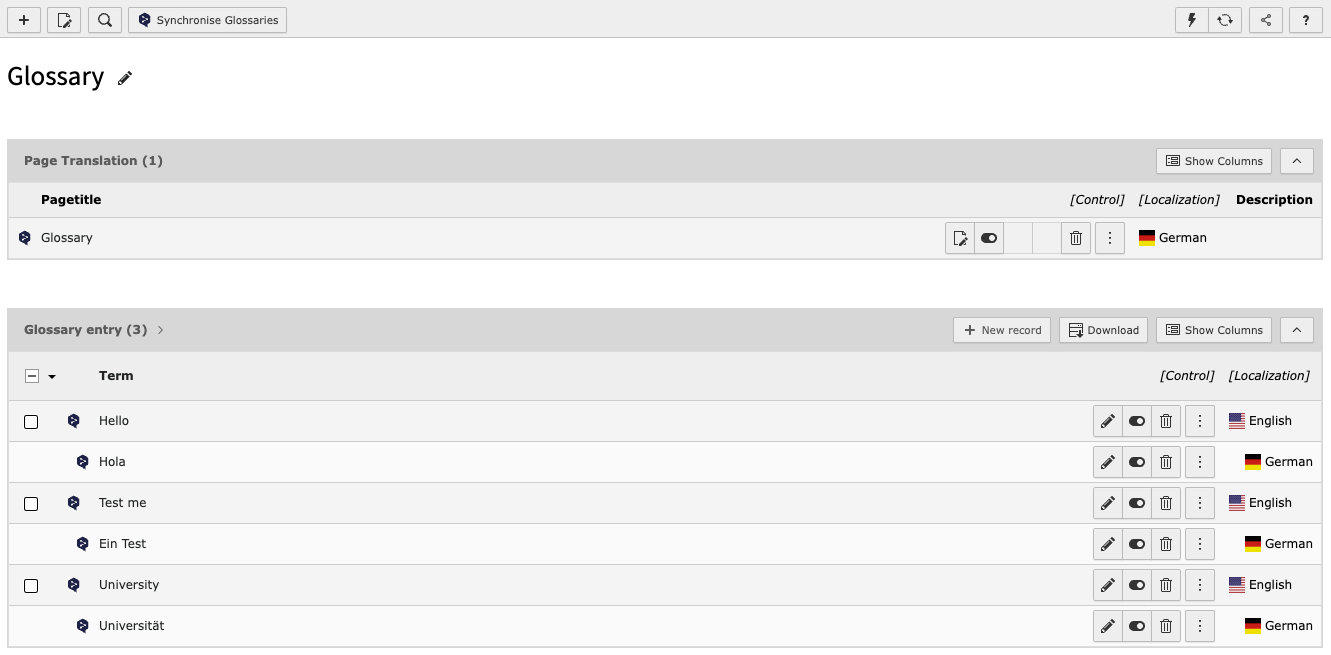
On pages with Doktype 254 (Folder) and "Use Container" set to "DeepL Glossary",
a synchronise button appears for easy synchronisation of the glossary terms listed in this page.
Possible glossary combinations in multiple language translation modes are built
on the fly, so your glossary can be used from any target to source, except the
default system language.
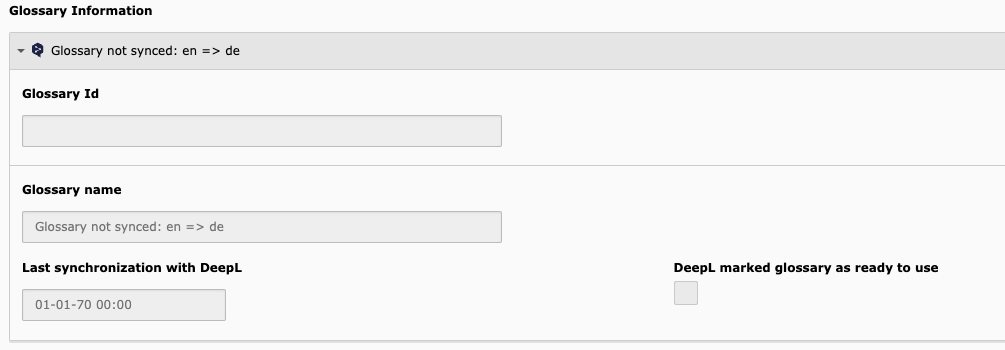
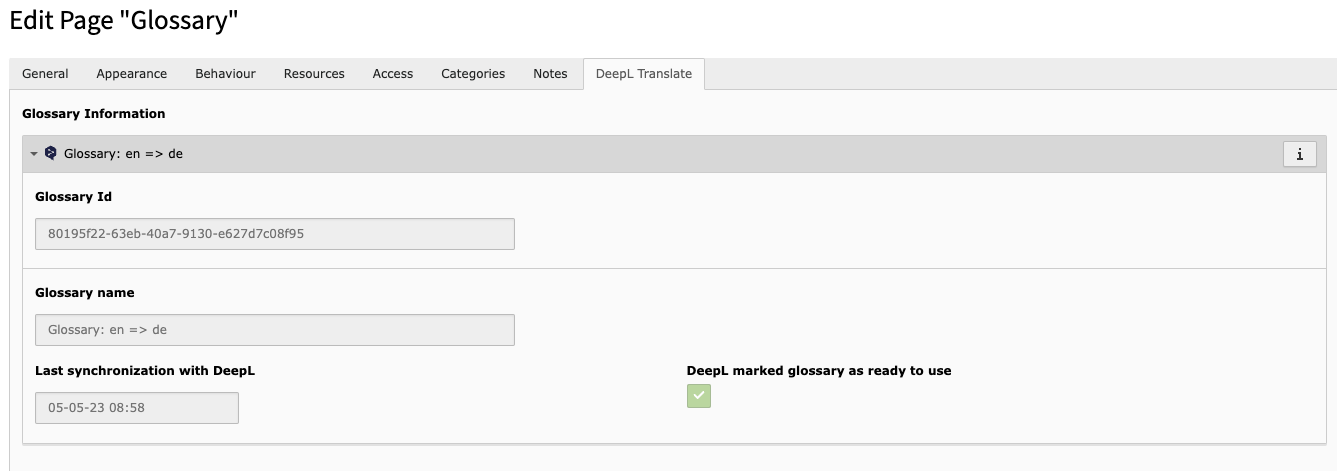
Each glossary shows you the current sync status to the DeepL API in the page settings.
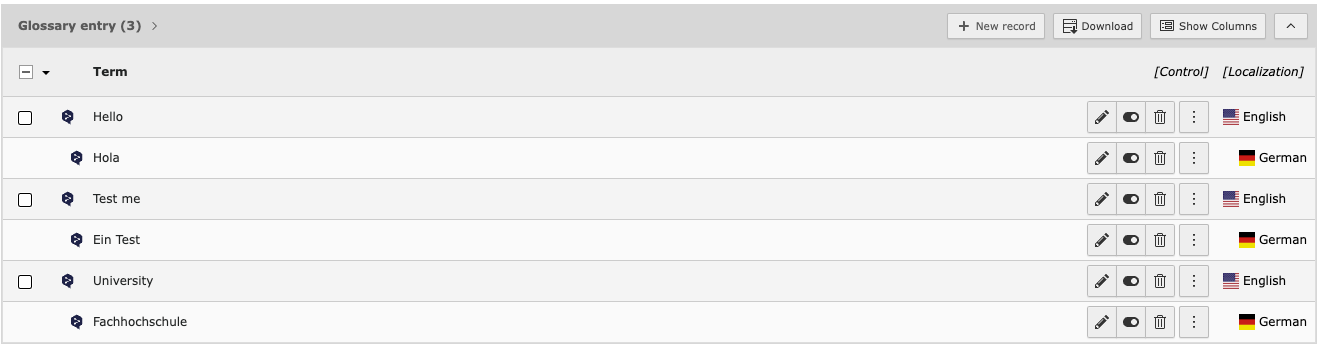
Adding terms is done through the list module.
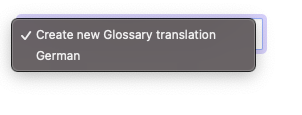
To generate a glossary translation, simply translate the page into the required
glossary language using the TYPO3 translation dropdown. A custom translation dropdown
will be displayed, which will only accept languages in which glossary entries can be created.
After that you can make translations with the Translate to button.
As the glossary entries are made for not using DeepL standard wording, the
ability of translating entries by DeepL is disabled.
You can retrieve the current sync information of this glossary to the API in the
page settings, tab DeepL Translate.
Note
Current NO Automatic sync is performed on save. Save and trigger sync manually.
In each glossary directory, a button is enabled to synchronise that glossary.
After sync the tab DeepL Translate should look like this:
Housekeeping
Three CLI commands are available for Cleanup, Sync and Overview.
Overview
To get an overview of how many glossaries are registered with DeepL, you can use
the following:
vendor/bin/typo3 deepl:glossary:list
Copied!
This will give you an overview of the API connected glossaries, number of
entries, creation date and Glossary DeepL ID.
Cleanup
Due to sync failures, it is useful to delete all DeepL glossaries.
This command retrieves information about all glossaries or one glossary registered
in the DeepL API and deletes them from the API. In addition, each glossary ID is
checked against the database and if found, the database record is updated.
The command then checks the local database to see if any glossaries still have
sync information, and cleans them up too.
At the end you will get a table with all deleted glossary IDs and the information
if the database has been updated with this glossary.
This command does not delete your glossaries in TYPO3.
After this, you are able to sync your glossaries with DeepL again.
Synchronisation
Synchronisation is performed by CLI command or as a scheduled task (as configured
CLI command).
vendor/bin/typo3 deepl:glossary:sync
Copied!
Accepts pageId as option. If not given, syncs all available glossaries.
Known Issues
None so far. If you find an issue, feel free to contribute.
Reference to the headline
Copy and freely share the link
This link target has no permanent anchor assigned.The link below can be used, but is prone to change if the page gets moved.