
Using a report
Target group: Administrators
Opening the module
Site Management > Go-Live Check. The module answers a question about one website, so it has a site selector in its header; installations with a single site never see a choice to make.
Access is restricted to administrators. Several checks read backend user records, mail configuration and debug switches — values an editor has no business seeing.
When the checks run
Every time the module is opened. There is no stored result, no cache and no background run: reloading the page is what re-checks the site.
Each URL is fetched only once per report — /robots. is read by three
checks, and three separate requests could even contradict each other if someone
saved in between. The HTTP timeout is five seconds per request, and at most
256 KB of a response body is read, which is why a multi-megabyte sitemap does
not slow the report down.
Reading a finding
The header counts the findings by severity:
- Blocker
- Do not go live. The site is invisible, broken, or legally exposed.
- Warning
- Going live is possible, but it costs visibility, security or trust.
- Notice
- Cosmetics and polish.
The severity belongs to the check, not to the result — a missing privacy page is always a blocker, whether it is currently missing or not. One check deviates on purpose: an expired TLS certificate is a blocker, a certificate expiring in 25 days is a warning. It is the same check with two weights.
Below each finding there are up to three things:
- The value that was found, unformatted and untranslated. This is the
actual content of the configuration — the wrong URL, the affected page
titles,
SYS/devIPmask = *— and it is deliberately not localised, because the report has to show what really is in there. - A link to the place where it is fixed: the record, the page module, the site configuration, or the URL in the frontend. External targets open in a new tab so the report stays where it is.
- A fix button, but only in the two cases described below.
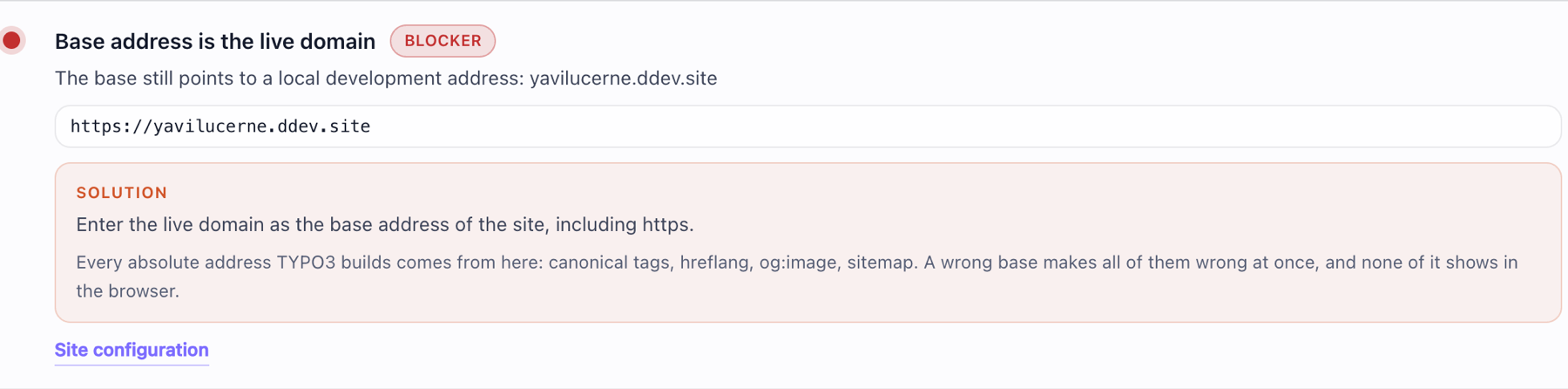
A finding as the report shows it. The value in the monospaced box is what really is in the configuration — here a base URL that never left the development machine.
The one-click fix
Two findings can be repaired from the report: a robots. that locks
search engines out, and a missing or wrong Sitemap: line in it. Both times
the correct value follows necessarily from the site configuration, so there is
nothing to guess.
This requires that robots. is served by TYPO3 from a static route in
the site configuration. If the file is delivered by the web server from disk,
the report says so and offers no button.
Everywhere else there is no button, and that is a decision rather than a gap. A control that quietly writes a guess into a configuration is worse than none, because afterwards nobody looks again.
The manual checklist
Twelve points no machine can confirm — a restore actually tested, redirects from the previous site imported, nothing tracking before consent, the imprint text read by the customer.
Ticking one records the backend user and the timestamp, and the report shows both. That is the point of the list: it doubles as a handover protocol, and "ticked" without "by whom, when" is worthless once someone complains.
The ticks are stored per site in
sys_ (namespace
golive_check, key manual.<site identifier>). They survive a cache flush
and are not part of the page tree, so they do not travel with a content export.
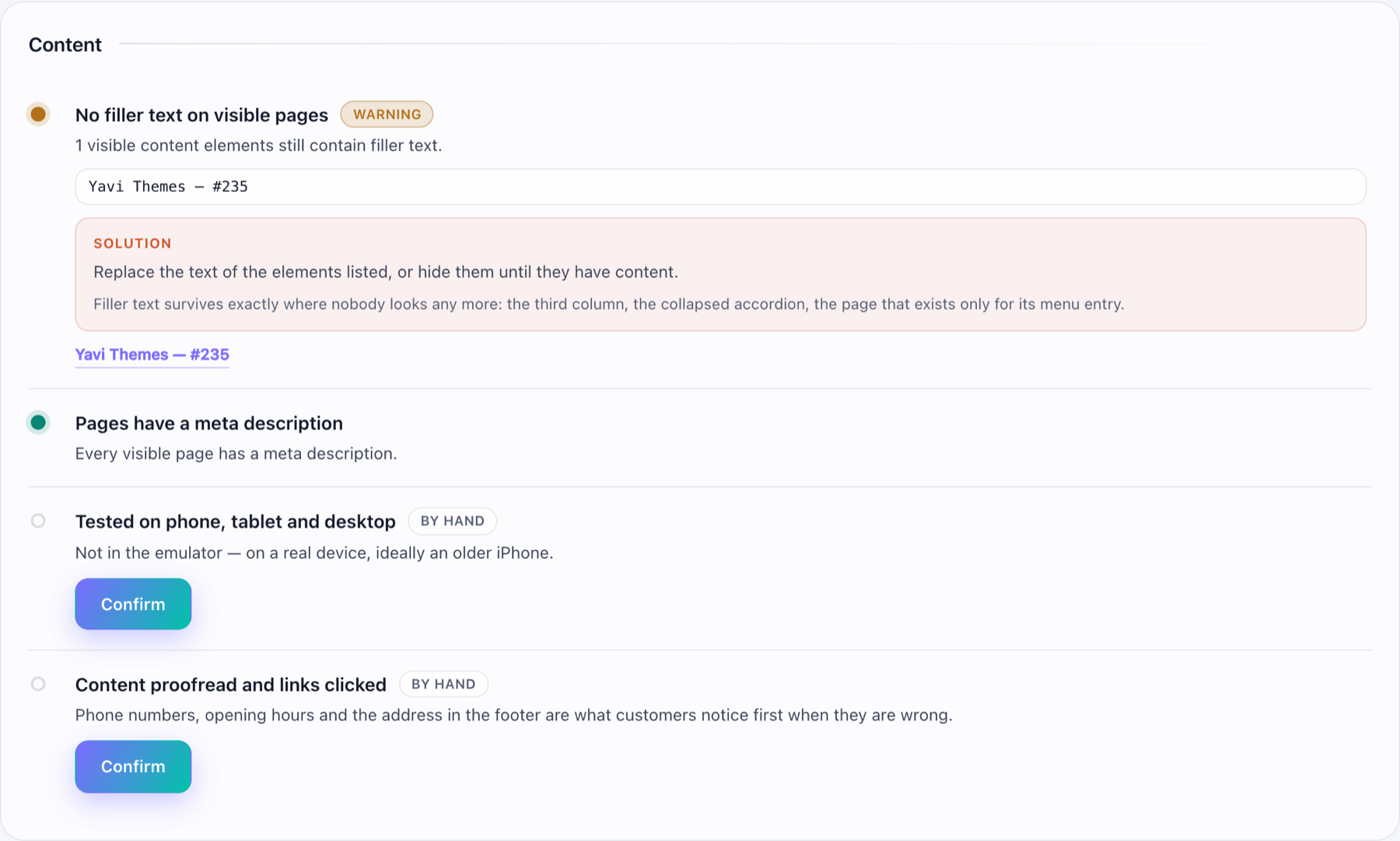
Manual points sit in the same categories as the automatic checks, marked by hand. They are the only entries with a button that records who confirmed them.
Printing and handover
Print / save as PDF opens the browser's print dialog, and every current browser can write that to a PDF. The printed version carries a document header — site, domain, date, the name of the user who printed it, and the TYPO3 version — that is invisible on screen.
There is no PDF library involved, on purpose: the extension stays free of a heavy dependency that every installation would have to carry along for a page that is printed twice in the lifetime of a project.
"Not verifiable" and what causes it
Grey results are checks that could not reach their answer. The reason is always named; these are the ones that occur:
- The site has no absolute base URL, so there is no live address to call.
- The live URL did not answer (the message contains the transport error).
- The base URL was only assumed from the current backend request, which makes a comparison against a domain meaningless.
- There is no
robots.or notxt sitemap.to look into — that is reported once, by the check that is about the file's existence, and the checks that would read its content skip.xml - The sitemap exists but contains no entries yet.
- The base URL is not https, so the certificate and the HTTP-to-HTTPS redirect have nothing to say.
- typo3/cms-scheduler is not installed.
- The site has no pages, or there is no enabled administrator account.
What the report cannot see
- Anything that only happens in the browser: a tracking script fired before consent, a cookie banner that does not block, a layout that breaks on a phone.
- Whether content is correct — only whether it still contains filler text.
- Whether a backup can be restored. A backup nobody has restored is a folder of files, and the only way to know is to try it.
These are exactly the twelve points on the manual list.