Booking 

Extension Key

booking

Version

2.5

Language

en

Copyright

2020

Author

Joachim Ruhs

Email

postmaster@joachim-ruhs.de

License

This extension documentation is published under the CC BY-NC-SA 4.0 (Creative Commons) license

Booking extension for FE users for objects on a hourly base

TYPO3

The content of this document is related to TYPO3 CMS, a GNU/GPL CMS/Framework available from typo3.org .

Community Documentation:

This documentation is community documentation for the TYPO3 extension Booking

It is maintained as part of this third party extension.

If you find an error or something is missing, please: Report a Problem

Sitemap:

Sitemap

Introduction 

What does it do? 

The extension enables logged in FE Users to request an object for booking on a hourly base like rooms or similar.

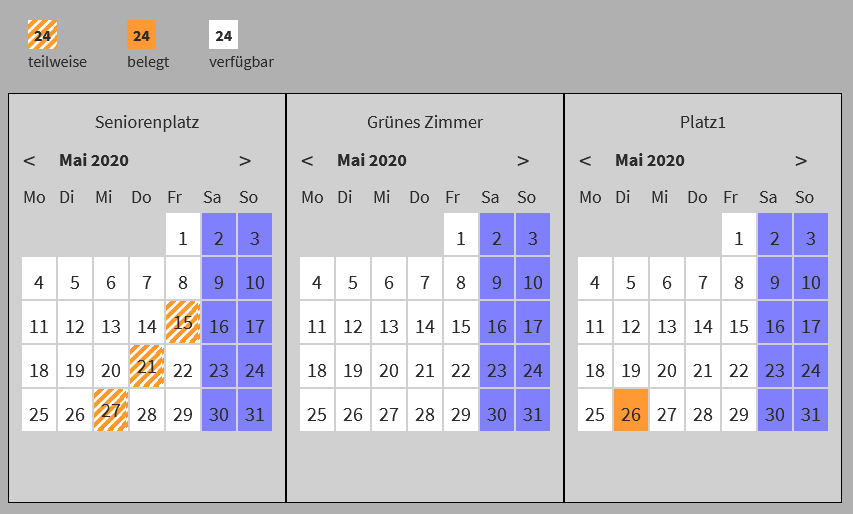
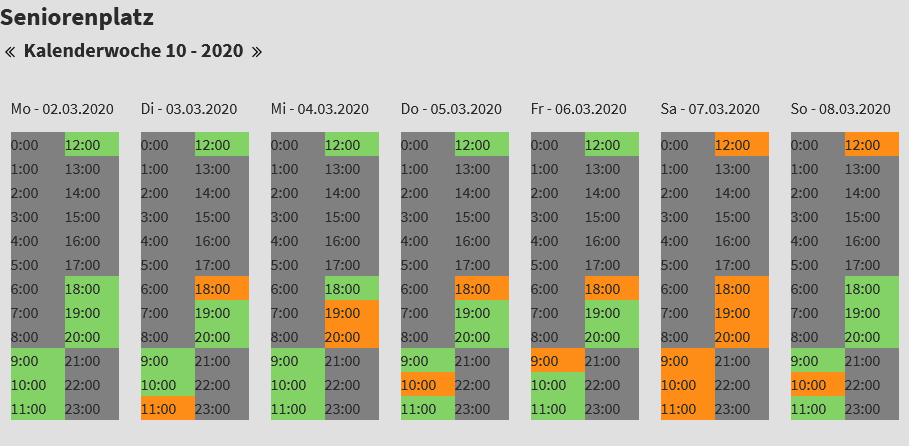
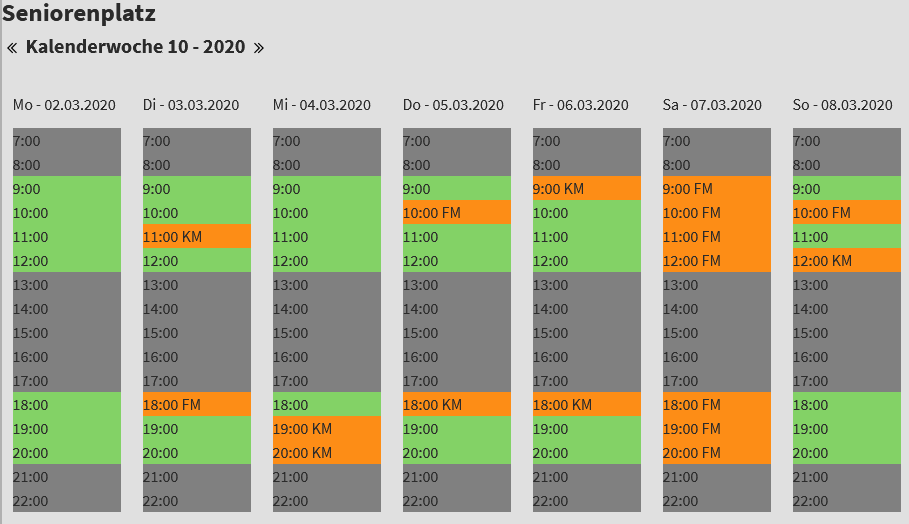
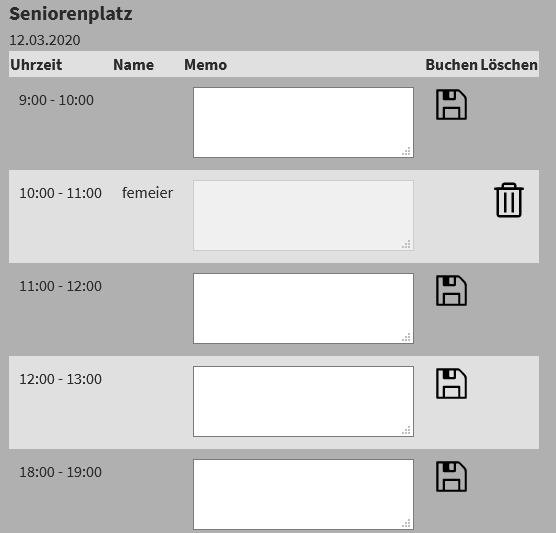
There are a month calendar views and a week calendar. With a click on a selected date in the calendar of the object, a booking form is shown. In the booking form, you can book/request the desired hour if a booking icon is shown. In this form you can delete your own request if a delete icon is shown.

The extension is configured with the constant editor of TYPO3.

What's new? 

Startingpoint implemented - you can use the startingpoint instead of the storagePid in extension constants.

Screenshots 

Month calendar

Month Calendar

Week calendar

Week Calendar New Week Calendar

Booking form

Booking form

Installation 

Target group: Administrators

Import the extension from a local source or the TER like any other extension.

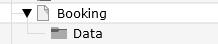
Create some pages as shown below.

Pages for booking

On the page Booking insert the plugin Booking (Reservation) and limit the access to the plugin for logged in FE users.

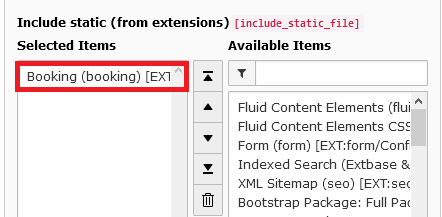
On page 'Booking' or on your root page insert 'Typoscript Include static' (from extension) Booking (booking). With the constant editor insert the desired settings of the extension like storage Pid, default calendar [week|month], jQuery options, path to templates etc.

Include Static

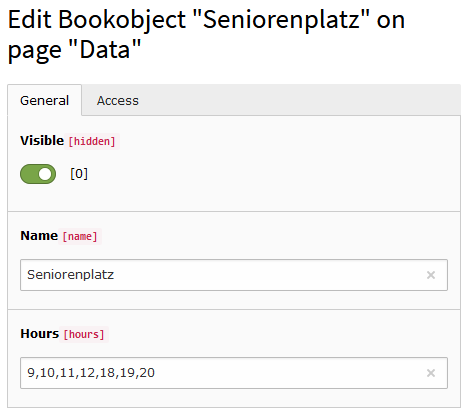
On the page 'Data' (storagePid) insert at least one Booking object. Insert a name and the operation hours of the object like "10,11,12,13,14,15,16". The operation hours should be shown in green in the Week Calendar.

Book object

When everything is done, log in as FE user and test the extension...

To use your own templates, copy the directory folder /typo3conf/ext/booking/Resources/ with subdirectories to your own template folder (for example fileadmin/includes/ext/booking/Resources/). Then change the templateRootPath in the constant editor to the new value of the template directory.

Reference 

plugin.tx_booking.view 

templateRootPath 

Property
templateRootPath
Data type
string
Description
path to templates
Default
EXT:booking/Resources/Private/Templates/

partialRootPath 

Property
partialRootPath
Data type
string
Description
path to partials
Default
EXT:booking/Resources/Private/Partials/

layoutRootPath 

Property
layoutRootPath
Data type
string
Description
path to layouts
Default
EXT:booking/Resources/Private/Layouts/

plugin.tx_booking.persistance ^^^^^^^^^^^^^^^^^^^^^^^^^^^^^^

storagePid 

Property
storage page id
Data type
int
Description
page id of storage
Default

plugin.tx_booking.settings 

defaultCalendar 

Property
The default calendar
Data type
string
Description
The default calendar when the plugin is shown [month|week]
Default
month

hoursToDisplay 

Property
The hours which are shown in calendar week
Data type
string
Description
The hours which are shown in week view
Default
7,8,9,10,11,12,13,14,15,16,17,18,19,20,21,22

activateFeUserMail 

Property
Activation of FE user mail
Data type
boolean
Description
If activated, a mail is send to the FE user when a booking is done
Default
0

mailSubject 

Property
Mail subject
Data type
string
Description
Mail subject
Default

mailFromName 

Property
Mail from name
Data type
string
Description
Mail from name
Default

mailFromAddress 

Property
Mail from address
Data type
string
Description
Mail from address
Default

mailAttachment 

Property
Mail attachment
Data type
string
Description
Mail atttachment, f.e fileadmin/booking/mailattachment.txt
Default

Known problems 

No images/icons are shown - if you use the fluid <f:image ...> tag in the templates, make sure you have set a one level Slug like '/snooker-tables'.

Sitemap 

below normal contents