Myflat 

Classification

myflat

Version

1.5

Language

en

Description

Shows the booking of holiday flats in calendars. An availability check is implemented too.

Keywords

booking calendar, availability check, holiday flat

Copyright

Joachim Ruhs

Author

achim Ruhs

Email

postmaster@joachim-ruhs.de

License

This document is published under the Open Content License available from http://typo3.org/extensions/repository/

Rendered

Thu, 07 May 2026 17:28:24 +0000

The content of this document is related to TYPO3, a GNU/GPL CMS/Framework available from www.typo3.org.

Table of Contents
What does it do? 

The extension shows the bookings of holiday flats in calendars. You can search for a flat with an availability check for a desired time period with the extension.

What's new? 

New configuration option 'displayOnlyPresentAndFutureMonths'. This may be useful in tabs.

The configuration of the extension is done with the constant editor or with typoscript.

Screenshots 

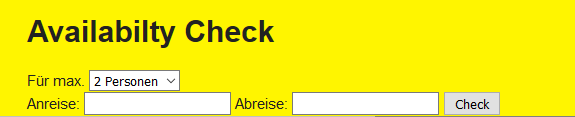
Availability form

Availability form

Availability result

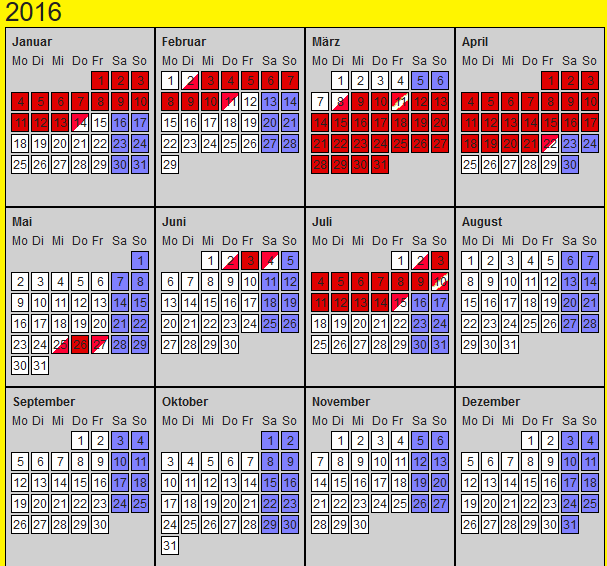
Click on flat name will show the multirowcalendar.

Result

MultiRowCalendar2

MultiRowCalendar

Administrator manual 

Target group: Administrators

Installation 

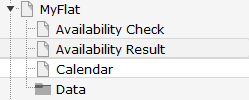
Import the extension from TER (TYPO3 Extension Repository) like any other extension. Create some pages as shown below.

Pages for myflat

On the page Availability Form insert the plugins availability form. If you want the availability check result on the same page then insert the plugin availibility check too and set resultPageId to this PageID.

On page Availability Result insert the plugin AvailibilityCheck.

On page Calendar insert the plugin multirowcalendar of the extension.

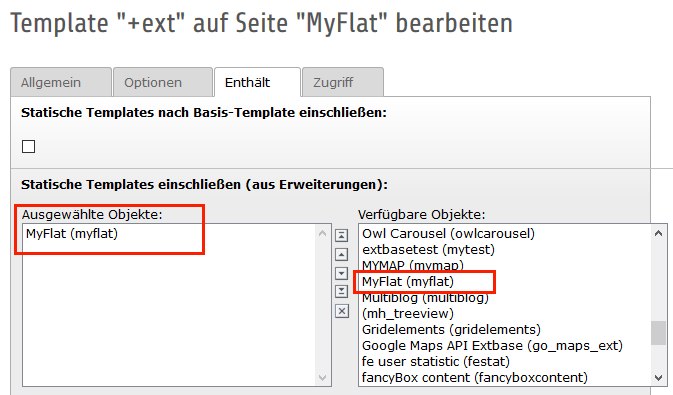
On page Myflat or on your root page insert Typoscript Include static (from extension) myflat. With the constant editor insert the desired settings of the extension like include jQuery options, path to templates etc.

Include Static

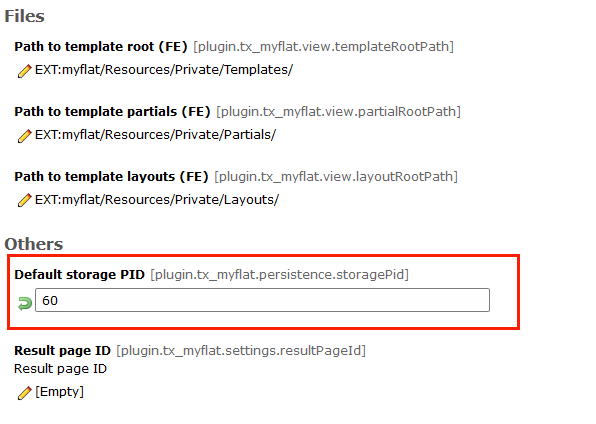
The data of the flats and categories is stored in page Data. Insert in the constant editor the correct "Default storage PID" of the flats.

Record storage page

Inserting data 

In TYPO3 list module select page Data. First insert at least one flat category. Then you can insert some flat locations.

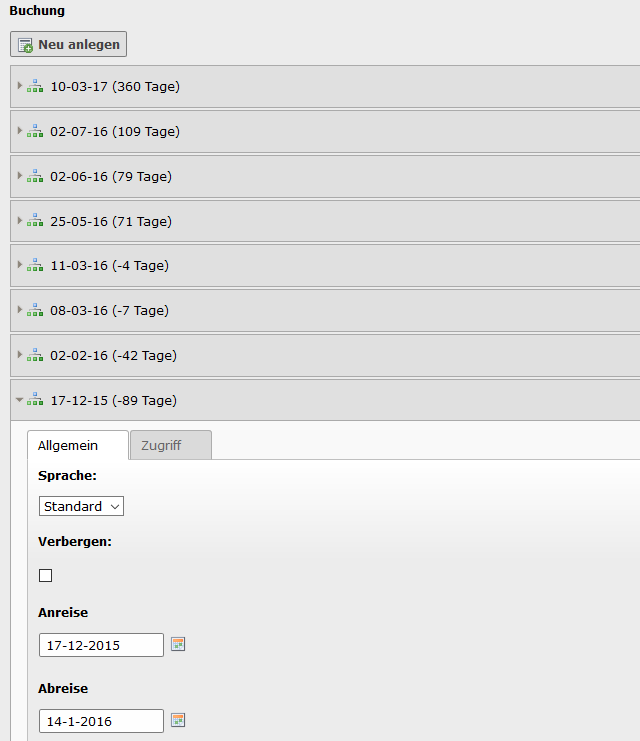
To insert some booking data, go to the flat in the list module, select the desired flat and insert a new booking.

Insert Bookings

When everything is done you can see the flat on the page List. If only one flat is available you are redirected to the monthmultirowcalendar view of the extension.

Reference 

plugin.tx_myflat.view 

templateRootPath 

Property
templateRootPath
Data type
string
Description
path to templates
Default
EXT:myflat/Resources/Private/Templates/

partialRootPath 

Property
partialRootPath
Data type
string
Description
path to partials
Default
EXT:myflat/Resources/Private/Partials/

layoutRootPath 

Property
layoutRootPath
Data type
string
Description
path to layouts
Default
EXT:myflat/Resources/Private/Layouts/

plugin.tx_myflat.persistence 

storagePid 

Property
storagePid
Data type
string
Description
uid of storage folder, if more than one value sparate it by comma.
Default
0

resultPageId 

Property
resultPageId
Data type
int
Description
Id of the availability check result page.
Default

displayOnlyPresentAndFutureMonths 

Property
displayOnlyPresentAndFutureMonths
Data type
boolean
Description
If set, shows only current and future months in the calendar.
Default

Known problems 

...

FAQ 

Custom templates and files

You can use your own template and CSS file or other jQuery library - just go to the TYPO3 constants editor and change the values for your needs.