The extension enables you to show tt_address locations in responsive Google maps.
You can do a radial search for locations and display them in a list and a responsive Google map with Google infoWindows.
The extension is based on multiple plugins. This way you can use more than one plugin of the extension on the same page.
A single view of the location is implemented too, this can be used to display just a Google map without doing a search when the locationUid is given
in the constant editor of TYPO3.
Within the Ajaxsearch you can show all address-POIs of a country if you leave the address field empty and select the country of your choice.
What's new?
Mixed localizations implemented. To use this localize tt_address records with sys_language_uid = -1 and sys_category records with the
normal sys_language_uid and in the constant editor set defaultLanguageUid = -1.
TYPO3 9.x compatibility dropped. Signals removed and events PSR-14 implemented.
Screenshots
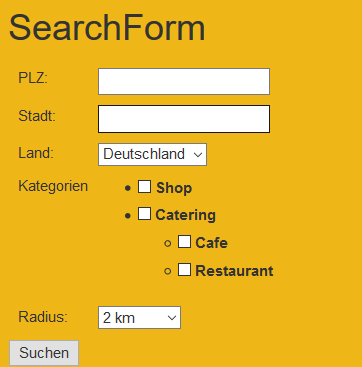
Search form
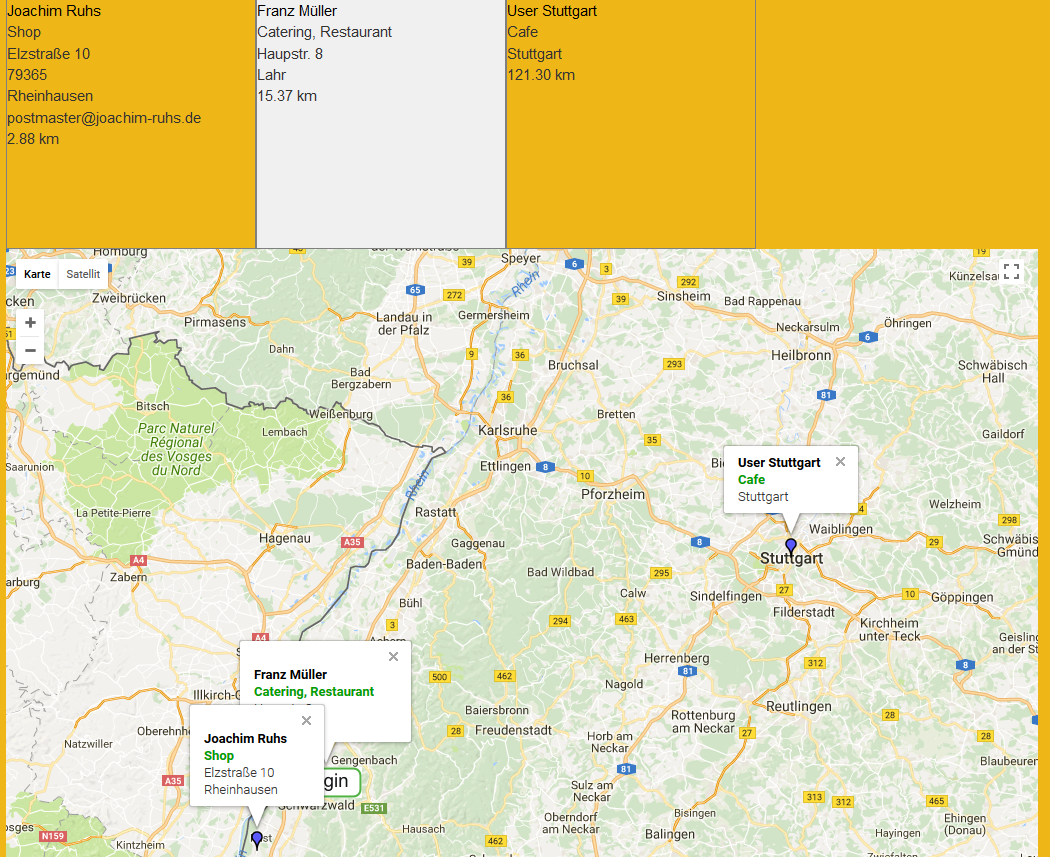
Search result with Google map
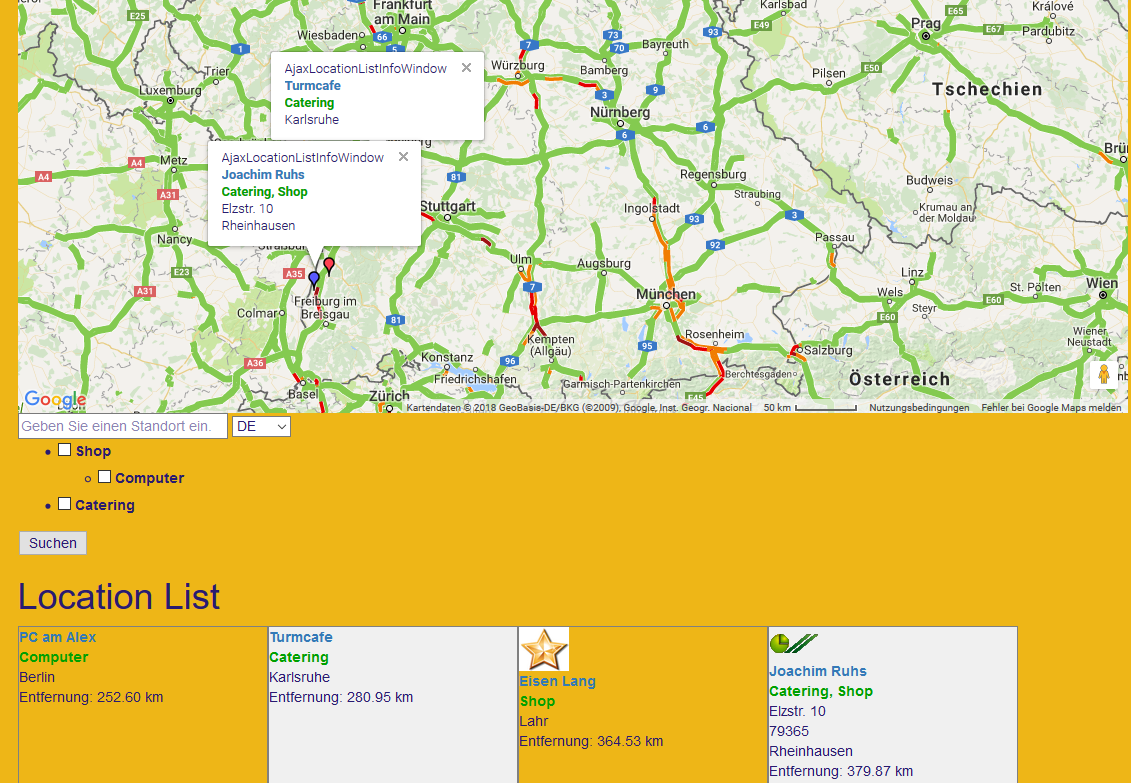
MyTTAddressMap (Map) result
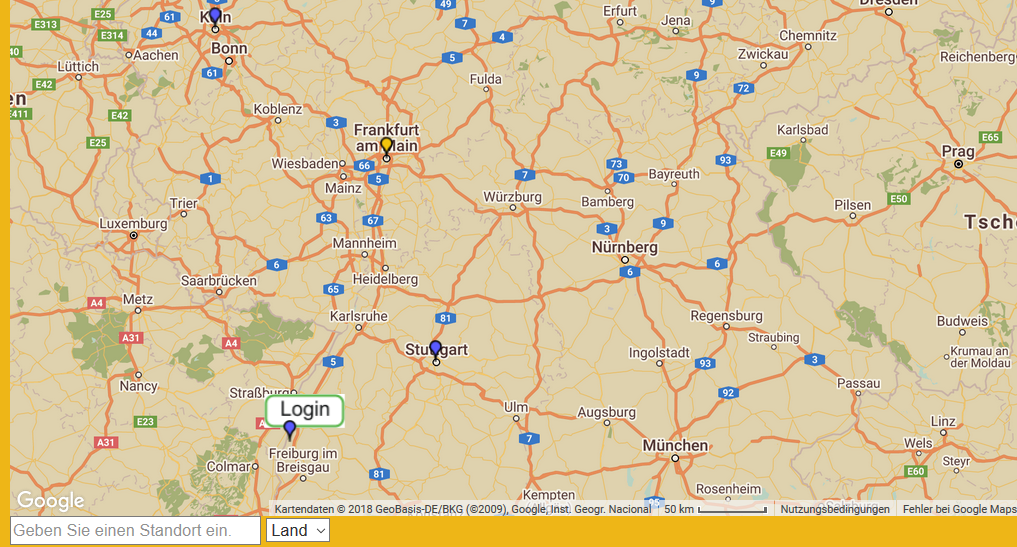
MyTTAddressMap (Map) result with Retro theme
Administratormanual
Target group: Administrators
Installation
Import the extension from TER (TYPO3 Extension Repository) like any other extension.
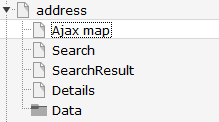
Create some pages as shown below.
On the page 'Ajax Map' install plugin MyTTAddressMap (Map), on page 'Search' install plugin MyTTAddressMap (Searchform) , on
page 'Searchresult' install plugin MyTTAddressMap (Searchresult) and plugin MyTTAddressmap (Searchform) in the sidebar. Finally on page 'Details' install plugin MyTTAddressMap (SingleView).
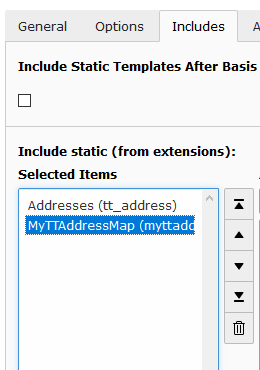
On page 'address' or on your root page insert 'Typoscript Include static' (from extension) MyTTAddressmap (myttaddressmap).
With the constant editor insert the desired settings of the extension like storage Pid, Google map keys, Google maps options, your page ID's,
jQuery options, path to templates etc. Make sure, you have loaded the jQuery on top of the page.
You have to get 2 Google API keys. One as a Google Browser API key and one as a Google Server API key (for geocoding) from
here https://console.developers.google.com and insert them in the constants editor.
After fetching the keys you have to activate the Google Maps JavaScript API and the Google Maps Geocoding API.
When everything is working (geocoding and map display) you can restrict the browser key with http url and the
server key with ip address of the webserver to prevent illegal use of the keys.
The data of tt_address and sys_categories is stored in page Data. Insert in the constant editor
the correct "Default storage PID" of the tt_address records.
Then insert at least one sys_category in the page Data. Now insert some tt_address data records and
assign them to sys_categories.
The country selector in template AjaxSearch.html use 2 chars for the country. If you have inserted full country names in your tt_address records you have
to change the select options in template AjaxSearch.html.
To use your own mapIcons insert your mapIcons into the directory fileadmin/ext/myttaddressmap/Resources/Public/Icons.
Insert in this directory your icons which then can be selected in your tt_address data records.
When everything is ok - go test it...
Inserting data
In TYPO3 list module select page Data. First insert some sys_categories.
Then you can insert some tt_address data records. You have not to insert the coordinates. The plugin
fetches the coordinates automatically from Google. To get this working, it is important that you insert
correct address data (city and country at least). If you don't insert some icon, the extension uses a default icon for the
POI's.
When everything is done you can start a search in frontend.
Id of the result page, especially when used with ajax search or search form insert the plugin search on the page with this id. Do not use the plugin singleView on this page.
Default
detailsPageId
Property
detailsPageId
Data type
int
Description
Id of the details page
Default
singleViewUid
Property
singleViewUid
Data type
int
Description
Uid of the loaction record to be shown with the single view plugin.
Default
1
resultLimit
Property
resultLimit
Data type
int
Description
Limit the result to n records
Default
300
initialMapCoordinates
Property
initialMapCoordintes
Data type
string
Description
Initial map coordinates [latitude,longitude]
Default
48,8
enableTrafficLayer
Property
enableTrafficLayer
Data type
boolean
Description
Enables the traffic layer in the map
Default
enableBicyclingLayer
Property
enableBicyclingLayer
Data type
boolean
Description
Enables the bicycling layer in the map. Only traffic- or bicycling-layer are shown, not both together!
Default
enableMarkerClusterer
Property
enableMarkerClusterer
Data type
boolean
Description
Enables the clustering of markers
Default
mapTheme
Property
mapTheme
Data type
string
Description
Json file with Google map theme. Example: fileadmin/includes/ext/myttaddressmap/MapTheme/Retro.json. You can create your own map theme here: https://mapstyle.withgoogle.com/. Use with care - if your file is not a valid Google map theme it will break the javascript!
Use 0 in multi language sites to override selected language in Frontend and if tt_adress record are not localized. Leave it blank to use TYPO3 localization.
Default
Events
Existing events in LocationController.php to modify location(s) by third party extension.
WSR/Myttaddressmap/Event/SingleViewEvent
WSR/Myttaddressmap/Event/SearchViewEvent
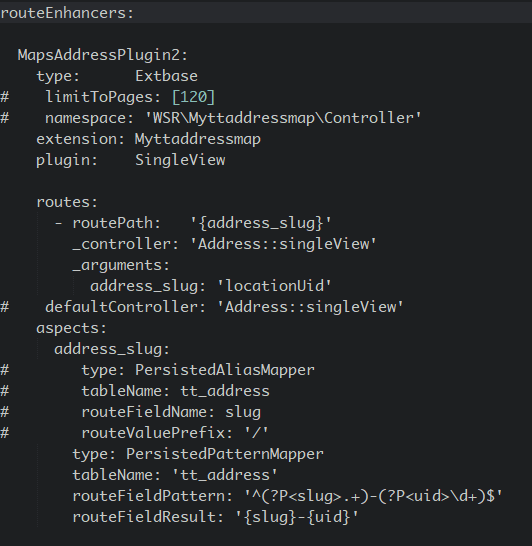
Route enhancer example
This works only with the Searchform and not with the AjaxSearch!
Use something like this in sites/.../config.yaml.
Known problems
No images are shown - if you use the fluid <f:image ...> tag in the templates, make sure you have set a one level Slug.
No map loaded - ReferenceError: $ is not defined
Make sure, you have loaded the jQuery on top of the page. This can be done with the constant editor of TYPO3 and the myttaddressmap category (plugin.tx_myttaddressmap.view.includejQueryCore).
If something goes wrong with geocoding check the answers from Google with tools like firebug and check
the answers you get from from google in console or networking.
No map POIs shown (unterminated string) - make sure you have no newlines in the fields which are shown in the
infoWindows (address, city,...) because this can break the javascript.
AjaxSearch
Set the Default Storage Pid of the locations in the constant editor.
FAQ
Custom templates and files
You can use your own template and CSS file or other jQuery library - just go to the TYPO3 constants editor and change
the values for your needs.
The extension provides some signals to extend the functionality of the extension with the
signal/slot pattern and your own code.
See Classes/Controller/LocationController.php for details.