Content Planner 

Extension key

xima_typo3_content_planner

Package name

xima/xima-typo3-content-planner

Version

2.2

Language

en

Author

Konrad Michalik & contributors

License

This extension documentation is published under the CC BY-NC-SA 4.0 (Creative Commons) license.


Content Planner Logo

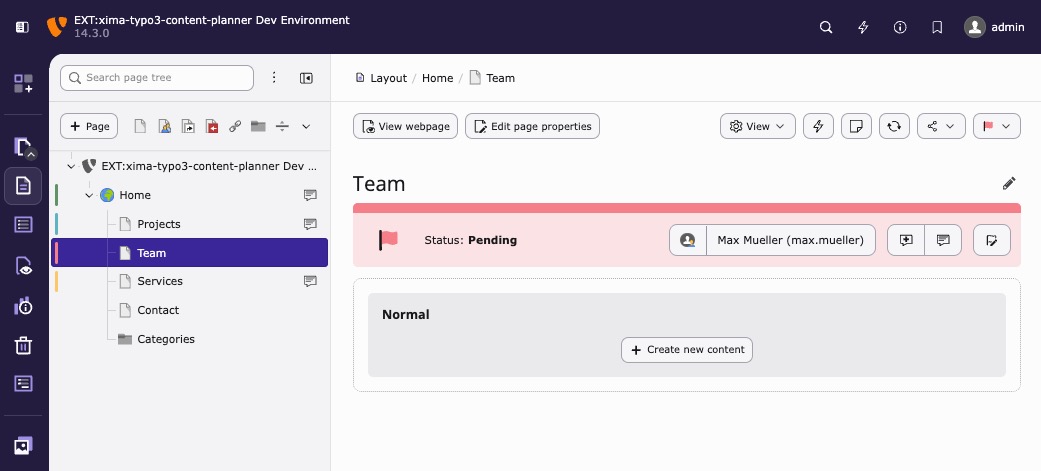
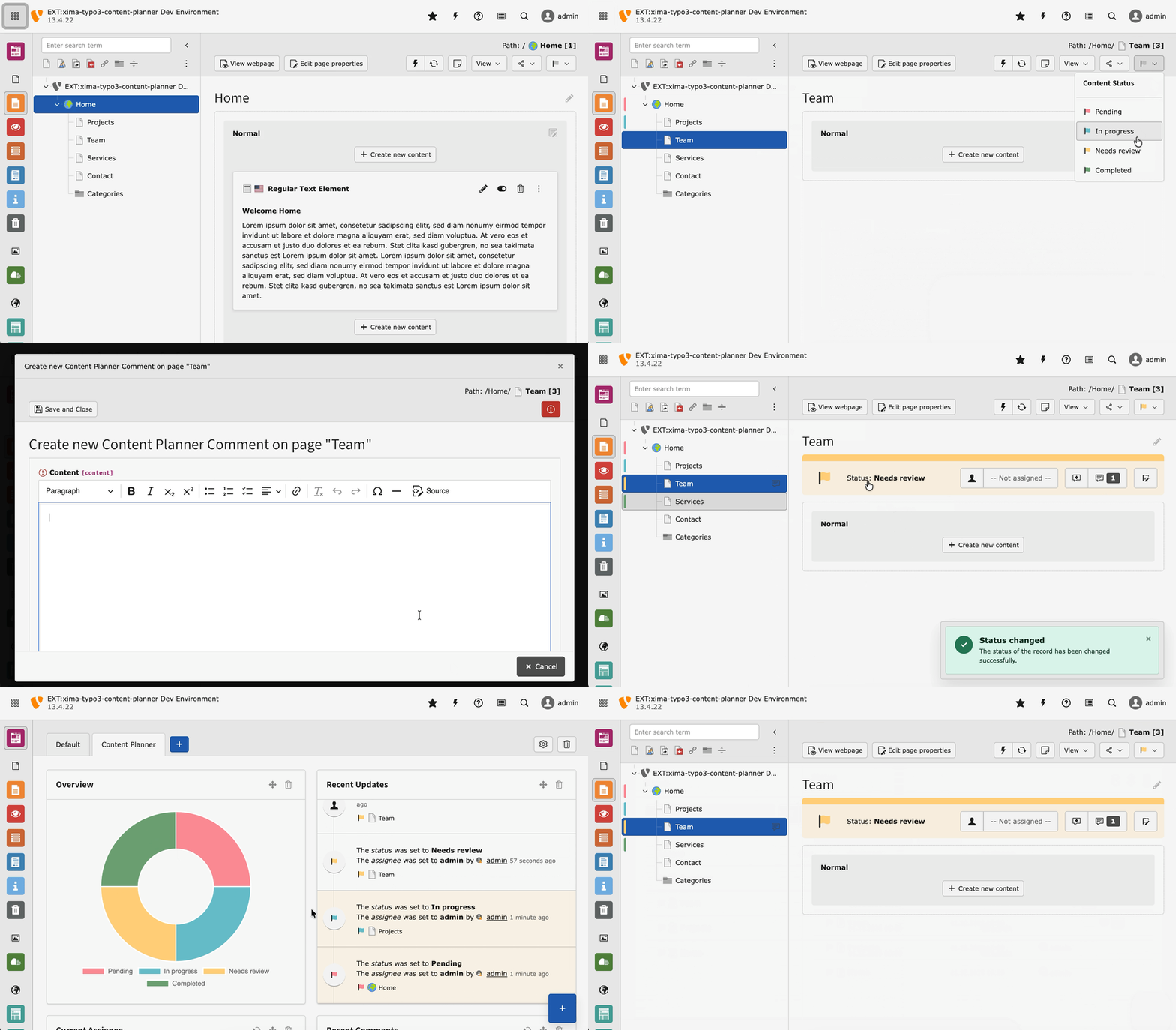
This TYPO3 extension adds content planning capabilities to the TYPO3 backend: assign a status to pages (and other records), assign responsible editors and leave comments with todos — all directly in the page tree, record list and file list.
Introduction 

A quick overview about the main features provided by this extension.

Installation 

Instructions on how to install this extension and which TYPO3 and PHP versions are currently supported.

Configuration 

Learn how to configure the extension in various ways. This includes extension configuration, user settings, permission handling and status configuration.

Usage 

This section describes the usages of this extension. Learn how to use it the status change, the interaction possibilities, the console command or using the dashboard.

Developer corner 

A quick overview about all relevant classes provided by this extension.

Introduction 

What does it do? 

This TYPO3 extension adds content planning capabilities to the TYPO3 backend: assign a status to pages (and other records), assign responsible editors and leave comments with todos — all directly in the page tree, record list and file list.
Ideal for content migrations, editorial workflows or any process where you need to track who is working on what.

Content Planner Intro

Features 

Status
Colorful, customizable status labels for pages and records. Change status via page tree, module header, record list or edit form. Bulk update multiple records at once or via console command.
Assignee
Assign responsible editors to records. Quick actions: "Assign to me" / "Unassign" shortcuts. Optional auto-assignment on status change.
Comments
Discuss records directly in the backend. Todos and resolution tracking within comments. Threaded replies and shareable links.
Dashboard
Ready-to-use dashboard preset with dedicated widgets. Overview, status, updates, assignee, todo, comments widgets. Configurable widget with custom filters (TYPO3 v14+).
Extensibility
Extend additional database records with status behavior. Built-in support for content elements and files/folders.

Screencast 

Screencast Content Planner

Support 

There are several ways to get support for this extension:

License 

This extension is licensed under GNU General Public License 2.0 (or later).

Installation 

Requirements 

  • PHP 8.2 - 8.5
  • TYPO3 13.4 LTS & 14.0+

Version Matrix 

Version TYPO3 PHP
2.x 13-14 8.2-8.5
1.x 12-13 8.1-8.5

Install 

Require the extension via Composer (recommended):

composer require xima/xima-typo3-content-planner
Copied!

Or download it from the TYPO3 extension repository.

Setup 

After the installation, update the database schema and setup the extension:

vendor/bin/typo3 database:updateschema
vendor/bin/typo3 extension:setup --extension=xima_typo3_content_planner
Copied!

Configuration 

The extension is ready to use without any further setup.

You can also adapt the extension to your needs, switch features on and off and influence the visibility of the Content Planner.

Learn what configuration options are available on the following pages:

Status 

Default Status 

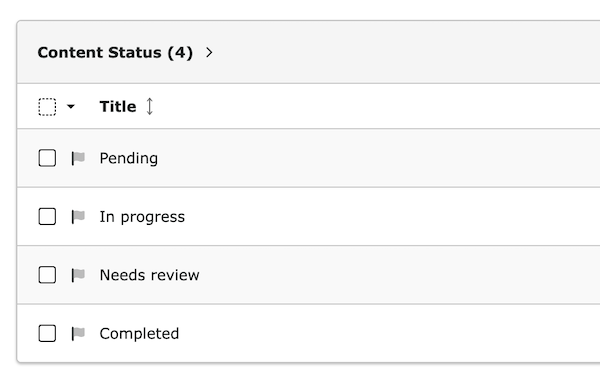
By default, there are four different statuses available:

  • Pending: The page is not yet ready for editing.
  • In progress: The page is currently being edited.
  • Needs review: The page is ready for review.
  • Completed: The page is ready to be published.
Initial status selection

Custom Status 

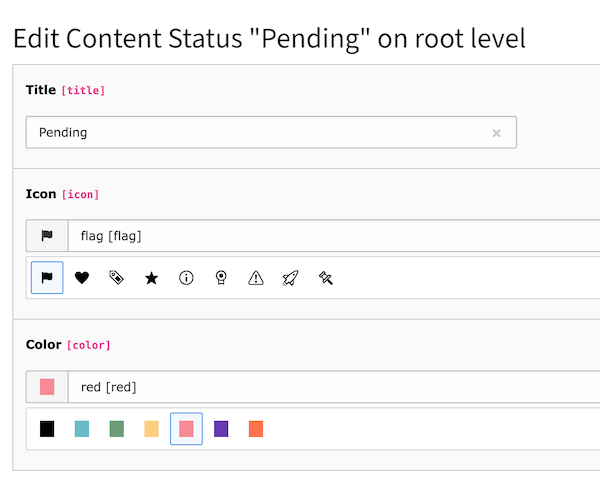
Statuses are managed as records on the root page (pid 0).

Default Status Records

Default Status Records

You can add a new status, edit an existing status, change the status order or delete a status.

Edit Status Record

Edit Status Record

Field:

Description:

Title

Title of the status.

Icon

Select one of the existing icons as representative picture of the status.

Color

Select one of the existing colors for this status.

Extension configuration 

  1. Go to Admin Tools > Settings > Extension Configuration
  2. Choose xima_typo3_content_planner

The extension currently provides the following configuration options:

Features 

recordListStatusInfo

recordListStatusInfo
Type
boolean
Default
1

Enable record list status info

enableFilelistSupport

enableFilelistSupport
Type
boolean
Default
1

Enable filelist support for files (sys_file_metadata) and folders

enableContentElementSupport

enableContentElementSupport
Type
boolean
Default
1

Enable content element support (tt_content). When enabled, content elements can have their own status, assignee and comments.

recordEditHeaderInfo

recordEditHeaderInfo
Type
boolean
Default
1

Enable record edit header info

webListHeaderInfo

webListHeaderInfo
Type
boolean
Default
1

Enable web list header info

treeStatusInformation

treeStatusInformation
Type
options
Default
comments

Enable additional information in the page tree. Choose between:

  • Nothing (0): No additional information
  • Comments (comments): Show comment count
  • Todos (todos): Show todo count

resetContentElementStatusOnPageReset

resetContentElementStatusOnPageReset
Type
boolean
Default
0

Reset status of content element, if status on corresponding page is reset

Assignee 

autoAssignment

autoAssignment
Type
boolean
Default
1

Enable the auto assignment of the current user when a new status is set to the record.

currentAssigneeHighlight

currentAssigneeHighlight
Type
boolean
Default
1

Enable the current assignee hint to highlight records assigned to the current user.

Records with your user assigned will be highlighted for you in a light yellow color.

Comments 

clearCommentsOnStatusReset

clearCommentsOnStatusReset
Type
boolean
Default
1

Delete corresponding comments when status is reset

commentTodos

commentTodos
Type
boolean
Default
1

Parse the todos from comments and show them as separate hint

Todos from comments

Todos from comments

Permissions 

Access to the Content Planner functionalities is generally available to all admin users.

All other users require the necessary authorization via the TYPO3 backend permissions module.

Basic Permissions 

Via the "Access Rights" tab add one of the following permissions within the Custom module options:

View Only (tx_ximatypo3contentplanner:view-only)
Enables Content Planner visibility (status indicators, comments panel) without any action permissions. Use this in combination with granular permissions.
Full Access (tx_ximatypo3contentplanner:content-status)
Grants visibility and all Content Planner permissions at once. This is useful for power users who should have unrestricted access to all features.

Granular Permissions 

In addition to the basic permissions, you can configure granular permissions to control specific actions. These require either View Only or Full Access as a prerequisite for visibility.

Status Permissions 

Change Status (tx_ximatypo3contentplanner:status-change)
Allow changing the status of records. Without this permission, users can view status information but cannot modify it.
Unset Status (tx_ximatypo3contentplanner:status-unset)
Allow removing/resetting the status from records. Users without this permission can only set a status, but not clear it.

Comment Permissions 

Create Comments (tx_ximatypo3contentplanner:comment-create)
Allow creating new comments on records.
Edit Own Comments (tx_ximatypo3contentplanner:comment-edit-own)
Allow editing of comments created by the user themselves.
Edit Foreign Comments (tx_ximatypo3contentplanner:comment-edit-foreign)
Allow editing of comments created by other users.
Resolve Comments (tx_ximatypo3contentplanner:comment-resolve)
Allow marking comments as resolved or unresolving them.
Delete Own Comments (tx_ximatypo3contentplanner:comment-delete-own)
Allow deletion of comments created by the user themselves.
Delete Foreign Comments (tx_ximatypo3contentplanner:comment-delete-foreign)
Allow deletion of comments created by other users.

Assignment Permissions 

Assign Self (tx_ximatypo3contentplanner:assign-self)
Allow assigning and unassigning yourself. Users with this permission can use the "Assign to me" shortcut and select themselves from the assignee dropdown. Unassigning is only possible if the record is currently assigned to the user themselves.
Assign Others (tx_ximatypo3contentplanner:assign-others)
Allow assigning, reassigning and unassigning any user. This is a superset of Assign Self - users with this permission can select any user from the assignee dropdown, change existing assignments, and unassign anyone.

Read-Only Fields in Record Editing 

When editing records (e.g. page properties), the Content Planner fields are automatically set to read-only if the user lacks the corresponding permission:

  • Status field: read-only without Change Status permission
  • Assignee field: read-only without any assignment permission (Assign Self or Assign Others)
  • Comments field: read-only without Create Comments permission (or missing tables_modify for the comment table)

This ensures that users with View Only access can see the current status, assignee, and comments, but cannot modify them directly in the record form.

Per-Group Restrictions 

In addition to the custom module options, you can restrict which statuses and tables a user group can work with:

Allowed Statuses 

In the backend user group settings (Content Planner tab), you can specify which statuses are allowed for the group. If left empty, all statuses are available.

Allowed Tables 

Similarly, you can restrict which record tables (pages, tt_content, sys_file_metadata, etc.) a group can manage with Content Planner features.

Migration from Previous Versions 

If you upgrade from a version without granular permissions, existing user groups with the Content Status permission will continue to work as before - the permission now grants full access.

To use granular permissions:

  1. Use View Only for read-only access or Full Access for unrestricted access
  2. Add the desired fine-grained permissions for each user group
  3. Optionally restrict allowed statuses and tables per group

Additional Required Permissions 

Don't forget to also add the following permissions as well:

  • "Tables (listing)" (tables_select) and "Tables (modify)" (tables_modify) permissions for the Content Planner Comment [tx_ximatypo3contentplanner_comment] table
  • All desired dashboard widgets in the "Dashboard widgets" (availableWidgets) permission.

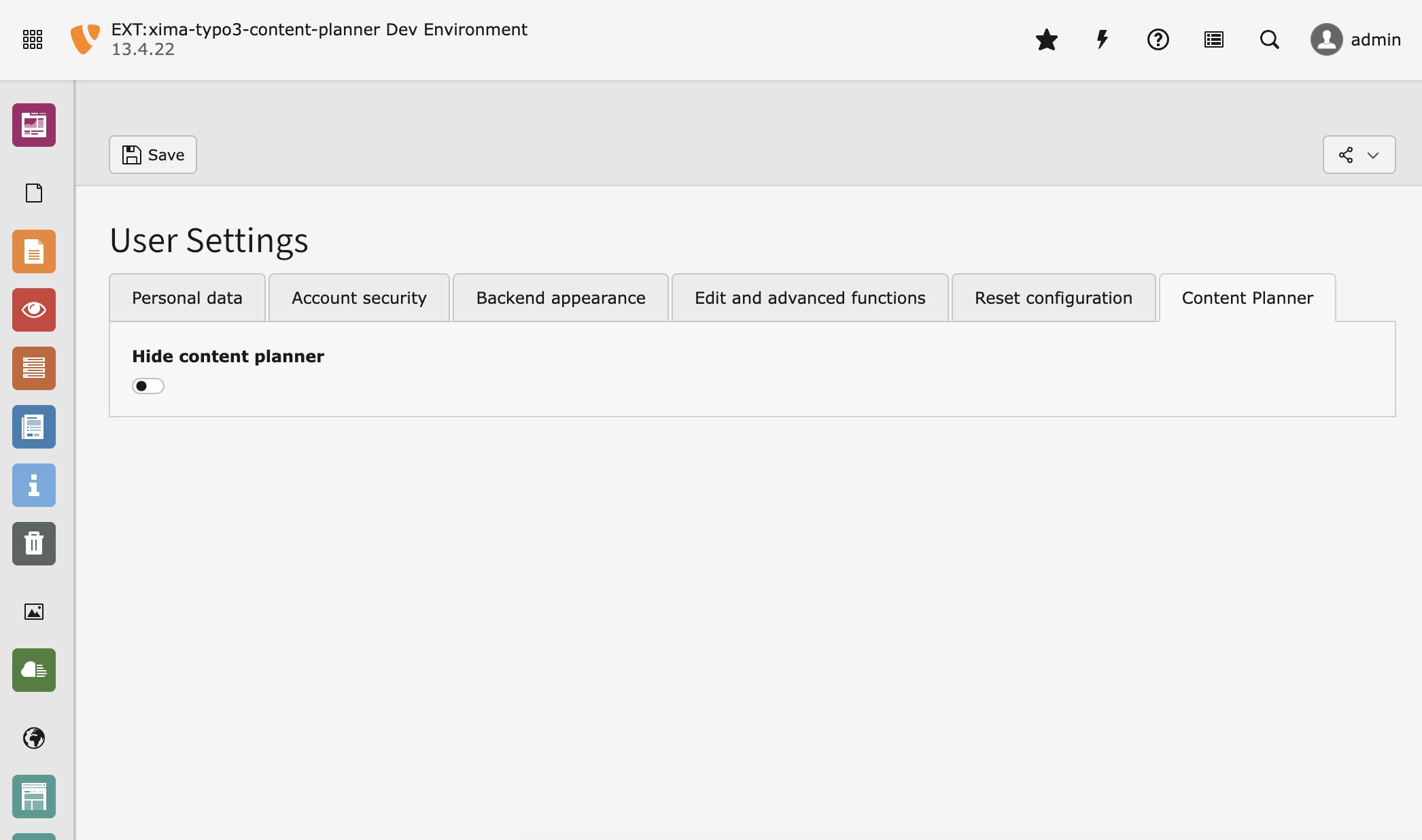
User Settings 

The following options can be set in the user settings:

hideContentPlannerStatus

hideContentPlannerStatus
Type
boolean
Default
0

If enabled, the Content Planner status information and colors will be hidden in the TYPO3 backend.

repliesExpanded

repliesExpanded
Type
boolean
Default
0

If enabled, threaded replies in the comment modal are expanded by default instead of collapsed.

This setting can also be toggled directly from the comment modal's action menu via the "Expand replies" / "Collapse replies" button.

Content Planner User Settings

Usage 

This section describes how to properly use the extension in various ways.

Status Change 

Table of Contents

There are several ways to change the status of a page or a record.

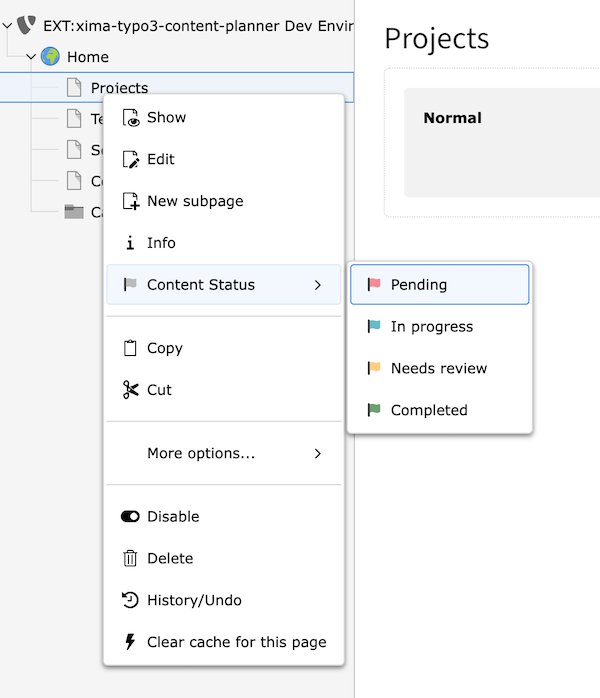
Page Tree 

Change page status in the page tree

Change page status in the page tree

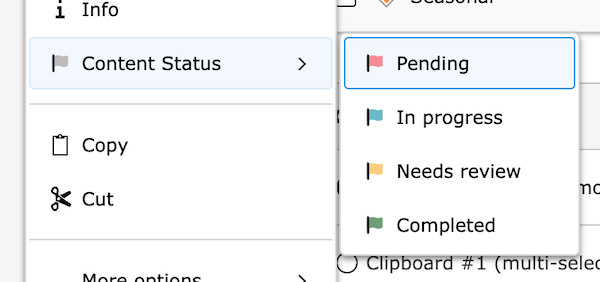
In the page tree, you can change the status of a page via the context menu.

Module Header 

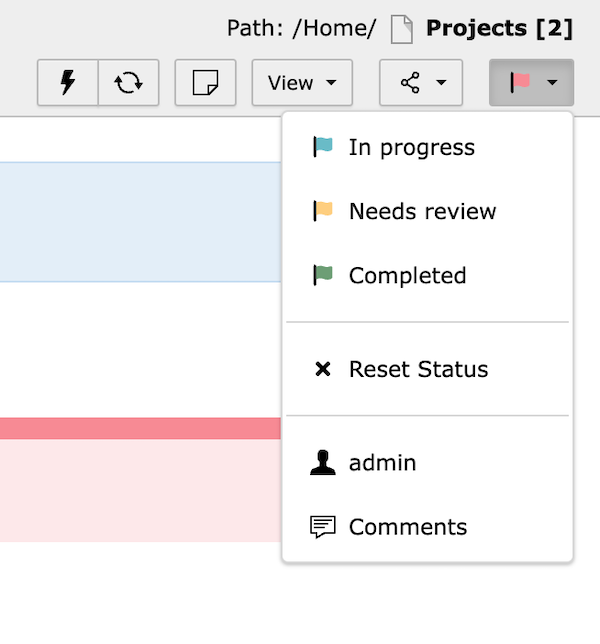
Change page status in the module header

Change page status in the module header

In the module header of the modules web_layout, web_list, record_edit and file_list, you can change the status of a page via the status dropdown.

Edit Form 

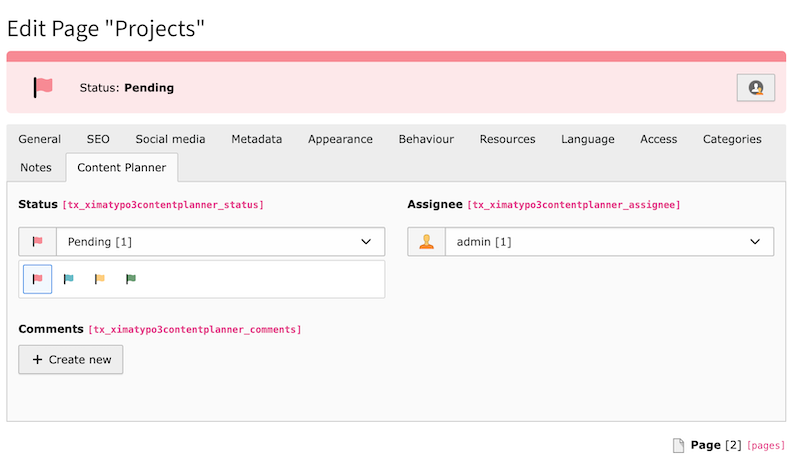
Change page status in the edit form

Change page status in the edit form

In the edit form of a record, you can change the status in the "Content Planner" tab.

Record List 

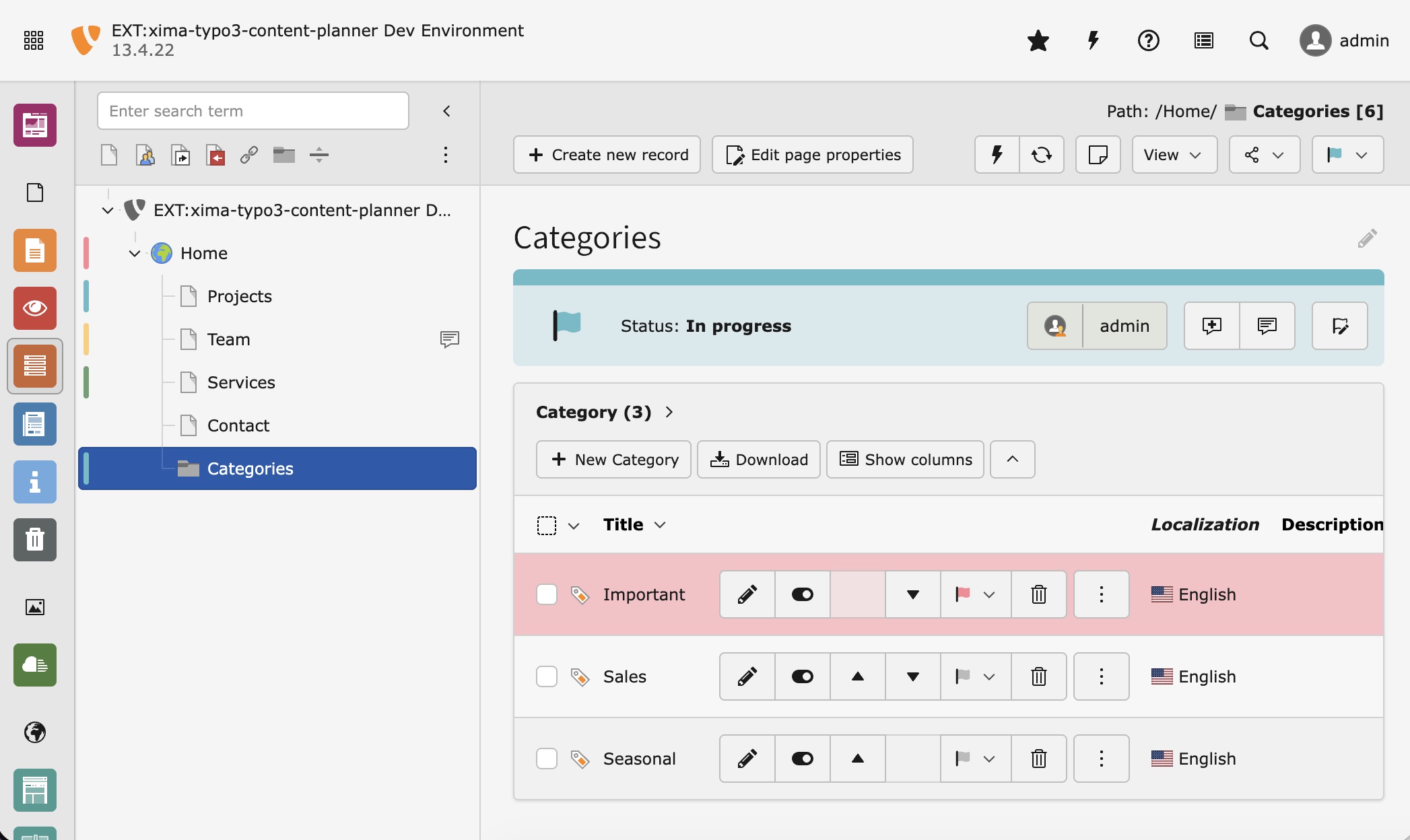
Change page status in the record list

Change page status in the record list

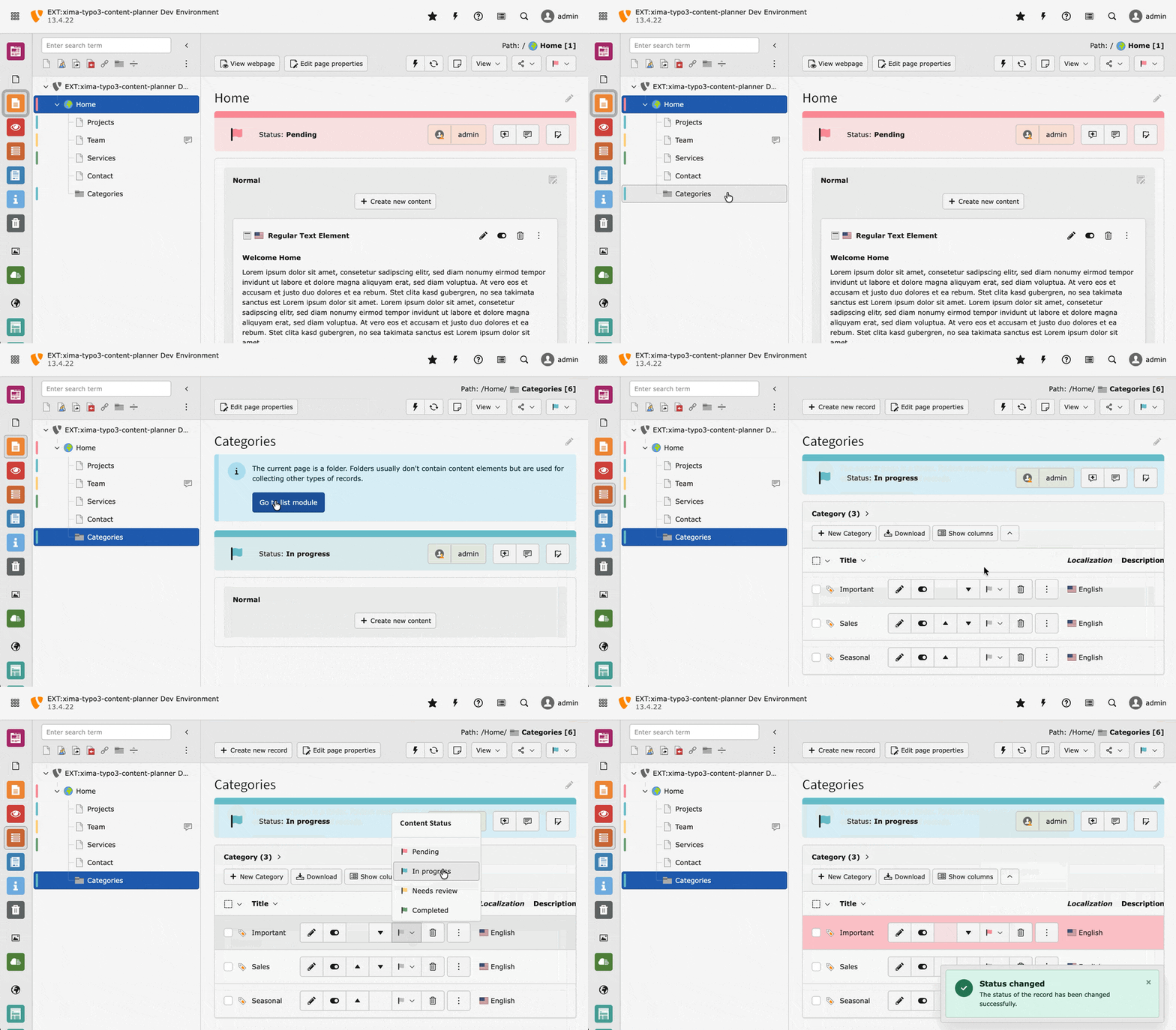
In the record list, you can change the status of a record via the dropdown.

Records Screencast Content Planner

Update multiple records 

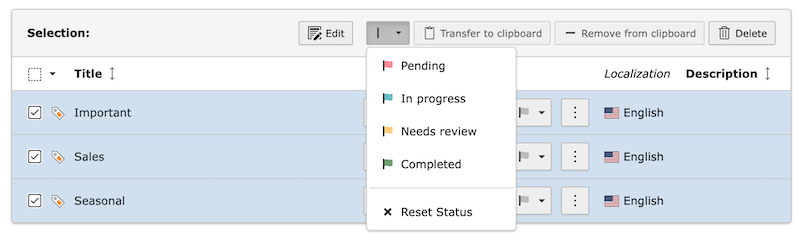
Within the record list, you can also change the status of multiple records at once.

Select the records you want to change the status of (or "Check all") and use the status dropdown in the table header.

Change page status in the record list

Change page status in the record list

Assignee 

Table of Contents

For every content planner record, an assignee can be set. The assignee is the person responsible for the record.

Assignee Screencast Content Planner

Only users with admin rights and the necessary permission can be selected.

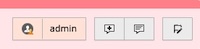
Current assignment highlight

Current assignment highlight

Selection 

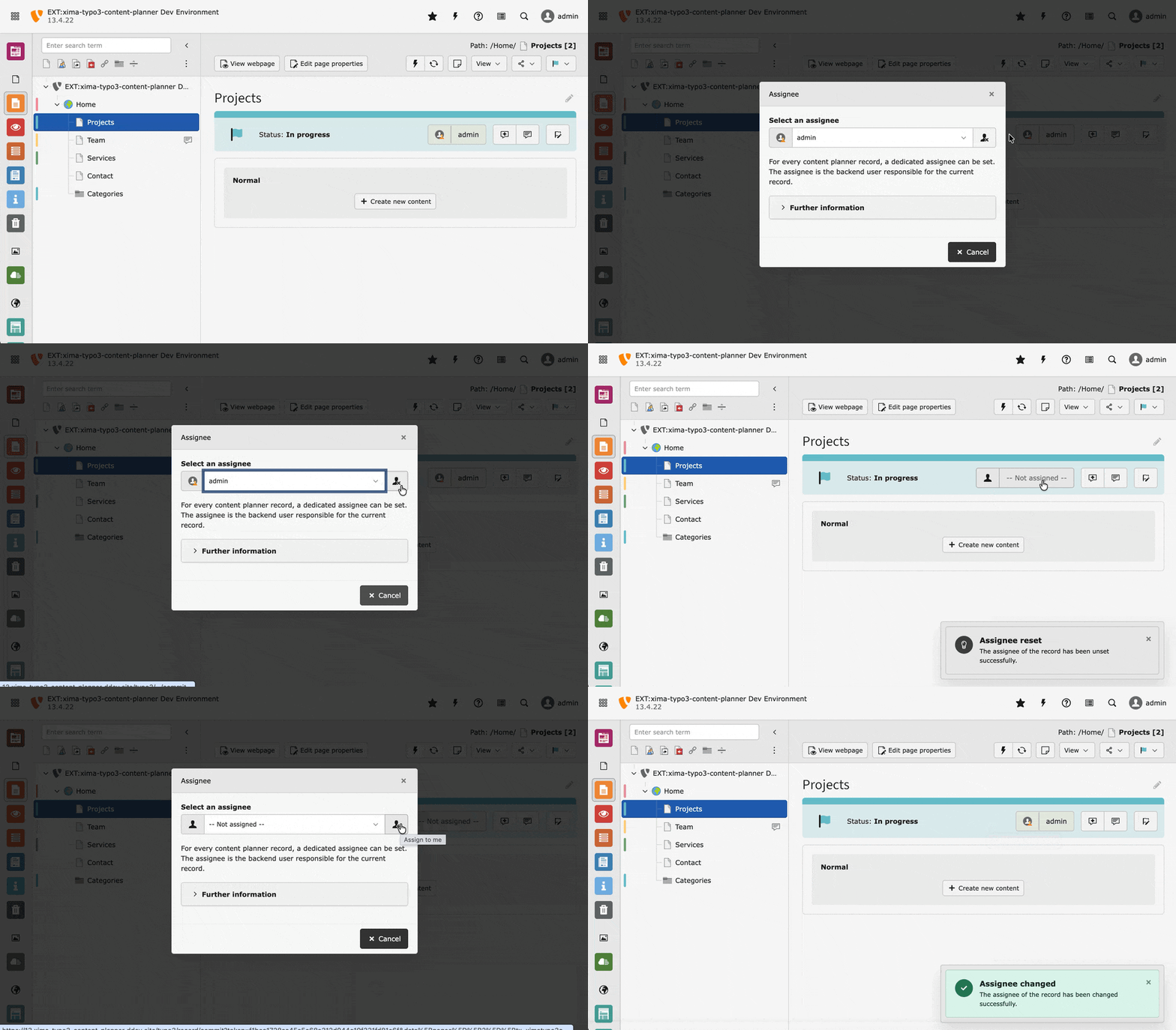
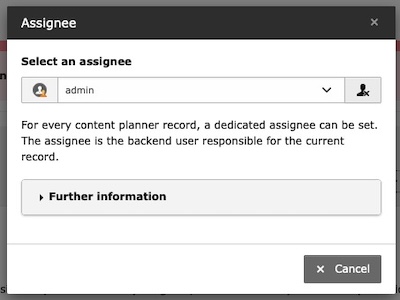
By clicking the assignee field in the header bar, a selection dialog will open. This dialog allows you to select a user as assignee for the record. The dialog will show all users with admin rights and the necessary permission.

Select an assignee

Select an assignee

Shortcuts 

Use the shortcuts beneath the select field for "Assign to me" and "Unassign" to quickly change the assignee.

Assignment shortcuts

Assignment shortcuts

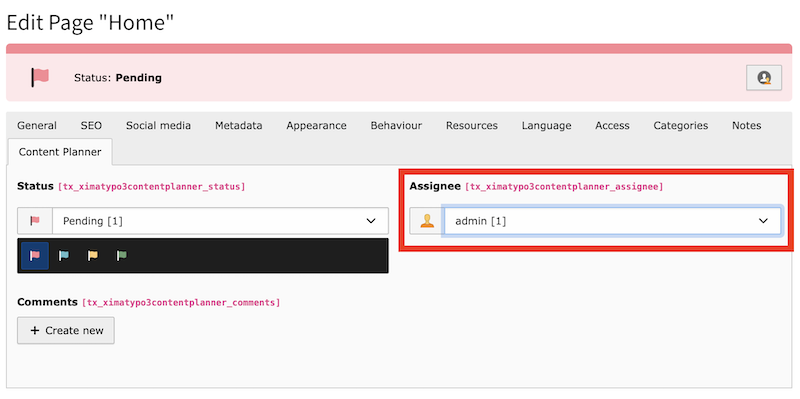
Edit Form 

The assignee can be selected in the edit form of the record in the "Content Planner" tab.

Change the assignee of a record

Change the assignee of a record

Comments 

Every backend user with Content Planner access can add comments to records. Comments are a great way to communicate with other users about the status of a record or to provide additional information.

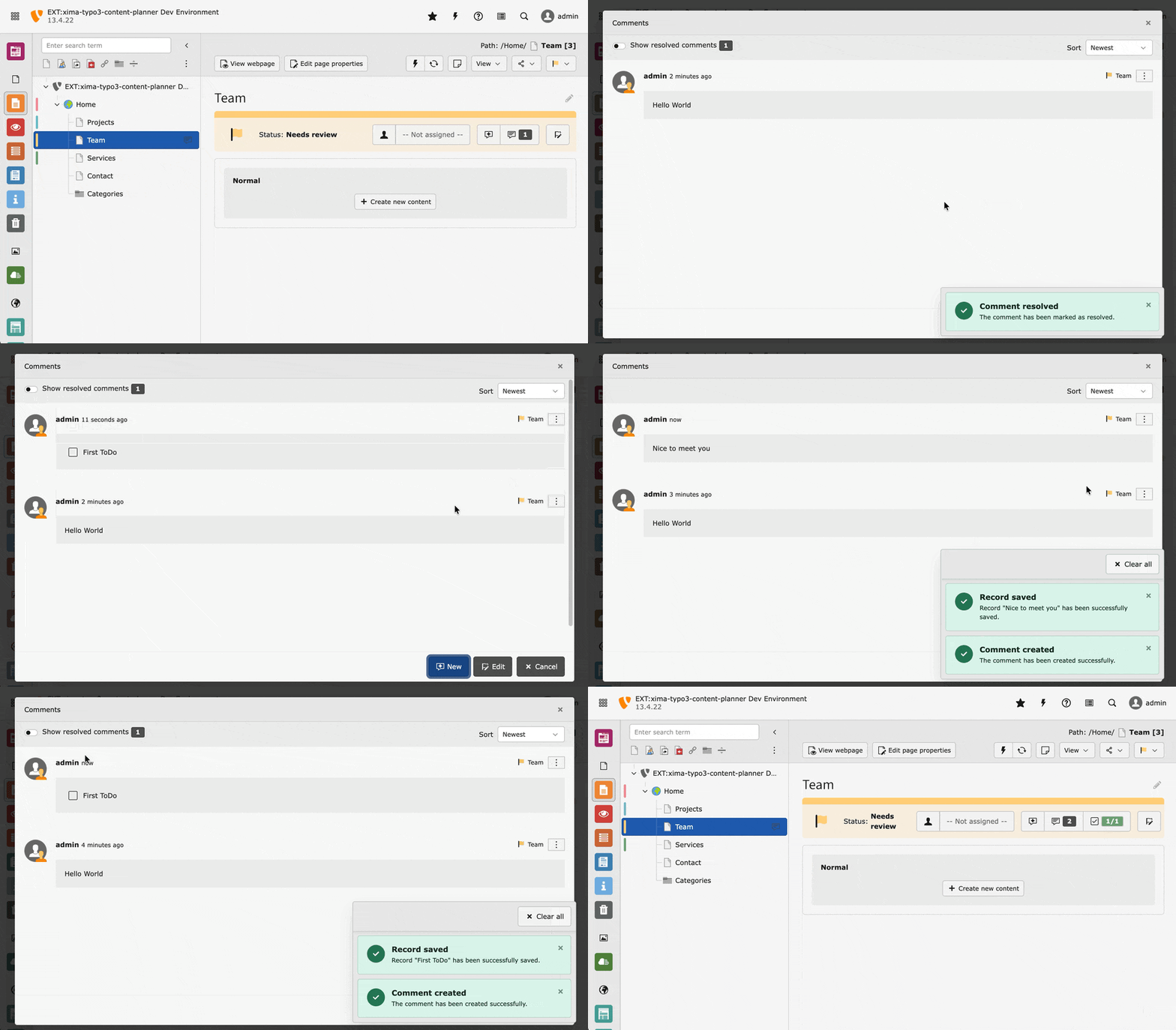
Screencast of comments

Comments screencast

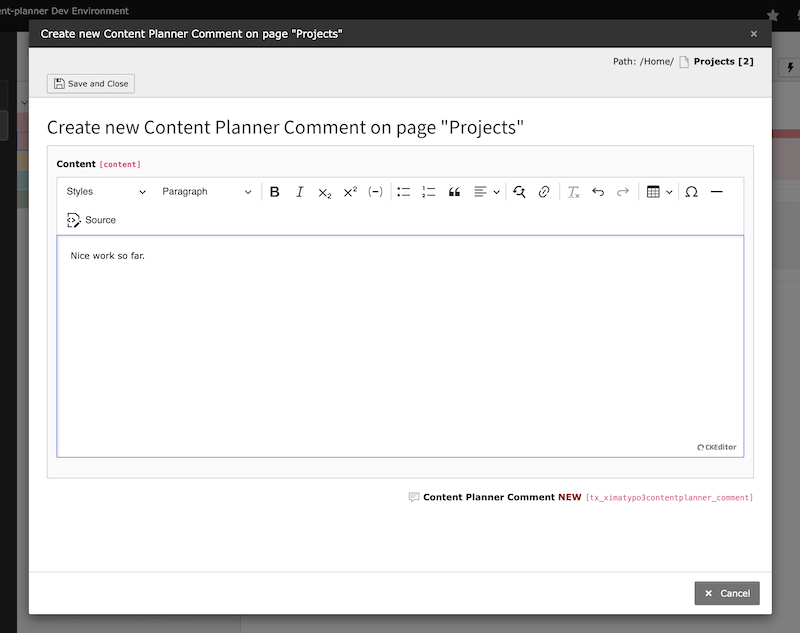
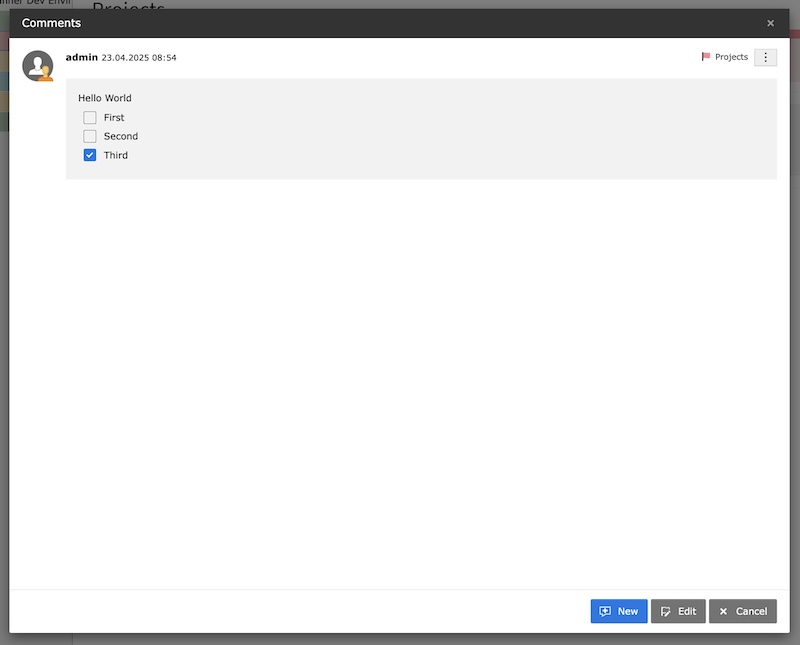
Create new comment 

Create new comment modal dialog

Create new comment modal dialog

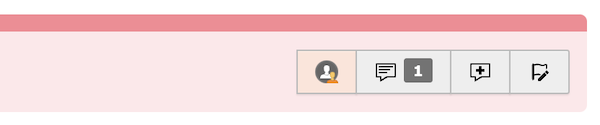
Show comments 

Hint for comments

Hint for comments

Show comments of a record

Show comments of a record

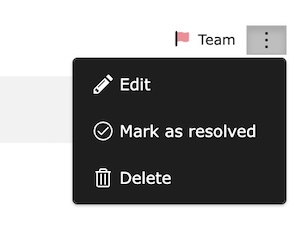
Edit comments 

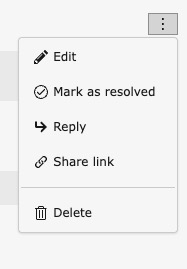
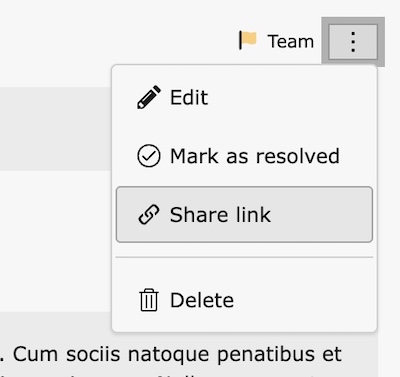
Use the context menu to edit, resolve or delete a comment.

Edit or delete comments of a record

Edit, resolved or delete comments of a record

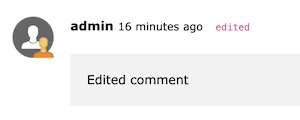
An edited comment is marked with a label.

Edited comment

Subsequently edited comment

ToDos 

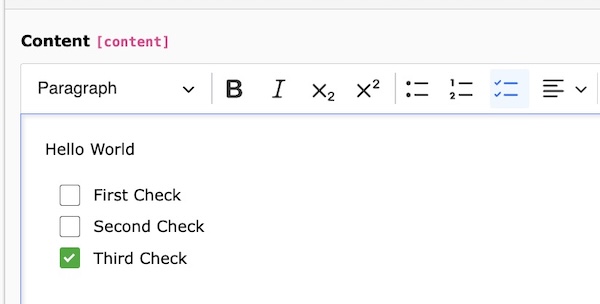
Use the ToDo list within the editor to track the progress of your comments.

ToDo list in editor

ToDo list in editor

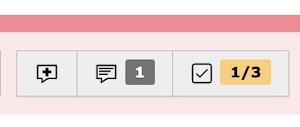
The ToDo count is automatically updated when you add or remove a ToDo item in the comment.

ToDo count in header

ToDo count in header

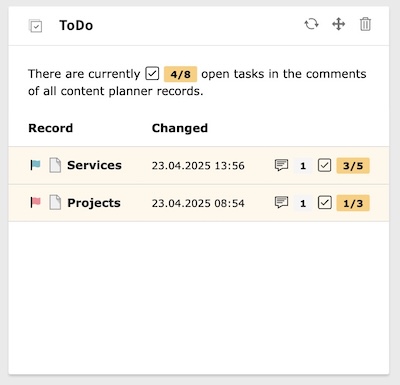
Use the ToDo widget to keep track of your ToDo tasks.

ToDo widget

ToDo widget

Resolution 

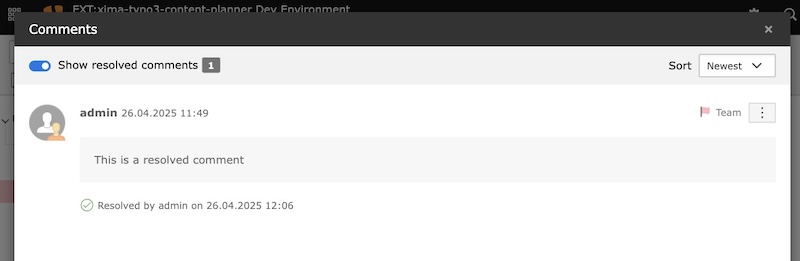
In addition to the ToDos in the comments, there is also the option of marking entire comments as completed, in order to keep the comment list clear and organized.

A comment can be marked as completed via the context menu.

Resolved comments

Resolved comments can can be displayed again using the filter

Threaded Replies 

New in version 2.2.0

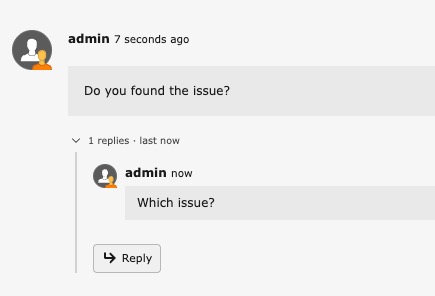
Comments support single-level threaded replies. Each root comment can have replies that are displayed as an indented, collapsible section below it.

Creating replies 

Use the Reply action in the comment's dropdown menu or click the reply button at the bottom of the reply list. A reply is created the same way as a regular comment — through the FormEngine modal.
Reply action in dropdown menu

Reply action in the comment dropdown menu

Replies to replies are automatically flattened to a single level (all replies belong to the root comment).

Collapsible section 

Replies are collapsed by default. A toggle shows the reply count and the time of the most recent reply (e.g., "3 replies · last 5 minutes ago"). Click the toggle to expand or collapse the reply list.
Threaded reply with collapsible section

Expanded reply section with inline reply button

The default expand/collapse behavior can be changed globally via the "Expand replies" / "Collapse replies" button in the comment modal's action menu. This preference is persisted per user. See repliesExpanded in user settings.

Sorting 

Root comments are sorted by last activity — either their own creation date or the creation date of their most recent reply, whichever is newer. This means a root comment with a fresh reply automatically moves to the top. The "Newest/Oldest" dropdown controls the sort direction for both root comments and replies.

Comment count 

The comment count badge in the page header includes both root comments and replies. This reflects the total discussion activity on a record.

Activity stream & widgets 

Replies appear in the activity stream with the label "A new reply comment has been added" and in the comment dashboard widget with a reply badge.

Share links for replies automatically expand the collapse section and scroll to the specific reply.

Filelist 

New in version 2.0.0

Filelist support for files and folders was introduced in version 2.0.

The Content Planner extension supports status management for files and folders in the TYPO3 Filelist module. This allows you to track the status of media assets during content migration or review processes.

Table of Contents

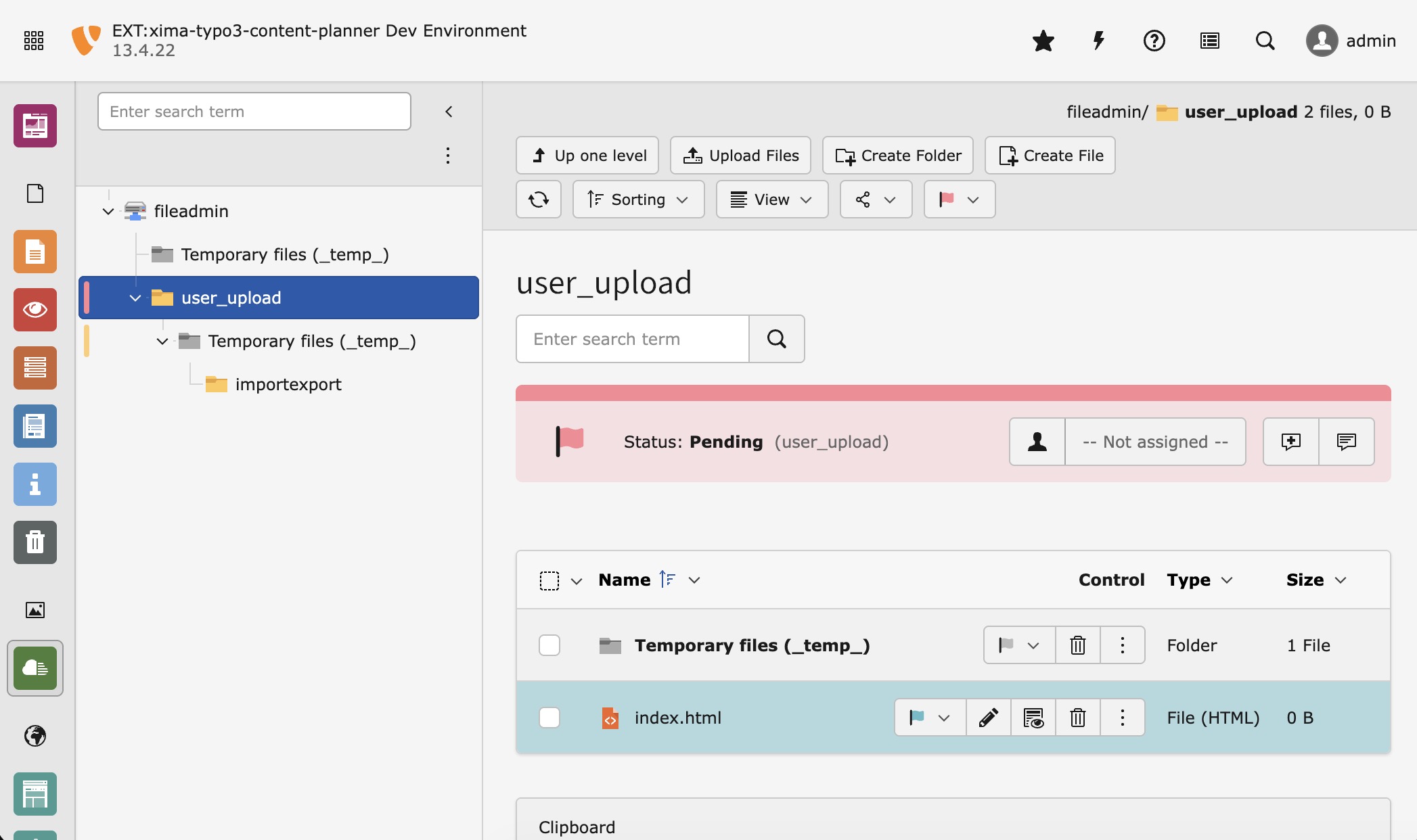
Filelist with Content Planner support

Filelist module with status support for folders and files

Enable Filelist Support 

Filelist support is enabled by default. You can disable it in the extension configuration.


Folder Status 

Folders can have a status assigned. The status is displayed in the folder tree and in the filelist header when viewing the folder contents.

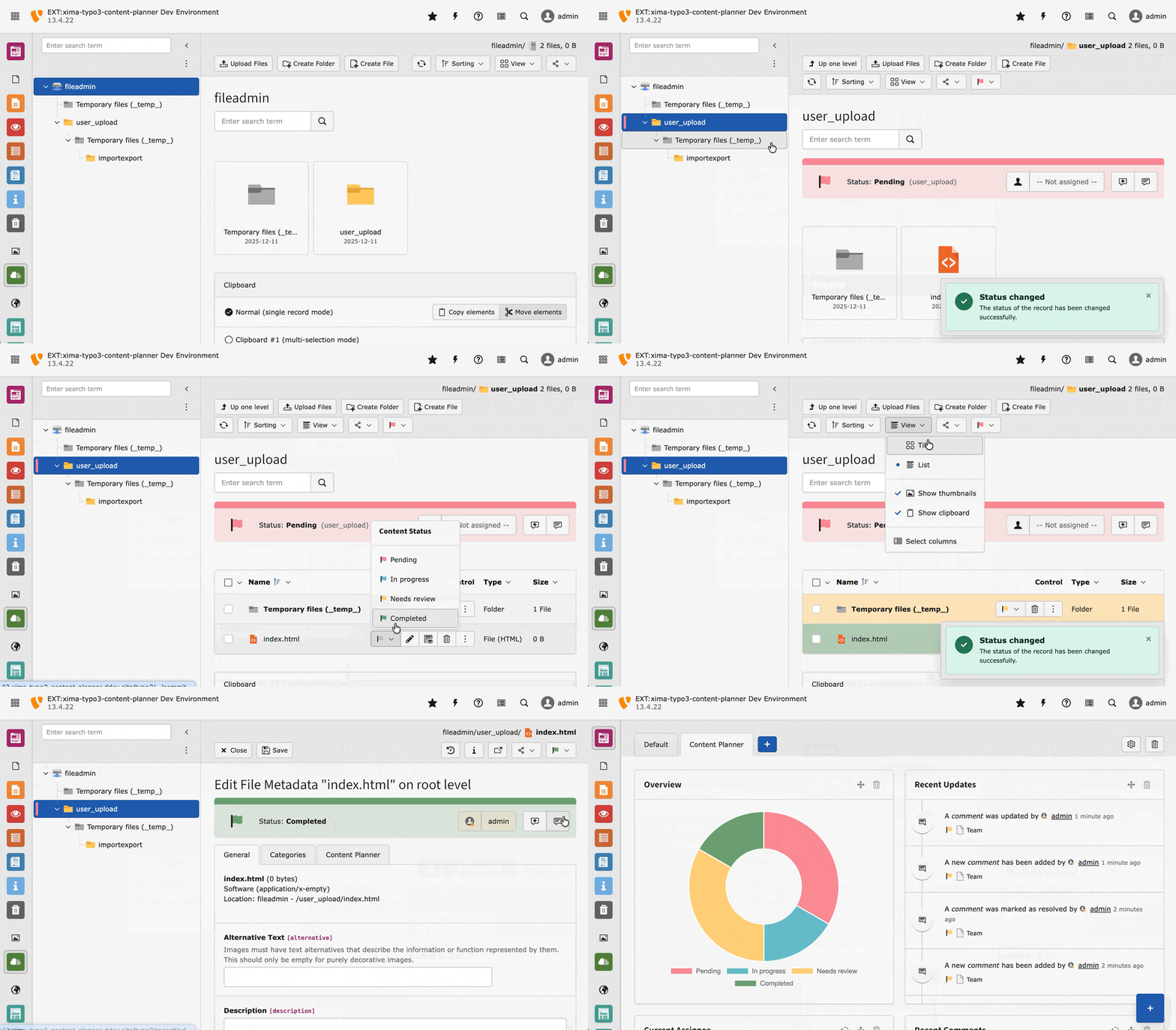
Filelist screencast

Changing folder and file status in the filelist

The folder status header shows:

  • Current status with color indicator
  • Assignee selection
  • Quick actions for comments

File Status 

Individual files (via sys_file_metadata) can also have a status assigned. The status dropdown appears in the file row actions.

Supported Views 

The Content Planner integration works in the following filelist views:

  • List View: Full support with status dropdowns and color indicators
  • Tiles View: Status color indicators on tiles

Dashboard 

Table of Contents

The extension brings a prepared dashboard preset with a set of widgets to support the content planning process.

Create 

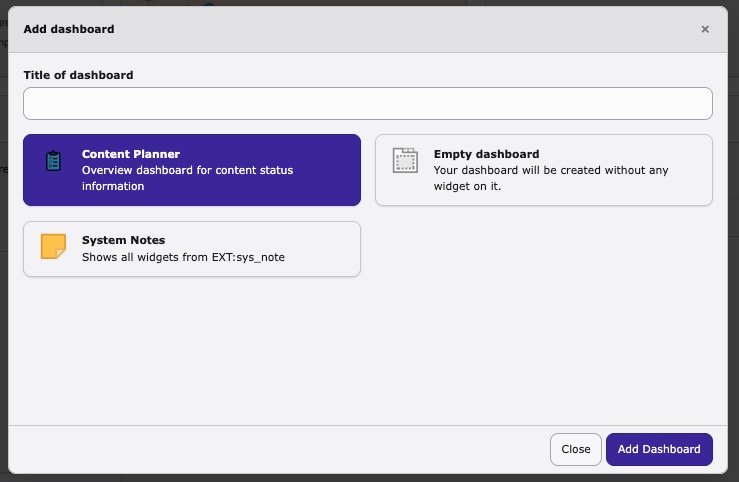
To create a new dashboard, click on the "Add dashboard" (+) button near the dashboard tabs in the dashboard module.

Create new dashboard using the preset

Create new dashboard using the preset

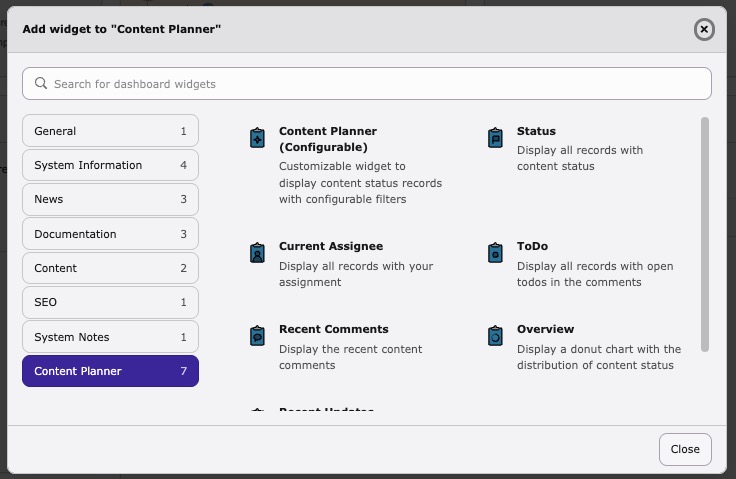
Otherwise you can add the widgets manually to an existing dashboard.

Select the content planner widgets

Select the content planner widgets

Widgets 

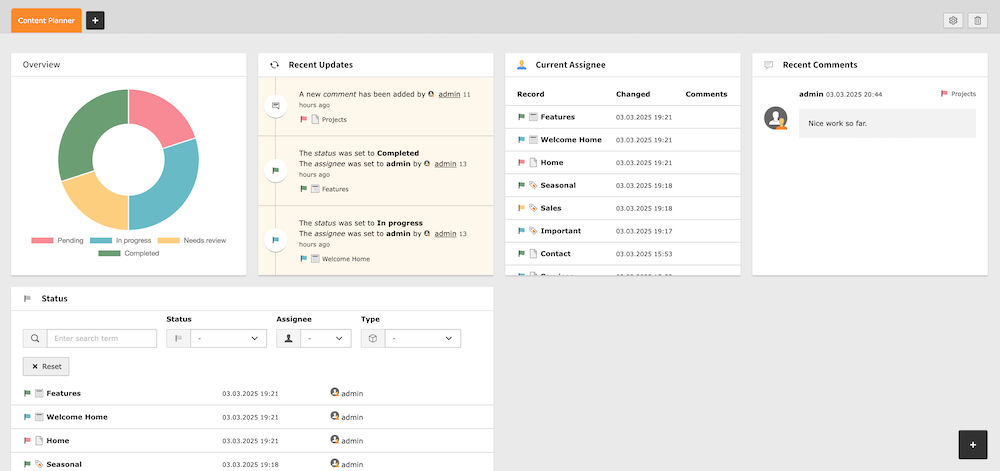
The dashboard provides a set of helpful widgets to get an overview of the current status of the content planner records.

Dashboard overview

Dashboard overview

Overview
Overview
Bar chart showing the distribution of records by status.
Recent Updates
Recent Updates
Update stream showing the latest changes to the content planner records.
Current Assignee
Current Assignee
Short list with all records assigned to the current user.
ToDo
ToDo
Display all records with open todos in the comments.
Recent Comments
Recent Comments
Shows the latest comments on the content planner records.
Status
Status
Filterable list of all records with the current status.
Content Planner (Configurable)
A fully customizable widget that combines the functionality of multiple widgets. Available in TYPO3 v14+ only. See Configurable Widget for details.

Configurable Widget 

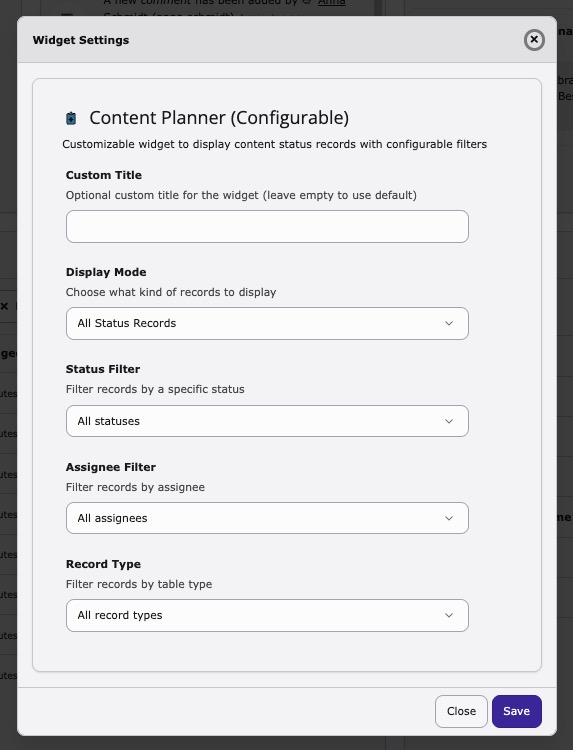
The Content Planner (Configurable) widget is a powerful, customizable widget. It allows you to create multiple instances with different configurations, each tailored to your specific needs.

Settings 

The widget can be configured through the widget settings dialog:

Configurable widget settings dialog

Widget settings dialog with all available filter options

Setting:

Description:

Custom Title

Set a custom title for the widget. If left empty, an automatic title based on the selected mode will be used.

Display Mode

Choose what kind of records to display:

  • All Status Records: Shows all records with any content planner status
  • Assigned Records: Shows records filtered by assignee
  • Records with open TODOs: Shows only records that have open tasks in their comments

Status Filter

Filter records by a specific status. Select "All statuses" to show records with any status.

Assignee Filter

Filter records by assignee:

  • All assignees: No assignee filter
  • Current User: Shows only records assigned to the logged-in user
  • Specific user: Select a specific backend user

Record Type Filter

Filter records by table type (e.g., pages, news, etc.). Select "All record types" to show all registered tables.

Use Cases 

Here are some example configurations:

Personal Task List
Set "Display Mode" to "Assigned Records" and "Assignee Filter" to "Current User" with a custom title like "My Tasks".
Review Queue
Set "Status Filter" to your "In Review" status to create a dedicated review queue widget.
Open TODOs Overview
Set "Display Mode" to "Records with open TODOs" to track all unfinished tasks across the project.
News Articles Status
Set "Record Type Filter" to "News" to monitor only news article statuses.

Command 

The extension provides the following console commands:

content-planner:bulk-update 

A command to update multiple records based on a given configuration.

vendor/bin/typo3 content-planner:bulk-update
Copied!
typo3/sysext/core/bin/typo3 content-planner:bulk-update
Copied!

The following command arguments are available:

table

table
Type
string
Required
false
Default
"pages"
Multiple allowed
false

Defines the table of content planner records to be updated.

Supported tables:

  • pages - Update page records
  • tt_content - Update content element records (requires enabled Content Element support)
  • sys_file_metadata - Update file metadata records (requires enabled Filelist support)
  • folder - Update folder status (requires enabled Filelist support, use combined identifier as uid)
  • Any custom table registered via registerAdditionalRecordTables

Example:

vendor/bin/typo3 content-planner:bulk-update pages
vendor/bin/typo3 content-planner:bulk-update sys_file_metadata
vendor/bin/typo3 content-planner:bulk-update folder
Copied!
typo3/sysext/core/bin/typo3 content-planner:bulk-update pages
typo3/sysext/core/bin/typo3 content-planner:bulk-update sys_file_metadata
typo3/sysext/core/bin/typo3 content-planner:bulk-update folder
Copied!

uid

uid
Type
integer|string
Required
false
Default
1
Multiple allowed
false

Defines the uid of the record to be updated.

Example:

vendor/bin/typo3 content-planner:bulk-update pages 12
vendor/bin/typo3 content-planner:bulk-update sys_file_metadata 123
vendor/bin/typo3 content-planner:bulk-update folder "1:/user_upload/myfolder/"
Copied!
typo3/sysext/core/bin/typo3 content-planner:bulk-update pages 12
typo3/sysext/core/bin/typo3 content-planner:bulk-update sys_file_metadata 123
typo3/sysext/core/bin/typo3 content-planner:bulk-update folder "1:/user_upload/myfolder/"
Copied!

status

status
Type
integer
Required
false
Default
none
Multiple allowed
false

Defines the status uid to set. If empty, the status of the desired record will be cleared.

Example:

vendor/bin/typo3 content-planner:bulk-update pages 12 1
vendor/bin/typo3 content-planner:bulk-update sys_file_metadata 123 2
vendor/bin/typo3 content-planner:bulk-update folder "1:/user_upload/myfolder/" 3
Copied!
typo3/sysext/core/bin/typo3 content-planner:bulk-update pages 12 1
typo3/sysext/core/bin/typo3 content-planner:bulk-update sys_file_metadata 123 2
typo3/sysext/core/bin/typo3 content-planner:bulk-update folder "1:/user_upload/myfolder/" 3
Copied!

The following command options are available:

-r|--recursive

-r|--recursive
Type
boolean
Required
false
Default
false
Multiple allowed
false

Use this option to update all records beginning from the defined record in the console arguments recursively.

Example:

vendor/bin/typo3 content-planner:bulk-update pages 1 1 -r
Copied!
typo3/sysext/core/bin/typo3 content-planner:bulk-update pages 1 1 -r
Copied!

-a|--assignee

-a|--assignee
Type
integer
Required
false
Default
none
Multiple allowed
false

Use this option to assign the updated records to a specific user.

Example:

vendor/bin/typo3 content-planner:bulk-update pages 1 1 -a 2
vendor/bin/typo3 content-planner:bulk-update pages 1 1 --assignee=2
Copied!
typo3/sysext/core/bin/typo3 content-planner:bulk-update pages 1 1 -a 2
typo3/sysext/core/bin/typo3 content-planner:bulk-update pages 1 1 --assignee=2
Copied!

Additional Records 

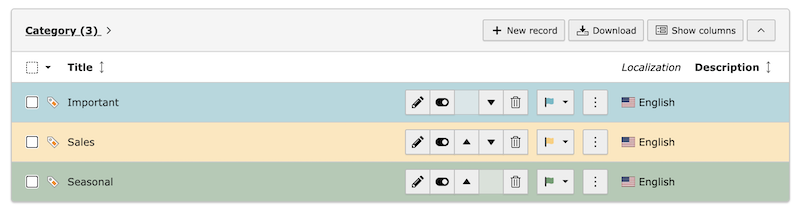
By default the Content Planner supports the status functionality only for pages. If you want to use the status functionality for other record types, you can extend the Content Planner to support additional record types.

Categories as additional records

Categories as additional records

Follow the steps below to extend the Content Planner to support additional records, e.g. news or tt_content records:

  1. Extend the additional record TCA (e.g. for news records):
Configuration/TCA/Overrides/tx_news_domain_model_news.php
\Xima\XimaTypo3ContentPlanner\Utility\ExtensionUtility::addContentPlannerTabToTCA('tx_news_domain_model_news');
Copied!
  1. Extend the necessary database fields:
ext_tables.sql
CREATE TABLE tx_news_domain_model_news
(
    tx_ximatypo3contentplanner_status   int(11) DEFAULT NULL,
    tx_ximatypo3contentplanner_assignee int(11) DEFAULT NULL,
    tx_ximatypo3contentplanner_comments int(11) unsigned default '0' not null,
);
Copied!
  1. Register the additional record:
ext_localconf.php
$GLOBALS['TYPO3_CONF_VARS']['EXTENSIONS']['xima_typo3_content_planner']['registerAdditionalRecordTables'][] = 'tx_news_domain_model_news';
Copied!
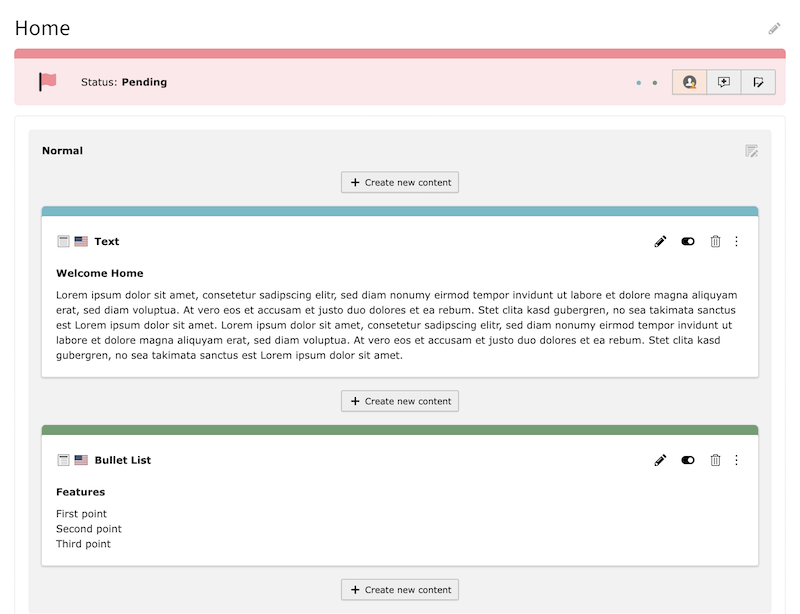
Content elements as additional records

Content elements as additional records

PSR-14 Events 

The extension contains some PSR-14 events which make it possible to extend the extension with own functionality. You can for example adjust the status selection or react on status changes for implementing some kind of a workflow.

If you are new to PSR-14 events, please refer to the official TYPO3 documentation about PSR-14 events and Event Listeners.

PrepareStatusSelectionEvent 

This event is dispatched before the status selection is rendered. You can use it to modify the available status options.

Classes/EventListener/ModifyStatusSelectionListener.php
<?php
namespace MyVendor\MyExtension\EventListener;

use Xima\XimaTypo3ContentPlanner\Event\PrepareStatusSelectionEvent;

final class ModifyStatusSelectionListener
{
    public function __invoke(PrepareStatusSelectionEvent $event): void
    {
        $table = $event->getTable();
        $uid = $event->getUid();
        $selectionEntries = $event->getSelectionEntriesToAdd();

        // Remove a specific status from selection
        unset($selectionEntries['3']);

        $event->setSelectionEntriesToAdd($selectionEntries);
    }
}
Copied!
Configuration/Services.yaml
MyVendor\MyExtension\EventListener\ModifyStatusSelectionListener:
  tags:
    - name: event.listener
      identifier: 'my-extension/modify-status-selection'
Copied!

StatusChangeEvent 

This event is dispatched after the status of a record has been changed. You can use it to trigger additional actions like notifications or workflow transitions.

Note that $newStatus may be null when a status is cleared from a record.

Classes/EventListener/StatusChangeListener.php
<?php
namespace MyVendor\MyExtension\EventListener;

use Xima\XimaTypo3ContentPlanner\Event\StatusChangeEvent;

final class StatusChangeListener
{
    public function __invoke(StatusChangeEvent $event): void
    {
        $table = $event->getTable();
        $uid = $event->getUid();
        $newStatus = $event->getNewStatus();
        $previousStatus = $event->getPreviousStatus();

        // Example: Send notification when status changes to a specific status (uid 3)
        if ($newStatus?->getUid() === 3) {
            // Trigger notification logic
        }
    }
}
Copied!
Configuration/Services.yaml
MyVendor\MyExtension\EventListener\StatusChangeListener:
  tags:
    - name: event.listener
      identifier: 'my-extension/status-change'
Copied!

CommentCreatedEvent 

This event is dispatched after a new comment has been saved to the database. This includes both root comments and replies. Use it for notifications, activity logging, or integration with external systems.

The table property refers to the record being commented on (e.g. pages), not the comment table itself.

Classes/EventListener/CommentNotificationListener.php
<?php
namespace MyVendor\MyExtension\EventListener;

use Xima\XimaTypo3ContentPlanner\Event\CommentCreatedEvent;

final class CommentNotificationListener
{
    public function __invoke(CommentCreatedEvent $event): void
    {
        $table = $event->getTable();           // e.g. 'pages'
        $recordUid = $event->getRecordUid();   // UID of the commented record
        $commentUid = $event->getCommentUid(); // UID of the new comment
        $authorUid = $event->getAuthorUid();   // UID of the backend user

        // Example: Send Slack notification
    }
}
Copied!
Configuration/Services.yaml
MyVendor\MyExtension\EventListener\CommentNotificationListener:
  tags:
    - name: event.listener
      identifier: 'my-extension/comment-notification'
Copied!

CommentResolvedEvent 

This event is dispatched when a comment is marked as resolved. It is not dispatched when a comment is reopened (unresolved).

Classes/EventListener/CommentResolvedListener.php
<?php
namespace MyVendor\MyExtension\EventListener;

use Xima\XimaTypo3ContentPlanner\Event\CommentResolvedEvent;

final class CommentResolvedListener
{
    public function __invoke(CommentResolvedEvent $event): void
    {
        $table = $event->getTable();               // e.g. 'pages'
        $recordUid = $event->getRecordUid();       // UID of the commented record
        $commentUid = $event->getCommentUid();     // UID of the resolved comment
        $resolvedByUid = $event->getResolvedByUid(); // UID of the resolving user

        // Example: Log resolution for audit trail
    }
}
Copied!
Configuration/Services.yaml
MyVendor\MyExtension\EventListener\CommentResolvedListener:
  tags:
    - name: event.listener
      identifier: 'my-extension/comment-resolved'
Copied!

Planner Utility 

The PlannerUtility can be used to easily interact programmatically with the content planner.

class PlannerUtility
Fully qualified name
\Xima\XimaTypo3ContentPlanner\Utility\PlannerUtility

Utility class to use content planner functionalities.

getListOfStatus ( )

Simple function to get a list of all available status.

returntype

array

updateStatusForRecord ( $table, $uid, $status, $assignee = null)

Simple function to update the status of a record.

param string $table

Table name of the record.

param int $uid

UID of the record.

param \Xima\XimaTypo3ContentPlanner\Domain\Model\Status|int|string $status

Status object, UID or title of the status.

param \Xima\XimaTypo3ContentPlanner\Domain\Model\BackendUser|int|string|null $assignee

Optional user object, UID or username of the assignee.

returntype

void

getStatusOfRecord ( $table, $uid)

Simple function to get the status of a record.

param string $table

Table name of the record.

param int $uid

UID of the record.

returntype

\Xima\XimaTypo3ContentPlanner\Domain\Model\Status|null

getStatus ( $identifier)

Simple function to get a status.

param int|string $identifier

UID or title of the status record.

returntype

\Xima\XimaTypo3ContentPlanner\Domain\Model\Status|null

getCommentsOfRecord ( $table, $uid, $raw = false)

Simple function to fetch all comments of a record.

param string $table

Table name of the record.

param int $uid

UID of the record.

param bool $raw

Get raw comment records instead of optimized DTOs.

returntype

array

addCommentsToRecord ( $table, $uid, $comments, $author = null)

Simple function to fetch all comments of a record.

param string $table

Table name of the record.

param int $uid

UID of the record.

param array|string $comments

Single comment string or array of multiple comments in a row.

param \Xima\XimaTypo3ContentPlanner\Domain\Model\BackendUser|int|string|null $author

Optional user object, UID or username of the author.

returntype

void

generateTodoForComment ( $todos)

Simple function to generate the html todo markup for a comment to easily insert them into the comment content.

param array $todos

Array of todo strings.

returntype

string

clearCommentsOfRecord ( $table, $uid, $like = null)

Simple function to clear all comment(s) of a content planner record.

param string $table

Table name of the record.

param int $uid

UID of the record.

param string|null $like

Optional string to filter comments by content.

returntype

void