
Filelist
New in version 2.0.0
Filelist support for files and folders was introduced in version 2.0.
The Content Planner extension supports status management for files and folders in the TYPO3 Filelist module. This allows you to track the status of media assets during content migration or review processes.
Table of Contents
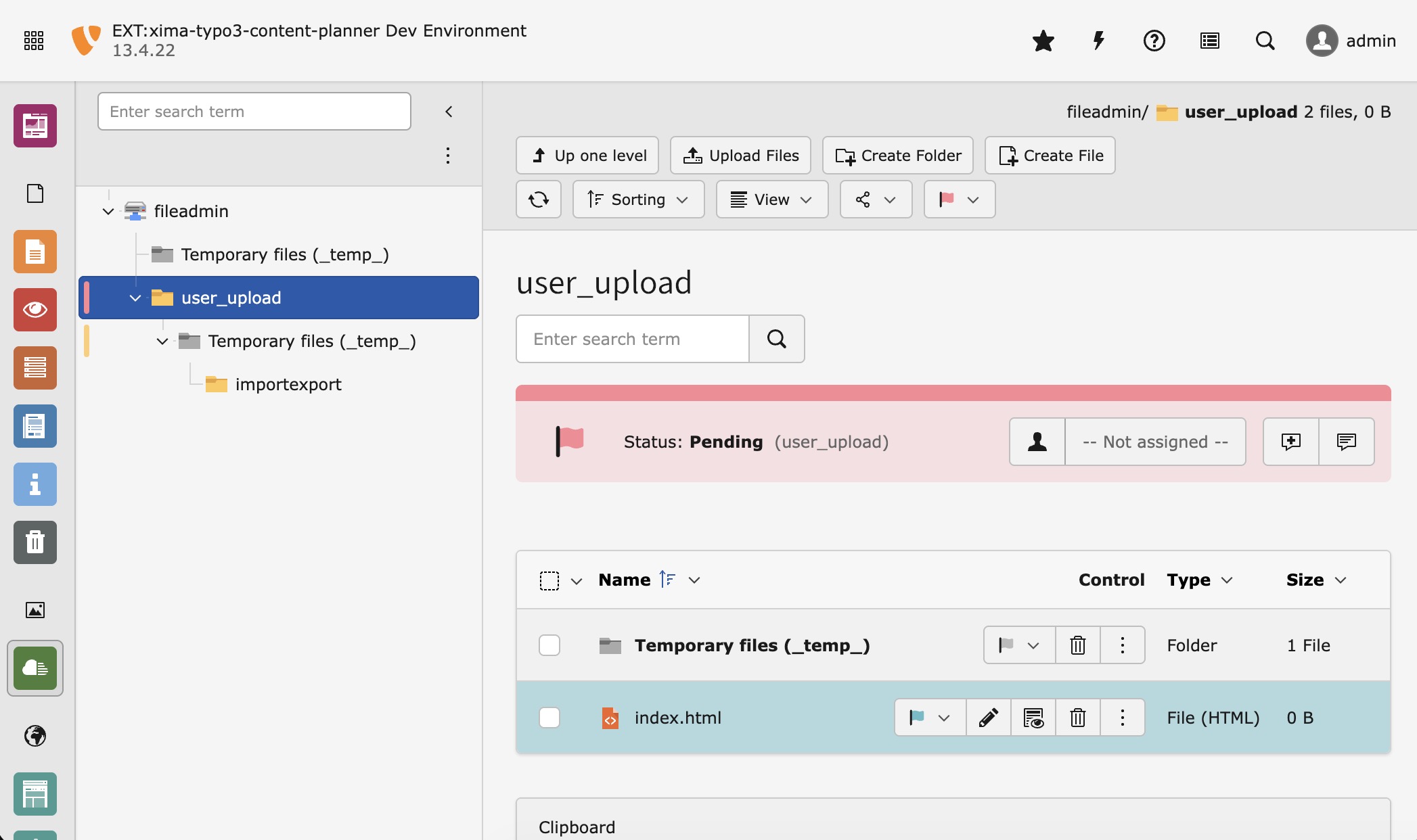
Filelist module with status support for folders and files
Enable Filelist Support
Filelist support is enabled by default. You can disable it in the extension configuration.
Folder Status
Folders can have a status assigned. The status is displayed in the folder tree and in the filelist header when viewing the folder contents.
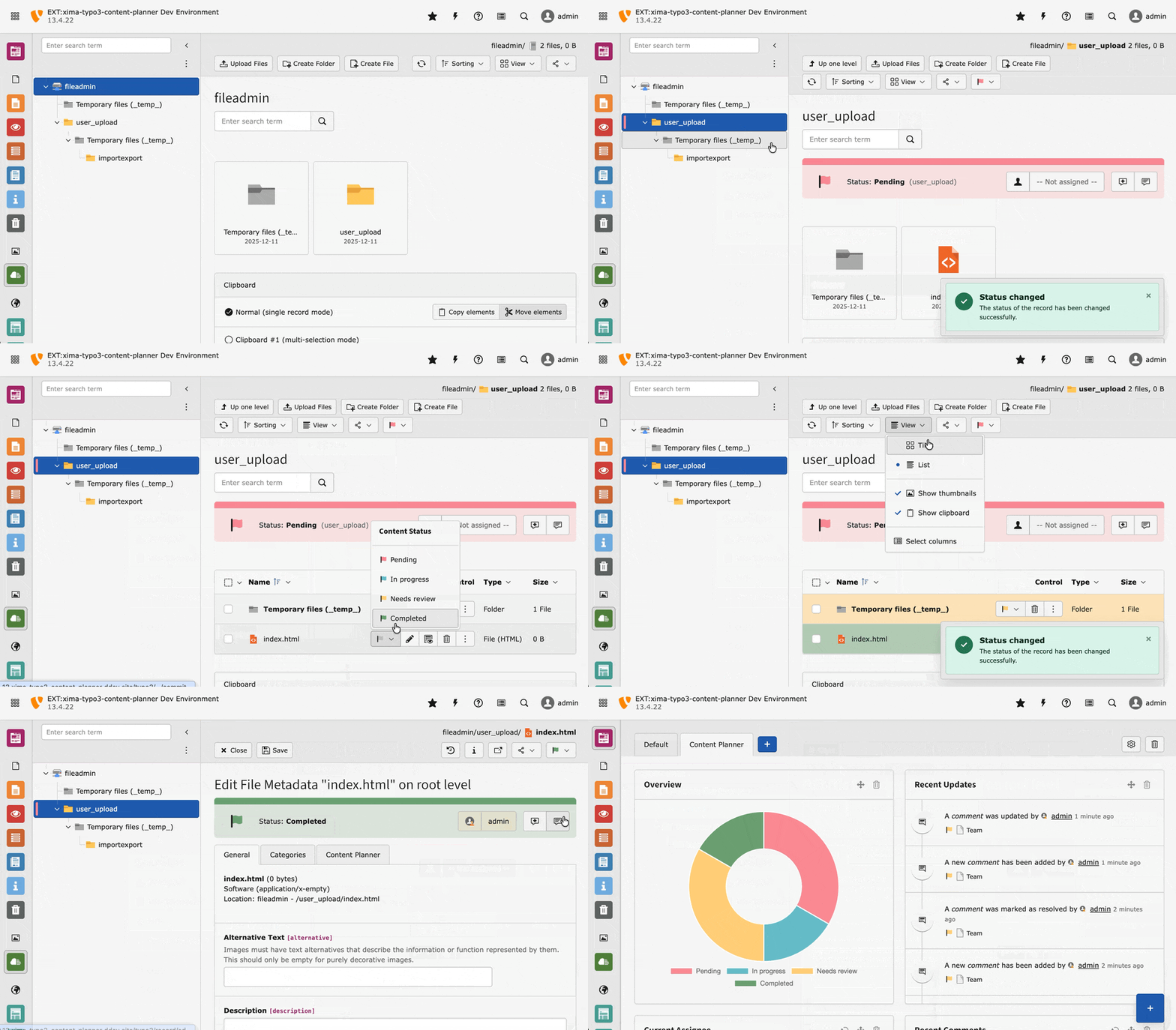
Changing folder and file status in the filelist
The folder status header shows:
- Current status with color indicator
- Assignee selection
- Quick actions for comments
File Status
Individual files (via sys_) can also have a status assigned. The status dropdown appears in the file row actions.
Supported Views
The Content Planner integration works in the following filelist views:
- List View: Full support with status dropdowns and color indicators
- Tiles View: Status color indicators on tiles