
Requirements
Meet every requirement on this page before installing the extension.
System requirements
- TYPO3 13.4 LTS or 14.3
- PHP 8.3, 8.4, or 8.5
- TYPO3 Scheduler system extension
- PHP
allow_url_fopensupport for the Sentry reachability check
Sentry requirements
- A Sentry project for the TYPO3 application
- An initialized Sentry PHP SDK with a valid DSN
- The organization slug and project represented by that DSN
- A Sentry user authentication token with
alerts:readandalerts:writepermissions to manage issue alert rules and cron monitors - Outbound HTTPS access from TYPO3 to the Sentry host
Important
This extension depends on an initialized Sentry SDK but does not initialize it. Configure Sentry in the TYPO3 project before running Scheduler tasks.
Microsoft Teams requirements
- Add and configure the Microsoft Teams integration in Sentry.
- Add the Sentry app to the Microsoft Teams channel that should receive alerts.
- Record the integration ID and exact channel name for the extension configuration.
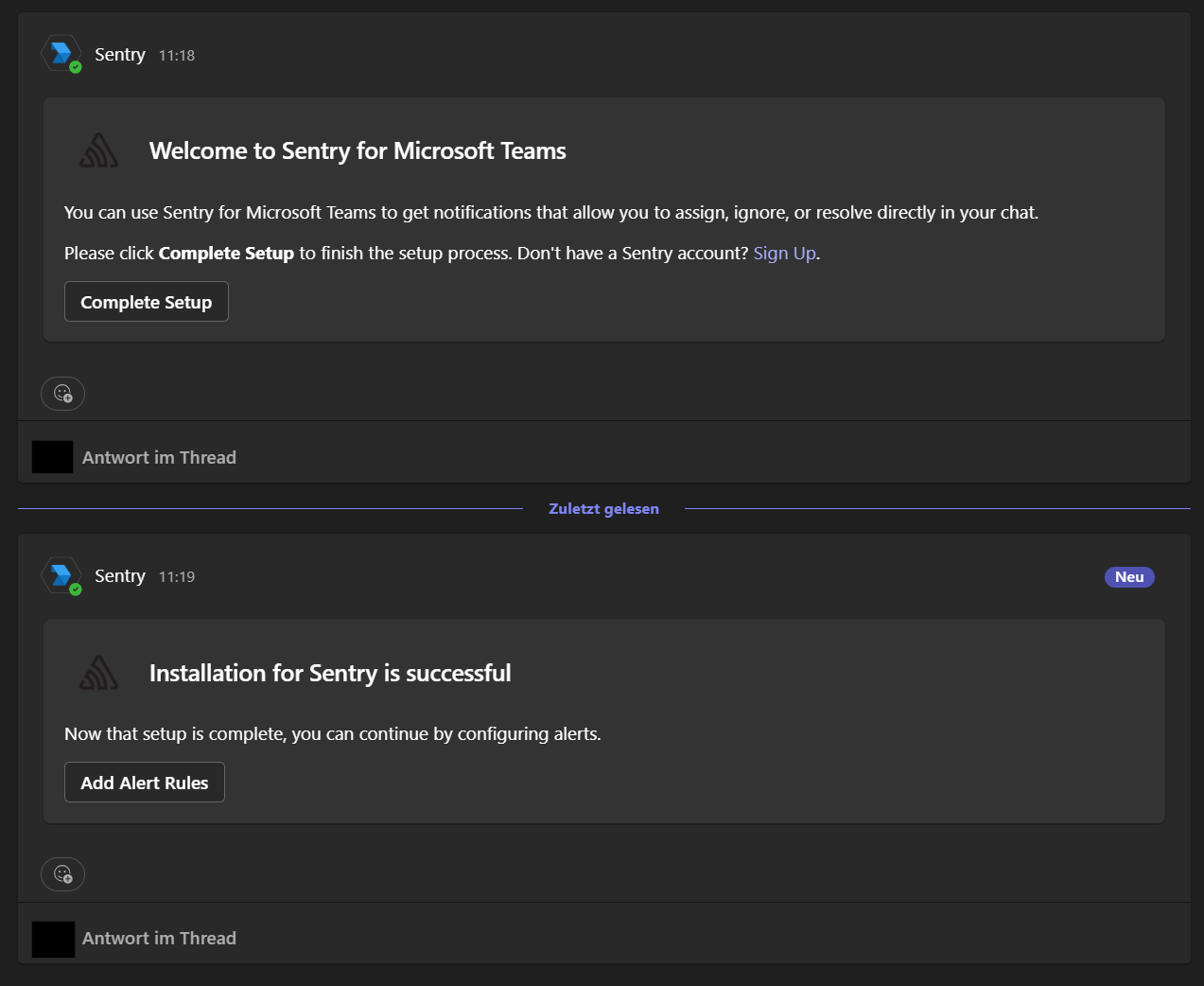
A successful Microsoft Teams integration first offers Complete Setup and then confirms that the Sentry installation succeeded.
Important
The first channel in the Microsoft Teams team must be named General.
Channels created after it can use any name.
When these requirements are met, continue with the Installation.