
Note
All Apache Tika App versions prior v. 3.2.2 are vulnerable against CVE-2025-54988 please update the used binaries. Do not use the App on your server. Use Tika Server instead.
Configuration of Tika App (not recommended)
Requirements
- Tika App v3.2.2+ is required.
- Java runtime on host TYPO3 is running on. Please refer to the Apache Tika docs or other sources.
- Tika App jar file. See: Download instructions
- Setting EXT:tika to use the downloaded jar file for data extraction.
Download Tika App
Following command will download and verify the integrity of tika- file in /opt/ directory.
composer --working-dir="$(composer config vendor-dir)/apache-solr-for-typo3/tika" tika:download -- -C -D /opt/tika
# or alternatively, change into the EXT:tika directory and run
# composer tika:download -- -C -D /opt/tika
Copied!
Setup EXT:tika for Tika App
Open Extension settings for EXT:tika General tab and choose "Tika App" as Extractor.
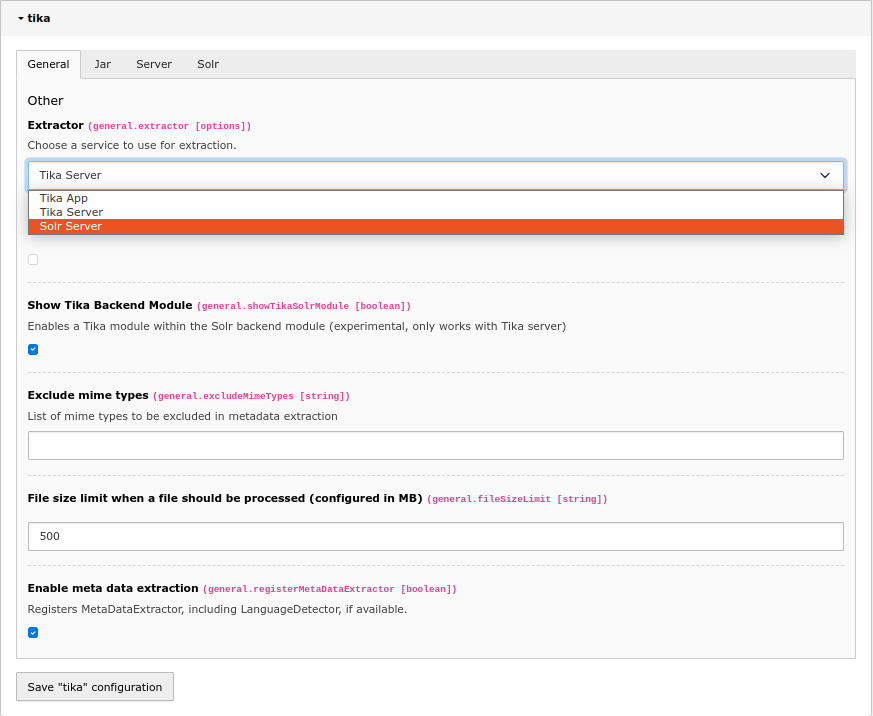
Extension configuration for EXT:tika - Choosing App extractor in General tab
After that open the Jar tab and paste the path from downloaded tika- into Tika App Jar Path input field.
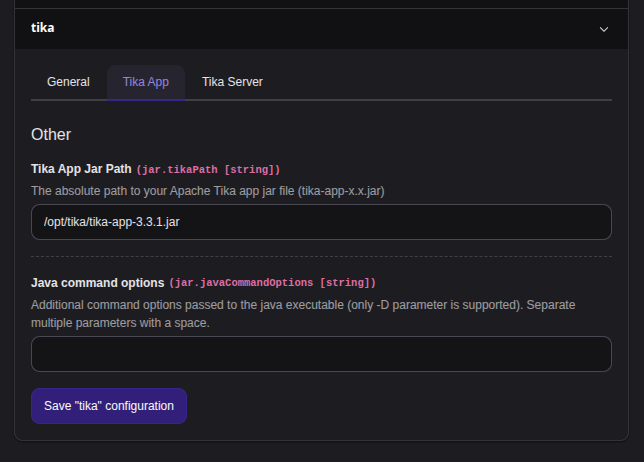
Extension configuration for EXT:tika - Provide the path to downloaded App file
See Check if it works for test instructions.