
Administrator Corner
Content Animations comes with some features which can be deactivated via the extension settings.
Settings
| Feature | Data type | Description | Default | | |
|---|---|---|---|---|
| hideFooterAnimationLabel | boolean | Hide the Animation Footer Label | false | | |
| disableAddAnimationsTab | boolean | Disable the automatic append of the Animations tab to all CTypes | false | | |
| extendedAnimationSettings | boolean | Activate extended animation settings (for advanced users only) | false | | |
Animation Footer Label
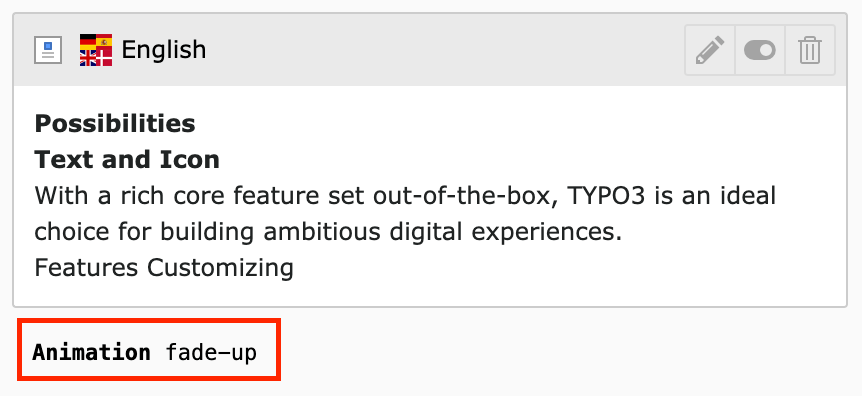
You can hide the Label which shows the selected Animation value. It's visible by default.
Animation Tab
You can disable the automatic appending of the Animation Tab to all CTypes. The Tab is added by default.

Advanced Animation Settings
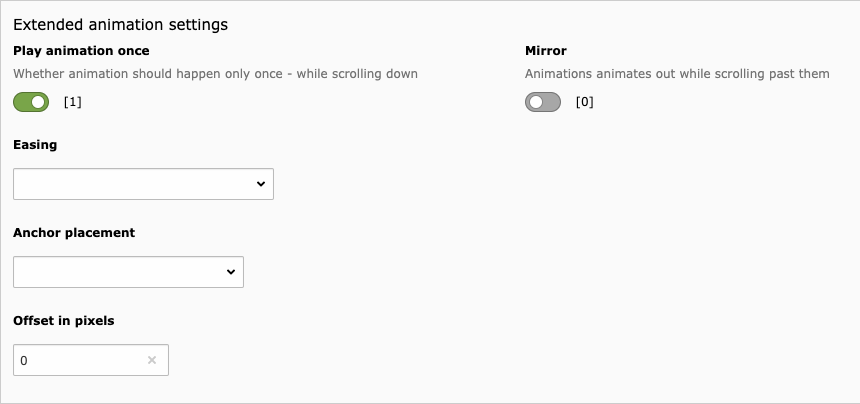
You can enable advanced animation settings for all CTypes (offset, anchorPlacement etc...). These settings are disabled by default.
Content Security Policy (CSP)
Content Animations is fully compatible with TYPO3's Content Security Policy (CSP) feature.
How it works
When CSP is enabled in your TYPO3 installation, the extension automatically:
- Adds
nonceattributes to inline JavaScript code - Adds
nonceattributes to inline CSS styles - Ensures all animation scripts comply with strict CSP rules
No manual configuration needed - CSP support is automatic!
Enabling CSP in TYPO3
To enable CSP in your TYPO3 installation:
- Go to Install Tool > Settings > Feature Toggles
- Enable: "Security: frontend enforce content security policy"
- Clear all caches
The extension will automatically detect when CSP is active and add the necessary nonce attributes.
Technical Details
The extension uses two EventListeners to load animation assets:
AddAosJavaScriptEventListener- Loads AOS JavaScript with nonce supportAddAosStyleEventListener- Loads AOS CSS with nonce support
Both EventListeners automatically detect whether CSP is enabled by checking for nonce availability.
When CSP is disabled, no nonce attributes are added, keeping your HTML clean.
Tip
The extension handles CSP automatically. If you experience CSP violations,
ensure your site's csp.yaml allows inline scripts with nonces:
# config/sites/my-site/csp.yaml
mutations:
  - mode: extend
    directive: 'script-src'
    sources:
      - "'nonce-proxy'"
  - mode: extend
    directive: 'style-src'
    sources:
      - "'nonce-proxy'"