
Exclude contents from the parser
Exclude whole pages from being parsed
Pages can be statically excluded from parsing via site settings:
dpn-glossary.parsingExcludePidList: '42,185,365'Pages can also be dynamically excluded from parsing by page properties Page Properties > Behaviour > Settings for dreipunktnull Glossary:
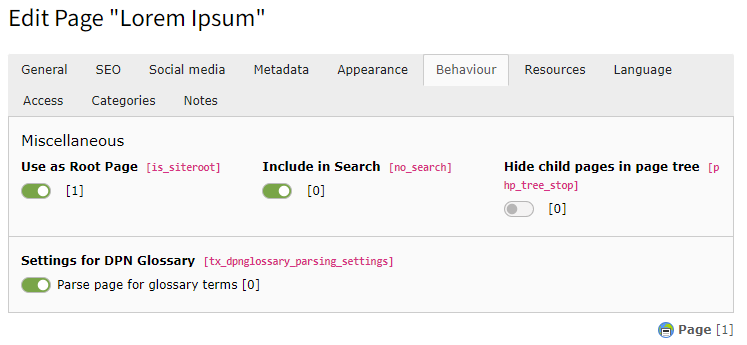
Exclude page from parsing
By making field
tx_ of table
pages available for your editors, it is also possible to let (power)
editors decide, which pages should be parsed.
Exclude content elements from being parsed
The following site setting defines HTML classes whose content will be excluded from parsing:
dpn-glossary.forbiddenParentClasses: 'tx_dpn_glossary_exclude,my_search_results'Content wrapped with one of these classes will be excluded from parsing.
Content can also be dynamically excluded from parsing by content properties Content Properties > Appearance > Settings for dreipunktnull Glossar.
This only works if the default Fluid layout has been overridden to wrap the
content with the HTML class
tx_ and this class is
still found in the dpn-glossary.forbiddenParentClasses site setting.
You can set the following site setting to let this extension override the Fluid Styled Content default layout:
dpn-glossary.overrideFluidStyledContentLayout: trueIf you need to override the layout yourself make sure to add the following to the surrounding tags class:
<div class="... {f:if(condition: data.tx_dpnglossary_disable_parser, then: ' tx_dpn_glossary_exclude')}">Just like with the pages this property can be used to enable editors to exclude content elements from parsing.