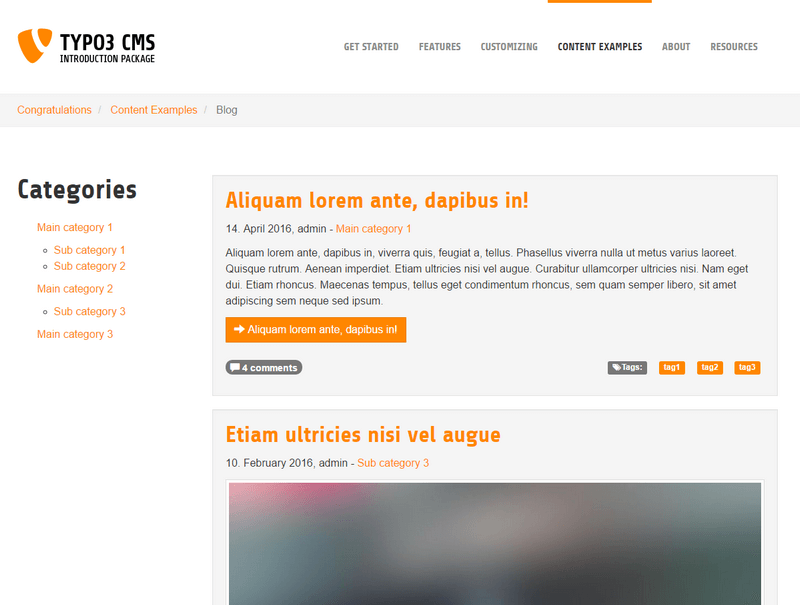
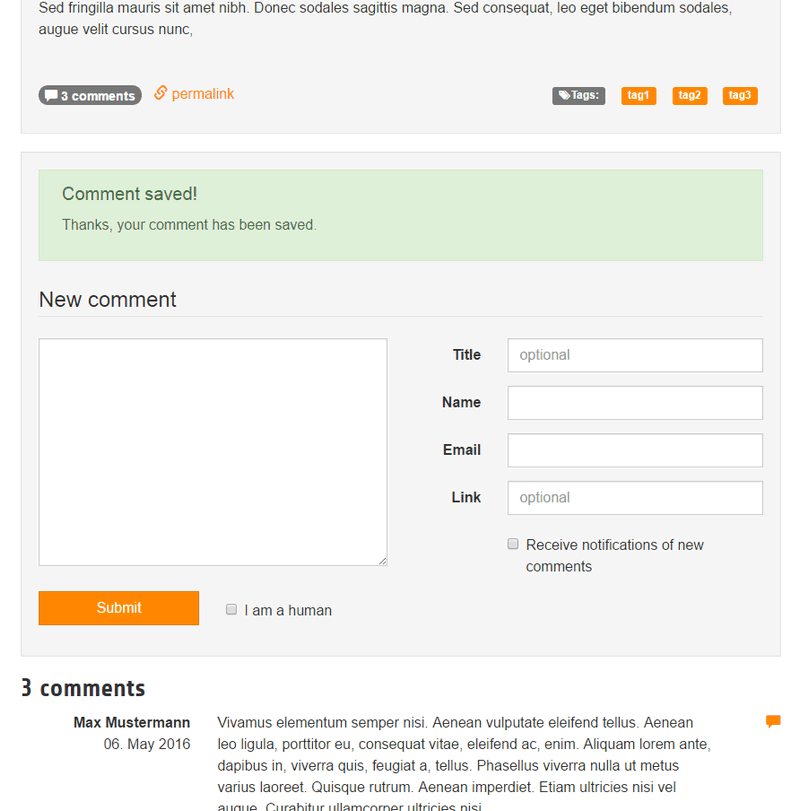
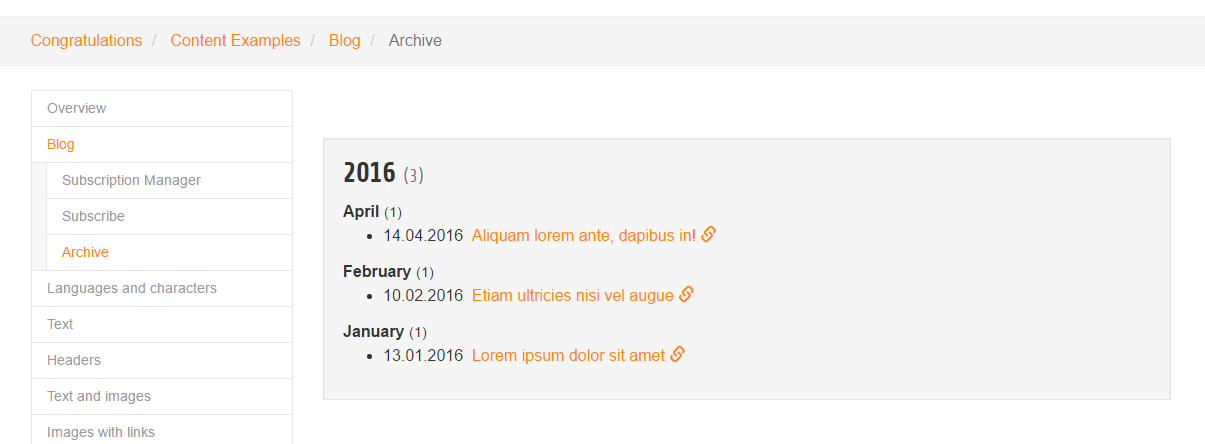
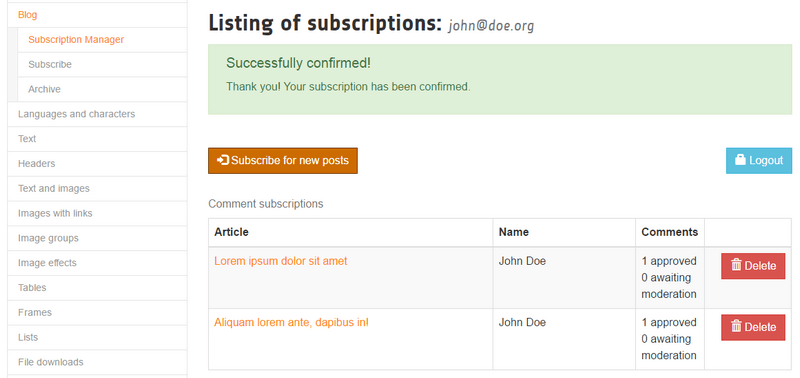
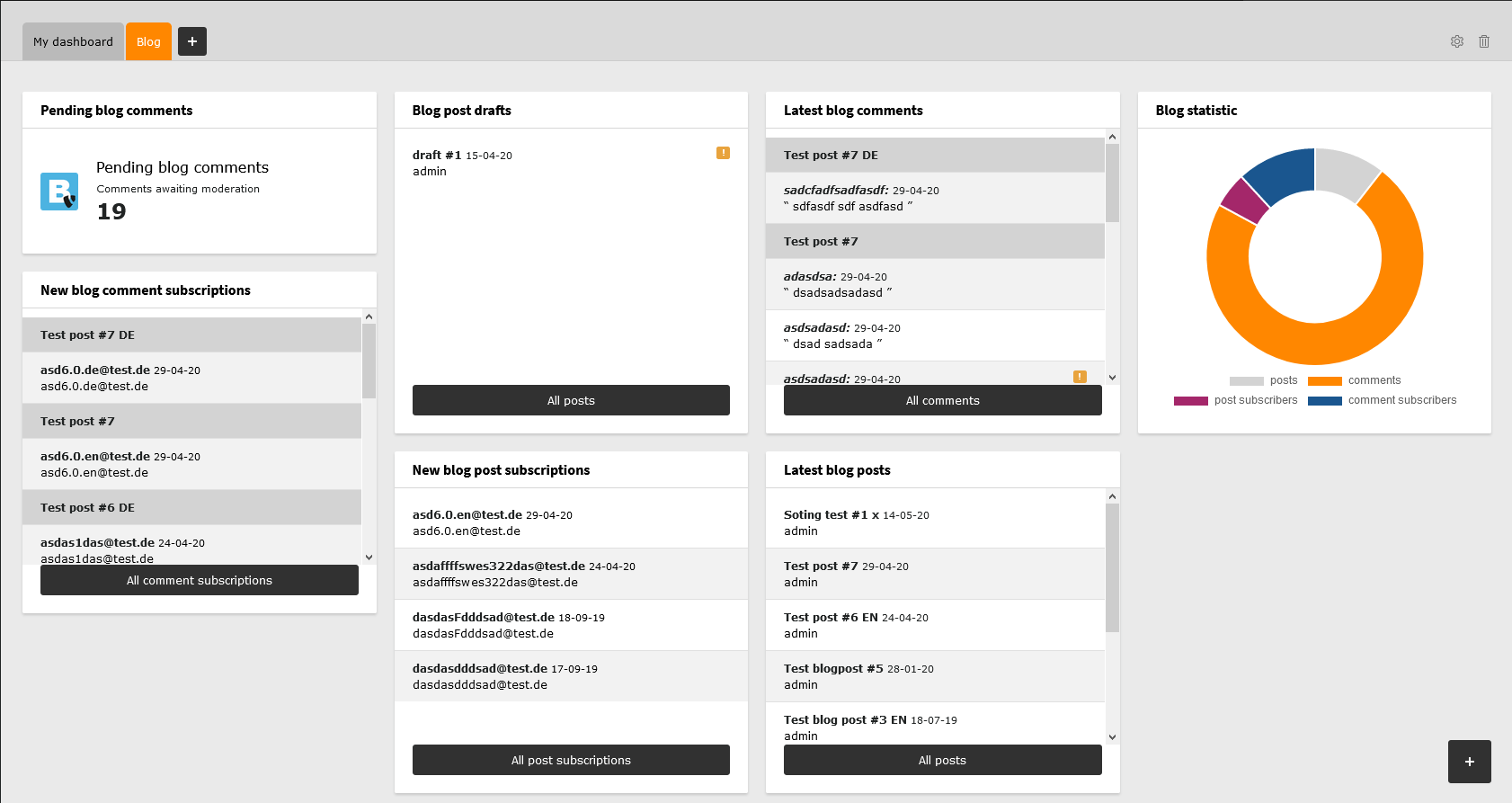
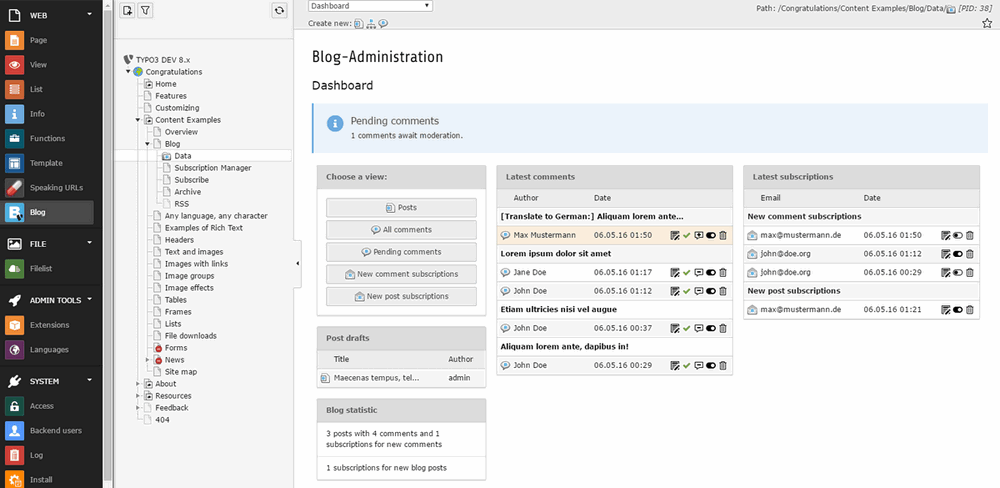
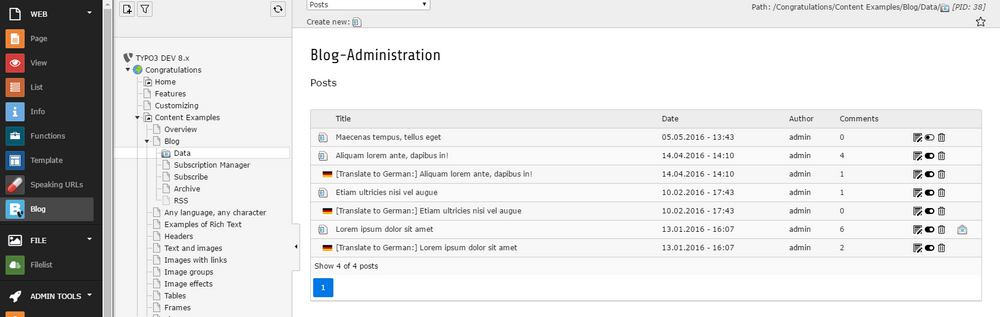
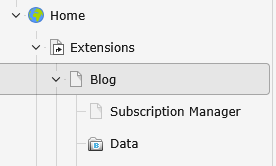
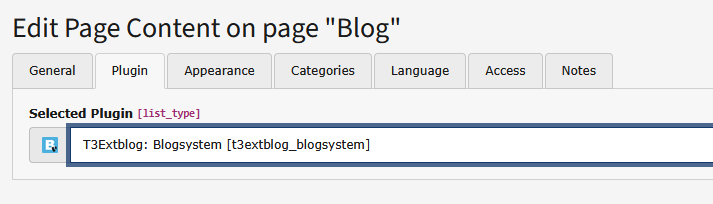
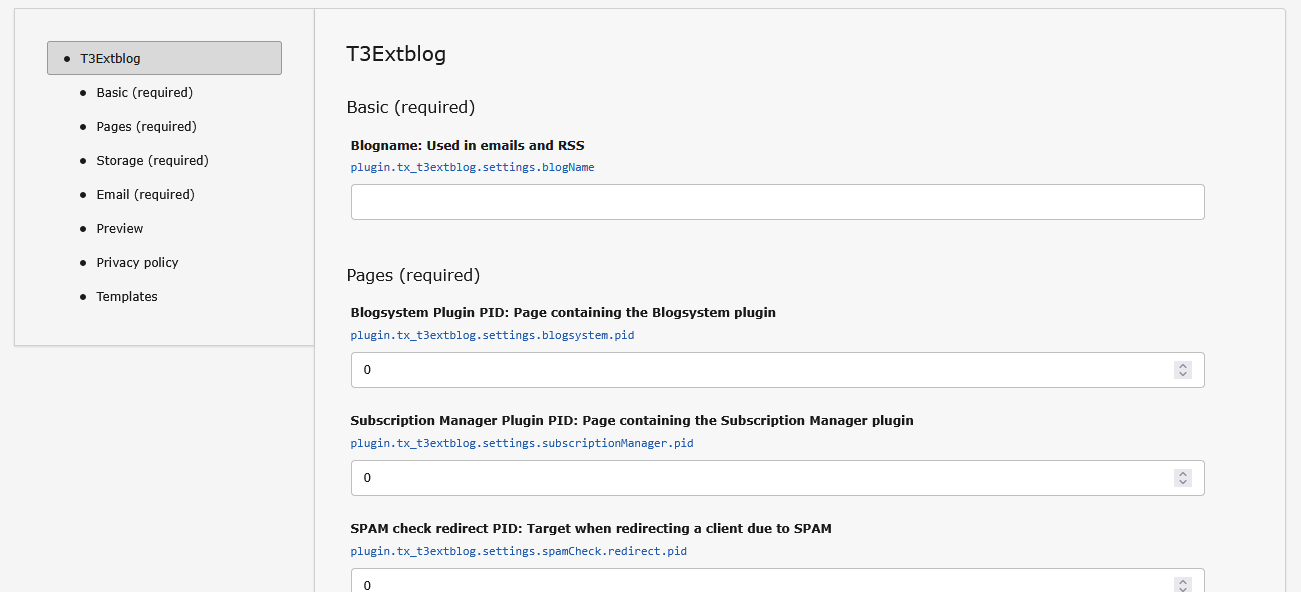
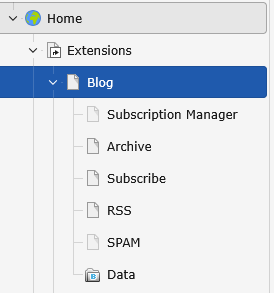
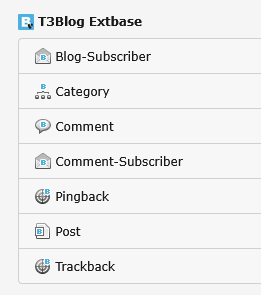
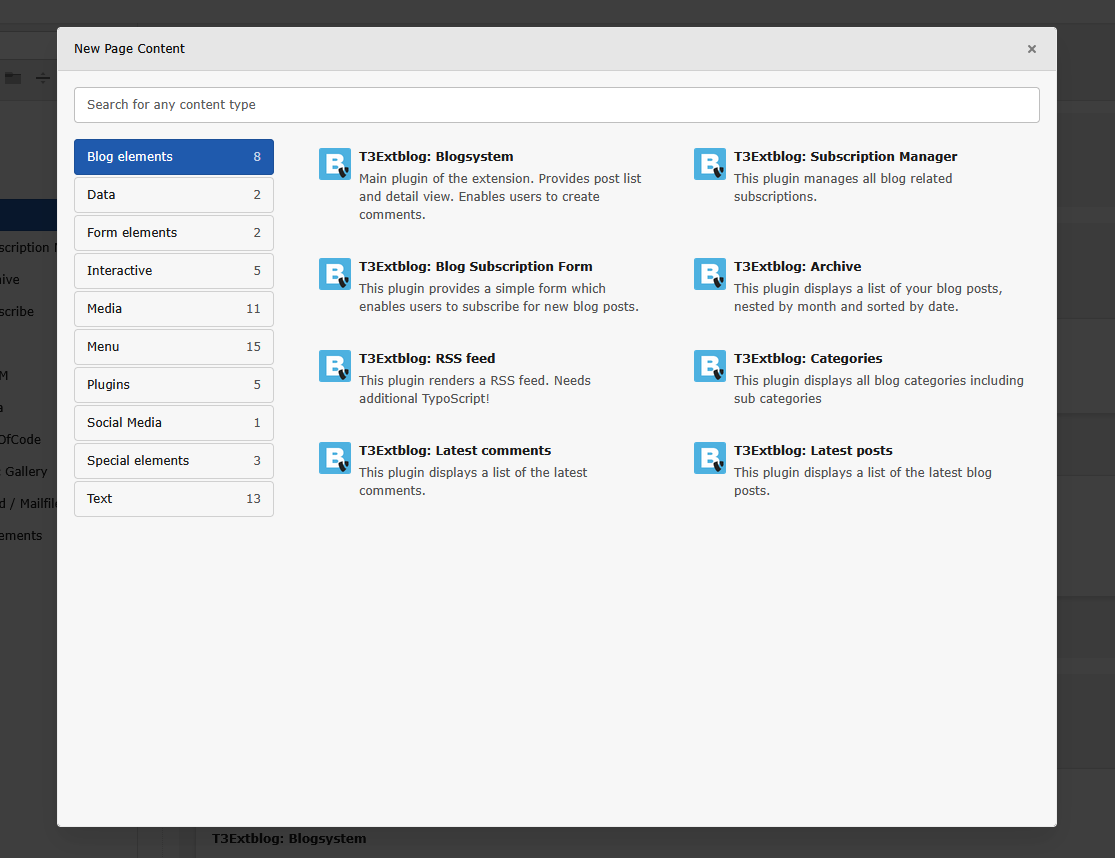
Screenshots taken from a TYPO3 CMS instance with "Introduction package" (EXT:introduction using
EXT:bootstrap_package extension) and T3extblog installed.
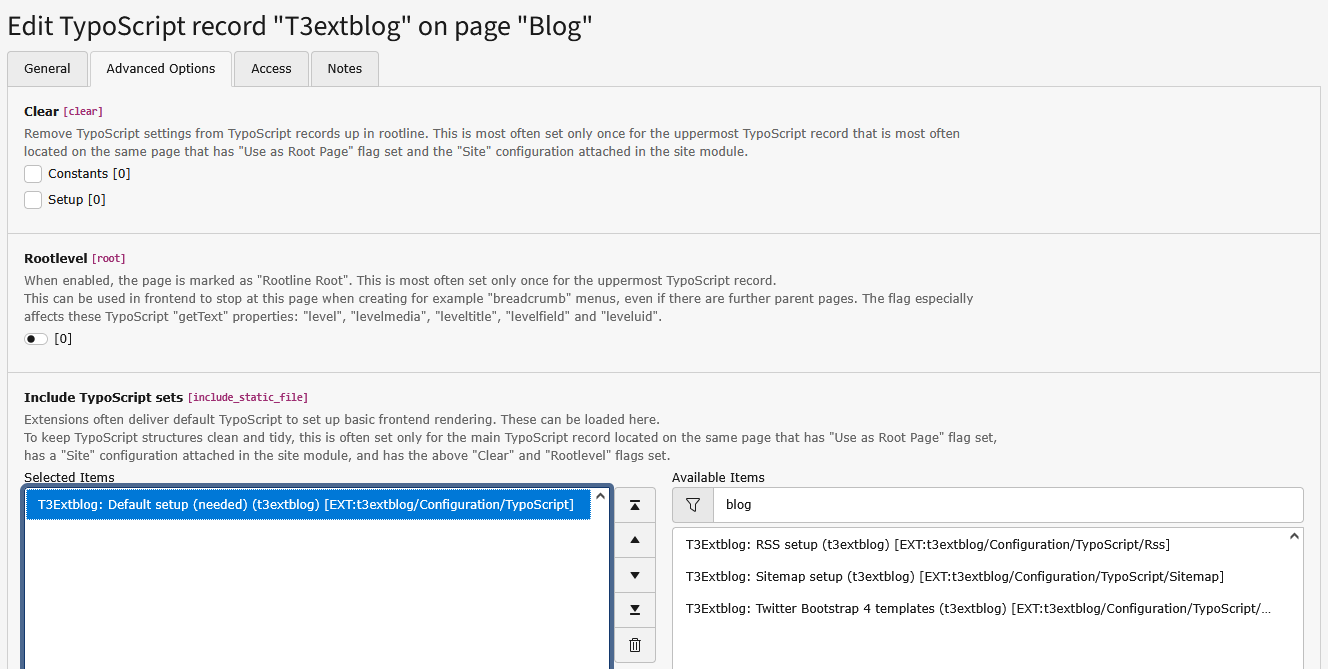
This guide will use the "old" way of configuring an extension: including a static TypoScript template
In this installation guide, we will override some values and make our blog more individual.
Some steps are already described in the Quick Installation.
Assigning the TypoScript settings to backend context by using module.tx_t3extblog < plugin.tx_t3extblog is essential
when overriding values. Don't forget it!
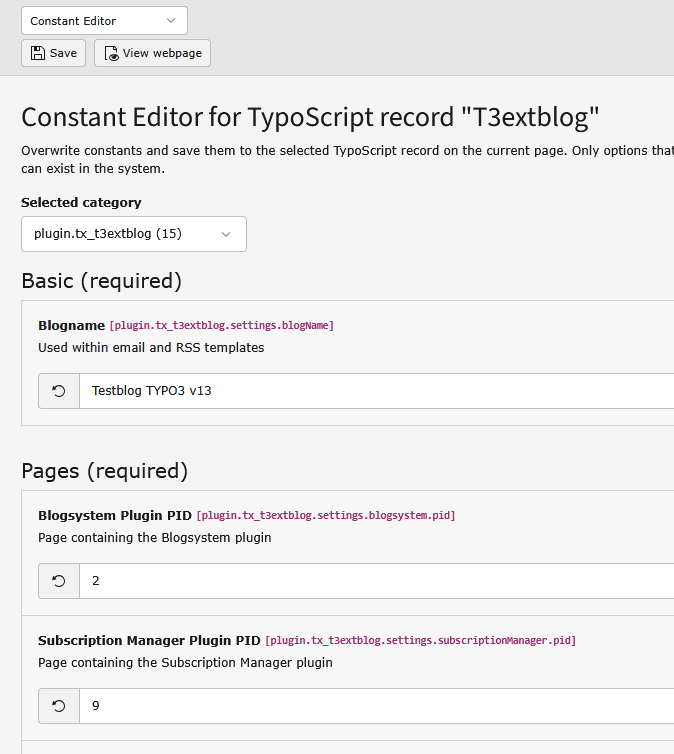
It is recommended to use the constants in conjunction with custom TypoScript. Copy both configuration files
(constants.typoscript and setup.typoscript located in EXT:t3extblog/Configuration/TypoScript) and include
(using <INCLUDE_TYPOSCRIPT: source="FILE:EXT:my_extension/.../setup.typoscript"> them in your root template.
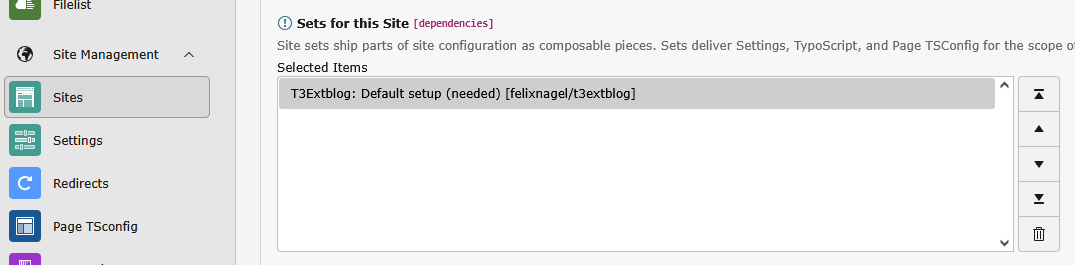
This is overall more flexible than using the site sets settings approach.
You can write blog posts using the default TYPO3 CMS way: Open the folder or page you set as storagePid using the list module.
Another way to manage posts and comments is t3extblog's simple backend module. It's located in the "web" module section.
To write a blog post, just click the plus-icon on the top.
Now you can start adding content to your blog post!
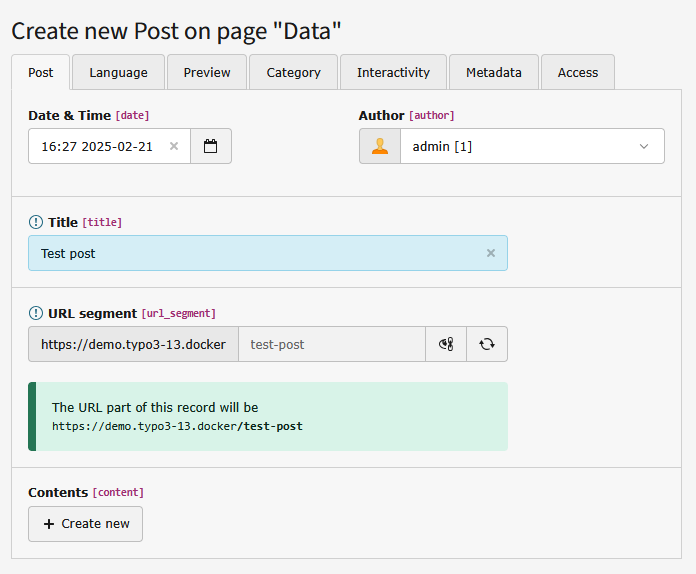
Create a blogpost
Post:
Author: choose the author of your blog post in a list of BE users, required
Title: title of your blog post, required
Preview:
Preview: configure a list preview for the blog post
There are different "Preview modes", i.e. you can add your own preview text or show the first content element
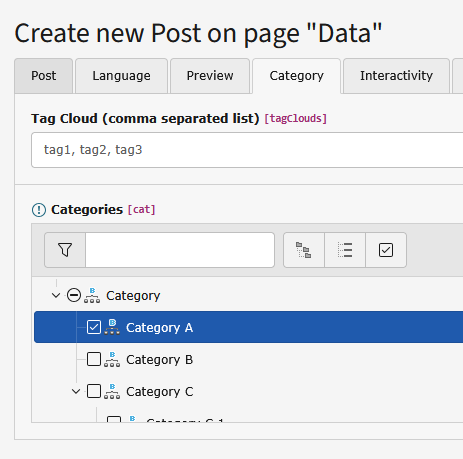
Category:
Select one or more categories
You need so select at least one category
Interactivity:
Configure who is allowed to comment
Trackback options (currently not implemented)
Metadata:
Add some metadata for your blog post (keywords and description text)
Metadata tab content is used for SEO relevant meta tags only
Content:
click the 'create new' button (post-tab) to add new content elements
You can add several content elements
Add categories
You need to add at least one blog category to your post.
Tip
New posts are hidden by default, you need to activate them (un-check "hide" within the access tab)
Create blog categories
Use the list module and click the button "create new record", to add categories:
Blog administration
The extension comes with an own backend-module. You can find it in the "web" section in the left menu. You can choose
between two sections "posts" and "comments". In the comments-section all pending comments are listed. In the posts-section
all posts are listed, you can add new posts by clicking the "add-icon" above. You see the number of comments too.
When clicking on one of these numbers, all comments corresponding to this blog are shown.
Preview blog posts
The extension has a preview functionality. It's possible to preview your posts before it's open to the public.
Just keep the blog post hidden and use the "Save document and view page" button (at the top, next to the
"Save and close record" button) within your post records.
Notification emails
This extension comes with two types of subscriptions and there for notification emails.
New comments notification
Admin email
Simple notification email. Sent to admin when an new comment has been created.
Subscriber opt-in email
Confirmation for new subscriber. Sent either when:
comment is approved by default and not SPAM or
comment has been approved by an admin
Notification emails
New comment notification for all subscribers. Sent if a new comment has been created when:
comment is approved by default and not SPAM or
comment has been approved by an admin
Hint
We'are listening for changed or new comments, so sending opt-in and notification emails works from within
the custom module and the default list module!
New blog posts notification
Subscriber opt-in email
Confirmation for new subscriber. Sent when subscription is created successfully.
Notification emails
New comment notification for all subscribers. Use the provided button in BE module to start email sending.
This plugin manages all blog related subscriptions. All email links will point to this page.
Depending on your configuration users can confirm, add and remove subscriptions for new comments and new posts.
We've already did some basic settings for this plugin in the installation process, but you should do so some more configuration.
Configure the Subscription manager via with (see /Configuration/TypoScript/Includes/Settings/SubscriptionManager.typoscript).
Important
Use a separate page for this plugin!
Tip
More information about email sending in the Users Manual
Blog Subscription Form
This plugin provides a simple form which enables users to subscribe for new blog posts. Uses opt-in emails for confirmation.
Configure the Subscription manager form with TS (see /Configuration/TypoScript/Includes/Settings/BlogSubscription.typoscript).
RSS Feed
This plugin renders a RSS feed.
The RSS-Module need some special treatment, but no need to worry. Just create a single page for the RSS-output, then:
Choose the RSS plugin and insert it to that page (see above how to do this)
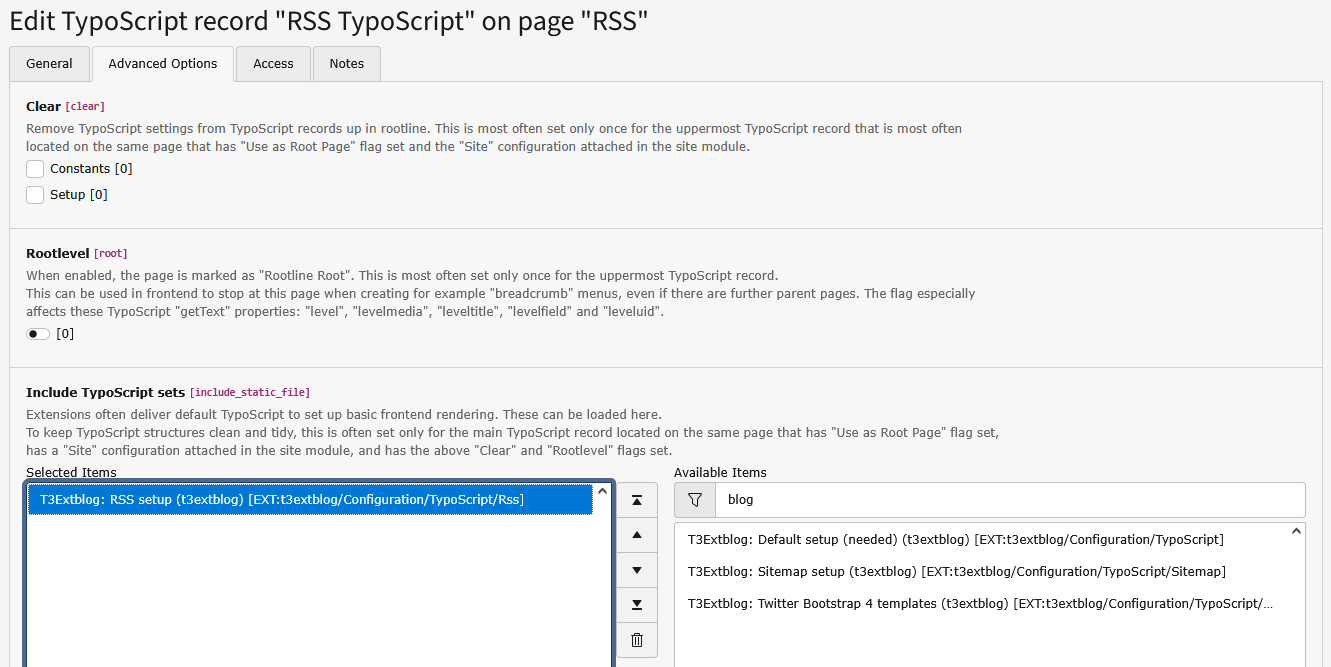
Create an extension template and include T3Extblog: Rss setup (t3extblog)
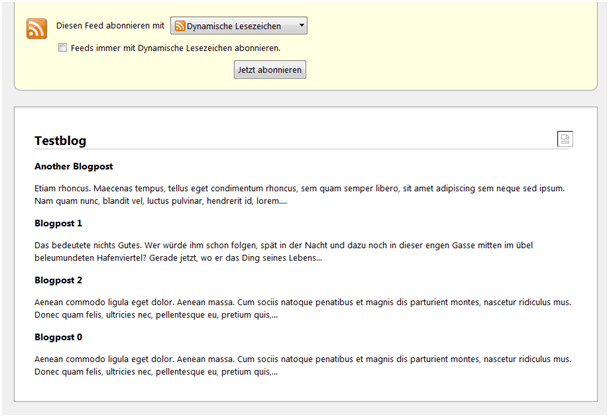
When you open the page, the output should look like this:
Have a look at /Configuration/TypoScript/RSS/setup.typoscript
You can override the values by using an extension template on the page where your have insert the Rss-modul.
Important
Please note: Default RSS template depends on using speaking URLs.
You will need to escape links when using plain TYPO3 links.
Preview blog posts
The extension has a preview functionality. Add following TypoScript to your page TSconfig (where 123 is the PID of
the page where the blogsystem plugin is included).
argument with the languageCode value when using the translate VH: <f:translate languageKey="{locale.languageCode}" />
Using the Local object directly will result in wrong localization!
Make sure to setup at least the following settings (see /Configuration/TypoScript/constants.txt or
/Configuration/Sets/Default/settings.definitions.yaml for more details!):
# PID of the blog sysfolder containing all blog related records
plugin.tx_t3extblog.persistence.storagePid = 456

# PID where the "Blogsystem" plugin is located
plugin.tx_t3extblog.settings.blogsystem.pid = 123

# PID where the "Subscription Manager" plugin is located
plugin.tx_t3extblog.settings.subscriptionManager.pid = 789

# E-mail address where notification mails were send to
plugin.tx_t3extblog.settings.subscriptionManager.admin.mailTo.email = mailadress@of-the-admin.tld
Copied!
General configuration
Key prefix is plugin.tx_t3extblog.
Property
Description
settings.blogName
Name of your blog
settings.blogsystem
All settings of your blog system, i.e. pagination, comment handling...
settings.subscriptionManager
Configure the subscription process, i.e. admin email, notification email...
settings.blogSubscription
Configure blog (new post) subscription form
settings.categories
Some settings for the category plugin
settings.tags
Some settings for the tags plugin
settings.latestPosts
Some settings for the latest posts plugin
settings.latestComments
Some settings for the latest comments plugin
settings.relatedPosts
Some settings for the related posts plugin
settings.rss
Basis rss-settings (see /Configuration/TypoScript/RSS/setup.typoscript for page config)
settings.backend
Configure the backend output
settings.debug
Some debug configs
settings.*.privacyPolicy.enabled
Enable the privacy policy checkbox in the subscription forms
settings.*.privacyPolicy.typolink
Set a typolink as the privacy policy link
lib.tx_t3extblog.date
Localize date format, used within the fluid templates
lib.tx_t3extblog.month
Localize month format, used within the fluid templates
Like most other extensions, settings can be overwritten via TypoScript.
Have a look at /Configuration/TypoScript/setup.typoscript and its includes (see /Configuration/TypoScript/Includes/Settings).
SPAM checks
A comment has two additional visibility flags (besides TYPO3 default hidden and deleted flags):
is approved and is spam. Comments not approved or marked as SPAM are not displayed.
Admins configure if a comment should be approved by default or always needs manual approval.
In addition multiple basic SPAM checks flag every new comment as SPAM or not SPAM:
Simple "I am human" checkbox (no real check for bots!)
Honeypot fields
Cookie support check
User agent check
Search for links in comment text
Each of these checks has a configurable spam point value. The sum of all spam points is compared to multiple
configurable threshold values in order to trigger specific actions:
mark comment as spam but save it anyway
block comment and allow user to try again
redirect user to a configurable page
See TypoScript for full configuration:
plugin.tx_t3extblog.settings.blogsystem.comments
plugin.tx_t3extblog.settings.blogSubscription
Important
Built in SPAM protection may be insufficient to protect your blog from serious attacks and does not prevent brute force attacks.
Speaking URLs
This extension include a predefined setup for the TYPO3 CMS core feature speaking URL,
see t3extblog/Configuration/Routes/Default.yaml for details.
Default will render URLs for blog posts like this: domain.com/page/article/2020/12/30/post-title/ but it's easy to
change this by either:
Remove the datePrefix option completely, resulting in no date prefix in the URL:
domain.com/page/article/post-title/
Use any date format string with according prefix. For example with speaking month names:
datePrefix: 'Y/F/' and datePrefixRegex: '#^[^/]*/[^/]*/#' resulting in URLs like
domain.com/page/article/2020/December/post-title/ (please note: you will need to adjust requirements.post_title
to ^d{4}/p{L}{3,10}/[p{Ll}d-_]+$ in order to make this work; you might want to enable datePrefixLowercase
too)
Tip
Option datePrefix uses the date() method, see here for possible options:
By default, all errors are logged into var/logs/typo3_t3extblog_xyz.log.
When in Development application context all debug and notice messages will be logged too.
Feel free to adjust this as you wish. For example configure the log to include messages
about blocked comments and subscriptions:
Does it work together with "indexed search engine"?
Yes! T3extblog works together with "indexed search engine". Once your posts are indexed, your visitors can search through all your posts.
You should restrict indexing to the main content (blogposts) and exclude latest posts, the category module etc. to get useful results.
Can I override the basic templates?
Copy the template files (t3extblogResourcesPrivateSetLayouts +Partials +Templates)
in your fileadmin or custom extension and set the path via TS or constant editor.
Make sure to install EXT:seo (package name typo3/cms-seo)!
This extension include a preconfigured setup for the TYPO3 CMS core feature sitemap
which could be included as a static template.
See t3extblog/Configuration/TypoScript/Sitemap/setup.typoscript for details.
Yes! Use this syntax: ?eID=dd_googlesitemap&sitemap=t3extblog&pidList=123 (where 123 is your storage folder page id).
Add an optional 'limit' parameter for very large blogs. Example: &limit=100.
Important
No longer support since version 5.x! Use the new core feature instead: SEO sitemap support
Tip
Since Google supports RSS-Feeds, we recommend to use this solution!
Filtering tags doesn't work?
To avoid filling the cache with not existing pages, the filter only works with tags => 3 letters.
Since version 2.2.0 this extension makes use of cache tags. The following cache tags are available:
tx_t3extblog
tx_t3extblog_PID
tx_t3blog_post_uid_UID
tx_t3blog_post_pid_PID
tx_t3blog_com_pid_PID
tx_t3blog_cat_pid_PID
PID = page uid, UID = record uid
Cache tags are cleared by a built-in functionality when a record is modified or created in backend and frontend.
This works by adding cache tags for each page rendered with a t3extblog plugin. Each time a blog record is edited,
deleted or created, this cache entry is flushed. No additional cache configuration is needed.
It's still possible to use TS config for adjusting the cache behaviour. This could be basic configuration (see below) or
using a more advanced tag approach:
# Flushes all blog related caches
TCEMAIN.clearCacheCmd = cacheTag:tx_t3extblog

# Flushes cache for all records in page with UID 123
TCEMAIN.clearCacheCmd = cacheTag:tx_t3extblog_123
Copied!
Before version 2.2.0
When a frontend user adds a new comment the blogsystem plugin page cache is cleared using default TYPO3 extbase
functionality.
When editing records in backend (for example posts or comments) as a non admin user the cache needs to be cleared
manually or by using page TS config:
# PIDs of page which need to be cleared
TCEMAIN.clearCacheCmd = 123,456,789
Copied!
The code needs to be added to the sys folder where the blog records are edited.
Hint
The mentioned TCEMAIN settings are part of the TYPO3 core and can be used therefore not only for the t3extblog extension.
Some output tweaks
Category-Module
Add number of articles per category
Just add <f:count>{category.posts}</f:count> to Templates/Category/List.html.
This function is expensive, so we don't add it to the standard template files.
Detail-View (show post)
Add prev/next-function
Link the previous / next article in the detail view of a post. The following lines will do the job, add them in Templates/Post/Show.html
There is a legacy branch for TYPO3 4.5-4.7. It's functional (tested in TYPO3 4.7) but needs some fixes backported.
Please open an issue on GitHub if you are interested in a bugfixed 4.5 branch.
Support for meta tags (description, keywords, TwitterCards)
A lot of bugfixes
Removed quite a lot t3blog legacy code
Important
Make sure to follow "How to upgrade" steps after updating!
###MORE### marker
This legacy functionality from t3blog was always an issue as it never worked as expected.
With introducing fields for preview image and text we finally can get rid of it!
The Install Tool Wizard provided will remove the marker where needed.
It will copy all text before the marker and paste it into our new previewText field.
When a textpic or image content element has been found before the marker,
the first of its images will be used as previewImage property.
Templating
Some post related templates and partials have been changed.
Please make sure to adapt these changes in your templates.
Some major changes:
Now using namespaces for ViewHelpers, make sure to adjust your template references
ViewHelper namespace in default templates has changed. Be careful!
RenderPreview ViewHelper has been removed as no longer needed.
How to upgrade
"Clear all cache" in Install Tool (Important actions)
Clean up DB fields by using "Compare current database with specification" in Install Tool (Important actions)
Use the Install Tool Wizard if you are currently using the ###MORE### marker functionality
Adjust your templates
Adjust your blog post records if needed (depending on your setup)
Tip
Some old, unused database fields have been removed. Don't be scared but make sure to have a back-up available.
Some comment related partials and code parts have been changed.
Please make sure to adapt these changes in your templates.
Some backend module templates have been changed too.
FlashMessage
FlashMessage VH now extends the the Fluid default one. No more h5 and p tags,
just some additional CSS classes for Bootstrap and the Fluid default ul or div mode.
Note that the error partial has changed accordingly.
Make sure styling still matches your needs as the HTML is slightly different now.
Backend localization
Some backend localization keys might have changed. Please check your overriding configuration.
Bugfix for hidden or deleted BE users (author field)
Respect current post filter when using paginator
TYPO3 Link validator support
How to upgrade
Make sure to add addQueryStringMethod = GET to all paginate TypoScript config arrays and to
adopt the changes in Resources/Private/Templates/ViewHelpers/Widget/Paginate/Index.html if needed.
Your RealUrl configuration needs to be updated if you're not using the auto configuration feature.
"Clear all cache" in Install Tool (including Opcode caches!)
Make sure to adopt TypoScript and Template changes!
GDPR checkboxes for comment and blog post subscription form (disabled by default, see privacyPolicy constants and TS setup options) - THANKS to Kevin Ditscheid
Improve documentation content and configuration - THANKS to Sybille Peters and @christophbee
Some minor bugfixes - THANKS to Franz Kugelmann
Apply PHP CS Fixer
Breaking changes
none
How to upgrade
Use "Compare database" in install tool to add new DB fields
Adjust configuration and template for GDPR checkboxes
Make sure your site configuration has an absolute URL as "Entry Point" (or base) configured (so no / but
something like https://domain.com/. Otherwise TYPO3 will NOT RENDER ABSOLUTE URLs in email templates!
Add a htaccess rule for redirecting old post URLs to the new one (see "URL redirect" below)
Update your TS and TSconfig includes if needed
Update your TS linkhandler configuration if needed
Add "Sitemap setup" static TS to your template in order to enable SEO sitemap support
Make sure the new routeEnhancers.T3extblogBlogsystemPlugin.aspects.post_title.datePrefixRegex routing option
is available (either by adding it you your config or by importing the default)
Lots of small bugfixes and replacements for deprecated core functionality
Code clean-up and lots of code quality improvements
Breaking changes
Removed support for TYPO3 13
Email templates have changed
Removed some custom view helpers (MetaTag and HeaderData VH)
How to upgrade
Replace MetaTag view helper, e.g. <t3b:metaTag property="keywords" content="xyz" /> with core VH
- Check Resources/Private/Partials/Post/Meta.html template if overridden
Replace HeaderData view helper, e.g. <t3b:headerData>...</t3b:headerData> with core VH
- Check Resources/Private/Partials/PaginationMeta.html template if overridden
Configure email type in site settings (plugin.tx_t3extblog.settings.emailType) or TypoScript:
- mailMessage: MailMessage: standalone Fluid template rendering (legacy)
- fluidEmail: FluidEmail is the newer TYPO3 standard for themed emails
Adjust your email templates if overridden
- Update layout from <f:layout name="Email" /> to <f:layout name="{layout}" />
- Update section from <f:section name="main"> to <f:section name="Main">
- Adjust TypoScript template configurations to use plain, HTMl or both (default) email templates
(see e.g. plugin.tx_t3extblog.settings.subscriptionManager.comment.admin.template)
- Add HTML email templates if not existing yet
Clear all caches
Replace T3Blog
Target group: Developers
Important
Please note this is only a rough outline on how to update TYPO3 project from 4.x to 6.x.
You have a TYPO3 4.5. with T3Blog (EXT:t3blog) installed. Goal is to get your blog running with TYPO3 6.2.
Recommended: clone your system and make it ready for the update (update extensions, remove unused extensions...)
Update to TYPO3 6.2, run the update wizard. If needed, deinstall t3blog. Important: When running the database analyser, DON´T remove any t3blog tables!
When used deinstall dam/dam index. Otherwise go on to 4.
Deinstall t3blog if not done before (Don't remove any t3blog tables!)
Install t3extblog! Make sure to create / modify database fields.
Run the "Find existing comments with invalid author or email" update-script (in Extensions-Manager) and update invalid comments (empty author or email)
Run the "Set mails_sent flag for existing comments" update-script (in Extensions-Manager)
Run the Install Tool Wizard (in Install Tool)
Clean up (deleting deinstalled extensions, run the database analyser)
You will need to adjust your templates and TS configuration, but all your blogposts, comments etc. should be already available.
Some internal services are implemented as interfaces. The actual class to use could be configured.
This way it is possible to use custom implementations.
Before TYPO3 10
See config.tx_extbase.objects configuration in [ext_typoscript_setup.txt](../../ext_typoscript_setup.txt).
TYPO3 10 and later
See interface registration configuration in [Services.yml](../../Configuration/Services.yml).
This extension uses TYPO3 Extbase table mapping to make use of existing EXT:t3blog tables.
Take a look at Configuration/Extbase/Persistence/Classes.php to see how this is done.
Coverage reports require either PCOV
(recommended, faster) or Xdebug PHP extension.
# Unit test coverage (Clover XML + HTML report)
composer test-coverage-unit

# Functional test coverage (Clover XML + HTML report)
composer test-coverage-functional

# Acceptance test coverage (requires running Selenium + webserver)
composer test-coverage-acceptance
Copied!
Tip
When using Xdebug, the coverage scripts for acceptance tests handle
xdebug.mode=coverage automatically via -d flags.
For unit and functional tests, set XDEBUG_MODE=coverage or
configure xdebug.mode = coverage in your php.ini.
Reports are written to:
.Build/coverage/unit-html/ and .Build/coverage/unit.xml
.Build/coverage/functional-html/ and .Build/coverage/functional.xml
On GitHub Actions, coverage is collected automatically on the latest PHP version matrix entry.
A summary is displayed in the workflow job summary.
Manual Testing
This needs to be done for latest supported TYPO3 versions in a multi-language site setup.
It is recommenced to install T3extblog in TYPO3's introduction package.
Creating blog posts (with and without preview image and text)
Check post preview
Posting comments and subscribe for new comments
With and without SPAM check triggered
Test field validation
Test prefilling fields
Using the subscription manager (confirm and delete for new comment and post subscription)
New comment subscription
Admin, subscriber opt-in and notification emails
Triggered by:
Frontend & backend (confirm and un-spam a comment)
Edit button (BE module and core dashboard) and direct spam / confirmed toggle buttons
Make sure mails are sent with localized links for multi language setups
New post subscription
Subscriber opt-in (frontend) and notification emails (button in BE module)
Dashboard widgets work as expected
Test RSS feed
Test request throttling
* PSR-14 events
Quick test procedure
Make sure to have all related pages, folders and blog categories localized!
Create a new post and translate it
Add comment with subscription (saved but marked as SPAM)
admin email sent
Mark as non SPAM using the dashboard (in blog BE module)
subscription mail sent
Confirm subscription by email link (check localization and link)
When in subscription manager -> add new article subscription
Add another comment (saved but marked as SPAM)
admin email sent
Edit the comment record you just created (in list BE module)
Un-check the SPAM checkbox, save record
new comment mail sent (check localization and link)
Add a valid comment for the translated post
admin mail sent (check localization and link)
Make sure there
are two comments displayed for the default language post and only one for the localized post
is no "new comment" email for the default language subscription
Click envelope icon in "all post" view (T3extblog BE module) -> New post subscription mail sent
Check dashboard blog widgets functionality
Check RSS functionality (and check localization and links)
TER deployment
TYPO3 TER deployment is done automated via GitHub action workflow. Just add a version tag and push to GitHub.
See /.github/workflows/release.yml for more information.
How to release
Create upgrade guide!
Change version information in /ext_emconf.php
Change year in /Documentation/guides.xml if needed
Change year in /Documentation/Index.rst if needed
Commit changes: Use [RELEASE] prefix, this commit message will be the TYPO3 TER release notice
Add tag to release commit (format: "1.2.3")
Change version information in /ext_emconf.php to next bugfix version + "-dev" (example: "1.2.4-dev")
Push GIT changes incl. tag
After a release
Make sure the release has been pushed to the TER
Add t3x file rendered by TER to the GitHub release
Please be careful when pushing tags.
Do not push "non release" tags without changing the version number in /ext_emconf.php to a dev version number
(see above)
Reference to the headline
Copy and freely share the link
This link target has no permanent anchor assigned.The link below can be used, but is prone to change if the page gets moved.