

Frontend Hint
The frontend hint will show the current environment information and the website title as clickable note in the upper right corner.

Frontend hint
You can adjust the color of the hint in your ext_:
use KonradMichalik\Typo3EnvironmentIndicator\Configuration\Handler;
use KonradMichalik\Typo3EnvironmentIndicator\Configuration\Indicator;
use KonradMichalik\Typo3EnvironmentIndicator\Configuration\Trigger;

Handler::addIndicator(
    triggers: [
        new Trigger\ApplicationContext('Testing')
    ],
    indicators: [
        new Indicator\Frontend\Hint([
            'color' => '#bd593a',
        ])
    ]
);Additional optional configuration keys:
text(string): The text of the hint. Default is the website title.position(string): The corner the hint starts in. Default istop left. Possible values aretop left,top right,bottom leftandbottom right. Any other value falls back to the default.description(string): An optional description. When set, it is appended to the hint's tooltip (titleattribute). Default is empty.
Moving the hint out of the way
New in version 3.5
Dragging the hint to another corner and closing it for the session were added in TYPO3 Environment Indicator 3.5.
Warning
This version also removed the internal
Context
and
get userFuncs in favor of a single
get. A stale TypoScript cache still referencing the
removed userFuncs causes a 500 error, so flush the TYPO3 caches right after
updating.
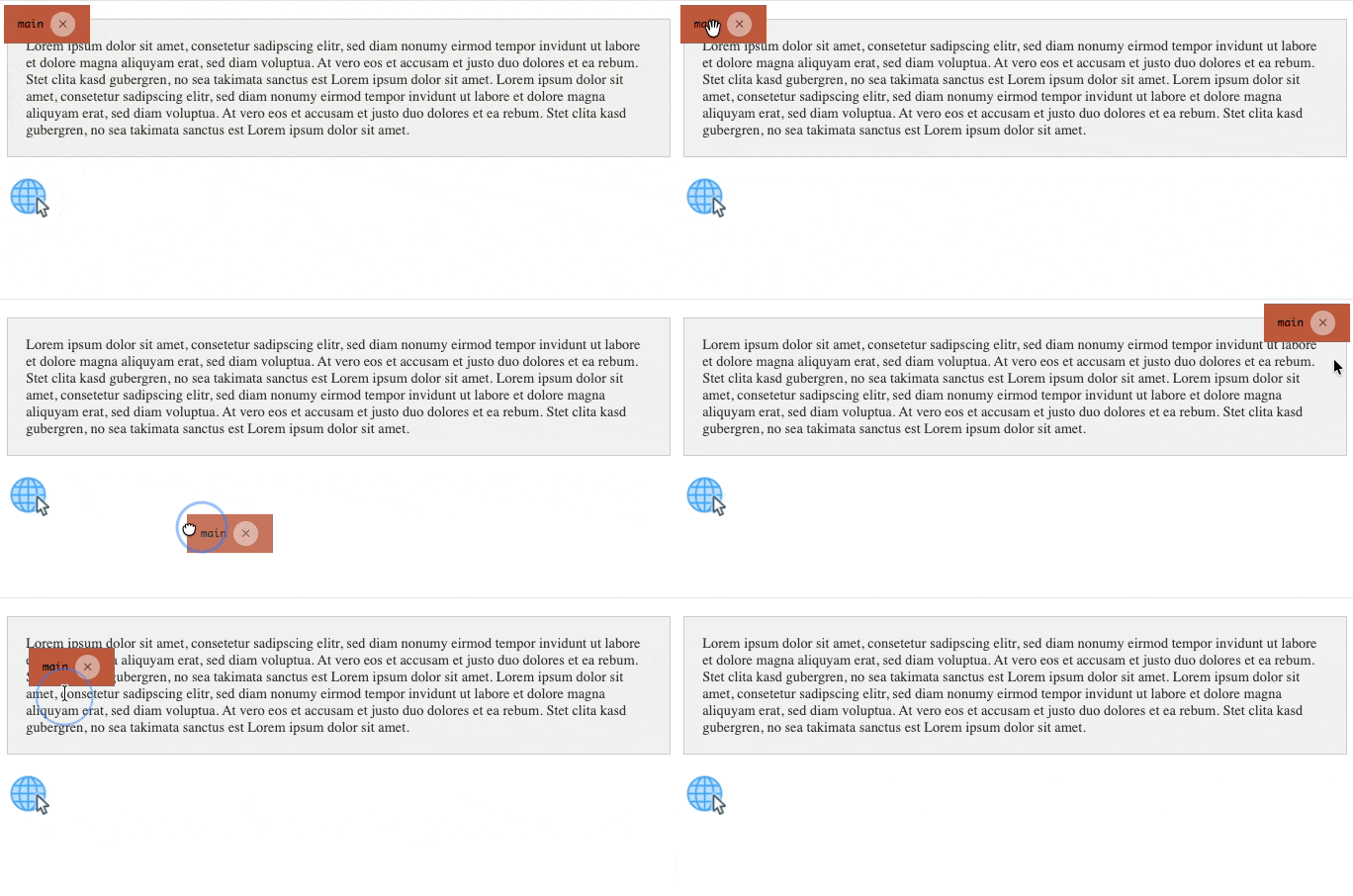
Dragging the hint to another corner and closing it
The hint is positioned relative to the viewport, so it stays visible while scrolling. If it covers something you need to see, drag it to another corner: on release it snaps to whichever of the four corners is nearest.
The chosen corner is stored in local and takes precedence over
the configured position from then on. Because Web Storage is scoped per
origin, every environment remembers its own corner independently.
Closing the hint
The close button hides the hint for the current browser session. The state is
stored in session, so the hint stays gone while navigating the
site and returns in a new browser session.
This is deliberate. The hint is a safety marker that keeps you from mistaking a staging system for the live site, so it is never dismissed permanently — but it also should not reappear on every single page view, which is what made closing it pointless before.
Note
Dragging and closing are progressive enhancements. Without JavaScript the hint is still rendered and positioned entirely through CSS; only the interaction is unavailable.
Note
The hint is marked aria- and excluded from the tab order on
purpose: it is a development artifact rather than page content, and should
not be announced to assistive technology on a staging system. The close
button's touch target is nonetheless enlarged to the 44×44 px minimum.