
Warning
Experimental. This extension is experimental and not yet ready for production use. It is built on top of WebMCP, which is itself an experimental, early-stage proposal. Both the underlying specification and this extension's API may change or break at any time without notice. Use at your own risk.
Analytics
The extension ships an optional, first-party usage log: one anonymous row per tool call, visualised in a backend module. It is enabled by default and can be switched off entirely (see Configuration).
What is recorded
Every tool call fires a small same-origin beacon (
navigator.,
with a fetch fallback) to the ingest endpoint. The
\Neoblack\ appends exactly two values per
call:
- the tool name – validated against the registered providers
(
\Neoblack\); events for unknown names are not stored.Webmcp\ Registry\ Tool Registry:: tool Names () - a client hint – a short, self-reported or coarsely detected label of the calling agent.
Note
Nothing else is stored: no free text (search queries, e-mail contents, names), no cookies, no IP address, no user agent string.
The client hint
The hint is best-effort and resolved client-side in this order:
- the agent's optional
clientargument, if it sets one (the runtime adds aclientproperty to every tool's input schema automatically); - otherwise a coarse match against known agent markers in the User-Agent
(e.g.
Claude,ChatGPT,GeminiBot); - otherwise the literal
unbekannt("unknown").
Server-side the value is sanitised (letters, digits, space and ._-/() only)
and capped at 64 characters before it is stored.
Data model
Events live in a single append-only table, created by
extension::
| Column | Type | Meaning |
|---|---|---|
uid | int | Primary key. |
crdate | int | Unix timestamp of the call. |
tool | varchar(64) | Registered tool name. |
client | varchar(64) | Sanitised client hint. |
Tip
There is no pid, no relation to a user or session, and no additional
payload column — the schema itself makes it impossible to store PII.
Retention and deletion
The table is append-only; the extension does not prune it automatically. Because a row is fully anonymous, there is no per-subject deletion to perform, but you remain free to trim or clear the log at any time, for example:
-- drop everything older than 90 days
DELETE FROM tx_neoblackwebmcp_event WHERE crdate < UNIX_TIMESTAMP() - 90*86400;

-- clear the log completely
TRUNCATE tx_neoblackwebmcp_event;If you schedule this, a simple periodic DELETE on crdate is enough; the
crdate column is indexed.
The ingest endpoint
POST /webmcp-event is public by design (agents call it without a backend
session). It is protected by several deliberate constraints:
| Constraint | Behaviour |
|---|---|
| Feature-gated | When analyticsEnabled is off the endpoint is inert and the
request is passed through untouched. |
| Same-origin guard | Requests whose Sec-Fetch-Site header is present and neither
same-origin nor same-site are rejected with 204. |
| Rate limited | At most analyticsRateLimit calls per client IP per minute
(default 60; 0 disables). Excess calls receive 429. The
limiter stores only a hashed IP + time-window counter that expires
after two windows — the plaintext IP is never persisted. |
| Whitelisted | Only registered tool names are logged; anything else is handed down the middleware stack. |
Backend module
When analytics is enabled, the System > WebMCP module shows calls per tool and per client, a per-day timeline and the most recent events. The timeframe (7 / 30 / 90 days) and tool/client filters are selectable; the accepted tool names are derived automatically from the registered providers.
Note
The module is not page-related: it has no page tree and shows site-wide
figures, mirroring the event table which has no pid. It lives in the
System menu; there is nothing to pick in a tree.
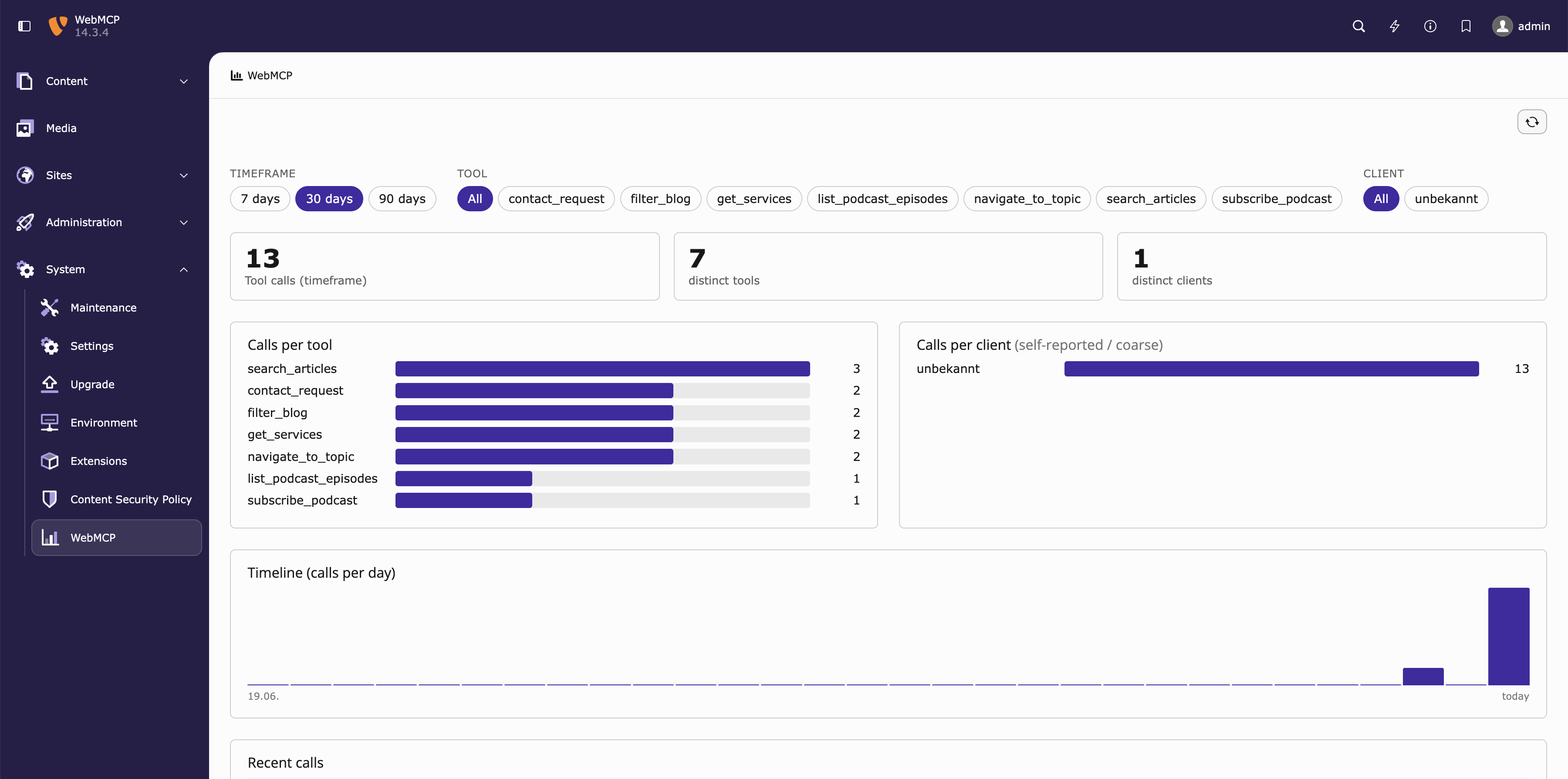
The WebMCP dashboard: calls per tool/client, and a per-day timeline.
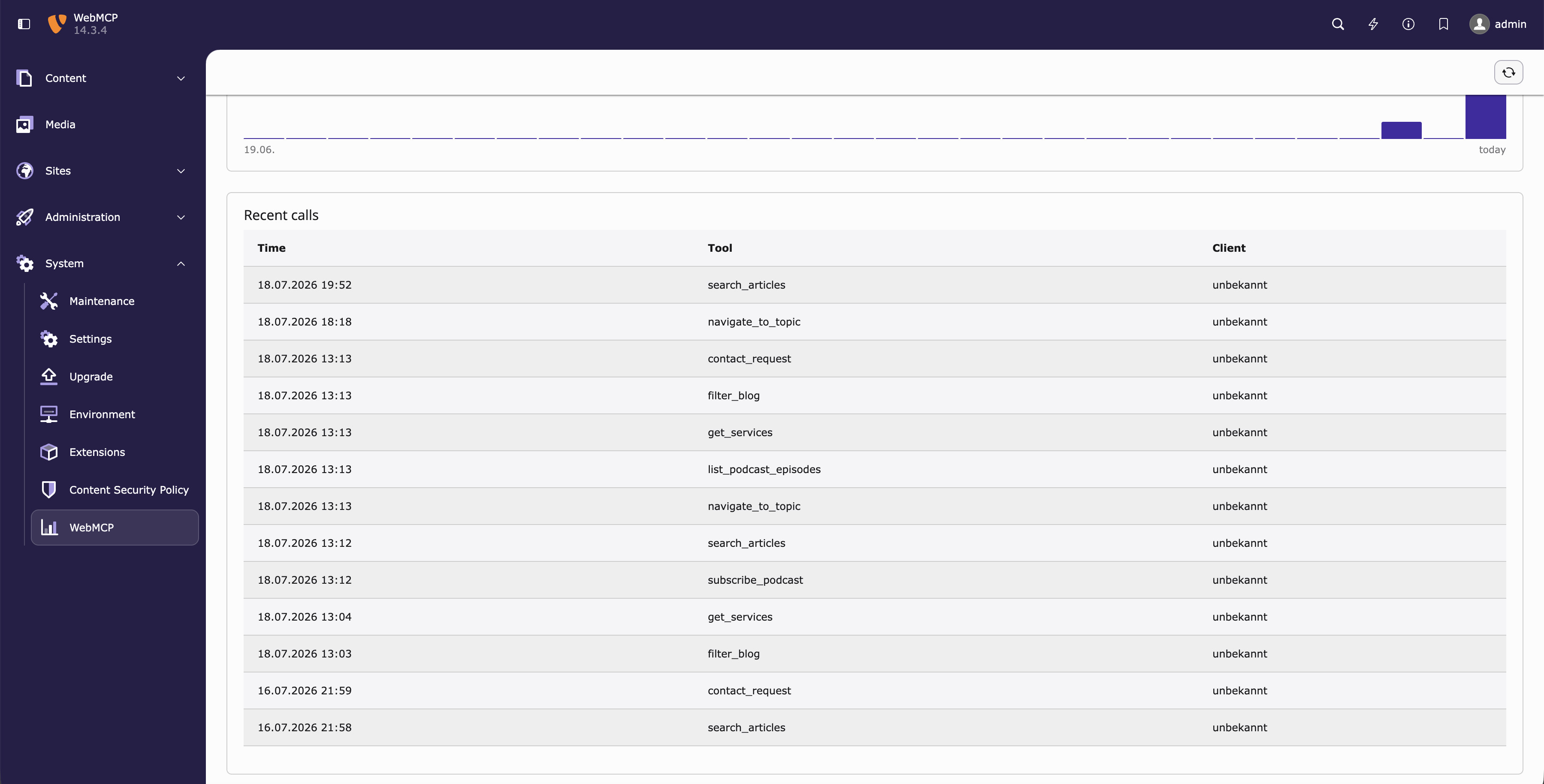
The WebMCP dashboard: the most recent events.
See also
- Configuration – switches for
analyticsEnabledandanalyticsRateLimit. - Architecture – how the ingest flow fits together.