
Examples
Important
Style not included. The extension ships semantic markup with BEM class names, not a finished design. Colours, typography, spacing, cards and buttons in the screenshots below come from the sitepackage of the site in question. Out of the box you get the same structure and behaviour, but unstyled.
Answering a question
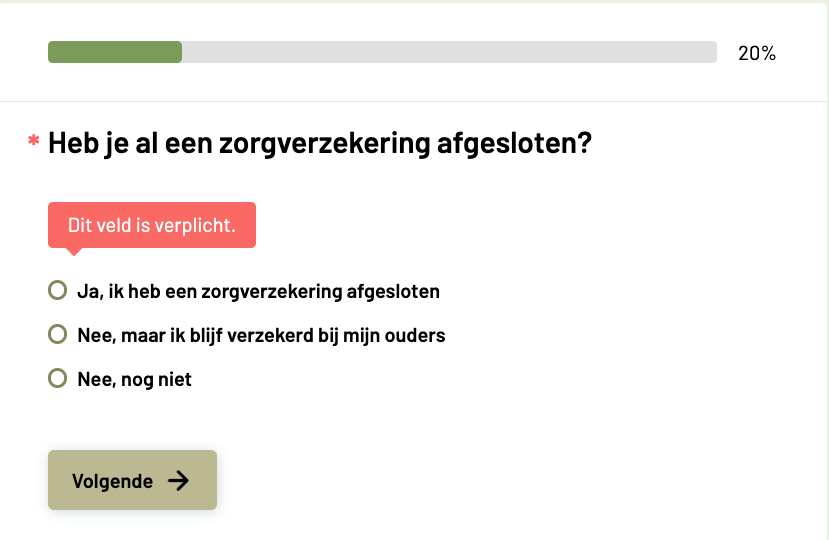
A single-choice question with the progress bar in completed mode and the client-side message for a required question.
What is visible here:
- The progress bar with the percentage beside it. It counts the questions already answered, not the one on screen: 20% means one of five questions is behind the visitor.
- The asterisk before the question text marks it as required; the message below appears when the visitor tries to continue without answering.
- The three answer options of a single choice question, and the Next button, whose label can be changed per plugin instance.
The result page
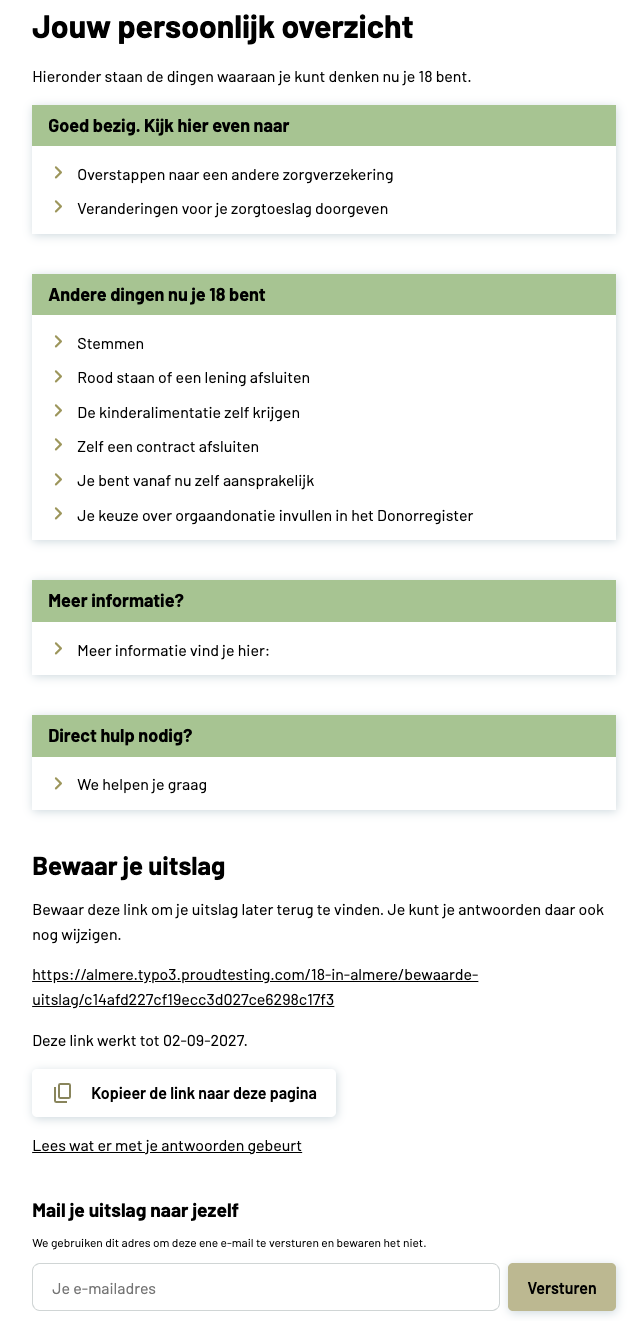
An inline result with group headings, the retrieval link and the mail form — both switched on in the plugin settings.
What is visible here:
- The result headline and body text from the result page record, followed by the advice blocks that matched the visitor's answers.
- Four group headings, each with the blocks that belong under it. A heading appears only when at least one of its blocks is visible.
- Bewaar je uitslag — the retrieval link, with the date it expires and a copy button, plus a link to the privacy statement.
- Mail je uitslag naar jezelf — the mail form. The address is used for that one mail and is not stored.