
Extension configuration
- Go to Admin Tools > Settings > Extension Configuration
- Choose xima_typo3_content_planner
The extension currently provides the following configuration options:
Features
recordListStatusInfo
-
- Type
- boolean
- Default
- 1
Enable record list status info
enableFilelistSupport
-
- Type
- boolean
- Default
- 1
Enable filelist support for files (sys_file_metadata) and folders
enableContentElementSupport
-
- Type
- boolean
- Default
- 1
Enable content element support (tt_content). When enabled, content elements can have their own status, assignee and comments.
recordEditHeaderInfo
-
- Type
- boolean
- Default
- 1
Enable record edit header info
webListHeaderInfo
-
- Type
- boolean
- Default
- 1
Enable web list header info
treeStatusInformation
-
- Type
- options
- Default
- comments
Enable additional information in the page tree. Choose between:
- Nothing (0): No additional information
- Comments (comments): Show comment count
- Todos (todos): Show todo count
resetContentElementStatusOnPageReset
-
- Type
- boolean
- Default
- 0
Reset status of content element, if status on corresponding page is reset
Note
Requires enableContentElementSupport to be enabled (default).
Assignee
autoAssignment
-
- Type
- boolean
- Default
- 1
Enable the auto assignment of the current user when a new status is set to the record.
currentAssigneeHighlight
-
- Type
- boolean
- Default
- 1
Enable the current assignee hint to highlight records assigned to the current user.
Records with your user assigned will be highlighted for you in a light yellow color.
Comments
clearCommentsOnStatusReset
-
- Type
- boolean
- Default
- 1
Delete corresponding comments when status is reset
commentTodos
-
- Type
- boolean
- Default
- 1
Parse the todos from comments and show them as separate hint
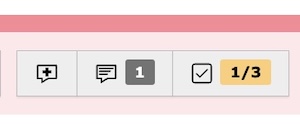
Todos from comments