
Dashboard
Table of Contents
The extension brings a prepared dashboard preset with a set of widgets to support the content planning process.
Create
To create a new dashboard, click on the "Add dashboard" (+) button near the dashboard tabs in the dashboard module.
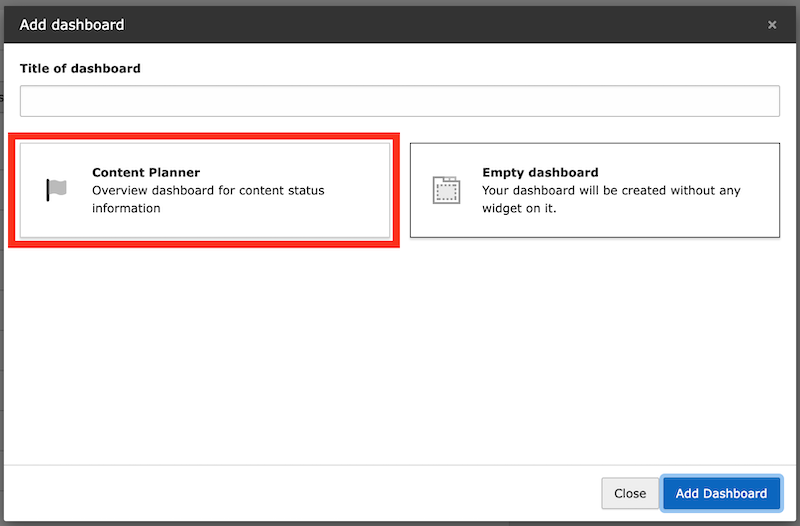
Create new dashboard using the preset
Otherwise you can add the widgets manually to an existing dashboard.
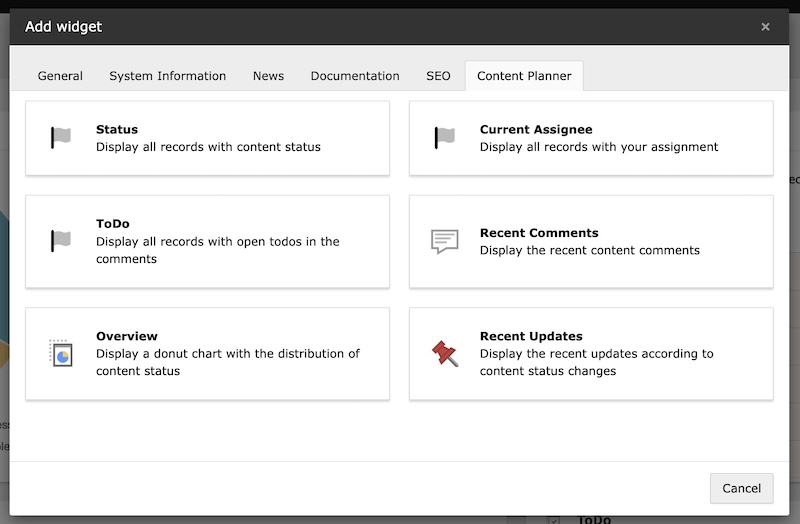
Select the content planner widgets
Widgets
The dashboard provides a set of helpful widgets to get an overview of the current status of the content planner records.
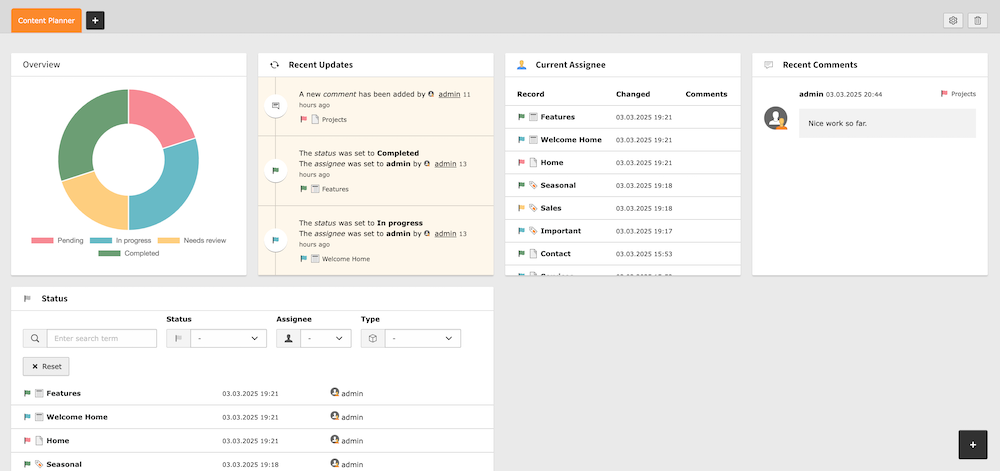
Dashboard overview
|
Widget: |
Description: |
|---|---|
|
Overview |
Bar chart showing the distribution of records by status. |
|
Recent Updates |
Update stream showing the latest changes to the content planner records. |
|
Current Assignee |
Short list with all records assigned to the current user. |
|
ToDo |
Display all records with open todos in the comments. |
|
Recent Comments |
Showings the latest comments on the content planner records. |
|
Status |
Filterable list of all records with the current status. |
|
Content Planner (Configurable) |
A fully customizable widget that combines the functionality of multiple widgets. Available in TYPO3 v14+ only. See Configurable Widget for details. |
Configurable Widget
New in version 2.0.0
Important
This widget requires TYPO3 v14+ and uses the new Dashboard Widget Settings API.
The Content Planner (Configurable) widget is a powerful, customizable widget. It allows you to create multiple instances with different configurations, each tailored to your specific needs.
Settings
The widget can be configured through the widget settings dialog:
|
Setting: |
Description: |
|---|---|
|
Custom Title |
Set a custom title for the widget. If left empty, an automatic title based on the selected mode will be used. |
|
Display Mode |
Choose what kind of records to display:
|
|
Status Filter |
Filter records by a specific status. Select "All statuses" to show records with any status. |
|
Assignee Filter |
Filter records by assignee:
|
|
Record Type Filter |
Filter records by table type (e.g., pages, news, etc.). Select "All record types" to show all registered tables. |
Use Cases
Here are some example configurations:
- Personal Task List
- Set "Display Mode" to "Assigned Records" and "Assignee Filter" to "Current User" with a custom title like "My Tasks".
- Review Queue
- Set "Status Filter" to your "In Review" status to create a dedicated review queue widget.
- Open TODOs Overview
- Set "Display Mode" to "Records with open TODOs" to track all unfinished tasks across the project.
- News Articles Status
- Set "Record Type Filter" to "News" to monitor only news article statuses.