
Storage Configuration
Setting the storage behaviour
In the backend module File Protection you can edit the Storage Settings of the currently selected folder via the dropdown menu on the top right of the window. Select "Edit storage settings" to edit the configuration.
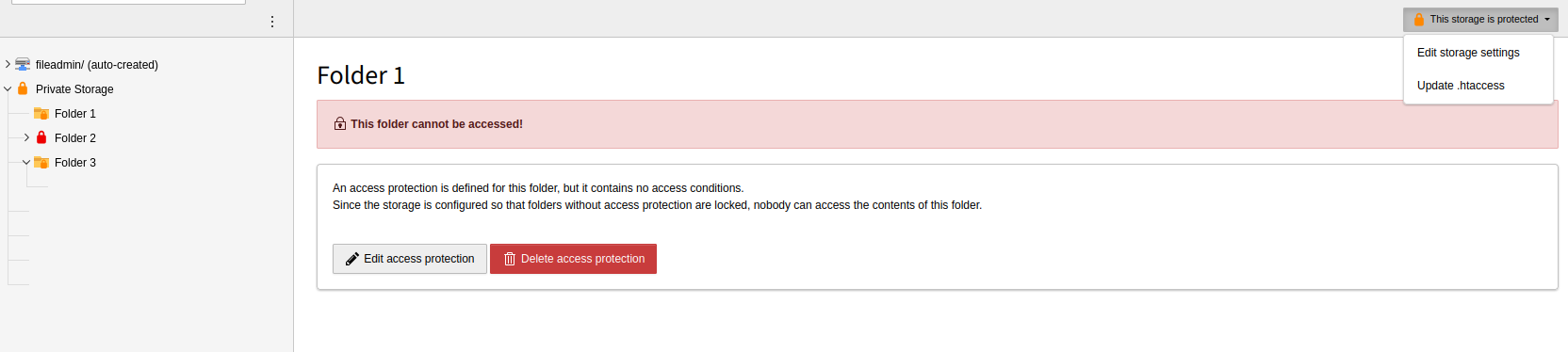
Use the dropdown on the top right to edit the storage configuration
After opening the configuration you have the following options. After saving, the configuration is immediately applied to the storage and the respective .htaccess file is updated automatically.
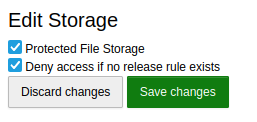
Storage settings
Protected File Storage
-
Enables protection for this storage in general. Defined access rules are only applied when this option is enabled. Otherwise the storage remains publicly accessible.
Deny access if no protection rule exists
-
Controls the default behaviour of the storage.
- Disabled (whitelist mode)
- The storage is accessible by default. Only folders with an explicit protection rule (and their children) are protected. Files in folders without a rule can always be accessed.
- Enabled (blacklist mode)
- The storage is inaccessible by default. Access must be explicitly granted via protection rule for every folder (which then also applies to the children of this folder). Files in folders without a rule cannot be viewed.
Updating / Repairing .htaccess
In very rare cases it might be necessary to update the .htaccess file, if the file protection does not work. To do this you can just open the configuration of the respective storage and save it. The .htaccess will be updated automatically. Otherwise you can select "Update .htaccess" in the upper right dropdown in every folder of the storage.